
Day 20 of 30 days of Data Engineering Series with Projects
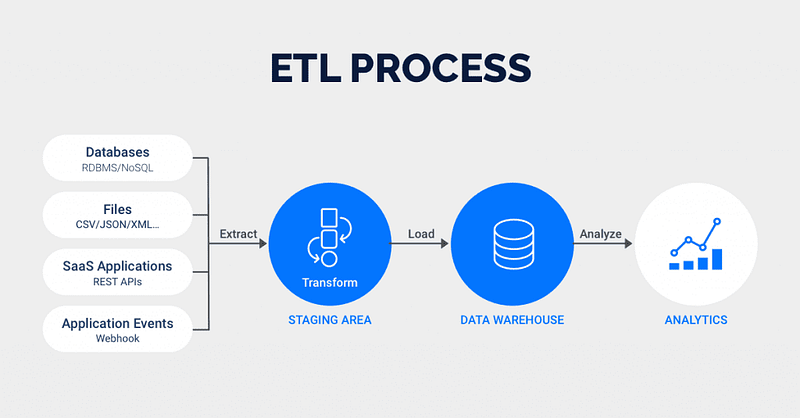
Welcome back peeps to Day 20 of Data Engineering Series with Projects!
In this we will cover —
ETL ( Extract, Tranform and Load) basics
Why ETL is important?
How ETL works
ETL Tools
Pre-requisite to Day 20 is to complete Day 1–19( link below):
Day 3 : Complete Advanced Python for Data Engineering — Part 2
Day 18 : Data Visualization basics, Data Visualization Projects, Data Visualization using Plotly and Bokeh, Data Profiling, Summary Functions, Indexing, Grouping, Linear Regression, Multi Linear Regression, Polynomial Regression, Regression, Support Vector Regression, Decision Tree Regression, Random Forest Regression, Feature Engineering, GroupBy Features, Categorical and Numerical Features, Missing Value Analysis, Fill the missing Values, Unique Value Analysis, Univariate Analysis, Bivariate Analysis, Multivariate Analysis, Correlation Analysis, Spearman’s ρ, Pearson’s r, Kendall’s τ, Cramér’s V (φc), Phik (φk)
Day 20 : ETL ( Extract, Tranform and Load) basics, Why ETL is important?, How ETL works, ETL Tools
Projects Videos —
All the projects, data structures, SQL, algorithms, system design, Data Science and ML , Data Analytics, Data Engineering, , Implemented Data Science and ML projects, Implemented Data Engineering Projects, Implemented Deep Learning Projects, Implemented Machine Learning Ops Projects, Implemented Time Series Analysis and Forecasting Projects, Implemented Applied Machine Learning Projects, Implemented Tensorflow and Keras Projects, Implemented PyTorch Projects, Implemented Scikit Learn Projects, Implemented Big Data Projects, Implemented Cloud Machine Learning Projects, Implemented Neural Networks Projects, Implemented OpenCV Projects,Complete ML Research Papers Summarized, Implemented Data Analytics projects, Implemented Data Visualization Projects, Implemented Data Mining Projects, Implemented Natural Leaning Processing Projects, MLOps and Deep Learning, Applied Machine Learning with Projects Series, PyTorch with Projects Series, Tensorflow and Keras with Projects Series, Scikit Learn Series with Projects, Time Series Analysis and Forecasting with Projects Series, ML System Design Case Studies Series videos will be published on our youtube channel ( just launched).
Subscribe today!
Tech Newsletter —
If you are interested, you can join my newsletter through which I send tech interview tips, techniques, patterns, hacks — Software Development, ML, Data Science, Startups and Technology projects to more than 30K readers. You can subscribe to Ignito:
System Design Case Studies — In Depth
Design Instagram
Design Netflix
Design Reddit
Design Amazon
Design Messenger App
Design Twitter
Design URL Shortener
Design Dropbox
Design Youtube
Design API Rate Limiter
Design Web Crawler
Design Amazon Prime Video
Design Facebook’s Newsfeed
Design Yelp
Design Uber
Design Tinder
Design Tiktok
Design Whatsapp
Most Popular System Design Questions
Mega Compilation : Solved System Design Case studies
Let’s get started!
ETL ( Extract, Tranform and Load)
In simple terms, ETL stands for —
- Extract — To extract data from the multiple legacy systems
- Transform — To cleanse the data
- Load — To load the data into the target system or database
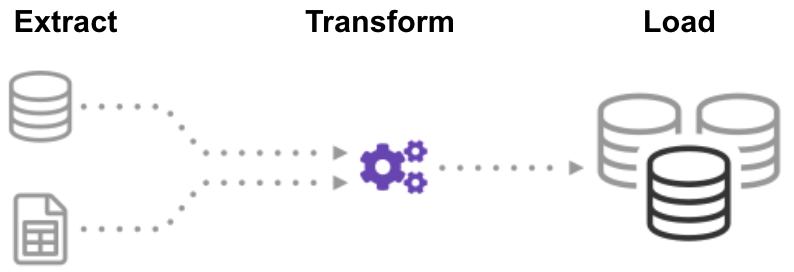
Extract process retrieves and verifies data from different sources/legacy systems. Transform processes and organizes the extracted data and Load takes the transformed data to put into the target system or the repository/database.
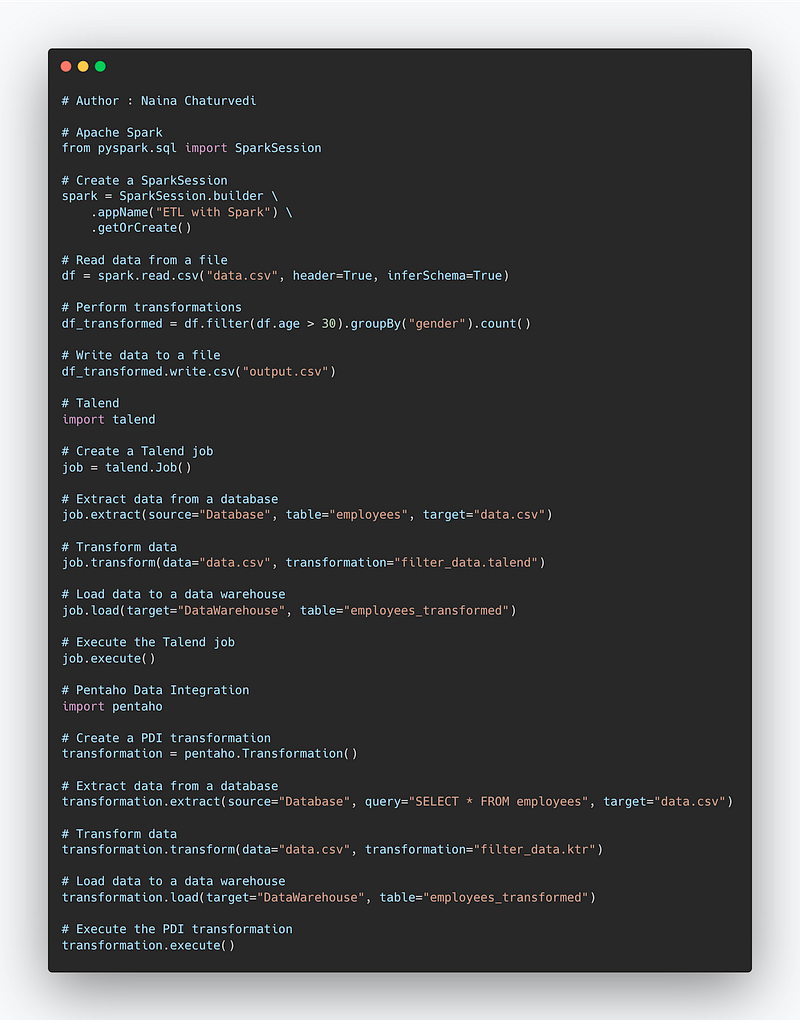
Code Implementation —
# Apache Spark
from pyspark.sql import SparkSession

# Create a SparkSession
spark = SparkSession.builder \
    .appName("ETL with Spark") \
    .getOrCreate()

# Read data from a file
df = spark.read.csv("data.csv", header=True, inferSchema=True)

# Perform transformations
df_transformed = df.filter(df.age > 30).groupBy("gender").count()

# Write data to a file
df_transformed.write.csv("output.csv")

# Talend
import talend

# Create a Talend job
job = talend.Job()

# Extract data from a database
job.extract(source="Database", table="employees", target="data.csv")

# Transform data
job.transform(data="data.csv", transformation="filter_data.talend")

# Load data to a data warehouse
job.load(target="DataWarehouse", table="employees_transformed")

# Execute the Talend job
job.execute()

# Pentaho Data Integration
import pentaho

# Create a PDI transformation
transformation = pentaho.Transformation()

# Extract data from a database
transformation.extract(source="Database", query="SELECT * FROM employees", target="data.csv")

# Transform data
transformation.transform(data="data.csv", transformation="filter_data.ktr")

# Load data to a data warehouse
transformation.load(target="DataWarehouse", table="employees_transformed")

# Execute the PDI transformation
transformation.execute()
Snippet —
Why ETL is important?
- Improves productivity by automating the processes
- Historical Context — It keeps all the legacy data which is used by the businesses
- Analyze, get insights — It helps to analyze, get insights and report the data.
- Supports Data integrations
- Maintains accuracy and quality of the data
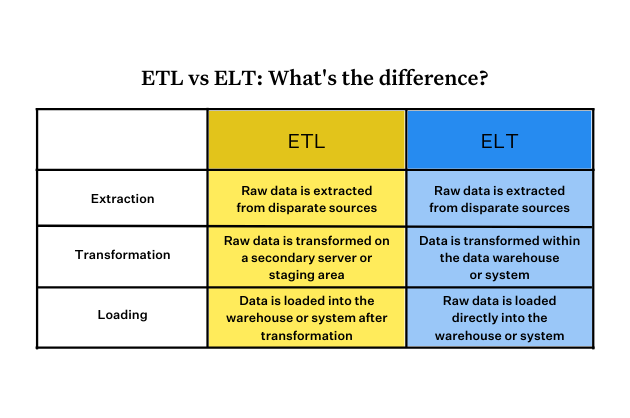
The difference between ETL and ELT process —
How ETL works?
ETL stands for Extract, Transform, and Load, and it is a process used to move data from one or more sources into a destination system, typically a data warehouse or a data lake.
ETL is important because it allows organizations to collect, store, and analyze large amounts of data from a variety of sources, such as transactional systems, log files, and social media. By performing ETL, organizations can gain insights and make data-driven decisions that can improve their business operations.
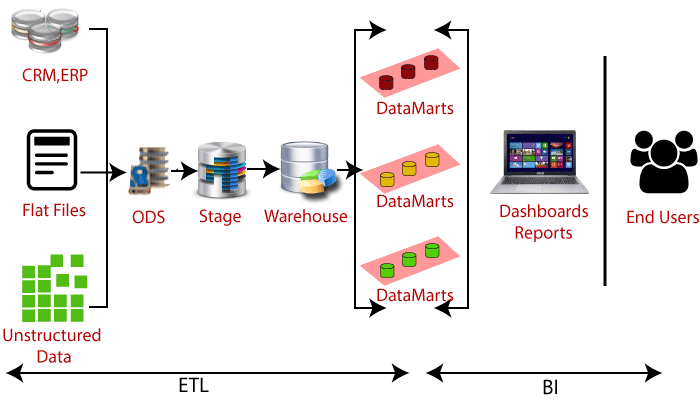
The ETL process typically works as follows:
- Extract: Data is extracted from one or more sources, such as databases, files, or APIs.
- Transform: The extracted data is cleaned, transformed, and normalized to fit the structure and format of the destination system. This step may include tasks such as data validation, data mapping, and data manipulation.
- Load: The transformed data is loaded into the destination system, such as a data warehouse or a data lake.
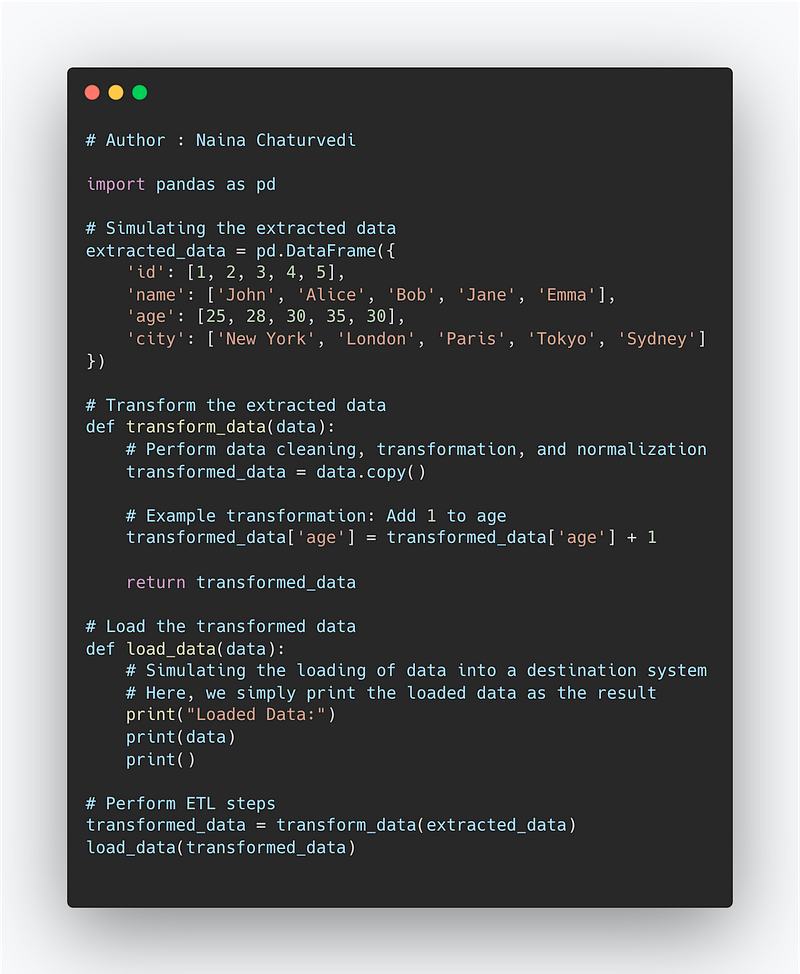
Implementation —
import pandas as pd

# Simulating the extracted data
extracted_data = pd.DataFrame({
    'id': [1, 2, 3, 4, 5],
    'name': ['John', 'Alice', 'Bob', 'Jane', 'Emma'],
    'age': [25, 28, 30, 35, 30],
    'city': ['New York', 'London', 'Paris', 'Tokyo', 'Sydney']
})

# Transform the extracted data
def transform_data(data):
    # Perform data cleaning, transformation, and normalization
    transformed_data = data.copy()

    # Example transformation: Add 1 to age
    transformed_data['age'] = transformed_data['age'] + 1

    return transformed_data

# Load the transformed data
def load_data(data):
    # Simulating the loading of data into a destination system
    # Here, we simply print the loaded data as the result
    print("Loaded Data:")
    print(data)
    print()

# Perform ETL steps
transformed_data = transform_data(extracted_data)
load_data(transformed_data)
There are many ETL tools available, such as Talend, Informatica PowerCenter, IBM DataStage, and Microsoft SQL Server Integration Services (SSIS). These tools typically provide a user-friendly interface and a wide range of built-in functions for data extraction, transformation, and loading.
Snippet —
ETL works purely on the automation i.e the scripts to extract, transform and load data are automated and scheduled to run.
Let’s take each step and get into the details .
Extract
Data is extracted/retrieved from various systems like —
Legacy systems
Mobile devices
Cloud environments
Data storage systems
Data warehouses
ETL tools automate the extraction process to establish an efficient and accurate workflows/pipelines.
Transform
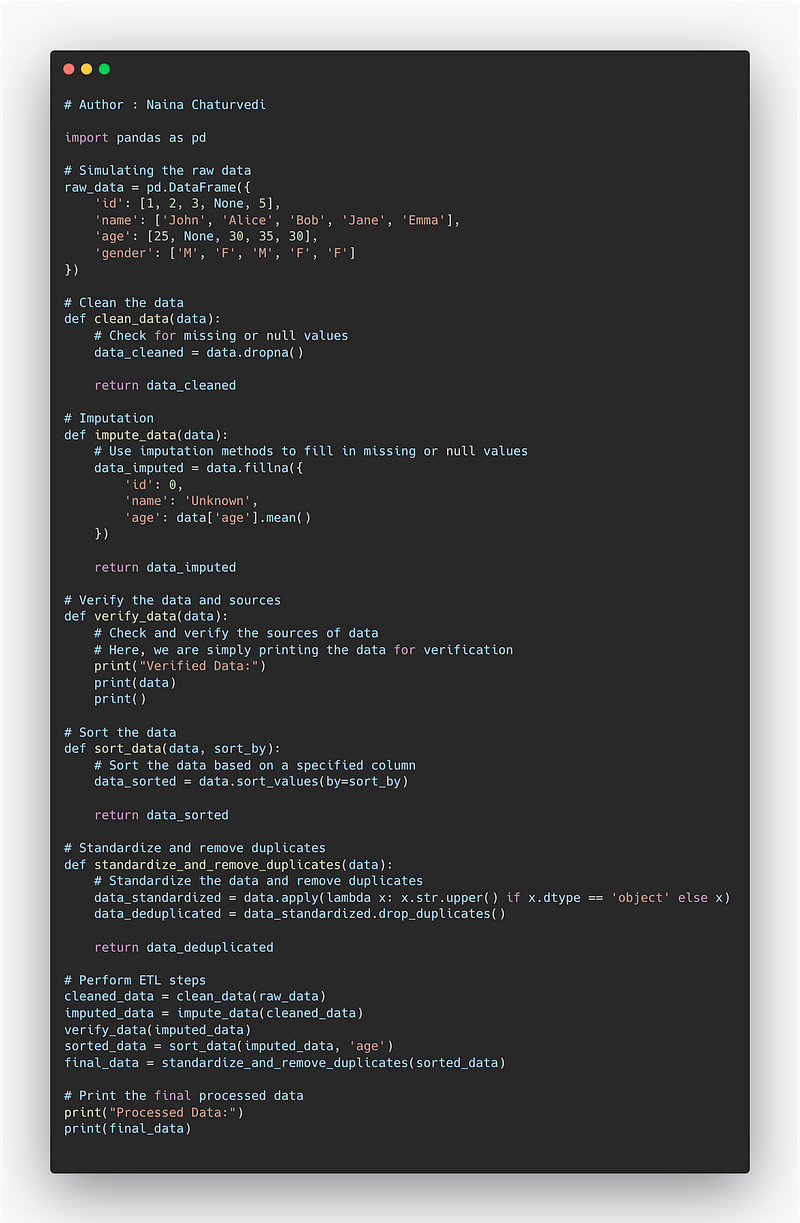
Transform process is one of the most important step which involves —
Clean the data — Check for the missing or null values
Imputation — Use imputation methods to fill in the missing or null values
Verify the data and sources — Check and verify the sources of data
Sorting the data — Organize the data
Standardizing and removing the duplicates — Remove the redundant data and make sure the data is properly formatted/standardized according to the rules
Code Implementation —
import pandas as pd

# Simulating the raw data
raw_data = pd.DataFrame({
    'id': [1, 2, 3, None, 5],
    'name': ['John', 'Alice', 'Bob', 'Jane', 'Emma'],
    'age': [25, None, 30, 35, 30],
    'gender': ['M', 'F', 'M', 'F', 'F']
})

# Clean the data
def clean_data(data):
    # Check for missing or null values
    data_cleaned = data.dropna()

    return data_cleaned

# Imputation
def impute_data(data):
    # Use imputation methods to fill in missing or null values
    data_imputed = data.fillna({
        'id': 0,
        'name': 'Unknown',
        'age': data['age'].mean()
    })

    return data_imputed

# Verify the data and sources
def verify_data(data):
    # Check and verify the sources of data
    # Here, we are simply printing the data for verification
    print("Verified Data:")
    print(data)
    print()

# Sort the data
def sort_data(data, sort_by):
    # Sort the data based on a specified column
    data_sorted = data.sort_values(by=sort_by)

    return data_sorted

# Standardize and remove duplicates
def standardize_and_remove_duplicates(data):
    # Standardize the data and remove duplicates
    data_standardized = data.apply(lambda x: x.str.upper() if x.dtype == 'object' else x)
    data_deduplicated = data_standardized.drop_duplicates()

    return data_deduplicated

# Perform ETL steps
cleaned_data = clean_data(raw_data)
imputed_data = impute_data(cleaned_data)
verify_data(imputed_data)
sorted_data = sort_data(imputed_data, 'age')
final_data = standardize_and_remove_duplicates(sorted_data)

# Print the final processed data
print("Processed Data:")
print(final_data)
Snippet —
Load
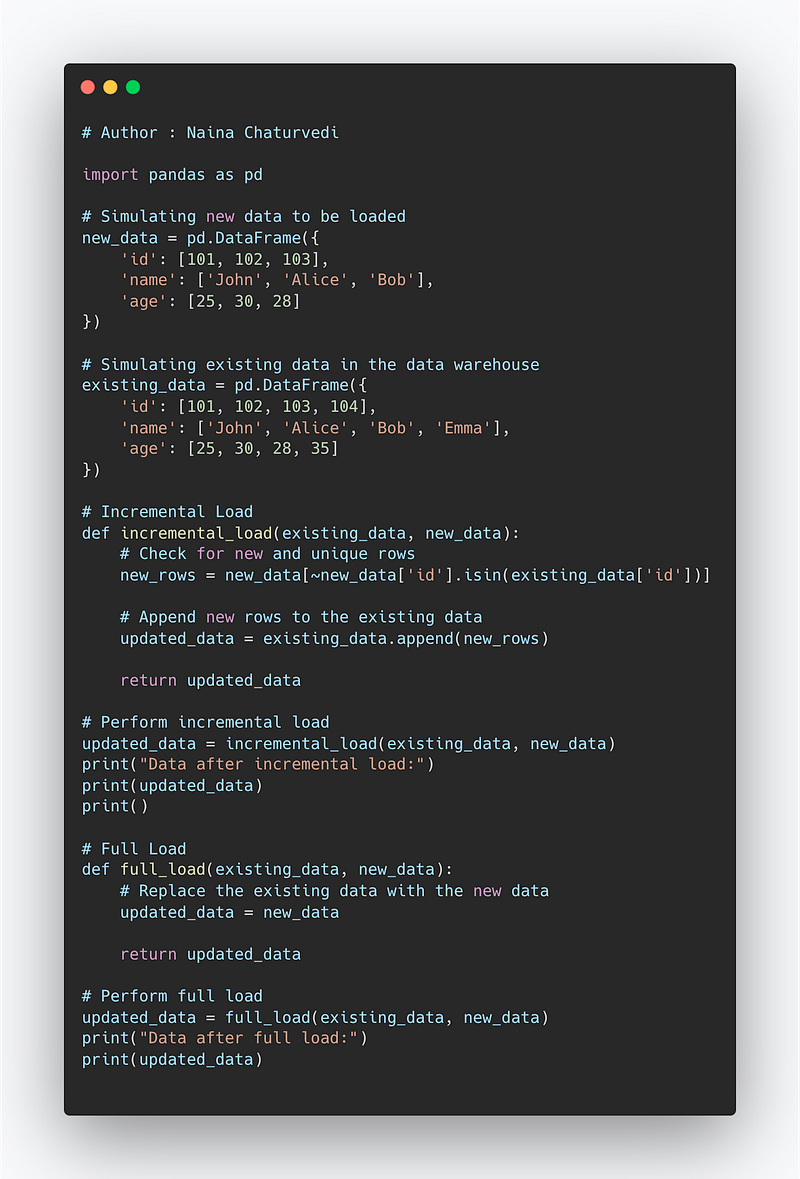
This step is load the transformed data to the data warehouse or the data lakes. It can be loaded —
Incremental Load — To load the data by comparing it with existing data and loading only the chunk which is new, important and unique. It makes the process faster and easy to maintain on the data ware house side.
Full Load — All the data in one cycle is loaded to the data warehouse/repository. It makes the process slower and difficult to maintain on the data ware house side.
Implementation —
import pandas as pd

# Simulating new data to be loaded
new_data = pd.DataFrame({
    'id': [101, 102, 103],
    'name': ['John', 'Alice', 'Bob'],
    'age': [25, 30, 28]
})

# Simulating existing data in the data warehouse
existing_data = pd.DataFrame({
    'id': [101, 102, 103, 104],
    'name': ['John', 'Alice', 'Bob', 'Emma'],
    'age': [25, 30, 28, 35]
})

# Incremental Load
def incremental_load(existing_data, new_data):
    # Check for new and unique rows
    new_rows = new_data[~new_data['id'].isin(existing_data['id'])]

    # Append new rows to the existing data
    updated_data = existing_data.append(new_rows)

    return updated_data

# Perform incremental load
updated_data = incremental_load(existing_data, new_data)
print("Data after incremental load:")
print(updated_data)
print()

# Full Load
def full_load(existing_data, new_data):
    # Replace the existing data with the new data
    updated_data = new_data

    return updated_data

# Perform full load
updated_data = full_load(existing_data, new_data)
print("Data after full load:")
print(updated_data)
Snippet —
ETL Tools
ETL tools use batch processing and scheduling. Since they process the data at high speeds and in huge volume, they have batch windows to process the data.
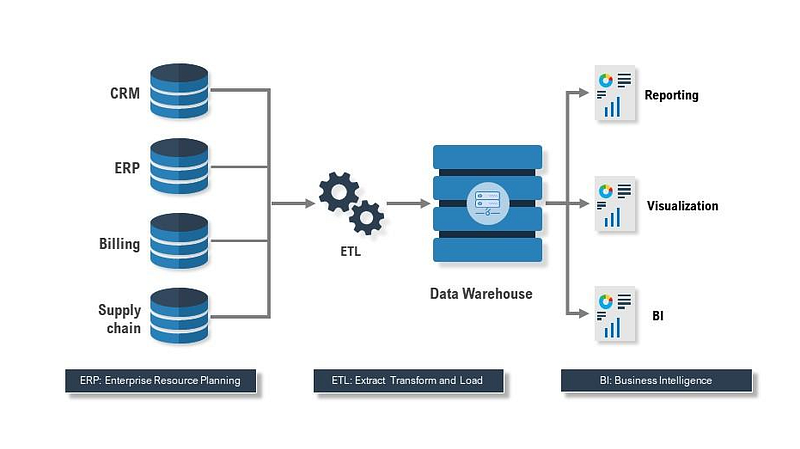
Web services are also used to simplify the data integration process and create more value from the huge amount of data.
For each step different tools are used —
Data Source —
Google Analytics
Stripe
Shopify
Extract/Load —
Airbyte
Fivetran
Segment
Transform —
dbt
DataWarehouse —
Snowflake
Some of the great ETL tools —
IBM Datastage
Informatica Power Centre
Oracle Warehouse Builder
SAS ETL studio
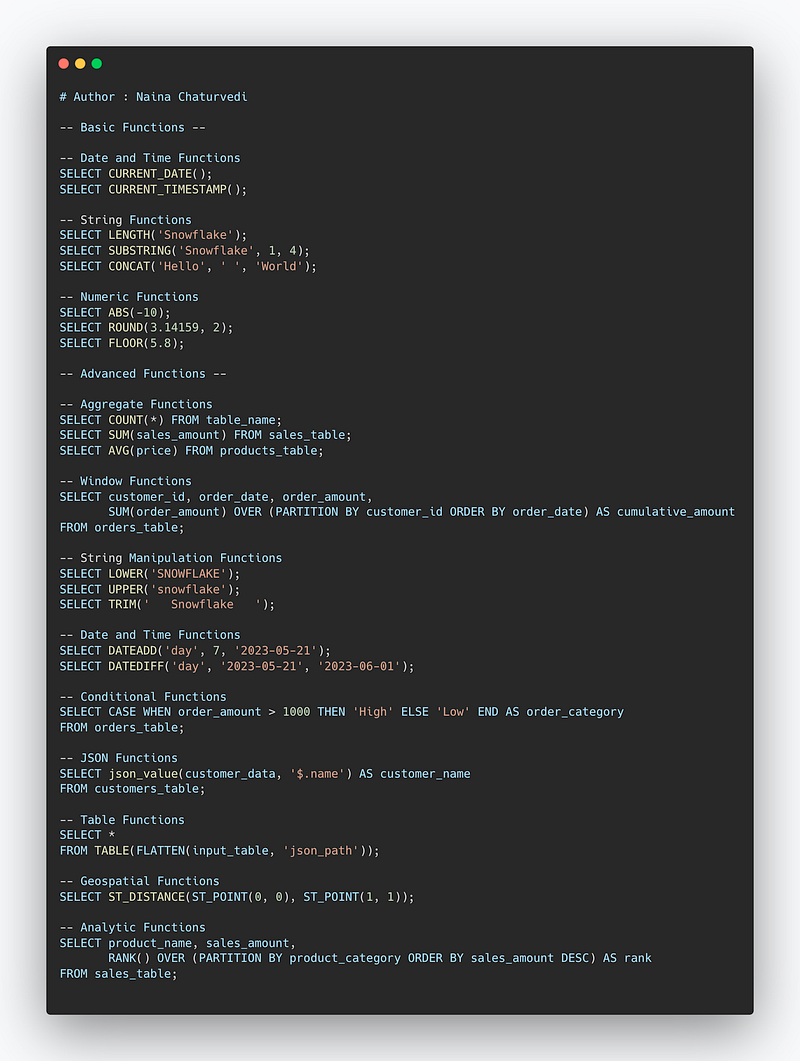
Implementation ( Snowflake) —
-- Basic Functions --

-- Date and Time Functions
SELECT CURRENT_DATE();
SELECT CURRENT_TIMESTAMP();

-- String Functions
SELECT LENGTH('Snowflake');
SELECT SUBSTRING('Snowflake', 1, 4);
SELECT CONCAT('Hello', ' ', 'World');

-- Numeric Functions
SELECT ABS(-10);
SELECT ROUND(3.14159, 2);
SELECT FLOOR(5.8);

-- Advanced Functions --

-- Aggregate Functions
SELECT COUNT(*) FROM table_name;
SELECT SUM(sales_amount) FROM sales_table;
SELECT AVG(price) FROM products_table;

-- Window Functions
SELECT customer_id, order_date, order_amount,
       SUM(order_amount) OVER (PARTITION BY customer_id ORDER BY order_date) AS cumulative_amount
FROM orders_table;

-- String Manipulation Functions
SELECT LOWER('SNOWFLAKE');
SELECT UPPER('snowflake');
SELECT TRIM('   Snowflake   ');

-- Date and Time Functions
SELECT DATEADD('day', 7, '2023-05-21');
SELECT DATEDIFF('day', '2023-05-21', '2023-06-01');

-- Conditional Functions
SELECT CASE WHEN order_amount > 1000 THEN 'High' ELSE 'Low' END AS order_category
FROM orders_table;

-- JSON Functions
SELECT json_value(customer_data, '$.name') AS customer_name
FROM customers_table;

-- Table Functions
SELECT *
FROM TABLE(FLATTEN(input_table, 'json_path'));

-- Geospatial Functions
SELECT ST_DISTANCE(ST_POINT(0, 0), ST_POINT(1, 1));

-- Analytic Functions
SELECT product_name, sales_amount,
       RANK() OVER (PARTITION BY product_category ORDER BY sales_amount DESC) AS rank
FROM sales_table;
Snippet —
That’s it for now.
Find Day 21 below —
Let me know if you have questions in the comment section below. Subscribe/ Follow, Like/Clap as it would encourage me to write more in my free time
Stay Tuned!!
Read more —
All the Complete System Design Series Parts —
6. Networking, How Browsers work, Content Network Delivery ( CDN)
Github —
For Python Projects —
For complete 60 days of Data Science and ML : Day 1 — Day 60 : Quick Recap of 60 days of Data Science and ML
Follow for more updates. Stay tuned and keep coding!
For other projects, tune to —
Build Machine Learning Pipelines( With Code)
Recurrent Neural Network with Keras
Clustering Geolocation Data in Python using DBSCAN and K-Means
Facial Expression Recognition using Keras
Hyperparameter Tuning with Keras Tuner
Custom Layers in Keras


