
Day 8 of 30 days of Data Engineering Series with Projects

Welcome back peeps to Day 8 of Data Engineering Series with Projects!
Day 3 : Complete Advanced Python for Data Engineering — Part 2
Projects Videos —
All the projects, data structures, SQL, algorithms, system design, Data Science and ML , Data Analytics, Data Engineering, , Implemented Data Science and ML projects, Implemented Data Engineering Projects, Implemented Deep Learning Projects, Implemented Machine Learning Ops Projects, Implemented Time Series Analysis and Forecasting Projects, Implemented Applied Machine Learning Projects, Implemented Tensorflow and Keras Projects, Implemented PyTorch Projects, Implemented Scikit Learn Projects, Implemented Big Data Projects, Implemented Cloud Machine Learning Projects, Implemented Neural Networks Projects, Implemented OpenCV Projects,Complete ML Research Papers Summarized, Implemented Data Analytics projects, Implemented Data Visualization Projects, Implemented Data Mining Projects, Implemented Natural Leaning Processing Projects, MLOps and Deep Learning, Applied Machine Learning with Projects Series, PyTorch with Projects Series, Tensorflow and Keras with Projects Series, Scikit Learn Series with Projects, Time Series Analysis and Forecasting with Projects Series, ML System Design Case Studies Series videos will be published on our youtube channel ( just launched).
Subscribe today!
Tech Newsletter —
If you are interested, you can join my newsletter through which I send tech interview tips, techniques, patterns, hacks — Software Development, ML, Data Science, Startups and Technology projects to more than 30K readers. You can subscribe to Ignito:
System Design Case Studies — In Depth
Design Instagram
Design Netflix
Design Reddit
Design Amazon
Design Messenger App
Design Twitter
Design URL Shortener
Design Dropbox
Design Youtube
Design API Rate Limiter
Design Web Crawler
Design Amazon Prime Video
Design Facebook’s Newsfeed
Design Yelp
Design Uber
Design Tinder
Design Tiktok
Design Whatsapp
Most Popular System Design Questions
Mega Compilation : Solved System Design Case studies
Pre-requisite to Day 8 is to complete Day 1–7( link below):
Day 1 of 30 days of Data Engineering can be found below —
Day 2 of 30 days of Data Engineering can be found below —
Day 3 of 30 days of Data Engineering can be found below —
This is Day 8 of 30 days of Data Engineering Series where we will be covering —
Advanced Functions
Let’s get started!
Some of the most important Advanced Functions —
- Aggregate functions: These functions are used to summarize data, such as counting the number of rows, calculating the sum or average of a column, or finding the minimum or maximum value. Examples include COUNT(), SUM(), AVG(), MIN(), and MAX().
- Window functions: These functions are used to perform calculations across rows within a specific window or frame of a query result set. Examples include ROW_NUMBER(), RANK(), DENSE_RANK() and NTILE().
- String functions: These functions are used to manipulate and extract information from strings. Examples include SUBSTRING(), LENGTH(), CONCAT(), UPPER(), and LOWER().
- Date and time functions: These functions are used to work with date and time data. Examples include CURRENT_DATE(), CURRENT_TIME(), CURRENT_TIMESTAMP(), and EXTRACT().
- Conversion functions: These functions are used to convert data from one type to another. Examples include CAST() and CONVERT().
- Conditional functions: These functions are used to perform conditional calculations. Examples include CASE(), COALESCE() and NULLIF().
- Analytic functions: These functions are used to perform complex calculations over a group of rows. Examples include RANK(), DENSE_RANK(), ROW_NUMBER(), and LEAD() and LAG().
Code Implementation —
-- Aggregate functions
SELECT COUNT(column_name) AS count_rows
FROM table_name;

SELECT SUM(column_name) AS sum_value
FROM table_name;

SELECT AVG(column_name) AS average_value
FROM table_name;

SELECT MIN(column_name) AS min_value
FROM table_name;

SELECT MAX(column_name) AS max_value
FROM table_name;

-- Window functions
SELECT column_name, ROW_NUMBER() OVER (ORDER BY column_name) AS row_num
FROM table_name;

SELECT column_name, RANK() OVER (PARTITION BY partition_column ORDER BY order_column) AS rank_num
FROM table_name;

SELECT column_name, DENSE_RANK() OVER (PARTITION BY partition_column ORDER BY order_column) AS dense_rank_num
FROM table_name;

SELECT column_name, NTILE(4) OVER (ORDER BY column_name) AS ntile_num
FROM table_name;

-- String functions
SELECT SUBSTRING(column_name, start_index, length) AS substring_value
FROM table_name;

SELECT LENGTH(column_name) AS length_value
FROM table_name;

SELECT CONCAT(string1, string2) AS concatenated_string
FROM table_name;

SELECT UPPER(column_name) AS uppercase_value
FROM table_name;

SELECT LOWER(column_name) AS lowercase_value
FROM table_name;

-- Date and time functions
SELECT CURRENT_DATE() AS current_date;

SELECT CURRENT_TIME() AS current_time;

SELECT CURRENT_TIMESTAMP() AS current_timestamp;

SELECT EXTRACT(YEAR FROM date_column) AS year_value
FROM table_name;

-- Conversion functions
SELECT CAST(column_name AS data_type) AS converted_value
FROM table_name;

SELECT CONVERT(column_name, data_type) AS converted_value
FROM table_name;

-- Conditional functions
SELECT column_name, CASE WHEN condition THEN value1 ELSE value2 END AS conditional_value
FROM table_name;

SELECT column_name, COALESCE(column_name1, column_name2) AS coalesced_value
FROM table_name;

SELECT column_name, NULLIF(value1, value2) AS null_if_value
FROM table_name;

-- Analytic functions
SELECT column_name, RANK() OVER (PARTITION BY partition_column ORDER BY order_column) AS rank_num
FROM table_name;

SELECT column_name, DENSE_RANK() OVER (PARTITION BY partition_column ORDER BY order_column) AS dense_rank_num
FROM table_name;

SELECT column_name, ROW_NUMBER() OVER (PARTITION BY partition_column ORDER BY order_column) AS row_num
FROM table_name;

SELECT column_name, LEAD(column_name, offset) OVER (ORDER BY order_column) AS lead_value
FROM table_name;

SELECT column_name, LAG(column_name, offset) OVER (ORDER BY order_column) AS lag_value
FROM table_name;
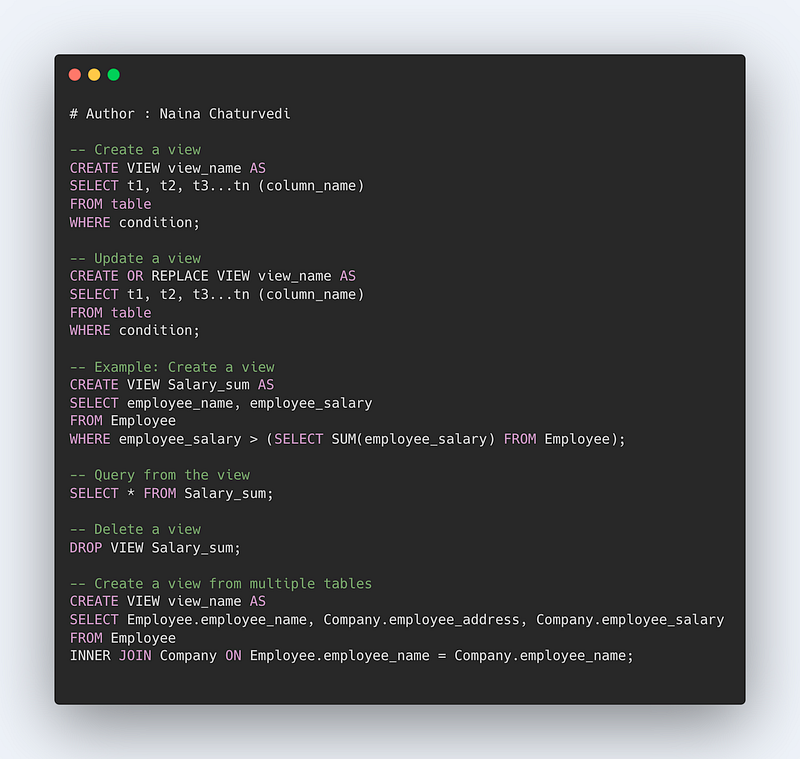
Views in SQL
Views are important constructs in SQL. A view is nothing but a temporary virtual table created from one or more tables, based on the result returned by the SQL statement.
Views are helpful in creating complex queries and implementing readability in the SQL statements. Views also help in maintaining data integrity as it shows an accurate and consistent views of data in the database. Most importantly, this helps in providing better security to the data.
Syntax —
CREATE VIEW view_name AS SELECT t1, t2, t3…tn ( column_name) FROM table WHERE condition
To update a view —
CREATE OR REPLACE VIEW view_name AS SELECT t1, t2, t3…tn ( column_name) FROM table WHERE condition
Example —
CREATE VIEW [Salary_sum] AS SELECT employee_name, employee_salary FROM Employee WHERE employee_salary > (SELECT SUM(employee_salary) FROM Employee)
To query from the view created —
SELECT * FROM Salary_sum
It will show all the results from the view Salary_sum.
To Delete a View —
DROP VIEW Salary_sum
Create a view from multiple Tables —
CREATE VIEW view_name AS
SELECT Employee.employee_name, Company. employee_address, Company.employee_salary
FROM Employee INNER JOIN Company
WHERE Employee.employee_name = Company.employee_name
Code Implementation —
Indexes in SQL
Indexes are very useful as they help speed up the query execution and helps faster retrieval of the data.
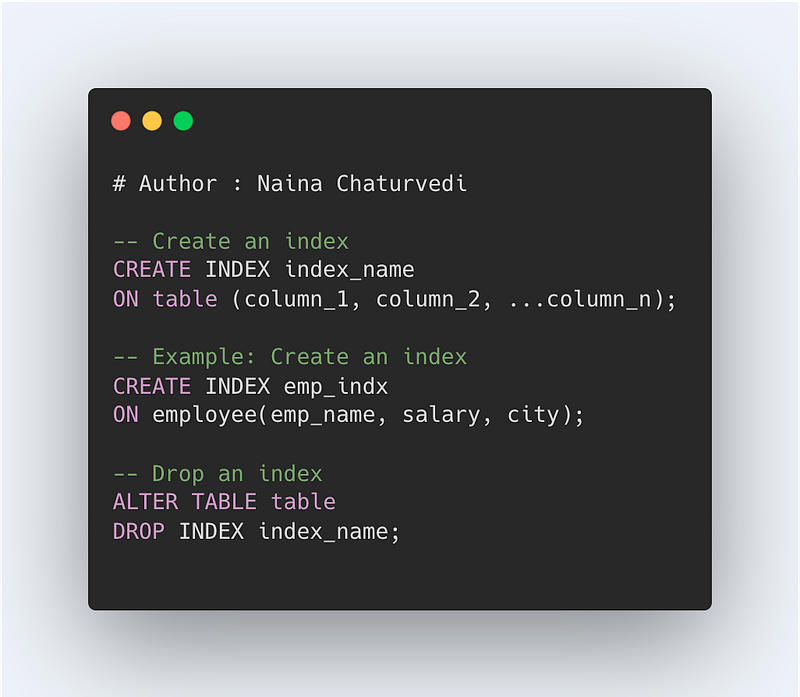
Syntax —
CREATE INDEX index_name
ON table (column_1, column_2, …column_n)
There are two types of indexes —
- Implicit indexes — indexes that are created by databases internally to store, retrieve faster and efficiently.
- Composite indexes — indexes that are created by using multiple columns to uniquely identify the data points.
Syntax —
CREATE UNIQUE INDEX index_name
ON tableName (column1, column2, …)
Example —
CREATE INDEX emp_indx
ON employee(emp_name, salary, city)
To drop the indexes —
ALTER TABLE table
DROP INDEX index_name
Auto Increment in SQL
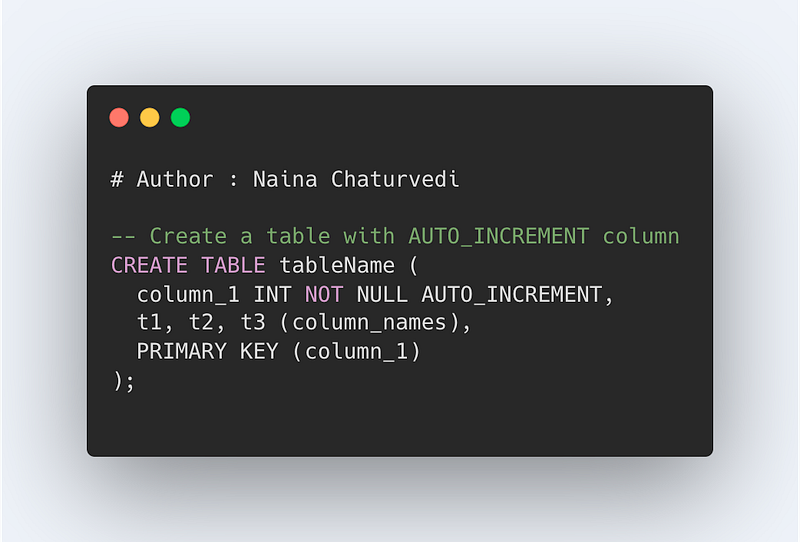
Autoincrement helps to identify the records very easily once set on a particular row(s). These are assigned to the primary key to make sure the data has a unique identification.
Syntax —
CREATE TABLE tableName (
column_1 NOT NULL AUTO_INCREMENT,
t1, t2, t3 ( column_names)……
PRIMARY KEY(col1))
Example —
CREATE TABLE Employee(
employee_id int NOT NULL auto_increment,
employee_name varchar(60),
city varchar(10),
PRIMARY KEY(employee_id))
Triggers in SQL
Triggers are an important concept in SQL. These are nothing but event driven SQL queries which are stored in the memory and fired when required.
The benefits of using triggers are reduce computational times, reuse of the code, helps check integrity of the database and detect any error or issues with the code.
There are two types of Triggers —
Statement Level Triggers
Triggers of this kind run only once irrespective of how many rows are involved.
Row level Triggers
In this the triggers run multiple times and changes are done in the rows on which SQL queries are triggered.
Syntax —
CREATE TRIGGER trigger_name
BEFORE/AFTER
SQL Statement (INSERT/UPDATE/DELETE/ALTER)
ON table_name
FOR EACH ROW SET operation
Triggers are set before and after the SQL statements.
Example —
CREATE TRIGGER experience_years AFTER UPDATE ON Employee
FOR EACH ROW SET @exp_years = @exp_years + 3
UPDATE Employee
SET exp_years = 20
WHERE experience = 2
Pivot in SQL
Pivot is an important function in SQL which allows us to aggregate the results and rotate rows into columns which is also called as cross tabulation.
Syntax —
SELECT t1, t2,
pivot_value1, pivot_value2, pivot_value3 … pivot_value_n
FROM
src_table
PIVOT
(aggregate_function(column_names)
FOR pivot_column
IN (pivot_value1, pivot_value2, pivot_value3 … pivot_value_n)
Example —
SELECT * FROM (
SELECT salary, year(date) year, month(date) month,
FROM employee_salary
WHERE date BETWEEN DATE ‘2021–01–01’ AND DATE ‘2019–08–31’)
PIVOT (
CAST(avg(salary) AS DECIMAL(2,1))
FOR month in ( months_name))
ORDER BY year ASC
The aggregate function are used to perform calculation on multiple rows/values and return a single result as the answer. It ignores NULL values when performing aggregation.
Some of the most important aggregate functions are —
- COUNT() — To count the number of rows
- SUM() — To return sum of the column
- AVG () — To return average of the column
- MIN() — To return min value in the column
- MAX() — To return max value in the column
Format —
Count(column_name)
Sum(column_name)
Avg(column_name)
Min(column_name)
Max(column_name)
Example —
SELECT COUNT(employee_id)
FROM employee_table
WHERE salary > 40000
SELECT MAX(salary)
FROM employee_table
SELECT MIN(salary)
FROM employee_table
SELECT AVG(salary)
FROM employee_table
SELECT SUM(salary)
FROM employee_table
Cursors in SQL
Cursors allow to store the db tables and points as a context pointer to the memory area which stores the SQL statements which are required to be executed.
There are two types of cursors —
- Implicit cursors — used internally by the SQL when running any Data Manipulation Query statement.
- Explicit cursors — declared and used by the user externally.
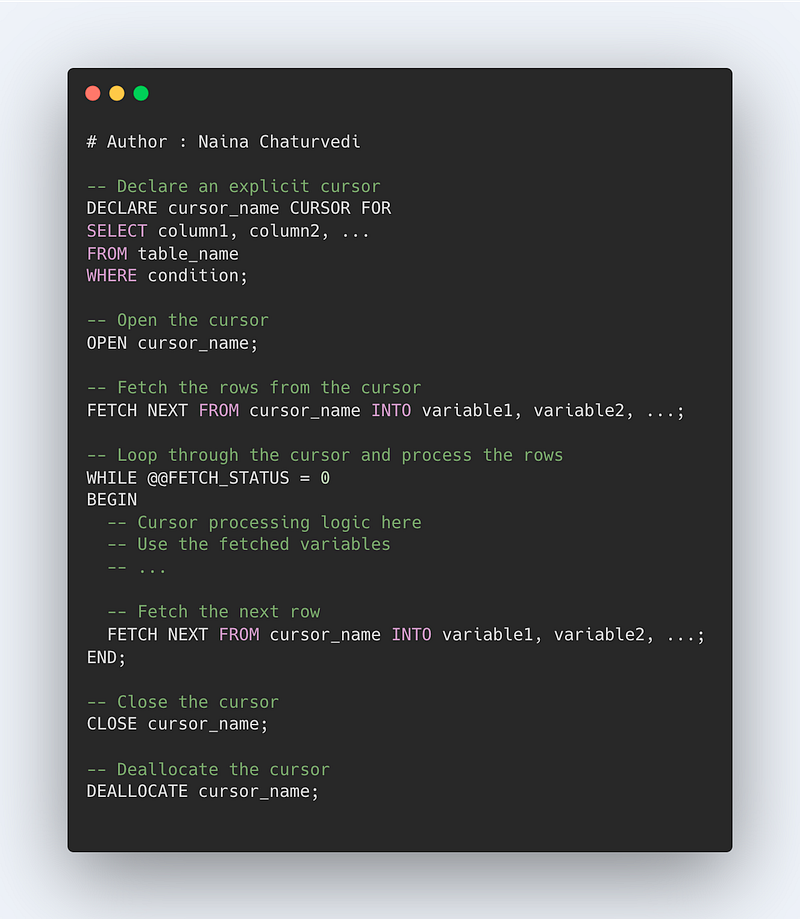
Syntax —
DECLARE cursor_name CURSOR FOR sql_statement
Example —
CREATE PROCEDURE employee_db()
BEGIN
Declare employee_Id varchar(10)
Declare cursor_name CURSOR FOR SELECT emp_id FROM Employee
SELECT * FROM Employee
OPEN cursor_name
FETCH cursor_name INTO employee_Id;
CLOSE cursor_name
END
That’s it for now. Day 9 Coming soon!
Let me know if you have questions in the comment section below. Subscribe/ Follow, Like/Clap as it would encourage me to write more in my free time
Stay Tuned!!
Read more —
All the Complete System Design Series Parts —
6. Networking, How Browsers work, Content Network Delivery ( CDN)
Github —
Keep learning and coding ;)
Day 5 coming soon!
For Python Projects —
For complete 60 days of Data Science and ML : Day 1 — Day 60 : Quick Recap of 60 days of Data Science and ML
Follow for more updates. Stay tuned and keep coding! Disclosure: Some of the links are affiliates.
For other projects, tune to —
Build Machine Learning Pipelines( With Code)
Recurrent Neural Network with Keras
Clustering Geolocation Data in Python using DBSCAN and K-Means
Facial Expression Recognition using Keras
Hyperparameter Tuning with Keras Tuner
Custom Layers in Keras


