
Day 5 of 30 days of Data Engineering Series
Welcome back peeps to Day 5 of Data Engineering Series!
Day 3 : Complete Advanced Python for Data Engineering — Part 2
Projects Videos —
All the projects, data structures, SQL, algorithms, system design, Data Science and ML , Data Analytics, Data Engineering, , Implemented Data Science and ML projects, Implemented Data Engineering Projects, Implemented Deep Learning Projects, Implemented Machine Learning Ops Projects, Implemented Time Series Analysis and Forecasting Projects, Implemented Applied Machine Learning Projects, Implemented Tensorflow and Keras Projects, Implemented PyTorch Projects, Implemented Scikit Learn Projects, Implemented Big Data Projects, Implemented Cloud Machine Learning Projects, Implemented Neural Networks Projects, Implemented OpenCV Projects,Complete ML Research Papers Summarized, Implemented Data Analytics projects, Implemented Data Visualization Projects, Implemented Data Mining Projects, Implemented Natural Leaning Processing Projects, MLOps and Deep Learning, Applied Machine Learning with Projects Series, PyTorch with Projects Series, Tensorflow and Keras with Projects Series, Scikit Learn Series with Projects, Time Series Analysis and Forecasting with Projects Series, ML System Design Case Studies Series videos will be published on our youtube channel ( just launched).
Subscribe today!
Tech Newsletter —
If you are interested, you can join my newsletter through which I send tech interview tips, techniques, patterns, hacks — Software Development, ML, Data Science, Startups and Technology projects to more than 30K readers. You can subscribe to Ignito:
System Design Case Studies — In Depth
Design Instagram
Design Netflix
Design Reddit
Design Amazon
Design Messenger App
Design Twitter
Design URL Shortener
Design Dropbox
Design Youtube
Design API Rate Limiter
Design Web Crawler
Design Amazon Prime Video
Design Facebook’s Newsfeed
Design Yelp
Design Uber
Design Tinder
Design Tiktok
Design Whatsapp
Most Popular System Design Questions
Mega Compilation : Solved System Design Case studies
Pre-requisite to Day 5 is to complete Day 1–4( link below):
Day 1 of 30 days of Data Engineering can be found below —
Day 2 of 30 days of Data Engineering can be found below —
Day 3 of 30 days of Data Engineering can be found below —
This is Day 5 of 30 days of Data Engineering Series where we will be covering —
SQL
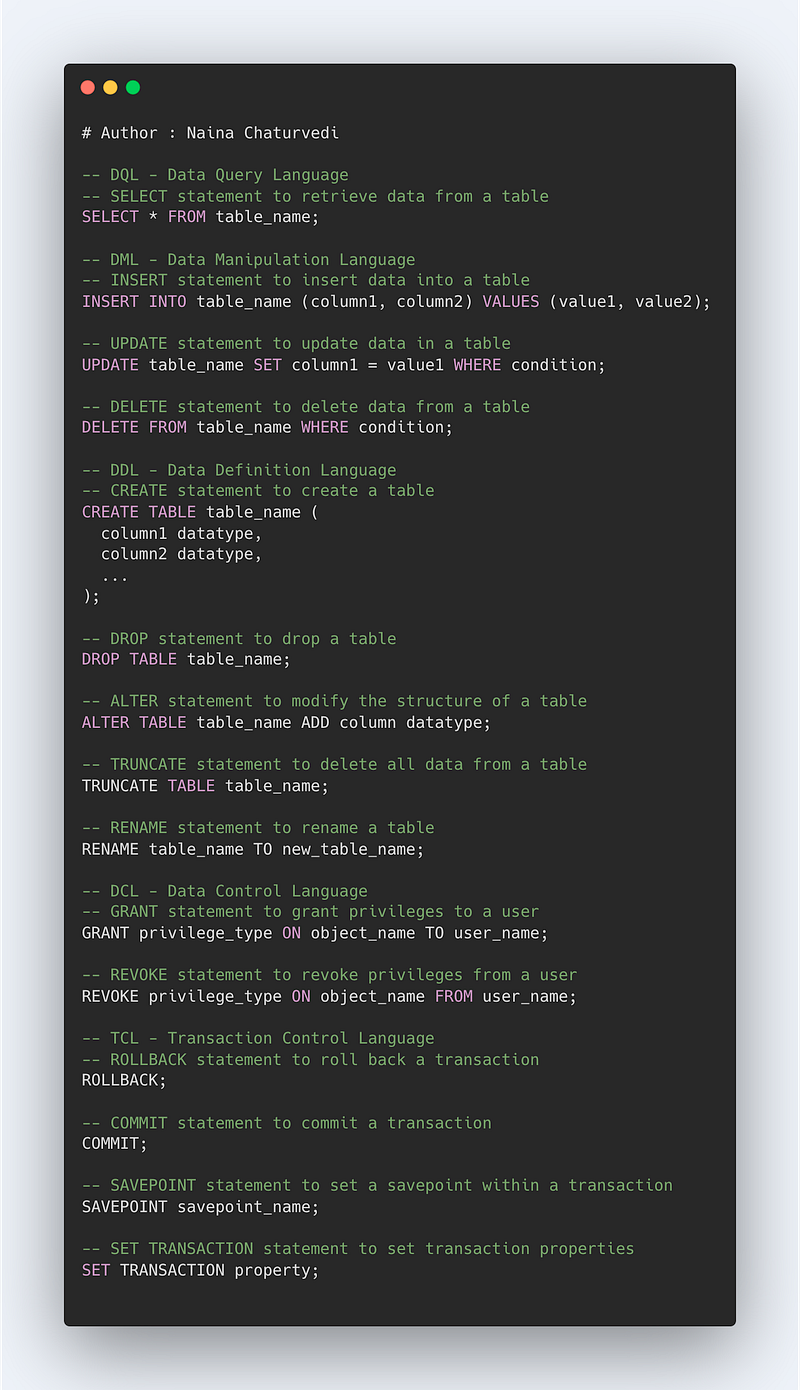
SQL is a language of database which is designed for querying, retrieval and management of the relational databases and perform various operations.
There are five Categories in SQL —
- DQL — Data Query Language : Commands [ SELECT]
- DML — Data Manipulation Language : Commands [INSERT, UPDATE, DELETE, LOCK CALL]
- DDL — Data Definition Language: Commands [CREATE,DROP,ALTER,TRUNCATE,RENAME]
- DCL — Data Control Language : Commands [GRANT, REVOKE]
- TCL — Transaction Control Language : Commands [ROLLBACK, COMMIT, SAVEPOINT, SET TRANSACTION]
Code Implementation —
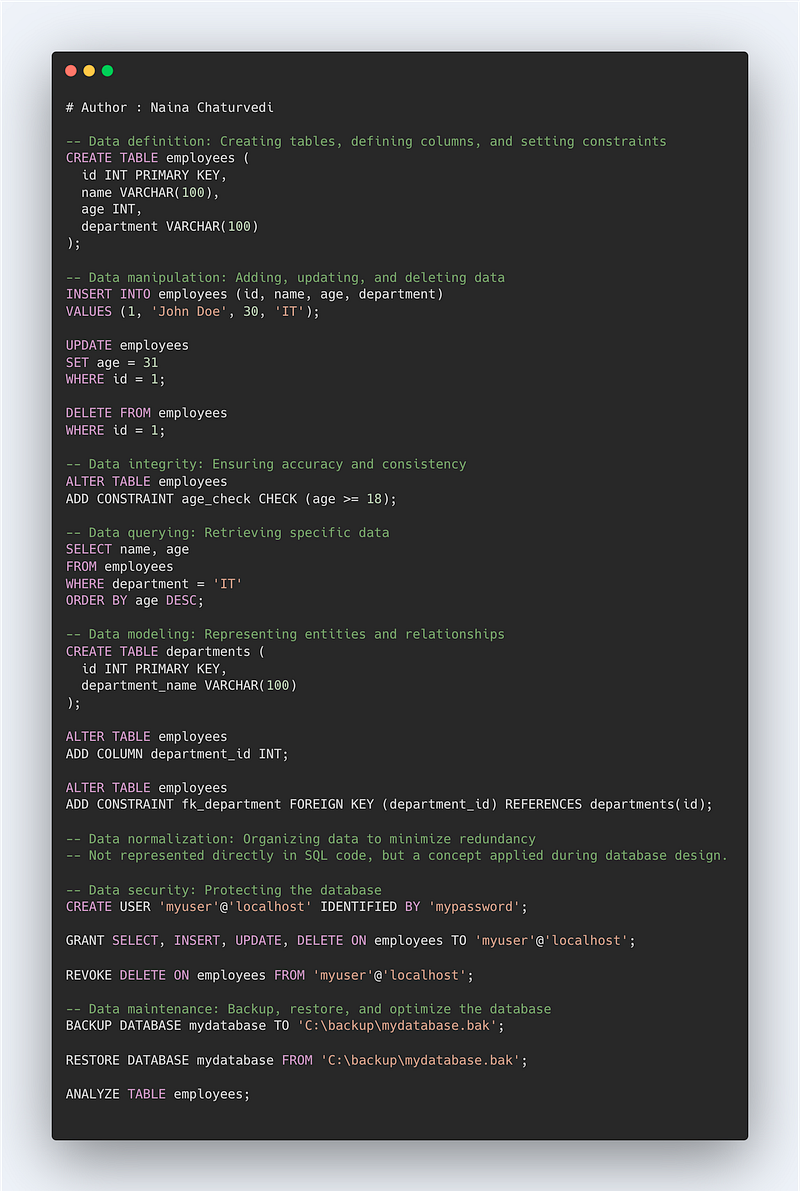
Some of the most important things in SQL include:
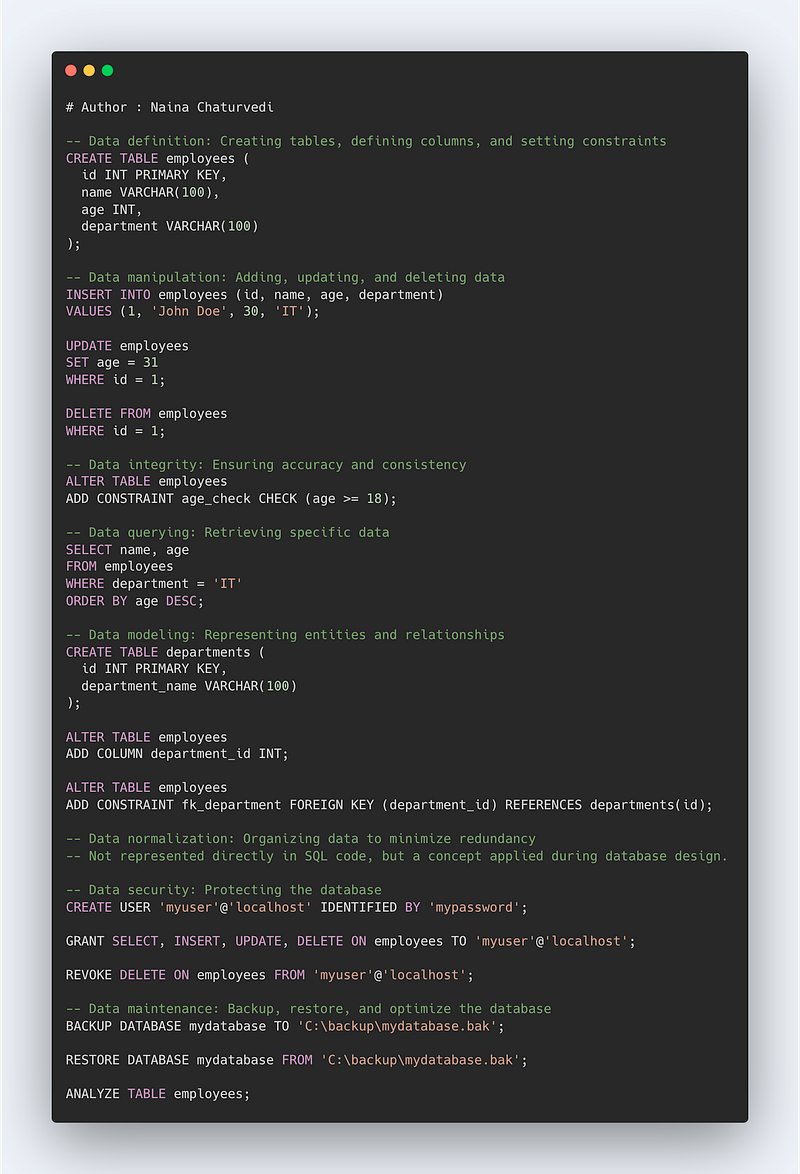
- Data definition: The ability to create and modify the structure of a database, including creating tables, defining columns and data types, and setting constraints.
- Data manipulation: The ability to add, update, and delete data within a database, as well as retrieve specific data using SELECT statements.
- Data integrity: Ensuring that the data within a database is accurate, consistent, and free of errors, through the use of constraints, keys, and indexes.
- Data querying: Retrieving specific data from a database using SELECT statements, filtering and sorting the data, and joining tables to combine data from multiple sources.
- Data modeling: The ability to represent real-world entities and relationships in a database through the use of tables, columns, and keys.
- Data normalization: The process of organizing data in a database to minimize data redundancy and improve data integrity.
- Data security: Techniques for protecting a database from unauthorized access, such as through the use of user accounts, passwords, and access controls.
- Data maintenance: The ability to backup, restore, and optimize a database to ensure its ongoing performance and stability.
-- Data definition: Creating tables, defining columns, and setting constraints
CREATE TABLE employees (
  id INT PRIMARY KEY,
  name VARCHAR(100),
  age INT,
  department VARCHAR(100)
);

-- Data manipulation: Adding, updating, and deleting data
INSERT INTO employees (id, name, age, department)
VALUES (1, 'John Doe', 30, 'IT');

UPDATE employees
SET age = 31
WHERE id = 1;

DELETE FROM employees
WHERE id = 1;

-- Data integrity: Ensuring accuracy and consistency
ALTER TABLE employees
ADD CONSTRAINT age_check CHECK (age >= 18);

-- Data querying: Retrieving specific data
SELECT name, age
FROM employees
WHERE department = 'IT'
ORDER BY age DESC;

-- Data modeling: Representing entities and relationships
CREATE TABLE departments (
  id INT PRIMARY KEY,
  department_name VARCHAR(100)
);

ALTER TABLE employees
ADD COLUMN department_id INT;

ALTER TABLE employees
ADD CONSTRAINT fk_department FOREIGN KEY (department_id) REFERENCES departments(id);

-- Data normalization: Organizing data to minimize redundancy
-- Not represented directly in SQL code, but a concept applied during database design.

-- Data security: Protecting the database
CREATE USER 'myuser'@'localhost' IDENTIFIED BY 'mypassword';

GRANT SELECT, INSERT, UPDATE, DELETE ON employees TO 'myuser'@'localhost';

REVOKE DELETE ON employees FROM 'myuser'@'localhost';

-- Data maintenance: Backup, restore, and optimize the database
BACKUP DATABASE mydatabase TO 'C:\backup\mydatabase.bak';

RESTORE DATABASE mydatabase FROM 'C:\backup\mydatabase.bak';

ANALYZE TABLE employees;
Code Implementation -
I’ll cover the most important commands that you need to know.
Create a table
It is used to create a table .
Syntax —
CREATE TABLE table_name(
t1 datatype(len),
t2 datatype(len)
…
PRIMARY KEY(t1)
)
Insert into a table
It is used to insert values in a table .
Syntax —
INSERT INTO table_name1(t1,t2)
SELECT t1,t2 from table_name2
WHERE conditions
Update a table
It is used to update a table.
Syntax —
UPDATE table_name
SET t1 = k1
WHERE conditions
Alter Table
It is used to add columns to the database table.
Syntax —
ALTER TABLE table_name
Add column_name
Delete from a table
It is used to delete from a table based on the where condition .
Syntax —
DELETE from table_name
WHERE Conditions
Drop a table
It is used to remove table from the database.
Syntax —
DROP table table_name
SELECT statements
Select from all the rows and columns form table
Select * from table_name
Select column t1, t2 and all the rows for the table
Select t1 , t2 from table_name
Select column t1, t2 with where condition
Select t1, t2 from table_name
where conditions
order by t1 ASC
Select distinct rows by columns t1 and t2
Select distinct t1, t2
from table_name
Select column t1 and use aggregate function
Select t1, aggregate(expression)
from table_name
Group By t1
Select column t1 and t2 and use filter group
Select t1, aggregate(expression) as t3
from table_name
Group By t1
Having t3 < value
LIKE Operator
Like operator % is used to replace any number of characters.
Syntax —
Select t1
from table_name
where t1 LIKE ‘%condition’
Built in Functions —
Round up to a nearest integer
Select ROUND(1601.678943)
Round number up
Select Ceil(16.3)
Round number down
Select floor(16.8)
Get absolute value
Select ABS(-16)
Get Square root of a number
Select SQRT(16)
Count no of characters in the string
Select LENGTH(‘String’)
Convert all the letters to uppercase
Select UPPER(‘string’)
Convert all the letters to lowercase
Select LOWER(‘STRING’)
Get a substring
Select SUBSTRING(‘string’,3)
Replace a string
Select REPLACE(‘main_string’,’to_be_replace_string’,’replace_string’)
How to retrieve NULL values
To retrieve all the rows with a missing value
Select t1 , t2 from table_name
Where t1 is NULL
To replace NULL with a value we use COALESCE —
Select t1, COALESCE(t1,’Missing value’)
from table_name
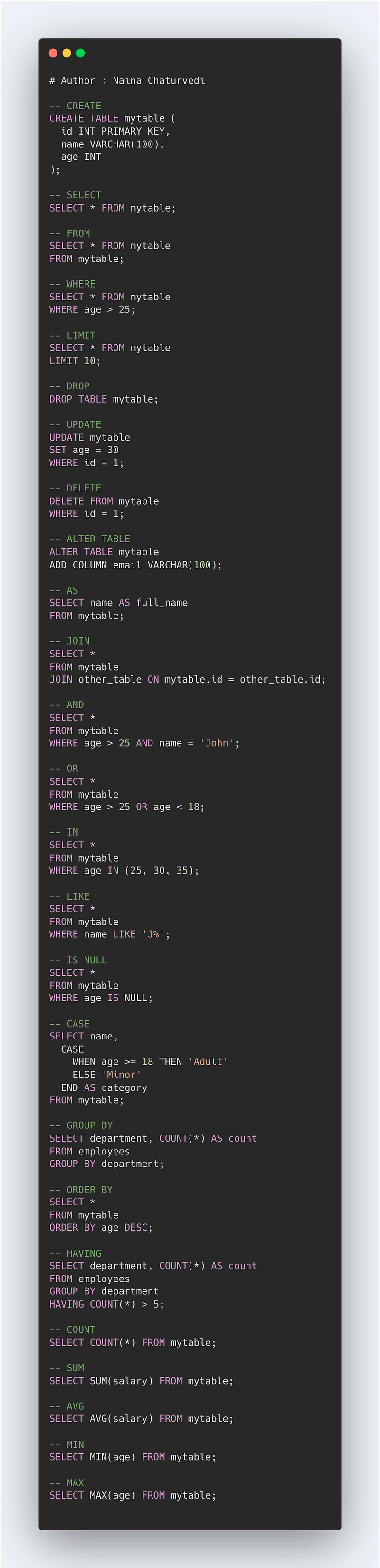
Important Commands that you must know —
- CREATE — To create table or view or database
- SELECT — To select the data values from the table in a database
- FROM — To specify table name from where we are retrieving the records
- WHERE — To filter the results based on the condition specified in the where clause
- LIMIT — To limit the number of rows returned as the result
- DROP — To delete the table or database
- UPDATE — To update the data in the table
- DELETE — To delete the rows in the table
- ALTER TABLE — To add or remove columns from the table
- AS — To rename column with an alias name
- JOIN — To combine the rows of 2 or more tables
- AND — To combine rows in which records from both/more table are evaluated using And condition
- OR — To combine rows in which records from both/more table are evaluated using Or condition
- IN — To specify multiple values using the where clause/condition
- LIKE — To search/identify the patterns in the column
- IS NULL — To check and return those rows that contains NULL values
- CASE — To return values after evaluating the specified condition
- GROUP BY — To group rows which consist of same values into the summary rows/columns
- ORDER BY — To specify the order of the result returned ( ASC or DESC)
- HAVING — To specify conditions for aggregate functions
- COUNT — To count the number of rows
- SUM — To return sum of the column
- AVG — To return average of the column
- MIN — To return min value in the column
- MAX — To return max value in the column
-- CREATE
CREATE TABLE mytable (
  id INT PRIMARY KEY,
  name VARCHAR(100),
  age INT
);

-- SELECT
SELECT * FROM mytable;

-- FROM
SELECT * FROM mytable
FROM mytable;

-- WHERE
SELECT * FROM mytable
WHERE age > 25;

-- LIMIT
SELECT * FROM mytable
LIMIT 10;

-- DROP
DROP TABLE mytable;

-- UPDATE
UPDATE mytable
SET age = 30
WHERE id = 1;

-- DELETE
DELETE FROM mytable
WHERE id = 1;

-- ALTER TABLE
ALTER TABLE mytable
ADD COLUMN email VARCHAR(100);

-- AS
SELECT name AS full_name
FROM mytable;

-- JOIN
SELECT *
FROM mytable
JOIN other_table ON mytable.id = other_table.id;

-- AND
SELECT *
FROM mytable
WHERE age > 25 AND name = 'John';

-- OR
SELECT *
FROM mytable
WHERE age > 25 OR age < 18;

-- IN
SELECT *
FROM mytable
WHERE age IN (25, 30, 35);

-- LIKE
SELECT *
FROM mytable
WHERE name LIKE 'J%';

-- IS NULL
SELECT *
FROM mytable
WHERE age IS NULL;

-- CASE
SELECT name,
  CASE
    WHEN age >= 18 THEN 'Adult'
    ELSE 'Minor'
  END AS category
FROM mytable;

-- GROUP BY
SELECT department, COUNT(*) AS count
FROM employees
GROUP BY department;

-- ORDER BY
SELECT *
FROM mytable
ORDER BY age DESC;

-- HAVING
SELECT department, COUNT(*) AS count
FROM employees
GROUP BY department
HAVING COUNT(*) > 5;

-- COUNT
SELECT COUNT(*) FROM mytable;

-- SUM
SELECT SUM(salary) FROM mytable;

-- AVG
SELECT AVG(salary) FROM mytable;

-- MIN
SELECT MIN(age) FROM mytable;

-- MAX
SELECT MAX(age) FROM mytable;
JOINS
Before we start with joins, one must understand the points explained below —
Primary Keys : These are fields/keys in a table which uniquely identifies each record. These are used to join tables.
Foreign Keys : These are fields/keys in a table which the references the primary key of the other table.
Relationships : Relations between the tables can be one to one, one to many and many to many. In one to one relationships, a record in one table is uniquely related to exactly one record in the other table. On the other side, One to many relationships, a record in one table can be related to one or more records in the other table. Lastly, in many to many one or more records in one table are related to one or more records in the other table.
What is a Join?
A join is nothing but a construct used to combine rows from two or more tables based on a related/common column between them. It matches the related columns values in two or more tables.
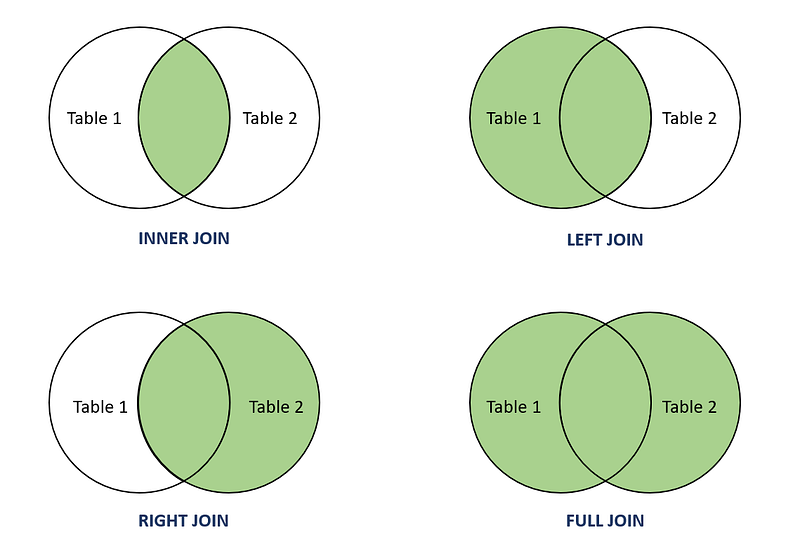
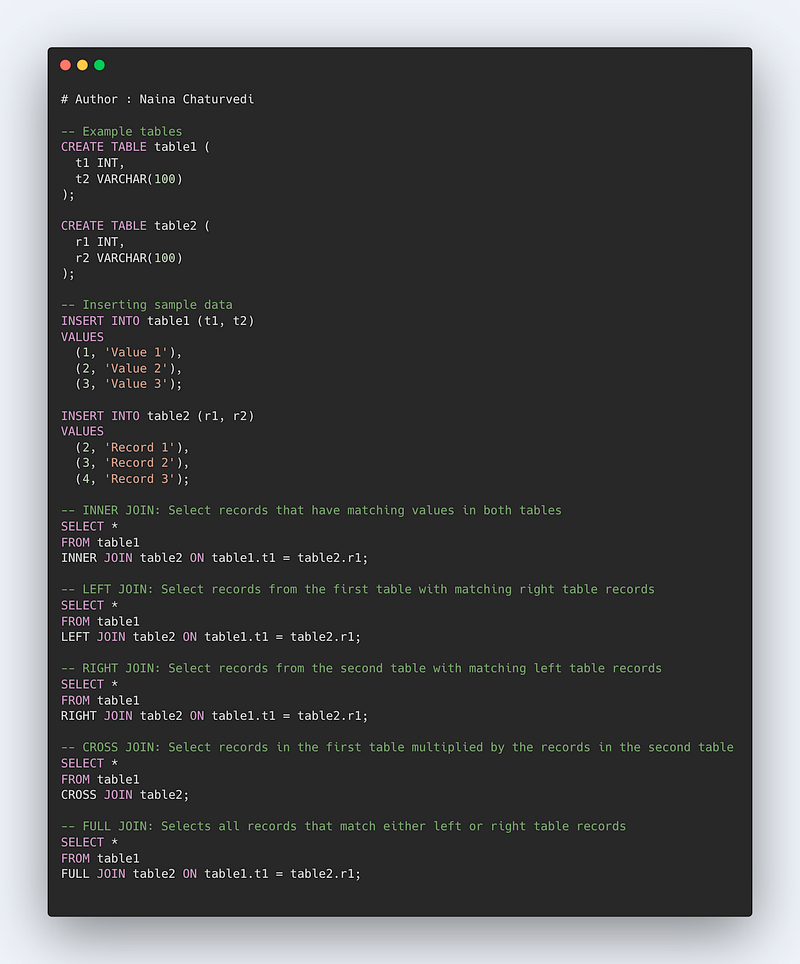
INNER JOIN: Select records that have matching values in both tables.
LEFT JOIN: Select records from the first (left-most) table with matching right table records.
RIGHT JOIN: Select records from the second (right-most) table with matching left table records.
CROSS JOIN : Select records in the first table multiplied by the records in the second table.
FULL JOIN: Selects all records that match either left or right table records.
Format —
SELECT column_names
FROM table1 JOIN table2
ON column_name1 = column_name2
WHERE condition
Format —
Inner Join
SELECT column_names
FROM table1 INNER JOIN table2
ON column_name1 = column_name2
WHERE condition
-------------------------------
Left Join
SELECT column_names
FROM table1 Left JOIN table2
ON column_name1 = column_name2
WHERE condition
-----------------
Right Join
SELECT column_names
FROM table1 Right JOIN table2
ON column_name1 = column_name2
WHERE condition
-------------
Full Join
SELECT column_names
FROM table1 FULL OUTER JOIN table2
ON column_name1 = column_name2
WHERE condition
-------------
Cross Join
SELECT column_names
FROM table1 CROSS JOIN table2
Code Implementation —
Filtering the Data
For filtering, two types of operators are used —
- Comparison Operators : < , >, !=, ==
- Text Operators, LIKE
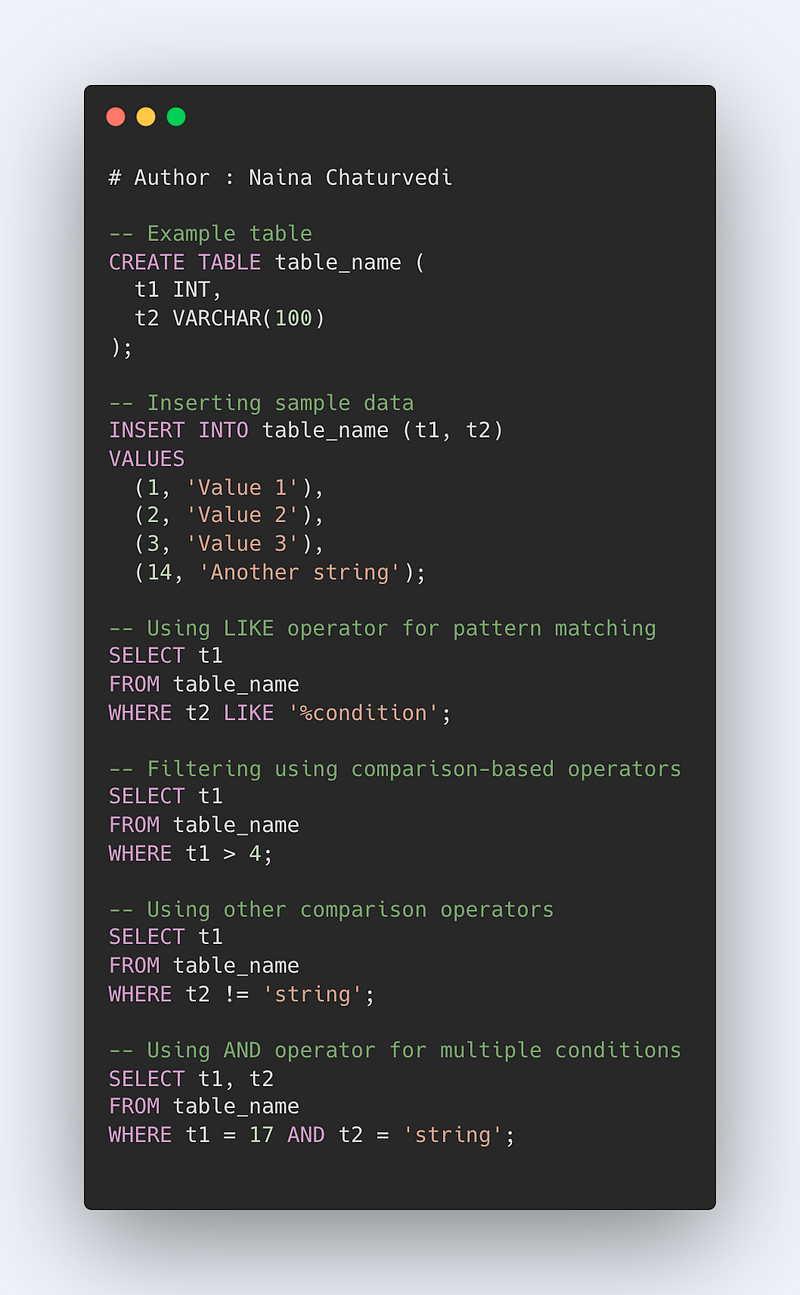
WHERE is used to filter the rows that meet certain condition or criteria.
LIKE operator % is used to filter/replace any number of characters.
Syntax —
Select t1
from table_name
where t1 LIKE ‘%condition’
For Filtering using Comparison Based Operators —
Syntax —
Select t1
from table_name
Where t1 > 4
Using other comparison Operator —
Select t1
from table_name
Where t1 != ‘string’
Select t1,t2
from table_name
Where t1 == 17 AND t2 == ‘string’
Code Implementation —
Set Theory Operations
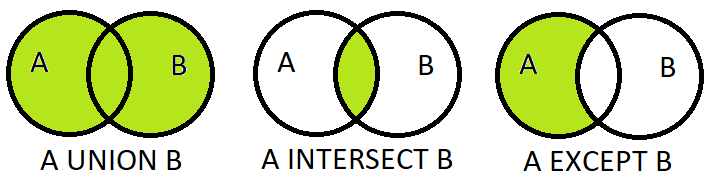
The main operations are —
- UNION
- UNION ALL
- INTERSECT
- EXCEPT
UNION and UNION ALL
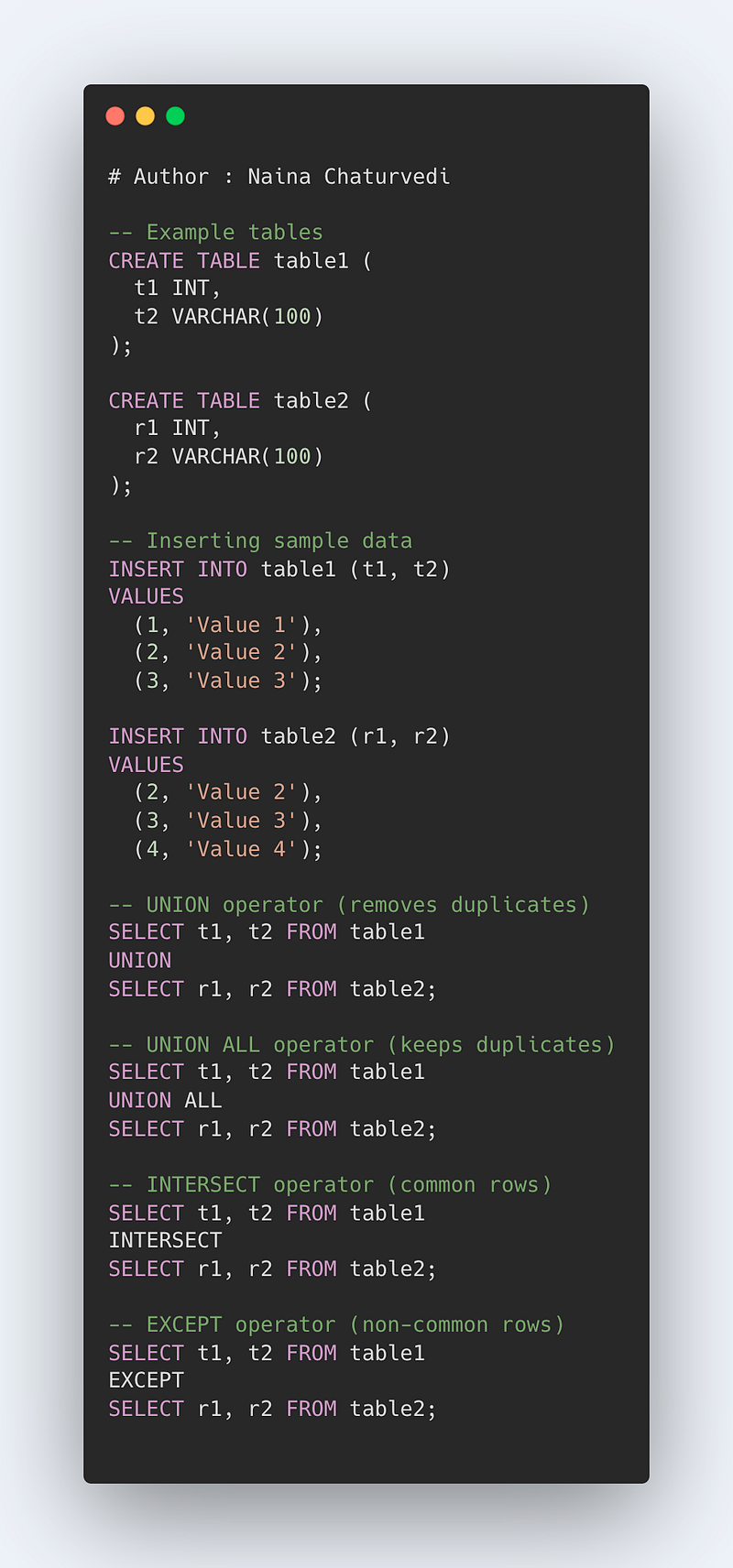
It is used to combine the results column wise vertically and remove duplicates using two or more select statements.
Format —
Select t1, t2 FROM table1 UNION Select r1, r2 FROM table2
Union removes the duplicates by default. In order to keep the duplicate values, use UNION ALL
Select t1, t2 FROM table1 UNION ALL Select r1, r2 FROM table2
INTERSECT
It is used to combine and return only those rows that are common to both or more SELECT statements.
Format —
Select t1, t2
FROM table_name
WHERE Condition
INTERSECT
Select r1, r2
FROM table_name
WHERE Condition
EXCEPT
It is used to combine and return only those rows which are not present in the second SELECT statement in the Query.
Format —
Select t1, t2
FROM table_name
WHERE Condition
EXCEPT
Select r1, r2
FROM table_name
WHERE Condition
Code Implementation —
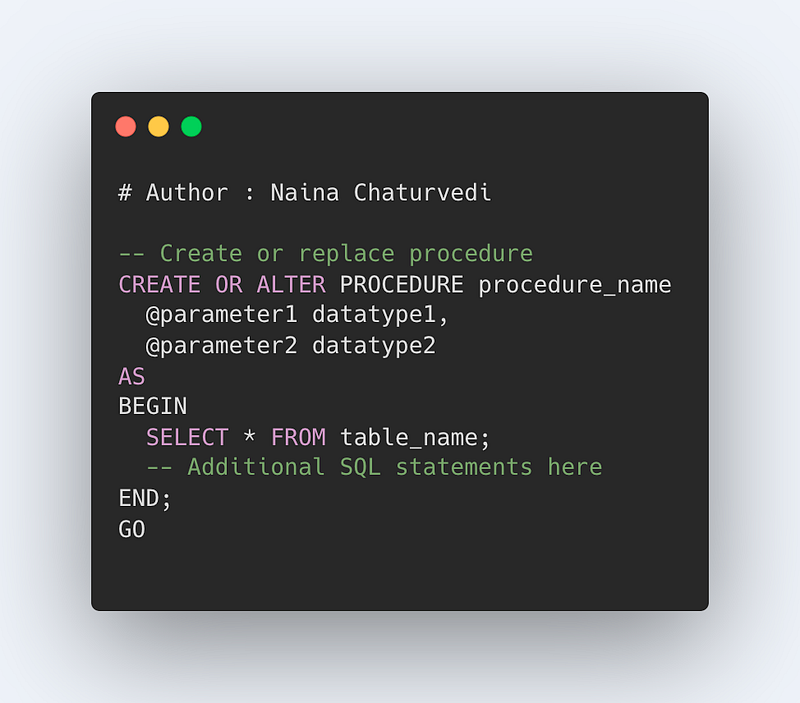
Stored Procedures
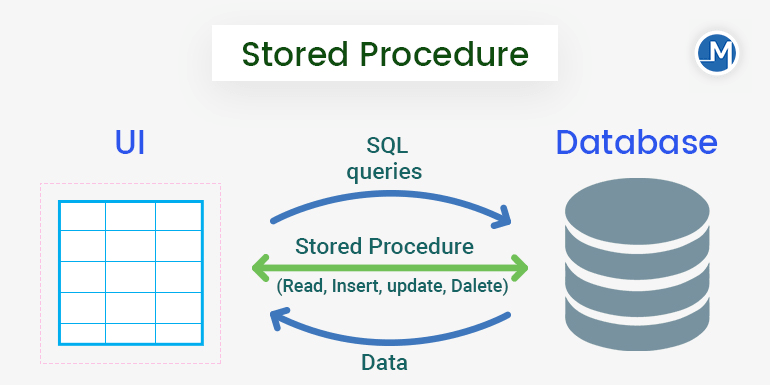
It’s a group of SQL statements that are combined and stored together in a database and used to perform manipulation operation.
The benefits of using stored procedure are —
- Reusable — Call the stored procedure any number of time instead of writing the query again and again.
- Can be modified easily and saves time
- Performance improvement because of the fast execution once stored in the buffer.
Format —
CREATE or REPLACE PROCEDURE procedure_name(parameters)
AS
SELECT * from table_name [ This can be a group of SQL statement]
GO;
To execute procedure that you have created —
EXEC procedure_name [ Pass Parameters]
Code Implementation —
CASE Statements
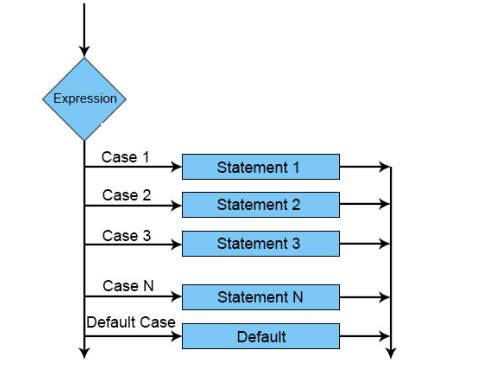
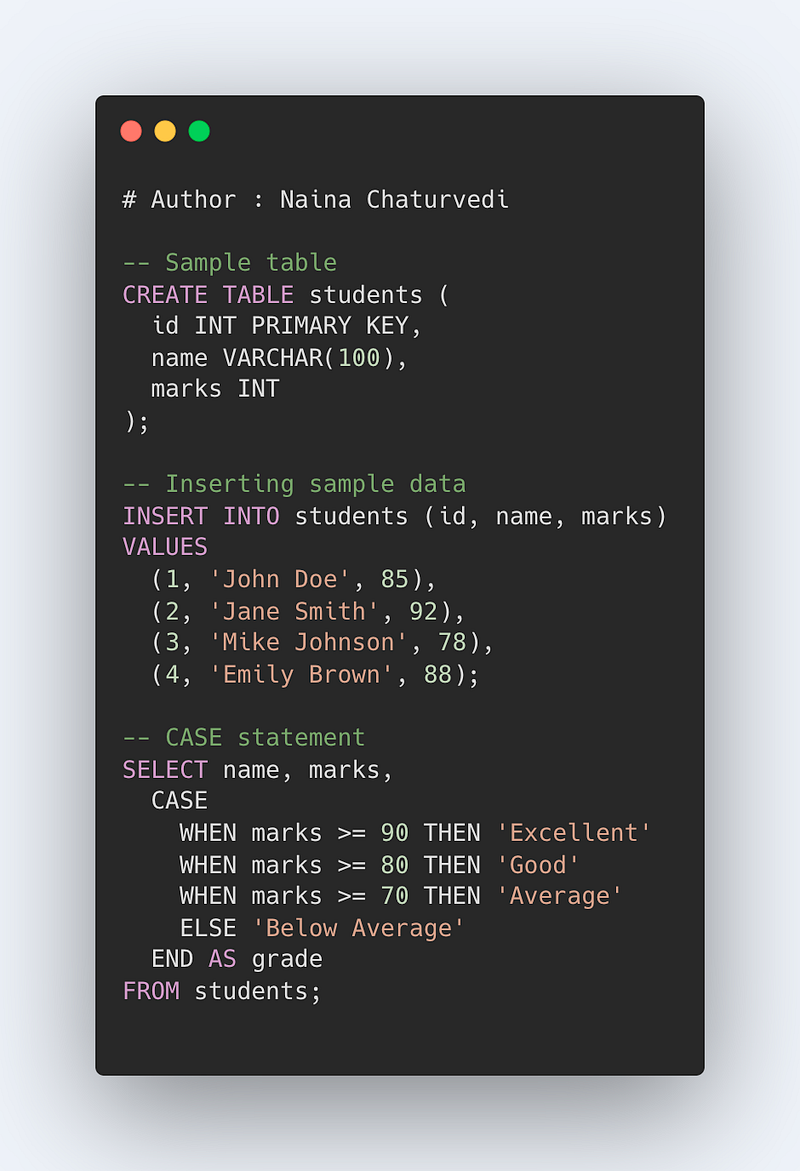
It is used to return a result or a value based on the specified condition once it’s satisfied/when its true. It operates like an if/else logical statement.
Format —
CASE WHEN condition_stmt THEN answer1 WHEN condition_stmt THEN answer2
WHEN condition_stmt THEN answer3 WHEN condition_stmt THEN answerN ELSE result END
Example —
CASE parking_fee
WHEN 40 THEN ‘Expensive’
WHEN 20 THEN ‘Good’
WHEN 10 THEN ‘Affordable’
ELSE ‘free’
END
All the condition specified in the CASE statements are evaluated in the order and it returns the result when the condition is satisfied/true.
Code Implementation -
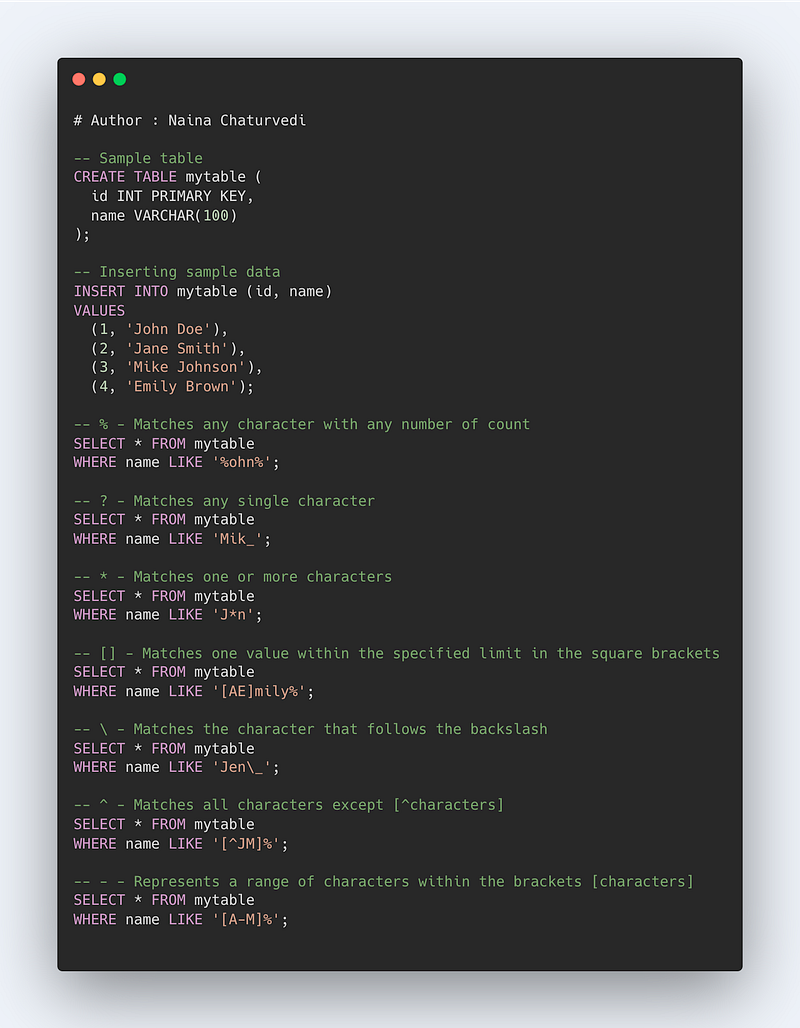
Wildcards in SQL
It is used to search for a pattern/data within a table and these characters ( listed below) are used with the LIKE operator.
% means any character with any number of count
? means any single character
*means one or more characters
[] means one value within the specified limit in the square brackets
\ means it matches the character that follows the backslash
^ means all character except [^characters]
-means range of characters within the brackets [characters]
Format —
SELECT * FROM table_name WHERE column_name LIKE ‘%ny%’
SELECT * FROM table_name WHERE column_name LIKE ‘_ewyork’
SELECT * FROM table_name WHERE column_name LIKE ‘_e_yo_k’
SELECT * FROM table_name WHERE column_name LIKE ‘[n-y]%’
SELECT * FROM table_name WHERE column_name LIKE ‘[adf]%’
Code Implementation -
Aggregation in SQL
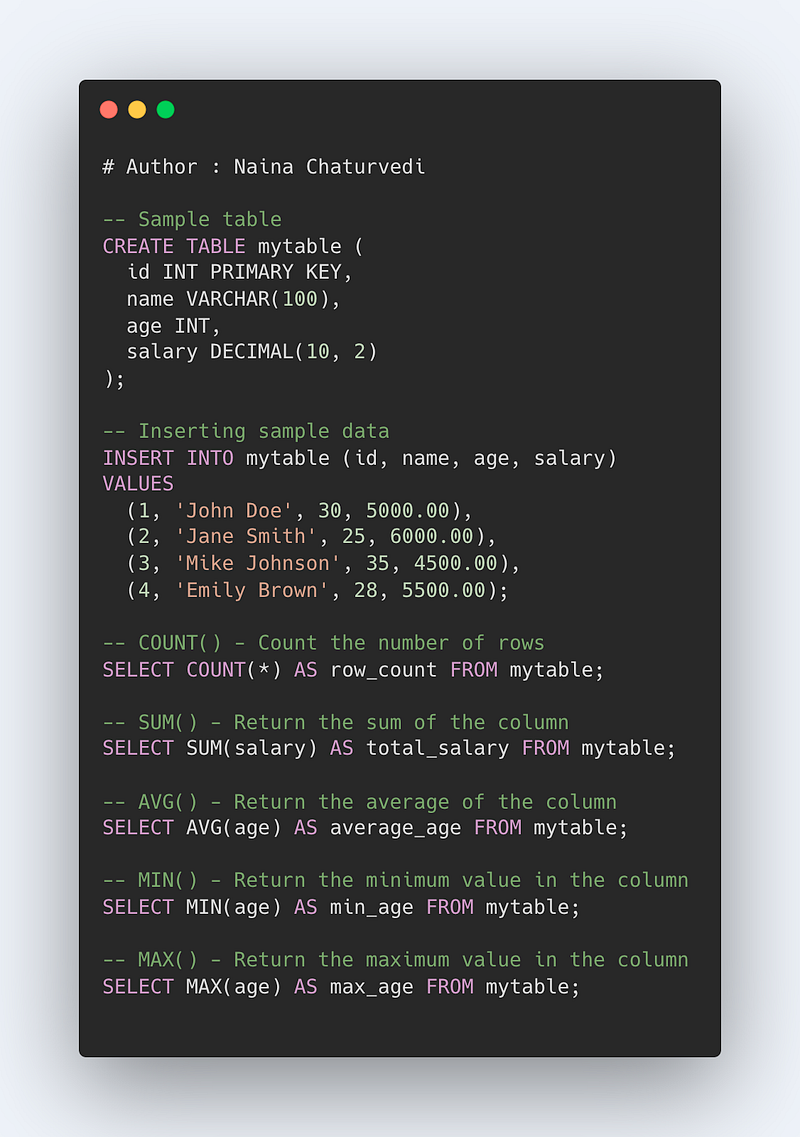
It’s used to perform calculation on multiple rows/values and return a single result as the answer. It ignores NULL values when performing aggregation.
Some of the most important aggregate functions are —
- COUNT() — To count the number of rows
- SUM() — To return sum of the column
- AVG () — To return average of the column
- MIN() — To return min value in the column
- MAX() — To return max value in the column
Format —
Count(column_name)
Sum(column_name)
Avg(column_name)
Min(column_name)
Max(column_name)
Example —
SELECT COUNT(employee_id)
FROM employee_table
WHERE salary > 40000
SELECT MAX(salary)
FROM employee_table
SELECT MIN(salary)
FROM employee_table
SELECT AVG(salary)
FROM employee_table
SELECT SUM(salary)
FROM employee_table
Sequences in SQL
Sequences are very useful to identify each row of the table with a unique key in the form of a numerical series for the data which doesn’t have unique identifiers/keys.
Format —
CREATE SEQUENCE sequence_name
START WITH initialize
INCREMENT BY increment_value
MINVALUE min_value
MAXVALUE max_value
CYCLE or NOCYCLE
Example —
CREATE SEQUENCE sequence64
START WITH 12
INCREMENT BY 2
MINVALUE 10
MAXVALUE 98
CYCLE;
Some of the most important commands in SQL include:
- SELECT: Retrieves data from one or more tables in a database, allowing for filtering, sorting, and joining of data.
- INSERT: Adds new data to a table in a database.
- UPDATE: Modifies existing data in a table.
- DELETE: Deletes data from a table.
- CREATE: Creates a new table, database, index, or other database object.
- ALTER: Modifies the structure of a table or other database object.
- DROP: Deletes a table, database, index, or other database object.
- TRUNCATE: Removes all data from a table, but unlike DELETE it also resets all the AUTO_INCREMENT values to 0, if any.
- COMMIT and ROLLBACK: These commands are used to manage transactions and ensure data consistency by allowing multiple statements to be executed as a single unit of work.
- GRANT and REVOKE: These commands are used to manage access to a database and control who can perform which actions on which tables and other objects.
Code Implementation —
Code Implementation —
That’s it for now. Day 6 Coming soon!
Read more —
All the Complete System Design Series Parts —
6. Networking, How Browsers work, Content Network Delivery ( CDN)
Github —
Keep learning and coding ;)
Day 5 coming soon!
For Python Projects —
For complete 60 days of Data Science and ML : Day 1 — Day 60 : Quick Recap of 60 days of Data Science and ML
Follow for more updates. Stay tuned and keep coding! Disclosure: Some of the links are affiliates.
For other projects, tune to —
Build Machine Learning Pipelines( With Code)
Recurrent Neural Network with Keras
Clustering Geolocation Data in Python using DBSCAN and K-Means
Facial Expression Recognition using Keras
Hyperparameter Tuning with Keras Tuner
Custom Layers in Keras


