
Day 12 of 30 days of Data Engineering Series with Projects
Welcome back peeps to Day 12 of Data Engineering Series with Projects!
In this we will cover —
Map Reduce
Microservices
Data Warehouse
Data Lakes
Pre-requisite to Day 12 is to complete Day 1–11( link below):
Day 3 : Complete Advanced Python for Data Engineering — Part 2
Projects Videos —
All the projects, data structures, SQL, algorithms, system design, Data Science and ML , Data Analytics, Data Engineering, , Implemented Data Science and ML projects, Implemented Data Engineering Projects, Implemented Deep Learning Projects, Implemented Machine Learning Ops Projects, Implemented Time Series Analysis and Forecasting Projects, Implemented Applied Machine Learning Projects, Implemented Tensorflow and Keras Projects, Implemented PyTorch Projects, Implemented Scikit Learn Projects, Implemented Big Data Projects, Implemented Cloud Machine Learning Projects, Implemented Neural Networks Projects, Implemented OpenCV Projects,Complete ML Research Papers Summarized, Implemented Data Analytics projects, Implemented Data Visualization Projects, Implemented Data Mining Projects, Implemented Natural Leaning Processing Projects, MLOps and Deep Learning, Applied Machine Learning with Projects Series, PyTorch with Projects Series, Tensorflow and Keras with Projects Series, Scikit Learn Series with Projects, Time Series Analysis and Forecasting with Projects Series, ML System Design Case Studies Series videos will be published on our youtube channel ( just launched).
Subscribe today!
Tech Newsletter —
If you are interested, you can join my newsletter through which I send tech interview tips, techniques, patterns, hacks — Software Development, ML, Data Science, Startups and Technology projects to more than 30K readers. You can subscribe to Ignito:
System Design Case Studies — In Depth
Design Instagram
Design Netflix
Design Reddit
Design Amazon
Design Messenger App
Design Twitter
Design URL Shortener
Design Dropbox
Design Youtube
Design API Rate Limiter
Design Web Crawler
Design Amazon Prime Video
Design Facebook’s Newsfeed
Design Yelp
Design Uber
Design Tinder
Design Tiktok
Design Whatsapp
Most Popular System Design Questions
Mega Compilation : Solved System Design Case studies
This is Day 12 of 30 days of Data Engineering Series where we will be covering —
Map Reduce
Microservices
Data Warehouse
Data Lakes
Let’s get started!
- MapReduce is a programming model and an associated implementation for processing and generating large data sets with a parallel, distributed algorithm on a cluster. It was designed to process large amounts of data in a fault-tolerant manner, using a simple programming model.
import java.util.*;
import java.util.stream.Collectors;

public class MapReduceExample {
    public static void main(String[] args) {
        List<Integer> numbers = Arrays.asList(1, 2, 3, 4, 5, 6, 7, 8, 9, 10);

        // Map phase: Multiply each number by 2
        List<Integer> mappedNumbers = numbers.stream()
                .map(number -> number * 2)
                .collect(Collectors.toList());

        // Reduce phase: Sum all the mapped numbers
        int sum = mappedNumbers.stream()
                .reduce(0, Integer::sum);

        System.out.println("Sum: " + sum);
    }
}- Microservices is an architectural style that structures an application as a collection of small, independent services that communicate over a network. Each service runs in its own process and communicates with other services through a lightweight mechanism, such as an HTTP API.
import org.springframework.boot.SpringApplication;
import org.springframework.boot.autoconfigure.SpringBootApplication;
import org.springframework.web.bind.annotation.GetMapping;
import org.springframework.web.bind.annotation.RequestMapping;
import org.springframework.web.bind.annotation.RestController;

@RestController
@RequestMapping("/hello")
public class HelloMicroservice {

    @GetMapping
    public String sayHello() {
        return "Hello from the microservice!";
    }

    public static void main(String[] args) {
        SpringApplication.run(HelloMicroservice.class, args);
    }
}- A Data Warehouse is a large, centralized repository of data that is specifically designed for reporting and analysis. It typically contains data from multiple sources, such as transactional systems, and is optimized for fast query performance.
import java.sql.Connection;
import java.sql.DriverManager;
import java.sql.SQLException;
import java.sql.Statement;

public class DataWarehouseExample {
    public static void main(String[] args) {
        try (Connection connection = DriverManager.getConnection("jdbc:mysql://localhost:3306/data_warehouse", "username", "password")) {
            Statement statement = connection.createStatement();

            // Create dimension tables
            statement.executeUpdate("CREATE TABLE dim_customer (customer_id INT PRIMARY KEY, name VARCHAR(100))");
            statement.executeUpdate("CREATE TABLE dim_product (product_id INT PRIMARY KEY, name VARCHAR(100))");

            // Create fact table
            statement.executeUpdate("CREATE TABLE fact_sales (sale_id INT PRIMARY KEY, customer_id INT, product_id INT, quantity INT, amount DECIMAL(10, 2))");

            System.out.println("Data warehouse tables created successfully.");
        } catch (SQLException e) {
            e.printStackTrace();
        }
    }
}- A Data Lake is a storage repository that holds a vast amount of raw data in its native format until it is needed. Unlike a data warehouse, a data lake is not limited to structured data and is designed to handle any type of data, structured or unstructured. Data lakes are often used to store big data, such as log files and sensor data, and are typically built on a distributed file system, such as Hadoop HDFS, or cloud-based storage like Amazon S3.
import org.apache.hadoop.conf.Configuration;
import org.apache.hadoop.fs.FileSystem;
import org.apache.hadoop.fs.Path;

import java.io.BufferedReader;
import java.io.IOException;
import java.io.InputStreamReader;

public class DataLakeExample {
    public static void main(String[] args) {
        Configuration conf = new Configuration();
        conf.set("fs.defaultFS", "hdfs://localhost:9000");

        try {
            FileSystem fs = FileSystem.get(conf);

            // Write data to the data lake
            Path filePath = new Path("/data/sample.txt");
            String data = "Hello, Data Lake!";
            fs.create(filePath).write(data.getBytes());

            // Read data from the data lake
            BufferedReader reader = new BufferedReader(new InputStreamReader(fs.open(filePath)));
            String line;
            while ((line = reader.readLine()) != null) {
                System.out.println(line);
            }

            reader.close();
            fs.close();
        } catch (IOException e) {
            e.printStackTrace();
        }
    }
}
Map Reduce
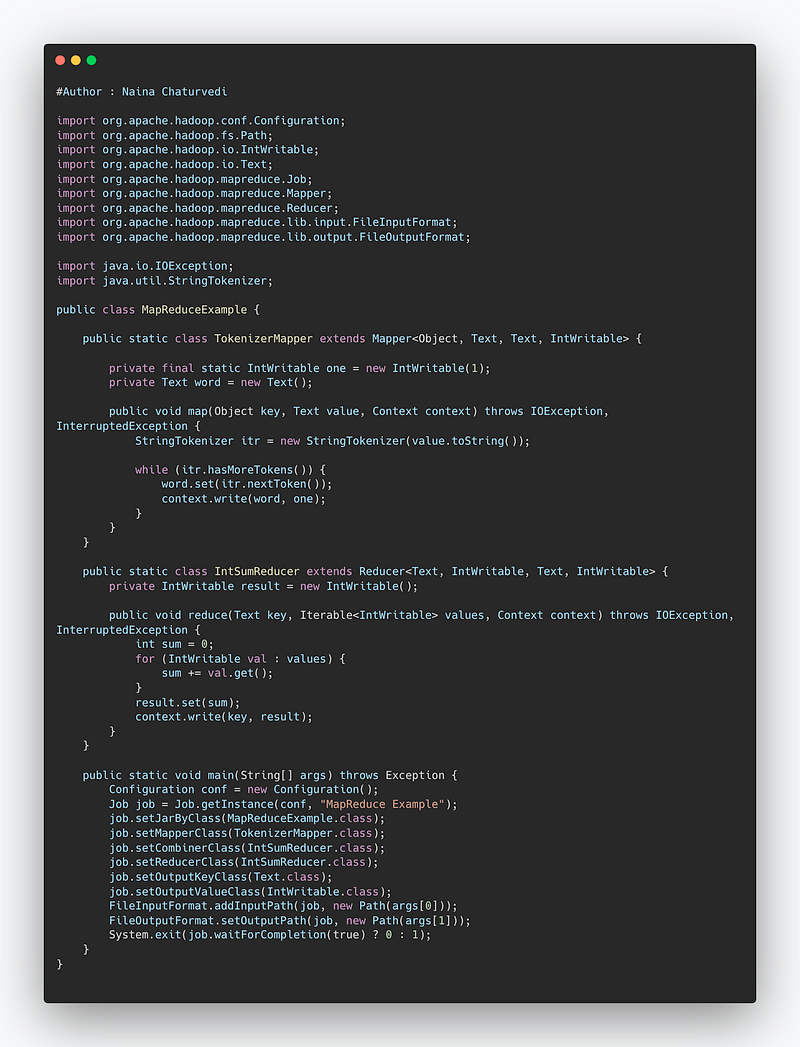
Map reduce ( hadoop systems) is a batch processing technique in which the engine takes huge amounts of data, processes ( map and reduce) and gives the output.
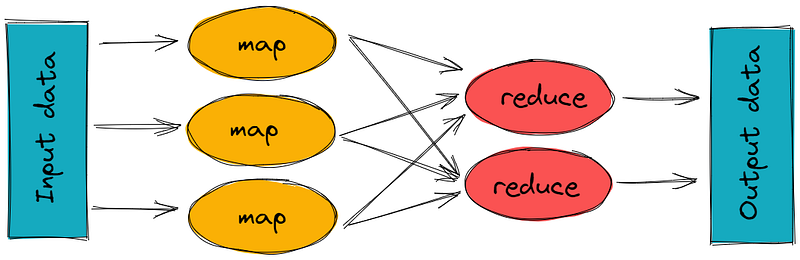
There are 2 stages of Map Reduce —
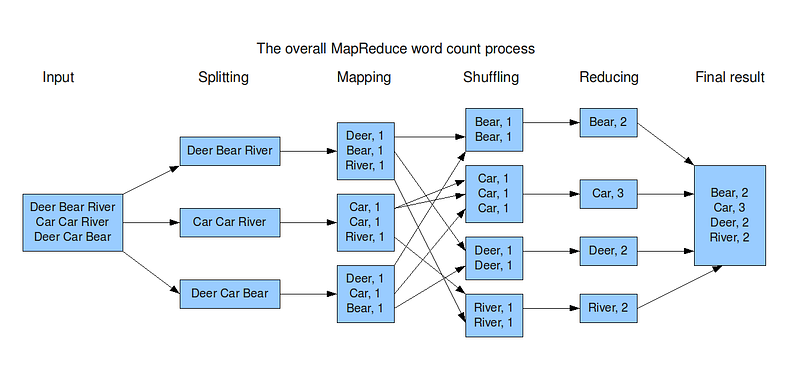
Map — the mapper takes the input, divides it into different tiny jobs and processes it as key-value pair( i.e the input data is stored in HDFS and given to the mapper)
Reduce, Shuffle and Sort — the reducer takes the data from mapper and processes the results which can be stored in HDFS. The combined or aggregated key-value pairs are shuffled, sorted and grouped together and sent as the output
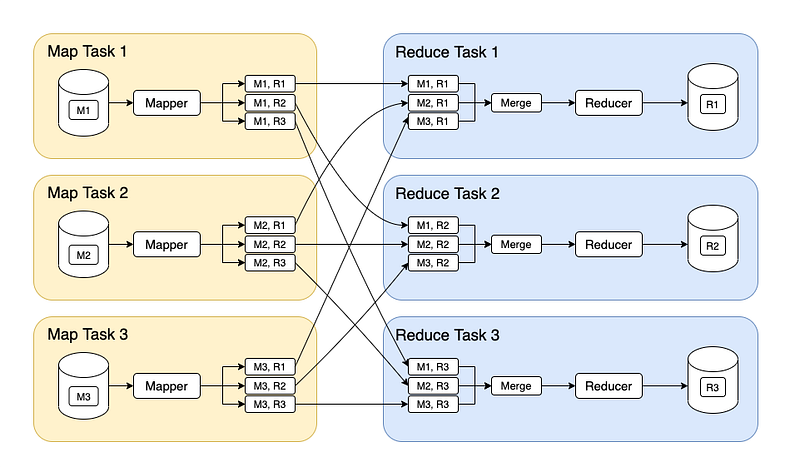
Apart from this, to track the progress of each job — task tracker and job tracker are used. Job tracker manages all the resources and jobs and schedules across the cluster. The task tracker are called slaves that work on the directives of job trackers and deployed on each node in the cluster.
import org.apache.hadoop.conf.Configuration;
import org.apache.hadoop.fs.Path;
import org.apache.hadoop.io.IntWritable;
import org.apache.hadoop.io.Text;
import org.apache.hadoop.mapreduce.Job;
import org.apache.hadoop.mapreduce.Mapper;
import org.apache.hadoop.mapreduce.Reducer;
import org.apache.hadoop.mapreduce.lib.input.FileInputFormat;
import org.apache.hadoop.mapreduce.lib.output.FileOutputFormat;

import java.io.IOException;
import java.util.StringTokenizer;

public class MapReduceExample {

    public static class TokenizerMapper extends Mapper<Object, Text, Text, IntWritable> {

        private final static IntWritable one = new IntWritable(1);
        private Text word = new Text();

        public void map(Object key, Text value, Context context) throws IOException, InterruptedException {
            StringTokenizer itr = new StringTokenizer(value.toString());

            while (itr.hasMoreTokens()) {
                word.set(itr.nextToken());
                context.write(word, one);
            }
        }
    }

    public static class IntSumReducer extends Reducer<Text, IntWritable, Text, IntWritable> {
        private IntWritable result = new IntWritable();

        public void reduce(Text key, Iterable<IntWritable> values, Context context) throws IOException, InterruptedException {
            int sum = 0;
            for (IntWritable val : values) {
                sum += val.get();
            }
            result.set(sum);
            context.write(key, result);
        }
    }

    public static void main(String[] args) throws Exception {
        Configuration conf = new Configuration();
        Job job = Job.getInstance(conf, "MapReduce Example");
        job.setJarByClass(MapReduceExample.class);
        job.setMapperClass(TokenizerMapper.class);
        job.setCombinerClass(IntSumReducer.class);
        job.setReducerClass(IntSumReducer.class);
        job.setOutputKeyClass(Text.class);
        job.setOutputValueClass(IntWritable.class);
        FileInputFormat.addInputPath(job, new Path(args[0]));
        FileOutputFormat.setOutputPath(job, new Path(args[1]));
        System.exit(job.waitForCompletion(true) ? 0 : 1);
    }
}
Why Map Reduce?
Helps in scalability
Helps in processing large amount of data in short amount of time
Helps is parallel processing
Extremely cost effective
Faster execution ( for both unstructured and semi-structured data)
Improves resilience and availability
Examples — Amazon’s Elastic Map Reduce and GCP’s Cloud Dataproc
Snippet —
Microservices
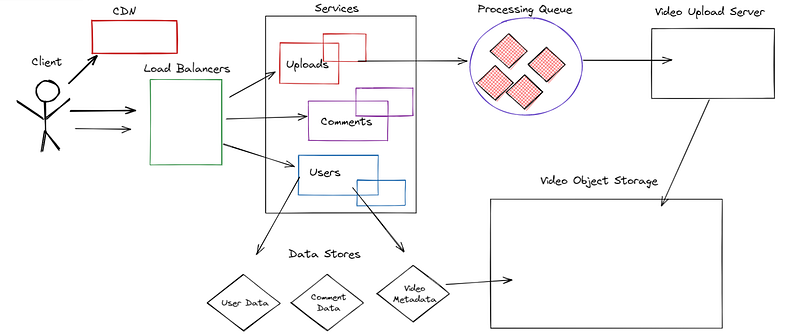
Microservices architecture is used to build enterprise level applications which helps in structuring the whole application as a collection of tiny autonomous, self contained services for each task ( service) that you want/are allowed to perform.
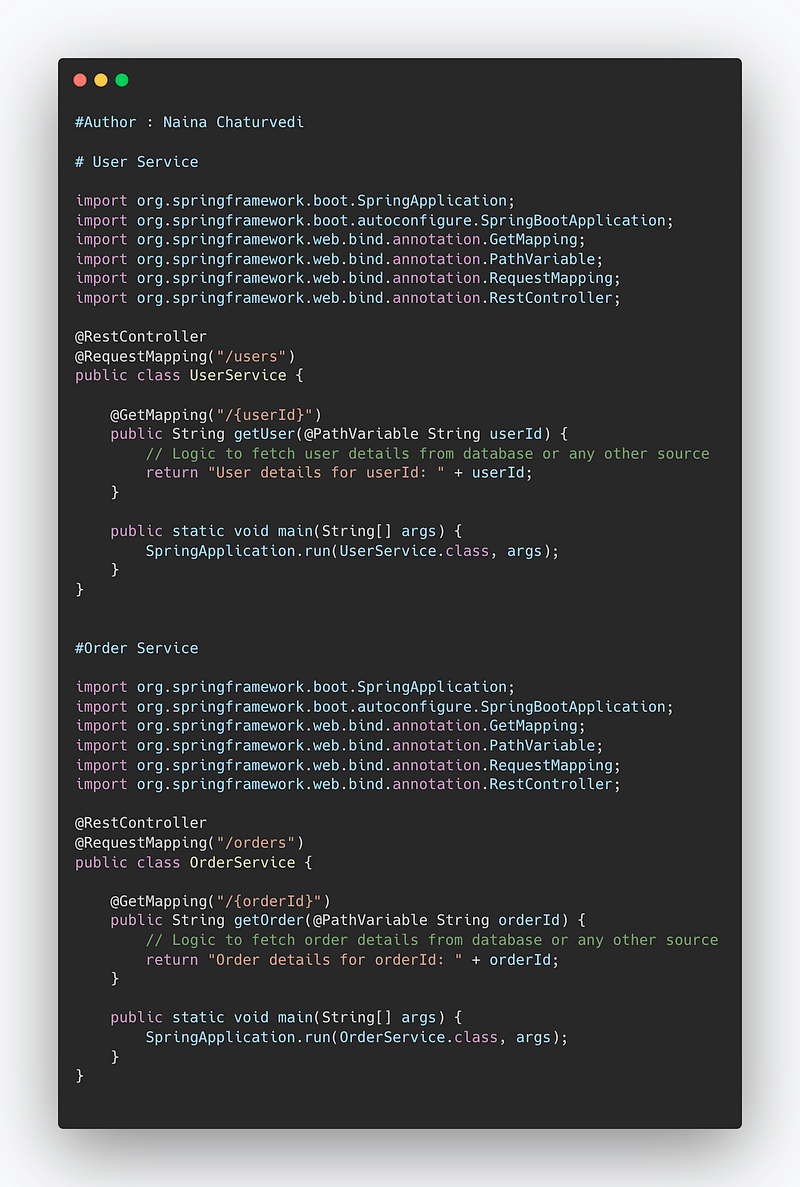
Let’s say we have two microservices: User Service and Order Service. The User Service handles user-related operations, while the Order Service manages order-related operations. Each microservice will have its own codebase and can be developed, deployed, and scaled independently. Here’s an example code for the User Service and Order Service:
Code Implementation —
# User Service

import org.springframework.boot.SpringApplication;
import org.springframework.boot.autoconfigure.SpringBootApplication;
import org.springframework.web.bind.annotation.GetMapping;
import org.springframework.web.bind.annotation.PathVariable;
import org.springframework.web.bind.annotation.RequestMapping;
import org.springframework.web.bind.annotation.RestController;

@RestController
@RequestMapping("/users")
public class UserService {

    @GetMapping("/{userId}")
    public String getUser(@PathVariable String userId) {
        // Logic to fetch user details from database or any other source
        return "User details for userId: " + userId;
    }

    public static void main(String[] args) {
        SpringApplication.run(UserService.class, args);
    }
}
Order Service —
import org.springframework.boot.SpringApplication;
import org.springframework.boot.autoconfigure.SpringBootApplication;
import org.springframework.web.bind.annotation.GetMapping;
import org.springframework.web.bind.annotation.PathVariable;
import org.springframework.web.bind.annotation.RequestMapping;
import org.springframework.web.bind.annotation.RestController;

@RestController
@RequestMapping("/orders")
public class OrderService {

    @GetMapping("/{orderId}")
    public String getOrder(@PathVariable String orderId) {
        // Logic to fetch order details from database or any other source
        return "Order details for orderId: " + orderId;
    }

    public static void main(String[] args) {
        SpringApplication.run(OrderService.class, args);
    }
}
Snippet —
Data Warehouse
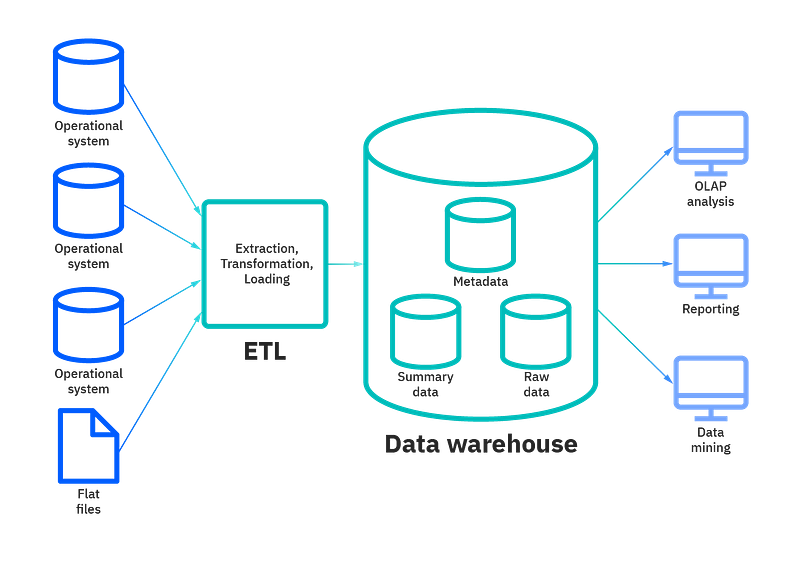
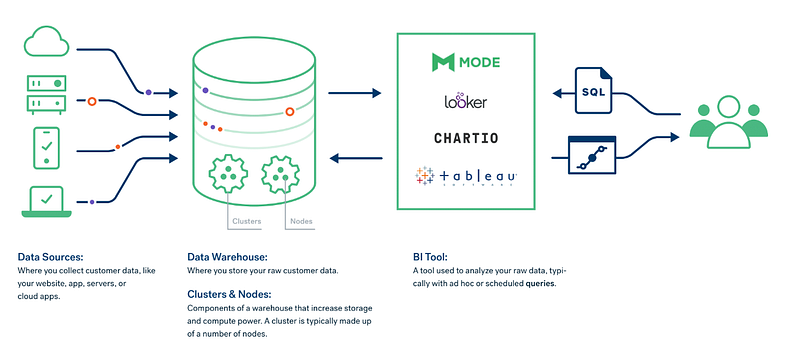
Data Warehouse is a like a central repository which integrates data coming from various sources into one central data management system that is used further for generating analytics and insights from the data. For eg, data from various departments like finance, HR, engineering etc integrated into a central repository.
There are 4 components to Data Warehouse ( that we will cover in this series)—
ETL ( Extract, Transform and Load)
Database
Metadata
Access tools
Why Data Warehouse?
It helps —
To help build analytics and insights from the data to help understand business trends and make better decisions.
Historical information is stored and maintained
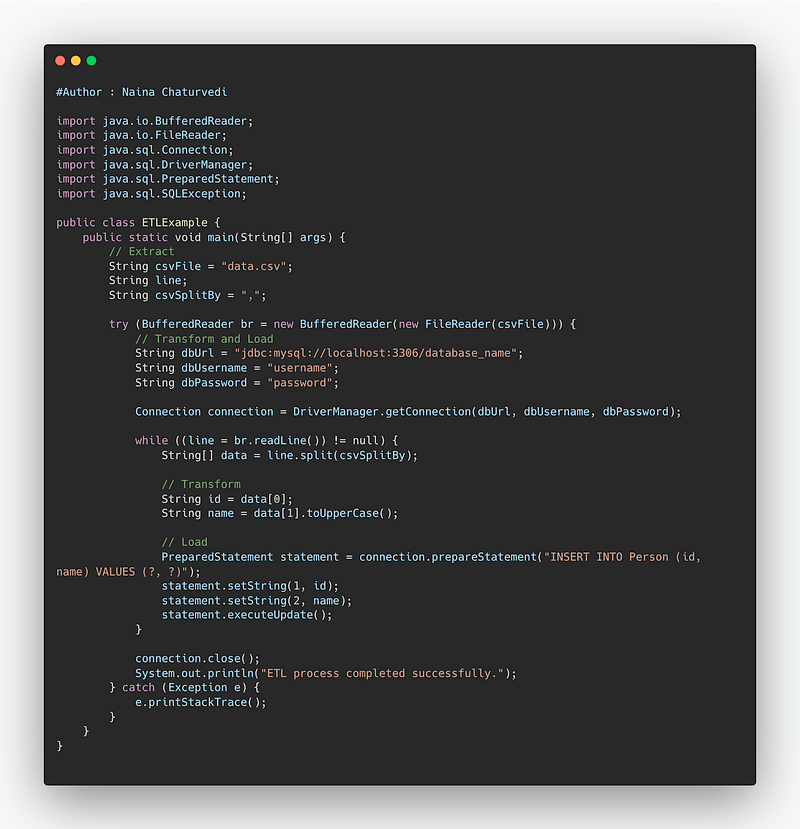
import java.io.BufferedReader;
import java.io.FileReader;
import java.sql.Connection;
import java.sql.DriverManager;
import java.sql.PreparedStatement;
import java.sql.SQLException;

public class ETLExample {
    public static void main(String[] args) {
        // Extract
        String csvFile = "data.csv";
        String line;
        String csvSplitBy = ",";

        try (BufferedReader br = new BufferedReader(new FileReader(csvFile))) {
            // Transform and Load
            String dbUrl = "jdbc:mysql://localhost:3306/database_name";
            String dbUsername = "username";
            String dbPassword = "password";

            Connection connection = DriverManager.getConnection(dbUrl, dbUsername, dbPassword);

            while ((line = br.readLine()) != null) {
                String[] data = line.split(csvSplitBy);

                // Transform
                String id = data[0];
                String name = data[1].toUpperCase();

                // Load
                PreparedStatement statement = connection.prepareStatement("INSERT INTO Person (id, name) VALUES (?, ?)");
                statement.setString(1, id);
                statement.setString(2, name);
                statement.executeUpdate();
            }

            connection.close();
            System.out.println("ETL process completed successfully.");
        } catch (Exception e) {
            e.printStackTrace();
        }
    }
}
Snippet —
Data Lakes
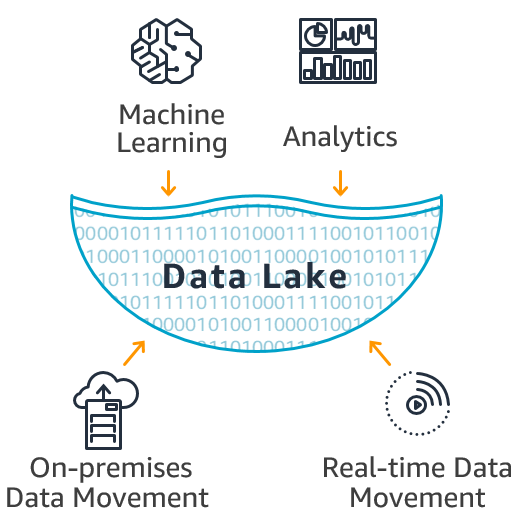
Data lake is a repository which stores, processes and maintains huge amount of data which can be structures, unstructured or semi structured. It is a subset of data warehouse and a cost effective big data storage. The processing of the data is on read and post processing.
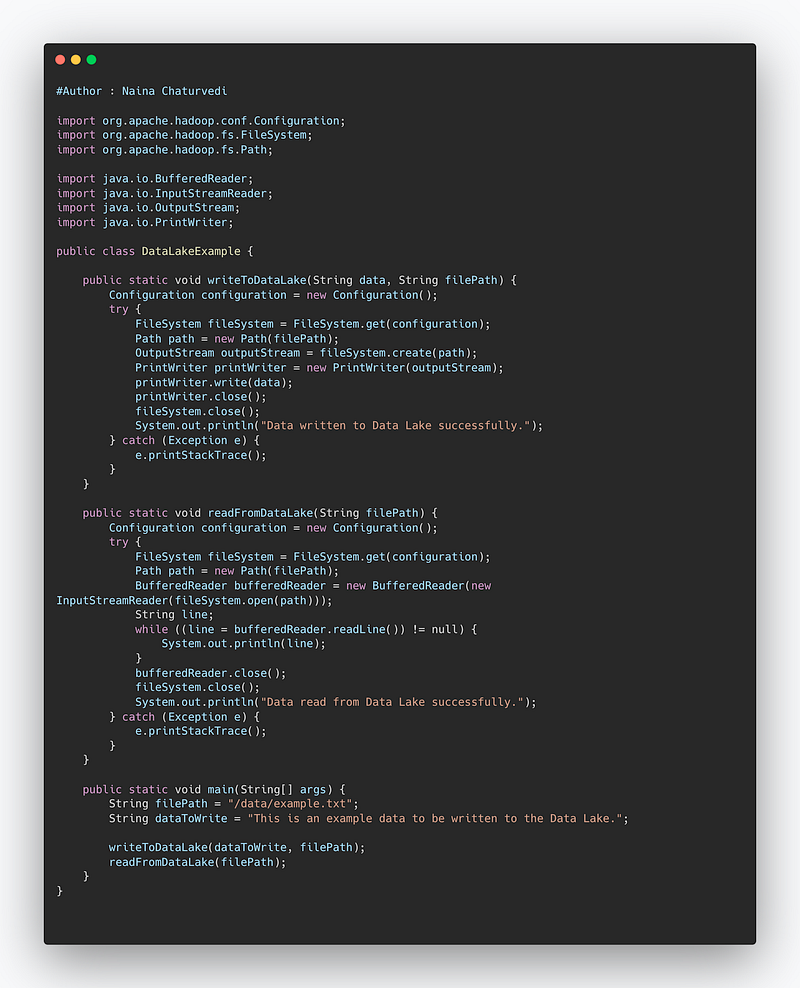
import org.apache.hadoop.conf.Configuration;
import org.apache.hadoop.fs.FileSystem;
import org.apache.hadoop.fs.Path;

import java.io.BufferedReader;
import java.io.InputStreamReader;
import java.io.OutputStream;
import java.io.PrintWriter;

public class DataLakeExample {

    public static void writeToDataLake(String data, String filePath) {
        Configuration configuration = new Configuration();
        try {
            FileSystem fileSystem = FileSystem.get(configuration);
            Path path = new Path(filePath);
            OutputStream outputStream = fileSystem.create(path);
            PrintWriter printWriter = new PrintWriter(outputStream);
            printWriter.write(data);
            printWriter.close();
            fileSystem.close();
            System.out.println("Data written to Data Lake successfully.");
        } catch (Exception e) {
            e.printStackTrace();
        }
    }

    public static void readFromDataLake(String filePath) {
        Configuration configuration = new Configuration();
        try {
            FileSystem fileSystem = FileSystem.get(configuration);
            Path path = new Path(filePath);
            BufferedReader bufferedReader = new BufferedReader(new InputStreamReader(fileSystem.open(path)));
            String line;
            while ((line = bufferedReader.readLine()) != null) {
                System.out.println(line);
            }
            bufferedReader.close();
            fileSystem.close();
            System.out.println("Data read from Data Lake successfully.");
        } catch (Exception e) {
            e.printStackTrace();
        }
    }

    public static void main(String[] args) {
        String filePath = "/data/example.txt";
        String dataToWrite = "This is an example data to be written to the Data Lake.";

        writeToDataLake(dataToWrite, filePath);
        readFromDataLake(filePath);
    }
}
Snippet —
That’s it for now.
Find Day 13 below:
Let me know if you have questions in the comment section below. Subscribe/ Follow, Like/Clap as it would encourage me to write more in my free time
Stay Tuned!!
Read more —
All the Complete System Design Series Parts —
6. Networking, How Browsers work, Content Network Delivery ( CDN)
Github —
Keep learning and coding ;)
Day 5 coming soon!
For Python Projects —
For complete 60 days of Data Science and ML : Day 1 — Day 60 : Quick Recap of 60 days of Data Science and ML
Follow for more updates. Stay tuned and keep coding! Disclosure: Some of the links are affiliates.
For other projects, tune to —
Build Machine Learning Pipelines( With Code)
Recurrent Neural Network with Keras
Clustering Geolocation Data in Python using DBSCAN and K-Means
Facial Expression Recognition using Keras
Hyperparameter Tuning with Keras Tuner
Custom Layers in Keras


