
Day 7 of 30 days of Data Engineering Series with Projects

Welcome back peeps to Day 7 of Data Engineering Series with Projects!
Day 3 : Complete Advanced Python for Data Engineering — Part 2
Projects Videos —
All the projects, data structures, SQL, algorithms, system design, Data Science and ML , Data Analytics, Data Engineering, , Implemented Data Science and ML projects, Implemented Data Engineering Projects, Implemented Deep Learning Projects, Implemented Machine Learning Ops Projects, Implemented Time Series Analysis and Forecasting Projects, Implemented Applied Machine Learning Projects, Implemented Tensorflow and Keras Projects, Implemented PyTorch Projects, Implemented Scikit Learn Projects, Implemented Big Data Projects, Implemented Cloud Machine Learning Projects, Implemented Neural Networks Projects, Implemented OpenCV Projects,Complete ML Research Papers Summarized, Implemented Data Analytics projects, Implemented Data Visualization Projects, Implemented Data Mining Projects, Implemented Natural Leaning Processing Projects, MLOps and Deep Learning, Applied Machine Learning with Projects Series, PyTorch with Projects Series, Tensorflow and Keras with Projects Series, Scikit Learn Series with Projects, Time Series Analysis and Forecasting with Projects Series, ML System Design Case Studies Series videos will be published on our youtube channel ( just launched).
Subscribe today!
Tech Newsletter —
If you are interested, you can join my newsletter through which I send tech interview tips, techniques, patterns, hacks — Software Development, ML, Data Science, Startups and Technology projects to more than 30K readers. You can subscribe to Ignito:
System Design Case Studies — In Depth
Design Instagram
Design Netflix
Design Reddit
Design Amazon
Design Messenger App
Design Twitter
Design URL Shortener
Design Dropbox
Design Youtube
Design API Rate Limiter
Design Web Crawler
Design Amazon Prime Video
Design Facebook’s Newsfeed
Design Yelp
Design Uber
Design Tinder
Design Tiktok
Design Whatsapp
Most Popular System Design Questions
Mega Compilation : Solved System Design Case studies
Pre-requisite to Day 7 is to complete Day 1–6( link below):
Day 1 of 30 days of Data Engineering can be found below —
Day 2 of 30 days of Data Engineering can be found below —
Day 3 of 30 days of Data Engineering can be found below —
This is Day 7 of 30 days of Data Engineering Series where we will be covering —
Big query
SQL vs NO SQL Databases
Let’s get started!
BigQuery basics

BigQuery is a Serverless, highly scalable, and cost-effective multi-cloud data warehouse designed for business agility and is integrated on Google Cloud Platform. If you are a developer who works with huge amounts of data, you can use Google Cloud Platform to query petabytes of data at fast speeds. In this post you will learn how to use different clauses of Standard SQL to analyze your data on Google Cloud Platform.
To get started signup : https://cloud.google.com/
SELECT, FROM and WHERE clauses in Bigquery
In order to retrieve or pull all the columns and rows we use * with the SELECT statement. To pull the selective columns we define the column names with the SELECT Statement. FROM statement is used to specify the table from which you would like to retrieve the data. WHERE is used to filter the rows that meet certain condition or criteria.
Format to use SELECT, FROM and Where :
SELECT column_names
FROM table_name
WHERE condition
WHERE clause is used with SELECT, UPDATE and DELETE statement
Date and Extract Clauses in Bigquery
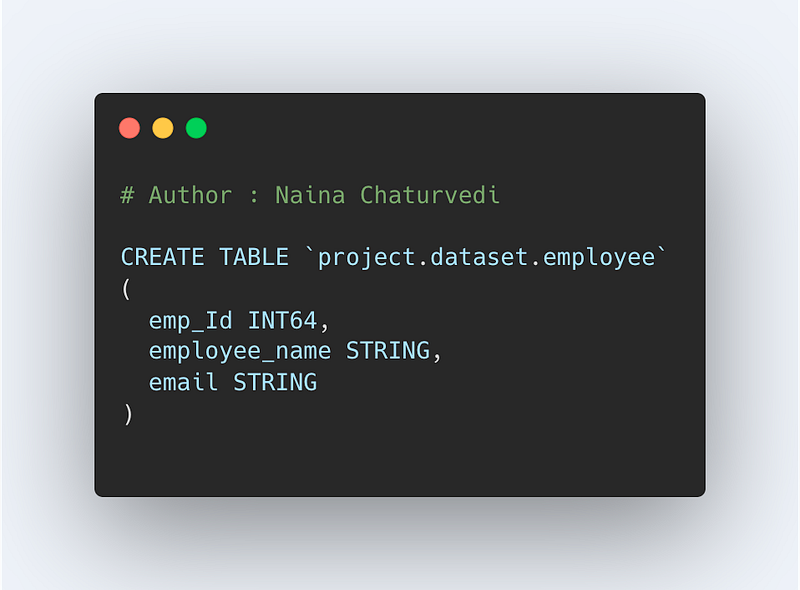
Alias is used to give a shorthand name for a table or column. Whenever you create complex queries, Alias can help you to improve the readability of your query.
Format to use Alias
SELECT column_name AS Alias-name
FROM table alias_name
WHERE condition
BigQuery has rich DATETIME Functions.
In order to know the current date and time, use the CURRENT_DATETIME function which will return the current time as a DATETIME object.
Format —
CURRENT_DATETIME([timezone])
Since the DATETIME format is in the form of DATETIME(year, month, day, hour, minute, second). In order to Extract the year or month or day or hour or minute, second etc you can use the EXTRACT clause which returns a value that corresponds to the specified part from a supplied expression_datetime.
Format —
EXTRACT(part FROM expression_datetime)
- DAY: Returns values in the range [1,7] with Sunday as the first day of the week.
- YEAR returns the year.
- WEEK: Returns the week number of the date in the range [0, 53]. Weeks begin with Sunday, and dates prior to the first Sunday of the year are in week 0.
- MONTH
- QUARTER: Returns values in the range [1,4].
Code Implementation —
Common Expression Table
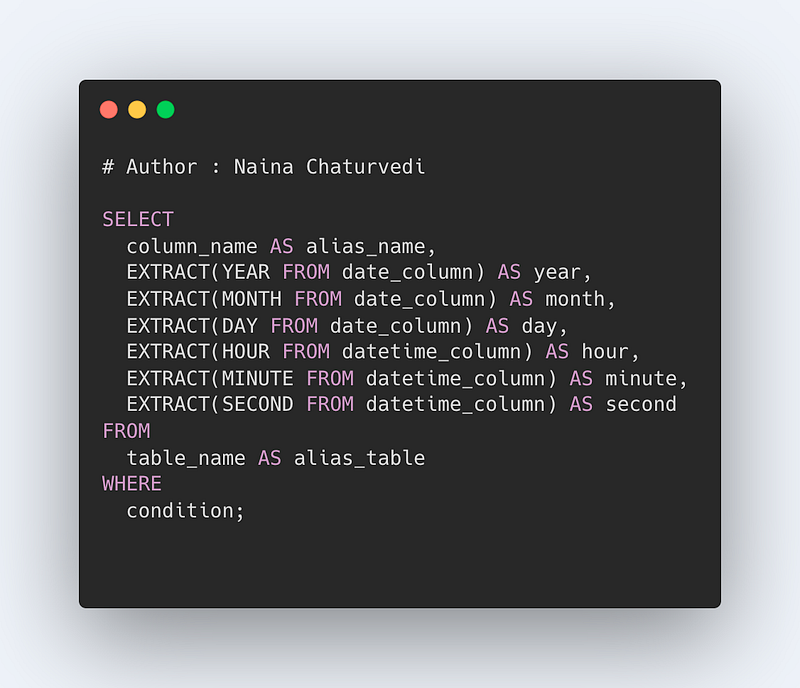
In order to simplify the complex queries, make them more readable and query against them, Common Table Expressions is used. Common Table Expressions is nothing but a query whose result set you can reference in a later section of your query i.e it returns a temporary table that you return within your query. It uses the WITH clause.
Format —
WITH CTE_expression_name AS (
SELECT column_name
FROM table
WHERE condition)
SELECT column_name
FROM table
INNER JOIN CTE_expression_name on condition
Implement JOINS and UNION clauses
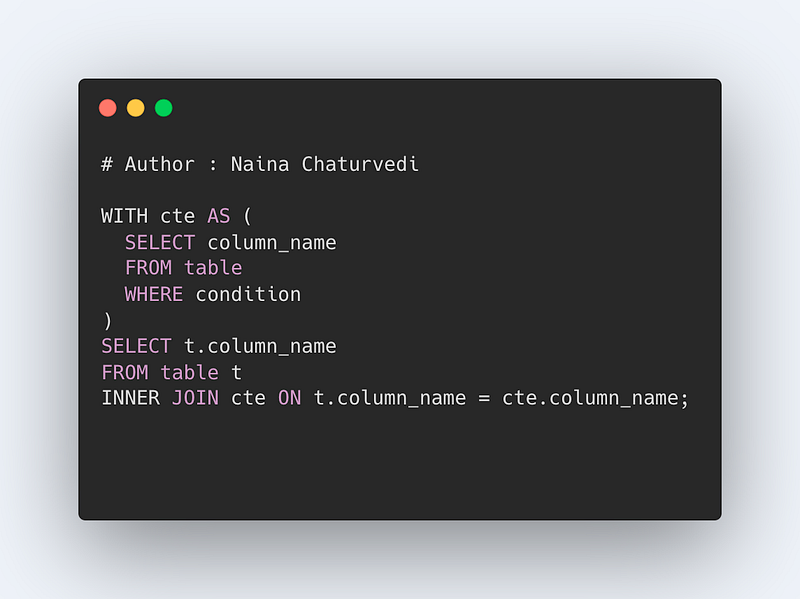
JOIN combines data from multiple tables. There are four types of Joins that you can use.
- INNER JOIN: Select records that have matching values in both tables.
- CROSS JOIN : Select records in the first table multiplied by the records in the second table.
- FULL JOIN: Selects all records that match either left or right table records.
- LEFT JOIN: Select records from the first (left-most) table with matching right table records.
- RIGHT JOIN: Select records from the second (right-most) table with matching left table records.
Format —
SELECT column_names
FROM table1 JOIN table2
ON column_name1 = column_name2
WHERE condition
UNION is used to combine the result-set of two or more SELECT statements. ALL or DISTINCT keyword can be used with a UNION clause.
SELECT column_names1
FROM table1
UNION
SELECT column_names2
FROM table2
Query —
Inner Join/*SELECT column_names
FROM table1 INNER JOIN table2
ON column_name1 = column_name2
WHERE conditionSELECT end_station_name
FROM `bigquery-public-data.london_bicycles.cycle_hire`
INNER JOIN `bigquery-public-data.london_bicycles.cycle_stations`
ON end_station_id = id
where end_station_name like '%A%'
LIMIT 20;-------------------------------Left Join/*SELECT column_names
FROM table1 Left JOIN table2
ON column_name1 = column_name2
WHERE condition
*/SELECT end_station_nameFROM `bigquery-public-data.london_bicycles.cycle_hire`LEFT JOIN `bigquery-public-data.london_bicycles.cycle_stations`ON end_station_id = idwhere end_station_name like 'C%'LIMIT 20;-----------------Right Join/*SELECT column_names
FROM table1 Right JOIN table2
ON column_name1 = column_name2
WHERE condition
*/SELECT end_station_nameFROM `bigquery-public-data.london_bicycles.cycle_hire`RIGHT JOIN `bigquery-public-data.london_bicycles.cycle_stations`ON end_station_id = idwhere end_station_name like 'C%'LIMIT 20;-------------UNION/*SELECT column_names1
FROM table1
UNION
SELECT column_names2
FROM table2
*/SELECT end_station_name as T_nameFROM `bigquery-public-data.london_bicycles.cycle_hire`UNION DISTINCTSELECT terminal_nameFROM `bigquery-public-data.london_bicycles.cycle_stations`LIMIT 20;Code Implementation —
UNNEST Clause
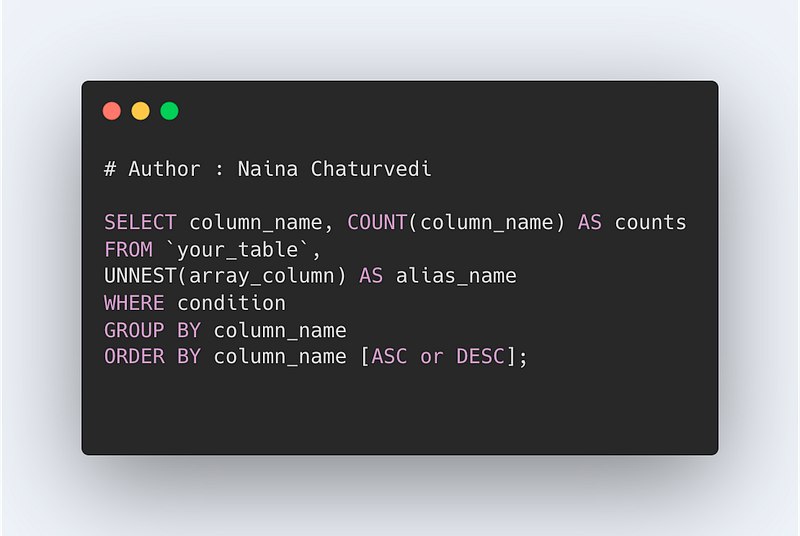
UNNEST is used to flatten the arrays. UNNEST takes an array and in turn returns a table with a single row for each element in the array. It destroys the order of array elements.
Format —
SELECT column_name, COUNT(column_name) as counts
FROM table,
UNNEST(array) as alias_name
WHERE condition
GROUP BY column_name
ORDER BY column_name [ASC or DESC]
Here are some common commands used in BigQuery:
- SELECT — used to query data from one or more tables
- FROM — specifies the table(s) from which to retrieve data
- WHERE — used to filter the query results based on certain conditions
- GROUP BY — used to group query results by one or more columns
- HAVING — used to filter the query results after they have been grouped
- ORDER BY — used to sort the query results in ascending or descending order
- LIMIT — used to limit the number of query results returned
- JOIN — used to combine rows from two or more tables based on a related column between them
- UNION — used to combine the results of two or more SELECT statements
- AS — used to assign an alias to a column or table in the query results
Code Implementation -
SQL vs NoSQL Databases
SQL
As you design large systems ( or even smaller ones), you need to decide the inflow-processing and outflow of data coming- and getting processed in the system.
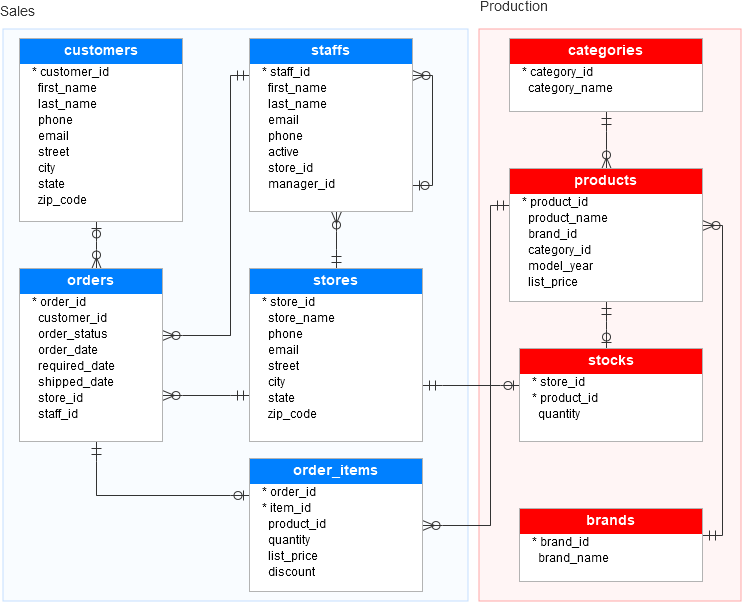
Data is generally organized in tables as rows and columns where columns represents attributes and rows represent records and keys have logical relationships. The SQL db schema always shows relational, tabular data following the ACID properties.
There are two types of databases to consider — SQL and NoSQL databases.
SQL databases have predefined schema and the data is organized/displayed in the form of tables. These databases use SQL ( Structured Query Language) to define, manipulate, update the data.
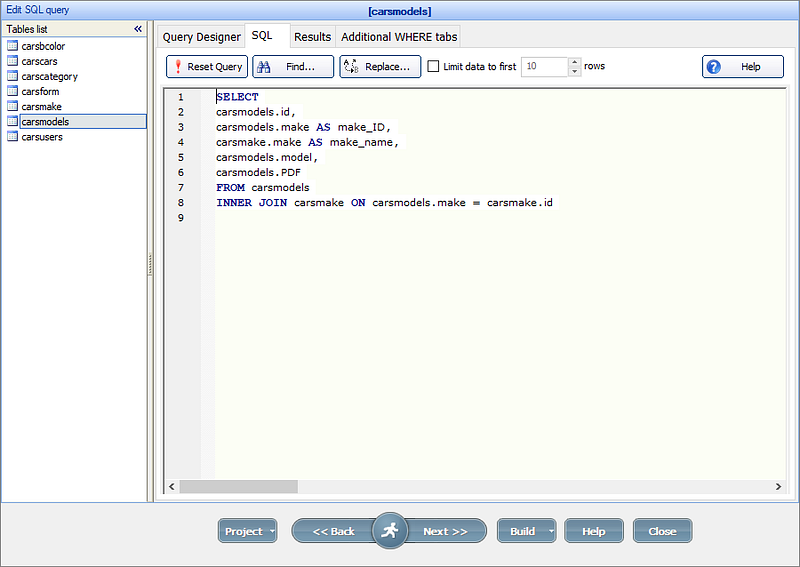
Relational databases like MS SQL Server, PostgreSQL, Sybase, MySQL Database, Oracle, etc. use SQL.
NoSQL
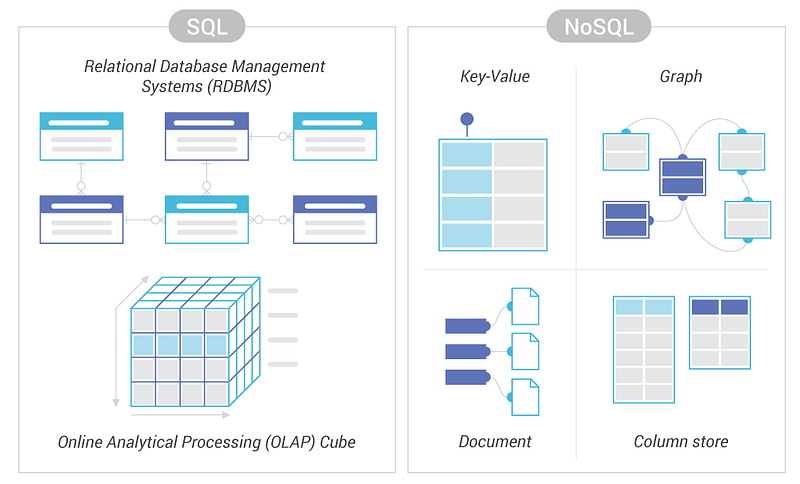
NoSQL databases on the other side, have no predefined schema which adds to more flexibility to use the formats that best suits the data — Work with graphs, column-oriented data, key-value and documents etc. They are generally preferred for hierarchical data, graphs ( e.g. social network) and to work with large data.
Some examples — Wide-column use Cassandra and HBase, Graph use Neo4j, Document use MongoDB and CouchDB, Key-value use Redis and DynamoDB,
A good comparison —
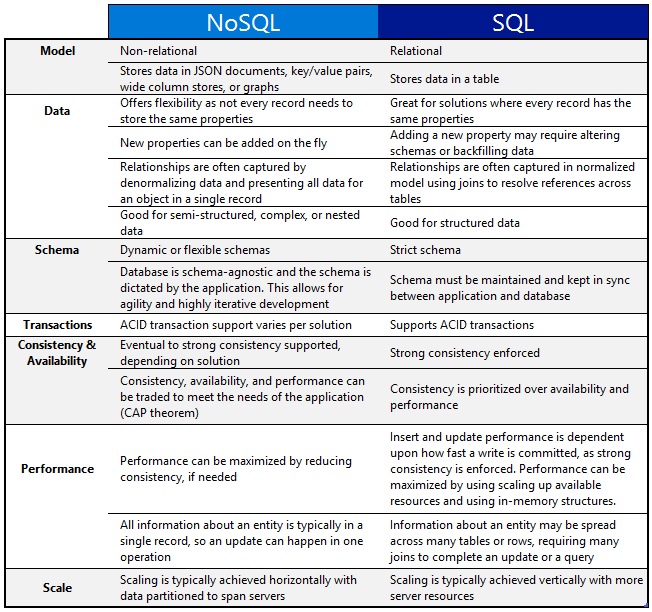
One of the important question that you might be asked, when to use which db?
When use SQL databases?
When you want to —
1. Scale Vertically — increase the processing power of your hardware
2. Work with predefined schema
3. Process queries and joins against structured data
4. Optimize the storage
5. Data is small
When to use NoSQL databases?
When you want to —
1. Scale horizontally
2. Work with graphs, column-oriented data, key-value and documents etc
3. Use multiple languages to query
4. Work with dynamic schema that has no predefined schema
5. Large Data
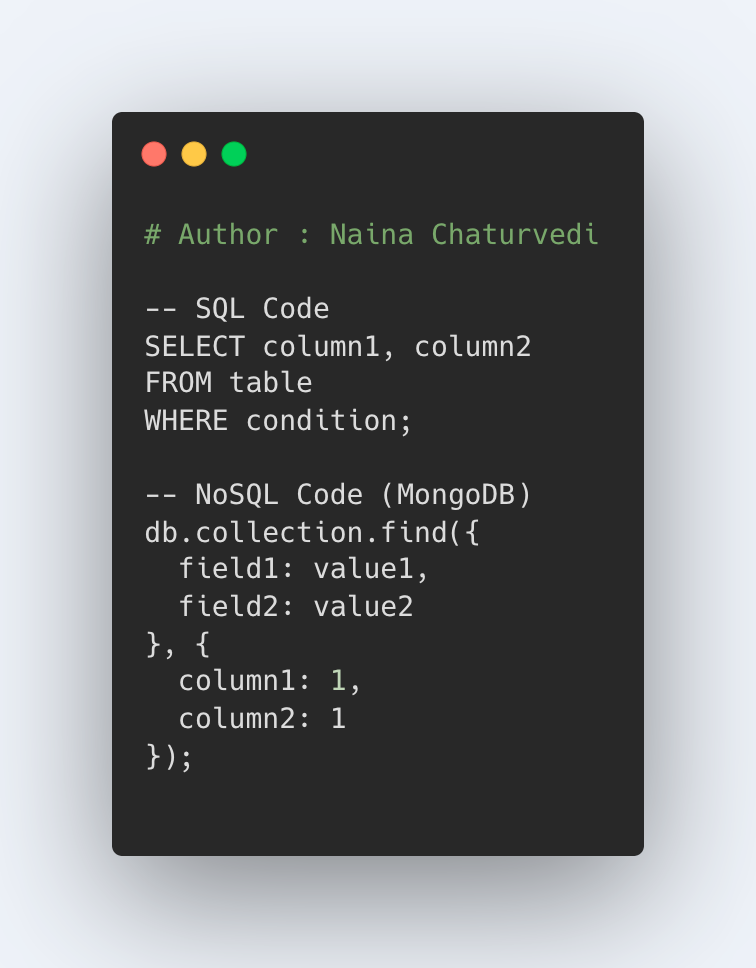
Code Implementation -
That’s it for now. Day 8 Coming soon!
Let me know if you have questions in the comment section below. Subscribe/ Follow, Like/Clap as it would encourage me to write more in my free time
Stay Tuned!!
Read more —
All the Complete System Design Series Parts —
6. Networking, How Browsers work, Content Network Delivery ( CDN)
Github —
Keep learning and coding ;)
Day 5 coming soon!
For Python Projects —
For complete 60 days of Data Science and ML : Day 1 — Day 60 : Quick Recap of 60 days of Data Science and ML
Follow for more updates. Stay tuned and keep coding! Disclosure: Some of the links are affiliates.
For other projects, tune to —
Build Machine Learning Pipelines( With Code)
Recurrent Neural Network with Keras
Clustering Geolocation Data in Python using DBSCAN and K-Means
Facial Expression Recognition using Keras
Hyperparameter Tuning with Keras Tuner
Custom Layers in Keras


