
Day 14 of 30 days of Data Engineering Series with Projects
Welcome back peeps to Day 14 of Data Engineering Series with Projects!
In this we will cover —
Numpy
Pre-requisite to Day 14 is to complete Day 1–13( link below):
Day 3 : Complete Advanced Python for Data Engineering — Part 2
Projects Videos —
All the projects, data structures, SQL, algorithms, system design, Data Science and ML , Data Analytics, Data Engineering, , Implemented Data Science and ML projects, Implemented Data Engineering Projects, Implemented Deep Learning Projects, Implemented Machine Learning Ops Projects, Implemented Time Series Analysis and Forecasting Projects, Implemented Applied Machine Learning Projects, Implemented Tensorflow and Keras Projects, Implemented PyTorch Projects, Implemented Scikit Learn Projects, Implemented Big Data Projects, Implemented Cloud Machine Learning Projects, Implemented Neural Networks Projects, Implemented OpenCV Projects,Complete ML Research Papers Summarized, Implemented Data Analytics projects, Implemented Data Visualization Projects, Implemented Data Mining Projects, Implemented Natural Leaning Processing Projects, MLOps and Deep Learning, Applied Machine Learning with Projects Series, PyTorch with Projects Series, Tensorflow and Keras with Projects Series, Scikit Learn Series with Projects, Time Series Analysis and Forecasting with Projects Series, ML System Design Case Studies Series videos will be published on our youtube channel ( just launched).
Subscribe today!
Tech Newsletter —
If you are interested, you can join my newsletter through which I send tech interview tips, techniques, patterns, hacks — Software Development, ML, Data Science, Startups and Technology projects to more than 30K readers. You can subscribe to Ignito:
System Design Case Studies — In Depth
Design Instagram
Design Netflix
Design Reddit
Design Amazon
Design Messenger App
Design Twitter
Design URL Shortener
Design Dropbox
Design Youtube
Design API Rate Limiter
Design Web Crawler
Design Amazon Prime Video
Design Facebook’s Newsfeed
Design Yelp
Design Uber
Design Tinder
Design Tiktok
Design Whatsapp
Most Popular System Design Questions
Mega Compilation : Solved System Design Case studies
This is Day 13 of 30 days of Data Engineering Series where we will be covering —
Numpy
Let’s get started!
Numpy is a python library for scientific computing — to work with multidimensional array objects and used to handle large amount of data. An array which is a grid of values and is indexed by a tuple of nonnegative integers is main data structure of the Numpy library. ndarray is acronym of N-Dimensional Array.
Some of the most important Numpy functions include:
- Array creation:
array(): creates an array from a list or tuplezeros(): creates an array of zeros with a specified shapeones(): creates an array of ones with a specified shapeeye(): creates an identity matrix with a specified sizelinspace(): creates an array of evenly spaced values within a specified range- Array manipulation:
shape: returns the shape of an arrayreshape(): changes the shape of an arraytranspose(): transposes an arrayflatten(): flattens an array into a 1D arrayravel(): flattens an array into a 1D arrayconcatenate(): concatenates two or more arrays along a specified axis- Mathematical operations:
sum(): calculates the sum of all elements in an arraymean(): calculates the mean of all elements in an arraystd(): calculates the standard deviation of all elements in an arraymin(): finds the minimum value in an arraymax(): finds the maximum value in an arrayargmin(): finds the index of the minimum value in an arrayargmax(): finds the index of the maximum value in an arraydot(): calculates the dot product of two arraysmatmul(): performs matrix multiplicationinv(): calculates the inverse of a matrix- Indexing and slicing:
[i]: accesses the i-th element of an array[start:stop:step]: slices an array with a specific range and step[condition]: selects elements that meet a certain condition- Boolean operations:
all(): returns True if all elements in an array are Trueany(): returns True if any elements in an array are True
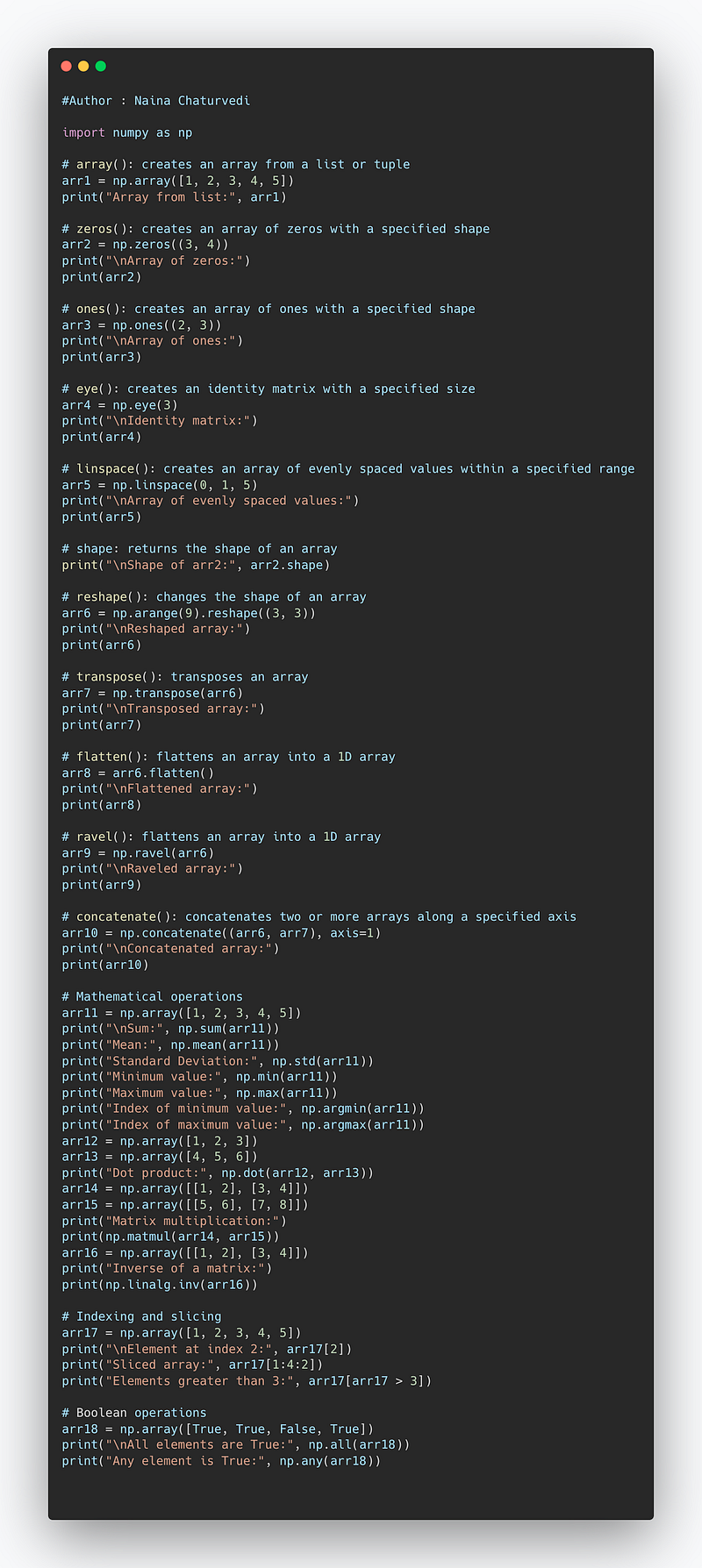
Code Implementation —
import numpy as np

# array(): creates an array from a list or tuple
arr1 = np.array([1, 2, 3, 4, 5])
print("Array from list:", arr1)

# zeros(): creates an array of zeros with a specified shape
arr2 = np.zeros((3, 4))
print("\nArray of zeros:")
print(arr2)

# ones(): creates an array of ones with a specified shape
arr3 = np.ones((2, 3))
print("\nArray of ones:")
print(arr3)

# eye(): creates an identity matrix with a specified size
arr4 = np.eye(3)
print("\nIdentity matrix:")
print(arr4)

# linspace(): creates an array of evenly spaced values within a specified range
arr5 = np.linspace(0, 1, 5)
print("\nArray of evenly spaced values:")
print(arr5)

# shape: returns the shape of an array
print("\nShape of arr2:", arr2.shape)

# reshape(): changes the shape of an array
arr6 = np.arange(9).reshape((3, 3))
print("\nReshaped array:")
print(arr6)

# transpose(): transposes an array
arr7 = np.transpose(arr6)
print("\nTransposed array:")
print(arr7)

# flatten(): flattens an array into a 1D array
arr8 = arr6.flatten()
print("\nFlattened array:")
print(arr8)

# ravel(): flattens an array into a 1D array
arr9 = np.ravel(arr6)
print("\nRaveled array:")
print(arr9)

# concatenate(): concatenates two or more arrays along a specified axis
arr10 = np.concatenate((arr6, arr7), axis=1)
print("\nConcatenated array:")
print(arr10)

# Mathematical operations
arr11 = np.array([1, 2, 3, 4, 5])
print("\nSum:", np.sum(arr11))
print("Mean:", np.mean(arr11))
print("Standard Deviation:", np.std(arr11))
print("Minimum value:", np.min(arr11))
print("Maximum value:", np.max(arr11))
print("Index of minimum value:", np.argmin(arr11))
print("Index of maximum value:", np.argmax(arr11))
arr12 = np.array([1, 2, 3])
arr13 = np.array([4, 5, 6])
print("Dot product:", np.dot(arr12, arr13))
arr14 = np.array([[1, 2], [3, 4]])
arr15 = np.array([[5, 6], [7, 8]])
print("Matrix multiplication:")
print(np.matmul(arr14, arr15))
arr16 = np.array([[1, 2], [3, 4]])
print("Inverse of a matrix:")
print(np.linalg.inv(arr16))

# Indexing and slicing
arr17 = np.array([1, 2, 3, 4, 5])
print("\nElement at index 2:", arr17[2])
print("Sliced array:", arr17[1:4:2])
print("Elements greater than 3:", arr17[arr17 > 3])

# Boolean operations
arr18 = np.array([True, True, False, True])
print("\nAll elements are True:", np.all(arr18))
print("Any element is True:", np.any(arr18))
Snippet —
Lets dive in!
Import Numpy
import numpy as npCreate Numpy Arrays
a = np.array([1,2,3])Zeros arrays : returns a new array setting values to 0
np.zeros(12)Output —
array([0., 0., 0., 0., 0., 0., 0., 0., 0., 0., 0., 0.])Implementation 2 —
np.zeros(7,dtype=int)Output —
array([0, 0, 0, 0, 0, 0, 0])Ones arrays : Return a new array of given shape and type all filled with 1
Implementation 1 —
np.ones(5)Output —
array([1., 1., 1., 1., 1.])Implementation 2 —
np.ones((3,5),dtype="int")Output —
array([[1, 1, 1, 1, 1],
       [1, 1, 1, 1, 1],
       [1, 1, 1, 1, 1]])
Full arrays: Returns a new array of given shape filled with a specified value
Implementation —
np.full((3, 6), 9)Output —
array([[9, 9, 9, 9, 9, 9],
       [9, 9, 9, 9, 9, 9],
       [9, 9, 9, 9, 9, 9]])
Identity Matrix
Implementation —
np.eye(5)Output —
array([[1., 0., 0., 0., 0.],
       [0., 1., 0., 0., 0.],
       [0., 0., 1., 0., 0.],
       [0., 0., 0., 1., 0.],
       [0., 0., 0., 0., 1.]])
reshape()
Used to change shape of an array.
Implementation 1 —
np.arange(1,15).reshape(2,7)Output —
array([[ 1,  2,  3,  4,  5,  6,  7],
       [ 8,  9, 10, 11, 12, 13, 14]])
Implementation 2 —
arr = np.arange(1,10).reshape((1,9))Output —
array([[1, 2, 3, 4, 5, 6, 7, 8, 9]])Flattening the Arrays
Used to convert a multidimensional array into a 1D array. To implement it —
reshape(-1) function
flatten() function
Implementation —
a2 = np.arange(1,9).reshape((1,8))
a2.reshape(-1)
a2.flatten()
Output —
array([1, 2, 3, 4, 5, 6, 7, 8])Concatenation
To combine together two numpy arrays
Implementation 1 —
a1 = np.array([100,110,140])
a2 = np.array([120,121,220])
np.concatenate([a1,a2])
Output —
array([100, 110, 140, 120, 121, 220])Implementation 2 —
arr1 = np.array([[10,20,30],[40,50,60]])
arr2 = np.array([[101,102,103],[104,105,106]])
np.concatenate([arr1,arr2])
Output —
array([[ 10,  20,  30],
       [ 40,  50,  60],
       [101, 102, 103],
[104, 105, 106]])np.concatenate([arr1,arr2],axis=1)Output —
array([[ 10,  20,  30, 101, 102, 103],
       [ 40,  50,  60, 104, 105, 106]])
Broadcasting
It’s a powerful mechanism that allows numpy to work with arrays of different shapes when performing arithmetic operations.
If the arrays do not have the same rank, prepend the shape of the lower rank array with 1s until both shapes have the same length.
The two arrays are said to be compatible in a dimension if they have the same size in the dimension, or if one of the arrays has size 1 in that dimension.
The arrays can be broadcast together if they are compatible in all dimensions.
After broadcasting, each array behaves as if it had shape equal to the elementwise maximum of shapes of the two input arrays. In any dimension where one array had size 1 and the other array had size greater than 1, the first array behaves as if it were copied along that dimension
Implementation —
arr1 = np.array([1, 0, 1])
arr2 = np.array([1])
arr1 + arr2
Output —
array([2, 1, 2])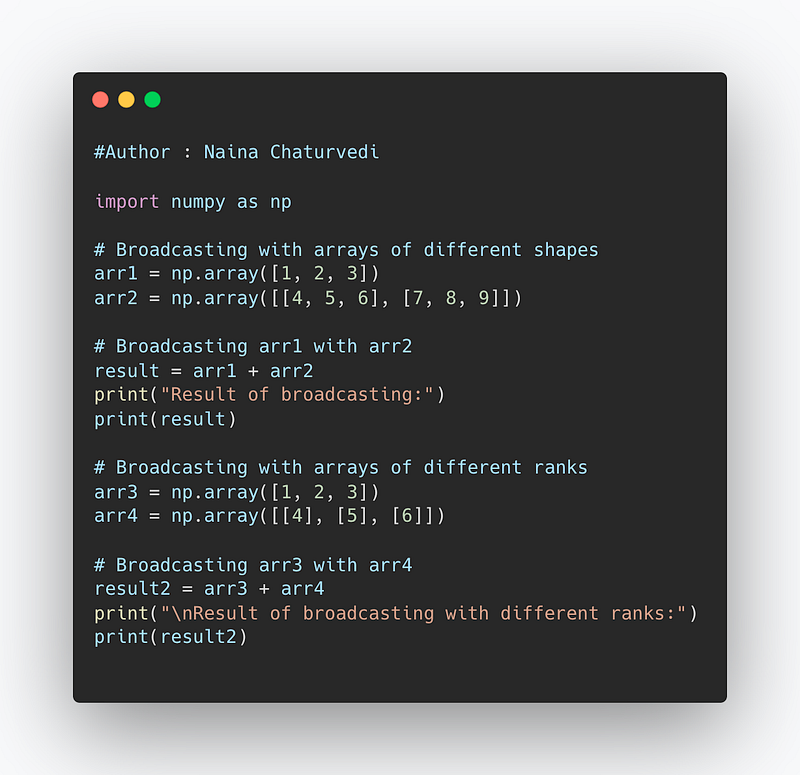
Scalar Product
It takes two equal-length sequences of numbers and returns a single number.
Implementation —
arr1 = np.array([[30,15],[19,42]])
arr2 = np.array([[101,90],[45,64]])
np.dot(arr1,arr2)
Output —
array([[3705, 3660],
       [3809, 4398]])
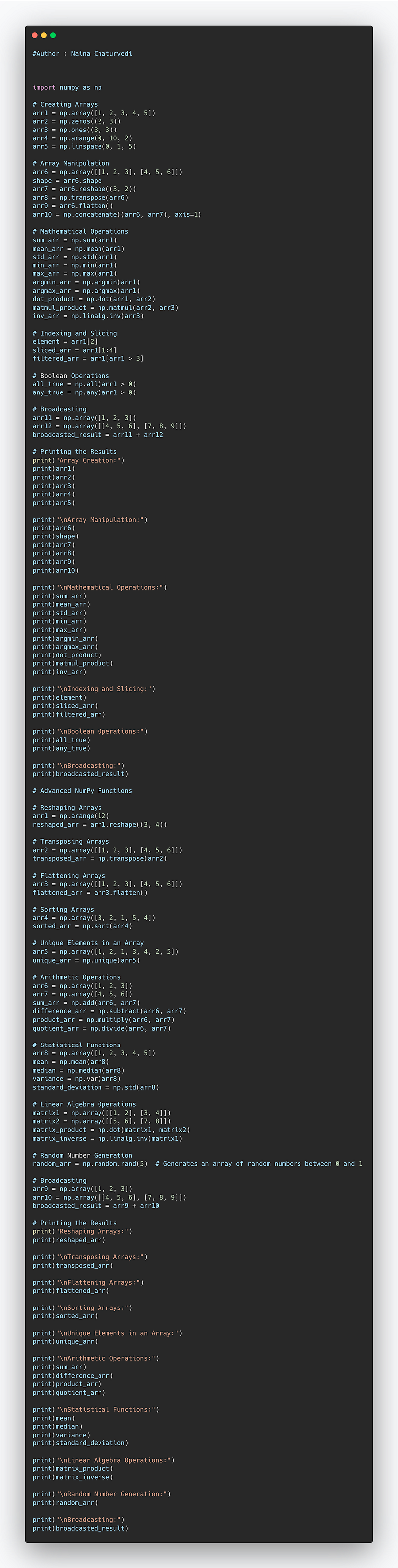
Complete Code —
import numpy as np

# Creating Arrays
arr1 = np.array([1, 2, 3, 4, 5])
arr2 = np.zeros((2, 3))
arr3 = np.ones((3, 3))
arr4 = np.arange(0, 10, 2)
arr5 = np.linspace(0, 1, 5)

# Array Manipulation
arr6 = np.array([[1, 2, 3], [4, 5, 6]])
shape = arr6.shape
arr7 = arr6.reshape((3, 2))
arr8 = np.transpose(arr6)
arr9 = arr6.flatten()
arr10 = np.concatenate((arr6, arr7), axis=1)

# Mathematical Operations
sum_arr = np.sum(arr1)
mean_arr = np.mean(arr1)
std_arr = np.std(arr1)
min_arr = np.min(arr1)
max_arr = np.max(arr1)
argmin_arr = np.argmin(arr1)
argmax_arr = np.argmax(arr1)
dot_product = np.dot(arr1, arr2)
matmul_product = np.matmul(arr2, arr3)
inv_arr = np.linalg.inv(arr3)

# Indexing and Slicing
element = arr1[2]
sliced_arr = arr1[1:4]
filtered_arr = arr1[arr1 > 3]

# Boolean Operations
all_true = np.all(arr1 > 0)
any_true = np.any(arr1 > 0)

# Broadcasting
arr11 = np.array([1, 2, 3])
arr12 = np.array([[4, 5, 6], [7, 8, 9]])
broadcasted_result = arr11 + arr12

# Printing the Results
print("Array Creation:")
print(arr1)
print(arr2)
print(arr3)
print(arr4)
print(arr5)

print("\nArray Manipulation:")
print(arr6)
print(shape)
print(arr7)
print(arr8)
print(arr9)
print(arr10)

print("\nMathematical Operations:")
print(sum_arr)
print(mean_arr)
print(std_arr)
print(min_arr)
print(max_arr)
print(argmin_arr)
print(argmax_arr)
print(dot_product)
print(matmul_product)
print(inv_arr)

print("\nIndexing and Slicing:")
print(element)
print(sliced_arr)
print(filtered_arr)

print("\nBoolean Operations:")
print(all_true)
print(any_true)

print("\nBroadcasting:")
print(broadcasted_result)


# Advanced NumPy Functions

# Reshaping Arrays
arr1 = np.arange(12)
reshaped_arr = arr1.reshape((3, 4))

# Transposing Arrays
arr2 = np.array([[1, 2, 3], [4, 5, 6]])
transposed_arr = np.transpose(arr2)

# Flattening Arrays
arr3 = np.array([[1, 2, 3], [4, 5, 6]])
flattened_arr = arr3.flatten()

# Sorting Arrays
arr4 = np.array([3, 2, 1, 5, 4])
sorted_arr = np.sort(arr4)

# Unique Elements in an Array
arr5 = np.array([1, 2, 1, 3, 4, 2, 5])
unique_arr = np.unique(arr5)

# Arithmetic Operations
arr6 = np.array([1, 2, 3])
arr7 = np.array([4, 5, 6])
sum_arr = np.add(arr6, arr7)
difference_arr = np.subtract(arr6, arr7)
product_arr = np.multiply(arr6, arr7)
quotient_arr = np.divide(arr6, arr7)

# Statistical Functions
arr8 = np.array([1, 2, 3, 4, 5])
mean = np.mean(arr8)
median = np.median(arr8)
variance = np.var(arr8)
standard_deviation = np.std(arr8)

# Linear Algebra Operations
matrix1 = np.array([[1, 2], [3, 4]])
matrix2 = np.array([[5, 6], [7, 8]])
matrix_product = np.dot(matrix1, matrix2)
matrix_inverse = np.linalg.inv(matrix1)

# Random Number Generation
random_arr = np.random.rand(5)  # Generates an array of random numbers between 0 and 1

# Broadcasting
arr9 = np.array([1, 2, 3])
arr10 = np.array([[4, 5, 6], [7, 8, 9]])
broadcasted_result = arr9 + arr10

# Printing the Results
print("Reshaping Arrays:")
print(reshaped_arr)

print("\nTransposing Arrays:")
print(transposed_arr)

print("\nFlattening Arrays:")
print(flattened_arr)

print("\nSorting Arrays:")
print(sorted_arr)

print("\nUnique Elements in an Array:")
print(unique_arr)

print("\nArithmetic Operations:")
print(sum_arr)
print(difference_arr)
print(product_arr)
print(quotient_arr)

print("\nStatistical Functions:")
print(mean)
print(median)
print(variance)
print(standard_deviation)

print("\nLinear Algebra Operations:")
print(matrix_product)
print(matrix_inverse)

print("\nRandom Number Generation:")
print(random_arr)

print("\nBroadcasting:")
print(broadcasted_result)
Snippet —
That’s it for now.
Find Day 15 below :
Let me know if you have questions in the comment section below. Subscribe/ Follow, Like/Clap as it would encourage me to write more in my free time
Stay Tuned!!
Read more —
All the Complete System Design Series Parts —
6. Networking, How Browsers work, Content Network Delivery ( CDN)
Github —
Keep learning and coding ;)
Day 5 coming soon!
For Python Projects —
For complete 60 days of Data Science and ML : Day 1 — Day 60 : Quick Recap of 60 days of Data Science and ML
Follow for more updates. Stay tuned and keep coding! Disclosure: Some of the links are affiliates.
For other projects, tune to —
Build Machine Learning Pipelines( With Code)
Recurrent Neural Network with Keras
Clustering Geolocation Data in Python using DBSCAN and K-Means
Facial Expression Recognition using Keras
Hyperparameter Tuning with Keras Tuner
Custom Layers in Keras


