
Build Single page application with React and Django Part 2— Connect React App with Django App
Overview
The last article we mentioned that how to deploy Django application to Heroku.
We have to run two servers if we want to use React App as a SPA server and use Django app as an APIs server. What if we only want to launch one server on the machine?
Agenda
This article is a note to solve this problem. One of the ways to connect the React App and Django App is to render the React page from the Django server.
It will include the following topics.
- Initialize Django App and React App
- Connect CRA(React App) with Django App
- Set the DEBUG flag to false (for production)
About this series
The target of this series is to build a ReactJS single page application(SPA) with Django API server and deploy on Heroku.
- Part 1: Deploy Django application to Heroku and migrate PostgreSQL
- Part 2: this article
- Part 3: Use JWT with DRF and tests endpoints on Travis-CI
- Part 4: Create Endpoints to Manipulate Resources
- Part 5.1: Exchange Facebook’s access token to JWT from Django/DRF
- Part 5.2: Exchange Github’s access token to JWT from Django/DRF
- Part 6: Create Django Application’s sitemap on Heroku for SEO
- Part 7: How to Refactor Function Components with HOC?
- Part 8: Static Rendering with Next.js and Django on Heroku
- Part 9: Access Redux on the Next.js page-level
- Part 10: Improve SEO with Pyppeteer in Django
- Part 11: Theming with Redux and styled-component
1.Initialize Django App and React App
In the first stage, we have to initialize Django App and React App.
Create Django App
- We can also check the detail of the Django app creating from the following article
1.Use pip to install Django
pip install django2.Create a Django App by using the following commands
django-admin startproject djangoReact
cd django-react-app
python manage.py startapp app
3.Create requirements.txt
Django==3.0.3
whitenoise==5.0.1
gunicorn
4.Edit app/views.py
from django.http import HttpResponse
from django.shortcuts import render
# Create your views here.
def index(request):
return HttpResponse('Django example')5.Create routes for the app: create app/urls.py
from django.urls import path
from . import views
urlpatterns = [
path("", views.index, name = "index")
]6.Edit routes for the project: edit djangoReact/urls.py
from django.contrib import admin
from django.urls import path, include
urlpatterns = [
path('', include('app.urls')),
path('admin/', admin.site.urls),
]7.Edit djangoReact/settings.py
INSTALLED_APPS = [
    'app.apps.AppConfig',
    'django.contrib.admin',
    'django.contrib.auth',
    'django.contrib.contenttypes',
...
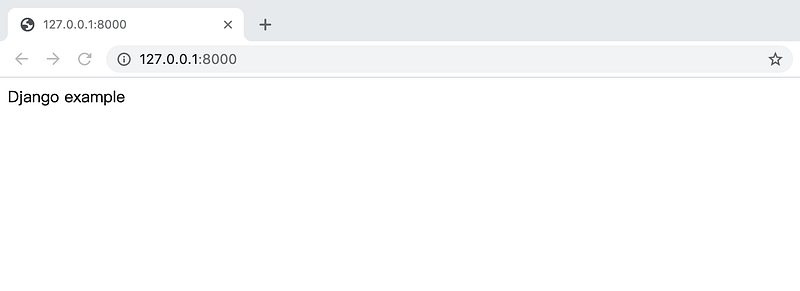
8.Run the Django app
python manage.py runserverOpen the browser and visit http://127.0.0.1:8000
Create React App
1.Create a React App by using the following commands in the folder
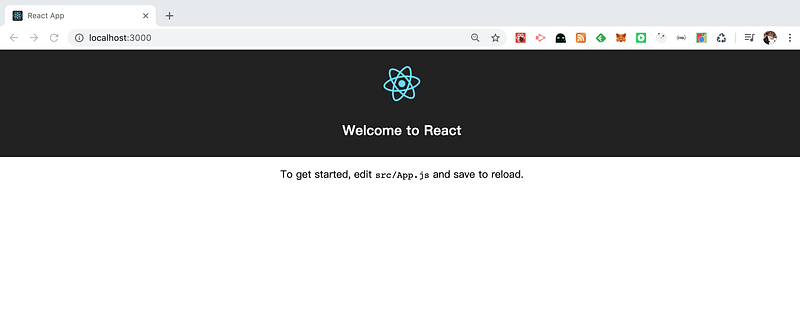
npm init react-app django-react-web2.Run the React app
npm start- Open the browser and visit http://localhost:3000/
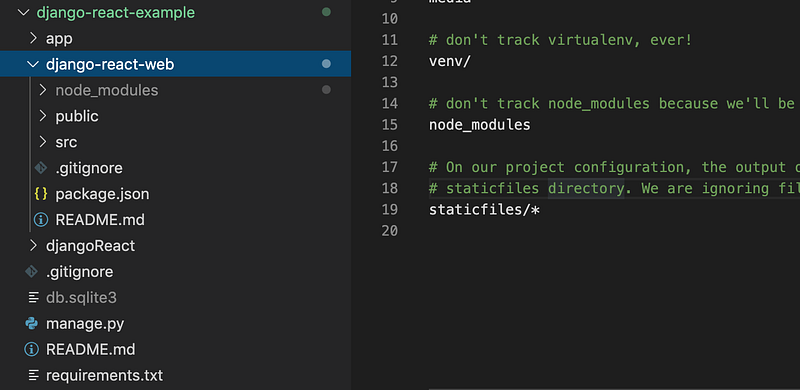
- The file structure looks like the following screen-shot
2.Connect CRA(React App) with Django App
We run React App and Django App successfully. The next step is to render React page from the Django App.
1.Create the production of the React app
npm run build2.Edit Package.json
"proxy": "http://localhost:8000"2.Edit app/urls.py
from . import viewsurlpatterns = [
...
path("react", views.react, name="react")
]3.Edit app/views.py
...
import os
import logging
from django.conf import settings
index_file_path = os.path.join(settings.REACT_APP_DIR, 'build', 'index.html')...def react(request):
try:
with open(index_file_path) as f:
return HttpResponse(f.read())
except FileNotFoundError:
logging.exception('Production build of app not found'4.Edit djangoReact/settings.py
REACT_APP_DIR = os.path.join(BASE_DIR, 'django-react-web')STATICFILES_DIRS = [
os.path.join(REACT_APP_DIR, 'build', 'static'),
]5.Run the Django app
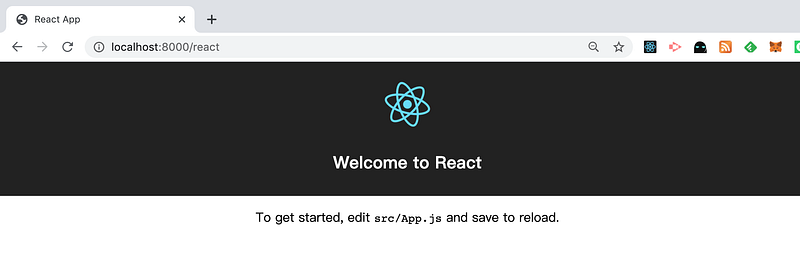
python manage.py runserverVisit http://127.0.0.1:8000/react
3. Set the DEBUG flag to false (for production)
According to the official document, we should never deploy a site into production with DEBUG turned on.
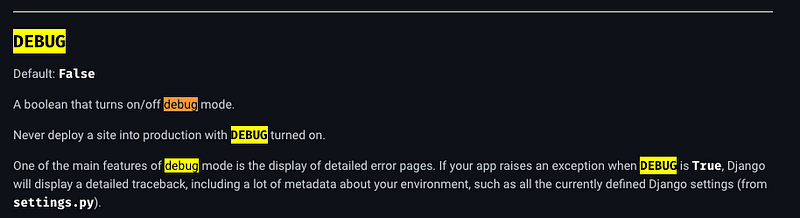
However, the response of requests for static files will return Not found when we set the DEBUG false. This is because Django not serving your static files in debug False.
Use WhiteNoise to serve static files
One of the solution is to install and setup WhiteNoise. The package can provide the ability for Django to serve static files.
1.Install the package
pip install whitenoise
2.Update the djangoReact/settings.py
- The
STATIC_URLis the fragment of the URL path for static files requests - The
STATICFILES_DIRSis the customized path that we can specify for the project. Files there will be copied to theSTATIC_ROOT - The
STATIC_ROOTis the destination of the static files collected from the whole project. Django will look static files from the folder when requests come
DEBUG = False

MIDDLEWARE = [
    'django.middleware.security.SecurityMiddleware',
    #Should add WhiteNoiseMiddleware after the SecurityMiddleware
    'whitenoise.middleware.WhiteNoiseMiddleware',
    ...
]

STATIC_URL = '/_next/'
STATIC_ROOT = os.path.join(REACT_APP_DIR, 'out')
STATICFILES_STORAGE = 'whitenoise.storage.CompressedManifestStaticFilesStorage'
#STATIC_ROOT = os.path.join(BASE_DIR, 'staticfiles')
STATICFILES_DIRS = [
    os.path.join(REACT_APP_DIR, '.next'),
]
3. Execute the following command before excuting runserver. The Django will copy static files from STATICFILES_DIRS to STATIC_ROOT.
python manage.py collectstatic
Summary
Thanks for your patient. I am Sean. I work as a software engineer.
This article is my note. Please feel free to give me advice if any mistakes. I am looking forward to your feedback.
Please feel free to clap if this article can help you. Thank you.
You can also subscribe my page on Facebook.
Related topics
How to use the two-way binding in Knout.js and ReactJS?
Learn how to use SignalR to build a chatroom application
My reflection of
IT & Network:
Database:
Software testing:
Debugging:
DevOps:


