
Build Single page application with React and Django Part 1 - Deploy Django application to Heroku and migrate PostgreSQL
Introduction
The disadvantage for free user is that the application sleeps ever 30 minutes. However, it’s good enough for us to learn or build the prototype. I usually deploy applications on Heroku when I learn languages for building server like Flask or Django.
About this series
The target of this series is to build a ReactJS single page application(SPA) with Django API server and deploy on Heroku.
- Part 1: this article
- Part 2: Connect React App with Django App
- Part 3: Use JWT with DRF and tests endpoints on Travis-CI
- Part 4: Create Endpoints to Manipulate Resources
- Part 5.1: Exchange Facebook’s access token to JWT from Django/DRF
- Part 5.2: Exchange Github’s access token to JWT from Django/DRF
- Part 6: Create Django Application’s sitemap on Heroku for SEO
- Part 7: How to Refactor Function Components with HOC?
- Part 8: Static Rendering with Next.js and Django on Heroku
- Part 9: Access Redux on the Next.js page-level
- Part 10: Improve SEO with Pyppeteer in Django
- Part 11: Theming with Redux and styled-component
Agenda
The article is the note for deploying Django application with PostgreSQL. It includes following topics.
- Create a PostgreSQL instance on Heroku
- Create Procfile in the application
- Modify settings.py in the application
- Migrate the database from Heroku cli
- Seed data to the remote database from Heroku cli
- Create a administrator for Django admin from Heroku cli
Suppose that we already have a Django application in the local site.
Create a PostgreSQL instance on Heroku
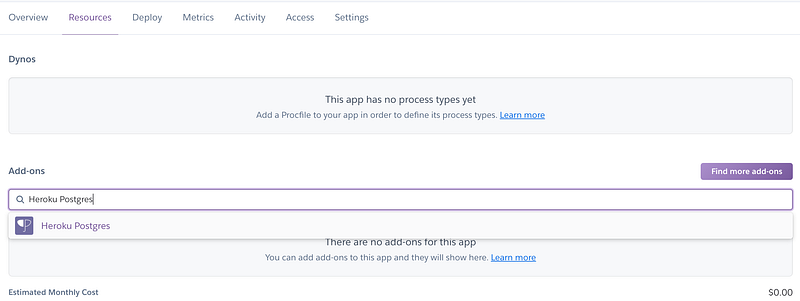
1.Select Resources and enter Heroku Postgres in the Add-ons box after creating a new application
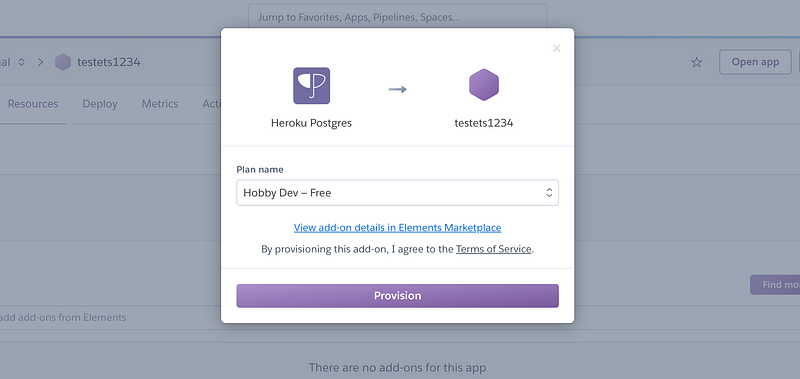
2.Choose Hobby Dev-Free then we will get a PostgreSQL instance
Create Procfile in the application
- Create a file called Procfile in the root of the application and put the following code in the file
web: gunicorn --pythonpath pizza pizza.wsgi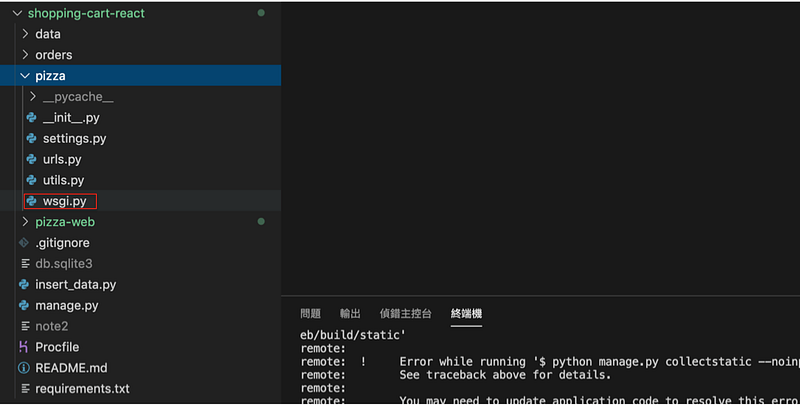
Modify settings.py in the application
1.Install dj-database-url and gunicorn
pip install dj-database-url
pip install gunicorn
2.Create requirements.txt and list installed packages.
Django==3.0.3
gunicorn
dj-database-url==0.5.0
3.Edit settings.py
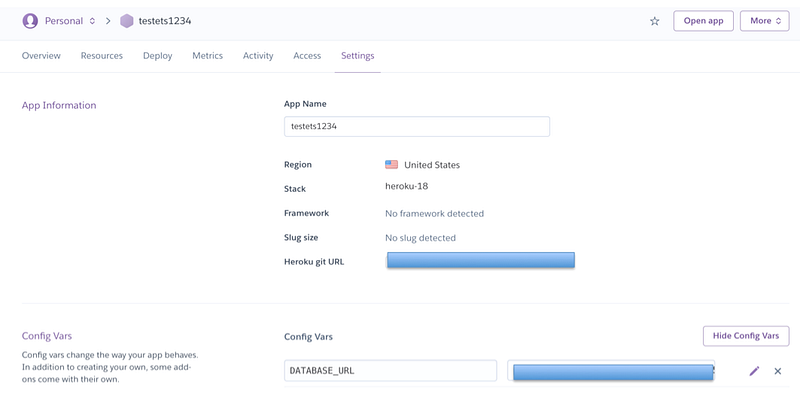
- databases
DATABASES = {
    'default': dj_database_url.config(default=os.getenv('DATABASE_URL'))
}
- allowed hosts
ALLOWED_HOSTS = [
    'https://testets1234.herokuapp.com/'
]
Migrate the database from Heroku cli
1.Make sure we have installed Heroku cli
2.Login Heroku
heroku login3.List apps
heroku apps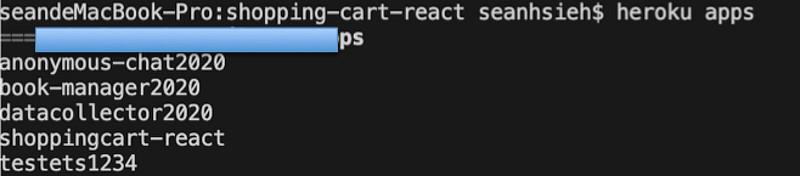
4.Set remote Heroku URL
heroku git:remote -a testets12345.Push code to Heroku. It will also deploy application
git add .
git commit -m 'whatever you want comment'
git push heroku master
6.Migate the PostgreSQL
heroku run python manage.py migrateSeed data to the remote database from Heroku cli
Suppose that you want to seed data from csv file and you have a table called products.
1.Create insert_data.py as the following example
2.Push code to Heroku.
git add .
git commit -m 'add insert_data.py'
git push heroku master
3.Run the script on Heroku
heroku run python insert_data.pyCreate a administrator for Django admin from Heroku cli
- Use the following command
heroku run python manage.py createsuperuserReference
Summary
Thanks for your patient. I am Sean. I work as a software engineer.
This article is my note. Please feel free to give me advice if any mistakes. I am looking forward to your feedback.
Please feel free to clap if this article can help you. Thank you.
You can also subscribe my page on Facebook.
Related topics
How to use the two-way binding in Knout.js and ReactJS?
Learn how to use SignalR to build a chatroom application
My reflection of
IT & Network:
Database:
Software testing:
Debugging:
DevOps:


