
Task marker — Loop in Camunda
Today we gonna talk about task marker and let s start with Loop marker.
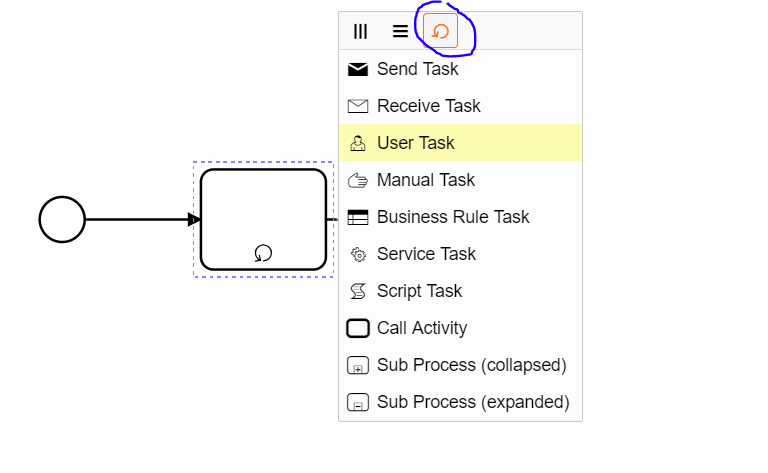
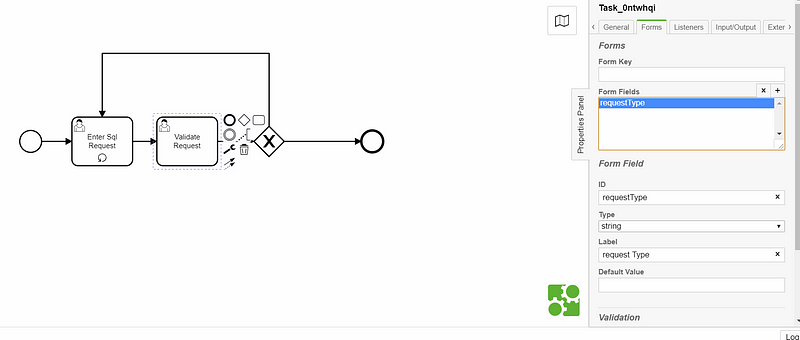
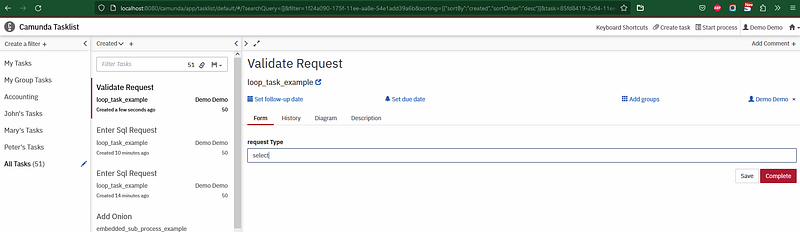
Here i m gonna create a bpmn, this bpmn file will contain a user task name ‘ Enter SQL Request” its just and example it will not contains a form, the we have another task name “Validate Request” it takes in parameters a form named “requestType” if the requestType value equal to “select” it will continue to the end of the process else it will return to the task “Enter SQL Request”, every time the requestType!= “select” it will go back to task “Enter SQL Request”
lets start the process and put in the requestType a value different to “select”
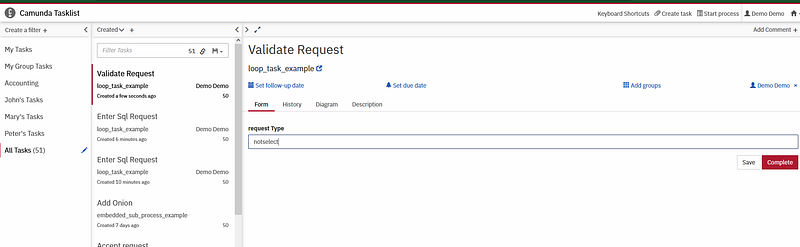
here in this case we gonna come back again to the same task. until we change the value of the requestType variable to “select”
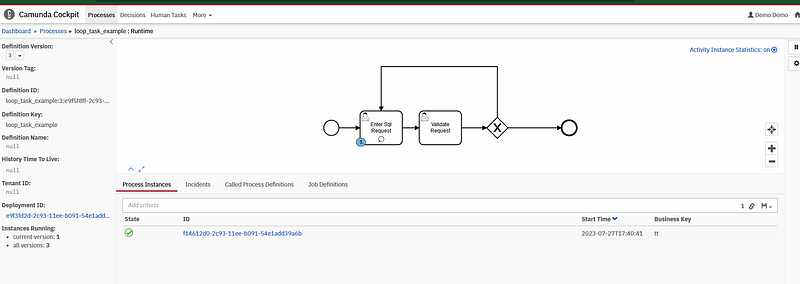
now will we put “select” in requestType , and here we can see that there is no more process instance
Thank you for reading my article, please contact me for any further information.
Other Camunda topics:
camunda task events notifier camunda genericuser task listener in camunda task marker multi-instance taskmarker loop in camunda feel language camunda how to work with dmn how to work with dmn how-to-use-embedded-task-form-in-camunda all-about-camunda-database error-handling-in-camunda sub-process-in-camunda gateways-in-camunda camunda-with-spring-boot-example task-in-camunda events-in-camunda


