
All about Camunda Database
Based on camunda documentation: https://docs.camunda.org/manual/7.19/user-guide/process-engine/database/database-schema/#process-definitions-act-re-procdef
The database structure of the process engine comprises numerous tables.
The table names all begin with ACT.
The second part represents a two-character identifier for the table’s use case.
This use case will also approximately correspond to the service API.
ACT_RE_: RE stands for repository. Tables with this prefix contain ‘static’ data like process definitions and process resources (images, rules, etc.). ACT_RU_: RU stands for runtime. These are the runtime tables holding data on process instances, user tasks, variables, jobs, etc. The engine only stores the runtime data during process instance execution and deletes the records upon process instance termination. This ensures the runtime tables remain small and fast. ACT_ID_: ID stands for identity. These tables contain identity information such as users, groups, etc. ACT_HI_: HI stands for history. These tables store historical data like past process instances, variables, tasks, etc. ACT_GE_*: General data, used across various use cases.
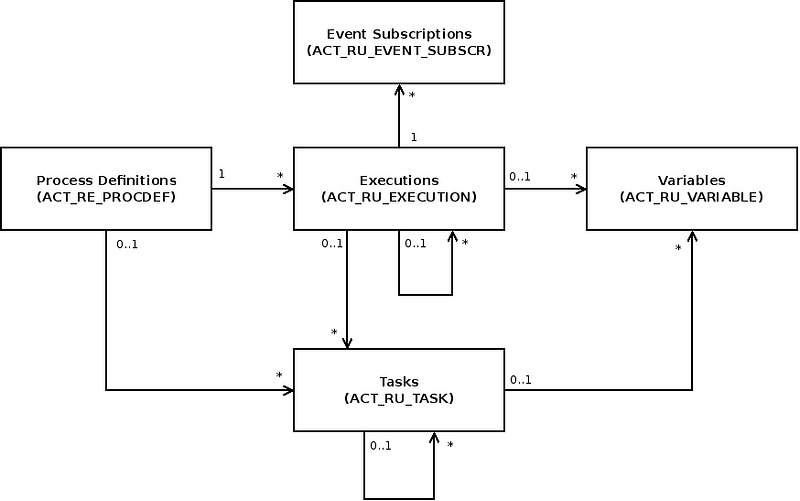
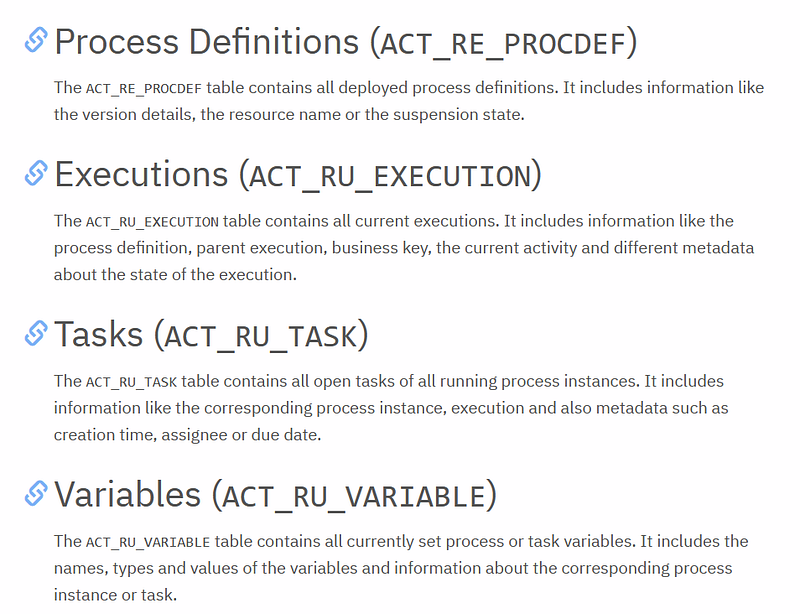
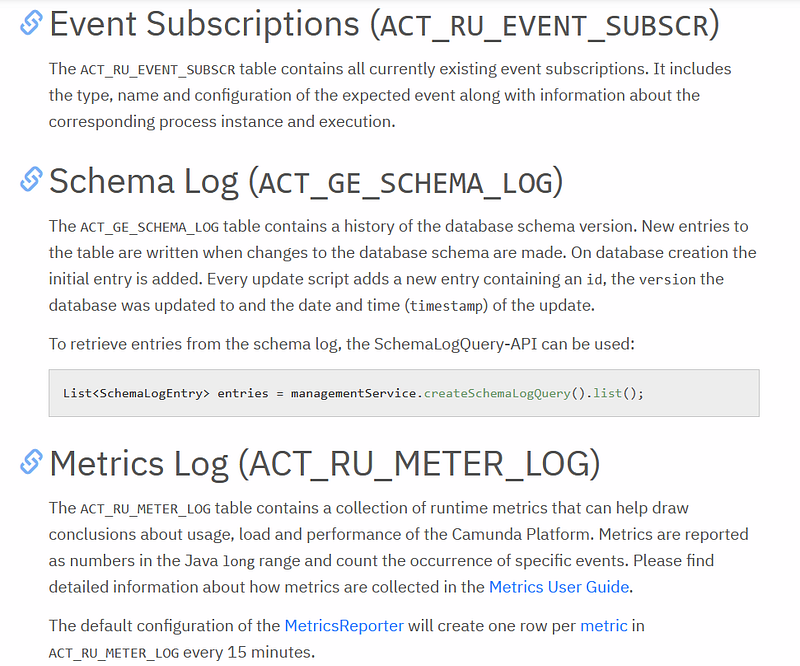
The primary tables of the process engines are the entities for process definitions, executions, tasks, variables, and event subscriptions. Their relationship is depicted in the following UML model.
Let s connect to the database now:
go to this path and open the file standalone.xml:
\camunda-bpm-wildfly-7.18.0\server\wildfly-26.0.1.Final\standalone\configuration\ standalone.xml
then type in the search bar : datasource
as we can see the defaut database is H2 ( in-memory database), the default username and password are sa:sa
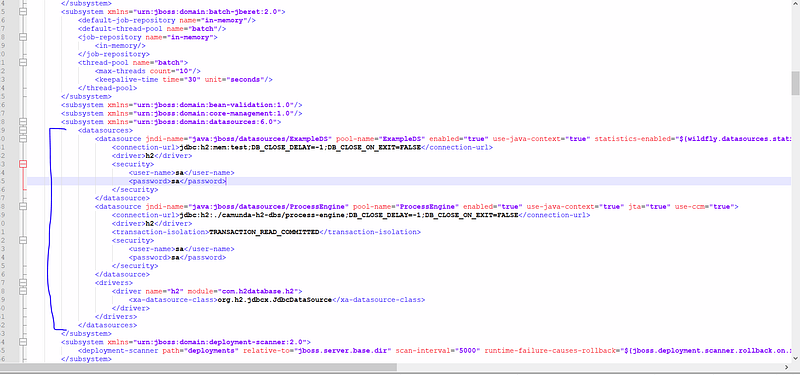
it is possible also to change the databse to postgres, mysql, mariadb
from the version 7.18 of wildfly server we don t have access H2 console (based on this documentation : https://docs.camunda.org/manual/7.19/update/minor/717-to-718/#discontinue-camunda-h2-console-web-app
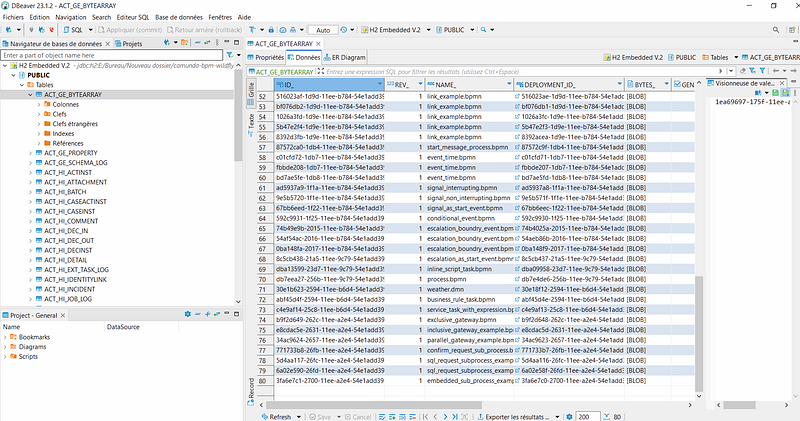
so we can use the tool Dbeaver to connect to database:
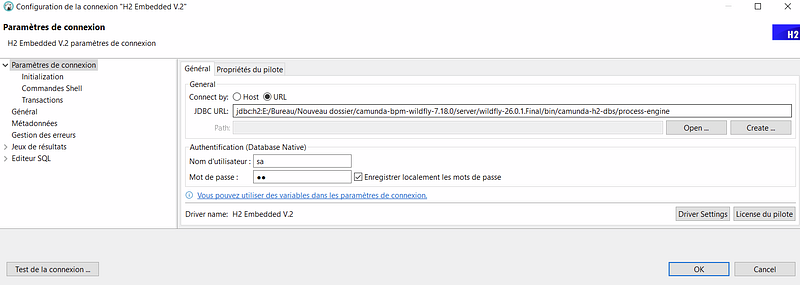
for example we can found in the table “ACT_GU_BYTEARRAY” the different deployed process:
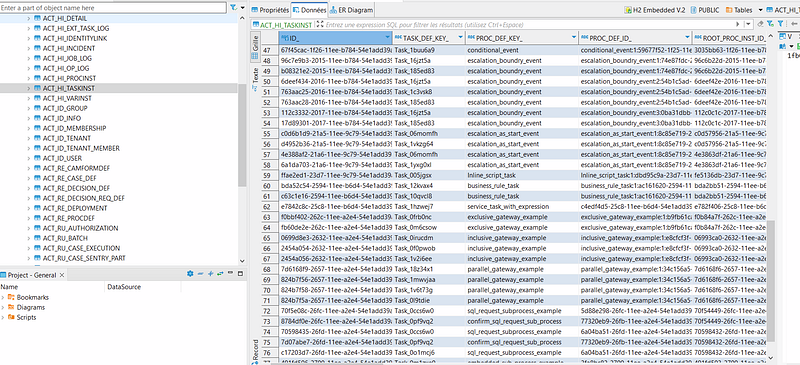
and here in table “ACT_HI_TASKINST” the history of task instance:
In the case of camunda tomcat version the configuration of the database exist in the file server.xml:
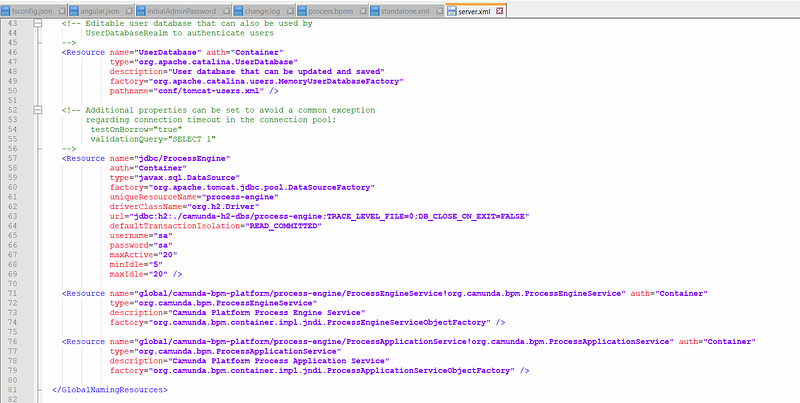
The full path: camunda-bpm-tomcat-7.18.0\server\apache-tomcat-9.0.58\conf
Thank you for reading this post, Please contact me for any furthers information.
Other Camunda topics:
camunda task events notifier camunda genericuser task listener in camunda task marker multi-instance taskmarker loop in camunda feel language camunda how to work with dmn how to work with dmn how-to-use-embedded-task-form-in-camunda all-about-camunda-database error-handling-in-camunda sub-process-in-camunda gateways-in-camunda camunda-with-spring-boot-example task-in-camunda events-in-camunda


