
sub process in Camunda
There is too many types of subprocess in camunda :
Embedded subprocess,Event subprocess,Call Activity and Transaction subprocess
Call Activity example:
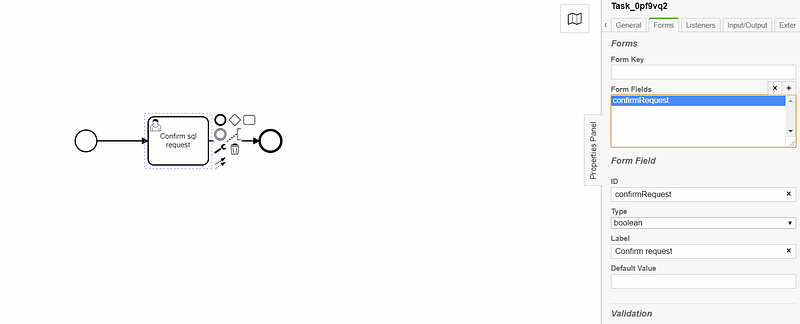
we gonna create a sub process named: confirm_sql_request_sub_process, in which we gonna create new variable named “confirmRequest” based on the data of variables coming from the main process named,
the boolean variable “confirmRequest” will be used in the exclusive gateway in the main process
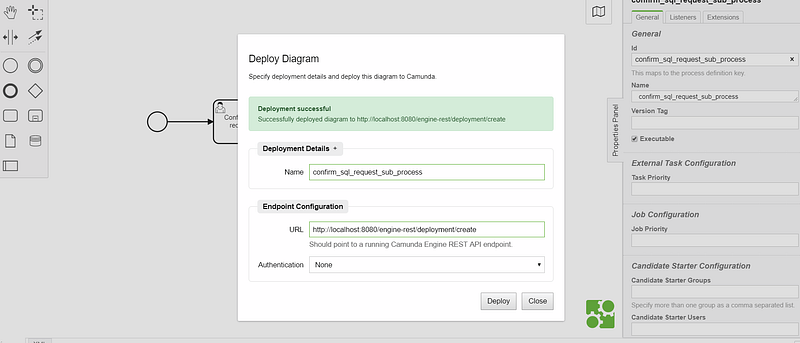
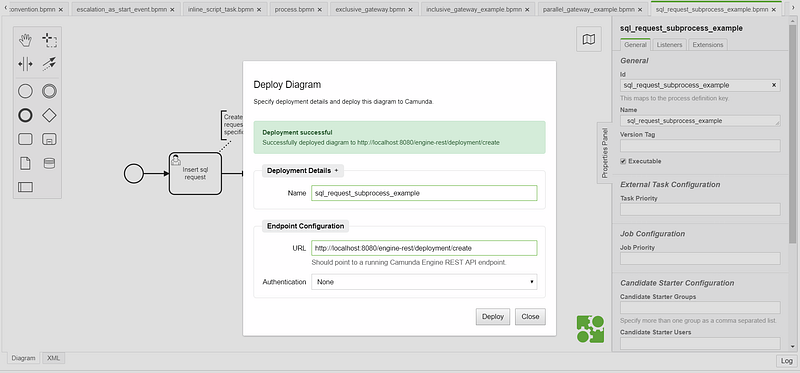
lets deploy it :
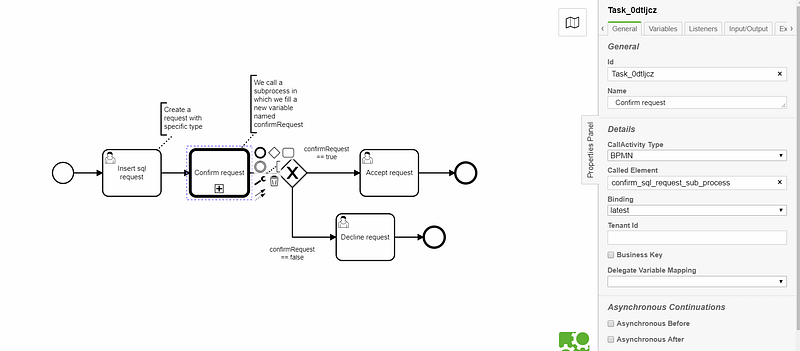
-the main process named: “sql_request_subprocess_example”
it will call a subprocess with type CallActivity BPMN, in the Called Element field we should put the id of the subprocess,
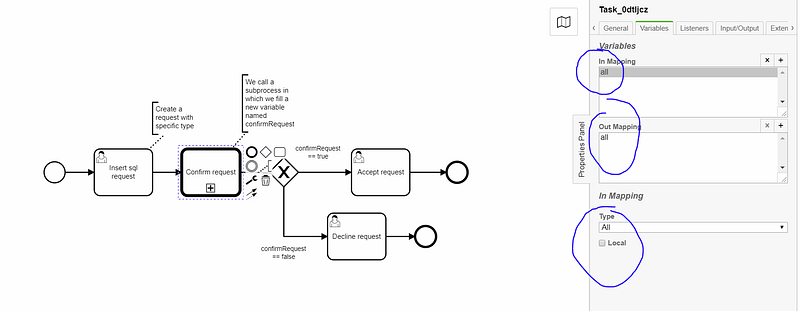
then there is a mapping to do also in the callActivity level, so we could put source as all to map all the variable between the main and the subprocess:
That s it, let s deploy the process and test:
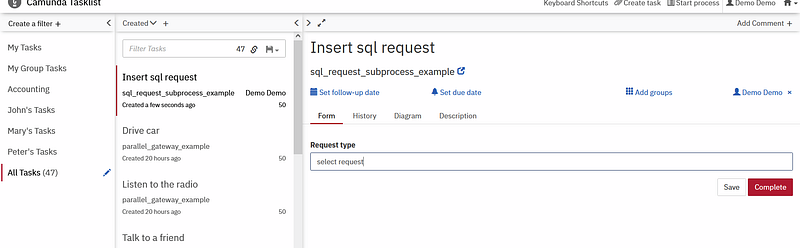
lets fill the first form of the first task :
now as we can see we in the level of the callActivity:
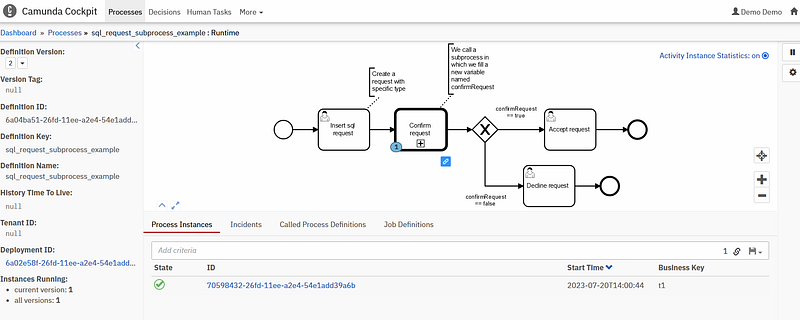
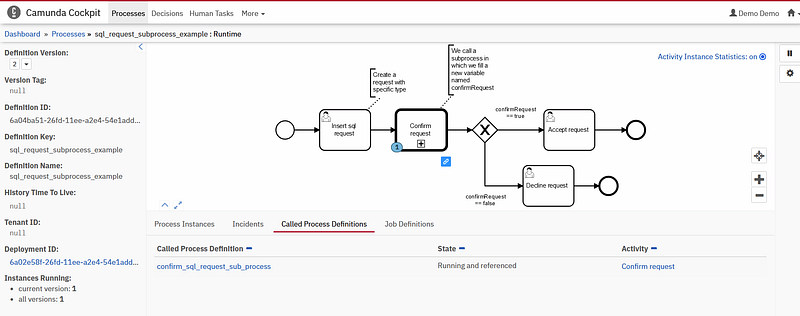
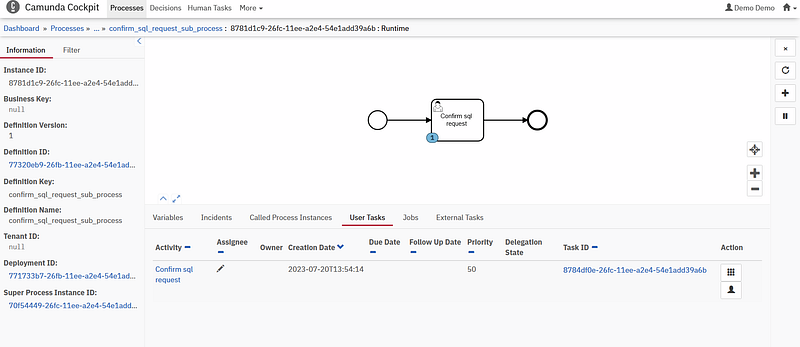
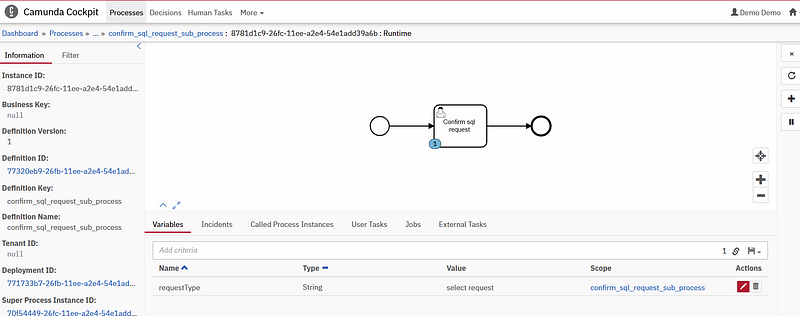
the Variable in the main process are visible in the subprocess because we putted the mapping as all:
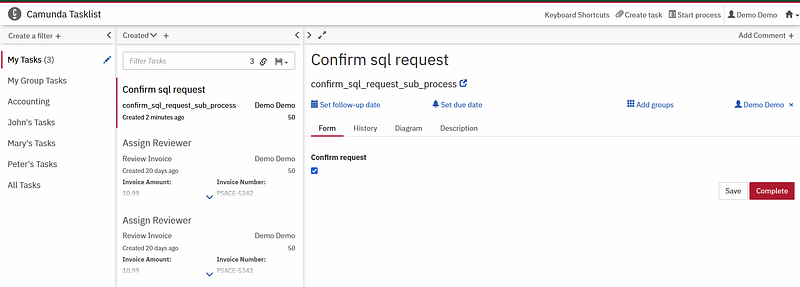
Lets confirm the request in the subprocess:
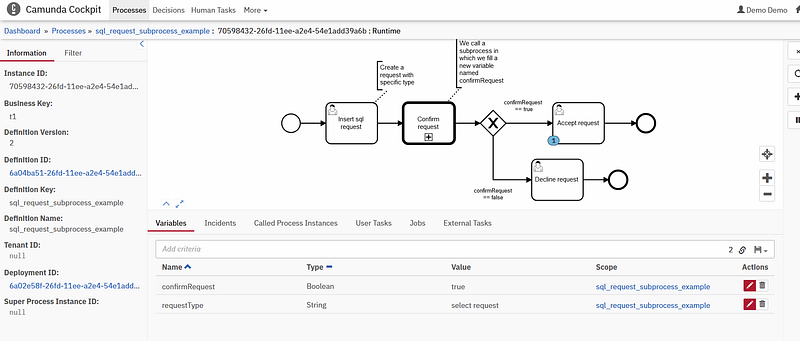
as we can see, we can read now the variable confirmRequest in the main process (which is getted from the subprocess) and use it in the exlusive gateway.
Embedded Sub process:
In this example the subprocess is embedded to the main process
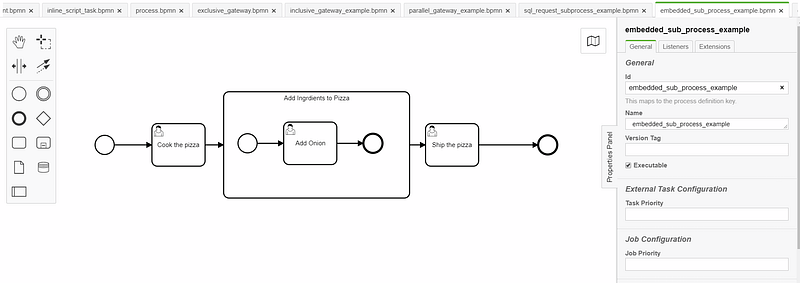
let s deploy and test:
as we can see after completed the first user task “Cook the pizza” we passed throught the sub process to add onion to the pizza.
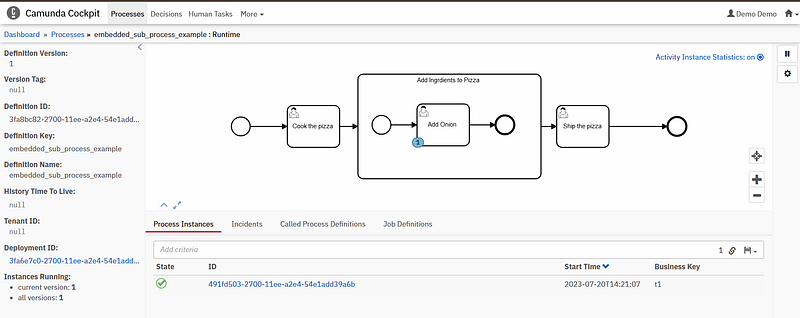
Event Subprocess:
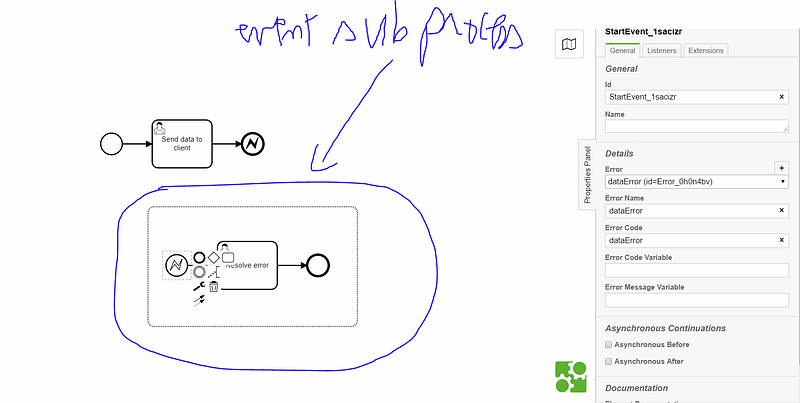
the event subprocess can be used when we throw an error or when we use a message event, then the catch event will be in a subprocess called event subproccess,
this is an example of bpmn file in which i throwed an error from the first process, then the catch is in the event subprocess
Other Camunda topics:
camunda task events notifier camunda genericuser task listener in camunda task marker multi-instance taskmarker loop in camunda feel language camunda how to work with dmn how to work with dmn how-to-use-embedded-task-form-in-camunda all-about-camunda-database error-handling-in-camunda sub-process-in-camunda gateways-in-camunda camunda-with-spring-boot-example task-in-camunda events-in-camunda


