
How to use events in Camunda
This diagram will show you the different events:
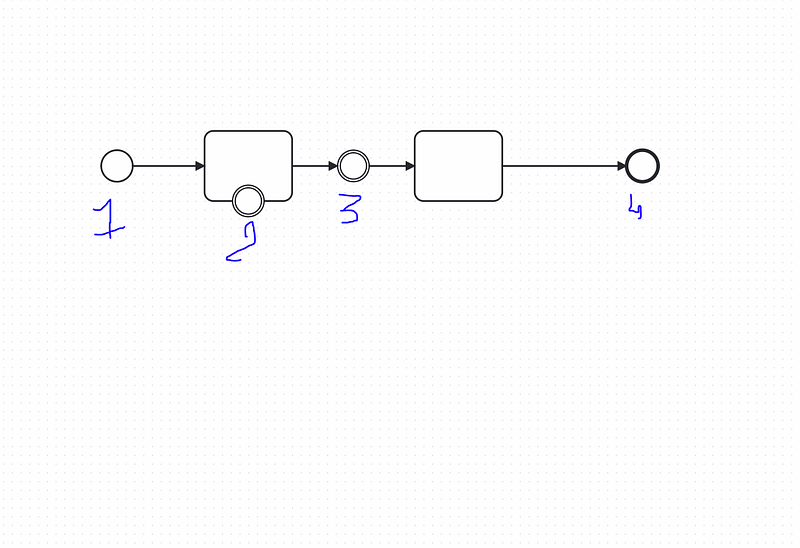
1-Start event : the start event can be :
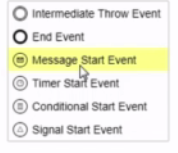
2- Boundary event : can be

3- Intermediate event : can be

4-End event: can be

Implementation of Intermediate Events:
There is two types :
- Boundry : (Interrupting or Ion Interruptting)
- Non Boundry: (Throw or Catch)
Link Event:
Let s create a process with a pool , one to get the receive a request and the second is to validate a request , we gonna create a link between both with the same link name, the first one will throw and second will catch:

lets add a form and deploy it:

Lets start the process:
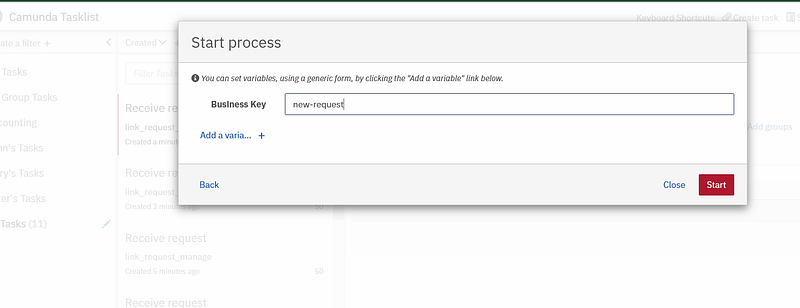
as we can see in the cockpit , there is a new instance of the process created:

in the task list we gonna claim it and add data in forms:

now we will see the next user task request validate apprear in the tasklist :
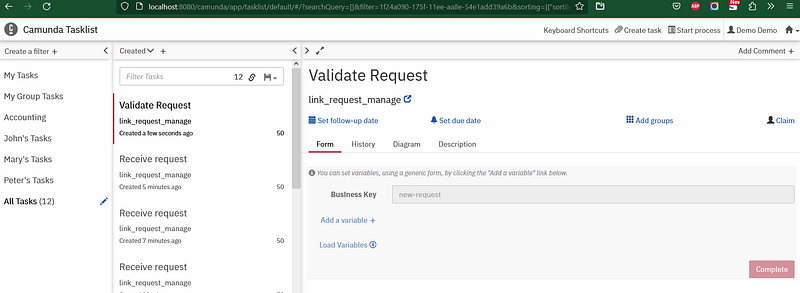
and in the cockpit:

Message Start Event:
we can start our process by using a message start event, we need to specify the message in the event configuration, then we can use postman for example to start the process:
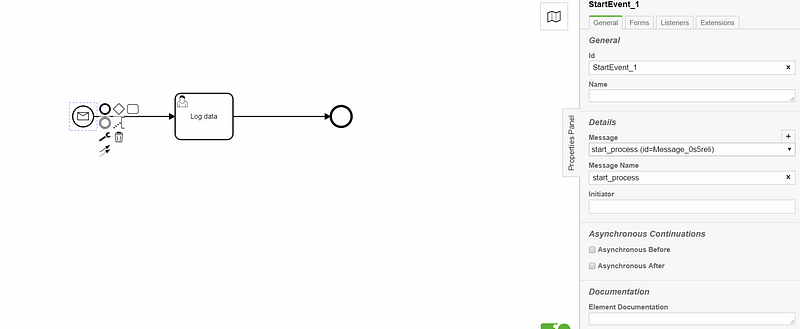
Lets deploy it :

we can now start the process using the api by passing the message as information in the body of api :
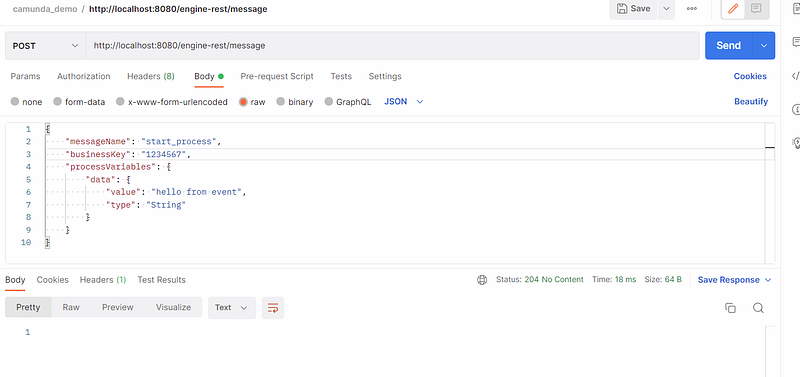
- The business key must be unique
- MessageName in body is equal is message name in the event configuration in the process
- processVaribales contains the list of variable in the process
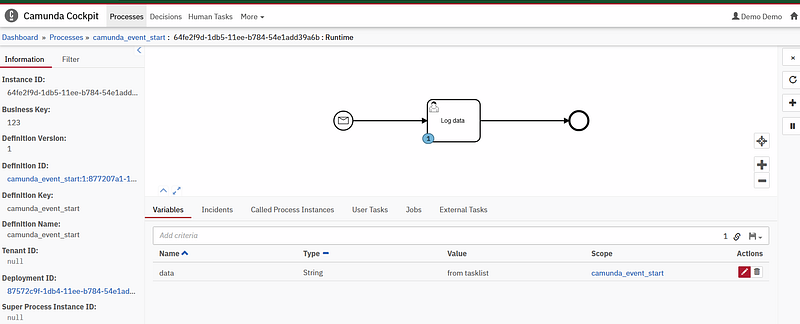
An instance is created now in cockpit with the variable name:

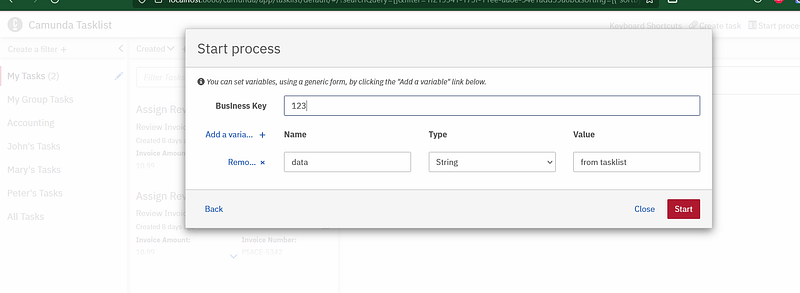
Also we can start the process using the tasklist:
Timer Event:
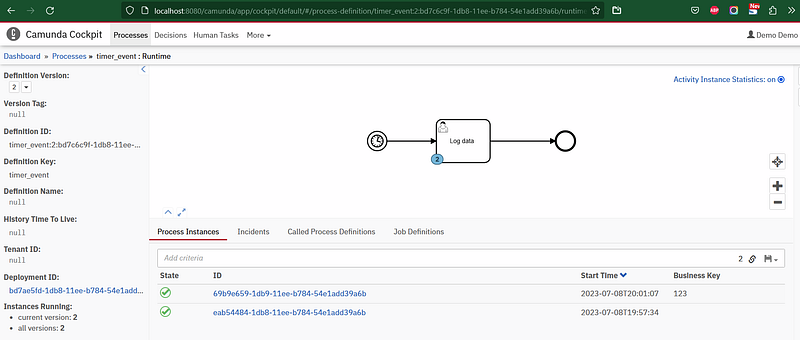
Now we gonna create a process , this process will be started when we reach a 20 second after deployment (PT20S)
P is the duration designator (for period) placed at the start of the duration representation.
Y is the year designator that follows the value for the number of years.
M is the month designator that follows the value for the number of months.
W is the week designator that follows the value for the number of weeks.
D is the day designator that follows the value for the number of days.
T is the time designator that precedes the time components of the representation.
H is the hour designator that follows the value for the number of hours.
M is the minute designator that follows the value for the number of minutes.
S is the second designator that follows the value for the number of seconds. - Period
- Time
- 20
- Seconds
So, a duration of 20 seconds.
Source: https://stackoverflow.com/questions/51168022/what-does-pt-prefix-stand-for-in-duration
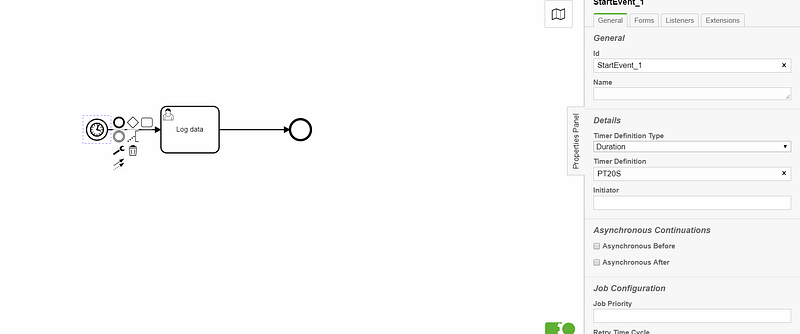
let s deploy it :

after the duration of 20 sec we can see that the process is started:

Notes: the parameters can be :
- Time Date :
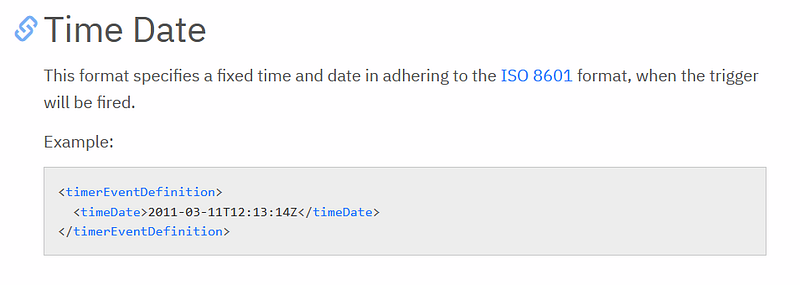
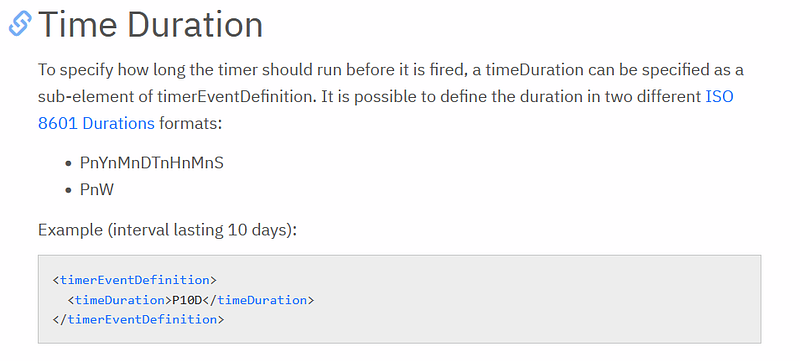
- Time Duration:
- Time Cycle
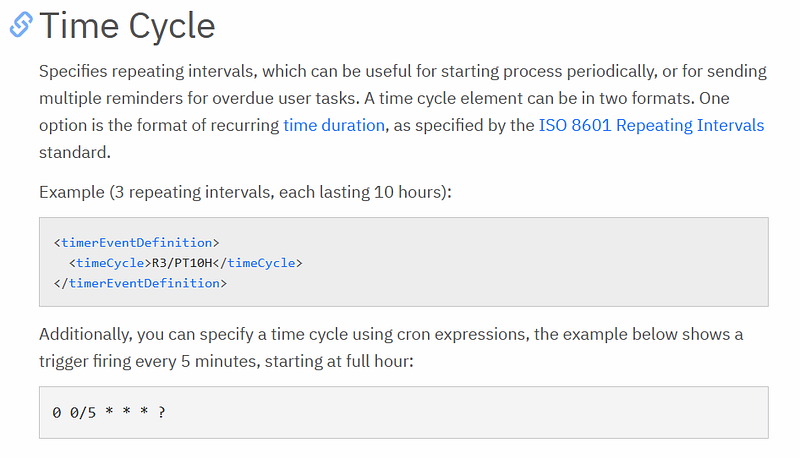
source:
Notes2: we can start the process using the tasklist , the instance will be created directly without waiting for the duration
Signal event
can be interrupting or non interrupting, can be thrown or catched
every process instance which have an only signal ,all of them will interact with this signal, its like a broadcast.
- Signal Interrupting example:
Let s create a process:
we create an boundry event (signal) named staySafe
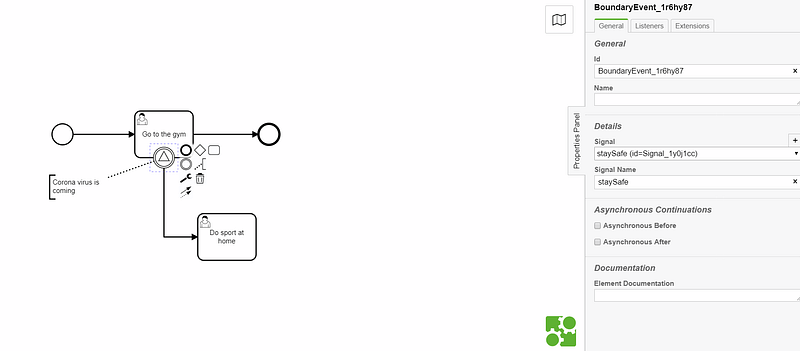
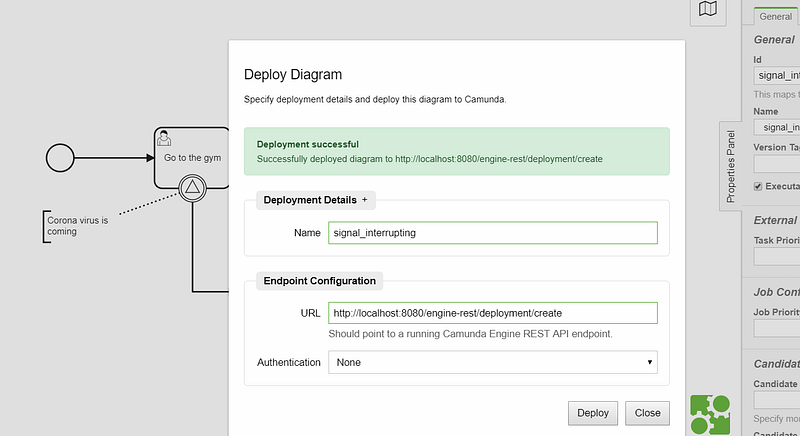
deploy it :
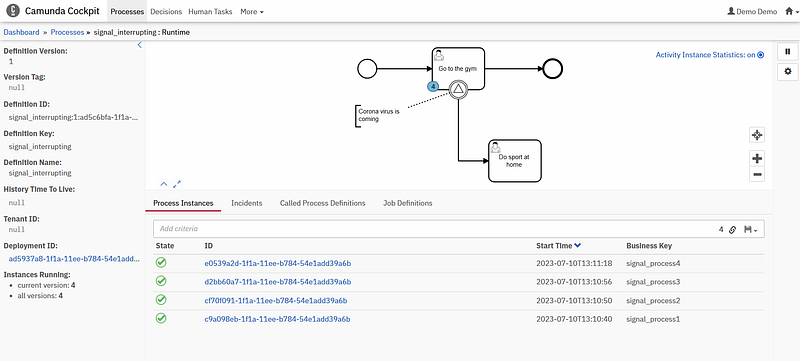
we started 4 process :
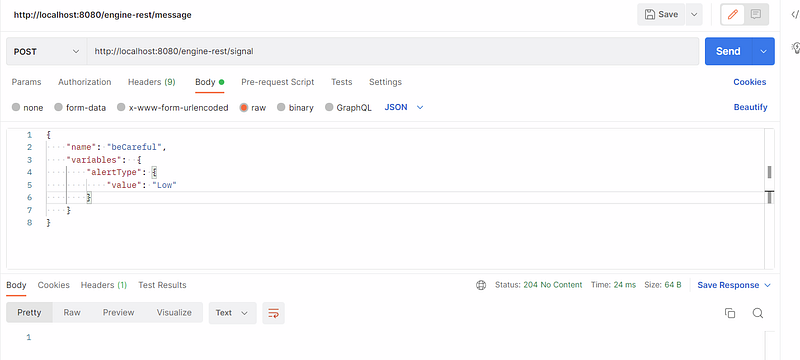
now we gonna trigger the signal using a rest api:

as we can see, we putted the name of the signal event in the name attribute in the json body, then we can add a variables.
in the cockpit interface we can see that all the processes are passed to the next task (so all of them are triggred by the signal)

- Signal Non Interrupting example:
Let s create our process:
The boundry event signal non interrupting provide us the possibility to pass throught the two paths, in this example we can pass by the street so the rider can go for the secondary street then will pass throught the main street
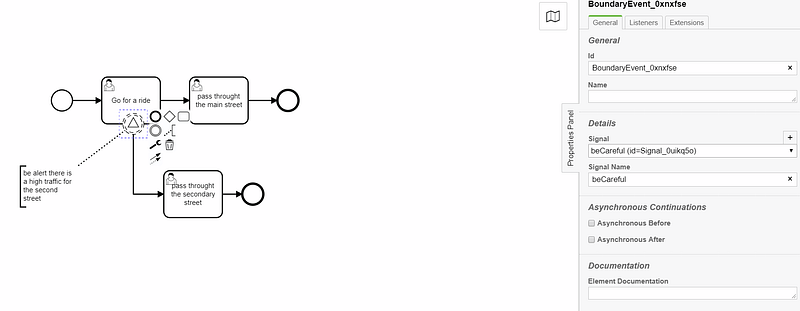
deploy it :
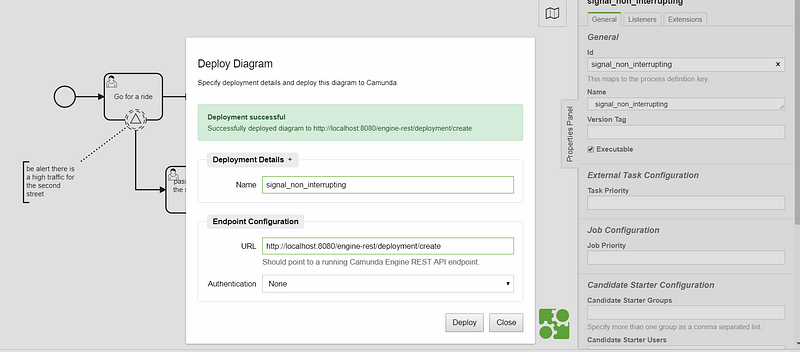
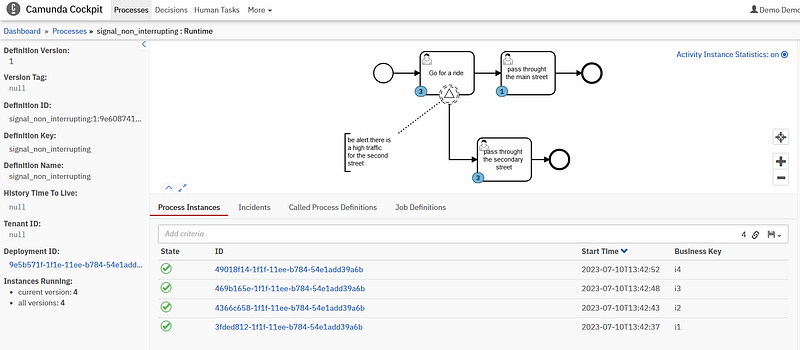
we will start 4 instances as always :

Note : after executing the api here , only the instance in the task go for a ride are affected by the signal.
Here we can see the 4 instances are passed to the task “pass throught the secondary street”.
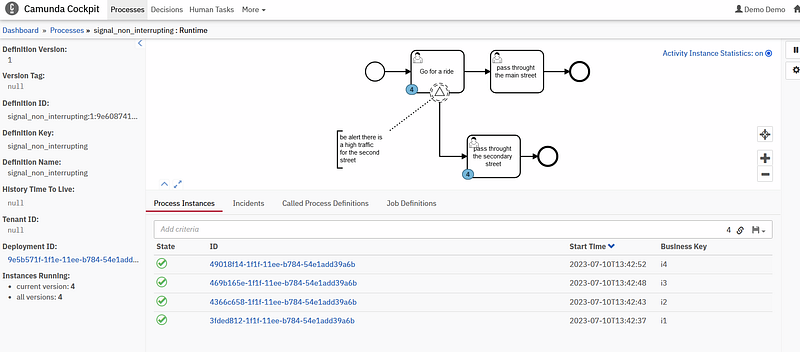
we can check the task here:
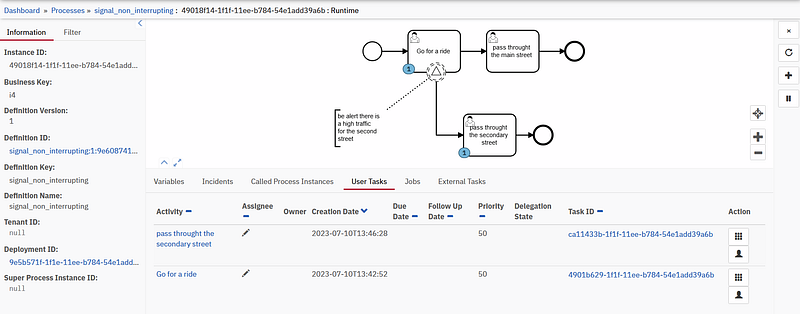
we have to usertask in the same instance.
lets play the “pass throught the secondary street task”
Here we can see that 3 instances remaining the same task, 1 is played

let s play the go for a ride task of the same instance and here we can see that the instance is passed to the task “pass throught the main street”
we can take another instance now and play the “Go for a ride” task first,
we will get the twos task “pass throght the main street” and “pass throught the secondary street” activated
so anyway we need to pass throught the two tasks

Signal as start event:
lets create our process:
we need to set signal name for both end and start event: pizzaDelivered
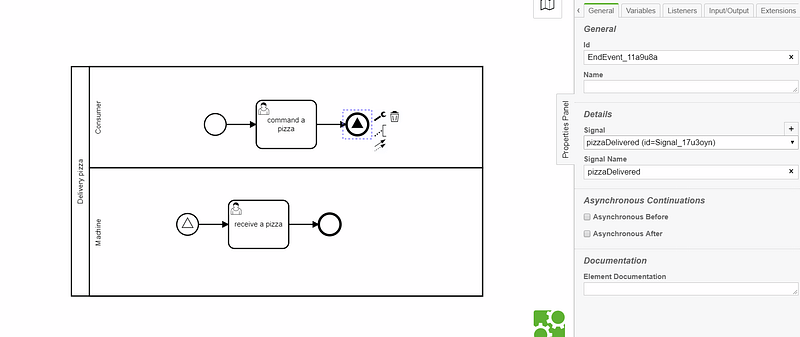
after deployment:
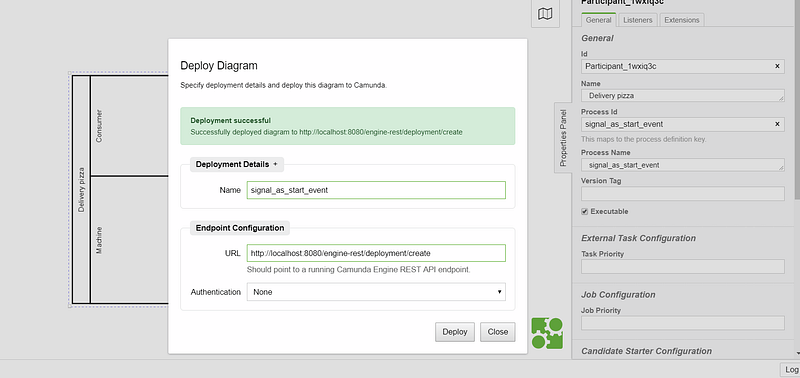
we started two instance:
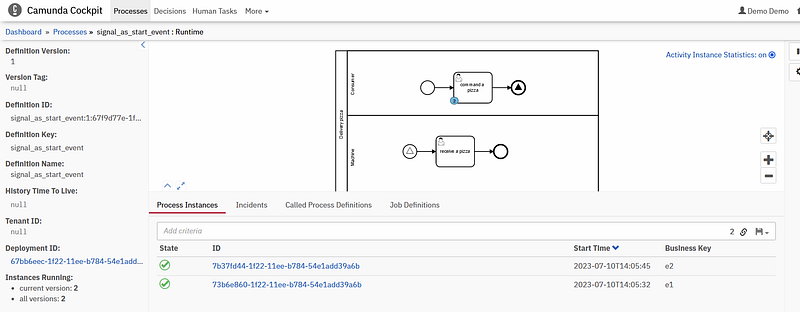
after playing the usertask of the process instance e2 , we can see that it passed to the second process with task ”receive a pizza” and the process instance e1 still in the same tasklist

Condition Event:
condition event can be a start event, used as gateway or also can be used as a boundry event,intermediate event.
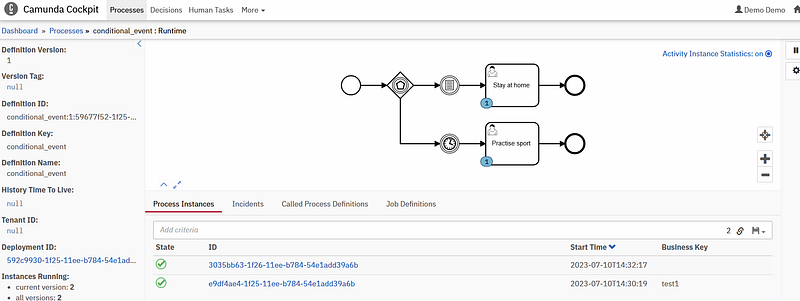
we created a process we have a based event gateway(we dont need it now, but just to use two events example), also we added a conditional event (its like the gateway) we will get the variable isOK and will test the value if its OK or not to pass.

i ll deploy and start it :
we need to put the variable name isOK to pass by the conditional event

as we can see we passed here by the conditional event:

Case of not variable or variable with value !=NO :
in the case when we dont put the variable ,the token will stay in the based event gateway:

and after the timer event time passed it will pass through the other task :
Escalation event:
can be: interrupting or non interrupting
Example 1 : Non interrupting
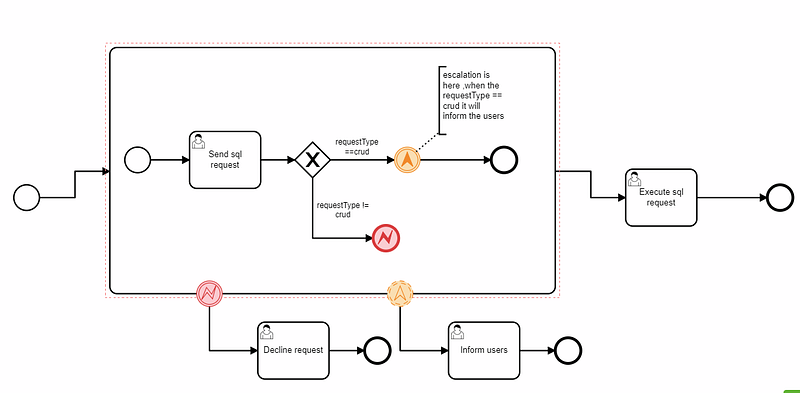
a client will send an sql request, we gonna test if sql request equal to “crud” , if it is equal to crud we gonna inform the user, else if it is different to “crud” it will generate an error, the escalation part is when we inform the user and pass to the other task to finish the process.
This is the bpmn diagram :
deploy the process:

lets run it :
and put the requestType in the first task as crud:
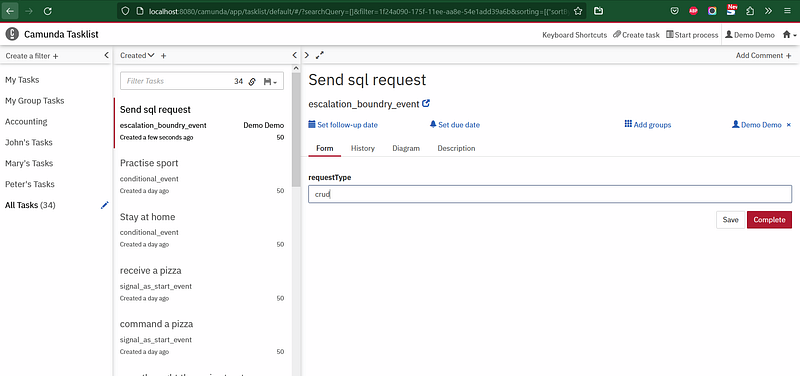
Here the user is informed and it passed to last task :

Example 2 : interrupting
the same example but with intrrupting escalation event:

run the process and then insert crud word in requestType form
and we can see that the process is interrupted , it will not continue to the last task :

Escalation as start event:
Escalation can be used as start event, we showed already the end event example, now lets see the start event example, let s create a bpmn diagram,
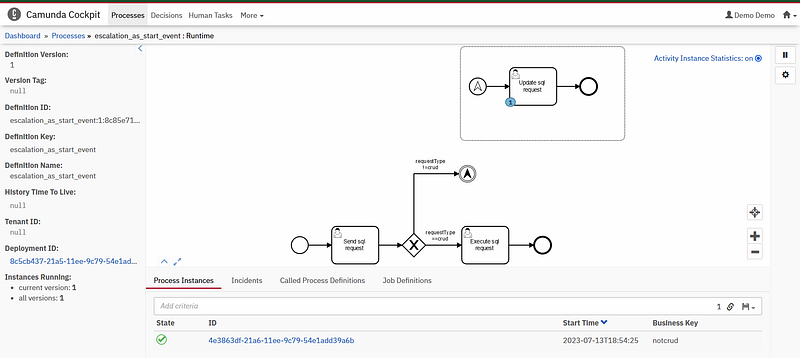
the first task is to send as always a sql request , il sql requestType is different from the word “crud” we will trigger using the “escalation intermediate throw event” a subprocess event which begin with a escalation event start:
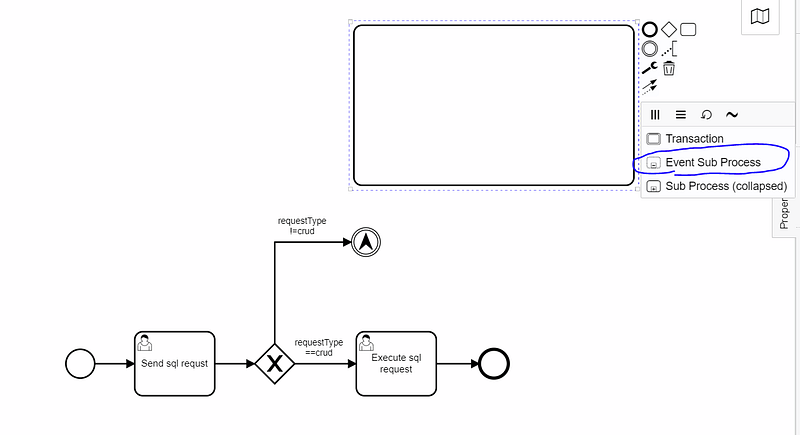

lets deploy it:

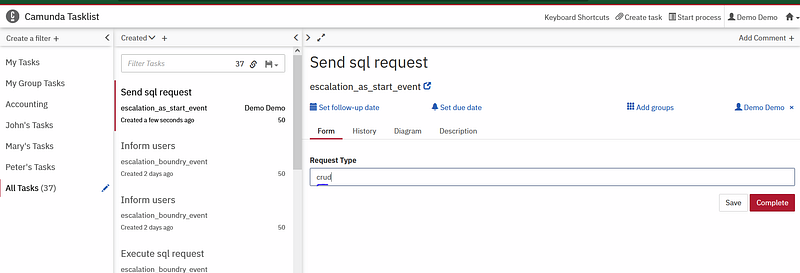
and execute the process, in the requestType variable we will put “crud” and we can see that the process instance does not trigger the sub process . it will continue because of the correct value crud.
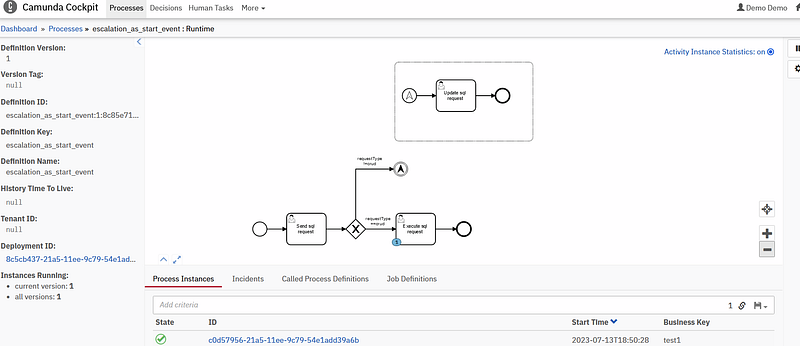
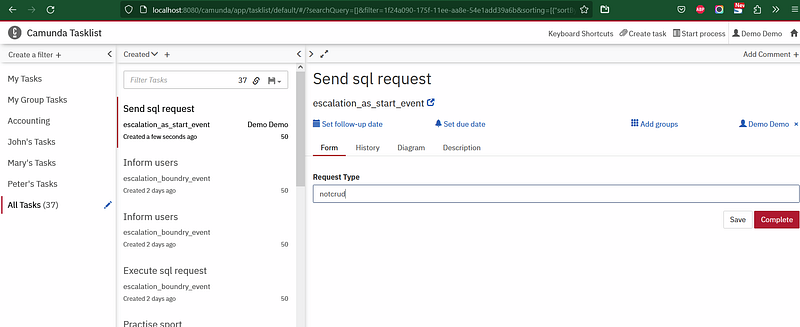
now will put the value different from crud,and we can see that the process instance now is is in the subprocess task. (triggred by the escalation event)
Now we finished the event camunda section, if you need any help don t hesitate to contact me.
Other Camunda topics:
camunda task events notifier camunda genericuser task listener in camunda task marker multi-instance taskmarker loop in camunda feel language camunda how to work with dmn how to work with dmn how-to-use-embedded-task-form-in-camunda all-about-camunda-database error-handling-in-camunda sub-process-in-camunda gateways-in-camunda camunda-with-spring-boot-example task-in-camunda events-in-camunda


