
How to use Embedded Task Form in Camunda
Embedded task form:
Now we gonna create a spring boot camunda project, as we can see the project structure by defaut contains two forms example, the first one named “start-form.html”:
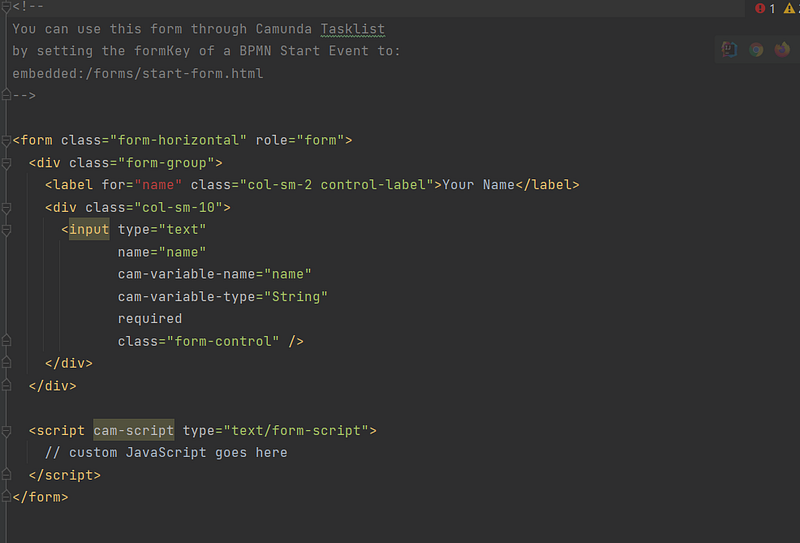
it contain the variable “name” it will be added to execution scope
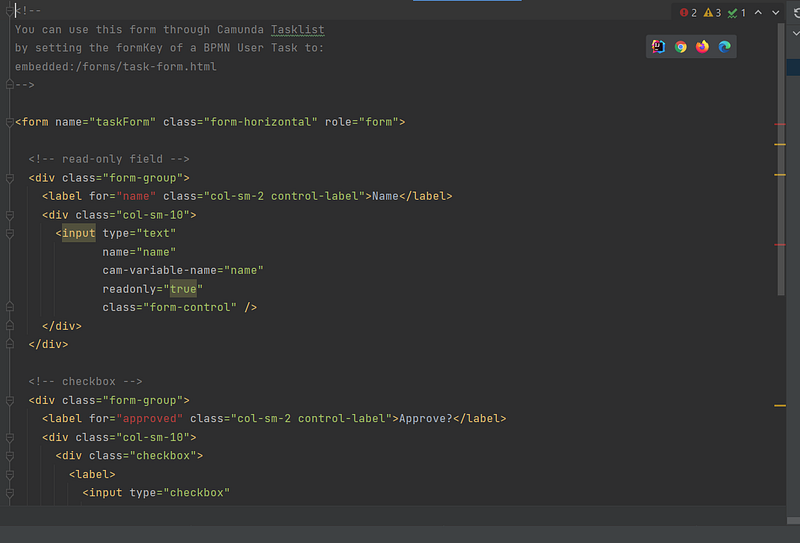
the second form named “task-form.html”:
what we need to do is to create another bpmn file :
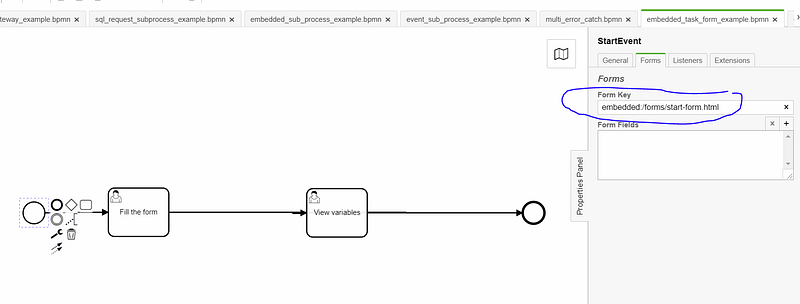
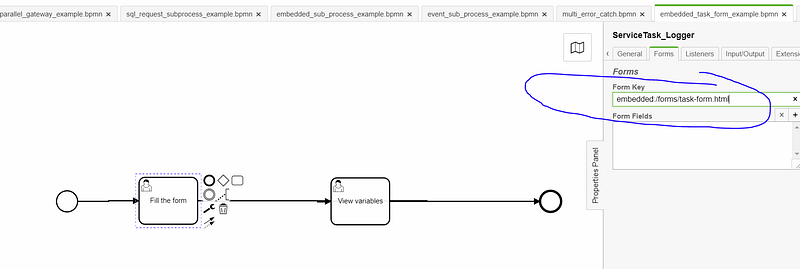
let s run the project , and start the process:
as we can see here : the start event use the embedded task form, it will ask us to insert the name
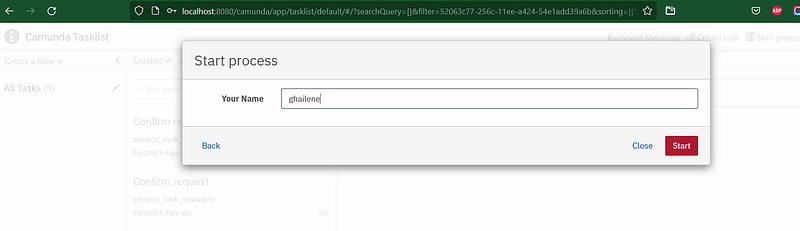
after that in the fill the form task (the user task), it will us to insert the approved variable and show also the name variable because it was inserted in the execution scope:
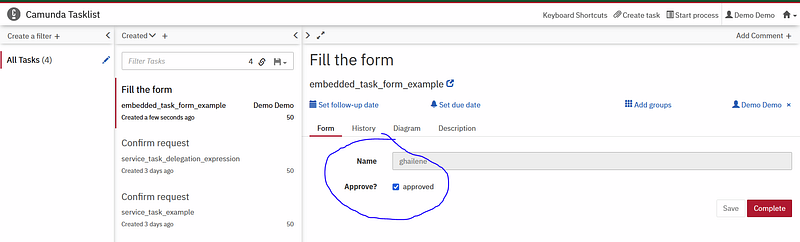
the name here , is in ready only mode.
github repo:https://github.com/ghailen/camunda_script_tast_external/tree/embedded_task_form
Thank you for reading my article, please contact me for any further information.
Other Camunda topics:
camunda task events notifier camunda genericuser task listener in camunda task marker multi-instance taskmarker loop in camunda feel language camunda how to work with dmn how to work with dmn how-to-use-embedded-task-form-in-camunda all-about-camunda-database error-handling-in-camunda sub-process-in-camunda gateways-in-camunda camunda-with-spring-boot-example task-in-camunda events-in-camunda


