
How to use task in Camunda
Today we gonna talk about the task in Camunda:
There is a differents type : Service task, Script task, Send task, Receive task, User task, Bussiness rule task.
Script task:
its a task that will be automatically executed
it can be inline or external task, the supported language are : Javascript, Groovy,Python,Ruby.
This an example, we gonna set in the the script task a variable name requestType, with groovy language
Inline Script task example:
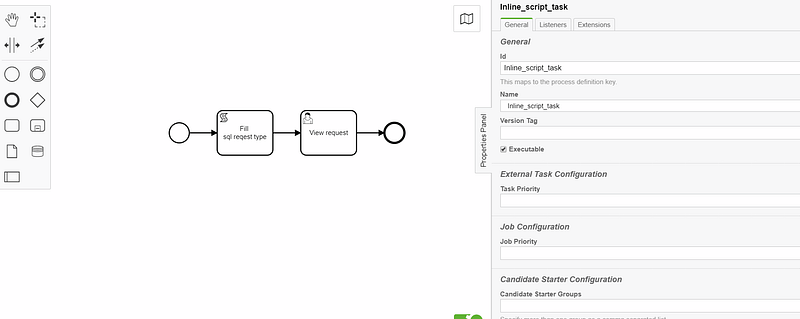
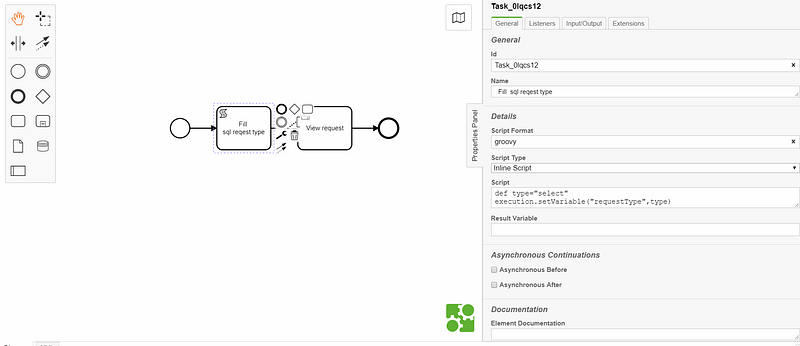
lets deploy it :

and run it, here we can see that the variable requestType is well filled:

External Script task example:
now we gonna create a camunda spring boot project, we added a scripts folder in the the resource path, the we added to the folder an script named addRequestType.groovy
the script content :
def requestType ="select"
execution.setVariable("requestType",requestType)
=> will create a new variable named requestType with a value “select”
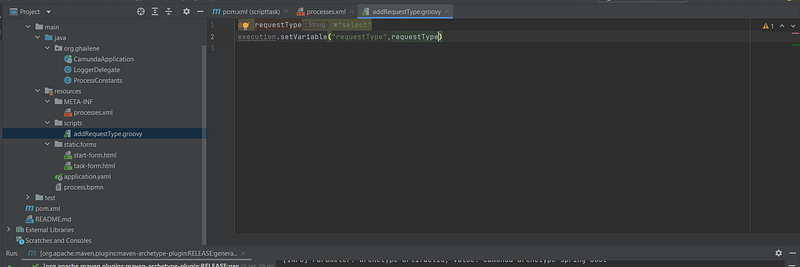
now in the bpmn process:

in the resource text we gonna add the path to the groovy script file.
lets run the application :
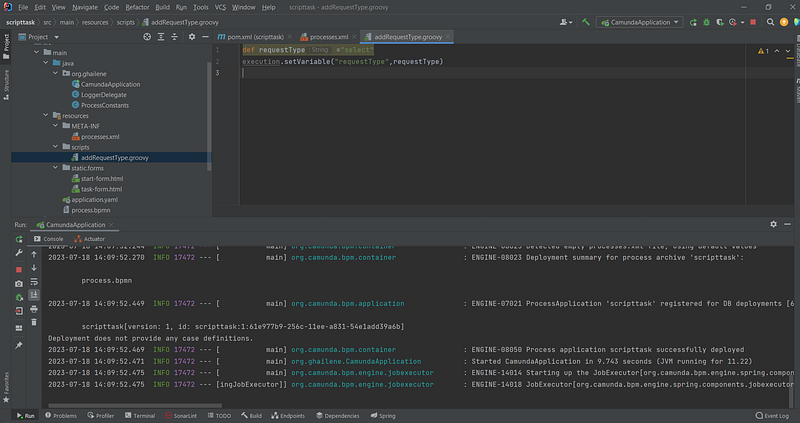
as we can see here:
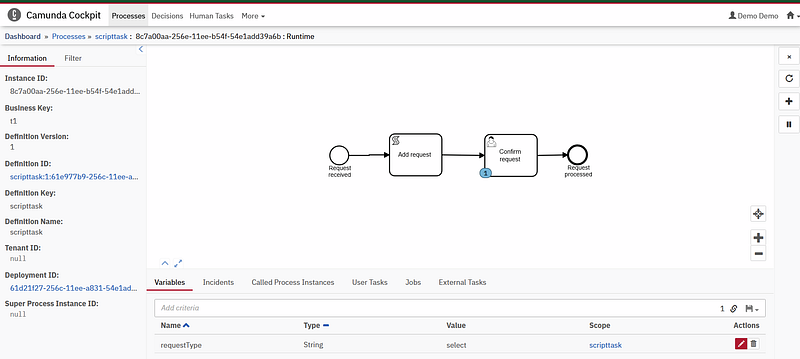
the variable is well added.
ps: if you got this error:

you need to add groovy dependancies in pom file
<dependency>
  <groupId>org.codehaus.groovy</groupId>
  <artifactId>groovy-all</artifactId>
  <version>3.0.13</version>
  <type>pom</type>
</dependency>
github repo: https://github.com/ghailen/camunda_script_tast_external/tree/master
User Task:
a user task is a task that will be executed by a user , we can assign a user to a task like this :
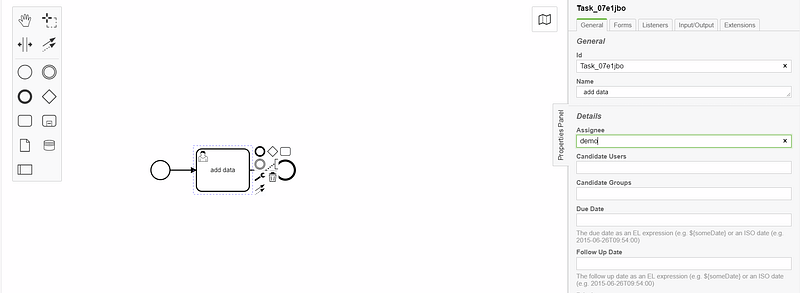
we assigned the demo user to run the task.
we can add variables maunuelley from tasklist interface, claim a task , complete a task.
Service task:
a service task is a task that used to execute a code from external source, the code can be a java code.
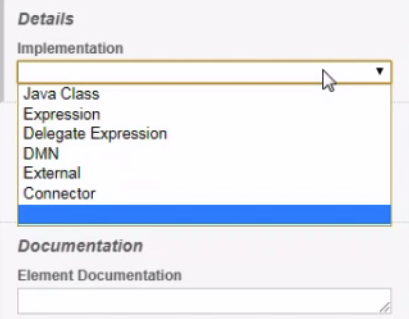
to create a service task you need to implement the java delegate interface and override the execute method, then you need to add the class name to the bpmn service task (map it)
An exemple , let create a class requestHandler that implement javaDelegate interface and override the execute method:
all the variable are with type Object so we need to cast it to get the value
public class RequestHandler implements JavaDelegate {

    private final Logger LOGGER = Logger.getLogger(RequestHandler.class.getName());

    @Override
    public void execute(DelegateExecution delegateExecution) throws Exception {
        LOGGER.info("Task Show request type: is executed ");

        // all the variable are with type Object so we need to cast it to get the value
        String requestType= (String) delegateExecution.getVariable("requestType");

        boolean requestStatus;

        if (!requestType.isEmpty() && requestType!=null){
            requestStatus=true;
            delegateExecution.setVariable("status",requestStatus);
        }else
            requestStatus=false;
            delegateExecution.setVariable("status",requestStatus);

    }
}
we are base on the example of the last script task, we gonna use the variable requestType with a value “select”.
the bpmn file content:

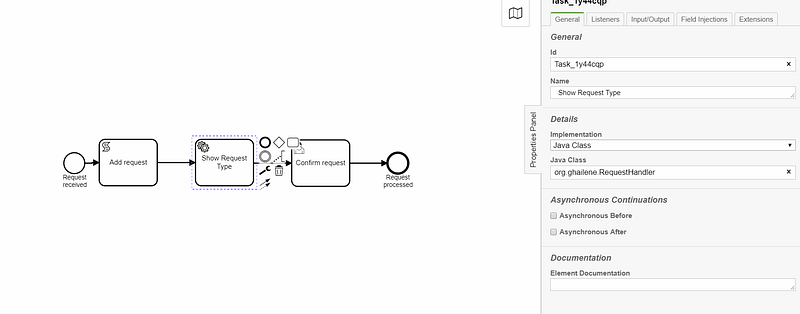
as we can see in the java class text field we putted the name of the package
org.ghailene.requestHandler
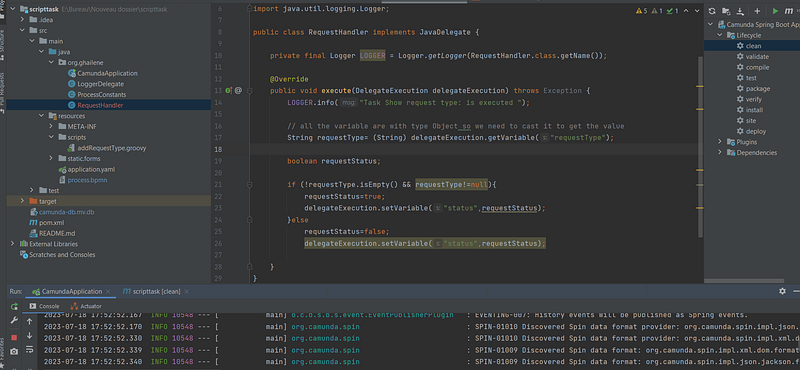
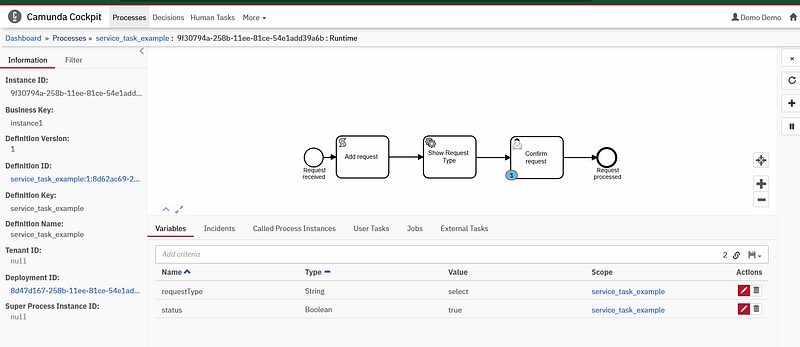
now lets execute the process, and we can see that the new variable is well created and the service task using java class also is well executed
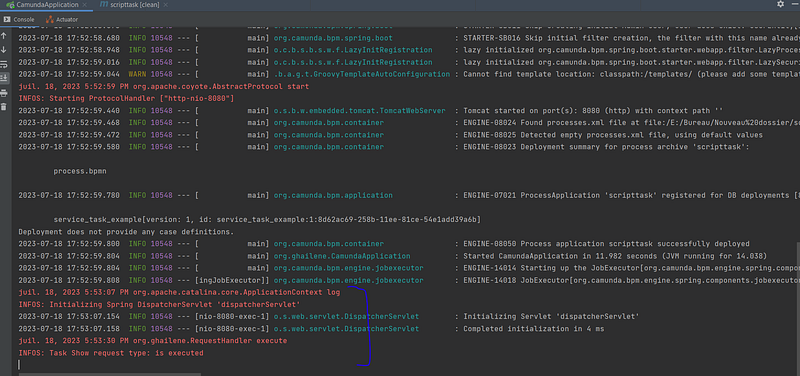
lets see the log in the class also:
Github repo:
https://github.com/ghailen/camunda_script_tast_external/tree/serviceTask
Business rule task:
we use the business rule task to reduce the complexity of diagram which can have too many gateway to determine the path, it can be implemented with different ways :
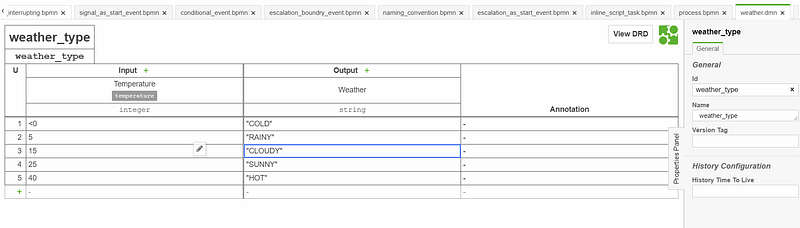
Let s create and example with DMN diagram, here we have a temprature variable “integer” as input and weather variable “string” as output
let s deploy it :
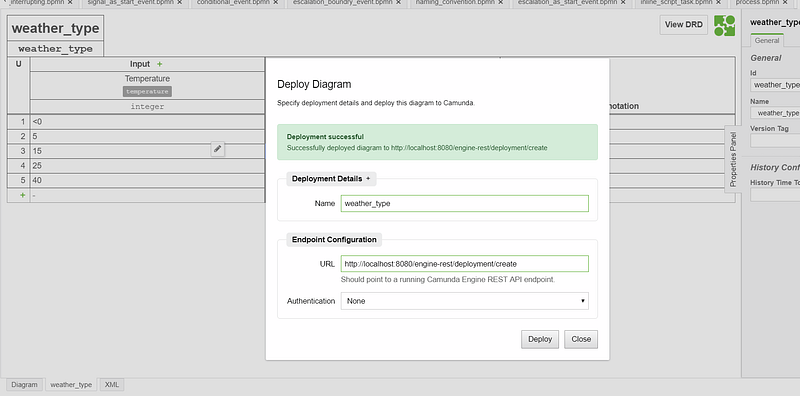
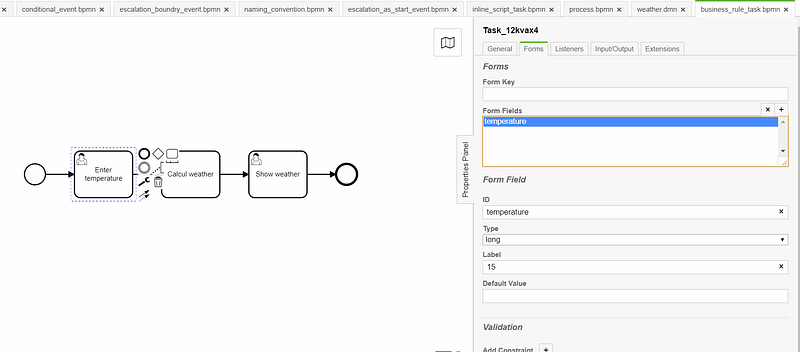
then we gonna create the main bpmn diagram, we gonna insert the variable temperature in the first task the the variable will pass throught the dmn diagram and after that in the last task we gonna see the weather value
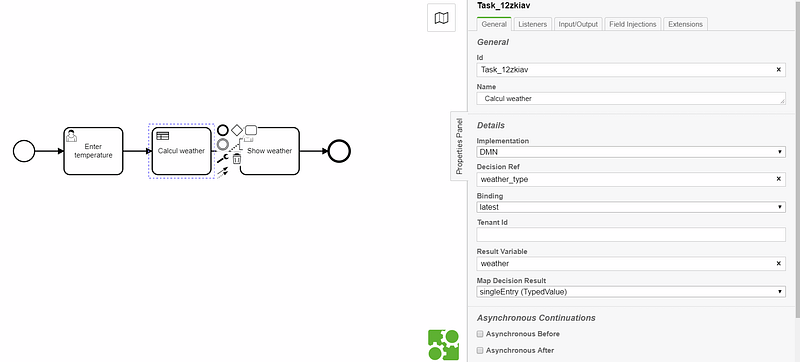
here we have a single output so thats why we choosed in map decision result field singleEntry
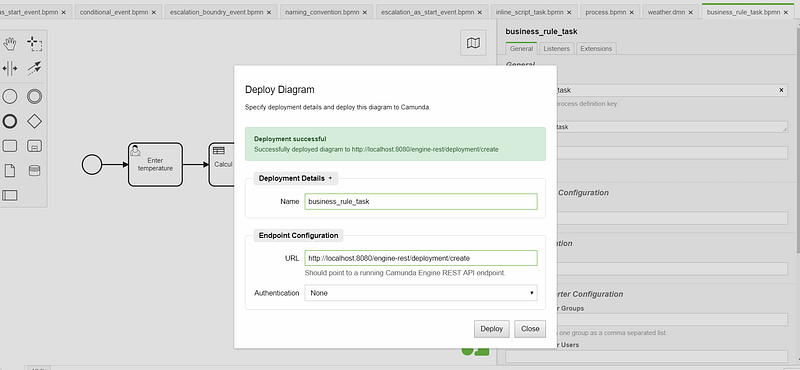
lets deploy the process and start it: we gonna put 15 in the form of the first task:
the result here is CLOUDY in the weather variable (its correct based on the dmn file)
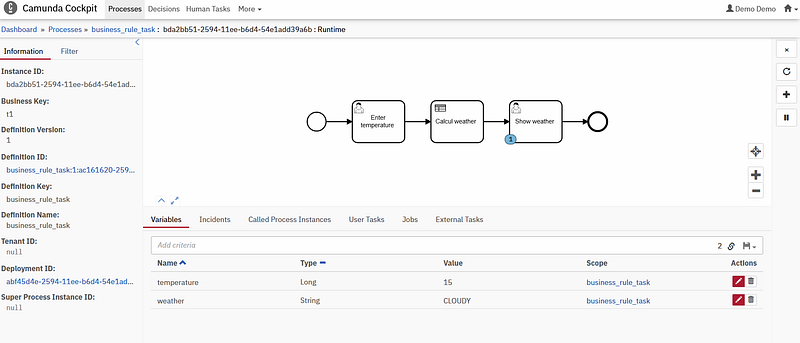
so the dmn will help us to gain to much time better then creating an gateway for each case of temperature weather.
Send and Receive Task:
send task is used to send message, is similar to service task we write a java code.
receive task will wait for a message “in waiting state”
Service Task with Expression:
provide the possibility to write an expression , for example an expression which write a new variable named name with value Ghailene
the bpmn example:
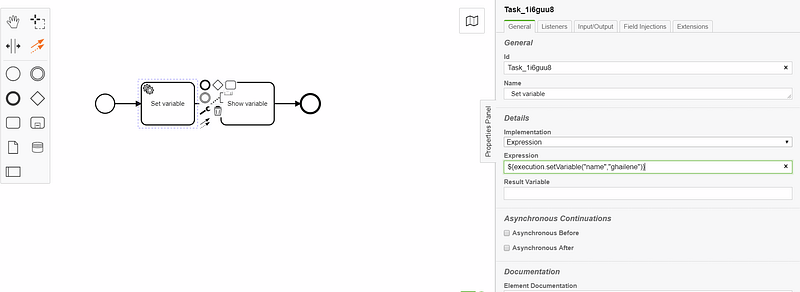
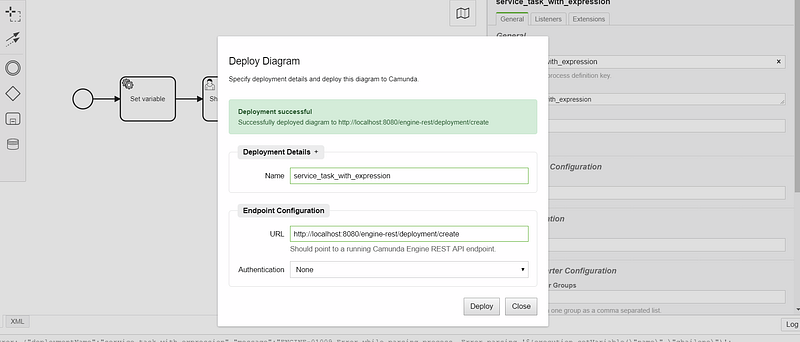
let s deploy it :
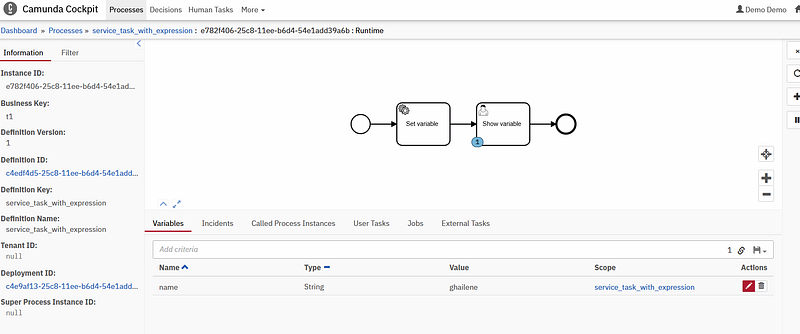
and start it : as we can see here a new variable is added after executing the service task “set variable”
Service Task with Delegate Expression
this service task use a delegation expression, when create a class which will be executed by a task, we can change the package of this class,after the modification also we need to change the package name in the service task, to avoid that we can just replace the call of the class by the name of component for example here in this bpmn file we have a logger class which exist by default
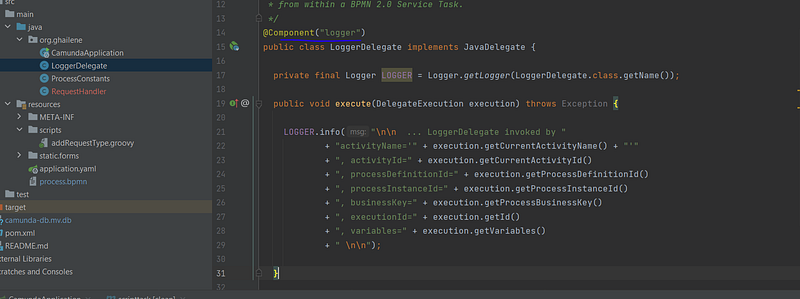
its quiet easy just you need to put in the delegation expression the logger value like this :

same for the task show Request Type:

in the bmpn file :
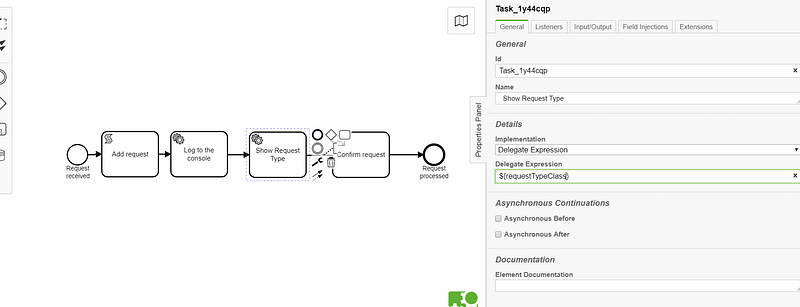
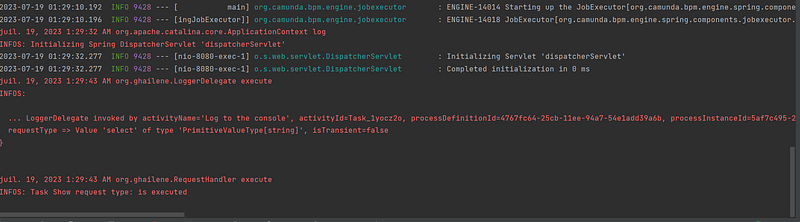
lets run the project and start the process: as we can see all work perfectly the service task is executed using the delegation expression, we dont need so to specify the package name, just we need to put the value of @component annotation in the delegation expression field in service task

the executed log of the Log to console task :
Source code : https://github.com/ghailen/camunda_script_tast_external/tree/service_task_with_delegation_expression
Contact me for any further informations.
Thank you
Other Camunda topics:
camunda task events notifier camunda genericuser task listener in camunda task marker multi-instance taskmarker loop in camunda feel language camunda how to work with dmn how to work with dmn how-to-use-embedded-task-form-in-camunda all-about-camunda-database error-handling-in-camunda sub-process-in-camunda gateways-in-camunda camunda-with-spring-boot-example task-in-camunda events-in-camunda


