
Listener in Camunda
A Listener in Camunda can be Execution Listener or Task Listener, it will trigger when an event start or stop.
For the User task : the Listener can be triggred when :
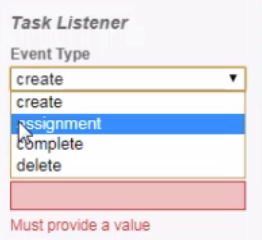
create : when creating a userTask
assignment: when assign a userTask to a user, or claming it
complete: when the userTask is completed
delete: when the userTask is deleted
Execution Listener:
Execution Listener can be used in the end or the start of a task, or in the start event or in the start of the process:
we gonna create a bmpn file, in main process we gonna set in the start an event, this event is of type start. it will be implemtented by a java class.
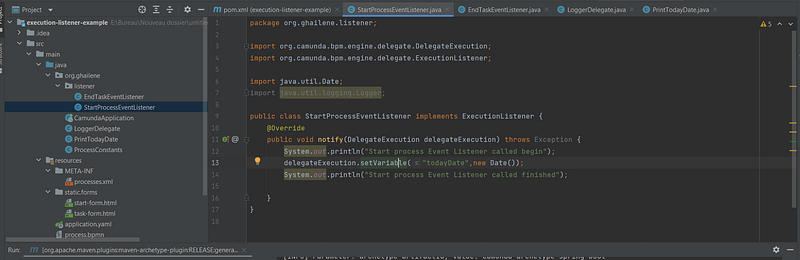
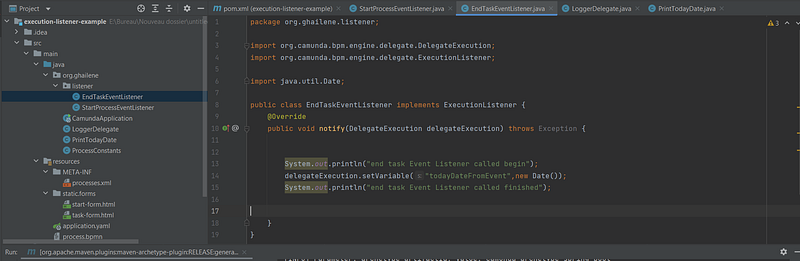
The class which will be called by an event listener must implement the internface ‘ExecutionListener’ and override the method notify.
First of all we gonna create a event lister with type “start” when starting the process:
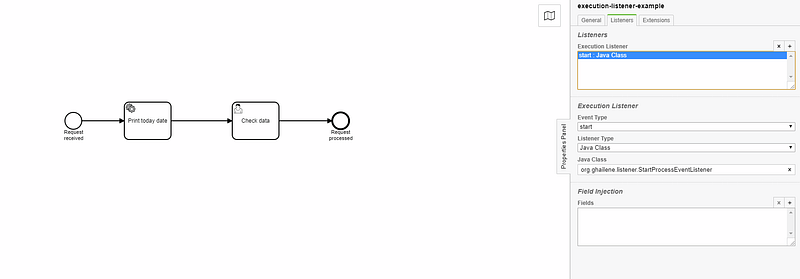
This is the implementation in java class:
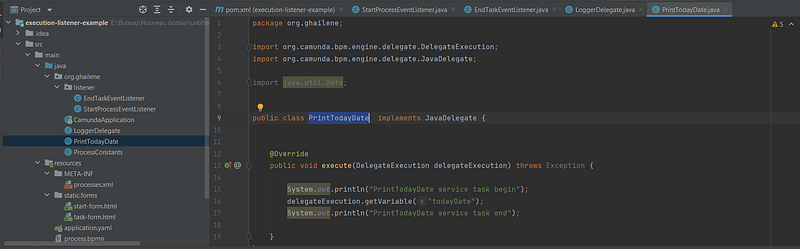
we gonna create a todayDate variable with the date of today
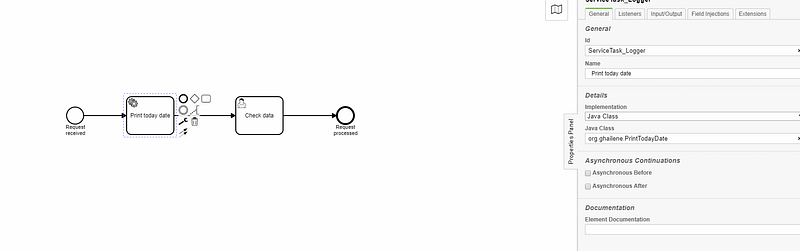
The serviceTask Print today date will call a java class in which we gonna retreive the value of the todayDate inserted from the start event listener:
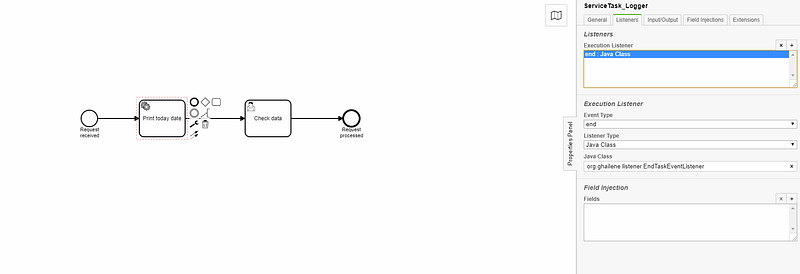
finally when the service task completed (the execution of task is completed) we gonna, call an event listener (end event listener) in which we gonna create another variable date.
Let s run the process:
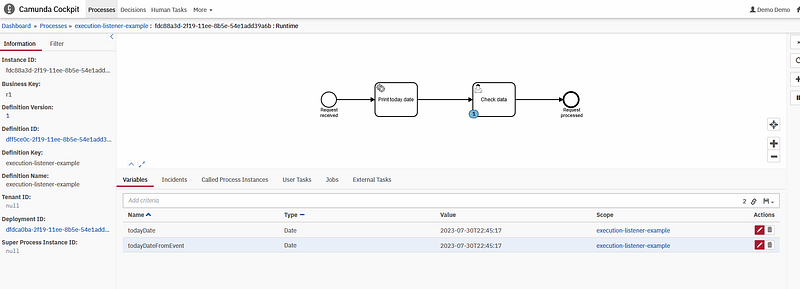
as we can see the process is execution and the order of the execution is well displayed:
- the start event listener
- the service task
- the end event listener of the service task

in cockpit:
Github repo: https://github.com/ghailen/execution-event-listener-camunda
Task Listener
Now we gonna talk about task listener. when using a user task we can trigger a listener this listener can be triggred, when creating,deleting,claming or completing a user task.
a class which present a listener must implement the TaskListener interface and override the notify method.
For the bpmn file: we create two usertasks, we putted a task listener in the first one, and another one when completing the second task.
The first task:
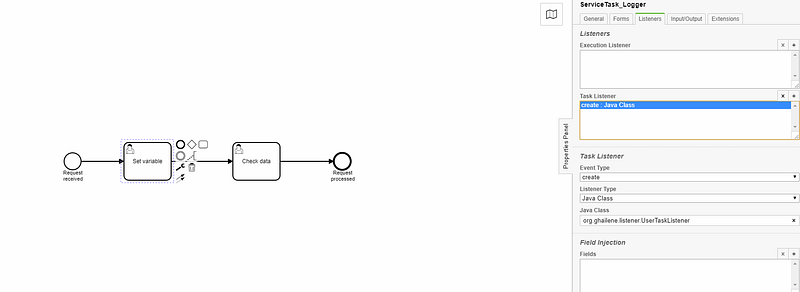
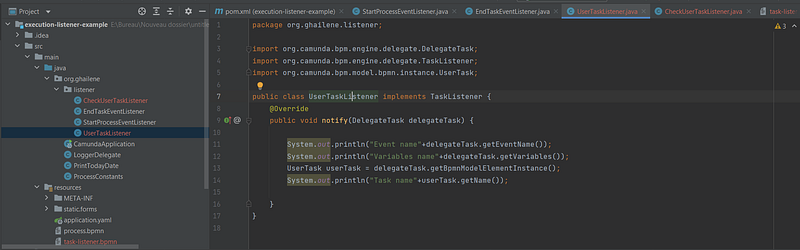
The second task : we gonna try to inject ‘using the interface TASKLIST” a variable named ghailene in the first task and get it in the completion of the second task
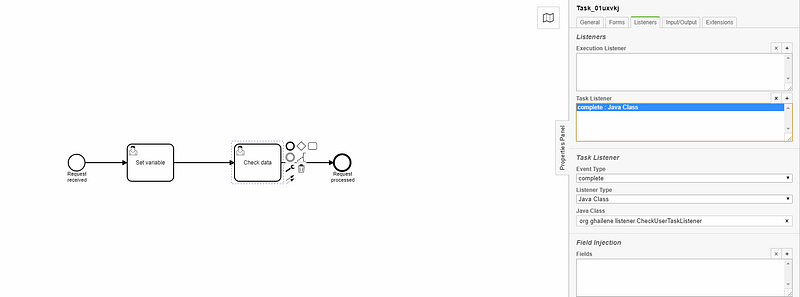
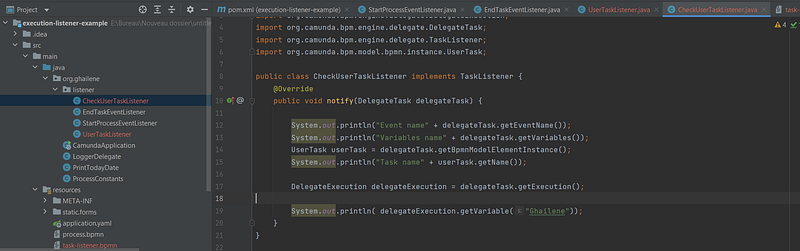
let s start the process:
as we can see in the console : we printed the event of tasklistener when triggred (in our case is : create )
the variables (no variable yet)
the task name: Set variable

Now let fill the variable ghailene to read it in the next task.
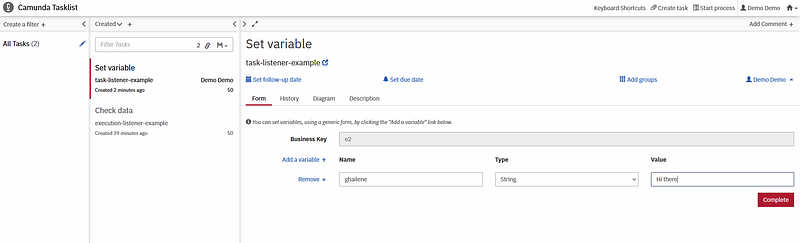
lets complete it.
now nothing is printed in the console. and the new task “check data” is displayed. lets complete it
after the completion of the “check data” we can see in the log:

=> the variable is successfully loaded after the completion of the second task “check data”.
Git repo:
Thank you for reading my article, please contact me for any further information.
Other Camunda topics:
camunda task events notifier camunda genericuser task listener in camunda task marker multi-instance taskmarker loop in camunda feel language camunda how to work with dmn how to work with dmn how-to-use-embedded-task-form-in-camunda all-about-camunda-database error-handling-in-camunda sub-process-in-camunda gateways-in-camunda camunda-with-spring-boot-example task-in-camunda events-in-camunda


