
Image-to-Image: How Can You Take the Best out of AI?
Let's build emotions on characters using the image-to-image feature.
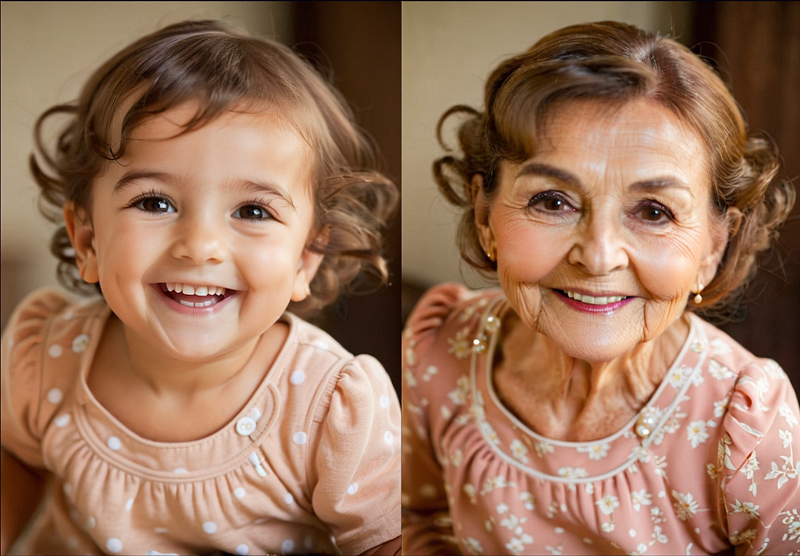
Every story needs visuals to make it memorable. We all have had a childhood where we were thrilled to read comic books of superheroes and villains.
More than the content of the story, the visuals come first in our memory and it's still imprinted.
Visuals play a crucial role in engaging users. We all spend a lot of time finding the right image with the right emotions to express our story in a better way.
AI made it simpler. First, build a character then develop emotions, and travel through the entire life cycle of that character. It gives you unlimited opportunities — if we use this tool wisely and responsibly.
Subscribe to this publication for the latest updates in the world of Generative AI, ensuring you don’t miss any significant updates.
Part 1 and Part 2
For first-time readers of my blog, please visit my part 1 and part 2 articles to learn the fundamentals of AI image generation and prompt engineering.
My article is based on the platform PlaygroundAI. Most of the features and prompts apply to any AI platform, where you are trying to generate images.
Part 1 :
Part 2 :
What is the image-to-image feature?
We know that we can use text prompts to generate AI images. For some advanced use cases, we might need to use a base image as an inspiration or reference to create new ones.
This base image can be even a real image or a drawing. This feature helps to communicate to the AI image generator in a better way than text prompts alone can.
All other settings (Filter, Sampler, Seed variations (Refer Part 1)) can be used along with it to make the output more aligned with our imagination.
The Image strength value you choose determines how much of an influence the new image output will bring wrt your reference image. If you give 100% you will get the same input image as the output.
Here I’m using a baby’s image as a reference.
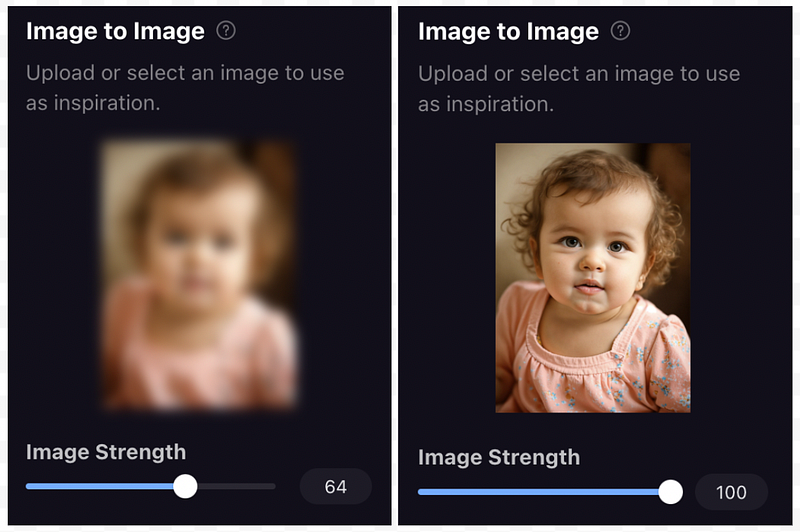
Let's make some variations by keeping the baby’s image as a reference.
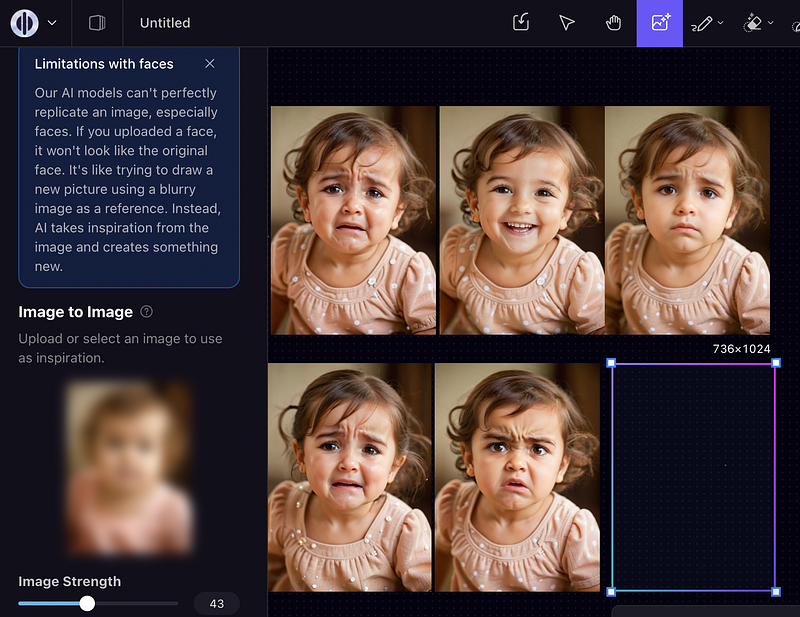
How will her baby face change when she becomes a toddler?
Here I am going to generate images based on the reference image and prompts. [A brown hair child is crying, A brown hair girl is smiling, A brown hair girl is sad, A brown hair child is crying, A brown hair child is angry]
Here are the results.
Let's see how she’ll look over the ages.
- A brown hair young girl, age 22, smiling
- A brown hair lady, age 45, smiling
- A brown hair lady, age 82, sad
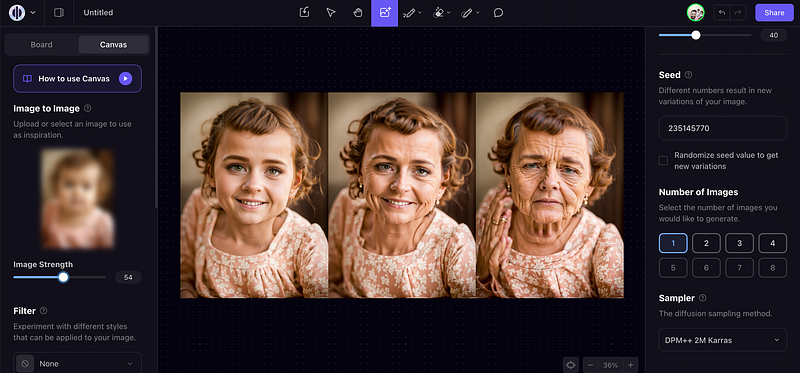
Again adding some filters to get more clear and photo-realistic images.
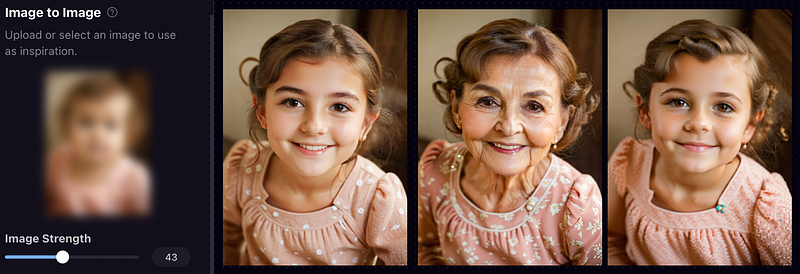
Finally.
Let me show you how I tweaked one of my photos by giving some additional characteristics through prompting.
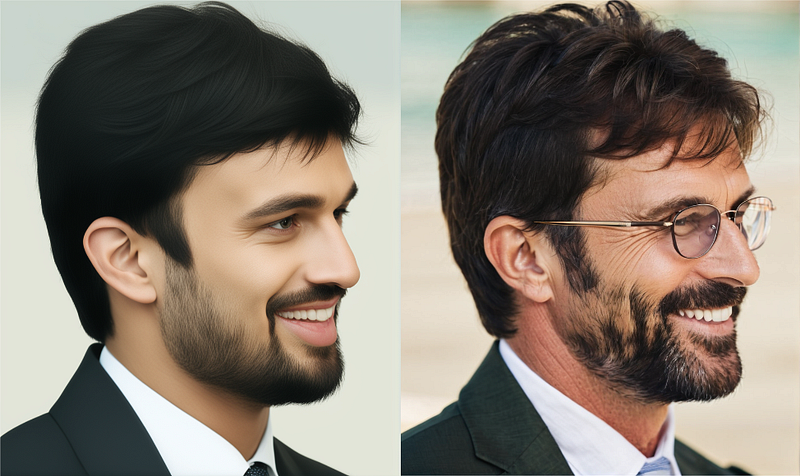
I have applied different prompts by giving my photo as a base reference. Look at the second photo, I have just applied the below prompt.
Outdoor portrait of a 50-year-old smiling rich man relaxing by the pool, wearing a linen shirt and glasses without a beard
You might wonder why the output is not entirely aligned with the prompt. The reason is, since we have a reference image with a higher image strength, the output is more aligned with the reference image rather that to the prompt.
More tips.
Those who are new to AI prompting can use different sites to copy the prompts and then add flavor to them using the image-to-image feature.
Stay tuned and Subscribe for more about AI image generation tips.
Upcoming AI article topics.
ControlNet: Neural network architecture designed to enhance AI image generation. We can add extra conditions for improved control over image generation (spatial consistency in input images)
Masking: The process of selectively hiding or revealing certain parts of an input image during the generation process.
If you like my article, please don’t forget to support me by clapping and sharing your comments.
Here are some other articles you may be interested in:


