
Want to Master AI Image Prompt Engineering?
Creating brilliant prompts to get stunning AI-generated visuals
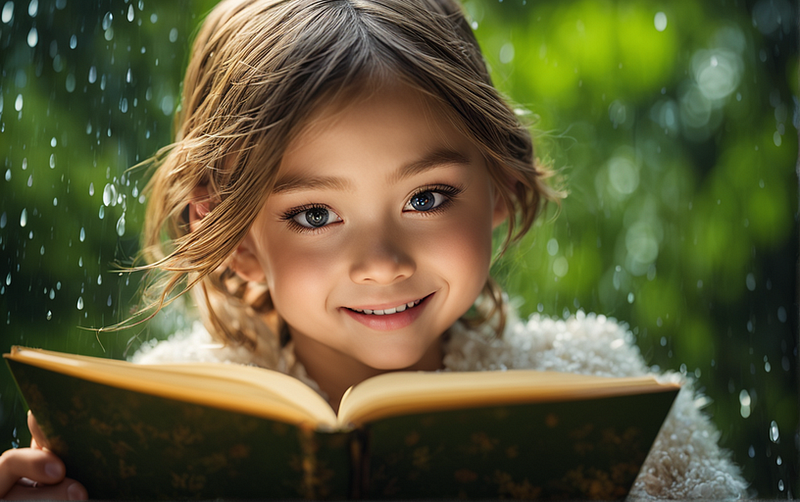
Let's imagine buying an ice cream with all your preferred flavors from an ice cream seller. It’s so exciting. Right?
Just like this, AI image generators are those ice cream sellers, who help you to bring your imagination to life, with all these flavors.
“A lion and sheep together in a forest” How could it be? You will never get an image like this in reality. AI art gives us unlimited options to create whatever we want.
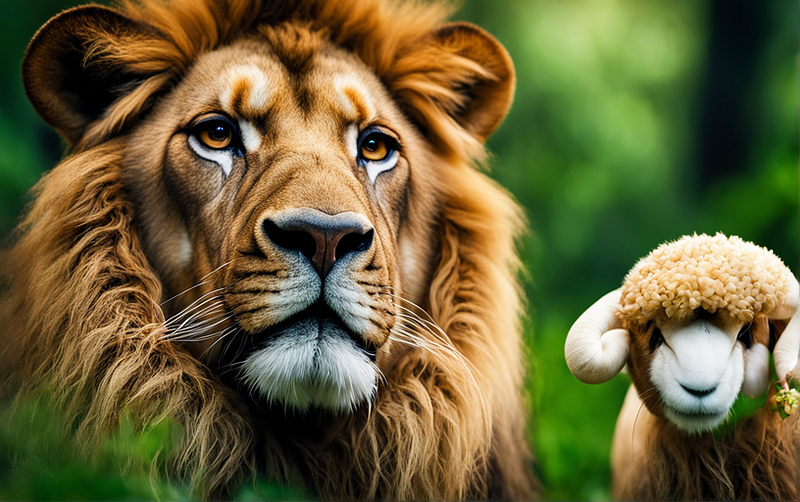
You are the Chef, you can cook your own recepies.
Let's see how it works.
Subscribe to this publication for the latest updates in the world of Generative AI, ensuring you don’t miss any significant updates.
Part 1: Fundamentals
This article has a previous part. Those who want to touch base from that blog. Please read this.
All the details provided are based on the platform PlaygroundAI.
Part 2: Prompt engineering.
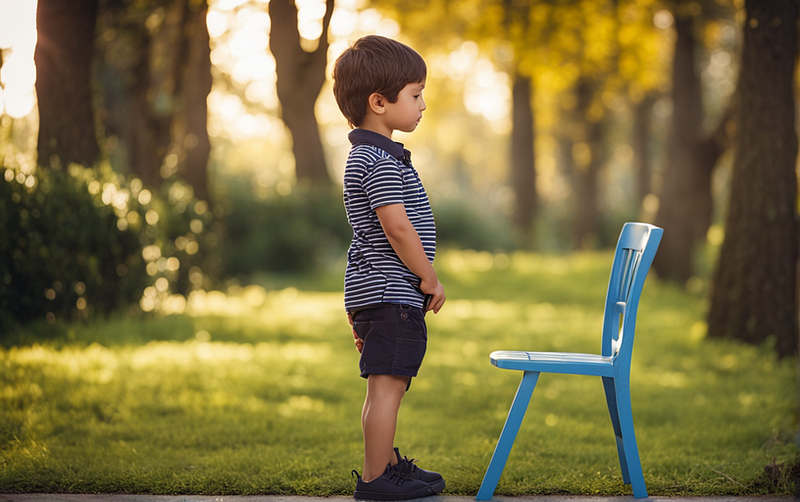
AI image generation models are like interacting with little kids, you should be specific, and clear and set the context for them to get the right output. Or else it will be very funny.
If you ask a child to “Take your seat” he might misunderstand it by taking it literally.
Prompt structure.
We can consider every prompt to be composed of 3 parts.
> Style [Photographic, Artstyle-Watercolour, Abstract, 3d-model]
> Subject [What should be content in the image] and its action, mood, style, etc.
> Additional Details [cinema scope, film grain, hightly detailed, 4k, vibrant]
Here commas (,) are important to separate your ideas within a specific prompt. This will help the AI model interpret your prompt effectively, and thereby generate the most appropriate image.
What happens if we don’t compose it right?
Just like the same child, it's hard for AI models to give you an exact output.
If you provide a general prompt like “A man smiling with happiness”, AI will generate an image that might vary a lot from what you imagined. It simply lacks sufficient information to match with your imagination.
Example.
I need a high-quality photographic image of a little girl smiling and writing with a pen in a beautiful rainy forest.
Let's start iteratively to get the right output.
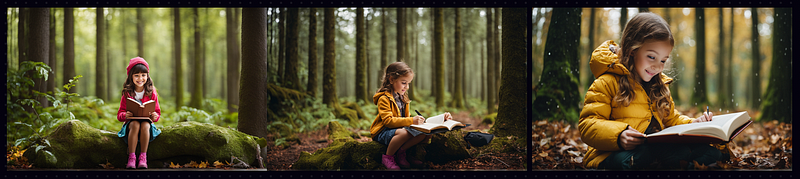
Step 1: a little girl writes in a book, smiling, amidst a rainy forest
Adding some style to the prompt
Step 2: Photographic, cinematic photo, a little girl writes in a book, smiling, amidst a rainy forest
Adding additional details to the prompt
Step 3: Photographic, cinematic photo, a little girl writes in a book, smiling, amidst a rainy forest, 35mm photograph, film, bokeh, professional, 4k, highly detailed
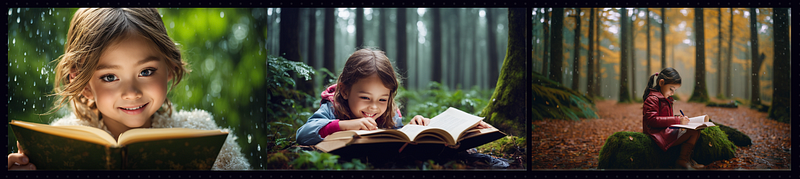
Please see the results of Step 1, Step 2, and Step 3.
Filters.
Let's apply some filters to it (Filters you get from the left panel — PlaygroundAI)
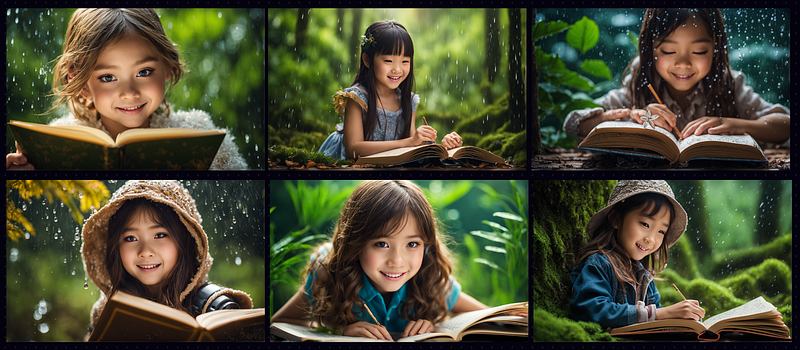
These are the filters applied and the results are shown below (Macro realism, Copax Timeless V8, Pixel Art)
Creating variations.
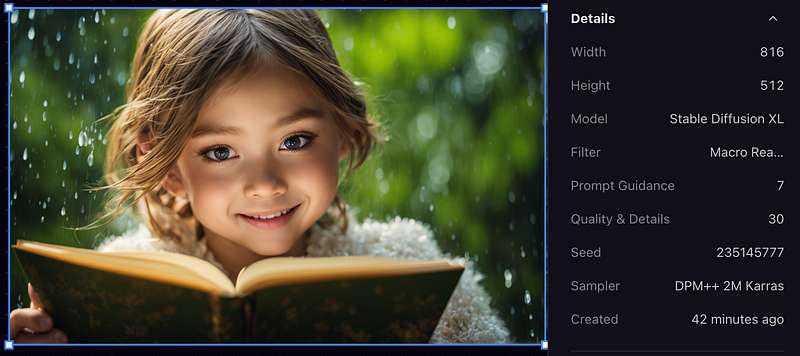
Seeds are a series of numbers that guide the AI on how to generate an image. Just by changing any digit of the seed number to different digits, you will get variations of the selected one.
Eg: 235145777, 235145775, 235145776, 235145778, 235145779, 235145770
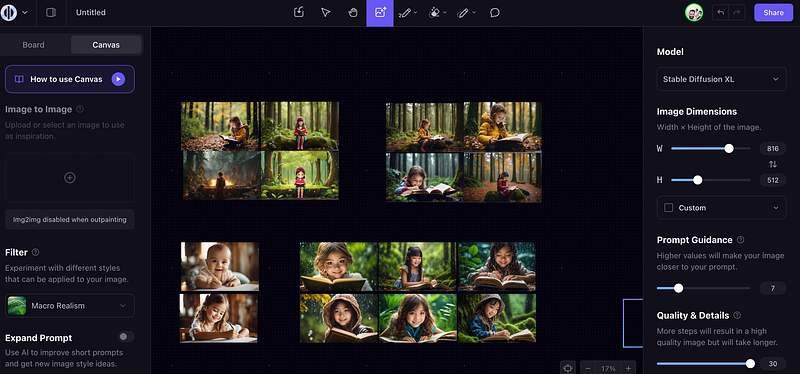
Keep your canvas organized.
In the PlaygroundAI you can simply generate different styles and keep them organized. So that when you publish your article, you can easily go back and search from the generated list of images.
Sample prompts
Here are some prompts which are provided in the official PlaygroundAI YouTube learning videos. Which you can try out.
Replace the desired text in place of {prompt} and use negative prompts to exclude the details that you don't want in the output.
Photographic
Style: ”cinematic photo {prompt}. 35mm photograph, film, bokeh, professional, 4k, highly detailed”
Neg: “drawing, painting, crayon, sketch, graphite, impressionist, noisy, blurry, soft, deformed, ugly”
Watercolour style
Style: ”watercolor painting {prompt}. vibrant, beautiful, painterly, detailed, textural, artistic”
Neg: ”anime, photorealistic, 35mm film, deformed, glitch, low contrast, noisy”
Cinematic
Style: ”cinematic film still {prompt}. shallow depth of field, vignette, highly detailed, high budget Hollywood movie, bokeh, cinemascope, moody, epic, gorgeous, film grain, grainy”
Neg: ”anime, cartoon, graphic, text, painting, crayon, graphite, abstract, glitch, deformed, mutated, ugly, disfigured”
3-D model
Style: ”professional 3d model {prompt}. octane render, highly detailed, volumetric, dramatic lighting”
Neg: ”ugly, deformed, noisy, low poly, blurry, painting”
Abstract style
Style: ”abstract style {prompt}. non-representational, colors and shapes, expression of feelings, imaginative, highly detailed”,
Neg: ”realistic, photographic, figurative, concrete”
The full list of prompts provided by PlaygroundAI can be seen here.
Stay tuned and Subscribe for the latest updates.
If you like my article, please don’t forget to support me by clapping and sharing your comments.
Here are some other articles you may be interested in:


