avatarWajiha Urooj

Free AI web copilot to create summaries, insights and extended knowledge, download it at here

6892

Abstract

, <span class="hljs-string">'Ava'</span>: <span class="hljs-string">'002'</span> , <span class="hljs-string">'Joe'</span>: <span class="hljs-string">'003'</span>} my_dict[<span class="hljs-string">'Dave'</span>]</pre></div><p id="0f99"><b>OUTPUT: ‘</b> 001′</p><h2 id="e83f">Using functions:</h2><p id="3d1f">There are a number of built-in functions that can be used such as get(), keys(), values(), etc.</p><p id="08ba"><b>EXAMPLE:</b></p><div id="e8ff"><pre>my_dict={<span class="hljs-string">'Dave'</span> : <span class="hljs-string">'001'</span> , <span class="hljs-string">'Ava'</span>: <span class="hljs-string">'002'</span> , <span class="hljs-string">'Joe'</span>: <span class="hljs-string">'003'</span>} <span class="hljs-function"><span class="hljs-title">print</span><span class="hljs-params">(my_dict.keys()</span></span>) <span class="hljs-function"><span class="hljs-title">print</span><span class="hljs-params">(my_dict.values()</span></span>) <span class="hljs-function"><span class="hljs-title">print</span><span class="hljs-params">(my_dict.get(<span class="hljs-string">'Dave'</span>)</span></span>)</pre></div><p id="efbb"><b>OUTPUT:</b></p><p id="f05d">dict_keys([‘Dave’, ‘Ava’, ‘Joe’]) dict_values([‘001’, ‘002’, ‘003’]) 001</p><h2 id="373a">Implementing the for loop:</h2><p id="41fa">The for loop allows you to access the key-value pairs of a dictionary easily by iterating over them. For example:</p><div id="b98d"><pre>my_dict={<span class="hljs-string">'Dave'</span> : <span class="hljs-string">'001'</span> , <span class="hljs-string">'Ava'</span>: <span class="hljs-string">'002'</span> , <span class="hljs-string">'Joe'</span>: <span class="hljs-string">'003'</span>} <span class="hljs-function"><span class="hljs-title">print</span><span class="hljs-params">(<span class="hljs-string">"All keys"</span>)</span></span> <span class="hljs-keyword">for</span> x <span class="hljs-keyword">in</span> my_dict: <span class="hljs-built_in">print</span>(x) <span class="hljs-selector-id">#prints</span> the keys <span class="hljs-function"><span class="hljs-title">print</span><span class="hljs-params">(<span class="hljs-string">"All values"</span>)</span></span> <span class="hljs-keyword">for</span> x <span class="hljs-keyword">in</span> my_dict<span class="hljs-selector-class">.values</span>(): <span class="hljs-built_in">print</span>(x) <span class="hljs-selector-id">#prints</span> values <span class="hljs-function"><span class="hljs-title">print</span><span class="hljs-params">(<span class="hljs-string">"All keys and values"</span>)</span></span> <span class="hljs-keyword">for</span> x,y <span class="hljs-keyword">in</span> my_dict<span class="hljs-selector-class">.items</span>(): <span class="hljs-built_in">print</span>(x, <span class="hljs-string">":"</span> , y) <span class="hljs-selector-id">#prints</span> keys and values</pre></div><p id="84ed"><b>OUTPUT:</b></p><p id="b80f">All keys Dave Ava Joe All values 001 002 003 All keys and values Dave : 001 Ava : 002 Joe : 003</p><h1 id="8e47">Updating Values:</h1><p id="7efa">Dictionaries are mutable data types and therefore, you can update them as and when required. For example, if I want to change the ID of the employee named Dave from ‘001’ to ‘004’ and if I want to add another key-value pair to my dictionary, I can do as follows:</p><p id="2a93"><b>EXAMPLE:</b></p><div id="3550"><pre>my_dict={<span class="hljs-string">'Dave'</span> : <span class="hljs-string">'001'</span> , <span class="hljs-string">'Ava'</span>: <span class="hljs-string">'002'</span> , <span class="hljs-string">'Joe'</span>: <span class="hljs-string">'003'</span>} my_dict<span class="hljs-selector-attr">[<span class="hljs-string">'Dave'</span>]</span> = <span class="hljs-string">'004'</span> <span class="hljs-selector-id">#Updating</span> the value of Dave my_dict<span class="hljs-selector-attr">[<span class="hljs-string">'Chris'</span>]</span> = <span class="hljs-string">'005'</span> <span class="hljs-selector-id">#adding</span> <span class="hljs-selector-tag">a</span> key-value pair <span class="hljs-function"><span class="hljs-title">print</span><span class="hljs-params">(my_dict)</span></span></pre></div><p id="a9ec"><b>OUTPUT: </b>{‘Dave’: ‘004’, ‘Ava’: ‘002’, ‘Joe’: ‘003’, ‘Chris’: ‘005’}</p><h1 id="7d4d">Deleting items from a dictionary:</h1><p id="994c">There a number of functions that allow you to delete items from a dictionary such as <i>del(), pop(), popitem(), clear(),</i> etc. For example:</p><p id="9815"><b>EXAMPLE:</b></p><div id="5ba4"><pre>my_dict={<span class="hljs-string">'Dave'</span>: <span class="hljs-string">'004'</span>, <span class="hljs-string">'Ava'</span>: <span class="hljs-string">'002'</span>, <span class="hljs-string">'Joe'</span>: <span class="hljs-string">'003'</span>, <span class="hljs-string">'Chris'</span>: <span class="hljs-string">'005'</span>} <span class="hljs-selector-tag">del</span> my_dict<span class="hljs-selector-attr">[<span class="hljs-string">'Dave'</span>]</span> <span class="hljs-selector-id">#removes</span> key-value pair of <span class="hljs-string">'Dave'</span> my_dict<span class="hljs-selector-class">.pop</span>(<span class="hljs-string">'Ava'</span>) <span class="hljs-selector-id">#removes</span> the value of <span class="hljs-string">'Ava'</span> my_dict<span class="hljs-selector-class">.popitem</span>() <span class="hljs-selector-id">#removes</span> the last inserted item <span class="hljs-function"><span class="hljs-title">print</span><span class="hljs-params">(my_dict)</span></span></pre></div><p id="0dad"><b>OUTPUT: </b>{‘Joe’: ‘003’}</p><p id="51f8">The above output shows that all the elements except ‘Joe: 003’ have been removed from the dictionary using the various functions.</p><h1 id="f367">Converting Dictionary into a dataframe:</h1><p id="0af9">As you have seen previously, I have created a nested dictionary containing employee names and their details mapped to it. Now to make a clear table out of that, I will make use of the pandas library in order to put everything as a dataframe.</p><p id="78c7"><b>EXAMPLE:</b></p><div id="055c"><pre>import pandas as pd emp_details = {<span class="hljs-string">'Employee'</span>: {<span class="hljs-string">'Dave'</span>: {<span class="hljs-string">'ID'</span>: <span class="hljs-string">'001'</span>, <span class="hljs-string">'Salary'</span>: <span class="hljs-number">2000</span>, <span class="hljs-string">'Designation'</span>:<span class="hljs-string">'Python Developer'</span>}, <span class="hljs-string">'Ava'</span>: {<span class="hljs-string">'ID'</span>:<span class="hljs-string">'002'</span>, <span class="hljs-string">'Salary'</span>: <span class="hljs-number">2300</span>,

Options

                            <span class="hljs-string">'Designation'</span>: <span class="hljs-string">'Java Developer'</span>},
                        <span class="hljs-string">'Joe'</span>: {<span class="hljs-string">'ID'</span>: <span class="hljs-string">'003'</span>,
                                <span class="hljs-string">'Salary'</span>: <span class="hljs-number">1843</span>,
                                <span class="hljs-string">'Designation'</span>: <span class="hljs-string">'Hadoop Developer'</span>}}}

df=pd<span class="hljs-selector-class">.DataFrame</span>(emp_details<span class="hljs-selector-attr">[<span class="hljs-string">'Employee'</span>]</span>) <span class="hljs-function"><span class="hljs-title">print</span><span class="hljs-params">(df)</span></span></pre></div><p id="563e"><b>OUTPUT:</b></p><figure id="4754"><img src="https://cdn-images-1.readmedium.com/v2/resize:fit:800/1*it6P3nXxkJLE5kckWPMkOg.png"><figcaption></figcaption></figure><p id="ee74">I hope you are clear with all that has been shared with you in this tutorial. This brings us to the end of our article on Hash Tables and Haspmaps in Python. <b><i>Make sure you practice as much as possible and revert your experience.</i></b></p><p id="a614">If you wish to check out more articles on the market’s most trending technologies like Artificial Intelligence, DevOps, Ethical Hacking, then you can refer to <a href="https://www.edureka.co/blog/?utm_source=medium&amp;utm_medium=content-link&amp;utm_campaign=hash-tables-and-hashmaps-in-python">Edureka’s official site.</a></p><p id="7987">Do look out for other articles in this series which will explain the various other aspects of Python and Data Science</p><blockquote id="f372"><p>1. <a href="https://readmedium.com/machine-learning-classifier-c02fbd8400c9">Machine Learning Classifier in Python</a></p></blockquote><blockquote id="1881"><p>2. <a href="https://readmedium.com/python-scikit-learn-cheat-sheet-9786382be9f5">Python Scikit-Learn Cheat Sheet</a></p></blockquote><blockquote id="a28e"><p>3. <a href="https://readmedium.com/python-libraries-for-data-science-and-machine-learning-1c502744f277">Machine Learning Tools</a></p></blockquote><blockquote id="85a2"><p>4. <a href="https://readmedium.com/python-libraries-for-data-science-and-machine-learning-1c502744f277">Python Libraries For Data Science And Machine Learning</a></p></blockquote><blockquote id="22bd"><p>5. <a href="https://readmedium.com/how-to-make-a-chatbot-in-python-b68fd390b219">Chatbot In Python</a></p></blockquote><blockquote id="3464"><p>6. <a href="https://readmedium.com/collections-in-python-d0bc0ed8d938">Python Collections</a></p></blockquote><blockquote id="d505"><p>7. <a href="https://readmedium.com/python-modules-abb0145a5963">Python Modules</a></p></blockquote><blockquote id="9223"><p>8. <a href="https://readmedium.com/python-developer-skills-371583a69be1">Python developer Skills</a></p></blockquote><blockquote id="b9f1"><p>9. <a href="https://readmedium.com/oops-interview-questions-621fc922cdf4">OOPs Interview Questions and Answers</a></p></blockquote><blockquote id="20ef"><p>10. <a href="https://readmedium.com/python-developer-resume-ded7799b4389">Resume For A Python Developer</a></p></blockquote><blockquote id="6d89"><p>11. <a href="https://readmedium.com/exploratory-data-analysis-in-python-3ee69362a46e">Exploratory Data Analysis In Python</a></p></blockquote><blockquote id="3208"><p>12. <a href="https://readmedium.com/python-turtle-module-361816449390">Snake Game With Python’s Turtle Module</a></p></blockquote><blockquote id="d761"><p>13. <a href="https://readmedium.com/python-developer-salary-ba2eff6a502e">Python Developer Salary</a></p></blockquote><blockquote id="e663"><p>14.<a href="https://readmedium.com/principal-component-analysis-69d7a4babc96"> Principal Component Analysis</a></p></blockquote><blockquote id="6992"><p>15. <a href="https://readmedium.com/python-vs-cpp-c3ffbea01eec">Python vs C++</a></p></blockquote><blockquote id="cb01"><p>16. <a href="https://readmedium.com/scrapy-tutorial-5584517658fb">Scrapy Tutorial</a></p></blockquote><blockquote id="76ec"><p>17. <a href="https://readmedium.com/scipy-tutorial-38723361ba4b">Python SciPy</a></p></blockquote><blockquote id="beda"><p>18. <a href="https://readmedium.com/least-square-regression-40b59cca8ea7">Least Squares Regression Method</a></p></blockquote><blockquote id="0fa3"><p>19. <a href="https://readmedium.com/jupyter-notebook-cheat-sheet-88f60d1aca7">Jupyter Notebook Cheat Sheet</a></p></blockquote><blockquote id="f00c"><p>20. <a href="https://readmedium.com/python-basics-f371d7fc0054">Python Basics</a></p></blockquote><blockquote id="6cd0"><p>21. <a href="https://readmedium.com/python-pattern-programs-75e1e764a42f">Python Pattern Programs</a></p></blockquote><blockquote id="5d34"><p>22. <a href="https://readmedium.com/generators-in-python-258f21e3d3ff">Generators in Python</a></p></blockquote><blockquote id="438f"><p>23. <a href="https://readmedium.com/python-decorator-tutorial-bf7b21278564">Python Decorator</a></p></blockquote><blockquote id="deda"><p>24.<a href="https://readmedium.com/spyder-ide-2a91caac4e46"> Python Spyder IDE</a></p></blockquote><blockquote id="a2f7"><p>25. <a href="https://readmedium.com/kivy-tutorial-9a0f02fe53f5">Mobile Applications Using Kivy In Python</a></p></blockquote><blockquote id="a288"><p>26. <a href="https://readmedium.com/best-books-for-python-11137561beb7">Top 10 Best Books To Learn & Practice Python</a></p></blockquote><blockquote id="6c30"><p>27. <a href="https://readmedium.com/robot-framework-tutorial-f8a75ab23cfd">Robot Framework With Python</a></p></blockquote><blockquote id="0268"><p>28. <a href="https://readmedium.com/snake-game-with-pygame-497f1683eeaa">Snake Game in Python using PyGame</a></p></blockquote><blockquote id="ef6e"><p>29. <a href="https://readmedium.com/django-interview-questions-a4df7bfeb7e8">Django Interview Questions and Answers</a></p></blockquote><blockquote id="d8e0"><p>30. <a href="https://readmedium.com/python-applications-18b780d64f3b">Top 10 Python Applications</a></p></blockquote><blockquote id="6a1e"><p>31.<a href="https://readmedium.com/socket-programming-python-bbac2d423bf9">What is Socket Programming in Python</a></p></blockquote><blockquote id="0fca"><p>32. <a href="https://readmedium.com/whats-new-python-3-8-7d52cda747b">Python 3.8</a></p></blockquote><blockquote id="c4ac"><p>33. <a href="https://readmedium.com/support-vector-machine-in-python-539dca55c26a">Support Vector Machine</a></p></blockquote><blockquote id="9050"><p>34. <a href="https://readmedium.com/python-tutorial-be1b3d015745">Python Tutorial</a></p></blockquote><p id="63dd"><i>Originally published at <a href="https://www.edureka.co/blog/hash-tables-and-hashmaps-in-python/">https://www.edureka.co</a> on October 21, 2019.</i></p></article></body>

Hash Tables and Hashmaps in Python
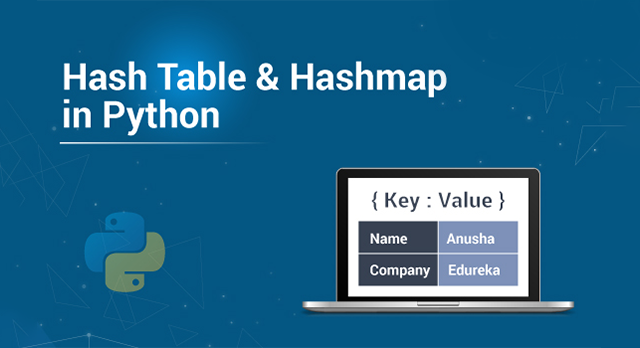
Hash Table and HashMap in Python — Edureka

Data requires a number of ways in which it can be stored and accessed. One of the most important implementations includes Hash Tables. In Python, these Hash tables are implemented through the built-in data type i.e, dictionary. In this article, you will learn what are Hash Tables and Hashmaps in Python and how you can implement them using dictionaries.

Before moving ahead, let us take a look at all the topics of discussion:

  • What is a Hash table or a Hashmap in Python?
  • Hash table vs Hashmap
  • Creating Dictionaries
  • Creating Nested Dictionaries
  • Performing Operations on Hash Tables using dictionaries
  1. Accessing Values
  2. Updating Values
  3. Deleting Items
  • Converting a Dictionary into a Dataframe

What is a Hash table or a Hashmap in Python?

In computer science, a Hash table or a Hashmap is a type of data structure that maps keys to its value pairs (implement abstract array data types). It basically makes use of a function that computes an index value that in turn holds the elements to be searched, inserted, removed, etc. This makes it easy and fast to access data. In general, hash tables store key-value pairs and the key is generated using a hash function.

Hash tables or has maps in Python are implemented through the built-in dictionary data type. The keys of a dictionary in Python are generated by a hashing function. The elements of a dictionary are not ordered and they can be changed.

An example of a dictionary can be a mapping of employee names and their employee IDs or the names of students along with their student IDs.

Moving ahead, let’s see the difference between the hash table and hashmap in Python.

Hash Table vs hashmap: Difference between Hash Table and Hashmap in Python

Creating Dictionaries:

Dictionaries can be created in two ways:

  • Using curly braces ({})
  • Using the dict() function

Using curly braces:

Dictionaries in Python can be created using curly braces as follows:

EXAMPLE:

my_dict={'Dave' : '001' , 'Ava': '002' , 'Joe': '003'}
print(my_dict)
type(my_dict)

OUTPUT:

{‘Dave’: ‘001’, ‘Ava’: ‘002’, ‘Joe’: ‘003’} dict

Using dict() function:

Python has a built-in function, dict() that can be used to create dictionaries in Python. For example:

EXAMPLE:

new_dict=dict()
print(new_dict)
type(new_dict)

OUTPUT:

{} dict

In the above example, an empty dictionary is created since no key-value pairs are supplied as a parameter to the dict() function. In case you want to add values, you can do as follows:

EXAMPLE:

new_dict=dict(Dave = '001' , Ava= '002' , Joe= '003')
print(new_dict)
type(new_dict)

OUTPUT:

{‘Dave’: ‘001’, ‘Ava’: ‘002’, ‘Joe’: ‘003’} dict

Creating Nested Dictionaries:

Nested dictionaries are basically dictionaries that lie within other dictionaries. For example:

EXAMPLE:

emp_details = {'Employee': {'Dave': {'ID': '001',
                                     'Salary': 2000,
                                     'Designation':'Python Developer'},
                            'Ava': {'ID':'002',
                                    'Salary': 2300,
                                    'Designation': 'Java Developer'},
                            'Joe': {'ID': '003',
                                    'Salary': 1843,
                                    'Designation': 'Hadoop Developer'}}}

Performing Operations on Hash tables using Dictionaries:

There are a number of operations that can be performed on has tables in Python through dictionaries such as:

  • Accessing Values
  • Updating Values
  • Deleting Element

Accessing Values:

The values of a dictionary can be accessed in many ways such as:

  • Using key values
  • Using functions
  • Implementing the for loop

Using key values:

Dictionary values can be accessed using the key values as follows:

EXAMPLE:

my_dict={'Dave' : '001' , 'Ava': '002' , 'Joe': '003'}
my_dict['Dave']

OUTPUT: ‘ 001′

Using functions:

There are a number of built-in functions that can be used such as get(), keys(), values(), etc.

EXAMPLE:

my_dict={'Dave' : '001' , 'Ava': '002' , 'Joe': '003'}
print(my_dict.keys())
print(my_dict.values())
print(my_dict.get('Dave'))

OUTPUT:

dict_keys([‘Dave’, ‘Ava’, ‘Joe’]) dict_values([‘001’, ‘002’, ‘003’]) 001

Implementing the for loop:

The for loop allows you to access the key-value pairs of a dictionary easily by iterating over them. For example:

my_dict={'Dave' : '001' , 'Ava': '002' , 'Joe': '003'}
print("All keys")
for x in my_dict:
    print(x)       #prints the keys
print("All values")
for x in my_dict.values():
    print(x)       #prints values
print("All keys and values")
for x,y in my_dict.items():
    print(x, ":" , y)       #prints keys and values

OUTPUT:

All keys Dave Ava Joe All values 001 002 003 All keys and values Dave : 001 Ava : 002 Joe : 003

Updating Values:

Dictionaries are mutable data types and therefore, you can update them as and when required. For example, if I want to change the ID of the employee named Dave from ‘001’ to ‘004’ and if I want to add another key-value pair to my dictionary, I can do as follows:

EXAMPLE:

my_dict={'Dave' : '001' , 'Ava': '002' , 'Joe': '003'}
my_dict['Dave'] = '004'   #Updating the value of Dave
my_dict['Chris'] = '005'  #adding a key-value pair
print(my_dict)

OUTPUT: {‘Dave’: ‘004’, ‘Ava’: ‘002’, ‘Joe’: ‘003’, ‘Chris’: ‘005’}

Deleting items from a dictionary:

There a number of functions that allow you to delete items from a dictionary such as del(), pop(), popitem(), clear(), etc. For example:

EXAMPLE:

my_dict={'Dave': '004', 'Ava': '002', 'Joe': '003', 'Chris': '005'}
del my_dict['Dave']  #removes key-value pair of 'Dave'
my_dict.pop('Ava')   #removes the value of 'Ava'
my_dict.popitem()    #removes the last inserted item
print(my_dict)

OUTPUT: {‘Joe’: ‘003’}

The above output shows that all the elements except ‘Joe: 003’ have been removed from the dictionary using the various functions.

Converting Dictionary into a dataframe:

As you have seen previously, I have created a nested dictionary containing employee names and their details mapped to it. Now to make a clear table out of that, I will make use of the pandas library in order to put everything as a dataframe.

EXAMPLE:

import pandas as pd
emp_details = {'Employee': {'Dave': {'ID': '001',
                                     'Salary': 2000,
                                     'Designation':'Python Developer'},
                            'Ava': {'ID':'002',
                                    'Salary': 2300,
                                    'Designation': 'Java Developer'},
                            'Joe': {'ID': '003',
                                    'Salary': 1843,
                                    'Designation': 'Hadoop Developer'}}}
df=pd.DataFrame(emp_details['Employee'])
print(df)

OUTPUT:

I hope you are clear with all that has been shared with you in this tutorial. This brings us to the end of our article on Hash Tables and Haspmaps in Python. Make sure you practice as much as possible and revert your experience.

If you wish to check out more articles on the market’s most trending technologies like Artificial Intelligence, DevOps, Ethical Hacking, then you can refer to Edureka’s official site.

Do look out for other articles in this series which will explain the various other aspects of Python and Data Science

1. Machine Learning Classifier in Python

2. Python Scikit-Learn Cheat Sheet

3. Machine Learning Tools

4. Python Libraries For Data Science And Machine Learning

5. Chatbot In Python

6. Python Collections

7. Python Modules

8. Python developer Skills

9. OOPs Interview Questions and Answers

10. Resume For A Python Developer

11. Exploratory Data Analysis In Python

12. Snake Game With Python’s Turtle Module

13. Python Developer Salary

14. Principal Component Analysis

15. Python vs C++

16. Scrapy Tutorial

17. Python SciPy

18. Least Squares Regression Method

19. Jupyter Notebook Cheat Sheet

20. Python Basics

21. Python Pattern Programs

22. Generators in Python

23. Python Decorator

24. Python Spyder IDE

25. Mobile Applications Using Kivy In Python

26. Top 10 Best Books To Learn & Practice Python

27. Robot Framework With Python

28. Snake Game in Python using PyGame

29. Django Interview Questions and Answers

30. Top 10 Python Applications

31.What is Socket Programming in Python

32. Python 3.8

33. Support Vector Machine

34. Python Tutorial

Originally published at https://www.edureka.co on October 21, 2019.

Programming
Hash Table
Hashmap
Python
Python Programming
Recommended from ReadMedium
avatarAbhay Kumar
OOPs in Python

An easy guide

10 min read