avatarAayushi Johari

Free AI web copilot to create summaries, insights and extended knowledge, download it at here

7097

Abstract

deque</span>(<span class="hljs-selector-attr">[ <span class="hljs-string">'d'</span> , <span class="hljs-string">'u'</span> , <span class="hljs-string">'r'</span> , <span class="hljs-string">'e'</span> , <span class="hljs-string">'k'</span> ]</span>)</pre></div><p id="872c">Similar to the built-in data types, there are several other operations that we can perform on a deque. Like counting elements or clearing the deque etc.</p><h2 id="505e">ChainMap</h2><p id="6a73">It is a dictionary-like class which is able to make a single view of multiple mappings. It basically returns a list of several other dictionaries. Suppose you have two dictionaries with several key-value pairs, in this case, ChainMap will make a single list with both the dictionaries in it.</p><p id="112e"><b>How it works?</b></p><div id="62d2"><pre>from collections import ChainMap <span class="hljs-selector-tag">a</span> = { <span class="hljs-number">1</span>: <span class="hljs-string">'edureka'</span> , <span class="hljs-number">2</span>: <span class="hljs-string">'python'</span>} <span class="hljs-selector-tag">b</span> = {<span class="hljs-number">3</span>: <span class="hljs-string">'data science'</span> , <span class="hljs-number">4</span>: <span class="hljs-string">'Machine learning'</span>} c = <span class="hljs-built_in">ChainMap</span>(<span class="hljs-selector-tag">a</span>,b) <span class="hljs-function"><span class="hljs-title">print</span><span class="hljs-params">(c)</span></span> <span class="hljs-selector-id">#the</span> output will be ChainMap<span class="hljs-selector-attr">[{1: <span class="hljs-string">'edureka'</span> , 2: <span class="hljs-string">'python'</span>} , {3: <span class="hljs-string">'data science'</span> , 4: <span class="hljs-string">'Machine learning'</span>}]</span></pre></div><p id="f33a">To access or insert elements we use the keys as an index. But to add a new dictionary in the ChainMap we use the following approach.</p><div id="1929"><pre>a1 = { <span class="hljs-number">5</span>: <span class="hljs-string">'AI'</span> , <span class="hljs-number">6</span>: <span class="hljs-string">'neural networks'</span>} c1 = c<span class="hljs-selector-class">.new_child</span>(a1) <span class="hljs-function"><span class="hljs-title">print</span><span class="hljs-params">(c1)</span></span> <span class="hljs-selector-id">#the</span> output will be ChainMap<span class="hljs-selector-attr">[{1: <span class="hljs-string">'edureka'</span> , 2: <span class="hljs-string">'python'</span>} , {3: <span class="hljs-string">'data science'</span> , 4: <span class="hljs-string">'Machine learning'</span>}, { 5: <span class="hljs-string">'AI'</span> , 6: <span class="hljs-string">'neural networks'</span>}]</span></pre></div><h2 id="fe17">Counter</h2><p id="4a3a">It is a dictionary subclass which is used to count hashable objects.</p><p id="28d1"><b>How it works?</b></p><div id="ac79"><pre>from collections import Counter <span class="hljs-selector-tag">a</span> = <span class="hljs-selector-attr">[1,1,1,1,2,3,3,4,3,3,4]</span> c = <span class="hljs-built_in">Counter</span>(a) <span class="hljs-function"><span class="hljs-title">print</span><span class="hljs-params">(c)</span></span> <span class="hljs-selector-id">#the</span> output will be Counter = ({<span class="hljs-number">1</span>:<span class="hljs-number">4</span> , <span class="hljs-number">2</span>:<span class="hljs-number">1</span> , <span class="hljs-number">3</span>:<span class="hljs-number">4</span> , <span class="hljs-number">4</span>:<span class="hljs-number">2</span>})</pre></div><p id="0249">In addition to the operations, you can perform on a dictionary Counter has 3 more operations that we can perform.</p><ol><li>element function — It returns a list containing all the elements in the Counter.</li><li>Most_common( ) — It returns a sorted list with the count of each element in the Counter.</li><li>Subtract( ) — It takes an iterable object as an argument and deducts the count of the elements in the Counter.</li></ol><h2 id="a09b">OrderedDict</h2><p id="8d38">It is a dictionary subclass which remembers the order in which the entries were added. Basically, even if you change the value of the key, the position will not be changed because of the order in which it was inserted in the dictionary.</p><p id="f633"><b>How it works?</b></p><div id="dfb5"><pre>from collections import OrderedDict od = <span class="hljs-built_in">OrderedDict</span>() od<span class="hljs-selector-attr">[1]</span> = <span class="hljs-string">'e'</span> od<span class="hljs-selector-attr">[2]</span> = <span class="hljs-string">'d'</span> od<span class="hljs-selector-attr">[3]</span> = <span class="hljs-string">'u'</span> od<span class="hljs-selector-attr">[4]</span> = <span class="hljs-string">'r'</span> od<span class="hljs-selector-attr">[5]</span> = <span class="hljs-string">'e'</span> od<span class="hljs-selector-attr">[6]</span> = <span class="hljs-string">'k'</span> od<span class="hljs-selector-attr">[7]</span> = <span class="hljs-string">'a'</span> <span class="hljs-function"><span class="hljs-title">print</span><span class="hljs-params">(od)</span></span> <span class="hljs-selector-id">#the</span> output will be OrderedDict<span class="hljs-selector-attr">[(1 , <span class="hljs-string">'e'</span>), (2 , <span class="hljs-string">'d'</span>) , (3 , <span class="hljs-string">'u'</span>), (4 , <span class="hljs-string">'r'</span>), (5 , <span class="hljs-string">'e'</span>), (6 , <span class="hljs-string">'k'</span>), (7 , <span class="hljs-string">'a'</span>)]</span></pre></div><p id="3ce0">It does not matter what value gets inserted in the dictionary, the OrderedDict remembers the order in which it was inserted and gets the output accordingly. Even if we change the value of the key. Let's say, if we change the key-value 4 to 8, the order will not change in the output.</p><h2 id="dda1">defaultdict</h2><p id="686c">It is a dictionary subclass which calls a factory function to supply missing values. In general, it does not throw any errors when a missing key value is called in a dictionary.</p><p id="88b2"><b>How it works?</b></p><div id="6444"><pre>from collections import defaultdict d = <span class="hljs-built_in">defaultdict</span>(int) <span class="hljs-selector-id">#we</span> have to specify <span class="hljs-selector-tag">a</span> type as well. d<span class="hljs-selector-attr">[1]</span> = <span class="hljs-string">'edureka'</span> d<span class="hljs-selector-attr">[2]</span> = <span class="hljs-string">'python'</span> <span class="hljs-function"><span class="hljs-title">print</span><span class="hljs-params">(d[<span class="hljs-number">3</span>])</span></span> <span class="hljs-selector-id">#it</span> will give the output as <span class="hljs-number">0</span> instead of keyerror.</pre></div><h2 id="9a4f">UserDict</h2><p id="7a06">This class acts as a wrapper around dictionary objects. The need for this class came from the necessity to subclass directly from dict. It becomes easier to work with this class as the underlying dictionary becomes an attrib

Options

ute.</p><div id="7fdc"><pre><span class="hljs-keyword">class</span> <span class="hljs-title class_">collections</span>.UserDict([initialdata])</pre></div><p id="f184">This class simulates a dictionary. The content of the instance are kept in a regular dictionary which can be accessed with the ‘data’ attribute of the class UserDict. The reference of initial data is not kept, for it to be used for other purposes.</p><h2 id="ab43">UserList</h2><p id="923a">This class acts like a wrapper around the list-objects. It is a useful base class for other lists like classes which can inherit from them and override the existing methods or even add fewer new ones as well.</p><p id="a25a">The need for this class came from the necessity to subclass directly from the list. It becomes easier to work with this class as the underlying list becomes an attribute.</p><div id="b793"><pre><span class="hljs-keyword">class</span> <span class="hljs-title class_">collections</span>.UserList([list])</pre></div><p id="2a35">It is the class that simulates a list. The contents of the instance are kept in a customary list. The sub-classes of the list are relied upon to offer a constructor which can be called with either no or one contention.</p><p id="92e2">In this article, we have learned about the specialized data structures that come with the collections module in python. Optimization leads to better performance and enhanced results. Same applies to our own career and skills as well. If you wish to check out more articles on the market’s most trending technologies like Artificial Intelligence, DevOps, Ethical Hacking, then you can refer to <a href="https://www.edureka.co/blog/?utm_source=medium&amp;utm_medium=content-link&amp;utm_campaign=collections-in-python">Edureka’s official site.</a></p><p id="5380">Do look out for other articles in this series which will explain the various other aspects of Python and Data Science.</p><blockquote id="393c"><p>1. <a href="https://readmedium.com/machine-learning-classifier-c02fbd8400c9">Machine Learning Classifier in Python</a></p></blockquote><blockquote id="e79b"><p>2. <a href="https://readmedium.com/python-scikit-learn-cheat-sheet-9786382be9f5">Python Scikit-Learn Cheat Sheet</a></p></blockquote><blockquote id="5560"><p>3. <a href="https://readmedium.com/python-libraries-for-data-science-and-machine-learning-1c502744f277">Machine Learning Tools</a></p></blockquote><blockquote id="b72a"><p>4. <a href="https://readmedium.com/python-libraries-for-data-science-and-machine-learning-1c502744f277">Python Libraries For Data Science And Machine Learning</a></p></blockquote><blockquote id="42fb"><p>5. <a href="https://readmedium.com/how-to-make-a-chatbot-in-python-b68fd390b219">Chatbot In Python</a></p></blockquote><blockquote id="4f82"><p>6. <a href="https://readmedium.com/web-scraping-with-python-d9e6506007bf">Web Scraping With Python</a></p></blockquote><blockquote id="74b8"><p>7. <a href="https://readmedium.com/python-modules-abb0145a5963">Python Modules</a></p></blockquote><blockquote id="4d9d"><p>8. <a href="https://readmedium.com/python-developer-skills-371583a69be1">Python developer Skills</a></p></blockquote><blockquote id="7311"><p>9. <a href="https://readmedium.com/oops-interview-questions-621fc922cdf4">OOPs Interview Questions and Answers</a></p></blockquote><blockquote id="8580"><p>10. <a href="https://readmedium.com/python-developer-resume-ded7799b4389">Resume For A Python Developer</a></p></blockquote><blockquote id="9190"><p>11. <a href="https://readmedium.com/exploratory-data-analysis-in-python-3ee69362a46e">Exploratory Data Analysis In Python</a></p></blockquote><blockquote id="b501"><p>12. <a href="https://readmedium.com/python-turtle-module-361816449390">Snake Game With Python’s Turtle Module</a></p></blockquote><blockquote id="44ad"><p>13. <a href="https://readmedium.com/python-developer-salary-ba2eff6a502e">Python Developer Salary</a></p></blockquote><blockquote id="5af2"><p>14.<a href="https://readmedium.com/principal-component-analysis-69d7a4babc96"> Principal Component Analysis</a></p></blockquote><blockquote id="d59c"><p>15. <a href="https://readmedium.com/python-vs-cpp-c3ffbea01eec">Python vs C++</a></p></blockquote><blockquote id="8a03"><p>16. <a href="https://readmedium.com/scrapy-tutorial-5584517658fb">Scrapy Tutorial</a></p></blockquote><blockquote id="bb36"><p>17. <a href="https://readmedium.com/scipy-tutorial-38723361ba4b">Python SciPy</a></p></blockquote><blockquote id="f922"><p>18. <a href="https://readmedium.com/least-square-regression-40b59cca8ea7">Least Squares Regression Method</a></p></blockquote><blockquote id="82f4"><p>19. <a href="https://readmedium.com/jupyter-notebook-cheat-sheet-88f60d1aca7">Jupyter Notebook Cheat Sheet</a></p></blockquote><blockquote id="89ff"><p>20. <a href="https://readmedium.com/python-basics-f371d7fc0054">Python Basics</a></p></blockquote><blockquote id="3348"><p>21. <a href="https://readmedium.com/python-pattern-programs-75e1e764a42f">Python Pattern Programs</a></p></blockquote><blockquote id="9182"><p>22. <a href="https://readmedium.com/generators-in-python-258f21e3d3ff">Generators in Python</a></p></blockquote><blockquote id="a25c"><p>23. <a href="https://readmedium.com/python-decorator-tutorial-bf7b21278564">Python Decorator</a></p></blockquote><blockquote id="9e16"><p>24.<a href="https://readmedium.com/spyder-ide-2a91caac4e46"> Python Spyder IDE</a></p></blockquote><blockquote id="bdbd"><p>25. <a href="https://readmedium.com/kivy-tutorial-9a0f02fe53f5">Mobile Applications Using Kivy In Python</a></p></blockquote><blockquote id="5eec"><p>26. <a href="https://readmedium.com/best-books-for-python-11137561beb7">Top 10 Best Books To Learn & Practice Python</a></p></blockquote><blockquote id="6204"><p>27. <a href="https://readmedium.com/robot-framework-tutorial-f8a75ab23cfd">Robot Framework With Python</a></p></blockquote><blockquote id="7a59"><p>28. <a href="https://readmedium.com/snake-game-with-pygame-497f1683eeaa">Snake Game in Python using PyGame</a></p></blockquote><blockquote id="9d6c"><p>29. <a href="https://readmedium.com/django-interview-questions-a4df7bfeb7e8">Django Interview Questions and Answers</a></p></blockquote><blockquote id="c3be"><p>30. <a href="https://readmedium.com/python-applications-18b780d64f3b">Top 10 Python Applications</a></p></blockquote><blockquote id="4e2b"><p>31. <a href="https://readmedium.com/hash-tables-and-hashmaps-in-python-3bd7fc1b00b4">Hash Tables and Hashmaps in Python</a></p></blockquote><blockquote id="cca8"><p>32. <a href="https://readmedium.com/whats-new-python-3-8-7d52cda747b">Python 3.8</a></p></blockquote><blockquote id="9ecf"><p>33. <a href="https://readmedium.com/support-vector-machine-in-python-539dca55c26a">Support Vector Machine</a></p></blockquote><blockquote id="cd9e"><p>34. <a href="https://readmedium.com/python-tutorial-be1b3d015745">Python Tutorial</a></p></blockquote><p id="9e27"><i>Originally published at <a href="https://www.edureka.co/blog/collections-in-python/">https://www.edureka.co</a> on June 24, 2019.</i></p></article></body>

Everything You Need To Know About Python Collections
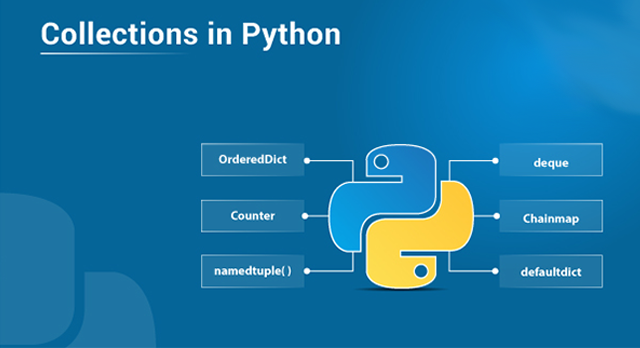
Collections in Python — Edureka

Python programming language has four collection data types- list, tuple, sets, and dictionary. But python also comes with a built-in module known as collections which have specialized data structures which basically covers for the shortcomings of the four data types. In this article, we will go through each of those specialized data structures in detail. Following are the subjects shrouded in this article:

  • What Are Collections In Python?
  • Specialized Collection Data Structures
  1. namedtuple( )
  2. deque
  3. ChainMap
  4. Counter
  5. OrderedDict
  6. defaultdict
  7. UserDict
  8. UserList

What Are Collections In Python?

Collections in python are basically container data types, namely lists, sets, tuples, dictionary. They have different characteristics based on the declaration and usage.

  • A list is declared in square brackets, it is mutable, stores duplicate values and elements can be accessed using indexes.
  • A tuple is ordered and immutable in nature, although duplicate entries can be there inside a tuple.
  • A set is unordered and declared in square brackets. It is not indexed and does not have duplicate entries as well.
  • A dictionary has key-value pairs and is mutable in nature. We use square brackets to declare a dictionary.

These are the python’s general-purpose built-in container data types. But as we all know, python always has a little something extra to offer. It comes with a python module named collections which has specialized data structures.

Specialized Collection Data Structures

Collections module in python implements specialized data structures which provide an alternative to python’s built-in container data types. Following are the specialized data structures in the collections module.

  1. namedtuple( )
  2. deque
  3. Chainmap
  4. Counter
  5. OrderedDict
  6. defaultdict
  7. UserDict
  8. UserList
  9. UserString

namedtuple( )

It returns a tuple with a named entry, which means there will be a name assigned to each value in the tuple. It overcomes the problem of accessing the elements using the index values. With namedtuple( ) it becomes easier to access these values since you do not have to remember the index values to get specific elements.

How It Works?

First of all, you must import the collections module, it does not require installation.

from collections import namedtuple

Look at the following code to understand how you can use namedtuple.

a = namedtuple('courses' , 'name , tech')
s = a('data science' , 'python')
print(s)
 
#the output will be courses(name='python' , tech='python')

How To Create A namedtuple Using A List?

s._make(['data science' , 'python'])
#the output will be same as before.

deque

deque pronounced as ‘deck’ is an optimized list to perform insertion and deletion easily.

How it works?

#creating a deque
from collections import deque
 
a = ['d' , 'u' , 'r' , 'e' , 'k']
a1 = deque(a)
print(a1)
#the output will be deque([ 'd' , 'u' , 'r' , 'e' , 'k' ])

Now let's take a look at how we will insert and remove items from deque.

a1.append('a')
print(a1)
# the output will be deque([ 'd' , 'u' , 'r' , 'e' , 'k' , 'a' ])
a1.appendleft('e')
print(a1)
# the output will be deque(['e' , 'd' , 'u' , 'r' , 'e' , 'k' , 'a' ])

As should be obvious, inserting a component is enhanced utilizing deque, also you can remove components as well.

a1.pop()
print(a1)
#the output will be deque([ 'e' , 'd' , 'u' , 'r' , 'e' , 'k' ])
a1.popleft()
print(a1)
#the output will be deque([ 'd' , 'u' , 'r' , 'e' , 'k' ])

Similar to the built-in data types, there are several other operations that we can perform on a deque. Like counting elements or clearing the deque etc.

ChainMap

It is a dictionary-like class which is able to make a single view of multiple mappings. It basically returns a list of several other dictionaries. Suppose you have two dictionaries with several key-value pairs, in this case, ChainMap will make a single list with both the dictionaries in it.

How it works?

from collections import ChainMap
a = { 1: 'edureka' , 2: 'python'}
b = {3: 'data science' , 4: 'Machine learning'}
c = ChainMap(a,b)
print(c)
#the output will be ChainMap[{1: 'edureka' , 2: 'python'} , {3: 'data science' , 4: 'Machine learning'}]

To access or insert elements we use the keys as an index. But to add a new dictionary in the ChainMap we use the following approach.

a1 = { 5: 'AI' , 6: 'neural networks'}
c1 = c.new_child(a1)
print(c1)
#the output will be ChainMap[{1: 'edureka' , 2: 'python'} , {3: 'data science' , 4: 'Machine learning'}, { 5: 'AI' , 6: 'neural networks'}]

Counter

It is a dictionary subclass which is used to count hashable objects.

How it works?

from collections import Counter
a = [1,1,1,1,2,3,3,4,3,3,4]
c = Counter(a)
print(c)
#the output will be Counter = ({1:4 , 2:1 , 3:4 , 4:2})

In addition to the operations, you can perform on a dictionary Counter has 3 more operations that we can perform.

  1. element function — It returns a list containing all the elements in the Counter.
  2. Most_common( ) — It returns a sorted list with the count of each element in the Counter.
  3. Subtract( ) — It takes an iterable object as an argument and deducts the count of the elements in the Counter.

OrderedDict

It is a dictionary subclass which remembers the order in which the entries were added. Basically, even if you change the value of the key, the position will not be changed because of the order in which it was inserted in the dictionary.

How it works?

from collections import OrderedDict
od = OrderedDict()
od[1] = 'e'
od[2] = 'd'
od[3] = 'u'
od[4] = 'r'
od[5] = 'e'
od[6] = 'k'
od[7] = 'a'
print(od)
#the output will be OrderedDict[(1 , 'e'), (2 , 'd') , (3 , 'u'), (4 , 'r'), (5 , 'e'), (6 , 'k'), (7 , 'a')]

It does not matter what value gets inserted in the dictionary, the OrderedDict remembers the order in which it was inserted and gets the output accordingly. Even if we change the value of the key. Let's say, if we change the key-value 4 to 8, the order will not change in the output.

defaultdict

It is a dictionary subclass which calls a factory function to supply missing values. In general, it does not throw any errors when a missing key value is called in a dictionary.

How it works?

from collections import defaultdict
d = defaultdict(int)
#we have to specify a type as well.
d[1] = 'edureka'
d[2] = 'python'
print(d[3])
#it will give the output as 0 instead of keyerror.

UserDict

This class acts as a wrapper around dictionary objects. The need for this class came from the necessity to subclass directly from dict. It becomes easier to work with this class as the underlying dictionary becomes an attribute.

class collections.UserDict([initialdata])

This class simulates a dictionary. The content of the instance are kept in a regular dictionary which can be accessed with the ‘data’ attribute of the class UserDict. The reference of initial data is not kept, for it to be used for other purposes.

UserList

This class acts like a wrapper around the list-objects. It is a useful base class for other lists like classes which can inherit from them and override the existing methods or even add fewer new ones as well.

The need for this class came from the necessity to subclass directly from the list. It becomes easier to work with this class as the underlying list becomes an attribute.

class collections.UserList([list])

It is the class that simulates a list. The contents of the instance are kept in a customary list. The sub-classes of the list are relied upon to offer a constructor which can be called with either no or one contention.

In this article, we have learned about the specialized data structures that come with the collections module in python. Optimization leads to better performance and enhanced results. Same applies to our own career and skills as well. If you wish to check out more articles on the market’s most trending technologies like Artificial Intelligence, DevOps, Ethical Hacking, then you can refer to Edureka’s official site.

Do look out for other articles in this series which will explain the various other aspects of Python and Data Science.

1. Machine Learning Classifier in Python

2. Python Scikit-Learn Cheat Sheet

3. Machine Learning Tools

4. Python Libraries For Data Science And Machine Learning

5. Chatbot In Python

6. Web Scraping With Python

7. Python Modules

8. Python developer Skills

9. OOPs Interview Questions and Answers

10. Resume For A Python Developer

11. Exploratory Data Analysis In Python

12. Snake Game With Python’s Turtle Module

13. Python Developer Salary

14. Principal Component Analysis

15. Python vs C++

16. Scrapy Tutorial

17. Python SciPy

18. Least Squares Regression Method

19. Jupyter Notebook Cheat Sheet

20. Python Basics

21. Python Pattern Programs

22. Generators in Python

23. Python Decorator

24. Python Spyder IDE

25. Mobile Applications Using Kivy In Python

26. Top 10 Best Books To Learn & Practice Python

27. Robot Framework With Python

28. Snake Game in Python using PyGame

29. Django Interview Questions and Answers

30. Top 10 Python Applications

31. Hash Tables and Hashmaps in Python

32. Python 3.8

33. Support Vector Machine

34. Python Tutorial

Originally published at https://www.edureka.co on June 24, 2019.

Programming
Python
Python3
Python Collections
Data Structures
Recommended from ReadMedium