Flutter — Secure your App with Microsoft’s Identity Platform (AAD & APIM)
Use the Microsoft identity platform and our open-source authentication libraries to sign in users with Azure AD accounts, Microsoft accounts, and social accounts like Facebook and Google. Protect your web APIs and access protected APIs like Microsoft Graph to work with your users’ and organization’s data.
Not the most interesting read, but it feels good to get security across the line, leaving yourself free to develop applications.
To integrate your Flutter Apps with the MS identity platform, take a look at my articles on the Microsoft Authentication Library (MSAL):
- MSAL — Authenticating your Flutter app on iOS.
- MSAL — Authenticating your Flutter app on Android.
- MSAL — Authenticating your Flutter app on the Web.
If you interested in the Azure setup take a look at the articles about creating an API Management service and hosting your API’s behind a gateway:
- Web API — Setting up your Web API with Visual Studio.
- APIM Service — Creating an API management service in Azure.
- Secure Gateway — Securing requests through the API gateway.
- Hosted API — Hosting your Web API’s on Azure.
- Secure Hosted API — Secure requests with the APIM Gateway
That should be enough to get your application working with Azure Identity & API services, or give you a starting point if you are in charge of setting up the Azure services.
You will need to do more research around your user profiles, networking, API standards, CI/CD etc.. to get the right setup for you and your applications.
XP
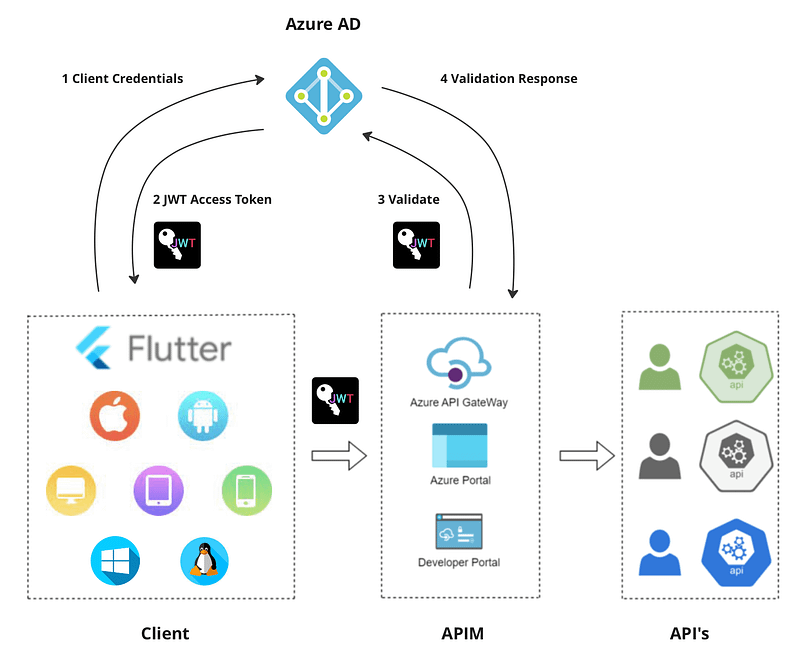
The API is protected by an APIM gateway policy that requires an OAuth Bearer token which our Azure AD issues.
To set this up and secure our API we had to register the client application and the API application in our Azure AD and give the client application permission to use the API.
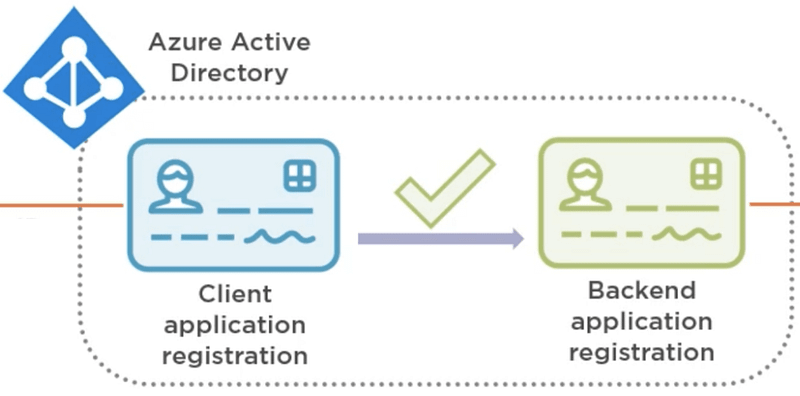
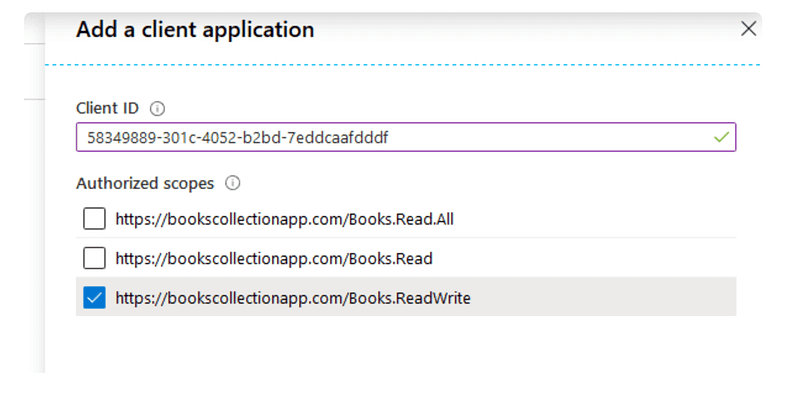
There are a number of options to assign permissions in Azure AD, in our examples we assigned the client application permission, but we could equally get the API application to allow the client application permission to one or all of the scopes it defines by adding a client in the Expose an API view:
czmiel24 has written a nice three part series on Configuring Scopes in Azure Active Directory with links to a good video on OAuth2.
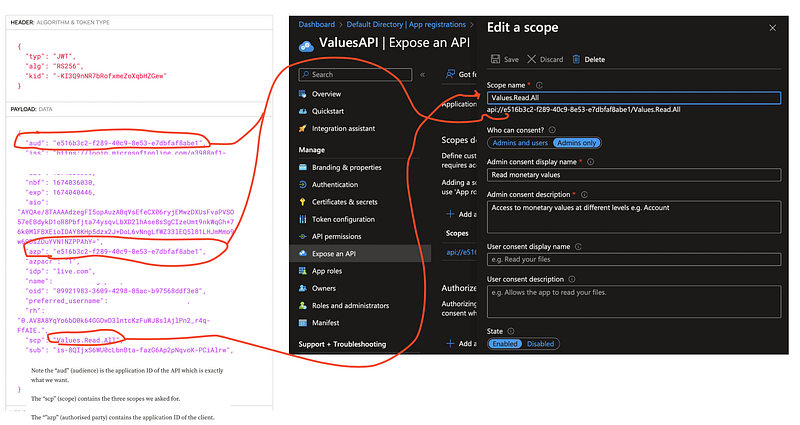
You can use jwt.io to deserialise your tokens to see what is going on in the exchange.
Here is an example access token that was issued when authenticating an API request using Postman: