avatarsimbu

Free AI web copilot to create summaries, insights and extended knowledge, download it at here

5622

Abstract

ps://cdn-images-1.readmedium.com/v2/resize:fit:800/1*phN5qxUxsCkWv0cgRdeAIA.png"><figcaption>APIM in Azure dashboard</figcaption></figure><h2 id="7a3d">Docker Desktop</h2><p id="1bbc">Download install and run <a href="https://www.docker.com">docker desktop</a>.</p><h2 id="ab84">Self hosted local API Gateway</h2><p id="055a">From your APIM service dashboard select Gateways under Deployment + infrastructure</p><figure id="7238"><img src="https://cdn-images-1.readmedium.com/v2/resize:fit:800/1*OVM3nICEAaNb4NMCR30Heg.png"><figcaption>Selecting Gateways in your Azure APIM service</figcaption></figure><p id="6a55">Add a new gateway and select it from the list and select deployment from the settings menu.</p><p id="2e0d">Select the Docker tab under Deployment scripts:</p><figure id="f705"><img src="https://cdn-images-1.readmedium.com/v2/resize:fit:800/1*4tlrgTb39rQeELZdvLqWqQ.png"><figcaption>Selecting Docker deployment scripts</figcaption></figure><p id="8b50">Then click on env.conf to download the config file to disk:</p><figure id="13a9"><img src="https://cdn-images-1.readmedium.com/v2/resize:fit:800/1*OfEurI0iq5zAbJkGym3dyQ.png"><figcaption>Downloading gateway config file.</figcaption></figure><p id="3551">Copy the run command and run it locally.</p><figure id="aa16"><img src="https://cdn-images-1.readmedium.com/v2/resize:fit:800/1*eHY4lsqKm3ECkwv6froTYg.png"><figcaption>Docker command to create locally hosted gateway instance.</figcaption></figure><p id="13a6">You should now see the new container running in the Docker desktop application</p><figure id="2d43"><img src="https://cdn-images-1.readmedium.com/v2/resize:fit:800/1*VDC0IrKMuc85aAsSxLJWtA.png"><figcaption>Gateway running in Docker container</figcaption></figure><p id="36fe">Click on the container name to view the logs and you should see it communicating with your Azure APIM service.</p><figure id="a0c7"><img src="https://cdn-images-1.readmedium.com/v2/resize:fit:800/1*kQ0SPrc48HB3JrtjwpVVOA.png"><figcaption>Gateway log excerpt showing heartbeat</figcaption></figure><p id="4c2d">Then go back to the Gateway in Azure and check that the gateway is reporting 1 instance with a heartbeat.</p><figure id="6016"><img src="https://cdn-images-1.readmedium.com/v2/resize:fit:800/1*uv_kKOzJzSDKimIy-CqBjA.png"><figcaption>APIM: Gateway</figcaption></figure><p id="d060">See <a href="https://docs.microsoft.com/en-us/azure/api-management/how-to-deploy-self-hosted-gateway-docker">instructions to host the gateway locally in docker</a> for more details.</p><h2 id="1967">Add the Recipes API to the Gateway</h2><p id="0b99">Go to your Azure portal and select APIs in the API management service you created.</p><figure id="9d41"><img src="https://cdn-images-1.readmedium.com/v2/resize:fit:800/1*OoFptxrI49oq3qeXi3MaKw.png"><figcaption>Selecting APIs in Azure APIM</figcaption></figure><p id="3676">Choose OpenAPI in Create from definition</p><figure id="edf3"><img src="https://cdn-images-1.readmedium.com/v2/resize:fit:800/1*ugTI-Wvk3QZnpDJgKGO_dA.png"><figcaption>Select creae from OpenAPI file.</figcaption></figure><p id="e516">And load the swagger.json file you saved in the previous blog post, then hit the create button.</p><p id="112e">Once added you can set the api suffix in the settings tab which will be reflected in the base url.</p><figure id="9eef"><img src="https://cdn-images-1.readmedium.com/v2/resize:fit:800/1*Qm2osZLQy75HlI0jmWMvXw.png"><figcaption>APIM: API settings tab</figcaption></figure><p id="48c1">Make sure you add your api gateway to the gateways list.</p><h2 id="b12d">Point the new API at your local backend service.</h2><p id="fe23">Make a note of your machine IP or DNS name. You can find your IP address in window settings (windows:settings.network and internet.ethernet.properties) and your host and dns suffix with the ipconfig /all command.</p><figure id="c563"><img src="https://cdn-images-1.readmedium.com/v2/resize:fit:800/1*x-7iC9jfgUZB6zd2Ofg6Ug.png"><figcaption>IPv4 address in network settings</figcaption></figure><p id="cb0b">Under APIM service APIs section in Azure select</p><figure id="950e"><img src="https://cdn-images-1.readmedium.com/v2/resize:fit:800/1*k4Wf34utCG5r2Dk_RFmwuQ.png"><figcaption>Select backends in Azure APIM</figcaption></figure><p id="6bee">Add a new backend and point it at your Web API using your machines dns name or IP Address:</p><p id="1d5e">https://<hostip><dnssuffix>:<apiportnumber>/</apiportnumber></dnssuffix></hostip></p><p id="d870">e.g. <a href="https://172.16.44.138:44374/">https://172.16.44.138:44374/</a></p><p id="6dd2">The port number is the one you specified in the launch settings file when setting up the API.</p><figure id="2a79"><img src="https://cdn-images-1.readmedium.com/v2/resize:fit:800/1*5xKh9UzLNxsmuyBRMy21Tg.png"><figcaption>APIM: API Backend</figcaption></figure><h2 id="2e1a">Add a policy to redirect gateway requests to your local API.</h2><p id="19c2">Select your API and all operations in your Azure portal APIM service.</p><figure id="5547"><img src="https://cdn-images-1.readmedium.com/v2/resize:fit:800/1*0g4wrDU0GxCCi5PAjcdE7A.png"><figcaption>Selecting all operations in Azure APIM gateway</figcaption></figure><p id="7056">Click on the code link next to any policy section to display policies for all operations and then paste the following policies, ensuring that the backend-id matches the backend your set up in the previous step, save the changes.</p><figure id="d19a"><img src="https://cdn-images-1.readmedium.com/v2/resize:fit:800/1*iGGsC0lCMHwmwpciHlXNFQ.png"><figcaption>How to edit the policies for a managed API.</figc

Options

aption></figure><div id="7de6"><pre><span class="hljs-tag"><<span class="hljs-name">policies</span>></span> <span class="hljs-tag"><<span class="hljs-name">inbound</span>></span> <span class="hljs-tag"><<span class="hljs-name">base</span> /></span> <span class="hljs-tag"><<span class="hljs-name">set-backend-service</span> <span class="hljs-attr">backend-id</span>=<span class="hljs-string">"LocalRecipesAPI"</span> /></span> <span class="hljs-tag"></<span class="hljs-name">inbound</span>></span> <span class="hljs-tag"><<span class="hljs-name">backend</span>></span> <span class="hljs-tag"><<span class="hljs-name">forward-request</span> <span class="hljs-attr">timeout</span>=<span class="hljs-string">"10"</span> /></span> <span class="hljs-tag"></<span class="hljs-name">backend</span>></span> <span class="hljs-tag"><<span class="hljs-name">outbound</span>></span> <span class="hljs-tag"><<span class="hljs-name">base</span> /></span> <span class="hljs-tag"></<span class="hljs-name">outbound</span>></span> <span class="hljs-tag"><<span class="hljs-name">on-error</span>></span> <span class="hljs-tag"><<span class="hljs-name">base</span> /></span> <span class="hljs-tag"></<span class="hljs-name">on-error</span>></span> <span class="hljs-tag"></<span class="hljs-name">policies</span>></span></pre></div><p id="c18a">Monitor the local API gateway logs in docker and wait for the service to update the changes to the gateway.</p><p id="c020">Now we can test it works via the gateway by using the localhost with the api suffix you configured in the gateway:</p><div id="f320"><pre>https:<span class="hljs-regexp">//</span>localhost<span class="hljs-regexp">/api/</span>recipes</pre></div><p id="510d">If you get an issue check the API Gateway logs in docker.</p><p id="cc68">If not, Congratulations on setting up a working local API gateway, now let’s secure it.</p><h2 id="fd43">Ta Da</h2><figure id="4921"><img src="https://cdn-images-1.readmedium.com/v2/resize:fit:800/1*S937KfDL_Q9fqz0MJQLk8Q.png"><figcaption>Local API Gateway request</figcaption></figure><p id="520b">Gateway log excerpt</p><div id="173b"><pre>[<span class="hljs-string">Info</span>] <span class="hljs-number">2022-08-31T01:38:04.328</span><span class="hljs-string">,</span> <span class="hljs-attr">isRequestSuccess:</span> <span class="hljs-literal">True</span><span class="hljs-string">,</span> <span class="hljs-attr">totalTime:</span> <span class="hljs-number">110</span><span class="hljs-string">,</span> <span class="hljs-attr">category:</span> <span class="hljs-string">GatewayLogs,</span> <span class="hljs-attr">callerIpAddress:</span> <span class="hljs-number">172.17</span><span class="hljs-number">.0</span><span class="hljs-number">.1</span><span class="hljs-string">,</span> <span class="hljs-attr">timeGenerated:</span> <span class="hljs-number">08</span><span class="hljs-string">/31/2022</span> <span class="hljs-number">13</span><span class="hljs-string">:38:04,</span> <span class="hljs-attr">region:</span> <span class="hljs-string">uksouth,</span> <span class="hljs-attr">correlationId:</span> <span class="hljs-string">acd9290b-c156-4970-b527-331a1b540902,</span> <span class="hljs-attr">method:</span> <span class="hljs-string">GET,</span> <span class="hljs-attr">url:</span> <span class="hljs-string">https://localhost/api/recipes,</span> <span class="hljs-attr">backendResponseCode:</span> <span class="hljs-number">200</span><span class="hljs-string">,</span> <span class="hljs-attr">responseCode:</span> <span class="hljs-number">200</span><span class="hljs-string">,</span> <span class="hljs-attr">responseSize:</span> <span class="hljs-number">535</span><span class="hljs-string">,</span> <span class="hljs-attr">cache:</span> <span class="hljs-string">none,</span> <span class="hljs-attr">backendTime:</span> <span class="hljs-number">107</span><span class="hljs-string">,</span> <span class="hljs-attr">apiId:</span> <span class="hljs-string">recipies-api,</span> <span class="hljs-attr">operationId:</span> <span class="hljs-string">GetRecipes,</span> <span class="hljs-attr">clientProtocol:</span> <span class="hljs-string">HTTP/2,</span> <span class="hljs-attr">backendProtocol:</span> <span class="hljs-string">HTTP/1.1,</span> <span class="hljs-attr">backendId:</span> <span class="hljs-string">LocalRecipesAPI,</span> <span class="hljs-attr">apiRevision:</span> <span class="hljs-number">1</span><span class="hljs-string">,</span> <span class="hljs-attr">clientTlsVersion:</span> <span class="hljs-number">1.2</span><span class="hljs-string">,</span> <span class="hljs-attr">backendMethod:</span> <span class="hljs-string">GET,</span> <span class="hljs-attr">backendUrl:</span> <span class="hljs-string">https://172.16.44.138:44374/recipes,</span> <span class="hljs-attr">correlationId:</span> <span class="hljs-string">acd9290b-c156-4970-b527-331a1b540902</span></pre></div><h2 id="441f">Links</h2><ul><li><a href="https://docs.microsoft.com/en-us/cli/azure/service-page/list%20a%20-%20z?view=azure-cli-latest">All Azure CLI Command Reference List A — Z</a></li><li><a href="https://github.com/MicrosoftDocs/azure-docs/blob/main/articles/api-management/get-started-create-service-instance-cli.md">Create a API Management service with Azure CLI</a></li><li><a href="https://docs.microsoft.com/en-us/azure/api-management/how-to-deploy-self-hosted-gateway-docker">Instructions to host the gateway locally in docker</a></li></ul></article></body>

Join Medium to view all my articles.

Flutter — Microsoft API Management secured with AD — APIM Service

This is the second part of a series to show how to secure your Flutter applications using Microsoft technologies:

  1. Web API — Setting up your Web API with Visual Studio.
  2. APIM Service — Creating an API management service in Azure.
  3. Secure Gateway — Securing requests through the API gateway.
  4. MSAL — Authenticating your Flutter app on iOS.
  5. MSAL — Authenticating your Flutter app on Android.
  6. MSAL — Authenticating your Flutter app on the Web.
  7. Hosted API — Hosting your Web API’s in Azure.
  8. Secure Hosted API — Secure requests with the APIM Gateway

This blog post shows you how to setup a Microsoft API Management service in Azure and host an unsecured API Gateway locally.

Azure Account with CLI

First up you will need an Azure login and a subscription, then install the CLI.
Options to install Azure CLI

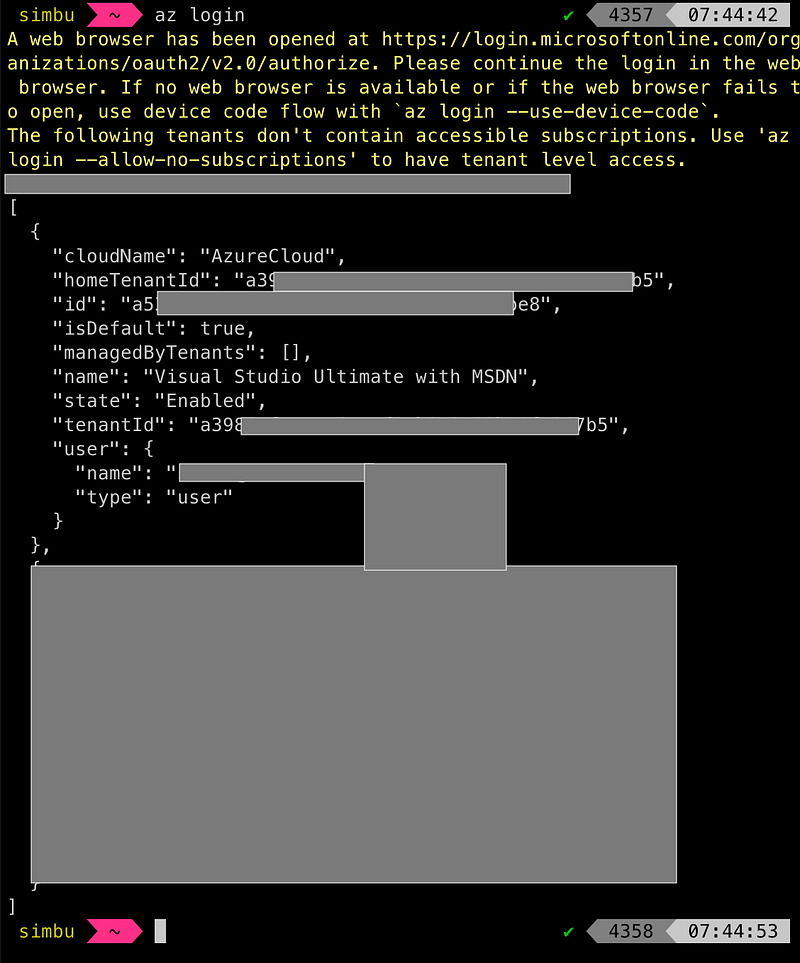
And test you can login:

Logging in with Azure CLI

Azure API Management

Now you have an account lets create the API Management service using the CLI.

-- List available locations
az account list-locations -o table

-- Create a new resource group
az group create --name rg-apim-digestableme --location uksouth

-- Create APIM service
az apim create --name apim-digestableme --resource-group rg-apim-digestableme \
  --publisher-name DigestableMe --publisher-email admin@digestableme.com \
  --no-wait

-- Check creation status as it takes a while
az apim show --name apim-digestableme --resource-group rg-apim-digestableme --output table

See get-started-create-service-instance-cli.md for more details.

Once created it will take some time around 20–30mins to complete the provisioning in Azure.

Shows new APIM activating in Azure Portal

You can add it to your Azure dashboard for easy access.
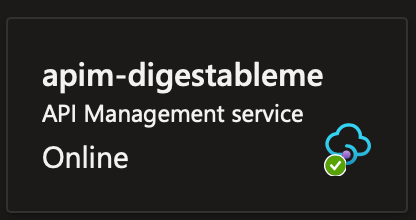
APIM in Azure dashboard

Docker Desktop

Download install and run docker desktop.

Self hosted local API Gateway

From your APIM service dashboard select Gateways under Deployment + infrastructure
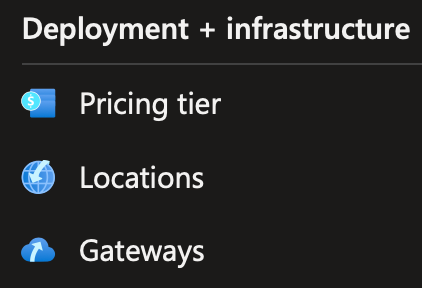
Selecting Gateways in your Azure APIM service

Add a new gateway and select it from the list and select deployment from the settings menu.

Select the Docker tab under Deployment scripts:
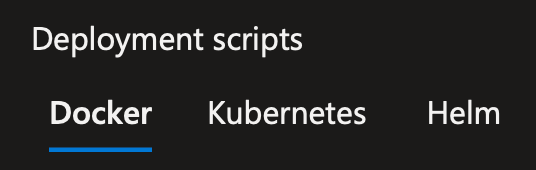
Selecting Docker deployment scripts

Then click on env.conf to download the config file to disk:

Downloading gateway config file.

Copy the run command and run it locally.

Docker command to create locally hosted gateway instance.

You should now see the new container running in the Docker desktop application

Gateway running in Docker container

Click on the container name to view the logs and you should see it communicating with your Azure APIM service.

Gateway log excerpt showing heartbeat

Then go back to the Gateway in Azure and check that the gateway is reporting 1 instance with a heartbeat.

APIM: Gateway

See instructions to host the gateway locally in docker for more details.

Add the Recipes API to the Gateway

Go to your Azure portal and select APIs in the API management service you created.
Selecting APIs in Azure APIM

Choose OpenAPI in Create from definition
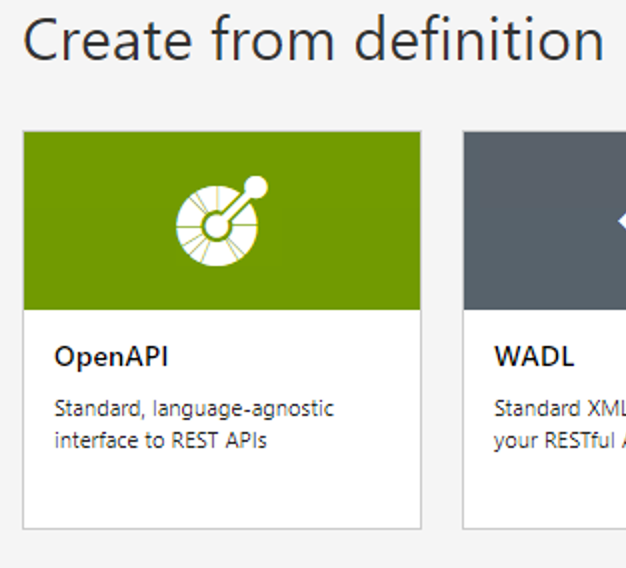
Select creae from OpenAPI file.

And load the swagger.json file you saved in the previous blog post, then hit the create button.

Once added you can set the api suffix in the settings tab which will be reflected in the base url.
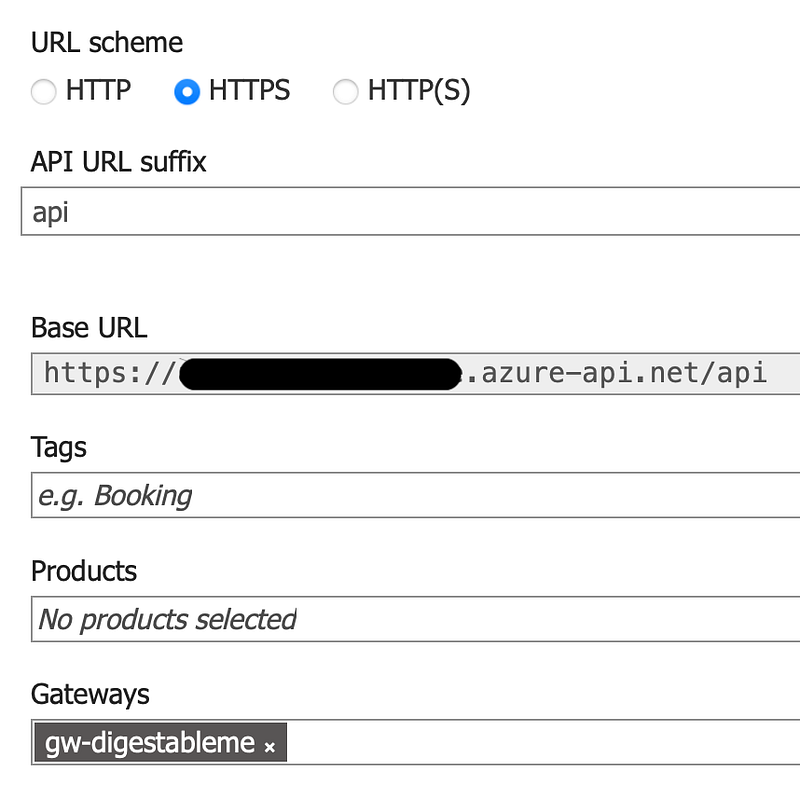
APIM: API settings tab

Make sure you add your api gateway to the gateways list.

Point the new API at your local backend service.

Make a note of your machine IP or DNS name. You can find your IP address in window settings (windows:settings.network and internet.ethernet.properties) and your host and dns suffix with the ipconfig /all command.

IPv4 address in network settings

Under APIM service APIs section in Azure select

Select backends in Azure APIM

Add a new backend and point it at your Web API using your machines dns name or IP Address:

https://:/

e.g. https://172.16.44.138:44374/

The port number is the one you specified in the launch settings file when setting up the API.

APIM: API Backend

Add a policy to redirect gateway requests to your local API.

Select your API and all operations in your Azure portal APIM service.

Selecting all operations in Azure APIM gateway

Click on the code link next to any policy section to display policies for all operations and then paste the following policies, ensuring that the backend-id matches the backend your set up in the previous step, save the changes.

How to edit the policies for a managed API.
<policies>
    <inbound>
        <base />
        <set-backend-service backend-id="LocalRecipesAPI" />
    </inbound>
    <backend>
        <forward-request timeout="10" />
    </backend>
    <outbound>
        <base />
    </outbound>
    <on-error>
        <base />
    </on-error>
</policies>

Monitor the local API gateway logs in docker and wait for the service to update the changes to the gateway.

Now we can test it works via the gateway by using the localhost with the api suffix you configured in the gateway:

https://localhost/api/recipes

If you get an issue check the API Gateway logs in docker.

If not, Congratulations on setting up a working local API gateway, now let’s secure it.

Ta Da
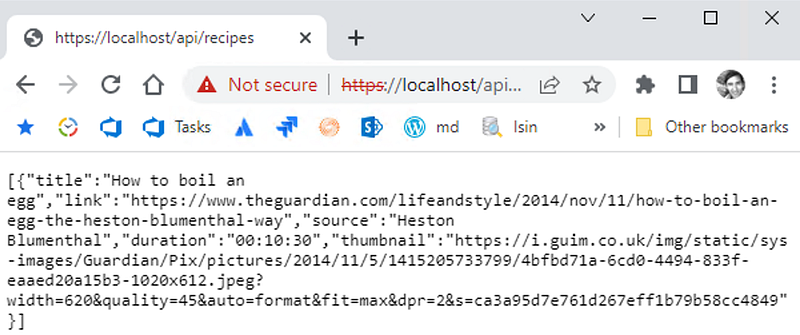
Local API Gateway request

Gateway log excerpt

[Info] 2022-08-31T01:38:04.328, isRequestSuccess: True, totalTime: 110, category: GatewayLogs, callerIpAddress: 172.17.0.1, timeGenerated: 08/31/2022 13:38:04, region: uksouth, correlationId: acd9290b-c156-4970-b527-331a1b540902, method: GET, url: https://localhost/api/recipes, backendResponseCode: 200, responseCode: 200, responseSize: 535, cache: none, backendTime: 107, apiId: recipies-api, operationId: GetRecipes, clientProtocol: HTTP/2, backendProtocol: HTTP/1.1, backendId: LocalRecipesAPI, apiRevision: 1, clientTlsVersion: 1.2, backendMethod: GET, backendUrl: https://172.16.44.138:44374/recipes, correlationId: acd9290b-c156-4970-b527-331a1b540902

Links

Flutter
Mobile
Mobile App Development
Programming
API
Recommended from ReadMedium