
An Image Recognition Classifier using CNN, Keras and Tensorflow Backend
How to implement it today
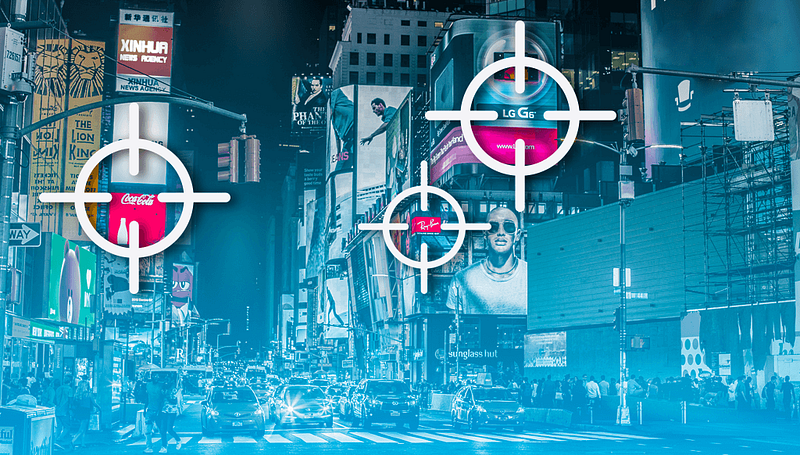
Image recognition is the process of identifying and detecting an object or a feature in a digital image or video.
Some of its applications include systems for factory automation, face recognition, booth monitoring, and security surveillance. Image recognition is embedded in technologies that enable students with learning disabilities to receive the education they need — in a form they can perceive. Apps powered by computer vision offer text-to-speech options, which allow students with impaired vision or dyslexia to ‘read’ the content. By employing image recognition, Jetpac caught visual cues in the photos and analyzed them to offer live data to its users. For example, based on images, the app could tell you whether hipsters frequent a cafe in Berlin, or it’s a wild country bar.
CNN
A convolutional neural network (CNN) is a specific type of artificial neural network that uses perceptrons, a machine learning unit algorithm, for supervised learning, to analyze data.
Convolutional networks perceive images as volumes, i.e., three-dimensional objects, rather than flat canvases to be measured only by width and height. That’s because digital color images have a red-blue-green (RGB) encoding, mixing those three colors to produce the color spectrum humans perceive. A convolutional network ingests such images as three separate strata of color stacked one on top of the other.

So a convolutional network receives a normal color image as a rectangular box whose width and height are measured by the number of pixels along those dimensions, and whose depth is three layers deep, one for each letter in RGB. Those depth layers are referred to as channels.
- Keras is a high-level neural network API written in Python. It provides a simplified interface for defining and training neural networks, allowing developers to focus on the architecture of the network rather than the details of implementing the network in low-level code.
- TensorFlow is an open-source machine learning framework developed by Google. TensorFlow provides a comprehensive set of tools for building and deploying machine learning models, including support for deep learning, reinforcement learning, and unsupervised learning.
- The TensorFlow backend is the implementation of the Keras API that uses TensorFlow as the underlying library for training and testing neural networks. This backend allows Keras to run on top of TensorFlow and take advantage of its powerful features and optimizations for training large-scale neural networks.
- With the TensorFlow backend, developers can use Keras to define and train neural networks, and then use TensorFlow to deploy the trained model for production use or to perform additional analyses, such as model interpretation and visualization.
Projects Videos —
All the projects, data structures, SQL, algorithms, system design, Data Science and ML , Data Analytics, Data Engineering, , Implemented Data Science and ML projects, Implemented Data Engineering Projects, Implemented Deep Learning Projects, Implemented Machine Learning Ops Projects, Implemented Time Series Analysis and Forecasting Projects, Implemented Applied Machine Learning Projects, Implemented Tensorflow and Keras Projects, Implemented PyTorch Projects, Implemented Scikit Learn Projects, Implemented Big Data Projects, Implemented Cloud Machine Learning Projects, Implemented Neural Networks Projects, Implemented OpenCV Projects,Complete ML Research Papers Summarized, Implemented Data Analytics projects, Implemented Data Visualization Projects, Implemented Data Mining Projects, Implemented Natural Leaning Processing Projects, MLOps and Deep Learning, Applied Machine Learning with Projects Series, PyTorch with Projects Series, Tensorflow and Keras with Projects Series, Scikit Learn Series with Projects, Time Series Analysis and Forecasting with Projects Series, ML System Design Case Studies Series videos will be published on our youtube channel ( just launched).
Subscribe today!
In summary, Keras is a high-level API for building neural networks, and the TensorFlow backend is the implementation of this API that uses TensorFlow as the underlying library for training and testing neural networks.
Today we will be implementing a simple image recognition Classifier using CNN, Keras, and Tensorflow backend that rescales the image applies shear in some range, zooms the image, and does horizontal flipping with the image. This ImageDataGenerator includes all possible orientation of the image.
train_datagen.flow_from_directory Is the function that is used to prepare data from the train_dataset directory specifies the target size of the image.
test_datagen.flow_from_directory It is used to prepare test data for the model.
fit_generator It is used to fit the data into the model made above; other factors used to tell us about the number of times the model will execute for the training data.
epochs Tells us the number of times the model will be trained in forwarding and backward pass.
validation_data It is used to feed the validation/test data into the model.
validation_steps Denotes the number of validation/test samples.
#Importing Libraries and Splitting the Dataset
#After importing the libraries, we need to split our data into two #parts- taining_set and test_set.
#In our case, the dataset is already split into two parts.
#The training set has 4000 image each of dogs and cats while the #test set has 1000 images of each.
from keras.models import Sequential
from keras.layers import Convolution2D
from keras.layers import MaxPooling2D
from keras.layers import Flatten
from keras.layers import Dense
import warnings
warnings.filterwarnings('ignore')Initialize the CNN
Initialize the CNNclassifier=Sequential()#Convolution : to extract features from the input image. Convolution #preserves the spatial relationship between pixels by learning image #features using small squares of input data.classifier.add(Convolution2D(32,3,3,\
input_shape=(64,64,3),activation="relu"))Pooling: Pooling (also called subsampling or downsampling) reduces the dimensionality of each feature map but retains the most important information.
classifier.add(MaxPooling2D(pool_size=(2,2)))Flattening: the matrix is converted into a linear array so that to input it into the nodes of our neural network.
classifier.add(Flatten())Full Connection: Full connection is connecting our convolutional network to a neural network and then compiling our network.
classifier.add(Dense(output_dim=128,activation="relu"))
classifier.add(Dense(output_dim=1,activation="sigmoid"))
#Compile : Here we have made 2 layer neural network with a sigmoid #function as an activation function for the last layer as we need to #find the probability of the object being a cat or a dog.classifier.compile(optimizer="adam",loss="binary_crossentropy",\
metrics=['accuracy'])Fitting the CNN to the images —
from keras_preprocessing.image import ImageDataGeneratortrain_datagen=ImageDataGenerator(rescale=1./255,shear_range=0.2,\
zoom_range=0.2,horizontal_flip=True)
test_datagen= ImageDataGenerator(rescale=1./255)Train and Test data set —
training_set=train_datagen.flow_from_directory('/Users/priyeshkucchu/Desktop/dataset/training_set/',\
target_size=(64,64),batch_size=32,class_mode='binary')test_set=test_datagen.flow_from_directory('/Users/priyeshkucchu/Desktop/dataset/test_set/',\
target_size=(64,64),batch_size=32,class_mode='binary')Output —
Found 8000 images belonging to 2 classes.
Found 2000 images belonging to 2 classes.
Training the network —
from IPython.display import display
from PIL import Imageclassifier.fit_generator(training_set,steps_per_epoch=8000,\
epochs=10,validation_data=test_set,validation_steps=800)Output —
Epoch 1/10
8000/8000 [==============================] - 1938s 242ms/step - loss: 0.6933 - acc: 0.4958 - val_loss: 0.6931 - val_acc: 0.4998
Epoch 2/10
8000/8000 [==============================] - 2012s 251ms/step - loss: 0.6932 - acc: 0.4950 - val_loss: 0.6931 - val_acc: 0.4997
Epoch 3/10
8000/8000 [==============================] - 1951s 244ms/step - loss: 0.6932 - acc: 0.4936 - val_loss: 0.6932 - val_acc: 0.4994
Epoch 4/10
8000/8000 [==============================] - 3863s 483ms/step - loss: 0.6932 - acc: 0.4950 - val_loss: 0.6931 - val_acc: 0.5008
Epoch 5/10
8000/8000 [==============================] - 4821s 603ms/step - loss: 0.6932 - acc: 0.4955 - val_loss: 0.6931 - val_acc: 0.4999
Epoch 6/10
8000/8000 [==============================] - 41785s 5s/step - loss: 0.6932 - acc: 0.4965 - val_loss: 0.6931 - val_acc: 0.5004
Epoch 7/10
8000/8000 [==============================] - 1432s 179ms/step - loss: 0.6932 - acc: 0.4955 - val_loss: 0.6931 - val_acc: 0.4998
Epoch 8/10
8000/8000 [==============================] - 2358s 295ms/step - loss: 0.6932 - acc: 0.4943 - val_loss: 0.6931 - val_acc: 0.5001
Epoch 9/10
8000/8000 [==============================] - 1538s 192ms/step - loss: 0.6932 - acc: 0.4942 - val_loss: 0.6931 - val_acc: 0.4998
Epoch 10/10
8000/8000 [==============================] - 1457s 182ms/step - loss: 0.6932 - acc: 0.4962 - val_loss: 0.6931 - val_acc: 0.5003
Test with a random image
import numpy as np
from keras.preprocessing import image
test_image = image.load_img('/Users/priyeshkucchu/Desktop/RImage.jpeg',\
target_size=(64,64))
test_image=image.img_to_array(test_image)
test_image = np.expand_dims(test_image,axis=0)
result = classifier.predict(test_image)
training_set.class_indices
if result[0][0]>0.5:
prediction="dog"
else:
prediction="cat"
print(prediction)Output —
dog
Please let me know if you need the code for this project in the comment section below.
References: