Free AI web copilot to create summaries, insights and extended knowledge, download it at here
7112
Abstract
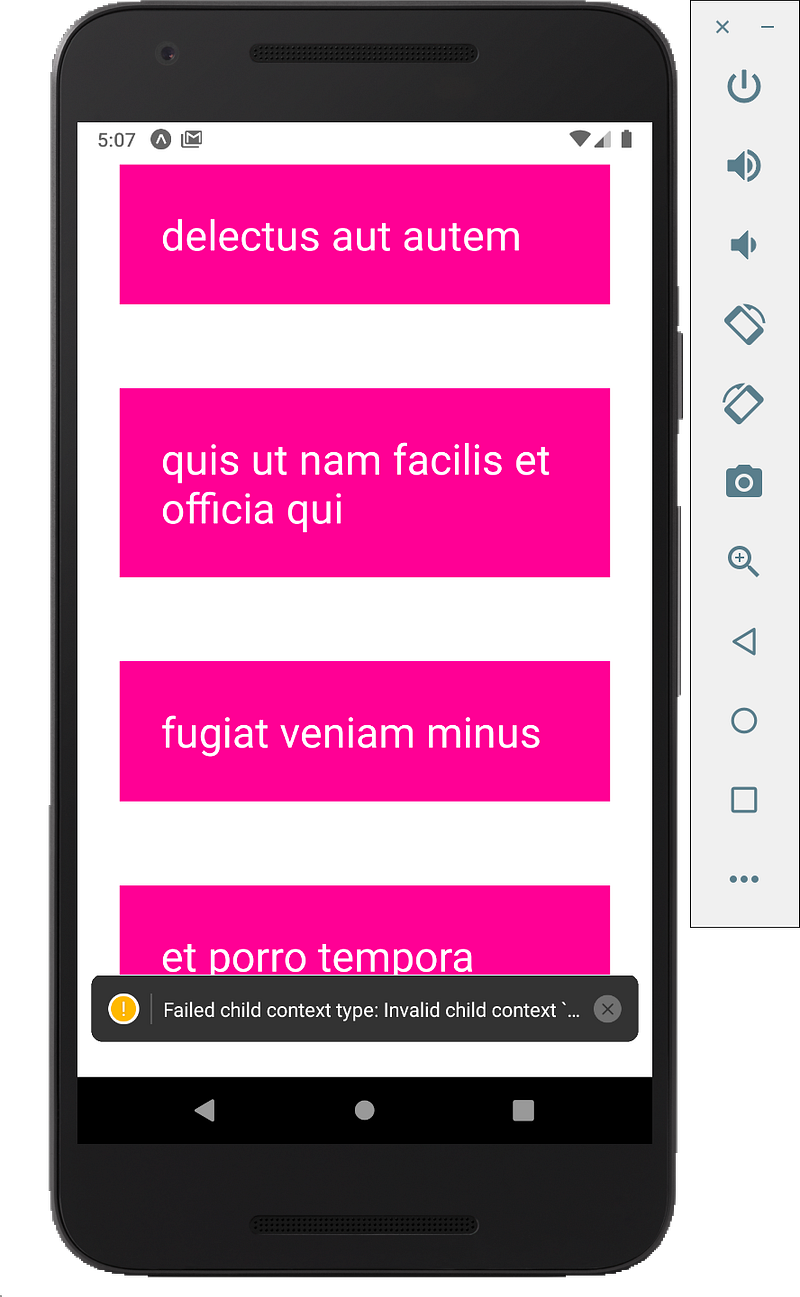
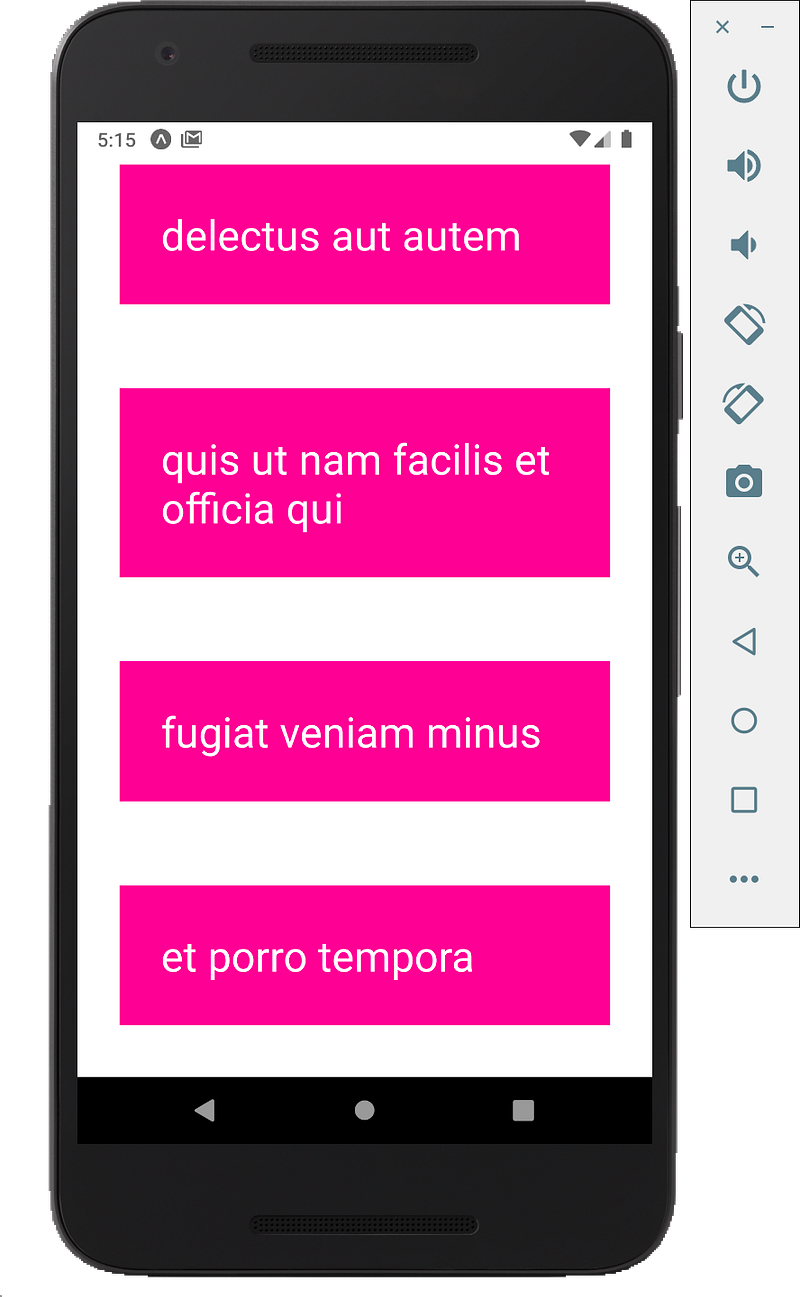
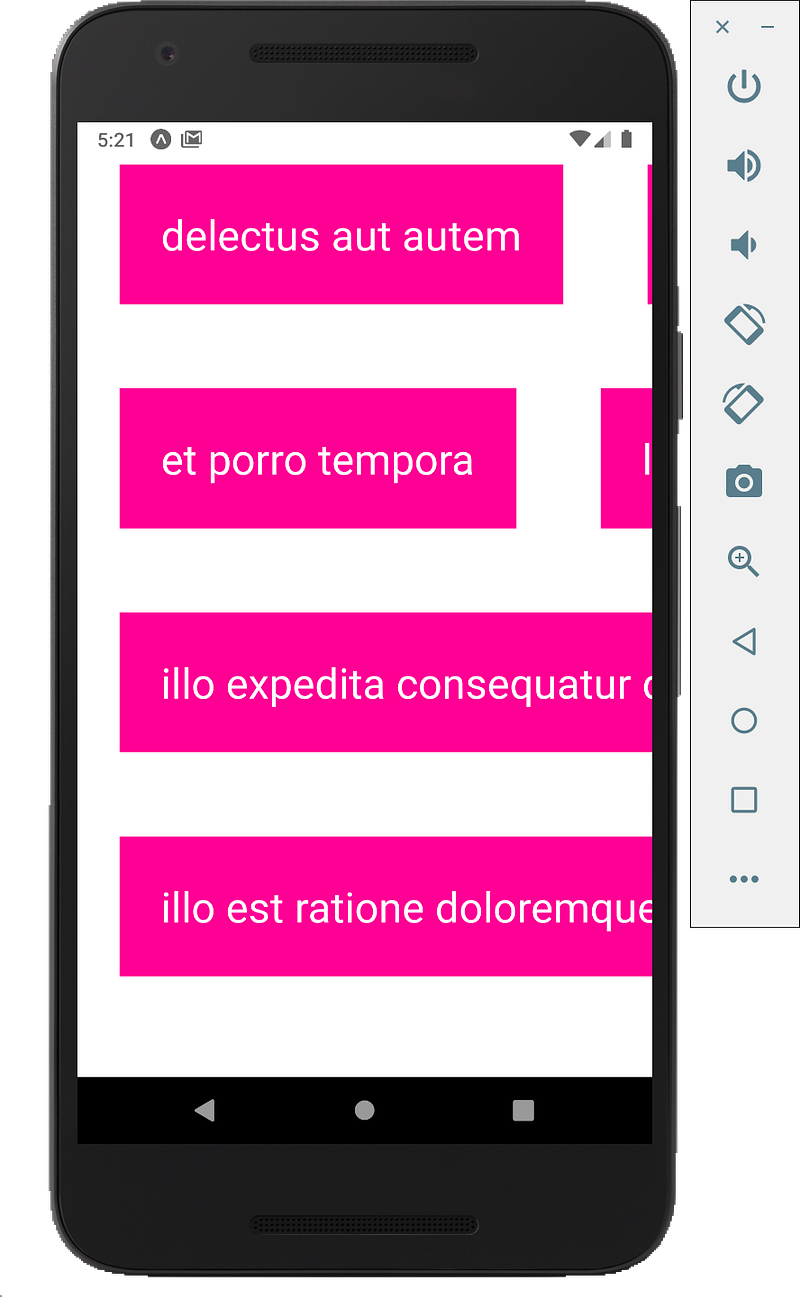
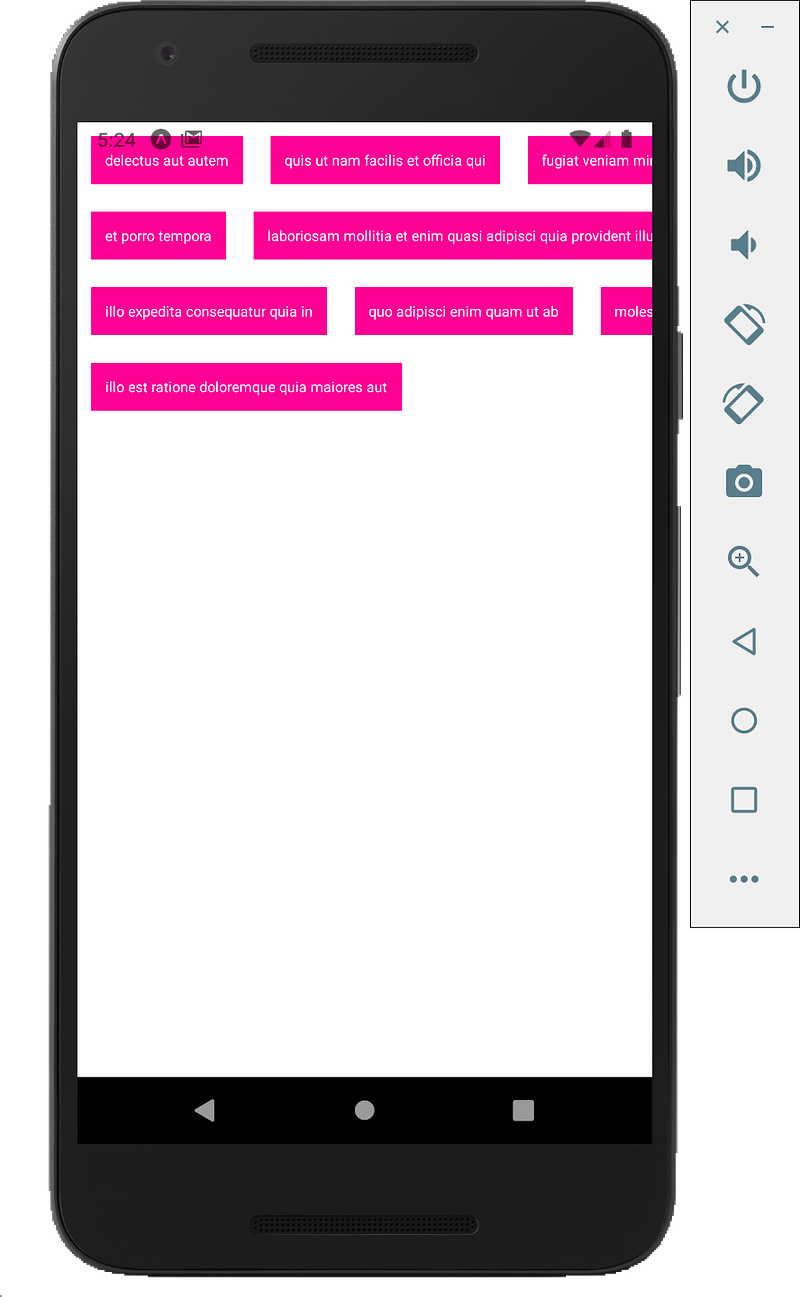
//cdn-images-1.readmedium.com/v2/resize:fit:800/1*y6ViaFb4AvJzpOGlZZKaEw.png"><figcaption></figcaption></figure><h2 id="bd9a">Set column</h2><p id="f3b6">Another property called “numColumns”, we can set this equal to a number.</p><p id="28f8">We set it as 3 and it is going to do is split up into some kind of grid.</p><figure id="7a53"><img src="https://cdn-images-1.readmedium.com/v2/resize:fit:800/1*q_kepoU8BZ7lra4yEZJ6Rw.png"><figcaption></figcaption></figure><p id="d4a8">We can change the style to lower the fontSize, margin and padding to 10 so can get a clearer picture.</p><div id="6492"><pre><span class="hljs-symbol">todo:</span> {</pre></div><div id="61d9"><pre><span class="hljs-attribute">margin</span>: <span class="hljs-number">10</span>,</pre></div><div id="a35e"><pre><span class="hljs-symbol">backgroundColor:</span> <span class="hljs-comment">'deeppink',</span></pre></div><div id="fb25"><pre><span class="hljs-attribute">color</span>: <span class="hljs-string">'white'</span>,</pre></div><div id="4be0"><pre><span class="hljs-attribute">fontSize</span>: <span class="hljs-number">10</span>,</pre></div><div id="e472"><pre><span class="hljs-attribute">padding</span>: <span class="hljs-number">10</span></pre></div><div id="ad46"><pre>}</pre></div><figure id="a9d8"><img src="https://cdn-images-1.readmedium.com/v2/resize:fit:800/1*Bk8YBs7DKxBXhHY8SP_xwQ.png"><figcaption></figcaption></figure><p id="9fad">Full Code:</p><div id="f412"><pre><span class="hljs-keyword">import</span> React, { useState } <span class="hljs-keyword">from</span> <span class="hljs-string">'react'</span>;</pre></div><div id="2b9d"><pre><span class="hljs-keyword">import</span> { StyleSheet, <span class="hljs-type">Text</span>, <span class="hljs-keyword">View</span>, FlatList } <span class="hljs-keyword">from</span> <span class="hljs-string">'react-native'</span>;</pre></div><div id="edb0"><pre><span class="hljs-keyword">export</span> <span class="hljs-keyword">default</span> <span class="hljs-function"><span class="hljs-keyword">function</span> <span class="hljs-title">App</span><span class="hljs-params">()</span> <span class="hljs-comment">{</span></span></pre></div><div id="a056"><pre><span class="hljs-keyword">const</span> [todos, <span class="hljs-built_in">set</span>Todo] = useState([{</pre></div><div id="daee"><pre><span class="hljs-attr">"userId"</span><span class="hljs-punctuation">:</span> <span class="hljs-number">1</span><span class="hljs-punctuation">,</span></pre></div><div id="993c"><pre><span class="hljs-attr">"id"</span><span class="hljs-punctuation">:</span> <span class="hljs-number">1</span><span class="hljs-punctuation">,</span></pre></div><div id="bc9a"><pre><span class="hljs-attr">"title"</span><span class="hljs-punctuation">:</span> <span class="hljs-string">"delectus aut autem"</span><span class="hljs-punctuation">,</span></pre></div><div id="be65"><pre><span class="hljs-attr">"completed"</span><span class="hljs-punctuation">:</span> <span class="hljs-literal"><span class="hljs-keyword">false</span></span></pre></div><div id="1200"><pre>},</pre></div><div id="10fc"><pre>{</pre></div><div id="6c4d"><pre><span class="hljs-attr">"userId"</span><span class="hljs-punctuation">:</span> <span class="hljs-number">1</span><span class="hljs-punctuation">,</span></pre></div><div id="40ad"><pre><span class="hljs-attr">"id"</span><span class="hljs-punctuation">:</span> <span class="hljs-number">2</span><span class="hljs-punctuation">,</span></pre></div><div id="e69c"><pre><span class="hljs-attr">"title"</span><span class="hljs-punctuation">:</span> <span class="hljs-string">"quis ut nam facilis et officia qui"</span><span class="hljs-punctuation">,</span></pre></div><div id="4e1e"><pre><span class="hljs-attr">"completed"</span><span class="hljs-punctuation">:</span> <span class="hljs-literal"><span class="hljs-keyword">false</span></span></pre></div><div id="907f"><pre>},</pre></div><div id="0365"><pre>{</pre></div><div id="71a6"><pre><span class="hljs-attr">"userId"</span><span class="hljs-punctuation">:</span> <span class="hljs-number">1</span><span class="hljs-punctuation">,</span></pre></div><div id="4f6a"><pre><span class="hljs-attr">"id"</span><span class="hljs-punctuation">:</span> <span class="hljs-number">3</span><span class="hljs-punctuation">,</span></pre></div><div id="49dd"><pre><span class="hljs-attr">"title"</span><span class="hljs-punctuation">:</span> <span class="hljs-string">"fugiat veniam minus"</span><span class="hljs-punctuation">,</span></pre></div><div id="bac4"><pre><span class="hljs-attr">"completed"</span><span class="hljs-punctuation">:</span> <span class="hljs-literal"><span class="hljs-keyword">false</span></span></pre></div><div id="9274"><pre>},</pre></div><div id="1581"><pre>{</pre></div><div id="810d"><pre><span class="hljs-attr">"userId"</span><span class="hljs-punctuation">:</span> <span class="hljs-number">1</span><span class="hljs-punctuation">,</span></pre></div><div id="5db3"><pre><span class="hljs-attr">"id"</span><span class="hljs-punctuation">:</span> <span class="hljs-number">4</span><span class="hljs-punctuation">,</span></pre></div><div id="03cc"><pre><span class="hljs-attr">"title"</span><span class="hljs-punctuation">:</span> <span class="hljs-string">"et porro tempora"</span><span class="hljs-punctuation">,</span></pre></div><div id="7388"><pre><span class="hljs-attr">"completed"</span><span class="hljs-punctuation">:</span> <span class="hljs-literal"><span class="hljs-keyword">true</span></span></pre></div><div id="6048"><pre>},</pre></div><div id="b1a1"><pre>{</pre></div><div id="f3e9"><pre><span class="hljs-attr">"userId"</span><span class="hljs-punctuation">:</span> <span class="hljs-number">1</span><span class="hljs-punctuation">,</span></pre></div><div id="9ab2"><pre><span class="hljs-attr">"id"</span><span class="hljs-punctuation">:</span> <span class="hljs-number">5</span><span class="hljs-punctuation">,</span></pre></div><div id="5ca5"><pre><span class="hljs-comment">"title"</span>: <span class="hljs-comment">"laboriosam mollitia et enim quasi adipisci quia provident illum"</span>,</pre></div><div id="4cd8"><pre><span class="hljs-attr">"completed"</span><span class="hljs-punctuation">:</span> <span class="hljs-literal"><span class="hljs-keyword">false</span></span></pre></div><div id="da19"><pre>},</pre></div><div id="665a"><pre>{</pre></div><div id="fd3c"><pre><span class="hljs-attr">"userId"</span><span class="hljs-punctuation">:</span> <span class="hljs-number">1</span><span class="hljs-punctuation">,</span></pre></div><div id="afdd"><pre><span class="hljs-attr">"id"</span><span class="hljs-punctuation">:</span> <span class="hljs-number">6</span><span class="hljs-punctuation">,</span></pre></div><div id="837d"><pre><span class="hljs-comment">"title"</span>: <span class="hljs-comment">"qui ullam ratione quibusdam voluptatem quia omnis"</span>,</pre></div><div id="8209"><pre><span class="hljs-attr">"completed"</span><span class="hljs-punctuation">:</span> <span class="hljs-literal"><span class="hljs-keyword">false</span></span></pre></div><
Options
div id="d773"><pre>},</pre></div><div id="355b"><pre>{</pre></div><div id="3411"><pre><span class="hljs-attr">"userId"</span><span class="hljs-punctuation">:</span> <span class="hljs-number">1</span><span class="hljs-punctuation">,</span></pre></div><div id="0dce"><pre><span class="hljs-attr">"id"</span><span class="hljs-punctuation">:</span> <span class="hljs-number">7</span><span class="hljs-punctuation">,</span></pre></div><div id="9b5b"><pre><span class="hljs-comment">"title"</span>: <span class="hljs-comment">"illo expedita consequatur quia in"</span>,</pre></div><div id="fc89"><pre><span class="hljs-attr">"completed"</span><span class="hljs-punctuation">:</span> <span class="hljs-literal"><span class="hljs-keyword">false</span></span></pre></div><div id="0084"><pre>},</pre></div><div id="8d29"><pre>{</pre></div><div id="7453"><pre><span class="hljs-attr">"userId"</span><span class="hljs-punctuation">:</span> <span class="hljs-number">1</span><span class="hljs-punctuation">,</span></pre></div><div id="56a9"><pre><span class="hljs-attr">"id"</span><span class="hljs-punctuation">:</span> <span class="hljs-number">8</span><span class="hljs-punctuation">,</span></pre></div><div id="acf0"><pre><span class="hljs-comment">"title"</span>: <span class="hljs-comment">"quo adipisci enim quam ut ab"</span>,</pre></div><div id="f475"><pre><span class="hljs-attr">"completed"</span><span class="hljs-punctuation">:</span> <span class="hljs-literal"><span class="hljs-keyword">true</span></span></pre></div><div id="ffc0"><pre>},</pre></div><div id="1633"><pre>{</pre></div><div id="a2a9"><pre><span class="hljs-attr">"userId"</span><span class="hljs-punctuation">:</span> <span class="hljs-number">1</span><span class="hljs-punctuation">,</span></pre></div><div id="9e6a"><pre><span class="hljs-attr">"id"</span><span class="hljs-punctuation">:</span> <span class="hljs-number">9</span><span class="hljs-punctuation">,</span></pre></div><div id="0ea0"><pre><span class="hljs-attr">"title"</span><span class="hljs-punctuation">:</span> <span class="hljs-string">"molestiae perspiciatis ipsa"</span><span class="hljs-punctuation">,</span></pre></div><div id="f8af"><pre><span class="hljs-attr">"completed"</span><span class="hljs-punctuation">:</span> <span class="hljs-literal"><span class="hljs-keyword">false</span></span></pre></div><div id="2e3c"><pre>},</pre></div><div id="5134"><pre>{</pre></div><div id="3540"><pre><span class="hljs-attr">"userId"</span><span class="hljs-punctuation">:</span> <span class="hljs-number">1</span><span class="hljs-punctuation">,</span></pre></div><div id="03e6"><pre><span class="hljs-attr">"id"</span><span class="hljs-punctuation">:</span> <span class="hljs-number">10</span><span class="hljs-punctuation">,</span></pre></div><div id="7f41"><pre><span class="hljs-comment">"title"</span>: <span class="hljs-comment">"illo est ratione doloremque quia maiores aut"</span>,</pre></div><div id="9275"><pre><span class="hljs-attr">"completed"</span><span class="hljs-punctuation">:</span> <span class="hljs-literal"><span class="hljs-keyword">true</span></span></pre></div><div id="9168"><pre>}])</pre></div><div id="8584"><pre><span class="hljs-keyword">return</span> (</pre></div><div id="c52d"><pre><span class="hljs-tag"><<span class="hljs-name">View</span> <span class="hljs-attr">style</span>=<span class="hljs-string">{styles.container}</span>></span></pre></div><div id="9bcb"><pre><FlatList</pre></div><div id="d4d6"><pre><span class="hljs-attribute">numColumns</span><span class="hljs-operator">=</span>{<span class="hljs-number">3</span>}</pre></div><div id="7c13"><pre><span class="hljs-attribute">keyExtractor</span><span class="hljs-operator">=</span>{(item) <span class="hljs-operator">=</span>> item.id.toString()}</pre></div><div id="4d2a"><pre><span class="hljs-class"><span class="hljs-keyword">data</span>={<span class="hljs-title">todos</span>}</span></pre></div><div id="3583"><pre><span class="hljs-attribute">renderItem</span><span class="hljs-operator">=</span>{({ item }) <span class="hljs-operator">=</span>> (</pre></div><div id="68fe"><pre><span class="language-xml"><span class="hljs-tag"><<span class="hljs-name">Text</span> <span class="hljs-attr">style</span>=</span></span><span class="hljs-template-variable">{styles.todo}</span><span class="language-xml"><span class="hljs-tag">></span></span><span class="hljs-template-variable">{item.title}</span><span class="language-xml"><span class="hljs-tag"></<span class="hljs-name">Text</span>></span></span></pre></div><div id="54ea"><pre>)}</pre></div><div id="f9da"><pre><span class="hljs-meta prompt_">/></span></pre></div><div id="0a1b"><pre><span class="hljs-section"></View></span></pre></div><div id="d0a4"><pre>)<span class="hljs-comment">;</span></pre></div><div id="262f"><pre>}</pre></div><div id="9d57"><pre>const styles <span class="hljs-operator">=</span> StyleSheet.create({</pre></div><div id="b245"><pre><span class="hljs-symbol">container:</span> {</pre></div><div id="6d29"><pre><span class="hljs-attribute">flex</span>: <span class="hljs-number">1</span>,</pre></div><div id="ec65"><pre><span class="hljs-attribute">backgroundColor</span>: '<span class="hljs-comment">#fff',</span></pre></div><div id="4555"><pre><span class="hljs-symbol">alignItems:</span> <span class="hljs-comment">'center',</span></pre></div><div id="4286"><pre><span class="hljs-symbol">justifyContent:</span> <span class="hljs-comment">'center',</span></pre></div><div id="1f40"><pre>},</pre></div><div id="1f61"><pre><span class="hljs-symbol">todo:</span> {</pre></div><div id="83b3"><pre><span class="hljs-attribute">margin</span>: <span class="hljs-number">10</span>,</pre></div><div id="6aaf"><pre><span class="hljs-symbol">backgroundColor:</span> <span class="hljs-comment">'deeppink',</span></pre></div><div id="2098"><pre><span class="hljs-attribute">color</span>: <span class="hljs-string">'white'</span>,</pre></div><div id="806f"><pre><span class="hljs-attribute">fontSize</span>: <span class="hljs-number">10</span>,</pre></div><div id="2d56"><pre><span class="hljs-attribute">padding</span>: <span class="hljs-number">10</span></pre></div><div id="fdee"><pre>}</pre></div><div id="3bbf"><pre>})<span class="hljs-comment">;</span></pre></div><p id="2d1f">Get free tutorials on YouTube:</p><div id="50a2" class="link-block">
<a href="https://www.youtube.com/channel/UCu4-4FnutvSHVo9WHvq80Ww">
<div>
<div>
<h2>ckmobile</h2>
<div><h3>JavaScript is very important now no matter you are working in backend or frontend. NodeJS, Angular, VueJS or React all…</h3></div>
<div><p>www.youtube.com</p></div>
</div>
<div>
<div style="background-image: url(https://miro.readmedium.com/v2/resize:fit:320/0*YpcXkLyylcTNhjAi)"></div>
</div>
</div>
</a>
</div><p id="9a0c">Follow us: <a href="https://twitter.com/ckmobilejavasc1">https://twitter.com/ckmobilejavasc1</a></p></article></body>