
Expo folder and file structure
In this article, we are going to walk through the folder and files of the Expo project, including:
- .gitignore
- app.json
- babel.config.json
- package.json
Related Course:
Complete React Native articles:
- How to build a React Native app with Expo
- How to Run the Expo React Native app on the emulator
- Expo folder and file structure
- Expo React Native View, Text and Style
- Expo React Native — using React Hook useState()
- How to Use TextInput Component to Change State in React Native?
- How to Use Expo React Native List and ScrollView
- How and why we use Flatlist in Expo React Native
- What is TouchableOpacity in Expo React Native?
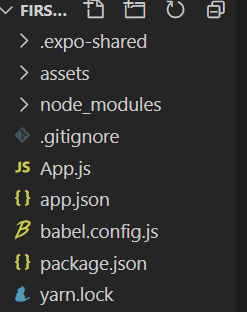
These are all of the different folders and files generated by Expo when we start a new react project.
First of all at the top we have a couple of folders Expo and Expo shared.
These are just for expo configuration and settings files we do not need to go in there.
We also have an assets folder and that is going to contain any kind of images that we want to use in our app later on.
We have node modules folder and that folder contains all of the different dependencies and packages that we need in this project for it to work so if we install any third-party packages in the future. Those are going to be installed into this node modules folder.
We do not have to directly go into this folder and change anything. We just need to know that this is where we keep all of those libraries when we install them.
We have a git ignore file and this file is used by git to help decide which files to track or rather not to track so this is for version control.

.gitignore
For example, we can see the .gitignore contain node_modules. We do not want to track the node_modules because the file size of node_modules is very large. We just want to clone the project and install the library by “npm install” rather than cloning from the git.

“App.js” file is the actual file with all of our project code in it. This file is the stuff will actually be editing to make our app.
We can already see we have a functional component right here called “App”
up and that contains a JSX template.
export default function App() {return (<View style={styles.container}><Text>Open up App.js to start working on your app!</Text><StatusBar style="auto" /></View>);}
This will be the root component of our app and currently it just contains the content that we see on our device.
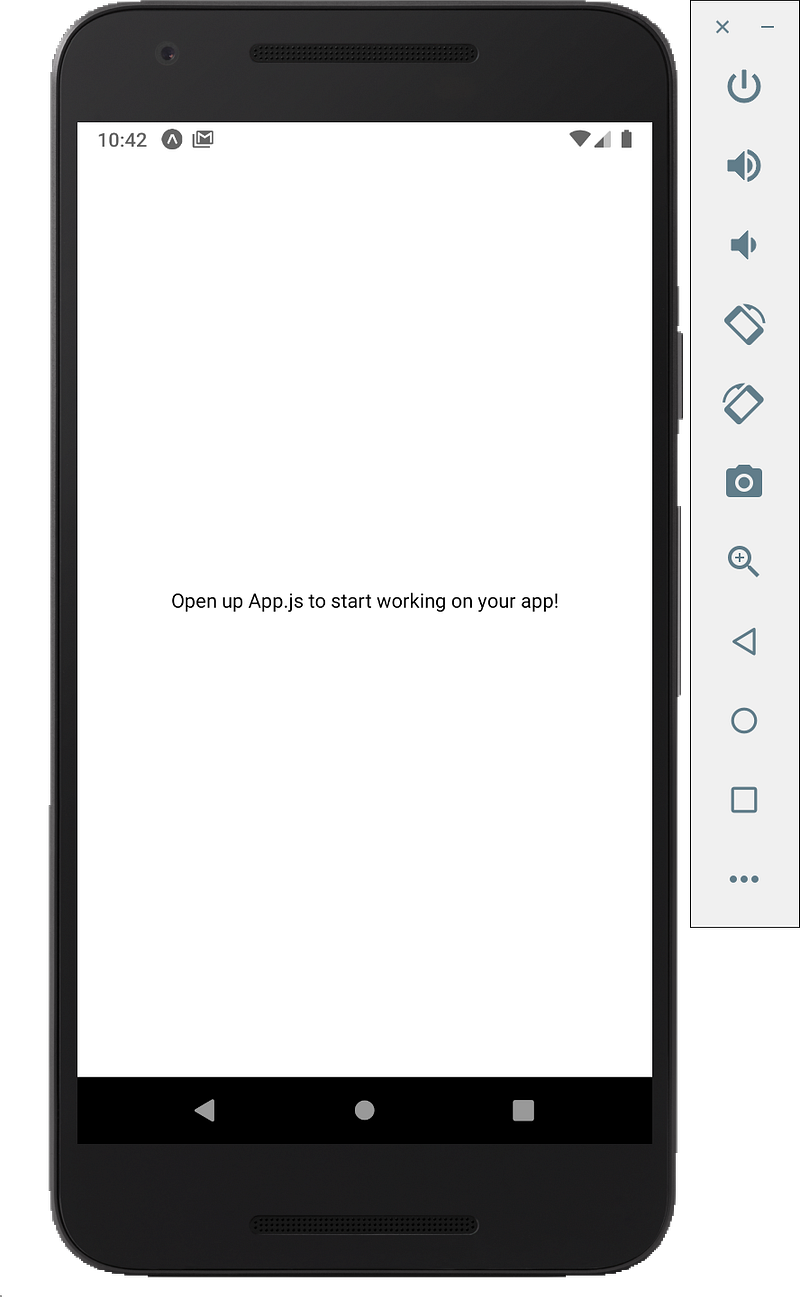
This root component uses some of the built-in react components view and text.
app.json
//app.json
{"expo": {"name": "first-project","slug": "first-project","version": "1.0.0","orientation": "portrait","icon": "./assets/icon.png","splash": {"image": "./assets/splash.png","resizeMode": "contain","backgroundColor": "#ffffff"},
"updates": {"fallbackToCacheTimeout": 0},
"assetBundlePatterns": ["**/*"],
"ios": {"supportsTablet": true},
"android": {"adaptiveIcon": {"foregroundImage": "./assets/adaptive-icon.png","backgroundColor": "#FFFFFF"}
},
"web": {"favicon": "./assets/favicon.png"}
}
}
“app.json” contains information about our project, its name, its supported platforms, icon, splash images.
babel.config.json
“babel.config.json” file is for configuring how babel works with this project and babel is just a compiler which allows us to use modern JavaScript features.
package.json
{"main": "node_modules/expo/AppEntry.js","scripts": {"start": "expo start","android": "expo start --android","ios": "expo start --ios","web": "expo start --web","eject": "expo eject"},
"dependencies": {"expo": "~40.0.0","expo-status-bar": "~1.0.3","react": "16.13.1","react-dom": "16.13.1","react-native": "https://github.com/expo/react-native/archive/sdk-40.0.1.tar.gz","react-native-web": "~0.13.12"},
"devDependencies": {"@babel/core": "~7.9.0"},
"private": true}
“package.json” is used to track our different dependencies of the project and also some scripts as well so just extra information about the project.
At last, if the process running, then it is going to reload that over here on the fly for us so we don’t have to do all of that restarting all of the time. We just need to change the code and save, the result will update on the emulator at instant.
Subscribe Youtube:
Follow Us:


