
Watching the Network Watchers
Do you know what connections your router or firewall makes?
~~~~~~~~~~~~~~~~~~~~~~~~~~~~~~~~~~~~~~~~~~~~~~~~~~~~~~~~~
⚙️ Check out my series on Automating Cybersecurity Metrics. The Code.
🔒 Related Stories: Network Security | PFSense | Netgate | Dream Machine Pro | Ubiquiti
💻 Free Content on Jobs in Cybersecurity | ✉️ Sign up for the Email List
~~~~~~~~~~~~~~~~~~~~~~~~~~~~~~~~~~~~~~~~~~~~~~~~~~~~~~~~~
I recently posted this story on Twitter (@teriradichel) about ASUS routers infected by malware:
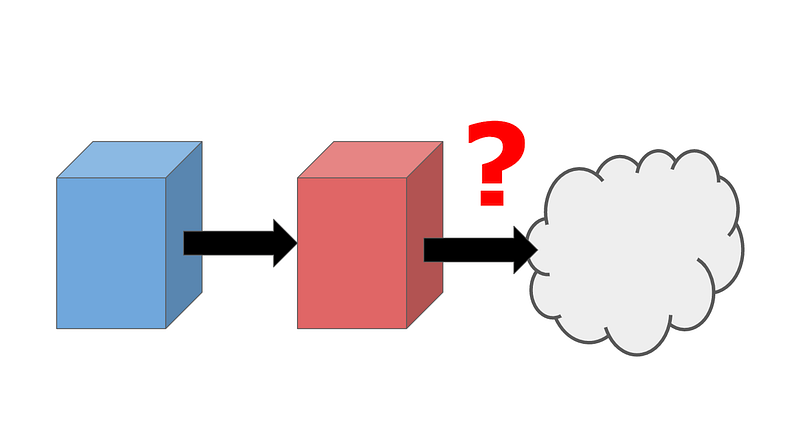
Have you ever taken a look at the traffic between your firewall or router and the Internet? Maybe you should. I did this recently with a new Ubuiqiti Dream Machine. Firewalls, routers, and other network devices sit at the edge of networks. Nothing exists between them and the Internet that can monitor their outbound traffic. Every once in a while, it’s a good idea to watch the watchers.
I am not sad to get rid of the Ubuiqiti Cloud Key, which required a concoction of strange ports and never really worked well for me (because I actually tried to set up a zero-trust network — if you don’t do that and left your network wide open, it probably worked fine). Additionally, the “high security” wi-fi device I had kept failing, maybe due to some blocked port, and the reset button broke, so I had to TFTP into it to reset it. I gave up on that a while ago after resetting it about five times. Hopefully, I’ll have better luck this time around with some different devices.
I finally decided to try again as I got tired of the black hole that is my wi-fi network and others in my household complaining that I had blocked traffic all the time (which wasn’t always the case! Sometimes streaming providers have issues). I’m hoping this new device will make it easier to pinpoint problems on the network, but we’ll see. I wrote about why wireless traffic might be challenging to analyze on your network in this series on home network monitoring.
How to inspect the traffic from your firewall or router to the Internet
One option to inspect traffic coming out of your router or firewall is to put another network appliance on it. See what connections it makes and if they are all as expected. Understand the functionality and purpose of the different network connections originating from your device. Where sufficient information does not exist, you can try to reverse-engineer what traffic the device requires and to which destinations. When you feel the information is insufficient, ask the vendor to improve their documentation. Documentation for anything on your network should include the following:
Domain NamesPortsProtocolsExpected CIDR block rangesIf you are not familiar with that terminology I wrote about in my book: Cybersecurity for Executives in the Age of Cloud.
For the Ubiquiti UDM, I couldn’t find sufficient documentation on domain names, ports, and protocols, so I put the new device behind another one to see what it connects to as it starts up. I’ll show you how I did that in an upcoming post.
If you’re not familiar with Wireshark and packet capture, you might want to check out this post before reading my upcoming stories on watching the network watchers. I’m going to use packet capture to review the domain names to which the device connects.
You’ll need to find a way to capture the packets flowing from one network device to another to inspect the traffic coming out of one device before it gets to the Internet. For example, you can put a PFSense in front of a Ubiquiti Dream Machine and use the packet capture function here:
You can also route the traffic to a public cloud and inspect the packets in the cloud. If the only route the device can take (or is supposed to take, presuming it is working properly) is to a private network in the cloud, you can capture the network packets there and inspect them before allowing them to pass to the Internet. On most public cloud networks, inbound traffic is free. Outbound traffic costs money. You could elect to simply terminate the traffic if you are only temporarily inspecting it or allow it to continue to pass through if you want to set up ongoing monitoring.
More posts to follow on this topic as time allows. I have a few looming deadlines, training material development, and consulting calls for clients of IANS Research, so we’ll see how fast I can get this out. And yes, I’m still working on some new books too.
Teri Radichel
If you liked this story please clap and follow:
Medium: Teri Radichel or Email List: Teri Radichel
Twitter: @teriradichel or @2ndSightLab
Requests services via LinkedIn: Teri Radichel or IANS Research
© 2nd Sight Lab 2022
More in this series on the security of network security appliances and network connected devices:
To be continued…
Follow for updates.
Teri Radichel | © 2nd Sight Lab 2022
About Teri Radichel:
~~~~~~~~~~~~~~~~~~~~
⭐️ Author: Cybersecurity Books
⭐️ Presentations: Presentations by Teri Radichel
⭐️ Recognition: SANS Award, AWS Security Hero, IANS Faculty
⭐️ Certifications: SANS ~ GSE 240
⭐️ Education: BA Business, Master of Software Engineering, Master of Infosec
⭐️ Company: Penetration Tests, Assessments, Phone Consulting ~ 2nd Sight Lab
Need Help With Cybersecurity, Cloud, or Application Security?
~~~~~~~~~~~~~~~~~~~~~~~~~~~~~~~~~~~~~~~~~~~~~~~~~~~~~~~~~~~~~
🔒 Request a penetration test or security assessment
🔒 Schedule a consulting call
🔒 Cybersecurity Speaker for PresentationFollow for more stories like this:
~~~~~~~~~~~~~~~~~~~~~~~~~~~~~~~~~~~~~~~~~~~~~~~~~~~~~~~~~~~~~
❤️ Sign Up my Medium Email List
❤️ Twitter: @teriradichel
❤️ LinkedIn: https://www.linkedin.com/in/teriradichel
❤️ Mastodon: @teriradichel@infosec.exchange
❤️ Facebook: 2nd Sight Lab
❤️ YouTube: @2ndsightlab


