
What is Packet Sniffing?
The most basic introduction to Wireshark
~~~~~~~~~~~~~~~~~~~~~~~~~~~~~~~~~~~~~~~~~~~~~~~~~~~~~~~~~~~
⚙️ Part of my series on Automating Cybersecurity Metrics. The Code.
🔒 Related Stories: Network Security | Cybersecurity
💻 Free Content on Jobs in Cybersecurity | ✉️ Sign up for the Email List
~~~~~~~~~~~~~~~~~~~~~~~~~~~~~~~~~~~~~~~~~~~~~~~~~~~~~~~~~~~
I wrote about how network security got me into cybersecurity during one of my first security incidents. I knew very little about cybersecurity at that time, but I was able to glean from network logs that something was on my system that shouldn’t be there.
However, there was a missing piece to the puzzle. I couldn’t see what was in the network traffic I was viewing. I could tell something was sending traffic on port 25, which is the port typically used for SMTP — a protocol used for sending email. I explain a bit about ports and protocols in my book, Cybersecurity for Executives in the Age of Cloud. Although I could see the ports and protocols in use, I could not get into the traffic to verify this because I didn’t know how at that time. I was also too busy trying to build systems and make money to spend a long time figuring it out. I just got the hackers off my system and moved on.
It always bothered me that I didn’t know how the attackers got in or what they were sending in that traffic. Later I got the opportunity to study more about cybersecurity and learned one of the ways I might have been able to inspect that traffic — using a packet sniffer.
Two of the most common and popular packet sniffers are Wireshark and tcpdump. You can also use a tool called Windump on Windows. There are times when you want the raw output in something like tcpdump, but Wireshark has a user-friendly interface and a lot of protocol parsers, which will help you better understand the traffic. You can also use search capabilities to find exactly what you are seeking.
To get started with Wireshark, download and install it from the Wireshark website.
Update: if you are getting an error trying to use Wireshark on a Mac due to BPF install check this post:
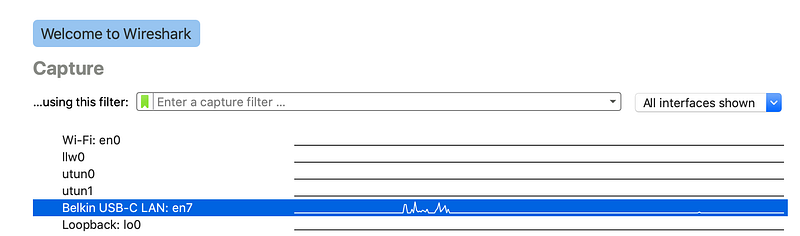
Once you have installed the application, open it up. Select the network interface you are using on your computer. You can generally tell which one is in use because you’ll see some spikes in the line of traffic as shown below.
Click on the blue shark fin at the top of the page.
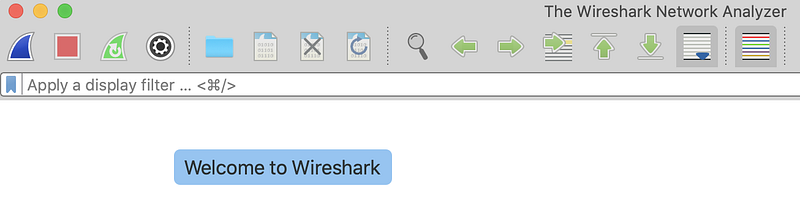
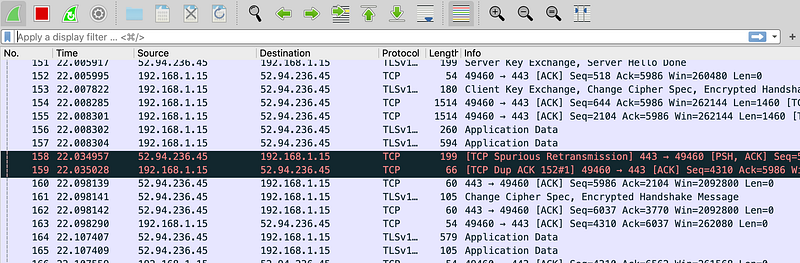
The fin will turn green, and you’ll see traffic like this:
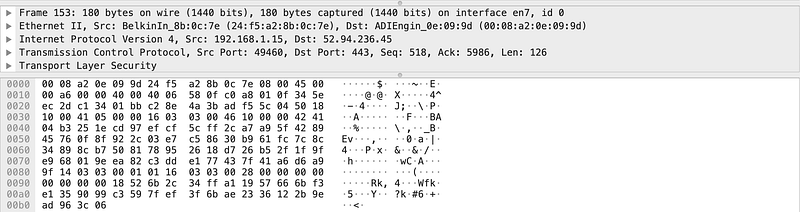
Below the traffic, you’ll see a section for network protocols of the particular packet you selected at the top. There are multiple layers of protocols, as described by the OSI model. Below the network protocols, you’ll see the entire packet in hex (short for hexadecimal). On the right of the network packet displayed in hex output, you’ll see plain text. Sometimes the plain text looks like nonsense because it is encrypted, as I explained in this post on why you might want a VPN.
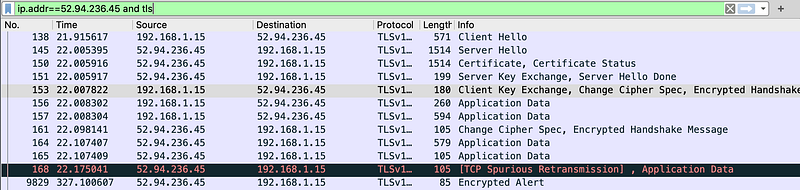
Wireshark has a query language you can use to find specific packets. I’m not going to go into all the details on this here. If you are curious, you can find lots of other excellent tutorials and information online.
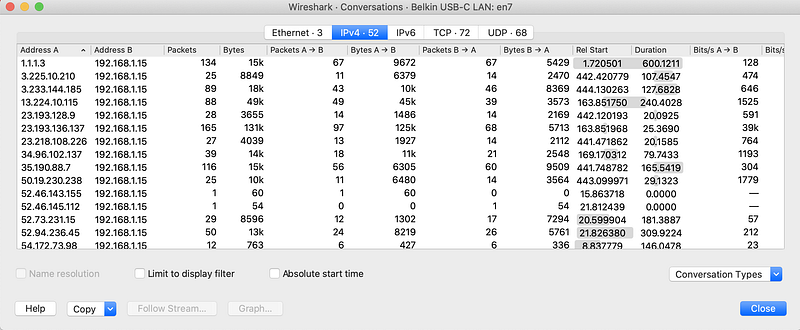
Wireshark also has a menu at the top with some handy functions. You can choose Statistics > Conversations to view all the IP address interactions on your network.

You may also want a list of all the IP addresses with which your system is interacting by choosing Statistics > Endpoints.
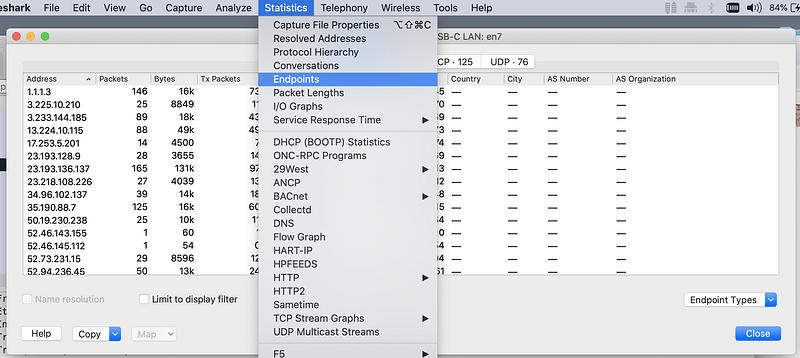
By becoming familiar with what is normal on your network, you can start to spot abnormalities. You may see some suspicious hosts that you want to block in your host-based or network-based firewall. You can look up information about at IP address using an Internet registry such as ARIN.
You can’t always see what is in the network packets when the data is encrypted. Some network appliances have a way to intercept the data to inspect it within an organization that controls the hosts and the network. Attackers sometimes can intercept encrypted traffic as well when vulnerabilities exist. Penetration testers such as myself also have mechanisms for inspecting encrypted web traffic while testing web applications for our own traffic. Security researchers have tools to analyze the behavior of malware using encrypted connections.
If you want to get into cybersecurity, the first thing you need is curiosity! Start looking at your network logs to see what is out there and if you can spot anything that shouldn’t be there. If you want to dive deeper, learn more advanced Wireshark queries, details about network protocols such as IP, and how to decode network protocols. Check out my cheat sheet for translating hexadecimal to binary and decimal. I also wrote some notes about the OSI model, which I learned right after college working in telecommunications but relearned when I transitioned to cybersecurity.
Follow for updates.
Teri Radichel | © 2nd Sight Lab 2020
About Teri Radichel:
~~~~~~~~~~~~~~~~~~~~
⭐️ Author: Cybersecurity Books
⭐️ Presentations: Presentations by Teri Radichel
⭐️ Recognition: SANS Award, AWS Security Hero, IANS Faculty
⭐️ Certifications: SANS ~ GSE 240
⭐️ Education: BA Business, Master of Software Engineering, Master of Infosec
⭐️ Company: Penetration Tests, Assessments, Phone Consulting ~ 2nd Sight Lab
Need Help With Cybersecurity, Cloud, or Application Security?
~~~~~~~~~~~~~~~~~~~~~~~~~~~~~~~~~~~~~~~~~~~~~~~~~~~~~~~~~~~~~
🔒 Request a penetration test or security assessment
🔒 Schedule a consulting call
🔒 Cybersecurity Speaker for PresentationFollow for more stories like this:
~~~~~~~~~~~~~~~~~~~~~~~~~~~~~~~~~~~~~~~~~~~~~~~~~~~~~~~~~~~~~
❤️ Sign Up my Medium Email List
❤️ Twitter: @teriradichel
❤️ LinkedIn: https://www.linkedin.com/in/teriradichel
❤️ Mastodon: @teriradichel@infosec.exchange
❤️ Facebook: 2nd Sight Lab
❤️ YouTube: @2ndsightlab