
OpenCV — Object Detection
Viola–Jones Object Detection Framework #PyVisionSeries — Episode #08
This is all about object recognition.
Please, feel free to read this article: Haar-like feature (wikipedia)
All we’re doing here is detecting Russian license plates and images and then blurring them using haarcascade method.
00 step # Import libs
import cv2
import numpy as np
import matplotlib.pyplot as plt
%matplotlib inline
01step # Importing the Image to Work with
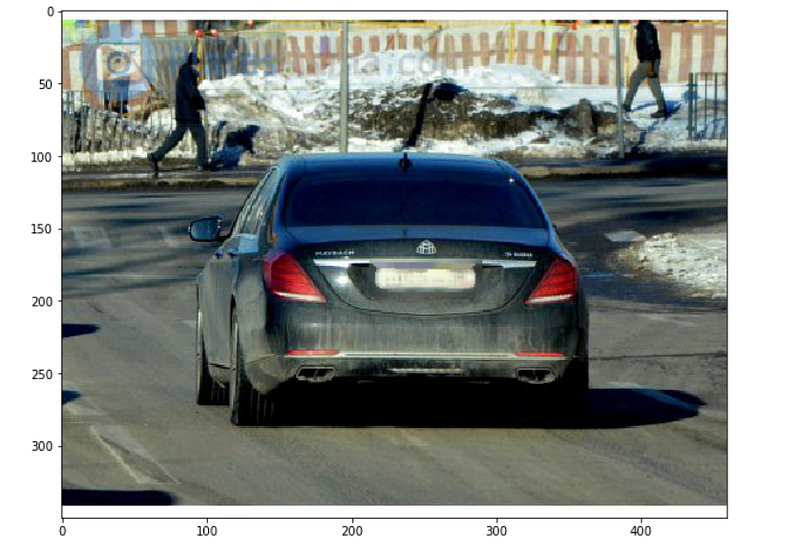
img = cv2.imread('DATA/car_plate_0.jpg')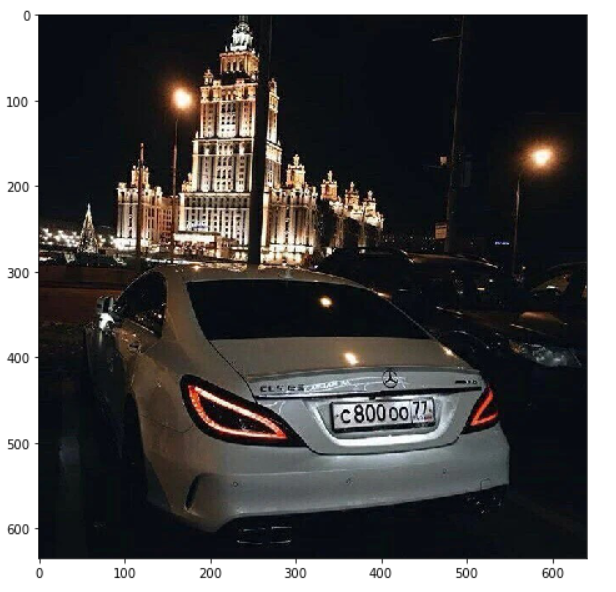
02step # Displaying Image
Next, we want you to create a function that displays the image in a larger scale and does color correcting.
def display(img):
  fig = plt.figure(figsize=(10,8))
  ax = fig.add_subplot(111)
  new_img = cv2.cvtColor(img, cv2.COLOR_BGR2RGB)
  ax.imshow(new_img)
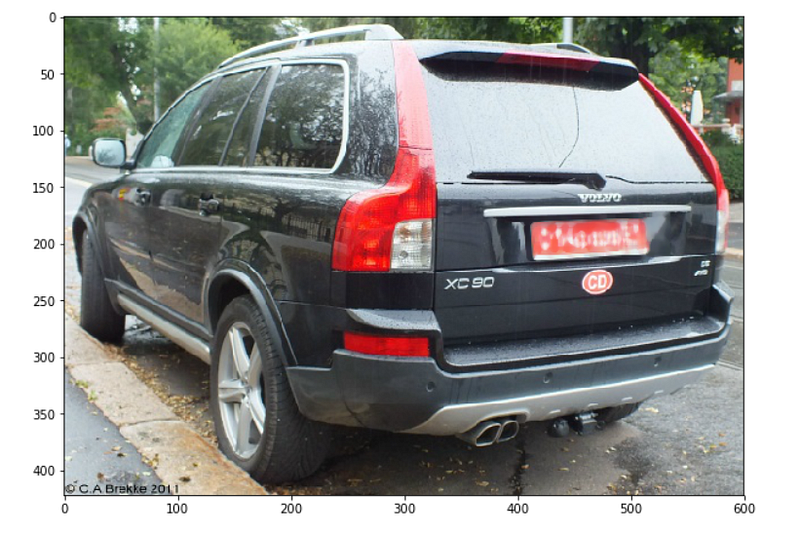
Test it:
display(img)03 step # load the Cascade Russian Plate Number XML file.
For this step you have to download and paste inside your /DATA folder the Directory haarcascades.
plate_cascade = cv2.CascadeClassifier('DATA/haarcascades/haarcascade_russian_plate_number.xml')04 step # A Function to Detect Plates
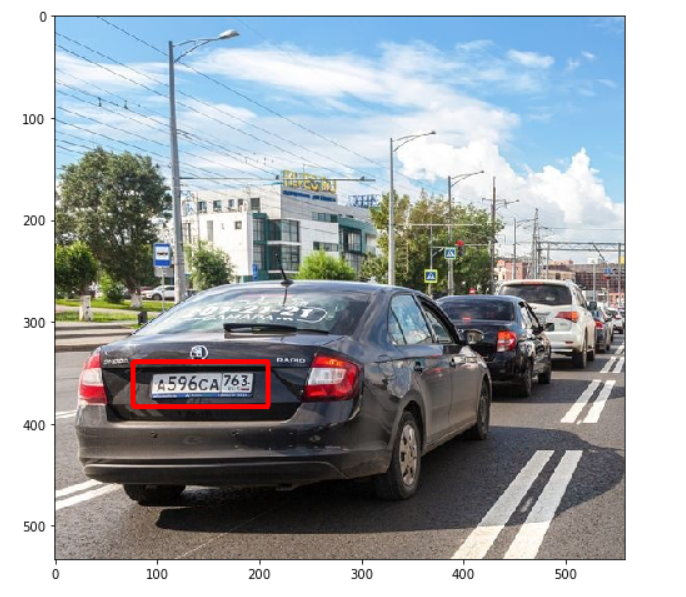
Next, we want to create a function that takes in the image and draws a rectangle around what it takes.
def detect_plate(img):
  plate_img = img.copy()
  plate_rects = plate_cascade.detectMultiScale(plate_img,
    scaleFactor=1.3, minNeighbors=3)

  for(x,y,w,h) in plate_rects:
    cv2.rectangle(plate_img, (x,y), (x+w, y+h), (0,0,255),3)
return plate_imgTest it:
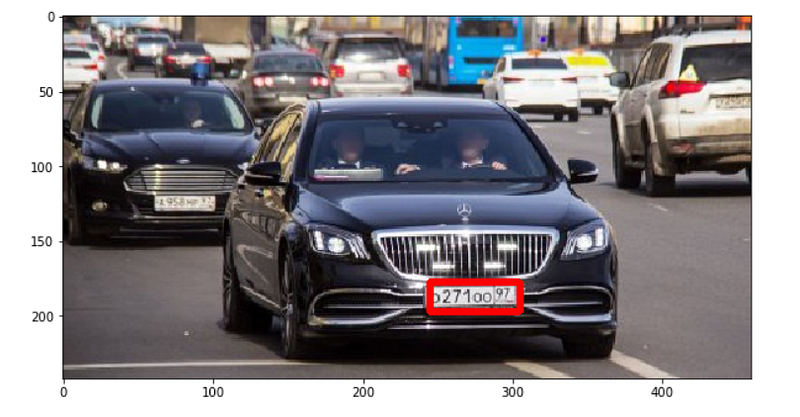
result = detect_plate(img)Displaying it:
display(result)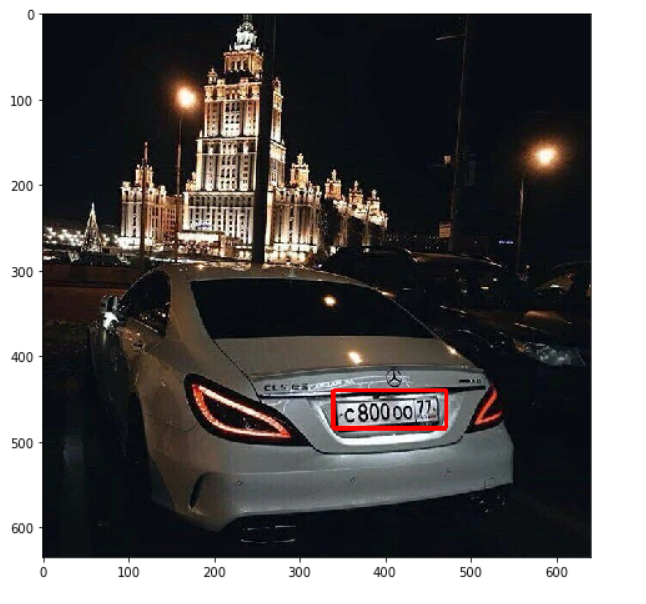
04 step # A Function to Detect Plates
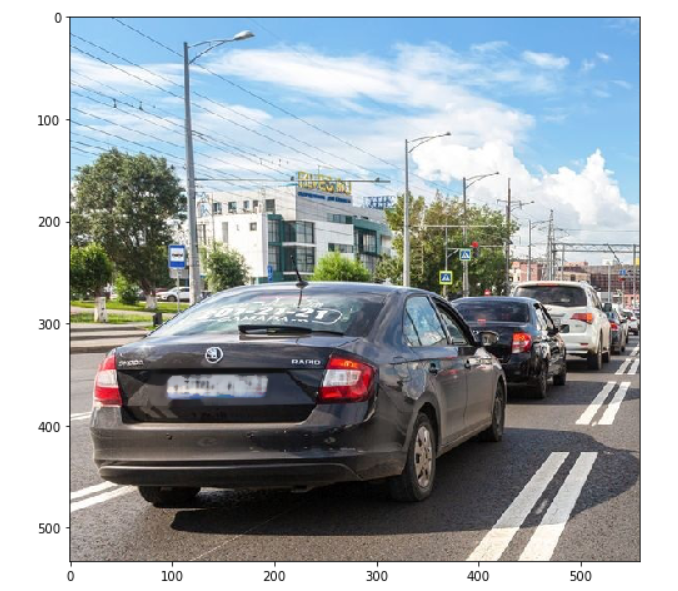
So now that I know where the license plate is, I can then blur it out.
So the way I’m going to do this is I’m actually going to cut out this region and set that as a region of interest (RoI).
Then I will blur that region and then stick it back into the original image.
def detect_n_blur_plate(img):
  plate_img = img.copy()
  roi = img.copy()
  plate_rects = plate_cascade.detectMultiScale(plate_img,
scaleFactor=1.3, minNeighbors=3) for(x,y,w,h) in plate_rects:
roi = roi[y:y+h, x:x+w]
blured_roi = cv2.medianBlur(roi, 7)
plate_img[y:y+h, x:x+w] = blured_roi return plate_imgTest it:
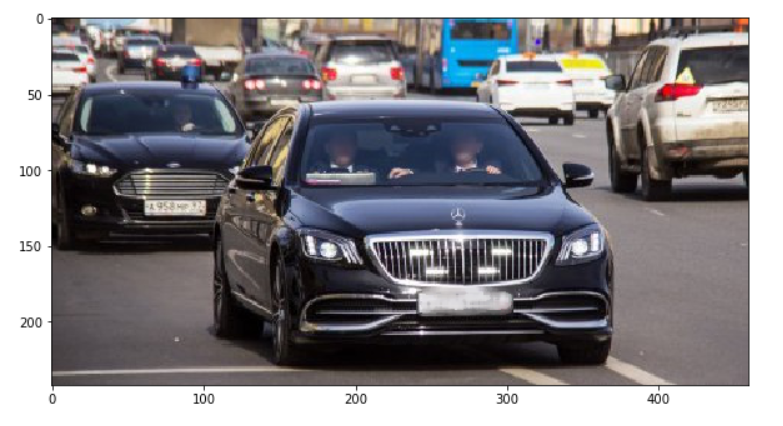
result = detect_n_blur_plate(img)Displaying it:
display(result)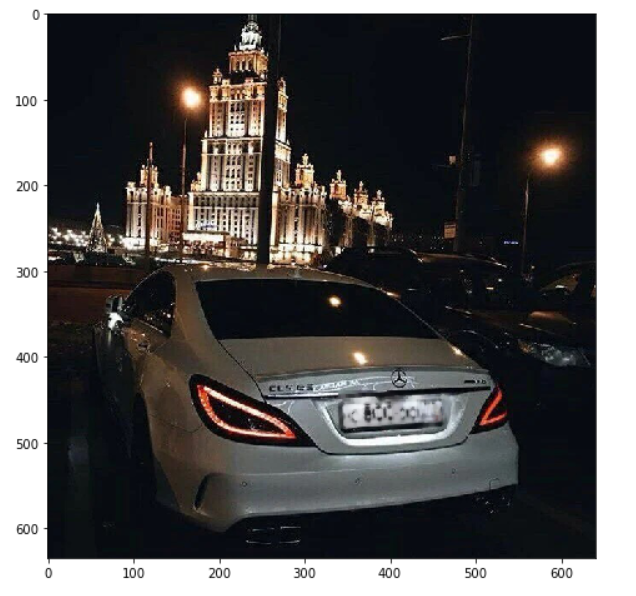
These are the file for this project
Run the method on each of the images
Please, take a look at this post concerning of how to manipulate files. :)
from pathlib import Path
path = Path('DATA/')
files = path.iterdir()
for file in files:
  file_name = file.name
  if file_name[:9]=='car_plate' and file_name[-3:] == 'jpg':
print(file_name) car_plate_0.jpg
car_plate_1.jpg
car_plate_2.jpg
car_plate_3.jpg
car_plate_4.jpg
car_plate_5.jpg
car_plate_6.jpgThat’s all folks!
print("That's it! Thank you once again!\nI hope will be helpful.")That's it! Thank you once again! I hope will be helpful.
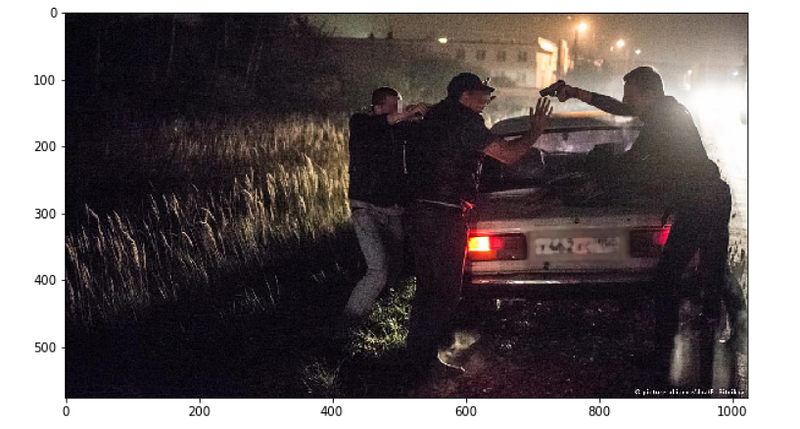
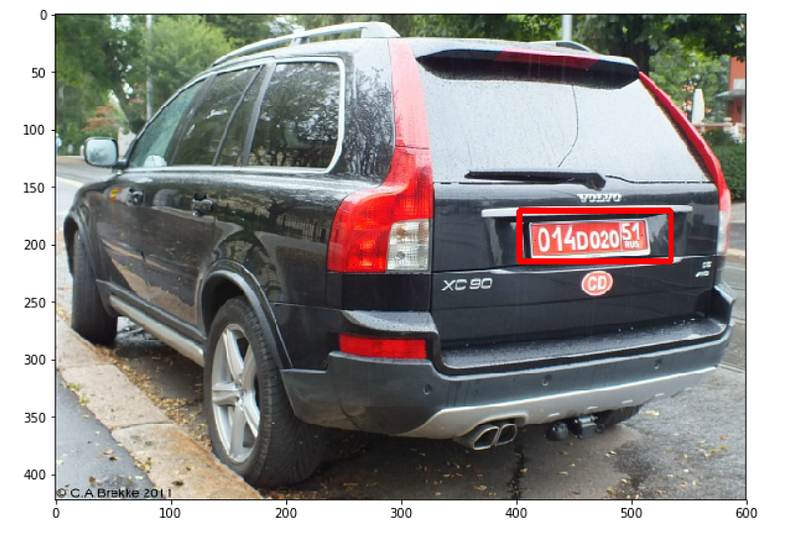
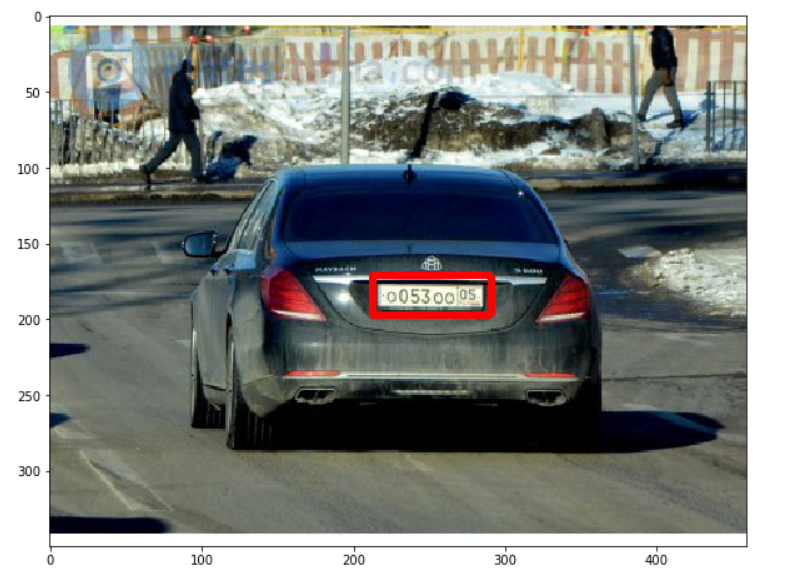
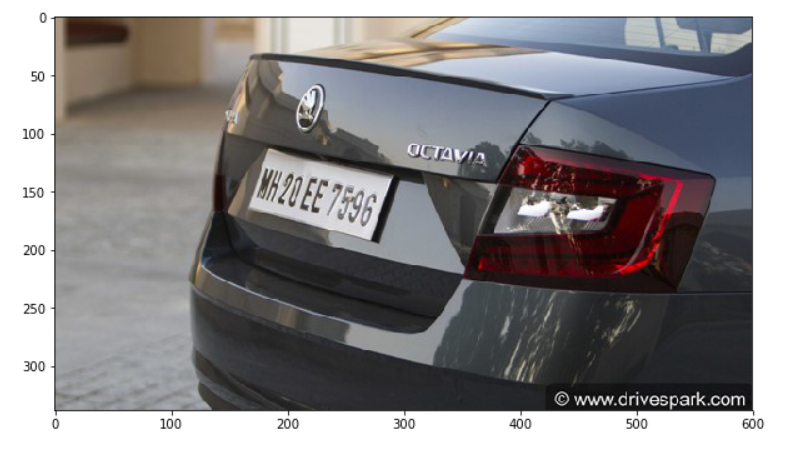
Folows the images tested by us:
Note: The last image the algorithm was not able to detect.The reasons may be several: The image may be at an angle difficult to detect, the numbering may not be Russian, the taillights do not give adequate space, who knows...Try it yourself by manipulating the function parameters.That is all!
Goodbye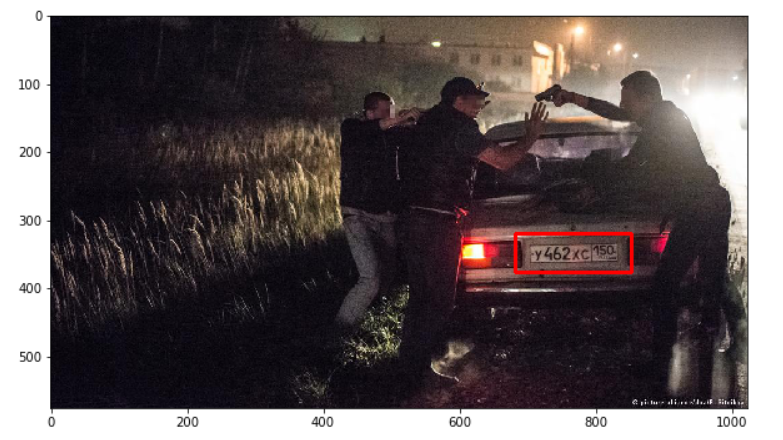
👉Jupiter notebook link :)
👉Github (EX_08)
Credits & References:
Jose Portilla — Python for Computer Vision with OpenCV and Deep Learning — Learn the latest techniques in computer vision with Python, OpenCV, and Deep Learning!
Posts Related:
00 Episode# Hi Python Computer Vision — PIL! — An Intro To Python Imaging Library #PyVisionSeries
01 Episode# Jupyter-lab — Python — OpenCV — Image Processing Exercises #PyVisionSeries
02 Episode# OpenCV — Image Basics — Create Image From Scratch #PyVisionSeries
03 Episode# OpenCV — Morphological Operations — How To Erode, Dilate, Edge Detect w/ Gradient #PyVisionSeries
04 Episode# OpenCV — Histogram Equalization — HOW TO Equalize Histograms Of Images — #PyVisionSeries
05 Episode# OpenCV— Resize an image — How To Resize Without Distortion — #PyVisionSeries
07 Episode# YOLO — Object Detection — The state of the art in object detection Framework!
08 Episode# OpenCV — HaashCascate — Object Detection — Viola–Jones object detection framework — #PyVisionSeries


