Mastering Midjourney V5 (Part 1): What’s New?
Some findings from early experimenting with Midjourney’s latest AI image generation model
What a week! First OpenAI’s new GPT-4, now this next-gen model from Midjourney:
Free AI web copilot to create summaries, insights and extended knowledge, download it at here
4593
Abstract
f1832800487"> <div> <div> <h2>Consistent Cinematography with Midjourney: Cinematic Prompt Cheatsheet</h2> <div><h3>A Guide To Creating Cinematic Images With Midjourney</h3></div> <div><p>bootcamp.uxdesign.cc</p></div> </div> <div> <div style="background-image: url(https://miro.readmedium.com/v2/resize:fit:320/0*r7ariYx50ej8hQyq.png)"></div> </div> </div> </a> </div><p id="c93a">Interestingly, when you drop the cinematic prefixes (e.g. “cinematic shot”, “film still”, etc. — I wrote about cinematic prompting <a href="https://readmedium.com/lights-camera-action-58d97ae6671a">here</a>, <a href="https://medium.com/design-bootcamp/cinematography-with-midjourney-part-2-mis-en-scène-lighting-ai-image-generation-a27b6d65ee">here</a>, and <a href="https://readmedium.com/cinematography-with-midjourney-part-3-camera-shot-types-ai-image-generation-c3198b97c4ea">here</a>), then you can get 3.6:1 to work:</p><figure id="4647"><img src="https://cdn-images-1.readmedium.com/v2/resize:fit:800/0*cNwLJXqQIoS7mtEP"><figcaption></figcaption></figure><p id="8f5d">And despite the letterboxing, 4:1 is fun to explore:</p><figure id="9aad"><img src="https://cdn-images-1.readmedium.com/v2/resize:fit:800/0*1Wz5V5wEOnkDhb7c"><figcaption></figcaption></figure> <figure id="6027"> <div> <div> <img class="ratio" src="http://placehold.it/16x9"> <iframe class="" src="https://cdn.embedly.com/widgets/media.html?type=text%2Fhtml&key=a19fcc184b9711e1b4764040d3dc5c07&schema=twitter&url=https%3A//twitter.com/tristwolff/status/1636204859090403328%3Fs%3D20&image=https%3A//i.embed.ly/1/image%3Furl%3Dhttps%253A%252F%252Fabs.twimg.com%252Ferrors%252Flogo46x38.png%26key%3Da19fcc184b9711e1b4764040d3dc5c07" allowfullscreen="" frameborder="0" height="281" width="500"> </div> </div> </figure></iframe></div></div></figure><h1 id="0b28">Tiles Are Back!</h1><p id="6c9a">Good old<a href="https://readmedium.com/your-style-your-rules-creating-fashion-accessories-with-ai-midjourney-d6e838271935"> V3 tile mode</a> is back in V5 as well! Here, as a 14:1 image for the sake of it. :)</p><figure id="e310"><img src="https://cdn-images-1.readmedium.com/v2/resize:fit:800/0*xdzH90YTfE0-Fbf_"><figcaption><a href="https://readmedium.com/your-style-your-rules-creating-fashion-accessories-with-ai-midjourney-d6e838271935">Fashion design with Midjourney</a>, by author</figcaption></figure><figure id="8659"><img src="https://cdn-images-1.readmedium.com/v2/resize:fit:800/0*KVqFp-DVj_7KpyH7"><figcaption><a href="https://readmedium.com/your-style-your-rules-creating-fashion-accessories-with-ai-midjourney-d6e838271935">Fashion design with Midjourney</a>, by author</figcaption></figure><h1 id="c19f">The Hands</h1><p id="e3ee">Hands used to be a real problem in Midjourney … now it’s a great field of exploration since they got way better than in V4!</p> <figure id="54e9"> <div> <div> <img class="ratio" src="http://placehold.it/16x9"> <iframe class="" src="https://cdn.embedly.com/widgets/media.html?type=text%2Fhtml&key=a19fcc184b9711e1b4764040d3dc5c07&schema=twitter&url=https%3A//twitter.com/tristwolff/status/1636188634012438530%3Fs%3D20&image=https%3A//i.embed.ly/1/image%3Furl%3Dhttps%253A%252F%252Fabs.twimg.com%252Ferrors%252Flogo46x38.png%26key%3Da19fcc184b9711e1b4764040d3dc5c07" allowfullscreen="" frameborder="0" height="281" width="500"> </div> </div> </figure></iframe></div></div></figure><p id="454f">There are still the weird ones we love so much, but overall hands improved a lot!</p><figure id="d1ea"><img src="https://cdn-images-1.readmedium.com/v2/resize:fit:800/0*BORcfD_C1qy9juIL.png"><figcaption></figcaption></figure><figure id="c105"><img src="https://cdn-images-1.readmedium.com/v2/resize:fit:800/0*U5sZKRxzghrmLRqO.png"><figcaption></figcaption></figure><h1 id="9601">Chaos & Textures improved</h1><p id="87e0">As far as I can tell the <a href="https://readmedium.com/exploring-the-possible-interpretations-of-a-prompt-with-midjourney-how-to-use-the-chaos-command-20717c8573e9">“ — chaos” parameter seems to bring even more style variation into the initial grids than V4 did.</a></p><p id="59e9">Much better textures, that’s for sure! Of course, by leveraging the “— tile” option you can easily ge
Options
t ahead of the V4 game but also the photorealism tendency adds to it, I guess:</p> <figure id="3557"> <div> <div> <img class="ratio" src="http://placehold.it/16x9"> <iframe class="" src="https://cdn.embedly.com/widgets/media.html?type=text%2Fhtml&key=a19fcc184b9711e1b4764040d3dc5c07&schema=twitter&url=https%3A//twitter.com/tristwolff/status/1636353960188555268%3Fs%3D20&image=https%3A//i.embed.ly/1/image%3Furl%3Dhttps%253A%252F%252Fabs.twimg.com%252Ferrors%252Flogo46x38.png%26key%3Da19fcc184b9711e1b4764040d3dc5c07" allowfullscreen="" frameborder="0" height="281" width="500"> </div> </div> </figure></iframe></div></div></figure><h1 id="7b0f">No Upscaling Yet</h1><p id="5c59">Meh. Upscaling is not available for V5 yet but has been announced. For some good tools also covering upscaling, check out this one:</p><div id="bc05" class="link-block"> <a href="https://bootcamp.uxdesign.cc/7-essential-tools-every-ai-artist-should-have-in-their-arsenal-d87b08f542a8"> <div> <div> <h2>7 Essential Tools Every AI Artist Should Have in Their Arsenal</h2> <div><h3>From ideation to editing to automation, these tools will help any AI artist improve their project pipeline</h3></div> <div><p>bootcamp.uxdesign.cc</p></div> </div> <div> <div style="background-image: url(https://miro.readmedium.com/v2/resize:fit:320/1*tVf-nOgabwOKWAllxU51Rw.png)"></div> </div> </div> </a> </div><h1 id="2fd7">Blend Mode</h1><p id="4332">Is really worth exploring now, I would say. Wasn’t a big fan of it before since I thought it was just image prompting for lazy people but there seems to be more to it now (or I missed it in V4 already, my bad). I will definitely dive into this in the coming parts of this series. For now just an example:</p><figure id="7e67"><img src="https://cdn-images-1.readmedium.com/v2/resize:fit:800/1*LjWD5HeHQOyp4GX26fTEgQ.png"><figcaption></figcaption></figure><figure id="162c"><img src="https://cdn-images-1.readmedium.com/v2/resize:fit:800/1*D398kXicAImj08YNjO_0Rw.png"><figcaption>Images by author & Midjourney</figcaption></figure><p id="4c84">The above got blended into:</p><figure id="0b8d"><img src="https://cdn-images-1.readmedium.com/v2/resize:fit:800/0*cnkFjM6XCJA_OwAz.png"><figcaption></figcaption></figure><p id="077c">PS: V5 improved on a technique I just recently used <a href="https://readmedium.com/8-ideas-to-get-creative-with-midjourney-f908c0f23c02">in this Midjourney tutorial: “Anything As A Kid”</a> … it just didn’t work with Gargamel, now it does. 😂</p> <figure id="23a6"> <div> <div> <img class="ratio" src="http://placehold.it/16x9"> <iframe class="" src="https://cdn.embedly.com/widgets/media.html?type=text%2Fhtml&key=a19fcc184b9711e1b4764040d3dc5c07&schema=twitter&url=https%3A//twitter.com/tristwolff/status/1636348468611493888%3Fs%3D20&image=https%3A//i.embed.ly/1/image%3Furl%3Dhttps%253A%252F%252Fabs.twimg.com%252Ferrors%252Flogo46x38.png%26key%3Da19fcc184b9711e1b4764040d3dc5c07" allowfullscreen="" frameborder="0" height="281" width="500"> </div> </div> </figure></iframe></div></div></figure><p id="f99a">➡️ For more information about <a href="https://fabulous-maker-2733.ck.page/da150f448e">AI & Creativity</a>, follow me on <a href="http://twitter.com/tristwolff">Twitter</a> or Medium (<a href="https://medium.com/@tristwolff/membership">use my referral link to get full access to all my articles</a> and those of thousands of other writers).</p><div id="8640" class="link-block"> <a href="https://medium.com/@tristwolff/membership"> <div> <div> <h2>Join Medium with my referral link - Tristan Wolff</h2> <div><h3>Read every story from Tristan Wolff (and thousands of other writers on Medium). Your membership fee directly supports…</h3></div> <div><p>medium.com</p></div> </div> <div> <div style="background-image: url(https://miro.readmedium.com/v2/resize:fit:320/0*epwSgmKMgr6cjrg4)"></div> </div> </div> </a> </div><p id="709f">➡️ If you like my content, why not leave a “clap” at the end of this article, so more people can see it?</p></article></body>
What a week! First OpenAI’s new GPT-4, now this next-gen model from Midjourney:
After the hype accompanying the pre-release demos, it’s finally showtime!
And what a start: there are some important changes in how the new AI image generation model works, how we communicate with it, and how it’s restricted.
This series of articles embarks on a journey exploring new techniques and strategies for using Midjourney V5 efficiently and sharing as much inspiration and creative workflows as possible. 🚀🔥
To kick off the first part of this series, we will look at what’s new in V5 and what some of the most obvious changes are compared to its predecessor.
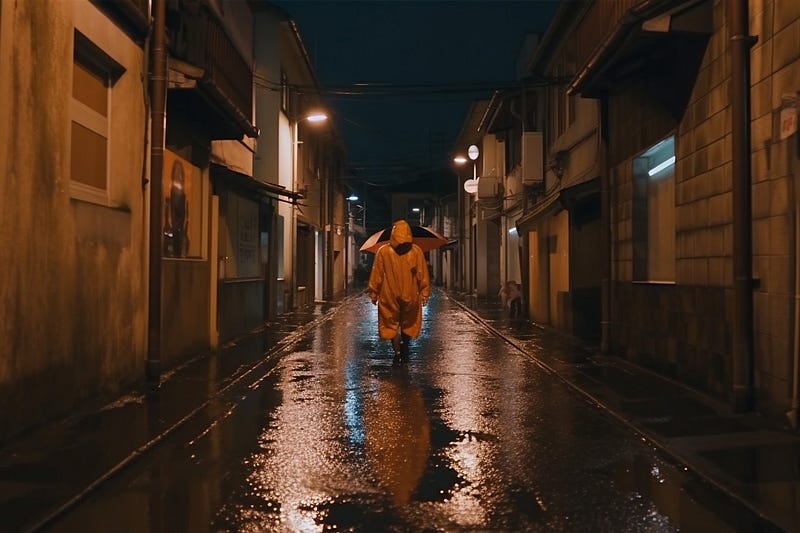
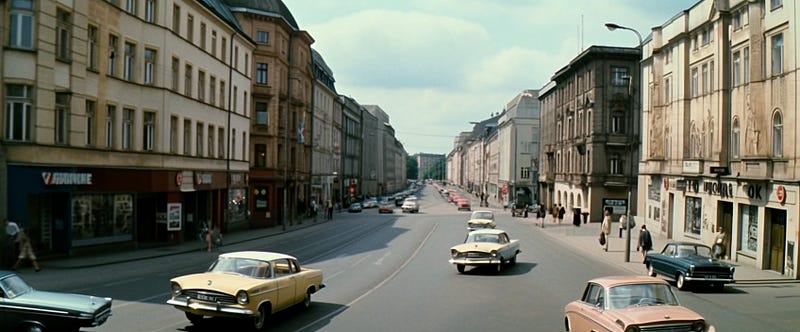
This has been clear since the “V5 rating party”: the new model has a strong tendency to photorealism.
Just have a look at these images. Both use an old prompt that I’ve been using since the days of V3 (left is V4, right is V5):
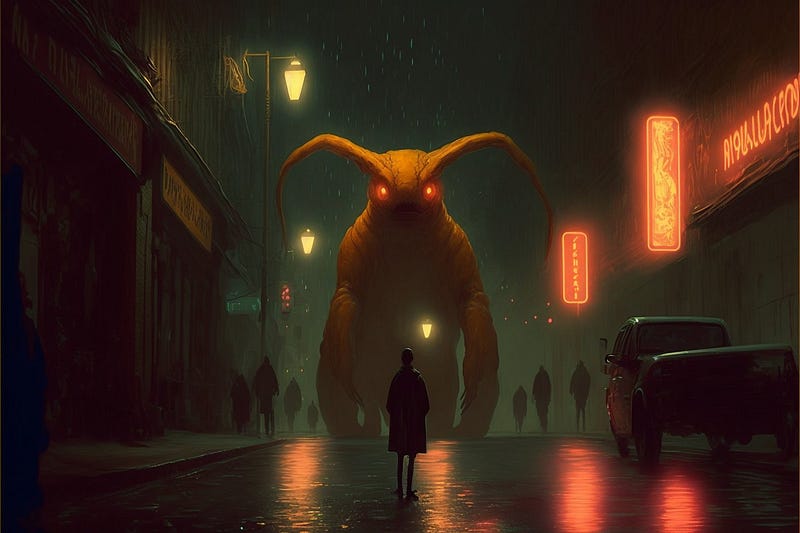
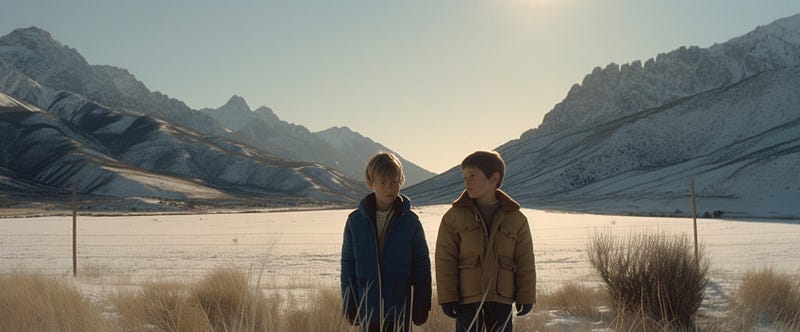
If we give it a little more cinematic style description, the quality of the raw photorealistic image results is absolutely amazing. This is next-level stuff (be aware: no quality booster or — q parameter applied!):
Which brings us directly to:
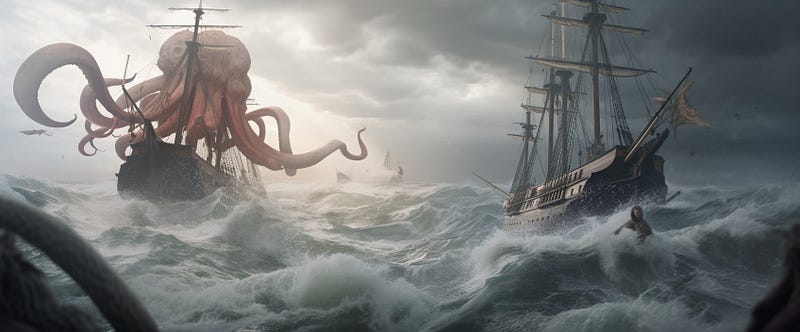
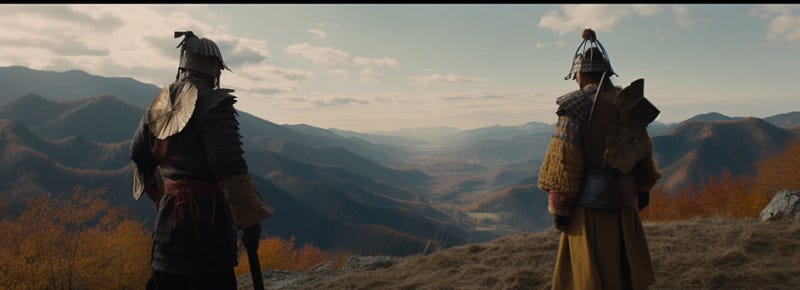
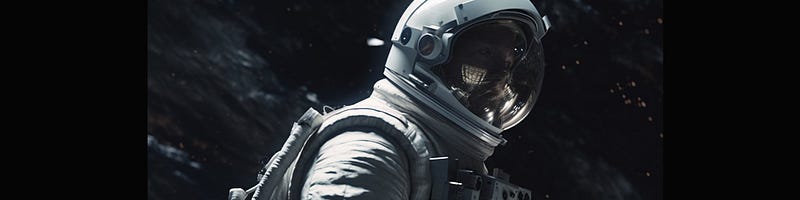
Full-blown cinematic aspect ratios! Finally! Personally, I am so happy that higher aspect ratios are back. Not only because of the immense possibilities for cinematic prompting like in these examples with “2.4:1 widescreen cinema standard” and “2.76:1 ultra Panavision 70”:
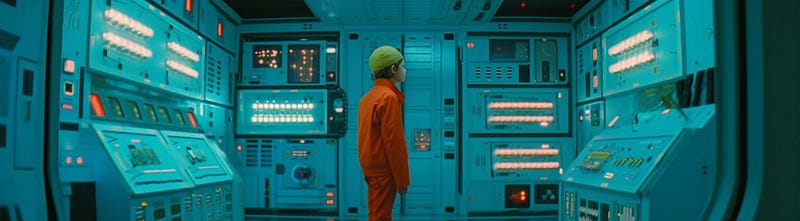
You can set aspect ratios up to 14:1 (!), but when going for a cinematic look and using a lot of the tried-and-tested cinematic prompt jargon, I ran into problems at the ultra-widescreen level (3.6:1): This is when unwanted letterboxing effects seem to occur (which looks cool in its own way, but it’s just that I am a control freak 😂 ).
Interestingly, when you drop the cinematic prefixes (e.g. “cinematic shot”, “film still”, etc. — I wrote about cinematic prompting here, here, and here), then you can get 3.6:1 to work:
And despite the letterboxing, 4:1 is fun to explore:
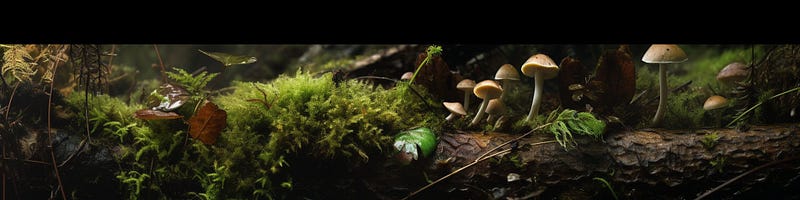
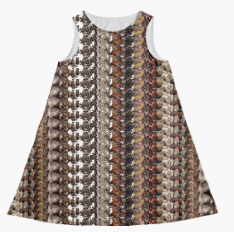
Good old V3 tile mode is back in V5 as well! Here, as a 14:1 image for the sake of it. :)

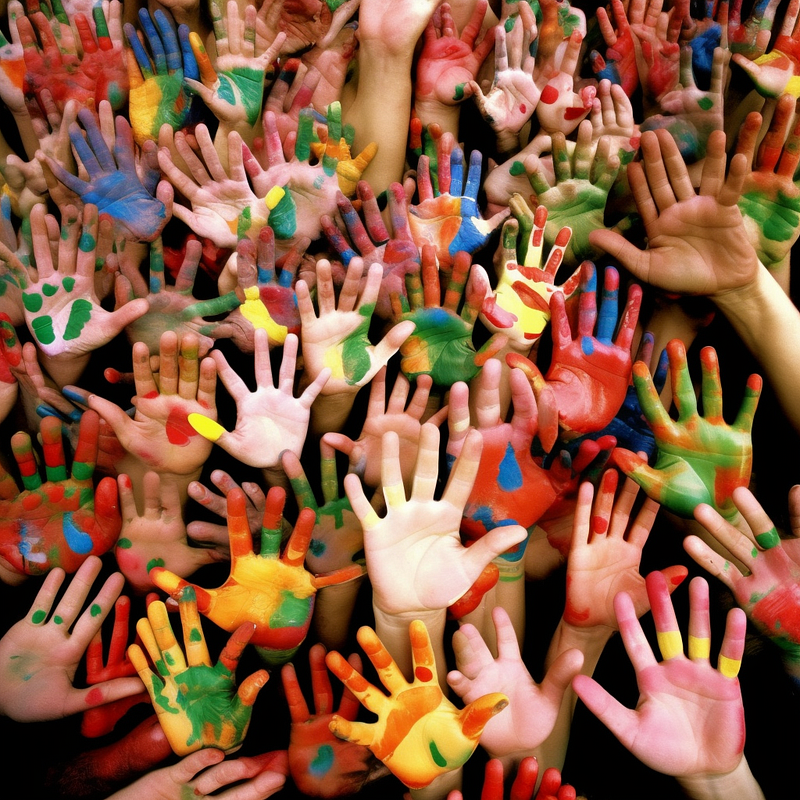
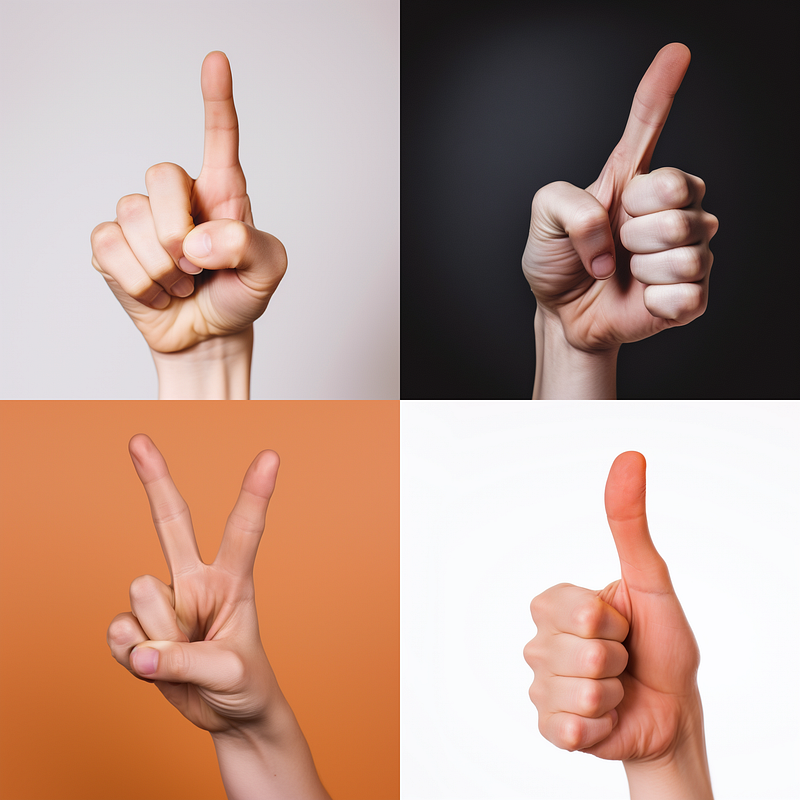
Hands used to be a real problem in Midjourney … now it’s a great field of exploration since they got way better than in V4!
There are still the weird ones we love so much, but overall hands improved a lot!
As far as I can tell the “ — chaos” parameter seems to bring even more style variation into the initial grids than V4 did.
Much better textures, that’s for sure! Of course, by leveraging the “— tile” option you can easily get ahead of the V4 game but also the photorealism tendency adds to it, I guess:
Meh. Upscaling is not available for V5 yet but has been announced. For some good tools also covering upscaling, check out this one:
Is really worth exploring now, I would say. Wasn’t a big fan of it before since I thought it was just image prompting for lazy people but there seems to be more to it now (or I missed it in V4 already, my bad). I will definitely dive into this in the coming parts of this series. For now just an example:
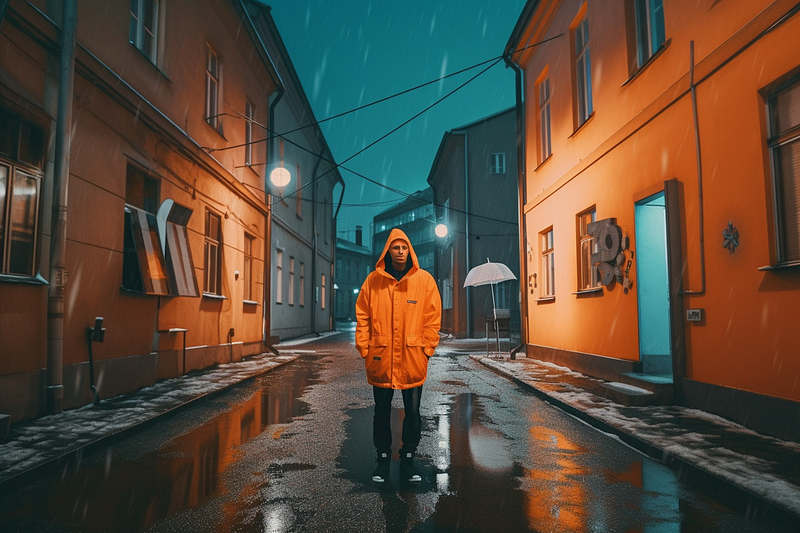
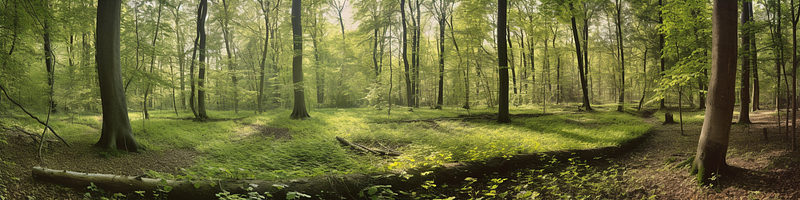
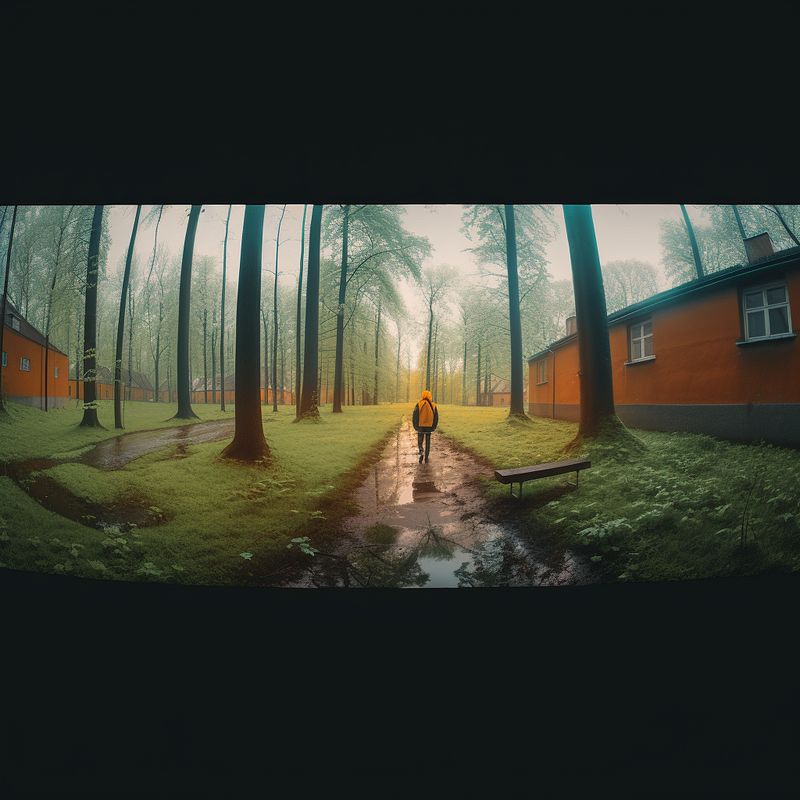
The above got blended into:
PS: V5 improved on a technique I just recently used in this Midjourney tutorial: “Anything As A Kid” … it just didn’t work with Gargamel, now it does. 😂
➡️ For more information about AI & Creativity, follow me on Twitter or Medium (use my referral link to get full access to all my articles and those of thousands of other writers).
➡️ If you like my content, why not leave a “clap” at the end of this article, so more people can see it?
Tristan WolffLearn how to use ChatGPT to create and explore Midjourney prompts
Silvio Mac DonaldTake your Leonardo AI Artwork to the next level with these simple but powerful prompt techniques. Examples inside!
Meri CreativAIFind inspiration and new creative concepts for your AI text to image prompts!