
Aspect Ratio in Midjourney, Part 1: Cinematic Aspect Ratio
Three-part series on aspect ratios and how to use them effectively in Midjourney (and other AI image generation tools)
This is the first part of a 3-part series on using aspect ratios. Here’s what we’ll cover in this post:
- Using aspect ratio to meet a medium’s requirements
- Using aspect ratio as an “aesthetic backdrop”
- Cinematic Aspect Ratios possible with the latest Midjourney model (V4)
What are aspect ratios?
As humanity has evolved into a civilization crazy about communicating via rectangular screens, at some point we needed terminology to describe the different sizes of our beloved devices. Thanks, aspect ratio!
The aspect ratio describes the relationship between the width of a screen and its height. It is commonly written in “colon notation” with width and height separated by a colon, as in “16:9”. In Midjourney the default aspect ratio is “1:1”. To change this, you add the “ — ar” parameter to your prompt. For example, to set an aspect ratio of 16:9:
/imagine prompt: [scene description] --ar 16:9How to use aspect ratio effectively
You choose a particular aspect ratio to accomplish at least one (often both) of two things:
- to meet the technical specifications of a medium, or
- to use aspect ratio as a means of storytelling
Example: aspect ratio & technical specifications
For example, you often hear people say that you should use a 9:16 aspect ratio, the so-called “portrait format”, when rendering your beautiful portrait of a baroque astronaut.
/imagine prompt: portrait of a baroque astronaut --ar 9:16 --seed 3000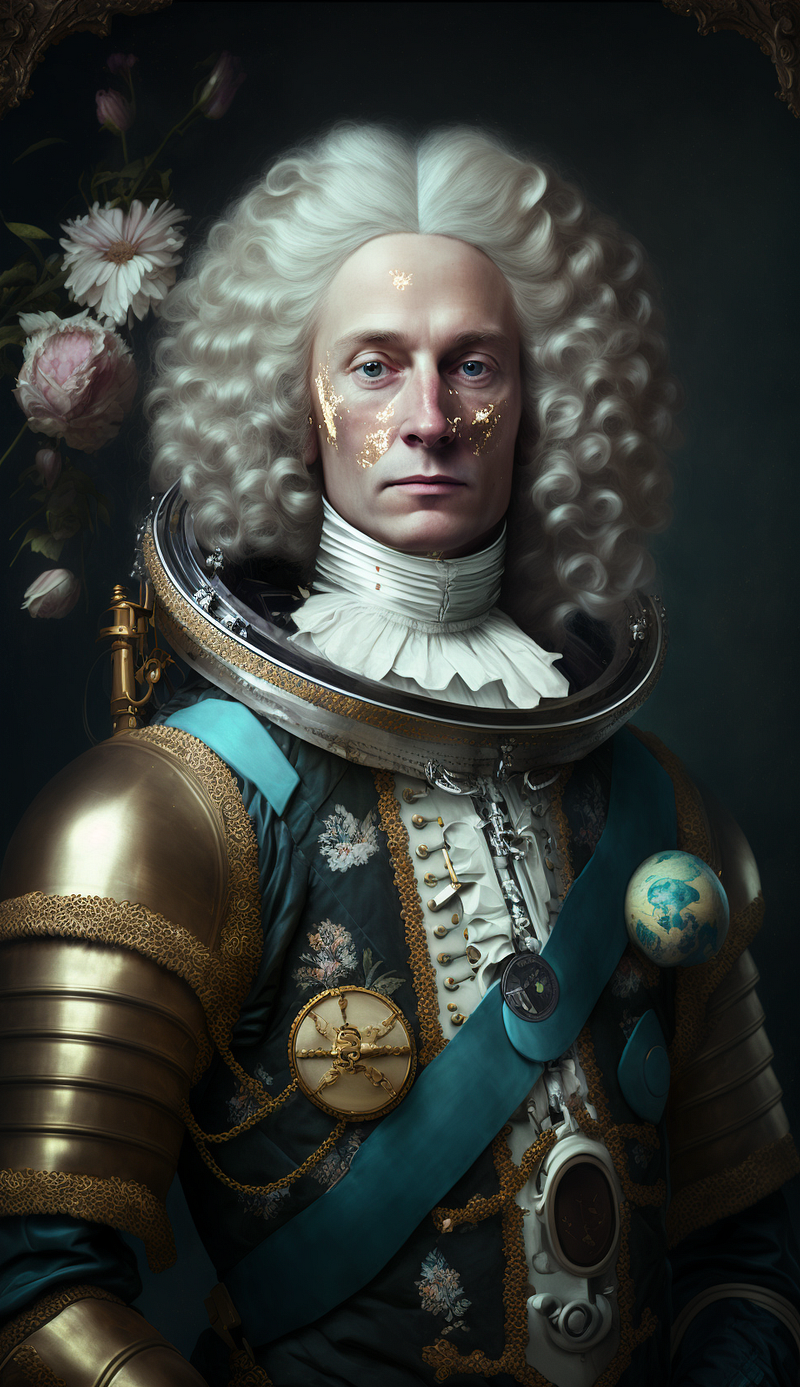
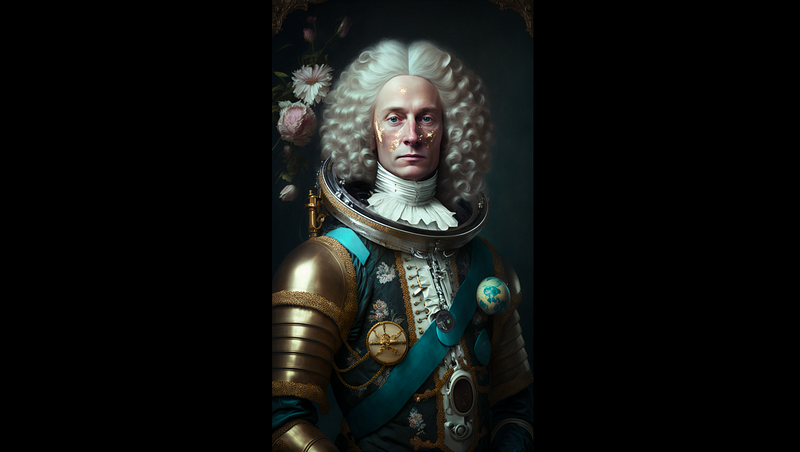
However, to fit the screen accurately you could have rendered the image in “16:9” directly:
/imagine prompt: portrait of a baroque astronaut --ar 16:9 --seed 3000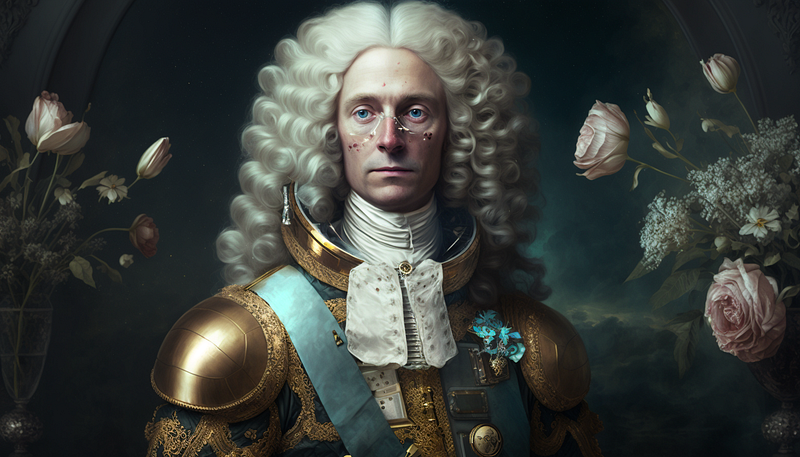
Example: aspect ratio & storytelling
Another way to use aspect ratio is to evoke an aesthetic, historical, or psychological context with which a specific aspect ratio is connected.
For example, let’s say we would want to tell the story of a 1930s vampire hunter and his modern-day descendants. We could then render a scene set in the 1930s with an “16:9” ratio like so:
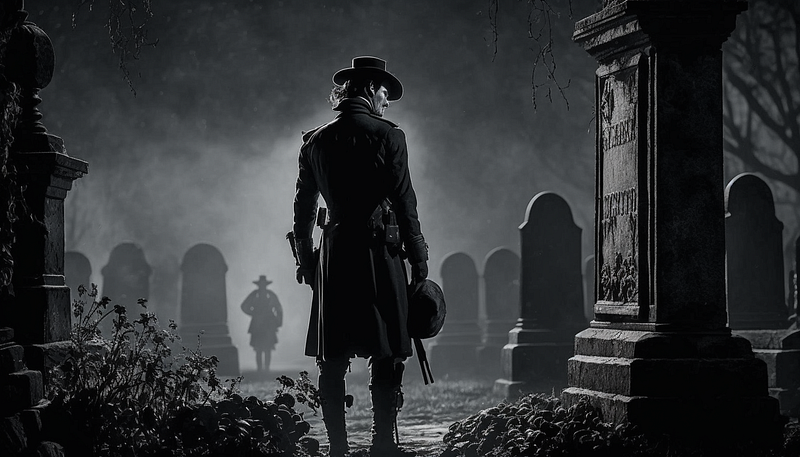
But we could also design it intentionally as an “11:8” or “Academy ratio” shot which would then be shown on a “16:9” screen with black bars on each side like this:
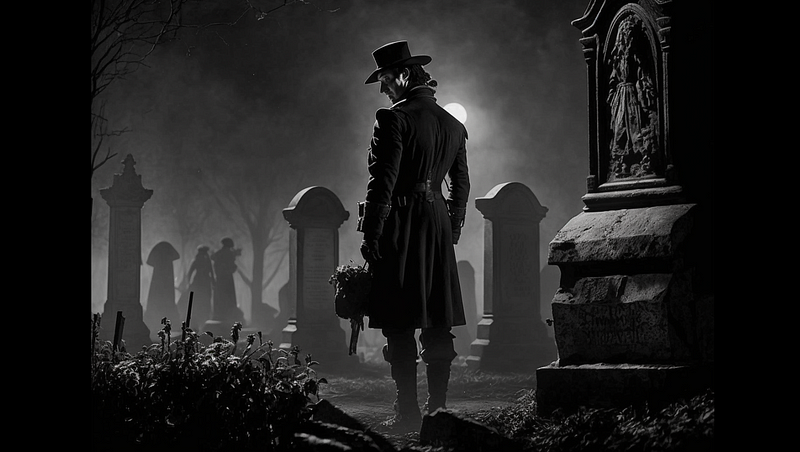
This way we could differentiate different timelines in our story. The 1930s using an “11:8” aspect ratio and scenes in the 2000s using a “16:9” aspect ratio:
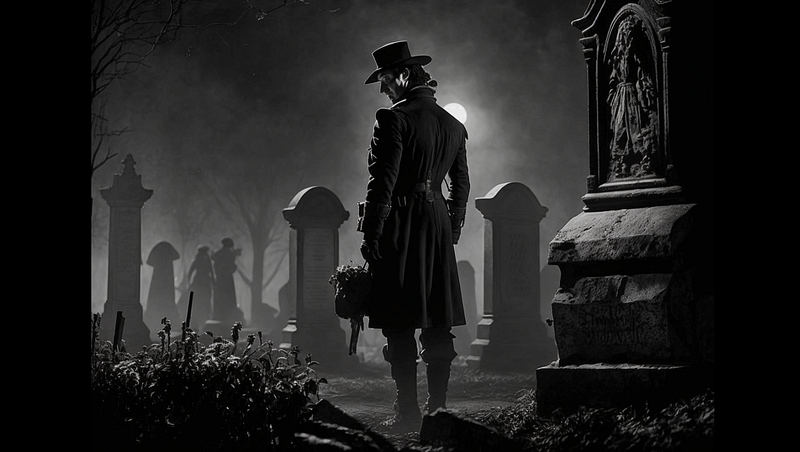
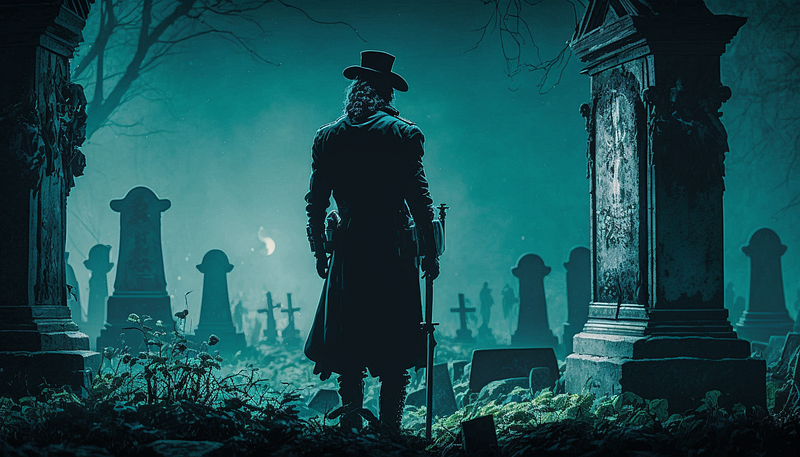
(This technique is exactly what Wes Anderson used in “Grand Budapest Hotel”, but more on that later)
Example 3: aspect ratio & “aesthetic backdrop”
While it may seem as if a “larger” image gives your scene more room for storytelling, this is not necessarily true. As shown here, you tell a story by using camera & shot types, by changing mis-en-scene and lighting, or by leveraging style & genre conventions.
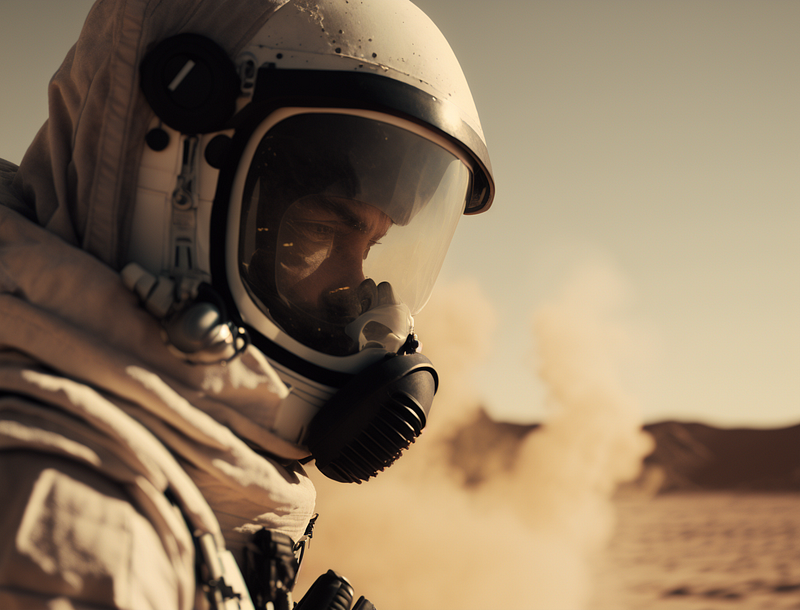
The aspect ratio defines the medium on which the story of your image unfolds. However, a medium always comes with an “aesthetic backdrop” that will produce a subtle mix of aesthetic, historical, and psychological implications for a viewer. Check out the following close-up shot which uses the same prompt with different aspect ratios and how it evokes different “medium aesthetics”:
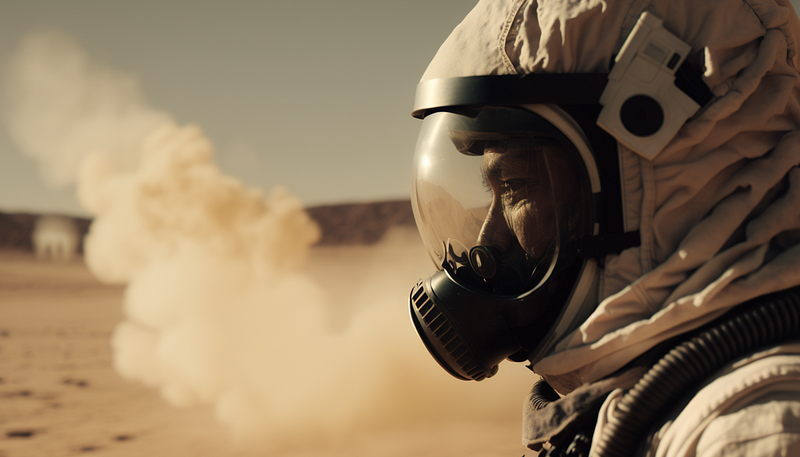
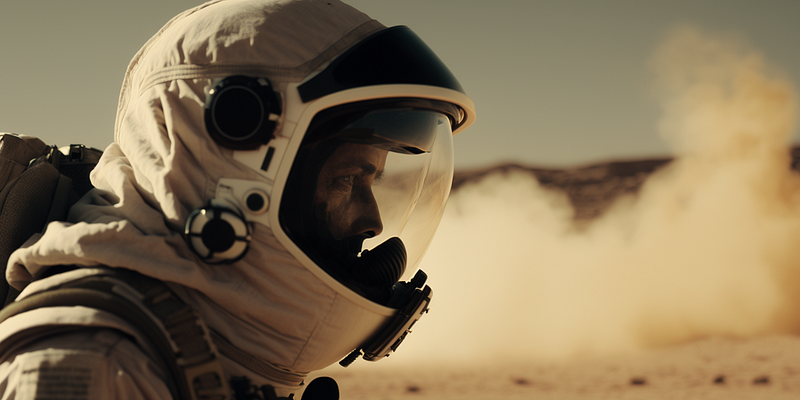
Current Limitations with Midjourney
A brief disclaimer before we dive into things: at the time of writing, the latest Midjourney model (V4) only supports aspect ratios up to 2:1, which unfortunately leaves out some interesting widescreen formats. We will therefore only deal with aspect ratios below 2:1 for now. I will list a few of the unsupported widescreen formats in Part 3 of this series, where we will briefly use Midjourney’s previous model (V3).
From TV to Cinema: The Most Popular Cinematic Aspect Ratios
Cinematic aspect ratios
In the film industry, there is a convention of assigning the value “1” to the height of the aspect ratio. For this reason, you will sometimes see cinematic aspect ratios of “1.85” (short for “1.85:1”) or “2.20” (short for “2.20:1”). Keep this in mind when using AI image generators, which mostly use the colon notation.
4:3 aka The Classic Screen
4:3 (or “1.33:1” in cinema convention) is the “classic ratio” of television and computer screens but can also be traced way back to early movies of the silent era.
/imagine prompt: film still, astronaut in the desert --ar 4:3 --seed 3000 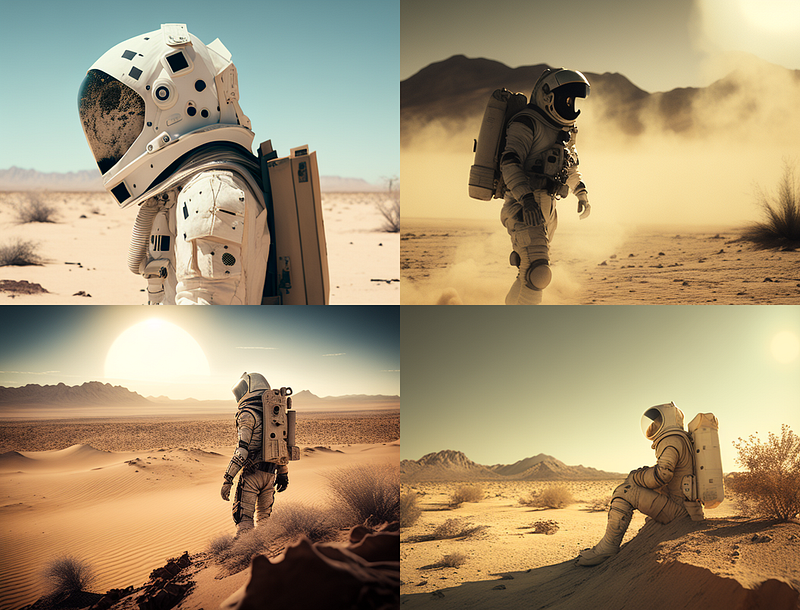
You would use this aspect ratio when creating images for display on a 4:3 monitor or when producing the “aesthetic backdrop” for a scene that has to be reminiscent of analog television.
11:8 aka The Academy Ratio
The aforementioned Academy ratio of 1.375:1 is a standard introduced by the Academy of Motion Picture Arts and Science in 1932. Although it became increasingly unpopular during the “widescreen revolution” in the 1950s, the Academy ratio is still in use today.
Let’s take a look at Wes Anderson’s “Grand Budapest Hotel”. The movie tells a story unfolding on three timelines: the present, the 1980s, and the 1930s. IMDB lets us check the technical specifications and learn how aspect ratios have been used to give the material from three timelines their specific historical context in regard to screen size:

Let’s put this to the test with our astronaut scene.
Since Midjourney requires that we use integer values, we will use “11:8” instead of “1.37:1” for the 1930s scenes.
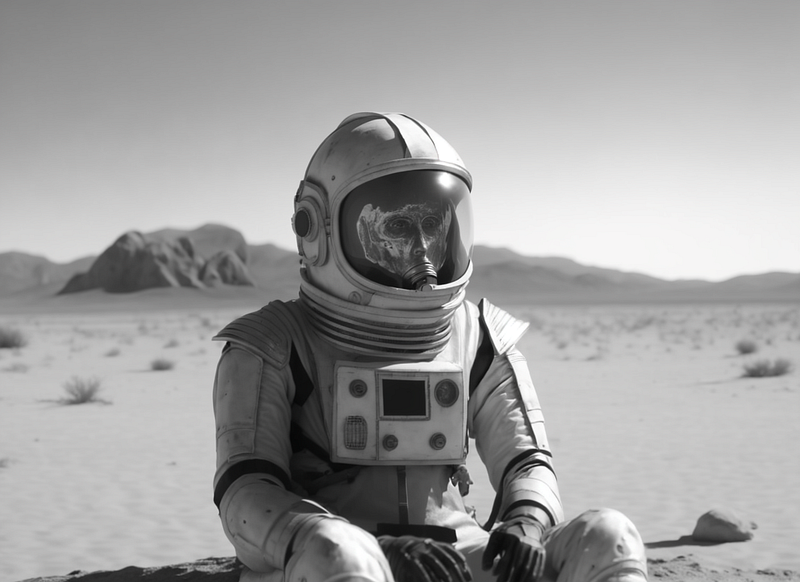
Similarly, for the 1980s scenes, we’ll use the integer equivalent of “37:20” for the US cinema widescreen standard “1.85:1” (more on that later).
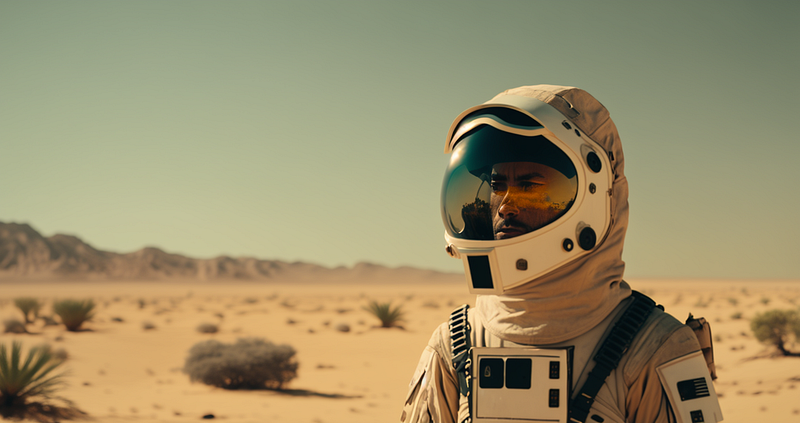
Unfortunately, for the scenes from the 1960s in which Anderson used “2.39:1” (more on that in part three of this series), we will have to limit ourselves to the current maximum aspect ratio allowed in Midjourney: “2:1”.
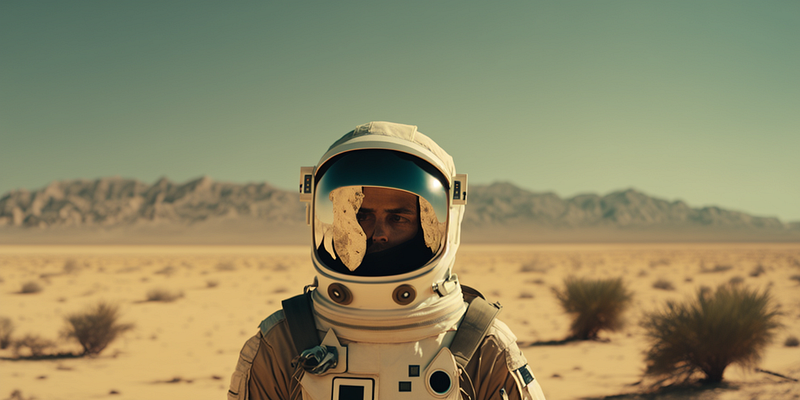
In order to do justice to the aesthetics of the respective era, I also added a style component to the prompts (more on that in my three-part series on cinematic prompts, which you can read here)
Here’s a direct comparison of prompts & results:
/imagine prompt: film still, astronaut in the desert, style by 1930s comedy
movie, 8k --ar 11:8

/imagine prompt: film still, astronaut in the desert, style by 1960s comedy
movie, 8k --ar 2:1

/imagine prompt: film still, astronaut in the desert, style by 1980s comedy
movie, 8k --ar 37:2014:9 aka The Compromise
The 14:9 aspect ratio (which translates to “1.56:1” in cinema slang) is mainly used when it comes to broadcasting wide-screen material (e.g. 16:9) to analog television screens that use an aspect ratio of 4:3.
Instead of just downsizing the original 16:9 material to fit the 4:3 screen (a process called “letterboxing” that would leave us with two big black bars on top and bottom of the screen) …
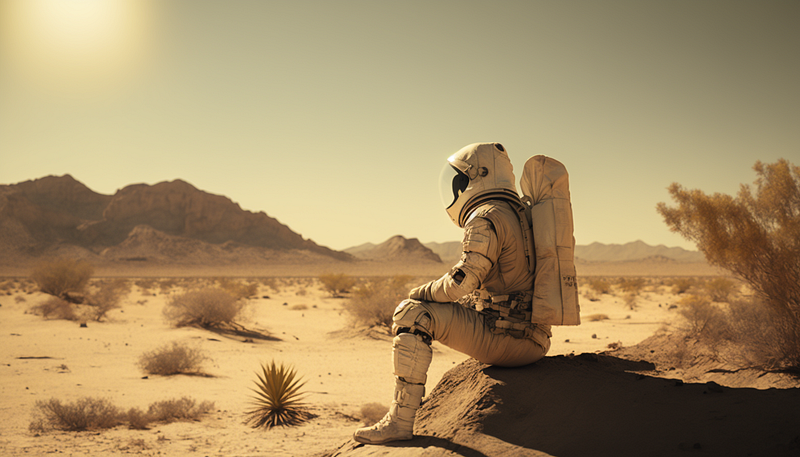
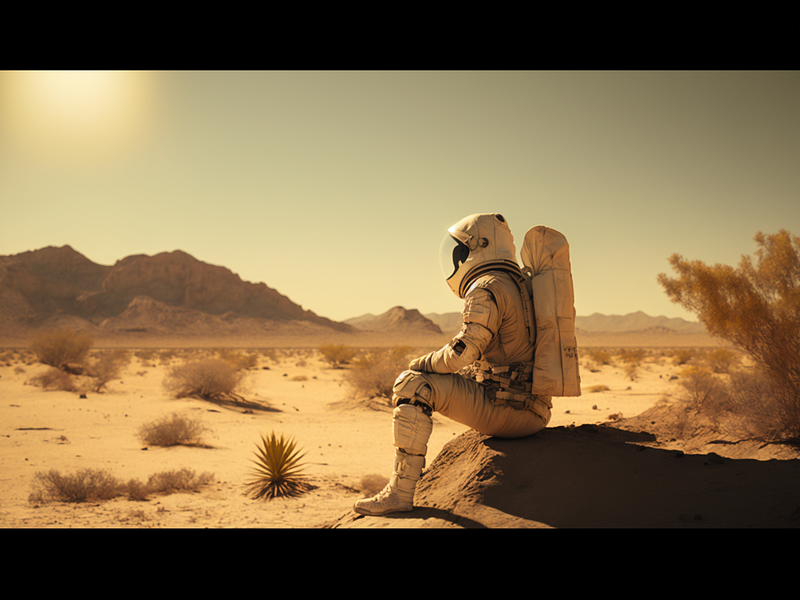
… transforming 16:9 to 14:9 instead crops the image on the side, leading to narrow black bars on top and bottom.
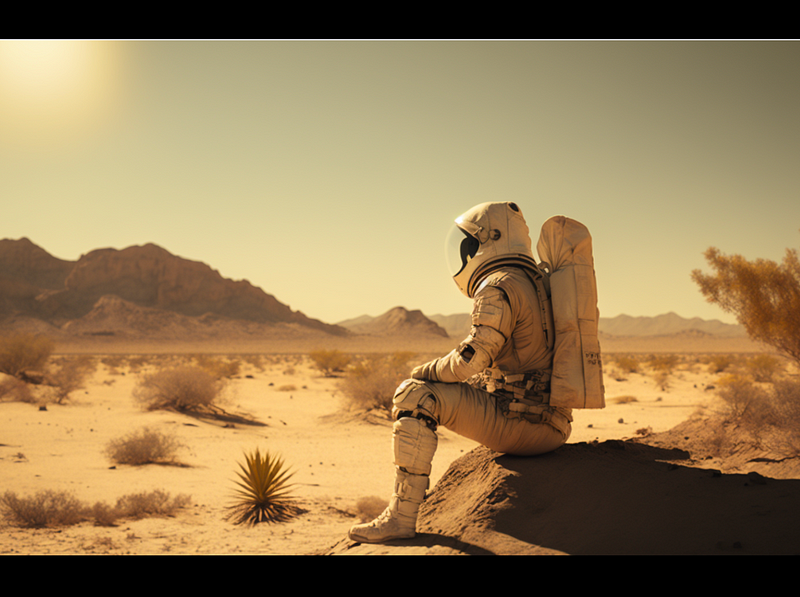
14:9 can be pretty useful. Aesthetically, it has both the professional high-budget cinematic vibe of a widescreen production and the cozy feel of home TV.
/imagine prompt: film still, astronaut in the desert --ar 14:9 --seed 3000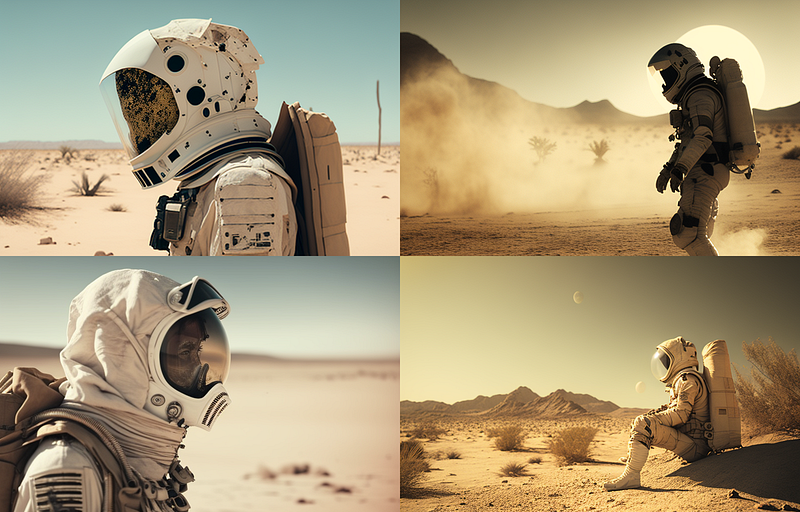
Additionally, 14:9 is also pretty close to an aspect ratio standard commonly used in Europe: 5:3 (or “1.6:1”) which happens to be the native format for Super 16mm film. So you might want to use this for authentic 16mm renderings.
16:9 aka Standard Widescreen
With the advent of high-definition television “16:9” displays became a new standard. Most people nowadays are very well conditioned to experience 16:9 as a “cinematic format”.
/imagine prompt: film still, astronaut in the desert --ar 16:9 --seed 3000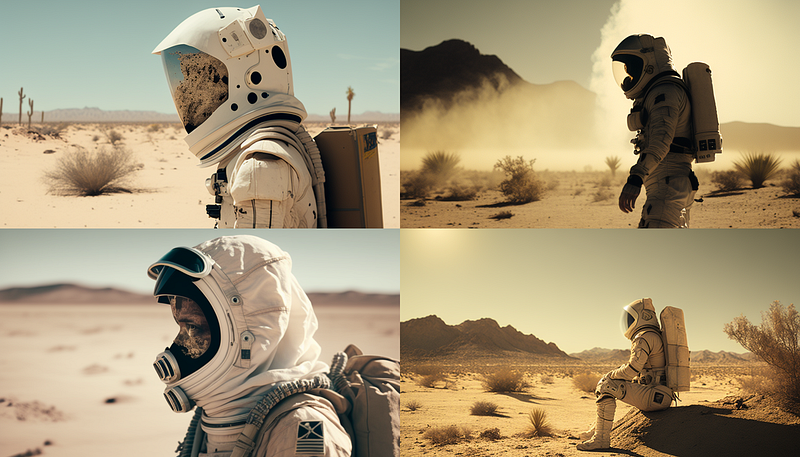
1.85:1 aka The US Widescreen Cinema Standard
When cinema attendance dropped in the 1950s, Hollywood combatted home television by creating new aspect ratios, such as “1.85:1”, to differentiate the film industry from TV.
Since we can only use integer values for the aspect ratios in Midjourney, we have to find a numerical equivalent to the ratio 1.85:1, for example: “37:20” or “185:100”.
The results are similar to “16:9". I personally would argue the “widescreen feel” gets intensified.
/imagine prompt: film still, astronaut in the desert --ar 37:20 --seed 3000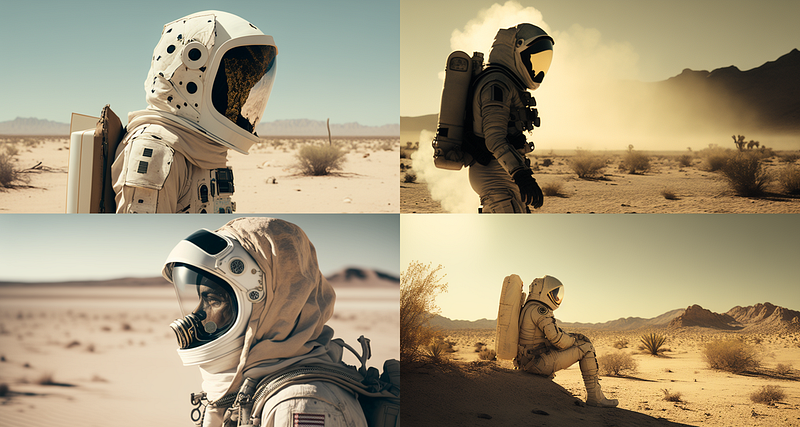
2:1 aka “A New Universal Standard?”
“2:1” is the mathematical average of the popular cinematic widescreen ratio “2.20:1” and the popular TV/digital media widescreen ratio “16:9”. Italian cinematographer Vittorio Storaro proposed “2:1” as a solution to the problem that films in the digital age lead a kind of double life: While cinematographers usually compose their images with the big screen in mind, electronic devices use the 16:9 standard. So Storaro has proposed “2:1” as a new standard for both cinema theatres and the digital realm. Indeed, it’s already being picked up by a few smartphone manufacturers (who market it as “18:9”), and streaming platforms such as Netflix and Amazon Video (e.g. House of Cards and Transparent have been shot in native 2:1).
/imagine prompt: film still, astronaut in the desert --ar 2:1 --seed 3000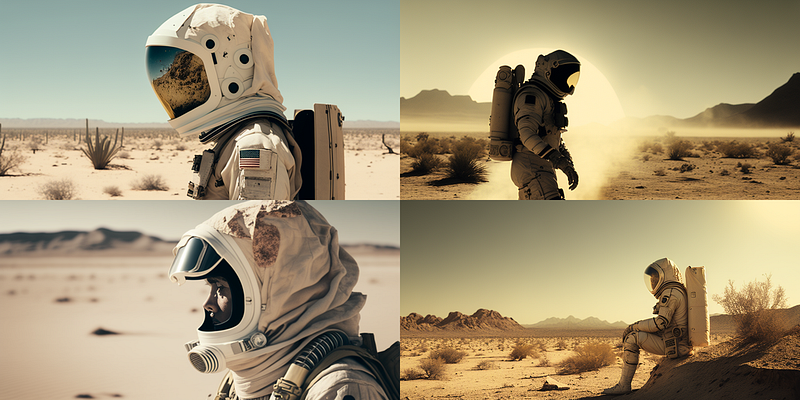
Honorable Mentions & Unsupported Aspect Ratios in Midjourney V4
There are some other ratios you can use in Midjourney V4, but their aesthetic effect is almost too subtle.
Just in case you are commissioned to produce AI art to be shown on a particular TV set from 2006 you might want to know that these devices often sued “16:10”. Also, if IMAX hires you, be aware of their in-house “1.43:1” motion picture film standard.
Nonetheless, we left out some interesting widescreen formats that are not yet supported by Midjourney’s latest model (V4), but have some unique narrative effects. We will look at these in Part 3 of this series, where you will learn how to reproduce them with an earlier Midjourney model (V3). Let’s hope that V4 will also catch up with these ratios.
Thanks for reading! 🙏 This is part one of a three-part series on using aspect ratios with Midjourney (and other AI image generators). Leave some claps, if you like, and feel free to follow me on Medium for the upcoming
Part 2: Photographic aspect ratios
Part 3: Obscure & left out aspect ratios
(links to parts 2 & 3 will be added in the coming days)
If you are not a Medium member yet, you can get access to all my articles (and those of thousands of other writers) with this registration link.



