
10 iPhone Apps for October
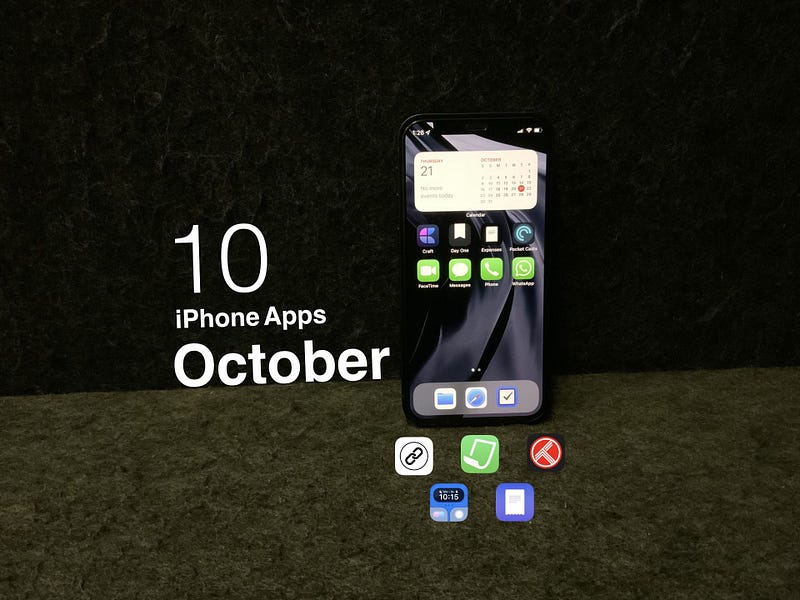
iPhone 13, 13 Mini, 13 Pro, and 13 Pro Max were significant upgrades to the smartphone lineup from Apple. We received substantial improvements for iPhones cameras with cinematic mode and macro photography. The user experience of iPhones keeps getting better and better, and I’m super happy for what the future holds for these smart devices.
For Mac users, October is a great month to get major upgrades. We saw how powerful M1 chips could get with the introduction of M1 Pro and M1 Max chips on the upcoming MacBook Pros. What I’m most excited about is the single-core performance and improvements to the neural engine on those chips.
In this story, I will introduce 10 iPhone apps in different categories. The apps introduced here are in the categories of health, finance, utility, reference, and entertainment.
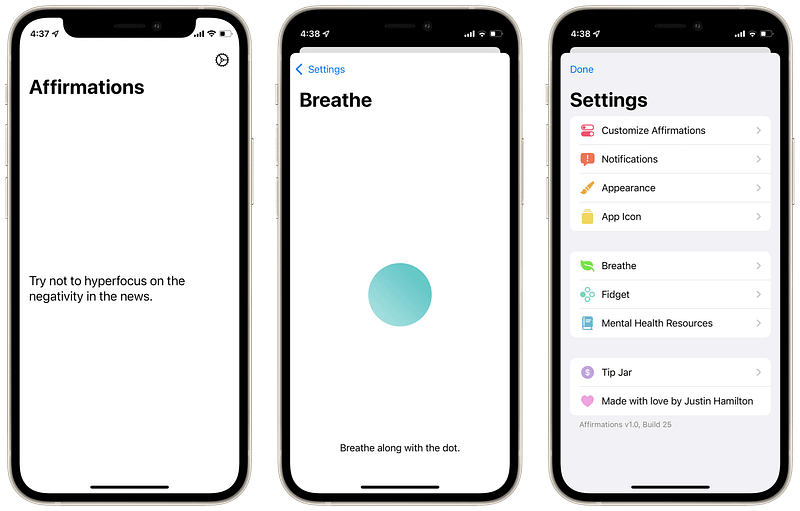
1. Affirmation
Every day, we experience a lot of negativity and sadness from different media. We watch the news and subconsciously amplify harmful biases against the world. When we surf the web, we see hundreds of targeted ads. And when it comes to social media? Don’t even let me begin.
To Alleviate this issue, we can stay positive and mindful. But, the human mind is not great with memories. That is why today I’m introducing Affirmation. An app that will remind you to stay hopeful with positive sentences and help you relax with a visual animation on a breathing technique.
🔐 Privacy: No data collection
💳 Price: Free!
☑️ Compatibility: 📱iPhone, 📱iPad
🧩 Design: Displeasing
⭐️ Rating: Insufficient data
🔗 Download: AppStore
🌐 Research: Website
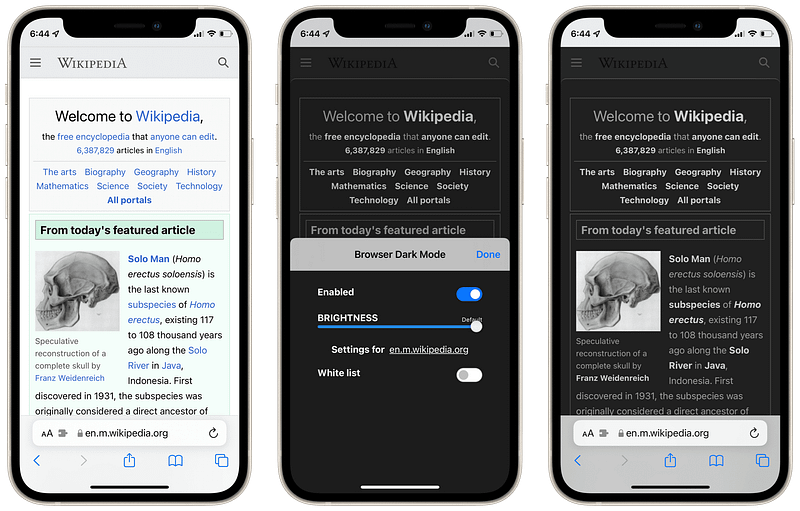
2. Browser Dark Mode
Two years ago, Apple made a massive change to iOS; they introduced dark mode for the operating system and most apps. As a result, many apps followed Apple into bringing a better visual experience for their users by implementing dark-mode.
Many websites brought their dark mode experience by seeing if your device’s settings have changed or not. However, many still have not enabled dark mode. That is why I’m introducing the Safari extension app that is called Browser Dark Mode.
Using this app, all you have to do is:
- Enable the extension in Safari’s setting.
- Open a website and launch the extension to enable dark mode.
The app does a fairly decent job of making sure the website looks ok in dark colors, but don’t expect an excellent result for every website. Readability might be difficult for some websites.
🔐 Privacy: No data collection
💳 Price: $1.99
☑️ Compatibility: 📱iPhone, 📱iPad
🧩 Design: Displeasing
⭐️ Rating: Insufficient data
🔗 Download: AppStore
🌐 Website: Not Found
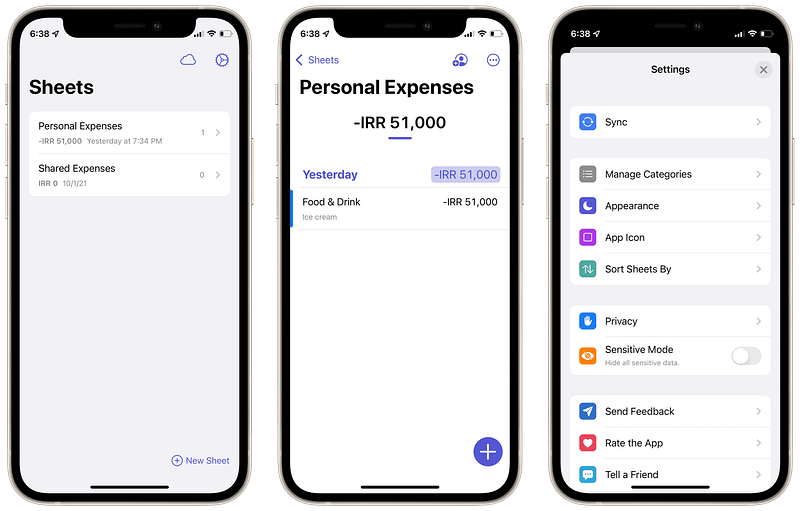
3. Expenses
It’s been years since I’ve been looking for an app to manage my expenditure with ease. I’ve come across many apps with the promise of features and great design. However, out of the ten apps I downloaded, only one of them was what I needed.
Expenses is a simple and beautiful app to help you manage your expenses. It supports iPads and Macs. The user interface doesn’t look too modern. But, on the other hand, it looks minimal; that is why I love it. It is designed to help you get your task of logging your expenses in the quickest time possible.
I’ve featured this app in my monthly list of Mac apps which you’ll find below:
🔐 Privacy: No data collection
💳 Price: $5.99
☑️ Compatibility: 📱iPhone, 📱iPad, 💻 Mac
🧩 Design: Decent looking
⭐️ Rating: 4.7 out of 5 (324 ratings)
🔗 Download: AppStore
🌐 Research: Website
4. Handla
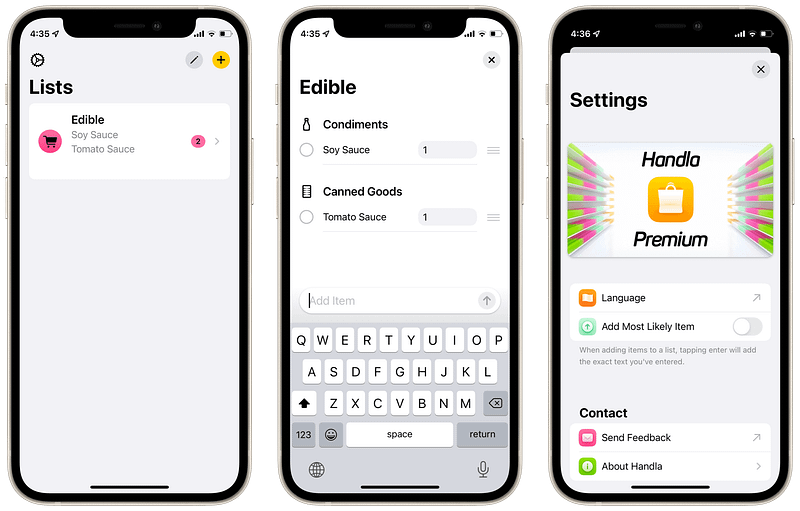
Keeping a list of your shopping items seems like an easy job. Many people use the Notes app and create a To-Do list for their items. However, the Notes app is not sufficient for some people who enjoy a premium experience from their devices. It doesn’t give them the extendability they require from keeping a list.
That is why I’m introducing Handla. It is a minimal and clean list-keeping app that allows you to store the items and goods you want to purchase. What makes this app unique is a feature that will enable you to see the eco-impact of your purchases.
It indicates the Eco impact of what you want to purchase by visualizing a color beside them. For example, an item like an Apple has a low climate impact, whereas coffee has a high impact.
If you want to get a much more refined experience being mindful of the goods you wish to purchase for yourself, then give Handla a chance.
🔐 Privacy: No data collection
💳 Price: Subscription $4.49 per year
☑️ Compatibility: 📱iPhone, 📱iPad
🧩 Design: Decent looking
⭐️ Rating: Insufficient data
🔗 Download: AppStore
🌐 Research: Website
5. LinkBin
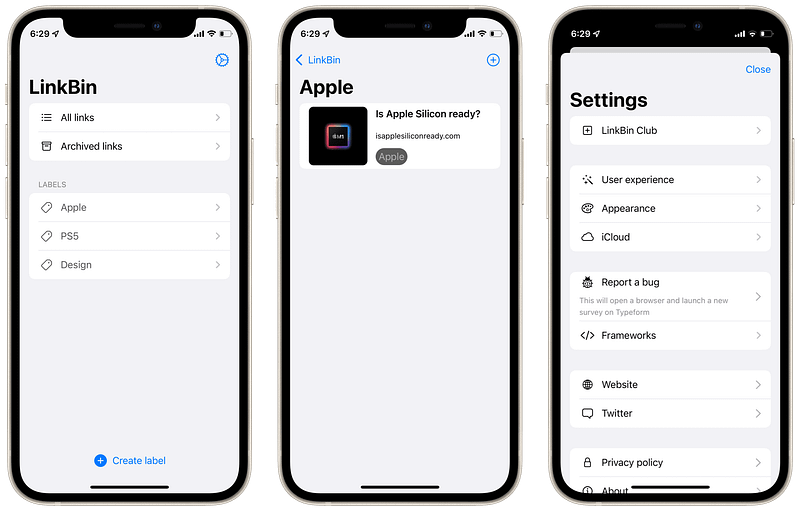
I used to save a link to all the websites I found interesting in my bookmark. They were accessible in Safari, but it became a tedious process to find them after saving more than ten links. In addition, I had issues finding a link even after organizing them by folders.
Then I found LinkBin. A light, minimal app that allows you to create labels as a way of categorizing your links. Once you put your links in the app, finding them is easy, and they synchronize over iCloud, which is excellent for those who work on more than one Apple devices.
For those links that point to an article, once you read them, you can archive them, so you won’t lose access once you decide to re-read them.
🔐 Privacy: No data collection
💳 Price: $0.99
☑️ Compatibility: 📱iPhone, 📱iPad, 💻 Mac
🧩 Design: Displeasing
⭐️ Rating: Insufficient data
🔗 Download: AppStore
🌐 Website: Not Found
6. Meddify
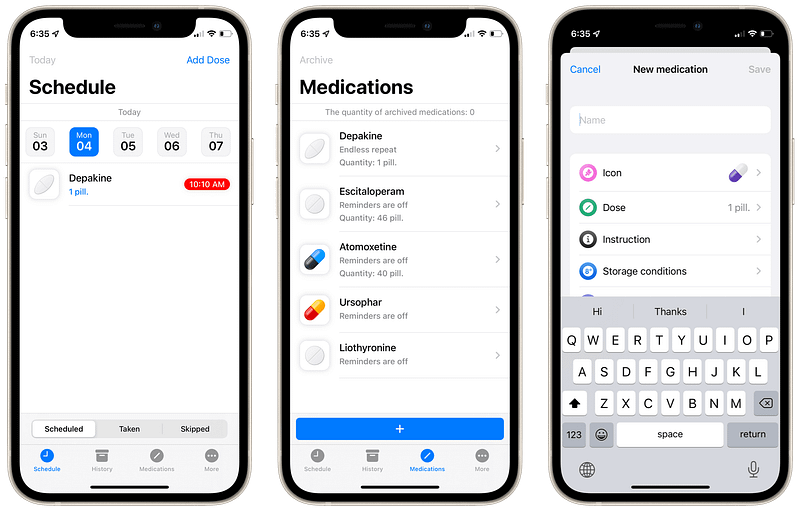
There are not many apps for keeping track of your medication. Some famous ones have privacy issues. Others lack a good user experience. My acquaintances asked me to recommend them an app for tracking and reminding them of their medications. That is when I came across Meddify. A simple, minimal app that not only reminds you to take your medicines on time but also lets you know if your medications are starting to run out.
The navigation throughout the app is simple, and I hope it remains that way for the upcoming updates.
🔐 Privacy: No data collection
💳 Price: $3.99
☑️ Compatibility: 📱iPhone
🧩 Design: Decent looking
⭐️ Rating: 4.8 out of 5 (96 ratings)
🔗 Download: AppStore
🌐 Research: Website
7. QuickScan
For the simple need to scan a document, you have the built-in scanner from iOS. As far as I know, it resides in the Notes and Files app. It works pretty well. I enjoy its accurate edge detection. But sometimes, we have use cases that require more features from document scanners. Hence, the QuickScan app.
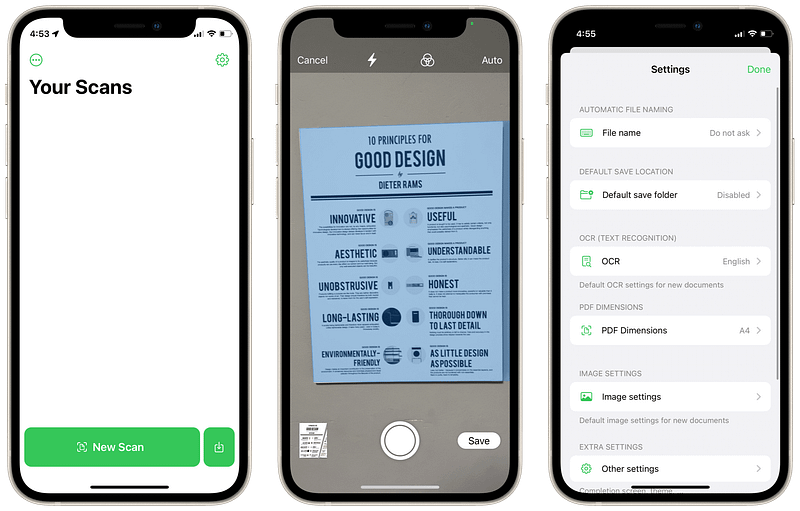
QuickScan is a straightforward, minimal app that allows you to scan any document using your iPhone. No matter if you want to use the camera or import from an existing photo. It does it all.
Due to my different use cases for document scanning, I customized it to save images in a local folder on my device with a specific format of naming it. In addition, I specified the PDF dimensions to be the size of an A4 paper and made sure the image quality was in the highest quality possible.
All of the features in this app, including OCR with support seven languages, come for free. Of course, you can donate to support the development, and I encourage you to do so, but the fact that the app doesn’t require any money and does all of these things is phenomenal.
🔐 Privacy: No data collection
💳 Price: Free!
☑️ Compatibility: 📱iPhone, 📱iPad
🧩 Design: Displeasing
⭐️ Rating: 4.9 out of 5 (1.1K ratings)
🔗 Download: AppStore
🌐 Research: Website
8. SocialWidget
For many content creators, it is imperative to keep track of their social media status. Whether that is a Medium blog, a YouTube channel, or an Instagram page, sometimes it encourages content creators to see an update on their followers and create more valuable content.
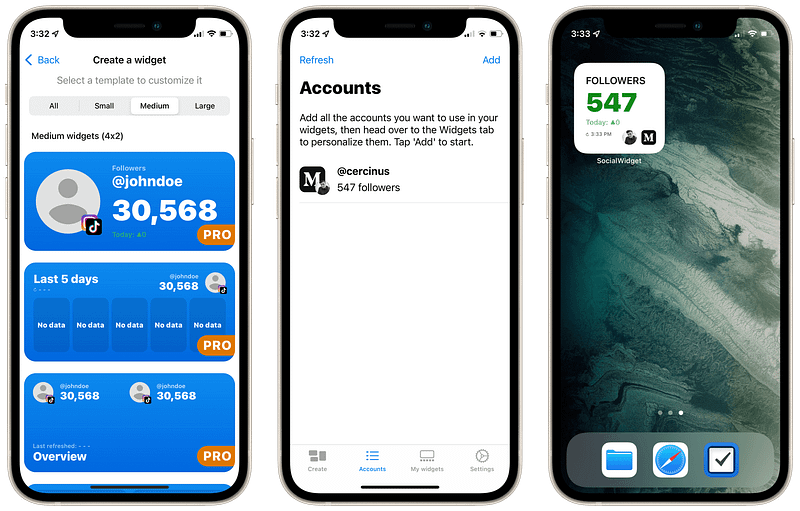
Using SocialWidget, you can easily add your social media accounts and keep track of their follower count. Once you do that, you can add the app’s widget on your home screen.
The app is not aesthetically pleasing, but it gets the job done without asking for login info which is convenient.
🔐 Privacy: No personal data collection
💳 Price: Subscription $3.49 per month
☑️ Compatibility: 📱iPhone, 📱iPad
🧩 Design: Displeasing
⭐️ Rating: 4.5 out of 5 (440 ratings)
🔗 Download: AppStore
🌐 Website: Not Found
9. Photo Eraser Background Editor
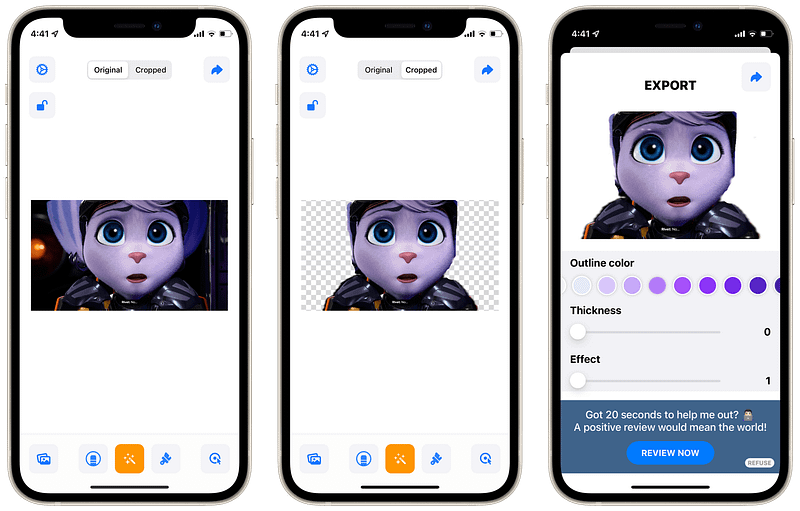
Removing the background from an object on any photo should not require hours of practice on professional apps like Photoshop or Pixelmator. One of the best things about AppStore is how specialized an app can get.
This app does a relatively simple job. For example, removing background from the subject on a photo. The magic-erase button automatically detects your foreground subject and removes the background surrounding it. It worked 4/10 times for me, but I could use the erase button to get rid of unwanted pixels and use the restore button to undo my mistakes.
If you are looking for a simple and free tool to remove background from your photos, give this app a try.
🔐 Privacy: No personal data collection
💳 Price: Free!
☑️ Compatibility: 📱iPhone, 📱iPad
🧩 Design: Displeasing
⭐️ Rating: 4.6 out of 5 (1K ratings)
🔗 Download: AppStore
🌐 Website: Not Found
10. Trakt
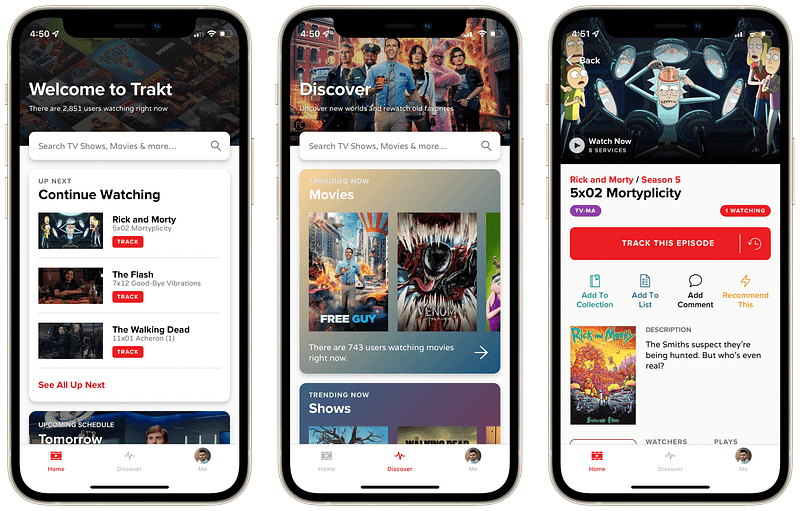
I love movies and TV series. I dedicate a significant amount of time per week to watch my favorite shows. The problem I had with watching this much content (other than spending much precious time) was keeping track of the movies and tv series I watched. Every so often, I forget which episode of Rick and Morty I was watching.
One of the best websites I found that helps me keep track of my entertainment needs is Trakt, and around three months ago, I found out that they have released an iOS app. So I immediately installed it on my iPhone, and it was terrific.
Using Trakt on my iPhone, I could use a watch list and log the movies and tv series I wanted to watch. I made my list of favorite movies and rated the ones I enjoyed the most.
🔐 Privacy: No personal data collection
💳 Price: Free!
☑️ Compatibility: 📱iPhone, 📱iPad
🧩 Design: Displeasing
⭐️ Rating: 4.6 out of 5 (1K ratings)
🔗 Download: AppStore
🌐 Research: Website
This story was the October edition of 10 monthly apps for iPhone. If you have enjoyed reading it, please give it a few claps, and share it with your friends.
If you know other useful apps for iPhone and want to be featured in the following editions of monthly apps for iPhone, leave a comment in the response section alongside your Medium username.
I would appreciate it if you support me by becoming a Medium member using the link below:
Here are the previous editions of monthly iPhone apps: