
10 iPhone Apps For The Month Of May
The month of May is a special one. We are in the middle of the spring where trees look pristine, their greenness radiates the calm nature we have all experienced which comes with a mixture of the aroma so desirable one can only experience in this dear time.
As with the previous months when I introduced some useful applications for the iPhone and gave them a mini review, I will do the same for this month, and hopefully, you will enjoy it.
These apps we discuss are not explicitly built for the iPhone and depending on the developers’ preferences many of them can be used on Macs with the M1 processor. I will try to mention if the apps support iPads and other Apple platforms as well. I will also hint if any app respects your privacy.
1. Klima
Right here, right now is where we draw the line. The world is waking up. And change is coming whether you like it or not. — Greta Thunberg
The climate change has already made its impact on our lives. We are now more susceptible to long-lasting effects from our consumeristic lifestyle. The excessive use of industrial products doesn’t help to solve the equation of global warming.
As a citizen, as a concerning citizen and a person who cares about the life of all species on the planet, the least one could do is to reduce the carbon footprint.
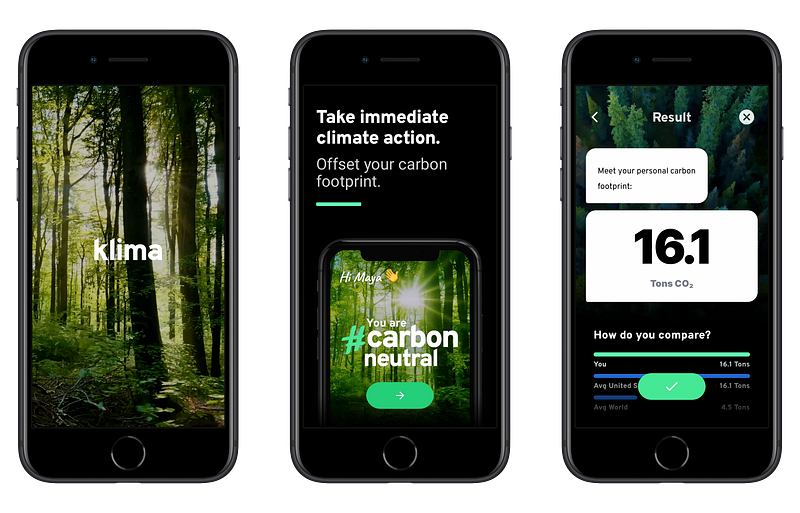
With Klima you will get an estimate on how much carbon footprint you produce by your lifestyle and what solutions you use to help avoid making the earth warmer.
Klima has a fantastic user experience. It comes with simple yet beautiful user interface which covers great images and illustrations. You will feel comfortable using the app. All you will need to do is to complete some steps and let Klima estimate your carbon footprint, then choose a plan to help with a noble way of living for our planet.
Klima is available only for iPhones and I haven’t been able to test it on an iPad.
🔐 Privacy: Collects personal data
💳 Price: Subscription with different plans
☑️ Compatibility: 📱iPhone
🧩 Design: Aesthetically pleasing
🔗 Download: AppStore
🌐 Research: Website
2. Amicu
Humans are social creators. We strive on stories and connect with each other to survive the harsh world out there. An issue for us living in the twenty-first century comes from work and our most gruesome choice: being and staying busy.
The solution to alleviate this problem comes in the form of reminders. Now, we can use reminders in the shape of calendar, to-do and task management apps, but what if we could do it using a simpler solution that not only respects our privacy, but also help us remember special events.
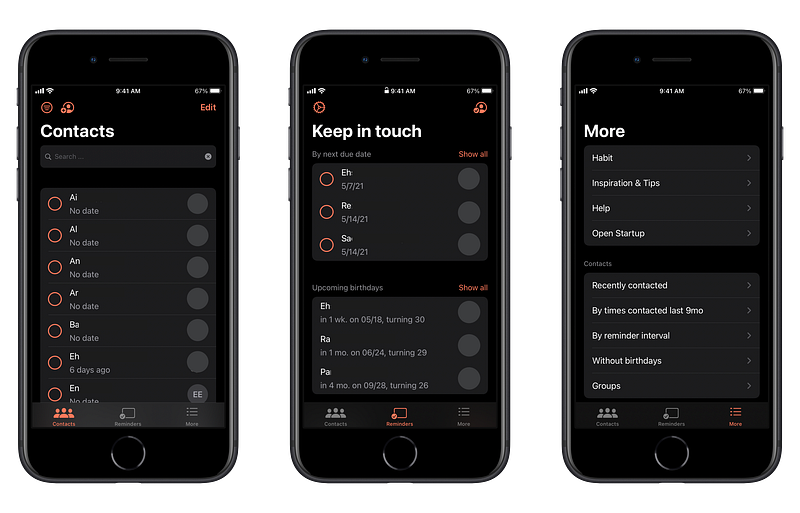
With Amicu you can manage your most important contacts by grouping them, adding information, setting reminders and much more. The app looks alright and doesn’t seem too confusing to use. If you are a person who forgets to stay in contact with important people then this app is for you.
🔐 Privacy: No personal data collection
💳 Price: Subscription with different plans
☑️ Compatibility: 📱iPhone
🧩 Design: Decent looking
🔗 Download: AppStore
🌐 Research: Website
3. Recurrence
Habits make us do certain things on a repeated schedule. Many people face different challenges throughout the day, and because of their needs, many forget to stick to their habits.
Every year we define our new year’s resolution. Occasionally, we want to lose weight, sometimes we want to learn a different language. The use case varies. What doesn’t vary is our inability to stick to some habits. Why? Because we forget. To alleviate this problem, we can rely on the help of technology.
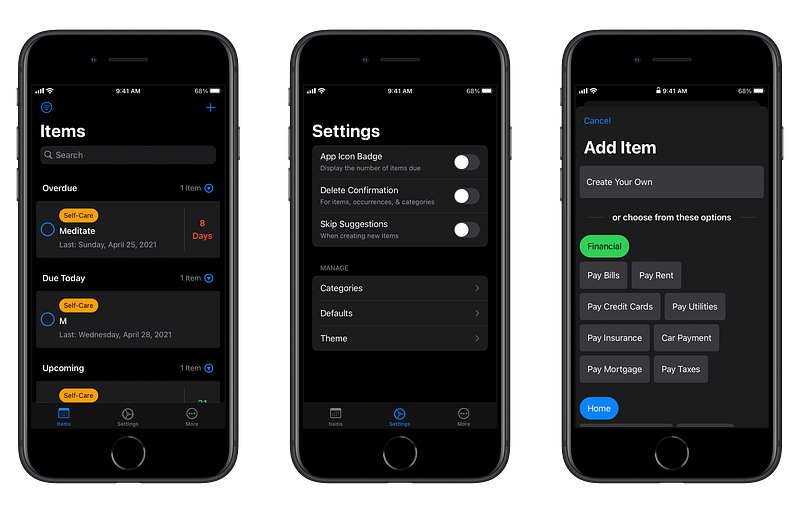
An app that helps us easily create certain tasks that require repetition throughout some days would be of great benefit and that is what Recurrence does. This app is universal meaning it will run on most Apple devices and can be easily understood. Navigating the app is easy, and it is usable for the majority of people.
Some example use cases for me is to use it to be reminded when I need a haircut and also a couple of important things, like meditating and paying my bills.
🔐 Privacy: Some personal data collection
💳 Price: Subscription with different plans
☑️ Compatibility: 📱iPhone, 📱iPad, 💻 Mac
🧩 Design: Decent looking
🔗 Download: AppStore
🌐 Research: Website
4. Coffee Cups
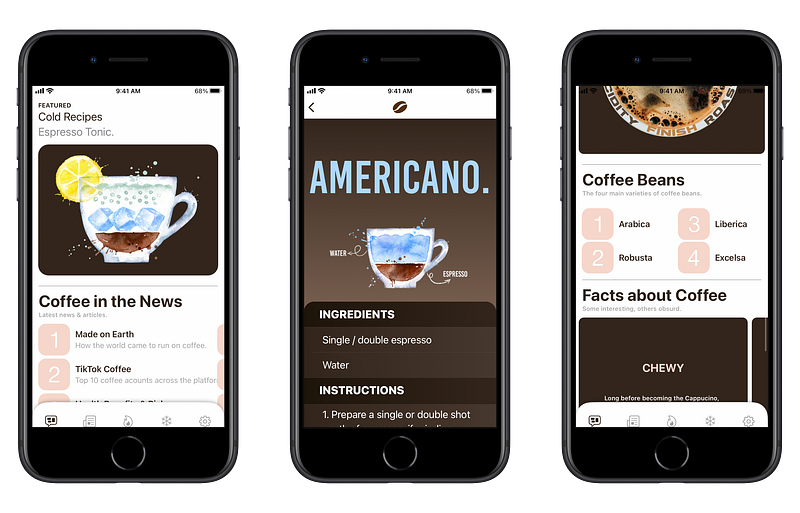
I crave a great coffee; to make a good cup of coffee, wether that be something as simple as a French coffee. Or something as complex a cup of Mocha, you will need to know the basics knowledge about this heavenly bean.
There are many tutorials online, scattered throughout the web and many on video platforms like YouTube. The problems come when you seek learning how to do certain tasks and have to search the internet. To save time and bring immense knowledge in your hands, this app the Coffee Cups will provide you with the most data in the shortest time.
This app covers a lot when it comes to learn about the coffee. Whether that is frothing milk, making hot or cold espresso shots, brewing methods, and so much more, you will benefit a lot from its gorgeous design. The app is only available for iPhones at a fantastic price that is very affordable and respects your privacy without collecting any personal data.
If you drink coffee daily and want to learn more about the how and what then don’t miss this app, specially if you own an iPhone X or newer as its design is mostly suited for those devices.
🔐 Privacy: No personal data collection
💳 Price: $1.99
☑️ Compatibility: 📱iPhone
🧩 Design: Aesthetically pleasing
🔗 Download: AppStore
🌐 Research: Website
5. Scan Thing
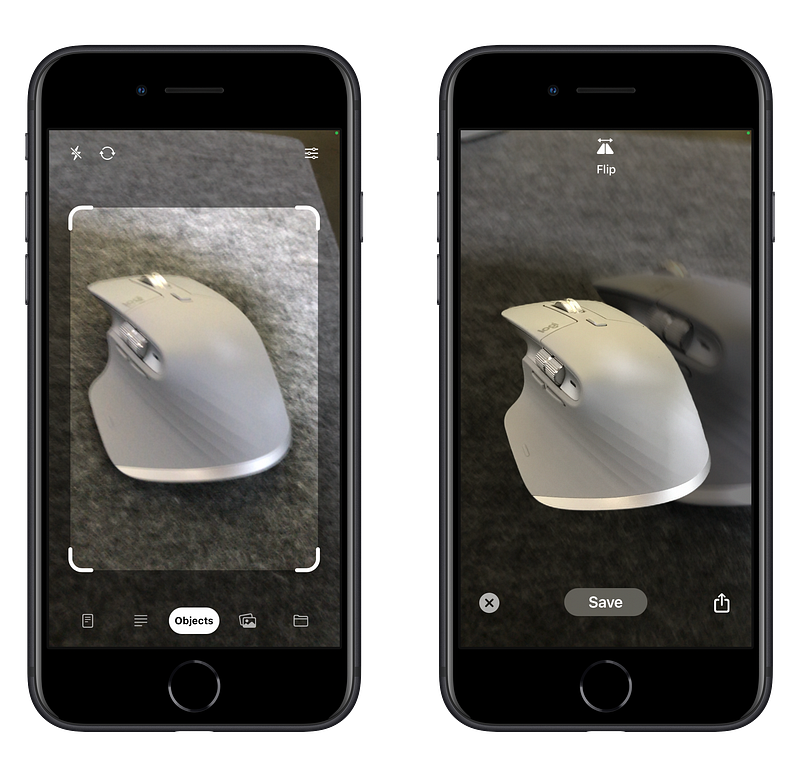
I have discussed how the camera on an iPad could be of immense value to many people. I firmly believe that we are living in a world that is so new to revolutionary technologies like AR and VR, and we are just seeing the glimpse of it.
Here is the link to that article:
The emergence of augmented reality and the APIs which are developed by giant companies like Apple in the form of ARKit makes us feel as if we are so prepared to embrace the beauties of this technology.
One of the apps that, I believe, is revolutionary since the introduction of ARKit is Scan Things. With Scan Things, you can easily use the camera on your iPhone and take a photo of an object, then the app will do its magic and give you a cropped photo of that object.
I, personally, use this app to help me with my designs. I live in a house where our backyard has some trees and many flowers. Sometimes to create a design that is aesthetically pleasing I go outside, capture a few photos and import them in my design application. The result is unique and beautiful.
The astonishing thing about Scan Things is that it works offline and uses the processor on your device to do its calculations. It also does not collect any data and is compatible with iPads as well as iPhones.
🔐 Privacy: No data collection
💳 Price: $4.99
☑️ Compatibility: 📱iPhone, 📱iPad
🧩 Design: Aesthetically pleasing
🔗 Download: AppStore
🌐 Research: Website
6. HomePaper
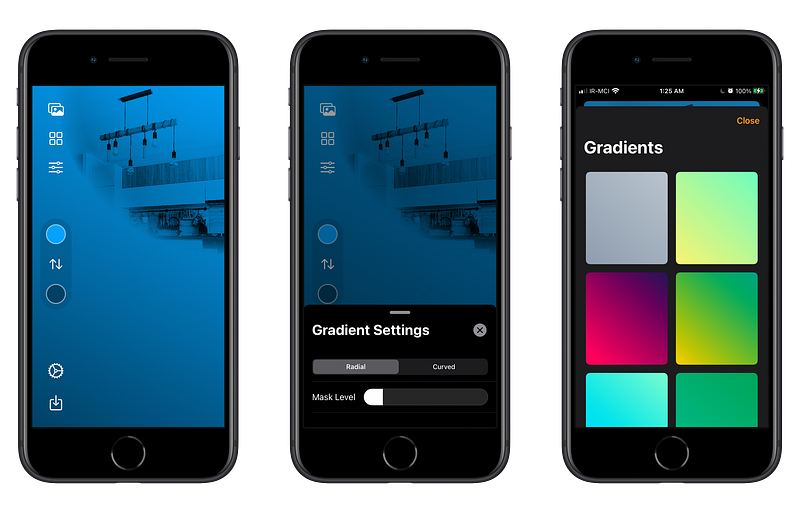
Since the introduction of smart-home gadgets I was very intrigued to see where this technology is going. I saw the implementation of smart light bulbs that work on a range of smart virtual assistants. After some time I see the convergence of mechanical devices with our daily technologies.
As a fan of Apple and almost all its products, I can’t say I wasn’t impressed by the amount of eye-opening technologies which were introduced for people who like to control their smart home accessories with their iPhones.
HomeKit is one of the cleanest most user-friendly implementations of smart home era and I believe it is in its beginning, and we are seeing the tip of the iceberg.
After setting up my smart home accessories, I realized that the look of the Home app is not as personalized as I wanted it to be, that’s when I found HomePaper. It lets you put a photo of anything you want on the screen and mix it with great shades of colors in gradient format. I immediately fell in love with it. I created a couple of wallpapers and set them as Home’s app wallpaper for different rooms.
The app is extremely affordable and doesn’t collect any data. It also works on iPads as well.
🔐 Privacy: No personal data collection
💳 Price: $0.99
☑️ Compatibility: 📱iPhone, 📱iPad
🧩 Design: Decent looking
🔗 Download: AppStore
🌐 Research: Website
7. Spaces
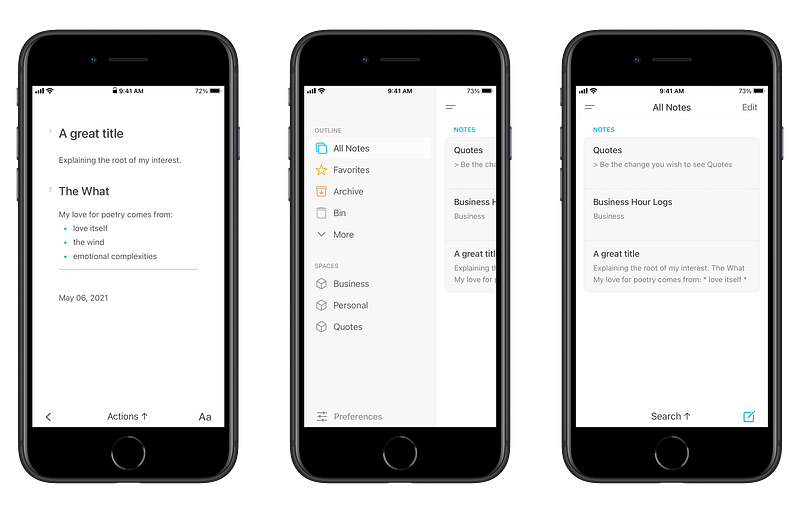
Taking notes and having a notebook where all your notes are accessible, searchable, and easy to modify should be of no hassle, yet, we keep seeing apps like this with almost the same design but different implementation of note-taking features.
I have tried so many apps to find something that not only aesthetically looks great but also help me categorize different notes based on their topic.
A couple of problems I’ve had with many note-taking apps have been:
- Expensive or long-term monthly subscription plans
- Constant annoyances like bugs that take ages to get fixed
- Cluttered design and ugly user interfaces
- Lack of support for right to left languages
- Lack of proper timely updates that would make me stay a customer
Spaces, an app by Marvey Tech is here to help with many of the problems I mentioned. The app has a beautiful design. Its performance is great and works like a charm. It has many themes and is available on almost all devices on the Apple ecosystem. The only problem is lack of RTL support, but I hope they add it some day.
Lastly, this app comes with a LifeTime plan which is wonderful for people like me who don’t like to pay for apps on a monthly basis.
🔐 Privacy: No data collection
💳 Price: Subscription with different plans
☑️ Compatibility: ⌚️Apple Watch, 📱iPhone,📱iPad, 💻 Mac
🧩 Design: Aesthetically pleasing
🔗 Download: AppStore
🌐 Research: Website
8. Winno
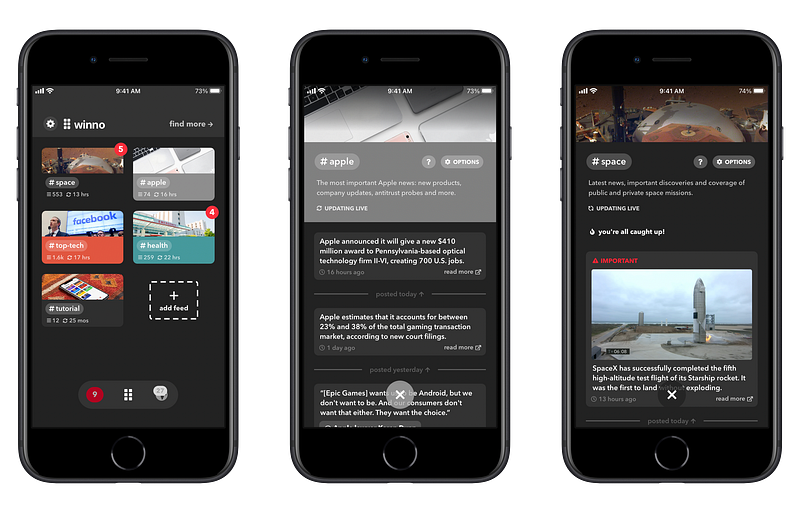
What do we really want from a news app? I believe the answer might be different for many people. For me, I want an app that gives the most important news in the shortest time possible. I want to read the news about technology, Apple, space industry and health in five minutes without getting stressed or observing advertisements.
If you are like me then this app might help you. Winno is a news reading app that helps you stay informed of the events happening around the world. The design of this app is fine, nothing thought-provoking, but it does the job and if you want to get the latest news in the shortest time possible then I think Winno will help you.
Winno is one of the few news-reading apps that doesn’t collect personal data and is available free. I hope they monetize it and work on the design.
🔐 Privacy: No personal data collection
💳 Price: Free!
☑️ Compatibility: 📱iPhone, 📱iPad
🧩 Design: Displeasing
🔗 Download: AppStore
🌐 Research: Website
9. NiBoard
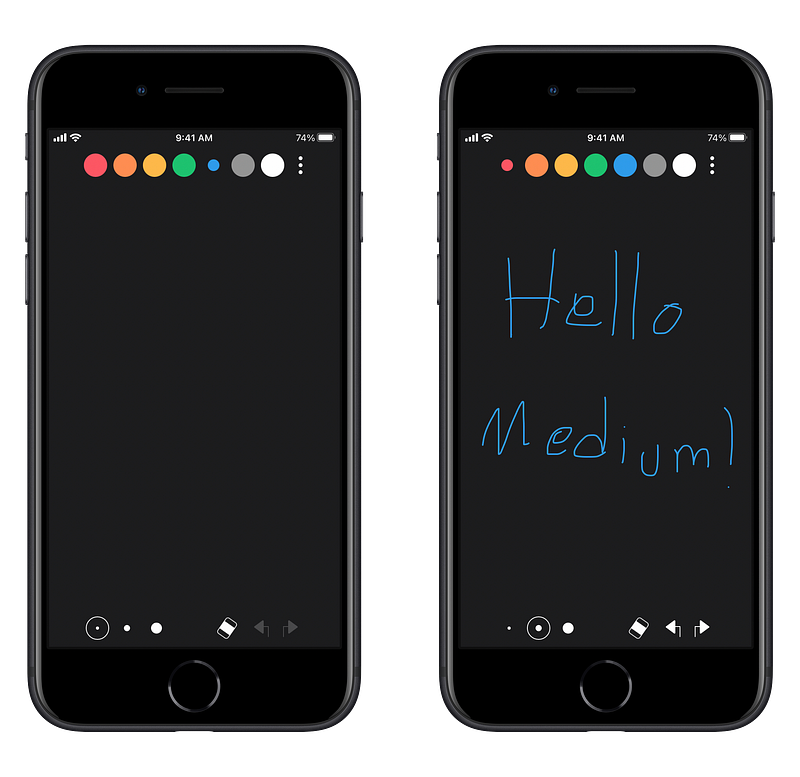
If someday Apple decides to add pencil support for the iPhones then I believe NiBoard is going to get the most gain on the App Store. Having said that, lack of pencil support shouldn’t stop you from using this app. If you are looking for a quick way to take quick notes then try NiBoard.
It offers a super simple user interface which allows you to write anything with your fingertip. It offers different colors and the ability to undo and redo your drawings.
One of the fun things about this app is for times when you are with your son or daughter. There are many times they would ask you to give them your iPhone, so they could play games on it, and that is when I believe using an App like this could be smart. They will draw something with it, and maybe it turns out they like painting. I like to see the glimpses of creativity in children from apps like these.
NiBoard is fine to use if you like to draw with your fingers but if you want to use the Apple Pencil for it, then I suggest using a more professional app like Vectornator.
🔐 Privacy: No data collection
💳 Price: $4.99
☑️ Compatibility: 📱iPhone, 📱iPad, 💻 Mac
🧩 Design: Aesthetically pleasing
🔗 Download: AppStore
🌐 Research: Website
10. iA Writer
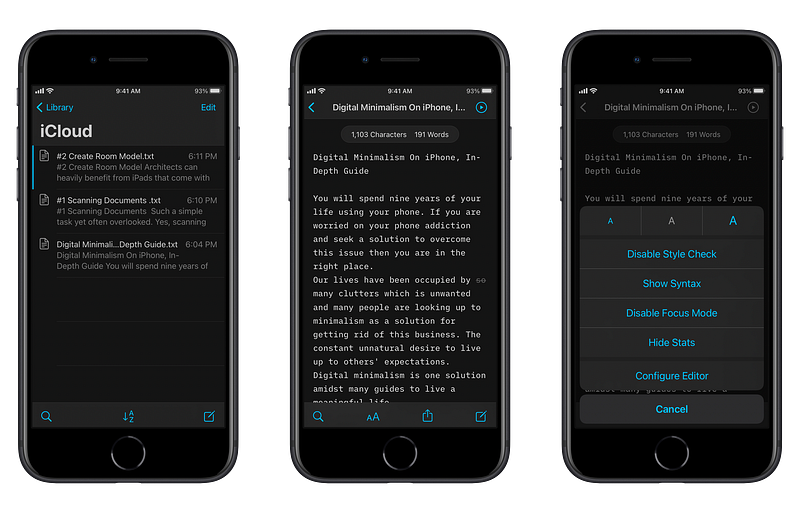
There are very few apps I’m aware of that truly have implemented a super minimal text editing experience and iA Writer is one of them.
iA Writer came out a few years ago and ever since the early versions I remember it being a simple text editing and note-taking app. Throughout the years it became more advanced with great features like syntax support, focus mode and spell check, however, it stayed simple which is truly astonishing.
I am very pleased with how many features and tools function within the iA Writer’s editor. With one touch of a button you will have access to various functions like creating headers, and tables, and adding links, lists and so much more.
The only downside to this editor is the lack of support for right to left languages but other than that it is great. iA Writer doesn’t collect any personal data and is compatible with iPhones, iPads, and Mac. It has a hefty price but in my opinion it is worth it for those who write blog posts and books.
🔐 Privacy: No personal data collection
💳 Price: $29.99
☑️ Compatibility: 📱iPhone, 📱iPad, 💻 Mac
🧩 Design: Aesthetically pleasing
🔗 Download: AppStore
🌐 Research: Website
Thank you for reading this edition of the monthly apps for the month of May. It is a joy for me to write these articles and I hope you enjoyed reading them as well. If you have any suggestions whether they are apps, services or websites, let me know in the response section below.
You can also check the previous editions of monthly apps below.