
10 iPhone Apps for November
November might not be full of tech events, but it is the month many people update their iPhones to the latest software and use the new features.
Many developers who have updated their apps for the new iOS 15 will increase their sale through in-app purchases, and overall, life for many people becomes more joyful and fruitful.
In this edition of 10 iPhone apps for the month of November, we will analyze some fantastic apps in different categories. Some apps are Safari extensions, while many are in the categories of education, entertainment, augmented reality, and more.
1. Veil
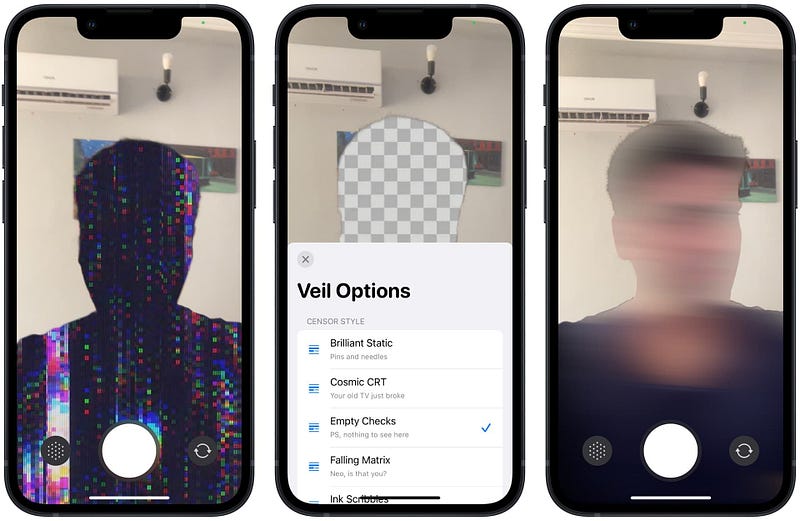
Citizen journalism at its best can be utilized with the help of apps like these, especially when you are reporting an event where the government doesn’t like coverage of news events by its citizen.
The aim of this app is vast, as it might be the start of protecting one’s privacy by allowing more people to speak out on matters most concerning in our lives.
🔐 Privacy: No data collection
💳 Price: $2.79
☑️ Compatibility: 📱iPhone
🧩 Design: Displeasing
⭐️ Rating: Insufficient data
🔗 Download: AppStore
🌐 Research: Website
2. Ripple for Trakt
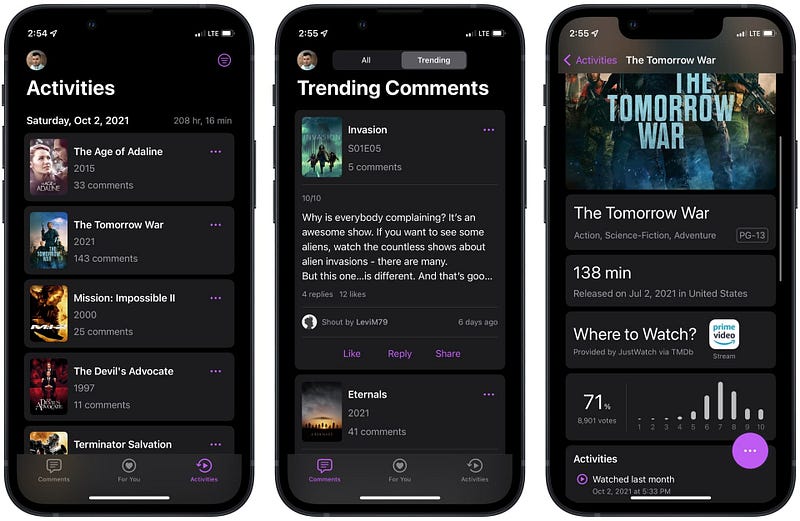
If you use Trakt to track your movies and TV Series, then install Ripple for Trakt as it provides a clean user interface in which you will have access to your library of movies and tv shows.
The app allows you to view your watchlist and receive notifications when a new favorite TV show episode arrives. In addition, paying for the app will enable you to access your watchlist’s search functionality and receive recommendations alongside many more features.
It is inexpensive and provides a fine-tuned user experience for using Trakt. If you are a user of the Reddit called Apollo, think of Ripple as the Apollo to the Trakt.
🔐 Privacy: No data collection
💳 Price: Subscription $0.49 per month
☑️ Compatibility: 📱iPhone, 📱iPad, 💻 Mac
🧩 Design: Decent looking
⭐️ Rating: Insufficient data
🔗 Download: AppStore
🌐 Research: Website
3. Compress Photo & Pictures
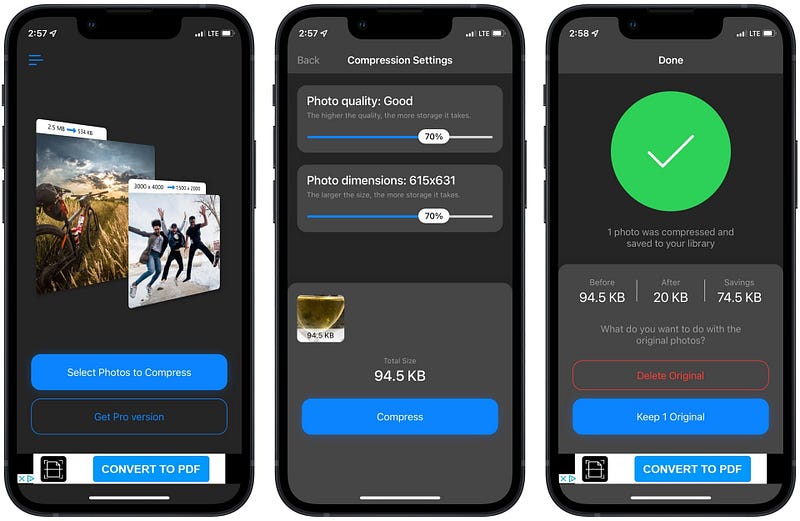
As a blogger, I have to be careful of the images I upload to my blog. They have to be relevant and, in terms of file size, as small as possible. To alter the size of an image, one has to make sure to create a balance between quality and file size.
To not compromise too much of your photo quality, you can use online services, but many lack a proper privacy policy for their use of your data. Compress is one of the few apps on the AppStore that reduces the file size of any image, and it does it really well.
The app provides two sliders, one for setting the photo quality and the other for its resolution. Despite the annoying ads, it works and does the job really well.
🔐 Privacy: Collects personal data
💳 Price: Subscription $3.99 per year
☑️ Compatibility: 📱iPhone, 📱iPad
🧩 Design: Displeasing
⭐️ Rating: 4.7 out of 5 (10.8K ratings)
🔗 Download: AppStore
🌐 Website: Not Found
4. Amplosion: Redirect AMP Links
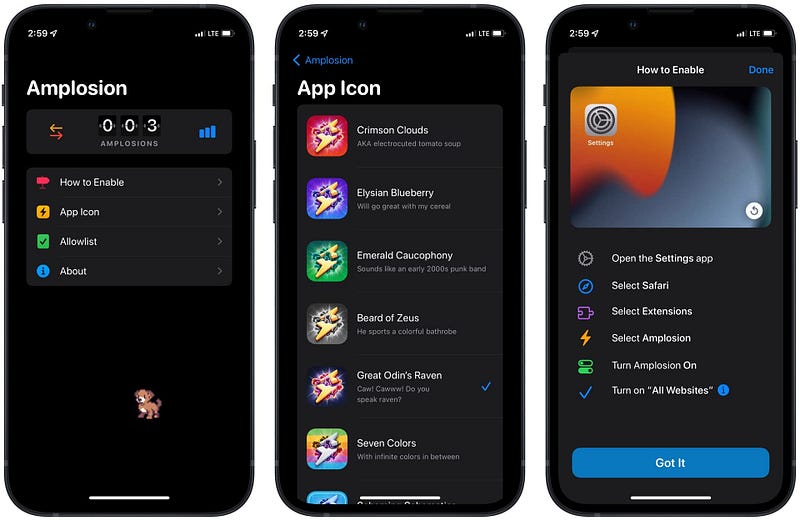
Christian Selig has done a phenomenal job with the Apollo Reddit client. He then developed two amazing apps, one being Amplosion and the other Achoo, which I’ll write about shortly.
Using Amplosion, your experience of browsing the web after a Google search improves. Usually, whenever you Google something and tap on the search result, the search engine tends to load an accelerated web version of that website which is not a great experience. In addition, it tends to break their user interface.
After enabling the extension, it loads the website rather than an accelerated mobile page. It saves minutes from frustration over broken UI, and I admire that.
🔐 Privacy: No data collection
💳 Price: $2.99
☑️ Compatibility: 📱iPhone, 📱iPad
🧩 Design: Decent looking
⭐️ Rating: 4.9 out of 5 (973 ratings)
🔗 Download: AppStore
🌐 Research: Website
5. Achoo HTML Viewer & Inspector
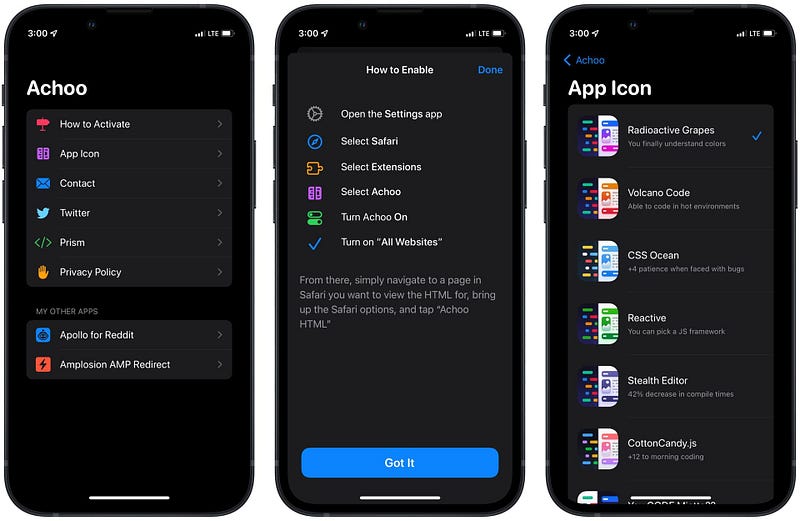
Achoo is the second Safari extension developed by Christian Selig, and it does a seemingly tricky job look simple. Using Achoo, you can view the HTML code of any website and even edit the website by editing some of its elements.
There really is no other explanation for this app as it is a straightforward HTML viewer and an excellent tool for many web designers.
🔐 Privacy: No data collection
💳 Price: $0.99
☑️ Compatibility: 📱iPhone, 📱iPad
🧩 Design: Decent looking
⭐️ Rating: 4.5 out of 5 (97 ratings)
🔗 Download: AppStore
🌐 Research: Website
6. uxtoast Pro: Learn UX Design
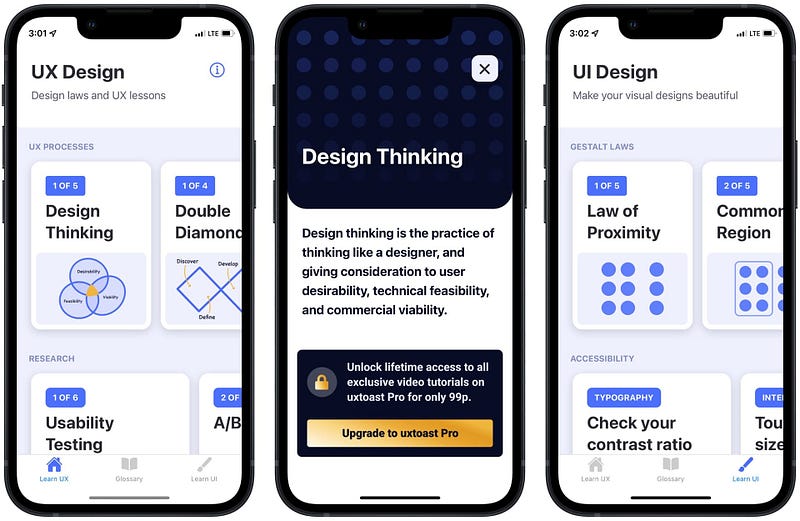
I’m a UX researcher, and despite the difference between UX Research and UX Design, there are many similarities between the fields, and the relevance amid these two fields is vast. There are many moments when a UX Designer does research and a UX Researcher designs.
To learn the basics of user experience design, one of the best resources you can study from is uxtoast. The website published an iOS app for their mobile users, and with the low price, you can learn design on the go.
🔐 Privacy: No data collection
💳 Price: $0.99
☑️ Compatibility: 📱iPhone, 📱iPad
🧩 Design: Decent looking
⭐️ Rating: Insufficient data
🔗 Download: AppStore
🌐 Research: Website
7. Matter Reader
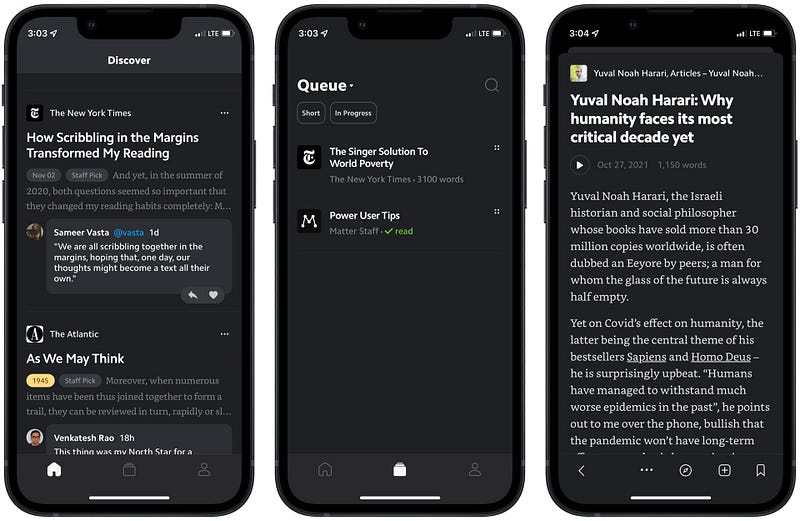
Matter is a read-it-later app that brings a new focus on helping users more engaged on reading. The perk of this app is its exclusivity on some specific features which are usually not found on similar apps, or they are simply not as well implemented.
Using Matter, you can save your articles from Safari with its web extension. Also, use its organizer tools to receive newsletters within Matter instead of an email client and follow writers and see their content wherever they publish it. Last but not least, listen to your saved article in a real-ish human voice and capture the information with its highlight tools.
🔐 Privacy: Collects personal data
💳 Price: Free!
☑️ Compatibility: 📱iPhone, 📱iPad
🧩 Design: Decent looking
⭐️ Rating: 4.6 out of 5 (83 ratings)
🔗 Download: AppStore
🌐 Research: Website
8. PiPfier
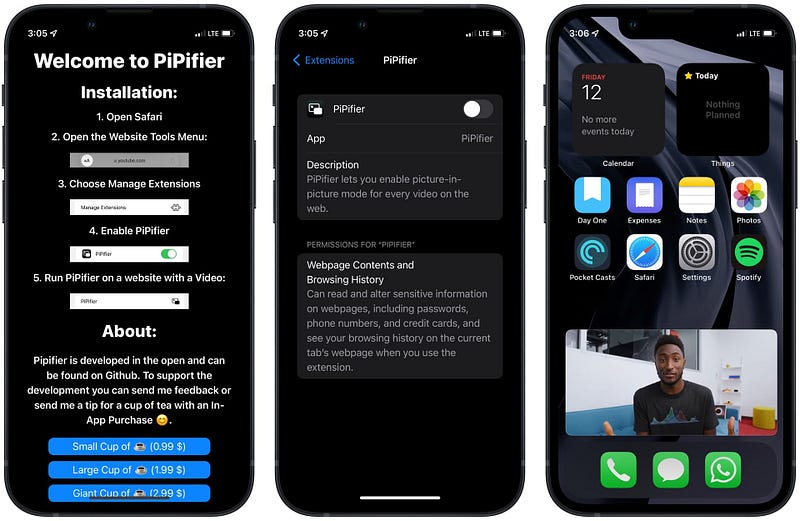
One of the best features introduced since iOS 14 was the picture-in-picture mode from apps and websites. Sadly, not many services have adapted it, and some even ask you to pay to enable PiP-mode.
Using the PiPfier, you can enable picture-in-picture mode on almost all websites. I have tried this extension on YouTube, and it works really well. Of course, if you are a paid YouTube Premium member, you won’t have to install this extension, but for many people who don’t like to pay YouTube for whatever reason, this extension is such a convenience.
🔐 Privacy: No data collection
💳 Price: Free!
☑️ Compatibility: 📱iPhone, 📱iPad, 💻 Mac
🧩 Design: Displeasing
⭐️ Rating: 4.3 out of 5 (184 ratings)
🔗 Download: AppStore
🌐 Research: GitHub
9. Flighty — All Airlines Tracker
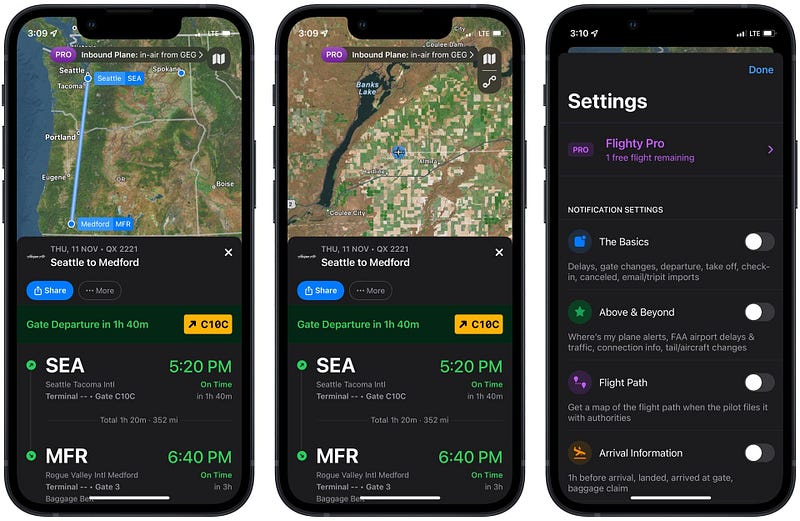
When the pandemic started, many people stayed home, and Airlines lost revenue. However, as the vaccination became more accessible to a broader population, some decided to continue with their trips. To track the flight and find out exactly where an AirPlane is, you can use Flighty, which has a beautiful user interface.
Flighty comes with a fantastic set of features. A visually appealing design featuring a 3D globe that portrays pilot-grade direct FAA feed with ground and proximity radar. Moreover, you can see the delay forecast and the taxi time.
The app has been surprising me with excellent set of features for the free version. The presence of no advertisement and unlimited flight tracking is just two of the many great free features. If you travel a lot, this is a must-have app.
🔐 Privacy: No personal data collection
💳 Price: Subscription $5.99 per month
☑️ Compatibility: 📱iPhone, 📱iPad, 💻 Mac
🧩 Design: Aesthetically pleasing
⭐️ Rating: 4.7 out of 5 (98 ratings)
🔗 Download: AppStore
🌐 Research: Website
10. Sky Guide
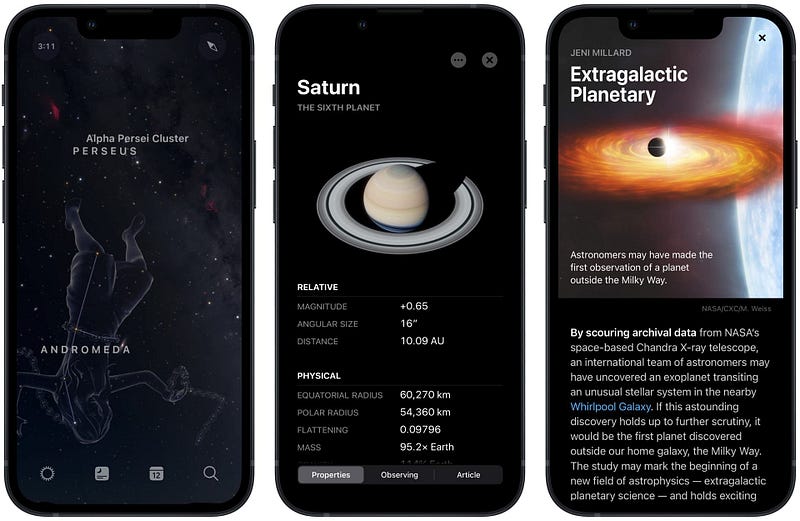
Sky Guide doesn’t need an introduction, as many people already know about it. It has over 259,000 ratings, and the user interface is unique. You can use Sky Guide for your astronomy needs and learn about the stars, planets, and satellites alongside many more objects using augmented reality and other unique features from the app.
I receive a push notification every time the international space station passes over my house. It is also fun and exciting to know about constellations with the help of this app.
🔐 Privacy: No personal data collection
💳 Price: Multiple In-App Purchases
☑️ Compatibility: ⌚️Apple Watch, 📱iPhone, 📱iPad
🧩 Design: Aesthetically pleasing
⭐️ Rating: 4.9 out of 5 (259.1K ratings)
🔗 Download: AppStore
🌐 Research: Website
Thank you for reading this edition of 10 monthly apps for iPhone. Writing about the apps I have discovered is a joy, and I love helping people become more productive with their technology. In fact, as a designer, my dream is to observe people using technology to solve real-world problems rather than a distraction.
If you have found this story useful, I appreciate giving it 50 claps and sharing it with your friends.
I would appreciate it if you support me by becoming a Medium member using the link below:
Here you can find the previous editions of monthly apps for the iPhone: