avatarClark

Free AI web copilot to create summaries, insights and extended knowledge, download it at here

26917

Abstract

/h1><figure id="ff09"><img src="https://cdn-images-1.readmedium.com/v2/resize:fit:800/1*aaQ2DicBrF0OZLUZOXxe9A.png"><figcaption>Screenshot of the EXpenso App</figcaption></figure><p id="3cc6">Managing your finances can be a drag if you don’t have a system for it. Some professionals go to the extent of creating multiple spreadsheets and calculating their budgets with complex formulas. Some go for the simple route and keep a handy notebook nearby and log their expenditure. However, a particular group of people like me doesn’t want to deal with complicated programs, nor do we like the simple route. That is where EXpenso comes to the rescue.</p><p id="61da">With this easy-to-use iPhone app, you can quickly log your expenses and use emojis as the icon for the category of what you paid for. The app is both fun and practical.</p><p id="cf3e">🔐 Privacy: No personal data collection</p><p id="fc67">💳 Price: Free!</p><p id="280f">✓ Compatibility: 📱iPhone</p><p id="247c">🧩 Design: Displeasing</p><p id="abc2">⭐️ Rating: Insufficient data</p><p id="3584">🔗 Download: <a href="https://apps.apple.com/us/app/expenso-expense-tracker/id1527149758">AppStore</a></p><p id="720b">🌐 Research: <a href="https://apps.apple.com/us/app/expenso-expense-tracker/id1527149758">Website</a></p><h1 id="cc75">19. Plant Jammer</h1><figure id="62f8"><img src="https://cdn-images-1.readmedium.com/v2/resize:fit:800/1*ZtMTFnigTvft3RXr2tTh7A.png"><figcaption>Screenshot of the Plant Jammer App</figcaption></figure><p id="b78b">Plant Jammer offers dishes based on the ingredients available at your house. This way you won’t have to spend a lot of time surfing the internet to find which food would suit your needs.</p><p id="5aad">Offering dishes is not the only thing Plant Jammer does. It can help you:</p><ul><li>Create folders with your own dishes in it</li><li>Learn to cook from many available tutorials</li><li>Use artificial intelligence to create recipes for your diet</li><li>Plan what to eat on each day of the week</li><li>Add items to your shopping list</li></ul><p id="fa24">Plant Jammer’s user interface is ok, not excellent, and heavily relies on your internet connection.</p><p id="30f8">🔐 Privacy: Collects personal data</p><p id="ec0d">💳 Price: Subscription 3.49 per month</p><p id="33a8">✓ Compatibility: 📱iPhone, 📱iPad</p><p id="dc13">🧩 Design: Displeasing</p><p id="b508">⭐️ Rating: 4.8 out of 5 (284 ratings)</p><p id="2943">🔗 Download: <a href="https://apps.apple.com/us/app/plant-jammer-stop-food-waste/id1386136046">AppStore</a></p><p id="00ae">🌐 Research: <a href="https://www.plantjammer.com/">Website</a></p><h1 id="683a">20. Dinero</h1><figure id="5ba6"><img src="https://cdn-images-1.readmedium.com/v2/resize:fit:800/1*__YB1oLJjqwLDdmaVTfS6w.png"><figcaption>Screenshot of the Dinero App</figcaption></figure><p id="4cbb">Tracking your subscription is super essential if you want to manage your finance properly. If you don’t track them, they will accumulate without you knowing, and after some time, you will be disappointed for not saving up many hundreds of dollars from your bank account.</p><p id="d3a2">Using Dino is super simple. Just tap on the plus button, choose the subscription provider, enter the amount, and tap on continue. After entering the date, you will be returned to the home screen and see the total amount of your expenses and your active subscriptions.</p><p id="88ec">🔐 Privacy: No data collection</p><p id="25ae">💳 Price: Subscription 1.49 per month</p><p id="f4cd">✓ Compatibility: 📱iPhone, 📱iPad, 💻 Mac</p><p id="f395">🧩 Design: Decent looking</p><p id="4c47">⭐️ Rating: Insufficient data</p><p id="c27f">🔗 Download: <a href="https://apps.apple.com/us/app/dinero-subscription-manager/id1545370811">AppStore</a></p><p id="c8ba">🌐 Website: Not Found</p><h1 id="cd86">21. Inspire</h1><figure id="9994"><img src="https://cdn-images-1.readmedium.com/v2/resize:fit:800/1*URlRb0EjTXC-Xc1U7RwmDg.png"><figcaption>Screenshot of the Inspire App</figcaption></figure><p id="190e">I need fuel to work in the morning and tolerate some problematic parts of life. Every day, I get out of bed and try to readjust my body into working mode. To achieve that state, I need:</p><ol><li>Coffee</li><li>Music</li><li>Inspirational Content</li></ol><p id="54ae">The first two items are easy to get but getting inspired every day? It takes a toll on me.</p><p id="5402">Inspire is a simple app that helps me read a couple of inspirational quotes from famous people like Steve Jobs and feel energized for the day ahead.</p><p id="249a">I believe it is essential for our mental health to stay positive in life, and I think Inspire is an app that helps us toward a positive mindset.</p><p id="9fec">🔐 Privacy: No data collection</p><p id="e366">💳 Price: Free!</p><p id="eb0b">✓ Compatibility: ⌚️Apple Watch, 📱iPhone, 📱iPad</p><p id="5422">🧩 Design: Displeasing</p><p id="2dd0">⭐️ Rating: Not available</p><p id="3efd">🔗 Download: <a href="https://apps.apple.com/us/app/inspire-quotes-for-life/id968360768">AppStore</a></p><p id="496f">🌐 Research: <a href="http://truemaulik.com/">Website</a></p><h1 id="855e">22. Klima</h1><figure id="8d65"><img src="https://cdn-images-1.readmedium.com/v2/resize:fit:800/1*tAmN3NiMhpNowFEea2R7ng.png"><figcaption>Screenshot of the Klima App</figcaption></figure><blockquote id="f4ba"><p><i>Right here, right now, is where we draw the line. The world is waking up. And change is coming whether you like it or not. — Greta Thunberg</i></p></blockquote><p id="378f">Climate change has already made an impact on our lives. We are now more susceptible to long-lasting effects from our consumeristic lifestyle. The excessive use of industrial products doesn’t help to solve the equation of global warming.</p><p id="b06f">As a citizen, concerned citizen, and a person who cares about the life of all species on the planet, the last thing that one could do is reduce the carbon footprint.</p><p id="7195">With Klima, you will estimate how much carbon footprint you produce by your lifestyle and what solutions you use to help avoid making the earth warmer.</p><p id="6fb3">Klima has a fantastic user experience. It comes with a simple yet beautiful user interface that covers excellent images and illustrations. You will feel comfortable using the app. All you will need to do is complete some steps, let Klima estimate your carbon footprint, and then choose a plan to help with a noble way of living for our planet.</p><p id="1cdb">🔐 Privacy: Collects personal data</p><p id="af6d">💳 Price: Subscription with different plans</p><p id="f88f">☑️ Compatibility: 📱iPhone</p><p id="01f9">🧩 Design: Aesthetically pleasing</p><p id="549e">⭐️ Rating: 4.5 out of 5 (104 ratings)</p><p id="41f4">🔗 Download: <a href="https://apps.apple.com/us/app/klima-live-carbon-neutral/id1527437330">AppStore</a></p><p id="d223">🌐 Research: <a href="https://klima.com">Website</a></p><h1 id="87db">23. Amicu</h1><figure id="eb56"><img src="https://cdn-images-1.readmedium.com/v2/resize:fit:800/1*0xCSr2a8M4cyFUq-8JEm4Q.png"><figcaption>Screenshot of the Amicu App</figcaption></figure><p id="cad1">Humans are social creators. We strive on stories and connect to survive the harsh world out there. An issue for us living in the twenty-first century comes from work and our most gruesome choice: being and staying busy.</p><p id="dd76">The solution to alleviate this problem comes in the form of reminders. Now, we can use reminders in the shape of calendar, to-do, and task management apps, but what if we could do it using a more straightforward solution that not only respects our privacy but also help us remember special events.</p><p id="698b">With Amicu, you can manage your most important contacts by grouping them, adding information, setting reminders, and much more. The app looks alright and doesn’t seem too confusing to use. If you are a person who forgets to stay in contact with essential people, then this app is for you.</p><p id="0d64">🔐 Privacy: No personal data collection</p><p id="840c">💳 Price: Subscription with different plans</p><p id="a924">☑️ Compatibility: 📱iPhone</p><p id="1c25">🧩 Design: Decent looking</p><p id="d48e">⭐️ Rating: Insufficient data</p><p id="b69d">🔗 Download: <a href="https://apps.apple.com/us/app/amicu-social-contact-manager/id1481868897">AppStore</a></p><p id="6f3b">🌐 Research: <a href="https://amicu.app">Website</a></p><h1 id="5b2a">24. Recurrence</h1><figure id="3dda"><img src="https://cdn-images-1.readmedium.com/v2/resize:fit:800/1*0bwxStwL3mKlBKDX-n5X4Q.png"><figcaption>Screenshot of the Recurrence App</figcaption></figure><p id="22bd">Habits make us do certain things on a repeated schedule. Unfortunately, most people face different challenges throughout the day, and because of their needs, many forget to stick to their habits.</p><p id="1e06">Every year we define our new year’s resolution. Occasionally, we want to lose weight; sometimes, we want to learn a different language. The use case varies. What doesn’t change is our inability to stick to some habits. Why? Because we forget. To alleviate this problem, we can rely on the help of technology.</p><p id="6739">An app that helps us quickly create specific tasks that require repetition throughout some days would be of great benefit, and that is what Recurrence does. This app is universal, meaning it will run on most Apple devices and can be easily understood. Navigating the app is easy, and it is usable for the majority of people.</p><p id="3440">Some example use cases for me are to be reminded when I need a haircut and a couple of essential things, like meditating and paying my bills.</p><p id="e0e3">🔐 Privacy: Some personal data collection</p><p id="4164">💳 Price: Subscription with different plans</p><p id="d911">☑️ Compatibility: 📱iPhone, 📱iPad, 💻 Mac</p><p id="17e3">🧩 Design: Decent looking</p><p id="1dcb">⭐️ Rating: Insufficient data</p><p id="6bee">🔗 Download: <a href="https://apps.apple.com/us/app/recurrence/id1494977084#?platform=iphone">AppStore</a></p><p id="d9b3">🌐 Research: <a href="https://recurrence-app.com">Website</a></p><h1 id="638c">25. Spaces</h1><figure id="604d"><img src="https://cdn-images-1.readmedium.com/v2/resize:fit:800/1*iUl6nDN6c7klb6oCI3ZddA.png"><figcaption>Screenshot of the Spaces App</figcaption></figure><p id="1a97">Taking notes and having a notebook where all your notes are accessible, searchable, and easy to modify should be of no-hassle, yet, we keep seeing apps like this with almost the same design but different implementation of note-taking features.</p><p id="be44">I have tried so many apps to find something that aesthetically looks great and helps me categorize different notes based on their topic.</p><p id="f58a">A couple of problems I’ve had with many note-taking apps have been:</p><ul><li>Expensive or long-term monthly subscription plans</li><li>Constant annoyances like bugs that take ages to get fixed</li><li>Cluttered design and ugly user interfaces</li><li>Lack of support for the right to left languages</li><li>Lack of proper, timely updates that would make me stay a customer</li></ul><p id="0aa4">Spaces, an app by Marvey Tech, is here to help with many of the problems I mentioned. The app has a beautiful design. Its performance is excellent and works like a charm. It has many themes and is available on almost all devices on the Apple ecosystem. The only problem is the lack of RTL support, but I hope they add it someday.</p><p id="3cbd">Lastly, this app comes with a LifeTime plan which is terrific for people like me who don’t like to pay for apps every month.</p><p id="4c14">🔐 Privacy: No data collection</p><p id="e96f">💳 Price: Subscription with different plans</p><p id="d39a">☑️ Compatibility: ⌚️Apple Watch, 📱iPhone,📱iPad, 💻 Mac</p><p id="bd69">🧩 Design: Aesthetically pleasing</p><p id="5fee">⭐️ Rating: Insufficient data</p><p id="8d3d">🔗 Download: <a href="https://apps.apple.com/us/app/spaces/id1509611686">AppStore</a></p><p id="db6a">🌐 Research: <a href="https://spaces.do">Website</a></p><h1 id="6e06">26. Winno</h1><figure id="f4e7"><img src="https://cdn-images-1.readmedium.com/v2/resize:fit:800/1*n4Vbtf57MUjA_gxHfg1sUQ.png"><figcaption>Screenshot of the Winno App</figcaption></figure><p id="88fb">What do we want from a news app? I believe the answer might be different for many people. For me, I want an app that gives the essential news in the shortest time possible. I want to read the news about technology, Apple, the space industry, and health in five minutes without getting stressed or observing advertisements.</p><p id="c994">Suppose you are like me, then this app might help you. Winno is a news-reading app that helps you stay informed of the events happening around the world. The design of this app is delicate, nothing thought-provoking, but it does the job, and if you want to get the latest news in the shortest time possible, then I think Winno will help you.</p><p id="fdec">Winno is one of the few news-reading apps that doesn’t collect personal data and is available free. I hope they monetize it and work on the design.</p><p id="648e">🔐 Privacy: No personal data collection</p><p id="2ed7">💳 Price: Free!</p><p id="80c9">☑️ Compatibility: 📱iPhone, 📱iPad</p><p id="8932">🧩 Design: Displeasing</p><p id="eb77">⭐️ Rating: 4.7 out of 5 (1592 ratings)</p><p id="2693">🔗 Download: <a href="https://apps.apple.com/us/app/winno-just-the-facts/id1460212743">AppStore</a></p><p id="1ac9">🌐 Research: <a href="https://winno.app">Website</a></p><h1 id="2f63">27. Cheatsheet Notes</h1><figure id="951b"><img src="https://cdn-images-1.readmedium.com/v2/resize:fit:800/1*vlL4dMVE0tWwHzr0ifaPuA.png"><figcaption>Screenshot of the Cheatsheet Notes App</figcaption></figure><p id="a500">We all have been there. Looking deep in our memories to remember something like a simple postal code, and we just can’t find it. Sometimes things are a bit more complicated. Sporadically, we need an address to a workplace or something digital like a post we published on our blog some time ago, and we just can’t remember it.</p><p id="0e3b">For those moments, many people tend to write down important information on their notepad either by hand or save it digitally on their note-taking app. Both methods are acceptable, but they are not feasible nor appropriate for essential data.</p><p id="2fa5">Data such as work address or home address are just a few that resemble essential information in our lives, and they should have a dedicated place to refer to every time we need them. That is why I’m introducing Cheatsheet Notes.</p><p id="bf11">This app can help you remember the most valuable and essential information in a single place where you’ll always refer to.</p><p id="1150">Cheatsheet Notes is where you’ll be able to accessing your information by creating folders and putting them on a widget on your home screen or directly access them using the app.</p><p id="953c">The developer doesn’t recommend using the app for important information because it doesn’t provide enough security to sandbox the app; however, I trust iOS and iPadOS enough to put some essential information about myself over there.</p><p id="e6bc">Some features of this app are:</p><ul><li>Existence of over 200 icons for your items</li><li>Quick copy of the information by a simple tap-and-hold mechanism</li><li>Integration with Siri</li><li>Home screen widgets on iOS 15</li><li>Keyboard extension</li></ul><p id="58ca">If you are looking for a way to reduce your mental clutter and find a way to refer to your information at ease, then give Cheatsheet Notes a chance.</p><p id="e509">🔐 Privacy: No personal data collection</p><p id="6665">💳 Price: Single In-App Purchase of 4.99</p><p id="8b51">☑️ Compatibility: ⌚️Apple Watch, 📱iPhone,📱iPad, 💻 Mac</p><p id="954a">🧩 Design: Decent looking</p><p id="9188">⭐️ Rating: 4.8 out of 5 (1.1K ratings)</p><p id="8d6b">🔗 Download: <a href="https://apps.apple.com/us/app/cheatsheet-notes/id914665829">AppStore</a></p><p id="a039">🌐 Research: <a href="http://overdesigned.net/cheatsheet/">Website</a></p><h1 id="9163">28. (Not Boring) Weather</h1><figure id="e3ee"><img src="https://cdn-images-1.readmedium.com/v2/resize:fit:800/1*YLyD_O7a6bompS48jDvi1A.png"><figcaption>Screenshot of the (Not Boring) Weather App</figcaption></figure><p id="bcde">I’ve got a little bit tired of seeing the same design in the weather apps. They all seem to present the same appearance on their user interface, and the design to me has been boring. But this one is different; It is a visually stunning app. In addition, it utilizes sound design alongside haptic feedbacks, which are two user experience combinations I adore.</p><p id="d00f">In terms of performance, the app is quick. It is relatively easy to understand and find your location pretty quickly. I had no issues with the app running on my iPhone 7, and for a device that is almost five years old, the app works surprisingly well.</p><p id="39f5">If you are looking for a new experience of using apps that are visually stunning and concurrently functional with excellent user experience, then look no further than the (Not Boring) Weather.</p><p id="66ee">🔐 Privacy: No data collection</p><p id="88ae">💳 Price: Multiple In-App Purchases</p><p id="f7cb">☑️ Compatibility: 📱iPhone, 📱iPad</p><p id="a411">🧩 Design: Aesthetically pleasing</p><p id="aa70">⭐️ Rating: 4.7 out of 5 (196 ratings)</p><p id="04ea">🔗 Download: <a href="https://apps.apple.com/us/app/not-boring-weather/id1531063436">AppStore</a></p><p id="c26a">🌐 Research: <a href="https://www.andy.works">Website</a></p><h1 id="8119">29. Sofa</h1><figure id="ff4e"><img src="https://cdn-images-1.readmedium.com/v2/resize:fit:800/1*m-mYHT7MZtXqJrUehK5J8g.png"><figcaption>Screenshot of the Sofa App</figcaption></figure><p id="0223">Saving a list of things you own or things you would like to get your hands on shouldn’t be a problem. The Sofa by Astrio is a simple app that allows you to create lists of items such as books, movies, tv-shows, podcasts, and so much more.</p><p id="6883">My recommendations for this app will be:</p><ul><li>Creating a list of Apps and Games you would like to purchase and install on your device later.</li><li>Creating a list of Movies and TV Shows you would like to watch but don’t have the time to do so at this moment.</li><li>Make a list of Podcasts you know someday you will listen, but now wouldn’t be a good time.</li><li>Storing a list of Books, you would want to purchase and read later.</li></ul><p id="d9a4">The Sofa app is terrific when it comes to minimalism and clutter-less design. I enjoy using it on my iPad as well as my iPhone.</p><p id="9666">If you are looking for an app that organizes your life by allowing you to categorize your possessions, then give the Sofa app a try.</p><p id="1b96">🔐 Privacy: No data collection</p><p id="d78b">💳 Price: Multiple In-App Purchases</p><p id="9d5d">☑️ Compatibility: 📱iPhone, 📱iPad</p><p id="39bd">🧩 Design: Decent looking</p><p id="28f2">⭐️ Rating: 4.7 out of 5 (1K ratings)</p><p id="e444">🔗 Download: <a href="https://apps.apple.com/app/id1276554886">AppStore</a></p><p id="7e78">🌐 Research: <a href="https://www.sofahq.com">Website</a></p><h1 id="8195">30. Pocket Casts</h1><figure id="070a"><img src="https://cdn-images-1.readmedium.com/v2/resize:fit:800/1*H6Zv6a4DTPIFCWp5oyAslw.jpeg"><figcaption>Screenshot of the Pocket Casts App</figcaption></figure><p id="b9e2">Listening to podcasts is something I do every day for at least an hour. I love learning about technology from MKBHD and iJustine. I love to learn about science from podcasts like Startalk. Furthermore, I can go on with a great list of podcasts to listen to. But, what good is listening to podcasts when the features available through the app limit your experience?</p><p id="90de">That is why I’m introducing the PocketCasts. It is a wonderful app that works on most Apple devices and charges little money every month.</p><p id="06f1">Some features I love from the app are:</p><ul><li>An intuitive design to help you find podcasts.</li><li>Customizable user interface with multiple themes and the ability to change the app icon.</li><li>Support for Slide Over, Split View, and PiP on the iPadOS.</li><li>The ability to trim and remove silences from the podcasts reduces milliseconds of wasted time to bring back your precious time.</li><li>The feature to boost the volume of Podcasts for when you can’t efficiently hear the episodes.</li><li>CarPlay support is a plus one for reducing wasted time on the daily commute.</li></ul><p id="93a3">If you want to improve your podcast listening experience, then give Pocket Casts a try.</p><p id="bac4">🔐 Privacy: No personal data collection</p><p id="f85e">💳 Price: Subscription 1.49 per month</p><p id="9fe2">☑️ Compatibility: ⌚️Apple Watch, 📱iPhone,📱iPad, 💻 Mac</p><p id="2fea">🧩 Design: Aesthetically pleasing</p><p id="0475">⭐️ Rating: 3.8 out of 5 (2.3K ratings)</p><p id="3540">🔗 Download: <a href="https://apps.apple.com/au/app/pocket-casts/id414834813">AppStore</a></p><p id="f833">🌐 Research: <a href="https://www.pocketcasts.com">Website</a></p><h1 id="d7bc">31. Foci</h1><figure id="391b"><img src="https://cdn-images-1.readmedium.com/v2/resize:fit:800/1*JcwcRUVWU-bpt89wwO0jeQ.png"><figcaption>Screenshot of the Foci App</figcaption></figure><p id="1df1">Occasionally, all we need is a simple timer and sheer will to do something. There are tons of apps that provide timer functionality alongside so many other features. What if all we need is a simple timer and nothing else?</p><p id="5adc">Minimalism has come a long way since its introduction in our digital lives, and we are seeing single-purpose apps that give the zen-style vibe with minimal look and functionality to help us accomplish a task.</p><p id="fa7f">The Foci is one of those apps, and it is designed to help keep your phone away from you and focus on your work.</p><p id="c08a">We are addicted to our phones, and it is a real issue. To alleviate some of this trouble, one tool that aids the path of leaving our phone addiction is… well, our phone, and you can use this app to force yourself to stop using your phone.</p><p id="2db5">🔐 Privacy: No data collection</p><p id="35c5">💳 Price: Free!</p><p id="bb35">☑️ Compatibility: 📱iPhone, 📱iPad</p><p id="9b28">🧩 Design: Decent looking</p><p id="6b7c">⭐️ Rating: Insufficient data</p><p id="a89c">🔗 Download: <a href="https://apps.apple.com/us/app/foci-stay-focused/id1567212469">AppStore</a></p><p id="1c30">🌐 Research: <a href="https://www.tenself.com">Website</a></p><h1 id="9052">32. Mactracker</h1><figure id="1f19"><img src="https://cdn-images-1.readmedium.com/v2/resize:fit:800/1*WxR1DIz5uMpQUMZJluvGiw.png"><figcaption>Screenshot of the Mactracker App</figcaption></figure><p id="c878">As a reader of Mac O’Clock, It is safe to assume you are a fan of Apple products and are keen to learn about them. The MacTracker is a universal database app that allows you to search almost every Apple product and find out information about them.</p><p id="7e79">Information such as the hardware specifications, software running on them, and some helpful links for reference.</p><p id="49ab">If you are interested in quickly learning about your own Apple product(s) and others, then give this app a chance — It is simple to use and doesn’t take much space on your devices.</p><p id="9b71">🔐 Privacy: No data collection</p><p id="76e8">💳 Price: Free!</p><p id="a7cb">☑️ Compatibility: 📱iPhone, 📱iPad, 💻 Mac</p><p id="2248">🧩 Design: Decent looking</p><p id="769d">⭐️ Rating: 4.8 out of 5 (664 ratings)</p><p id="9384">🔗 Download: <a href="https://apps.apple.com/us/app/mactracker/id311421597">AppStore</a></p><p id="5376">🌐 Research: <a href="https://mactracker.ca">Website</a></p><h1 id="1383">33. MindNode</h1><figure id="4bea"><img src="https://cdn-images-1.readmedium.com/v2/resize:fit:800/1*YNIBjePX-UXfh8Jw0DNHyQ.png"><figcaption>Screenshot of the MindNode App</figcaption></figure><p id="3d69">When I was 25 years old, I was getting ready to take one of the most stressful and challenging tests of my life. The IELTS (International English Language Test) has two parts, the first is the speaking test, and the latter is reading, writing, listening altogether.</p><p id="cbab">On the speaking test, you don’t have much time to develop topics for the conversation.</p><p id="595a">If I hadn’t used the Mind Mapping technique, I wouldn’t get the score I needed. Mind Mapping is a phenomenal technique that helps you create and organize your thoughts into a diagram which will help you quickly make better decisions.</p><p id="bc5f">An app that will help you easily create MindMaps is MindNode, and it doesn’t cost a fortune. It can help you capture your thoughts and organize your ideas.</p><p id="b3d1">If you are looking for a modern way to quickly create and capture your thoughts, then give MindNode a chance.</p><p id="302d">🔐 Privacy: Some personal data collection</p><p id="7b80">💳 Price: Subscription $2.49 per month</p><p id="da5b">☑️ Compatibility: ⌚️Apple Watch, 📱iPhone,📱iPad, 💻 Mac</p><p id="b946">🧩 Design: Aesthetically pleasing</p><p id="54ad">⭐️ Rating: 4.5 out of 5 (1176 ratings)</p><p id="a3c4">🔗 Download: <a href="https://apps.apple.com/app/apple-store/id1218718027?mt=8">AppStore</a></p><p id="bd9c">🌐 Research: <a href="https://mindnode.com">Website</a></p><h1 id="24d0">34. Trakt</h1><figure id="d759"><img src="https://cdn-images-1.readmedium.com/v2/resize:fit:800/1*gkGofdPQK0IYRa1wwqDxwQ.png"><figcaption>Screenshot of the Trakt App</figcaption></figure><p id="9322">I’ve been fascinated with Hollywood ever since I was 15 years old. I have been watching superhero movies and TV Series for as far as I remember. Watching artists making entertainment is excellent; however, our memories are not as good as computers. Therefore, we need tools to remember what we’ve watched and which episode we have been on.</p><p id="80b8">One of those tools is a website that is called Trakt. In addition, they recently announced an iOS and iPadOS app that allows you to synchronize the history of movies and tv-series you have watched.</p><p id="8452">With Trakt, all you need is an account and your iPhone. Log the movies and TV Shows you have watched, then keep track of them. So no matter where you are, with internet access, you can keep an eye on when the latest episode of your favorite tv show comes or when a movie is out to watch.</p><p id="d340">Trakt also gives you personal stats, which are fun to explore, and you can create a watchlist to track your movies and tv shows.</p><p id="f69f">There are other apps for the Trakt website, but this is the official app, and I love it when I don’t have to rely on third-party services.</p><p id="be1b">🔐 Privacy: Some personal data

Options

collection</p><p id="a132">💳 Price: Free!</p><p id="786f">☑️ Compatibility: 📱iPhone, 📱iPad</p><p id="062f">🧩 Design: Decent looking</p><p id="603d">⭐️ Rating: 4.3 out of 5 (113 ratings)</p><p id="a82c">🔗 Download: <a href="https://apps.apple.com/gb/app/trakt/id1514873602#?platform=iphone">AppStore</a></p><p id="1ade">🌐 Research: <a href="https://trakt.tv">Website</a></p><h1 id="d3e7">35. Xlaunch</h1><figure id="ba03"><img src="https://cdn-images-1.readmedium.com/v2/resize:fit:800/1*T5-X9EpW6nirfkfhyAiXKQ.png"><figcaption>Screenshot of the Xlaunch App</figcaption></figure><p id="c5de">SpaceX is changing the world every time they launch a new rocket into orbit, and I keep an eye on them to see the latest launches and enjoy the progression of the human being.</p><p id="f9e2">Xlaunch has an iOS-specific design and comes with support for home screen widgets. In addition, it supports dark mode and offers high-resolution photos for each launch.</p><p id="e002">Xlaunch has an iOS-specific design and comes with support for home screen widgets. It supports dark mode and offers high-resolution photos for each launch.</p><p id="207f">The list of features can go on and on, and I can only write so far. If you are a space enthusiast and want to stay up-to-date on the latest SpaceX launches, then give this app a try.</p><p id="a4bc">🔐 Privacy: No data collection</p><p id="6b85">💳 Price: Free!</p><p id="334b">☑️ Compatibility: 📱iPhone, 📱iPad</p><p id="e5f6">🧩 Design: Aesthetically pleasing</p><p id="666a">⭐️ Rating: 4.6 out of 5 (110 ratings)</p><p id="d563">🔗 Download: <a href="https://apps.apple.com/us/app/xlaunch/id1502939751">AppStore</a></p><p id="def2">🌐 Research: <a href="https://xlaunchapp.carrd.co">Website</a></p><h1 id="124c">36. DontText</h1><figure id="c7d8"><img src="https://cdn-images-1.readmedium.com/v2/resize:fit:800/1*N22wh0k2pplAJEeUrc29kg.png"><figcaption>Screenshot of the DontText App</figcaption></figure><p id="f5d3">I don’t know where you live, but we get at least 3 to 5 spam messages in my country in a day. Yes, digital privacy in my country is a nightmare. But, at least I can do something about it. That is why I’m introducing a helpful utility called DontText.</p><p id="0a5f">It integrates with the built-in settings app and helps you get rid of annoying spam in your inbox. The setup process is straightforward, and the app works as it should.</p><p id="74dc">All you need to do is to write down a couple of keywords that you see in your spam messages. For me, they were: discount, sale, and offer. When I added these words, my inbox became quiet.</p><p id="b8dc">If you are tired of receiving spam text messages, then give DontText a try.</p><p id="b8de">🔐 Privacy: No personal data collection</p><p id="39af">💳 Price: Subscription 3.99 per year</p><p id="5868">☑️ Compatibility: 📱iPhone, 📱iPad</p><p id="9ec2">🧩 Design: Decent looking</p><p id="9836">⭐️ Rating: 4.1 out of 5 (200 ratings)</p><p id="cbc8">🔗 Download: <a href="https://apps.apple.com/us/app/dont-text-block-spam-texts/id1540836811">AppStore</a></p><p id="abec">🌐 Research: <a href="https://donttext.app">Website</a></p><h1 id="f1b5">37. Headlines</h1><figure id="4742"><img src="https://cdn-images-1.readmedium.com/v2/resize:fit:800/1*IEXxCcgu6NhKh2Pf_vitSQ.png"><figcaption>Screenshot of the Headlines App</figcaption></figure><p id="7e0b">Headlines is an RSS reader that focuses on simplicity. It has a simple user interface where you’ll be able to check your feed based on its popularity.</p><p id="de27">One of the unique features I’ve found in Headlines is the use of tags. Using tags, you can organize your feed. For example, I used a tag for all Apple news websites and another for my gaming needs.</p><p id="6206">There is also the possibility to filter articles that contain specific words or phrases you dislike. For example: get rid of any article with the keyword “leak” so you could keep the element of surprise for upcoming Apple events.</p><p id="fc96">Headlines also come with home screen widgets and the ability to change their icon. If you own an iPhone and an iPad and want to use a simple RSS app, then give this one a chance.</p><p id="b25f">🔐 Privacy: No personal data collection</p><p id="fa4f">💳 Price: Multiple In-App Purchases</p><p id="e374">☑️ Compatibility: 📱iPhone, 📱iPad</p><p id="dc2f">🧩 Design: Decent looking</p><p id="62c4">⭐️ Rating: Insufficient data</p><p id="da76">🔗 Download: <a href="https://apps.apple.com/us/app/headlines-news-widgets/id1545832512">AppStore</a></p><p id="3cfb">🌐 Research: <a href="https://headlinesapp.co/">Website</a></p><h1 id="07a6">38. NetNewsWire</h1><figure id="ea3e"><img src="https://cdn-images-1.readmedium.com/v2/resize:fit:800/1*qsorVJyIj1zrX3aFjTfvNQ.png"><figcaption>Screenshot of the NetNewsWire App</figcaption></figure><p id="42ad">I’ve been looking for a decent RSS reader app on the web. Unfortunately, most of them are expensive, or they become expensive with their monthly payments. Searching the app store for a news-reading app might be an easy task, but finding something that is both free and open source is a little complicated.</p><p id="a290">Until I found this app: The NetNewsWire, I know the name is a little weird, but it is such a great app, especially since it is free.</p><p id="5f6a">I love how it can automatically detect RSS feeds based on the websites you add. Not only that, but I love how it can synchronize your feeds with iCloud, so they are available on all your devices.</p><p id="e4b1">A feature I enjoyed using from this app is its clipboard detection. You simply copy a website’s URL from Safari and go to the app. Then, touch the add button, and it will automatically add the website from the clipboard.</p><p id="1cd7">NetNewsWire can integrate with a good deal of RSS reading services. It is also semi-customizable. If you are looking for a free app that collects no data and shows the latest news, then give this app a try.</p><p id="7105">🔐 Privacy: No personal data collection</p><p id="ecc9">💳 Price: Free!</p><p id="c649">☑️ Compatibility: 📱iPhone, 📱iPad, 💻 Mac</p><p id="50d8">🧩 Design: Decent looking</p><p id="403a">⭐️ Rating: 4.8 out of 5 (435 ratings)</p><p id="70ea">🔗 Download: <a href="https://apps.apple.com/us/app/netnewswire-rss-reader/id1480640210">AppStore</a></p><p id="b929">🌐 Research: <a href="https://netnewswire.com">Website</a></p><h1 id="629f">39. AirMatters</h1><figure id="68db"><img src="https://cdn-images-1.readmedium.com/v2/resize:fit:800/1*tq6CVTBpETQY2A8C9ct5VQ.png"><figcaption>Screenshot of the AirMatters App</figcaption></figure><p id="5213">Unfortunately, if you live in an industrial city, you will (unfortunately) have to deal with poor air quality. Before COVID, I resisted wearing a mask, but seeing how it saves lives, I have become a fan of it. So now, I’m semi-protected against COVID and dangerous particles in the air.</p><p id="31d3">How do I know if the air quality is poor? I use AirMatters with its companion Apple Watch app that helps me quickly glance into how my surrounding neighborhood is affected by air pollution.</p><p id="f058">AirMatters does not solely show air quality. It can connect with (some) third-party accessories such as air purifiers.</p><p id="116d">🔐 Privacy: No personal data collection</p><p id="5f53">💳 Price: Subscription 0.99 per year</p><p id="d261">☑️ Compatibility: ⌚️Apple Watch, 📱iPhone, 📱iPad</p><p id="8fbf">🧩 Design: Decent looking</p><p id="7fd3">⭐️ Rating: 4.7 out of 5 (2.2K ratings)</p><p id="0cb1">🔗 Download: <a href="https://apps.apple.com/us/app/air-matters/id477700080#?platform=iphone">AppStore</a></p><p id="8b11">🌐 Research: <a href="https://air-matters.com">Website</a></p><h1 id="4566">40. Calendar Buddy</h1><figure id="b6db"><img src="https://cdn-images-1.readmedium.com/v2/resize:fit:800/1*sViitjn6-fBc_MrCXlrV8Q.png"><figcaption>Screenshot of the Calendar BuddyApp</figcaption></figure><p id="1854">Once you have too much on your plate, planning the day could be a difficult task. Calendar Buddy is here to the rescue.</p><p id="c4f6">It is an app that allows you to:</p><ul><li>Plan your days</li><li>Finish off to-do tasks</li><li>Create goals</li></ul><p id="2a34">This app is more than a simple calendar app. It can help you log your mood. You can browse and select between different activities and plan a goal. For example, you could create a goal to set yourself for reading at least 30 pages every day.</p><p id="9b7b">You can even create multiple tasks for a specific day and check them off in the day’s view alongside your sessions and events.</p><p id="0430">I believe many people will benefit from the vast features this app offers. Still, students who can’t dedicate much budget to purchasing multiple apps and only use their iPhones can significantly benefit from it.</p><p id="50b1">🔐 Privacy: No data collection</p><p id="2cbb">💳 Price: Subscription with different plans</p><p id="bbd7">☑️ Compatibility: 📱iPhone</p><p id="785b">🧩 Design: Decent looking</p><p id="283e">⭐️ Rating: Insufficient data</p><p id="1a46">🔗 Download: <a href="https://apps.apple.com/sk/app/calendar-buddy-day-planner/id1548197606">AppStore</a></p><p id="5870">🌐 Research: <a href="https://www.calendarbuddy.app">Website</a></p><h1 id="2cae">41. Portal</h1><figure id="ef08"><img src="https://cdn-images-1.readmedium.com/v2/resize:fit:800/1*XfMV2aErTKMlCFmXk-9tsg.png"><figcaption>Screenshot of the Portal App</figcaption></figure><p id="2046">If I have been asked to come up with the name of revolutionary apps in terms of design and functionality, the Portal would be in the top ten of them. It is that good!</p><p id="ca46">Portal is an experience that reconnects you to nature. It comes with professional recordings of nature from fantastic places around the world. All the sounds are in 3D and of high quality. I don’t know if they are in Dolby Atmos, but they feel like it, especially on an iPad.</p><p id="53e0">The app supports HomeKit, which allows you to set a mood based on your selected sound to change the light colors in your room.</p><p id="d605">You can set a task that shows your written task on display and runs a timer for 25 minutes, giving you a Pomodoro-like experience.</p><p id="7cdd">Lastly, there are more timer features in the app. For example, you can set it up as a way to wake you up in the morning with your selected sound of nature — A relaxing way to wake up.</p><p id="f2a2">If you are looking for a way to stay away from distractions with the sound of nature, then give Portal a try.</p><p id="8b55">🔐 Privacy: No data collection</p><p id="82e1">💳 Price: Subscription 39.99 per year</p><p id="6659">☑️ Compatibility: 📱iPhone, 📱iPad</p><p id="135d">🧩 Design: Aesthetically pleasing</p><p id="7fd5">⭐️ Rating: 4.8 out of 5 (4.3K ratings)</p><p id="8b76">🔗 Download: <a href="https://apps.apple.com/us/app/portal-escape-into-nature/id1436994560">AppStore</a></p><p id="2adf">🌐 Research: <a href="https://portal.app">Website</a></p><h1 id="0110">42. Authenticator</h1><figure id="ec2a"><img src="https://cdn-images-1.readmedium.com/v2/resize:fit:800/1*PqGdG_PPoVWlfYVq8UMvHQ.png"><figcaption>Screenshot of the Authenticator App</figcaption></figure><p id="5f12">Many people use a variety of methods to protect their online security. It usually consists of creating complex passwords and adding your phone number. One of the most secure methods to further improve your account security is using two-step verification.</p><p id="40ca">Many use Google or Microsoft solutions for their authentication apps advertised on their websites, but they lack many critical features that would make an Authenticator app legit.</p><p id="4700">Some features that make this app unique are:</p><ul><li>Creating a backup of your two-step verifications, so you won’t have to worry about another phone if you upgrade or lose a device.</li><li>Use your two-step verification codes on almost all your apple devices.</li><li>The app even works offline.</li><li>Comes with iOS and iPadOS features like home screen widgets and dark mode.</li></ul><p id="8aa8">Overall, for the cheap yearly subscription, it is a good deal.</p><p id="0eb1">🔐 Privacy: No personal data collection</p><p id="d699">💳 Price: Subscription 9.99 per year</p><p id="99e3">☑️ Compatibility: ⌚️Apple Watch, 📱iPhone,📱iPad, 💻 Mac</p><p id="7cb9">🧩 Design: Decent looking</p><p id="2447">⭐️ Rating: 4.0 out of 5 (304 ratings)</p><p id="d0da">🔗 Download: <a href="https://apps.apple.com/us/app/authenticator-app/id1538761576">AppStore</a></p><p id="9b84">🌐 Research: <a href="https://authenticator.2stable.com">Website</a></p><h1 id="334c">43. Codriver</h1><figure id="f4e6"><img src="https://cdn-images-1.readmedium.com/v2/resize:fit:800/1*XdGf-K4DYqBeowYTWzUgVQ.png"><figcaption>Screenshot of the Codriver App</figcaption></figure><p id="99f0">Managing your car shouldn’t be all cluttered with physical documentations. It shouldn’t waste your time and induce anxiety. Living in this day and age has made our life much easier to manage; therefore, your car management should be easy too.</p><p id="3253">Using the app Codriver, you can keep track of your car-related purchases, and more importantly, the amount of fuel you consume to commute. Logging your mileage is easy, and the app gives you great information on how much money you’ve spent on your car.</p><p id="5d43">🔐 Privacy: No personal data collection</p><p id="7107">💳 Price: Subscription 9.99 per year</p><p id="f090">☑️ Compatibility: 📱iPhone, 📱iPad</p><p id="e111">🧩 Design: Decent looking</p><p id="793f">⭐️ Rating: Insufficient data</p><p id="7f9c">🔗 Download: <a href="https://apps.apple.com/us/app/codriver-car-expenses/id1565445958#?platform=iphone">AppStore</a></p><p id="cd5f">🌐 Research: <a href="https://codriver.one">Website</a></p><h1 id="6f14">44. Expense Diary</h1><figure id="fc4f"><img src="https://cdn-images-1.readmedium.com/v2/resize:fit:800/1*o5MQyexVt4YawfJCKWZiLw.png"><figcaption>Screenshot of the Expense DiaryApp</figcaption></figure><p id="8538">Logging your expenses is essential to manage your finances and a necessity for living in today’s world. Moreover, having a place to look for your expenses can come in handy, especially when doing your taxes.</p><p id="056c">There are many expense management apps on the App Store. Funny enough, I think I have used 80 percent of them, but the ones that caught my eyes were those that didn’t ask a lot of money before offering any value.</p><p id="a83a">Expense Diary is a simple to use app that allows you to get some value from the app before subscribing to their plan.</p><p id="5585">The app is minimal and offers lots of statistical information about your expenditure. So, if you are looking for a simple way to manage your expenses, give this app a try.</p><p id="00fb">🔐 Privacy: Some personal data collection</p><p id="d4d4">💳 Price: Subscription 1.99 per month</p><p id="630a">☑️ Compatibility: 📱iPhone, 📱iPad</p><p id="ec27">🧩 Design: Decent looking</p><p id="fcb0">⭐️ Rating: Insufficient data</p><p id="7229">🔗 Download: <a href="https://apps.apple.com/us/app/expense-diary-budget-planner/id1567197275">AppStore</a></p><p id="4b82">🌐 Research: <a href="https://www.facebook.com/Expense-Diary-105929421745901">Website</a></p><h1 id="ebd1">45. Google News</h1><figure id="2f0f"><img src="https://cdn-images-1.readmedium.com/v2/resize:fit:800/1*P6OPzGaGwzBR5U8E08qcWQ.png"><figcaption>Screenshot of the Google News App</figcaption></figure><p id="6675">Google News, as its name tells, is an all-in-one solution for your news reading. Despite the questionable privacy of Google products, I still believe their user experience is what makes most of their products worth trying.</p><p id="27e9">Google News offers news in multiple categories sorted by touchable tabs on the top of your screen. In addition, it can learn from your reading interests and show you news you might be interested in reading.</p><p id="257c">The app doesn’t use lots of colors or customization and sticks to simply bringing you the news, which is a plus for the experience of using it.</p><p id="cf9b">If you are looking for a free app that brings the latest news, install Google News on your iPhone and see how much you will enjoy using it.</p><p id="8ed0">🔐 Privacy: Collects personal data</p><p id="543c">💳 Price: Free!</p><p id="2a2d">☑️ Compatibility: 📱iPhone, 📱iPad</p><p id="2280">🧩 Design: Decent looking</p><p id="cf0f">⭐️ Rating: 4.6 out of 5 (216K ratings)</p><p id="0cf8">🔗 Download: <a href="https://apps.apple.com/us/app/google-news/id459182288">AppStore</a></p><p id="75ce">🌐 Research: <a href="https://news.google.com/about/">Website</a></p><h1 id="4d7c">46. Morpho</h1><figure id="5af7"><img src="https://cdn-images-1.readmedium.com/v2/resize:fit:800/1*XXXuXRSjL7Yijxb1BQ_iGg.png"><figcaption>Screenshot of the Morpho App</figcaption></figure><p id="f9ed">I used the iOS and iPadOS spotlight search to convert units, but that is a cumbersome task as your use-case will sometimes extend the simple unit conversion.</p><p id="61be">That is why I am introducing Morpho. It is a super simple, straight-to-the-point app that brings up the keypad and asks you to enter the value you would like to convert.</p><p id="6de1">I love this aspect of the app as it is straightforward and doesn’t want to clutter your experience. The developer of Morpho has definitely done outstanding research for their app.</p><p id="122a">The app supports many units for conversion and offers multiple valuable settings for your needs.</p><p id="e603">It is a subscription-based app; however, it is really cheap and deserves the cost.</p><p id="da0c">🔐 Privacy: Some personal data collection</p><p id="f959">💳 Price: Multiple In-App Purchases</p><p id="b995">☑️ Compatibility: ⌚️Apple Watch, 📱iPhone,📱iPad, 💻 Mac</p><p id="7344">🧩 Design: Displeasing</p><p id="1b50">⭐️ Rating: Insufficient data</p><p id="76b3">🔗 Download: <a href="https://apps.apple.com/us/app/morpho-converter/id1494942612">AppStore</a></p><p id="047e">🌐 Research: <a href="https://thinktapwork.com">Website</a></p><h1 id="4d67">47. Opera GX</h1><figure id="5059"><img src="https://cdn-images-1.readmedium.com/v2/resize:fit:800/1*bRIuLLjuzqp-VMdxfAK1Tw.png"><figcaption>Screenshot of the Opera GX App</figcaption></figure><p id="c0e7">A gaming browser — I don’t know about you, but I didn’t know of such a term until a while ago. As if my Safari is not suitable for gaming. I might need to run a couple of benchmarks to figure it out, but I guess the advantage of a browser made explicitly for gaming is how it is customized to prevent ads and to track bloatware — stuff that makes your device eat up your RAM.</p><p id="56fa">If you know what constitutes a gaming browser, please enlighten me in the response section. I will appreciate it.</p><p id="be8a">Opera GX is great for those who like to receive their gaming news on the home screen of their browser. It allows you to customize your navigation, change the themes, and prevent ads from popping up in your browser.</p><p id="ae19">With the advancement of gaming with streaming in the cloud, there is a market for browsers like Opera GX, and this app would be great for you if you use Cloud Gaming services.</p><p id="dd94">🔐 Privacy: No personal data collection</p><p id="f3a2">💳 Price: Free!</p><p id="6b13">☑️ Compatibility: 📱iPhone, 📱iPad</p><p id="90e9">🧩 Design: Decent looking</p><p id="4d1e">⭐️ Rating: 4.9 out of 5 (7.4K ratings)</p><p id="44d1">🔗 Download: <a href="https://apps.apple.com/us/app/opera-gx/id1559740799">AppStore</a></p><p id="ac74">🌐 Research: <a href="https://www.opera.com/gx">Website</a></p><h1 id="4fcf">48. Sleep</h1><figure id="de58"><img src="https://cdn-images-1.readmedium.com/v2/resize:fit:800/1*lUlCnN-p5liptiA52iHArA.png"><figcaption>Screenshot of the Sleep App</figcaption></figure><p id="e1ac">There are many moments when you surf the App Store and find apps that promise exclusive content to help you meditate and achieve your best goals in life. But, of course, many simply follow a pattern of what success appears to be in this industry. Unfortunately, it is not valid for Sleep; Sleep is an app that uses your music streaming service, in my case the Apple Music, and it will play music from Max Richter’s soothing, phenomenal works.</p><p id="bf32">If you have an account on either Spotify or Apple Music, you won’t need to pay for this app. Instead, download it, and let it amaze you, especially with its fantastic visual design.</p><p id="f0c1">🔐 Privacy: No personal data collection</p><p id="9d0f">💳 Price: Free!</p><p id="00b5">☑️ Compatibility: ⌚️Apple Watch, 📱iPhone, 📱iPad</p><p id="699e">🧩 Design: Aesthetically pleasing</p><p id="30d7">⭐️ Rating: 4.9 out of 5 (806 ratings)</p><p id="490c">🔗 Download: <a href="https://apps.apple.com/us/app/sleep-by-max-richter/id1509084936#?platform=iphone">AppStore</a></p><p id="bde9">🌐 Research: <a href="https://www.maxrichter-sleep.com/en/">Website</a></p><h1 id="ebf0">49. NordPass</h1><figure id="4cef"><img src="https://cdn-images-1.readmedium.com/v2/resize:fit:800/1*GXmyjmtUaILitNL0mz5DeQ.png"><figcaption>Screenshot of the NordPass App</figcaption></figure><p id="a698">Managing your passwords and credential information should not be a hassle. However, living in this day and age, we have to be extra careful with our privacy and security. Whether that is writing strong passwords, adding two-step authentication, and using alternative emails instead of our main ones.</p><p id="0c7d">One of the best apps that is affordable to assist you in being more secure is NordPass. It has a simple user interface and works across all your Apple Devices.</p><p id="e64e">One of the best features of NordPass is its simplicity in organizing your login credentials. Create folders, then navigate the app with ease. NordPass also comes with extra helpful features such as Password Health monitor and Data Breach Scanner.</p><p id="8ca6">If you are looking for an inexpensive solution to manage your digital privacy, give NordPass a try.</p><p id="bb0c">🔐 Privacy: Collects personal data</p><p id="31ba">💳 Price: Subscription $4.99 per month</p><p id="8f29">☑️ Compatibility: 📱iPhone, 📱iPad, 💻 Mac</p><p id="3252">🧩 Design: Decent looking</p><p id="69e6">⭐️ Rating: 3.8 out of 5 (289 ratings)</p><p id="31e9">🔗 Download: <a href="https://apps.apple.com/us/app/nordpass-password-manager/id1486322860?ls=1&amp;referrer=client_id=undefined">AppStore</a></p><p id="41b4">🌐 Research: <a href="https://nordpass.com/homepage/">Website</a></p><h1 id="87a9">50. Overlap</h1><figure id="2bf7"><img src="https://cdn-images-1.readmedium.com/v2/resize:fit:800/1*ZeoCZReKfJNlov3bluP4fg.png"><figcaption>Screenshot of the Overlap App</figcaption></figure><p id="b2ea">If you have family and friends who live overseas, you might have difficulties staying in touch with them due to different time zones. Worry no more. The Overlap by Moleskine studio, responsible for the fantastic-looking apps such as Timepage and Actions, has once again built a fantastic app with an excellent user interface.</p><p id="b3f7">The app has a colorful UI, and the sound after each tap makes you feel immersed into using an exciting experience.</p><p id="56fb">Add the cities you desire, and let the app show you the time differences. The app allows you to create calendar events, change time, and alter some settings.</p><p id="8ae9">🔐 Privacy: No personal data collection</p><p id="37b0">💳 Price: Free!</p><p id="733b">☑️ Compatibility: 📱iPhone, 📱iPad, 💻 Mac</p><p id="0e5d">🧩 Design: Aesthetically pleasing</p><p id="c06c">⭐️ Rating: 4.8 out of 5 (165 ratings)</p><p id="8711">🔗 Download: <a href="https://apps.apple.com/us/app/overlap-by-moleskine-studio/id1516950324">AppStore</a></p><p id="300b">🌐 Research: <a href="https://moleskinestudio.com">Website</a></p><p id="28df">Thank you for reading this story. It took me a while to compile the list, and I enjoyed every second of it. I appreciate your support. If there is any comment, feedback, suggestion, please let me know in the response section, and I will get back to you.</p><p id="ef7a">I would appreciate it if you support me by becoming a Medium member using the link below:</p><div id="777b" class="link-block"> <a href="https://cercinus.medium.com/membership"> <div> <div> <h2>Join Medium with my referral link - Nima Sakhtemani</h2> <div><h3>As a Medium member, a portion of your membership fee goes to writers you read, and you get full access to every story…</h3></div> <div><p>cercinus.medium.com</p></div> </div> <div> <div style="background-image: url(https://miro.readmedium.com/v2/resize:fit:320/0*9nNH7WeSaMUmV1Xi)"></div> </div> </div> </a> </div><p id="e62d">Here are more stories you might be interested to read:</p><div id="68b7" class="link-block"> <a href="https://readmedium.com/21-mac-apps-with-4-5-or-higher-app-store-ratings-4b0608f04342"> <div> <div> <h2>21 Mac Apps with 4.5 or Higher App Store Ratings!</h2> <div><h3>The hottest apps in the App Store right now</h3></div> <div><p>medium.com</p></div> </div> <div> <div style="background-image: url(https://miro.readmedium.com/v2/resize:fit:320/1*36vwcO6nDevmstkmuAMofg.png)"></div> </div> </div> </a> </div><div id="7804" class="link-block"> <a href="https://readmedium.com/21-mac-apps-that-collect-zero-data-a4250a602550"> <div> <div> <h2>21 Mac Apps That Collect Zero Data</h2> <div><h3>You deserve privacy, so does your Mac apps, here are 21 of them.</h3></div> <div><p>medium.com</p></div> </div> <div> <div style="background-image: url(https://miro.readmedium.com/v2/resize:fit:320/1*2l3vs7dFOFxLdOMzlSr-HQ.jpeg)"></div> </div> </div> </a> </div><div id="c442" class="link-block"> <a href="https://readmedium.com/5-privacy-settings-to-change-on-your-mac-ed253e9a57cb"> <div> <div> <h2>5 Privacy Settings to Change on Your Mac</h2> <div><h3>Better bend than break</h3></div> <div><p>medium.com</p></div> </div> <div> <div style="background-image: url(https://miro.readmedium.com/v2/resize:fit:320/1*OCLpkicGIy-V_quU_4Bc-w.jpeg)"></div> </div> </div> </a> </div></article></body>

Top 50 Freemium iPhone Apps from 2021!
Thumbnail image made by the author and uses the iPhone 13 Mockup Pack from Adam Kozel

We are approaching 2022, and more apps and services embed themselves into our life. Since the beginning of this year, I have written well over 70 articles, and a considerable number was about the iPhone apps.

I have always adored the iPhone as the smartphone gets for a productive life without worrying about privacy and digital clutter. My first iPhone was the iPhone 7, and it has transformed my workflow allowing for room to bring more productive tools into my life.

This story is a compilation of 50 iPhone apps that are either completely free or require a form of in-app purchase to offer full functionality. I have written the same stories for the Mac platform, which you can check out from the following links:

1. Make Time App
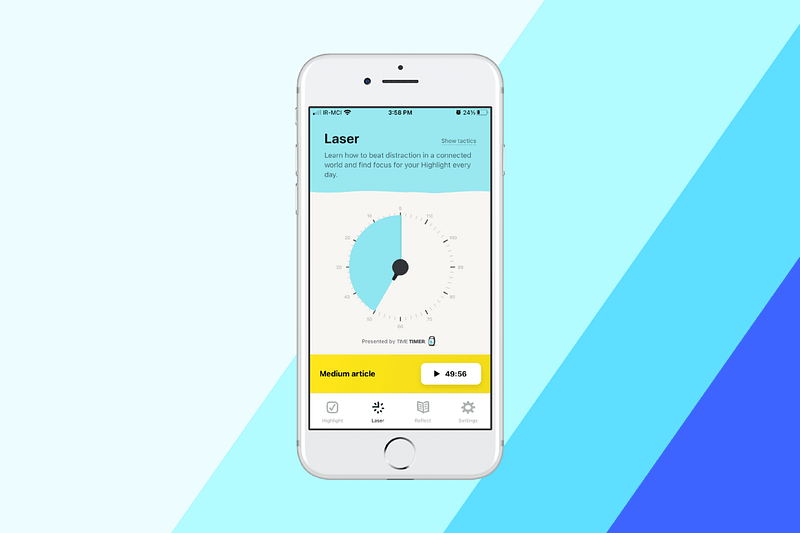
Screenshot of the Makr Time App

Based on a book with the same name, this app has a specific approach to amplifying your productivity. Simply open the app, write down the highlight of your day then specify a time.

You can navigate to the Laser tab, where you’ll be able to set a timer and focus on a highlight that is a name for the activity you want to occupy your time with and stop procrastination.

At the end of the day, the app will give you a notification so that you reflect on your highlight by asking a couple of simple questions.

The user interface is super intuitive and straightforward. I used the app for two weeks, and it made me feel different about how my time is spent based on the highlight of the day, which makes every day seem purposeful.

The concept works for me, it might not work for you, yet I suggest giving it a try.

🔐 Privacy: No data collection

💳 Price: Free!

✓ Compatibility: 📱iPhone

🧩 Design: Aesthetically pleasing

⭐️ Rating: Insufficient data

🔗 Download: AppStore

🌐 Research: Website

2. Mindlist — Todo List & Planner
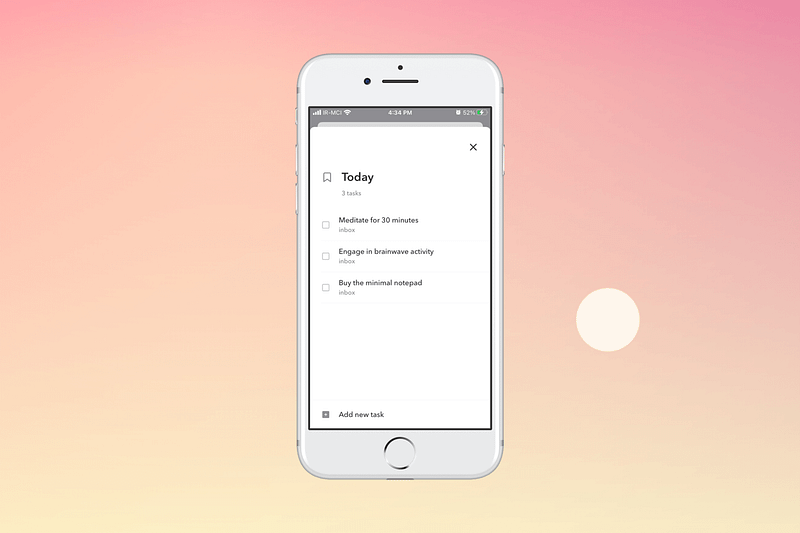
Screenshot of the Mindlist App

Talk about a real minimal To-Do application. Mindlist brings the basic essential features of a reminders app in a minimal design with tons of white space.

There is no distraction, and everything runs smoothly. Some notable things about this app are:

  • No ads
  • Integration with the calendar
  • Some customizability options
  • Support for dark mode
  • Superfast performance
  • Support for list creation

🔐 Privacy: No personal data collection

💳 Price: $3.99

✓ Compatibility: 📱iPhone, 📱iPad, 💻 Mac

🧩 Design: Decent looking

⭐️ Rating: 4.6 out of 5 (228 ratings)

🔗 Download: AppStore

🌐 Research: Website

3. TV Forecast
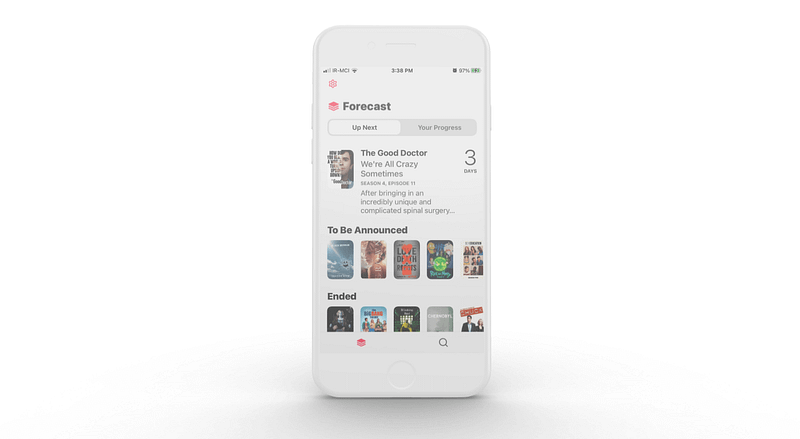
Screenshot of the TV Forecast App

Finding an app to track the tv series you watch is easy. There are tons of free and paid options out there, but finding an app that has a great user experience is complicated as many competitors are playing the catch-up game.

TV Forecast is different; it is a tiny app that runs superfast on almost all iPhones introduced since 2017. In addition, it supports dark mode and uses Apple Sign In, which is a plus option. It also supports connecting your account to Trakt, an online service to track your entertainment consumption.

🔐 Privacy: Collects personal data

💳 Price: Subscription $0.99 per month

✓ Compatibility: 📱iPhone, 📱iPad

🧩 Design: Decent looking

⭐️ Rating: 4.5 out of 5 (256 ratings)

🔗 Download: AppStore

🌐 Research: Website

4. Any Distance
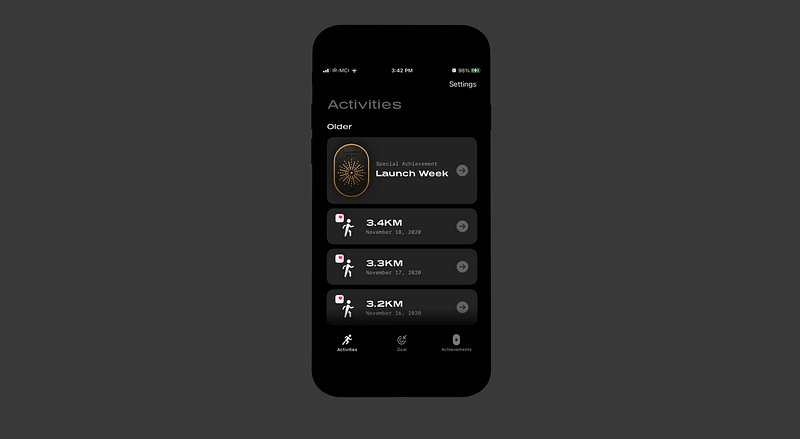
Screenshot of the Any Distance App

Many people like to share the distance and where they ran in visual graphical form. Apps like Strava help generate images of where they ran. The problem with such apps is usually their expensive monthly subscriptions and, of course, the privacy concerns. Another issue is the lack of customization.

That is where Any Distance comes into play. It is developed by Luke Beard with amazing features such as:

  • Support for Apple Health and Strava
  • Lots of beautiful templates
  • Home screen widget to keep your goal’s progress in check
  • Some gamification features to inspire you

If you want to share a unique, beautiful image of the place you ran and share it on social media, then give Any Distance a try.

🔐 Privacy: Collects personal data

💳 Price: Free!

✓ Compatibility: 📱iPhone

🧩 Design: Aesthetically pleasing

⭐️ Rating: Insufficient data

🔗 Download: AppStore

🌐 Research: Website

5. Vera
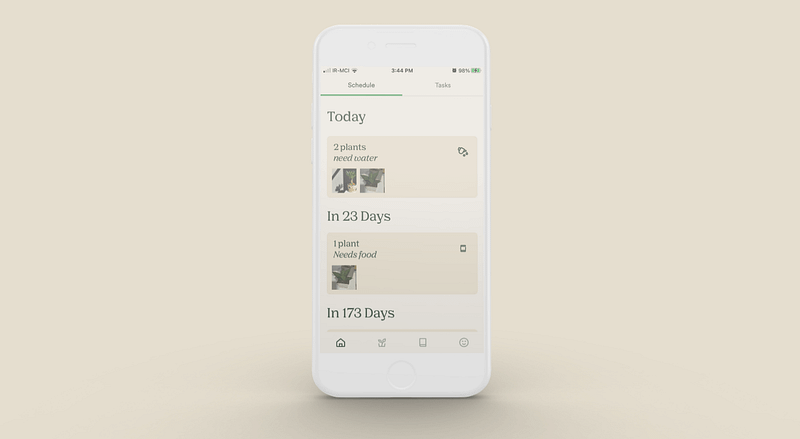
Screenshot of the Vera App

I have two plants; they are named Stefanos and Jon Snow. Jon Snow is a Sansevieria gifted to me from a company I used to work at; he survived a bad winter then came back to life, ergo the name. It is a delicate creature.

Stefanos is a mouthful; she is a Pachypodium Lamerei which is basically a cactus that could survive in most conditions.

To track the soil fertilization and water them, I used apps like Notion, but the problem with those is the lack of notification and customization.

That is where Vera comes into play. Vera is a free app that allows you to add your plants by searching their name and finding them from a large database. You can then add the last time you fertilized and watered them and let the app notify you when to take care of them.

🔐 Privacy: No personal data collection

💳 Price: Free!

✓ Compatibility: 📱iPhone

🧩 Design: Decent looking

⭐️ Rating: 4.3 out of 5 (430 ratings)

🔗 Download: AppStore

🌐 Research: Website

6. Ripple for Trakt
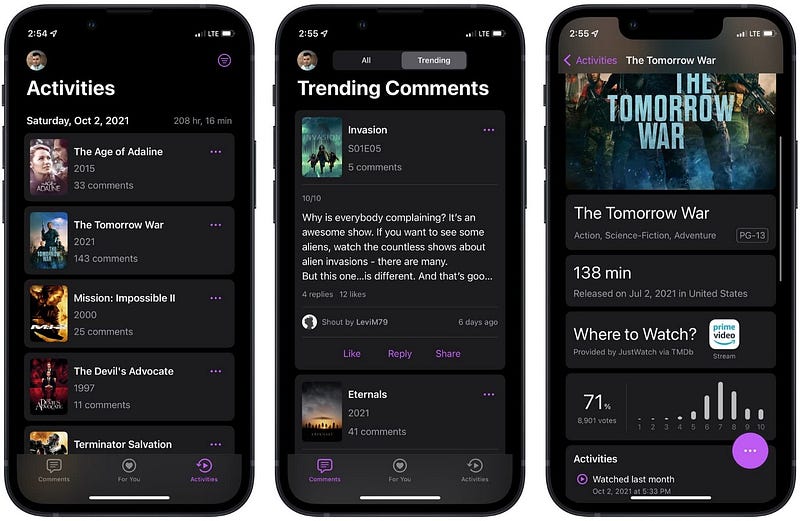
Screenshot of the Ripple for Trakt App

If you use Trakt to track your movies and TV Series, then install Ripple for Trakt as it provides a clean user interface in which you will have access to your library of movies and tv shows.

The app allows you to view your watchlist and receive notifications when a new favorite TV show episode arrives. In addition, paying for the app will enable you to access your watchlist’s search functionality and receive recommendations alongside many more features.

It is inexpensive and provides a fine-tuned user experience for using Trakt. If you are a user of the Reddit called Apollo, think of Ripple as the Apollo to the Trakt.

🔐 Privacy: No data collection

💳 Price: Subscription $0.49 per month

☑️ Compatibility: 📱iPhone, 📱iPad, 💻 Mac

🧩 Design: Decent looking

⭐️ Rating: Insufficient data

🔗 Download: AppStore

🌐 Research: Website

7. Compress Photo & Pictures
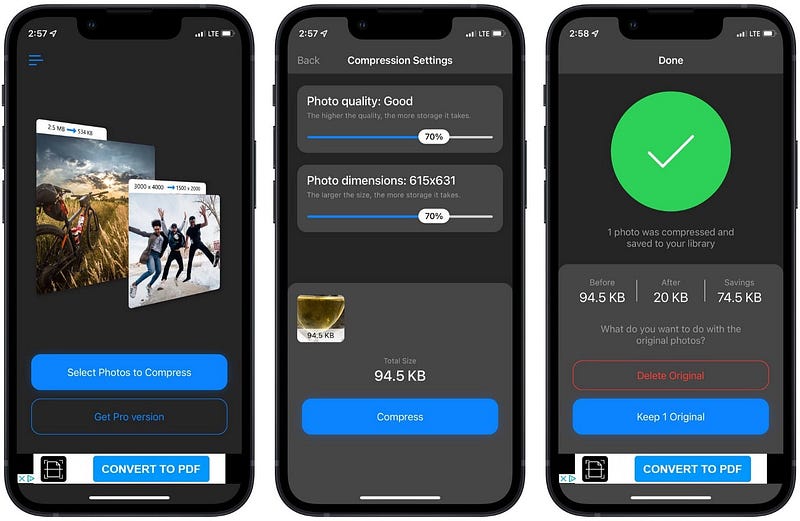
Screenshot of the Compress Photo & Pictures App

As a blogger, I have to be careful of the images I upload to my blog. They have to be relevant and, in terms of file size, as small as possible. To alter the size of an image, one has to make sure to create a balance between quality and file size.

To not compromise too much of your photo quality, you can use online services, but many lack a proper privacy policy for their use of your data. Compress is one of the few apps on the AppStore that reduces the file size of any image, and it does it really well.

The app provides two sliders, one for setting the photo quality and the other for its resolution. Despite the annoying ads, it works and does the job really well.

🔐 Privacy: Collects personal data

💳 Price: Subscription $3.99 per year

☑️ Compatibility: 📱iPhone, 📱iPad

🧩 Design: Displeasing

⭐️ Rating: 4.7 out of 5 (10.8K ratings)

🔗 Download: AppStore

🌐 Website: Not Found

8. Craft
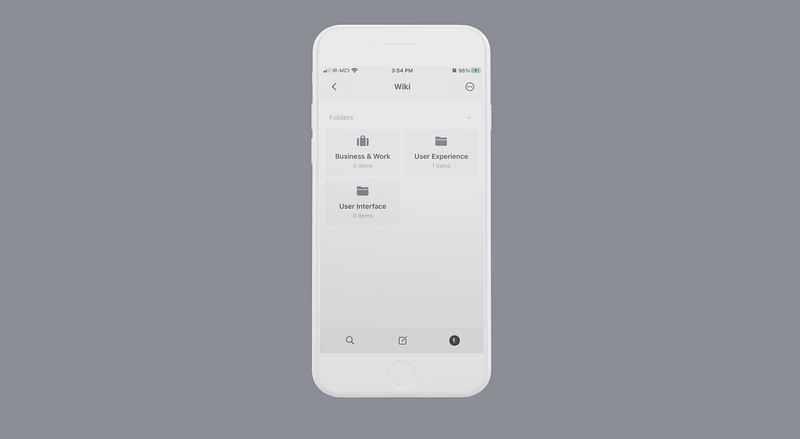
Screenshot of the Craft App

Apple users love this phrase: “it just works,” and Craft is one of those apps that just works. I love it so much that I wrote an entire article reviewing the application. Here is the link:

To put it in simple terms, Craft is an advanced note editor that helps you organize and style every text with support for mathematical formulas and programming codes.

I think it is here to replace Notion by bringing a wonderful design, fast performance, and exclusive support for the Apple Silicon.

🔐 Privacy: Collects personal data

💳 Price: Subscription $4.99 per month

✓ Compatibility: 📱iPhone, 📱iPad, 💻 Mac

🧩 Design: Aesthetically pleasing

⭐️ Rating: 4.9 out of 5 (1585 ratings)

🔗 Download: AppStore

🌐 Research: Website

9. An Otter RSS Reader
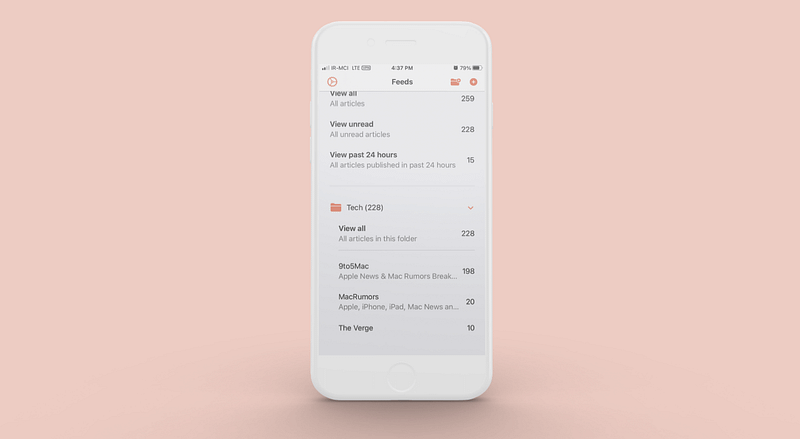
Screenshot of the An Otter RSS Reader App

Otter is a minimalistic RSS reader application. It is simple. Just add the URL of the website you want to add, and it will automatically find its RSS source and add it to your list.

An outstanding feature of Otter is grouping feeds. Although the approach shows the content, it doesn’t load a different version of the article you are about to read; it simply loads the webpage like opening it usually on Safari, which makes the experience simple.

You can use the widgets that come with Otter and let it display the newest feeds on your home screen.

🔐 Privacy: No personal data collection

💳 Price: Free!

✓ Compatibility: 📱iPhone, 📱iPad, 💻 Mac

🧩 Design: Decent looking

⭐️ Rating: Insufficient data

🔗 Download: AppStore

🌐 Research: Website

10. Fasta: Intermittent Fasting
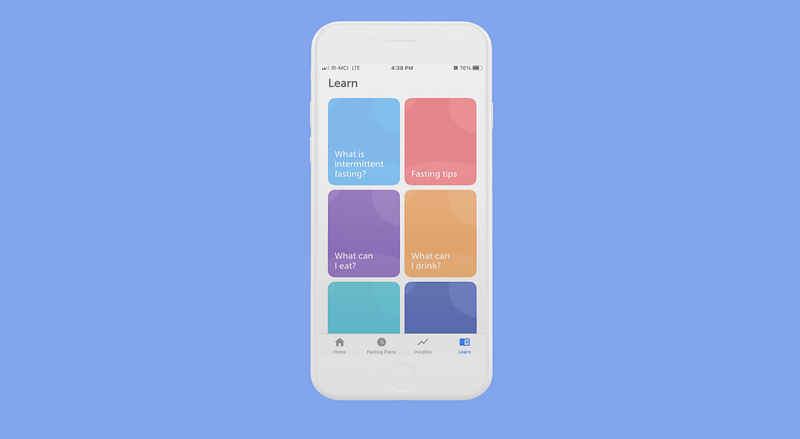
Screenshot of the Fasta App

Fasting is not easy, specially intermittent fasting, since there are many variations of it. Enter Fasta; it’s about managing the time of your fast and seeing your progress.

Fasta comes with over 15 different intermittent plans and is very keen on privacy. Fasta is also one of those great apps that comes with Apple Watch support, and it supports Apple Health.

There are widgets for your home screen, and lastly, it supports dark mode, which is a must-have for me.

🔐 Privacy: No personal data collection

💳 Price: Subscription $1.99 per month

✓ Compatibility: ⌚️Apple Watch, 📱iPhone, 📱iPad

🧩 Design: Displeasing

⭐️ Rating: 4.6 out of 5 (182 ratings)

🔗 Download: AppStore

🌐 Research: Website

11. Directive
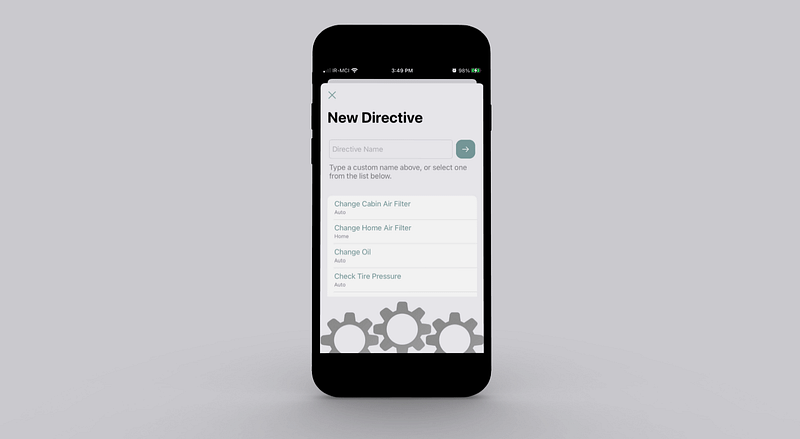
Screenshot of the Directive App

When we grow up, our responsibilities grow as well. Many purchase a car, some get a house then we think everything is right where it should be, but our efforts are far from over. As much as I like it to be facile, it is not easy to keep when we are due for payments.

To take care of our cars, I have an app to introduce. Directive is an application that helps you remember when your events are due and remind you of important dates.

It even helps you purchase the items directly from Amazon, convenient for those who don’t like to spend too much time on simple stuff.

🔐 Privacy: Collects personal data

💳 Price: Subscription $3.99 per year

✓ Compatibility: 📱iPhone, 📱iPad, 💻 Mac

🧩 Design: Displeasing

⭐️ Rating: Insufficient data

🔗 Download: AppStore

🌐 Research: Website

12. FlyScreen
Screenshot of the FlyScreen App

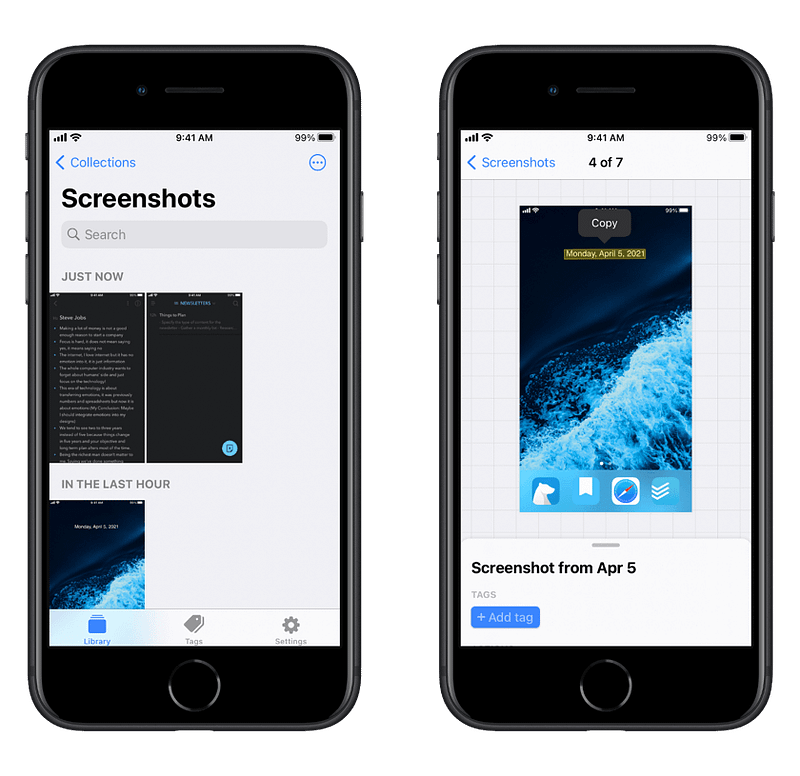
Every time you use a technology that works, a subtle sparkle of happiness happens in your head, and FlyScreen is one of those apps that work and smile at you. The primary goal of this app is to create a shortcut for people who want to make the best use of their time.

My #1 use case for this app was trying to connect with people on Clubhouse. Unfortunately, Clubhouse doesn’t let you copy the links inside a user’s profile. That is when FlyScreen comes in handy.

One of the most incredible things I found was the link detection, just select a text and navigate to a website.

Besides text recognition, FlyScreen does a beautiful job categorizing your screenshots. It can even help you get rid of duplicates which are super handy, in my opinion.

🔐 Privacy: No personal data collection

💳 Price: Free!

✓ Compatibility: 📱iPhone, 📱iPad

🧩 Design: Decent looking

⭐️ Rating: Insufficient data

🔗 Download: AppStore

🌐 Research: Website

13. Ambients
Screenshot of the Ambients App

There is this word called flow. Many people only get their work done once they are in the state of flow. I am one of those people who need motivation and focus on preparing myself to go into the flow mode, and that is when I usually use my Apple Music library and play Max Richer scores. Due to the nature of the pandemic, I work from home, the feeling of being in the office, even a café, does not exist, so I use Ambients.

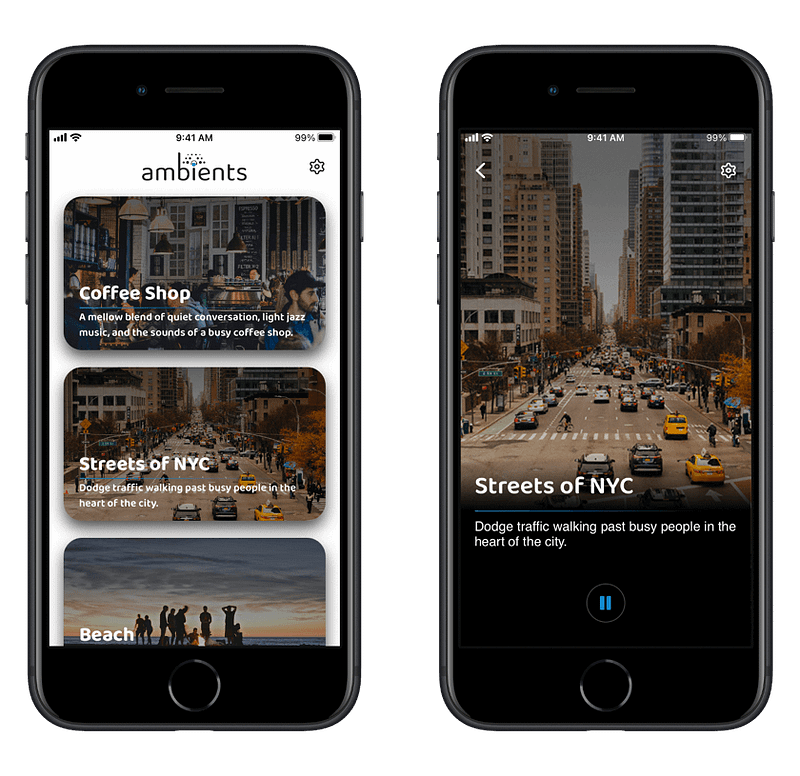
Ambient’s goal is to create an atmosphere where you feel distanced from ordinary daily things and helps you focus when you want to study or work.

It can help you go into a meditative state by playing the “Beach” track or help you relax by visualizing yourself in the streets of New York City.

🔐 Privacy: Collects personal data

💳 Price: Multiple In-App Purchases

✓ Compatibility: 📱iPhone, 📱iPad

🧩 Design: Displeasing

⭐️ Rating: 4.6 out of 5 (207 ratings)

🔗 Download: AppStore

🌐 Research: Website

14. WiFiman
Screenshot of the WiFiman App

When managing your networking equipment, you will need to use simple services to help you find any potential problems. In my case, that was finding out which ports on the router were open to the outside world, so I could close those I wouldn’t need and prevent a security disaster.

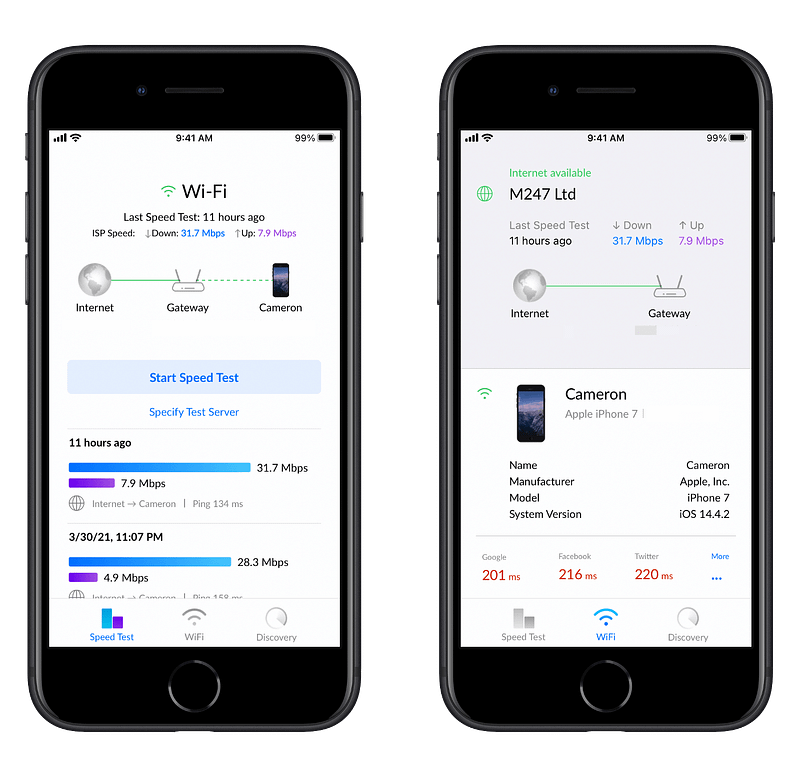
Security is not the only reason to use WiFiman. I use it to monitor all the connected devices on my network and run speed tests to see the performance of my internet connection.

I used to use the SpeedTest app by Ookla, but since I live in a country where our internet connection is heavily censored, a VPN is essential not just for protection but also to get around censorship. So the SpeedTest is most fitting when you want to check your connection speed with a local server.

To test out the connection speed with a server overseas, WiFiman is one of the best tools available, and it can also give you precise numbers on your ping time with some of the most used websites.

🔐 Privacy: No personal data collection

💳 Price: Free!

✓ Compatibility: 📱iPhone

🧩 Design: Decent looking

⭐️ Rating: 4.8 out of 5 (5228 ratings)

🔗 Download: AppStore

🌐 Research: Website

15. Sleep Tracker & Affirmation
Screenshot of the Sleep Tracker & Affirmation App

A night of inadequate sleep is detrimental to your overall health. The quality of your sleep affects your general mood for the next day, and it states how energized you’ll be as well. Matt Walker, the neuroscientist who famously talked about Sleep Is Your Super Power gave us a unique perspective on how vital good sleep is.

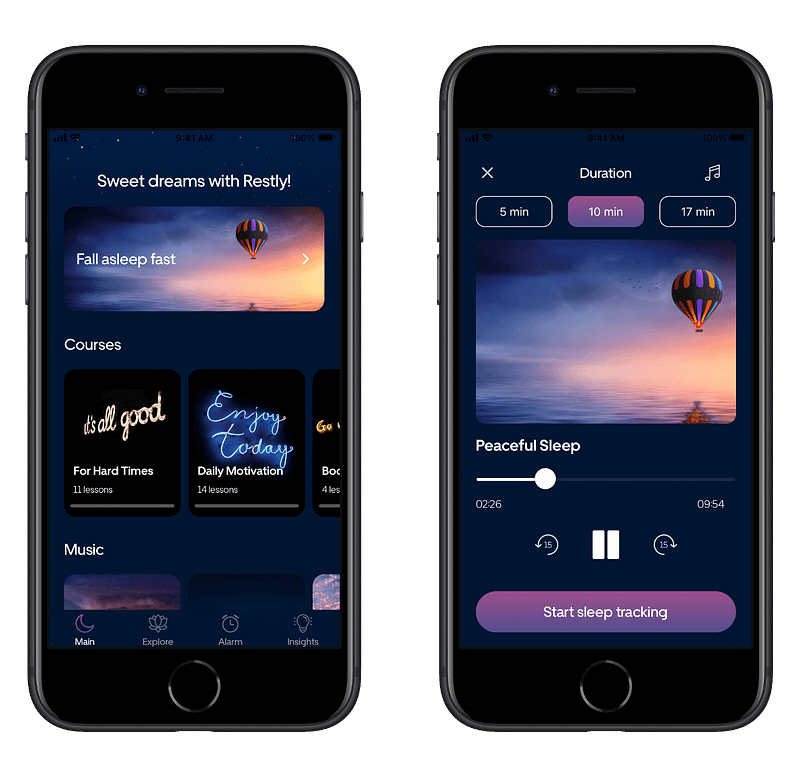
Sleep Tracker & Affirmation is an iPhone app that can help you improve your sleep, but that is not the only thing it does. You can meditate, set the alarm for waking up early, which interestingly will give you an optimal time to go to bed, and of course, help you monitor your sleep.

I’ve been tracking my sleep with the help of this app, and I know when I usually snore. I can also find out how long I had a deep sleep and track my mood.

This app gives you great data to overcome your health issues with your doctor. Just give it a try for a month and show the result to a medical professional.

My experience with using the app on my iPhone was not great as the app had some bugs, and it is pretty slow to use. The user interface is not modern, and I wish it followed Apple human interface guidelines for making the app feel native to the iPhone.

🔐 Privacy: Collects personal data

💳 Price: Subscription $9.99 per month

✓ Compatibility: 📱iPhone

🧩 Design: Displeasing

⭐️ Rating: 4.3 out of 5 (108 ratings)

🔗 Download: AppStore

🌐 Research: Website

16. Mini Converter
Screenshot of the Mini Converter App

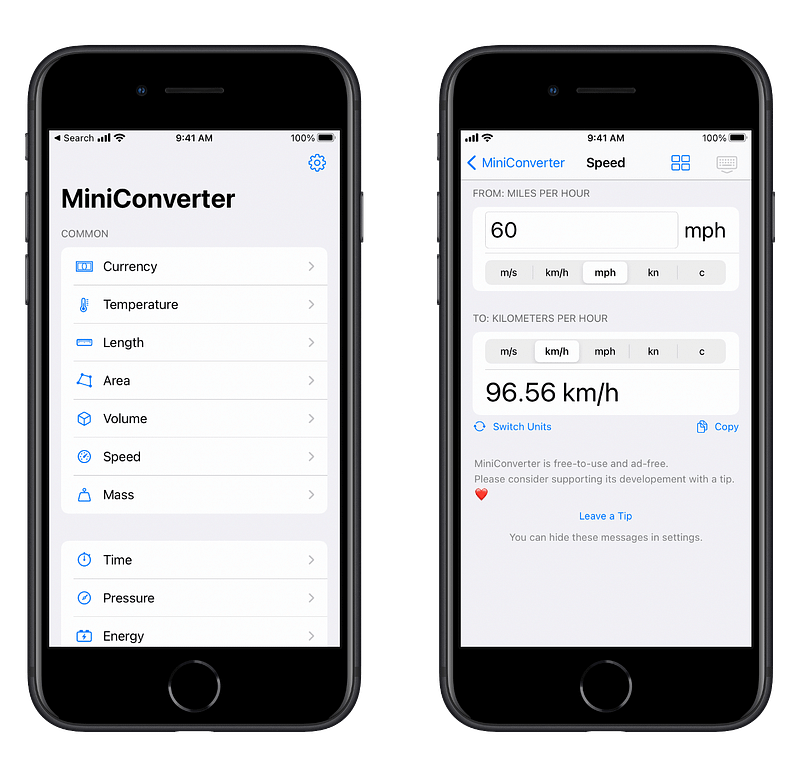
Having a good unit conversion app is a must-have for everyone on their Apple devices. Sure, you can use Siri or the Spotlight search to do some basic unit conversion, but if you want to have a more advanced option, I suggest giving Mini Converter a try.

A couple of superb points to mention:

  • No data collection whatsoever
  • Support for dark mode
  • Support for Slide Over and Split View
  • No advertisements
  • Support for VoiceOver

Mini Converter supports the conversion units such as temperature, area, volume, mass, and much more. I need to note that it supports currency conversion, which is updated daily, but it is a paid option.

I have seen many unit conversion apps. The only thing I miss about other apps is the beautiful colorful user interfaces; other than that, Mini Converter is functionally almost the same as the rest.

🔐 Privacy: No data collection

💳 Price: Subscription $0.49 per month

✓ Compatibility: 📱iPhone, 📱iPad

🧩 Design: Displeasing

⭐️ Rating: Insufficient data

🔗 Download: AppStore

🌐 Research: Website

17. Plantie
Screenshot of the Plantie App

The Pomodoro technique is embraced by many individuals who are great at productivity and managing their time while being in the zone of extreme focus. Many people depend on this technique to get work done, that is when the use of technology could greatly benefit us, and it is where Plantie comes into play.

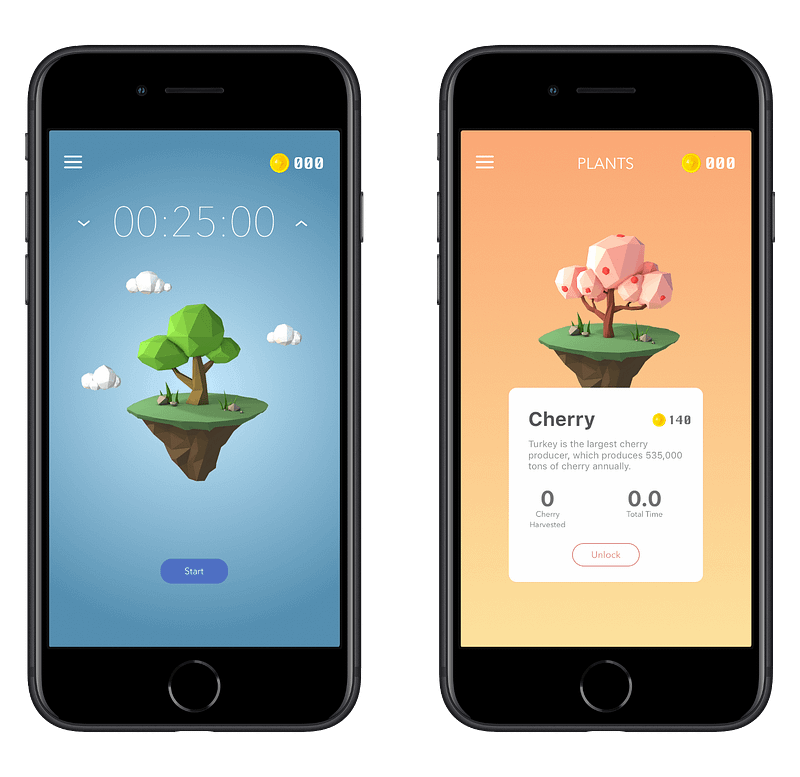
Plantie is a fun, visually interesting app that gives you a timer and a tree. Your objective is to start the timer, commence your work until the timer hits zero. You do that a couple of times, and you will see the tree give you its fruits.

I’m not too fond of gamification in any area of my digital life because it makes us addicted to technology; however, there are moments when certain apps use it properly to enhance our experience. I think Plantie is one of them.

It is essential to have Plantie running and open. The moment you switch to another app, your task will be interrupted, and once you reopen Plantie, it will ask you to choose three options:

  1. Stop the task
  2. Stop the task after 30 seconds
  3. Never interrupt a task

🔐 Privacy: No personal data collection

💳 Price: Free!

✓ Compatibility: 📱iPhone

🧩 Design: Aesthetically pleasing

⭐️ Rating: 4.7 out of 5 (1.1K ratings)

🔗 Download: AppStore

🌐 Research: Website

18. EXpenso
Screenshot of the EXpenso App

Managing your finances can be a drag if you don’t have a system for it. Some professionals go to the extent of creating multiple spreadsheets and calculating their budgets with complex formulas. Some go for the simple route and keep a handy notebook nearby and log their expenditure. However, a particular group of people like me doesn’t want to deal with complicated programs, nor do we like the simple route. That is where EXpenso comes to the rescue.

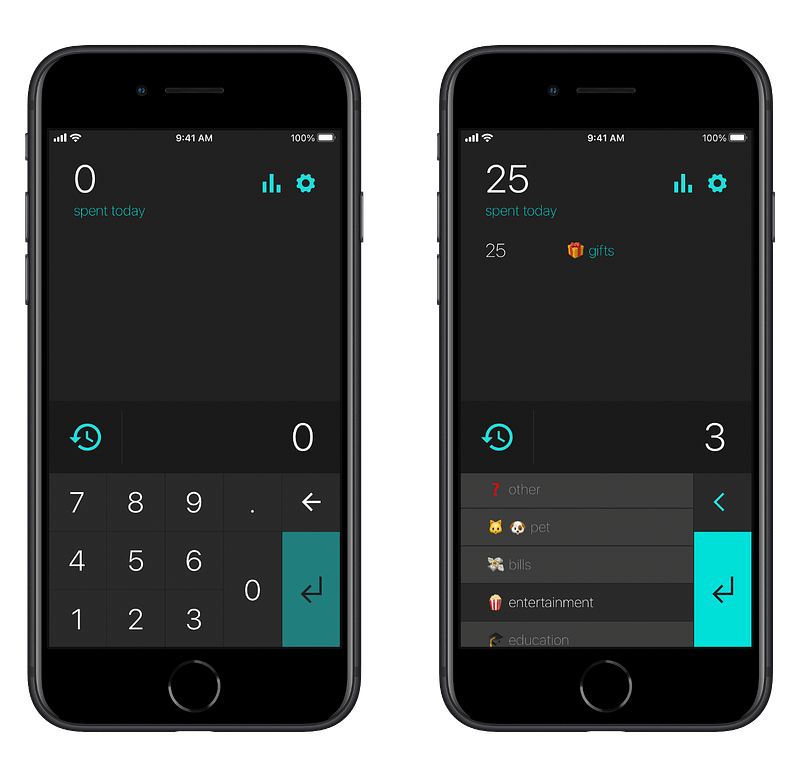
With this easy-to-use iPhone app, you can quickly log your expenses and use emojis as the icon for the category of what you paid for. The app is both fun and practical.

🔐 Privacy: No personal data collection

💳 Price: Free!

✓ Compatibility: 📱iPhone

🧩 Design: Displeasing

⭐️ Rating: Insufficient data

🔗 Download: AppStore

🌐 Research: Website

19. Plant Jammer
Screenshot of the Plant Jammer App

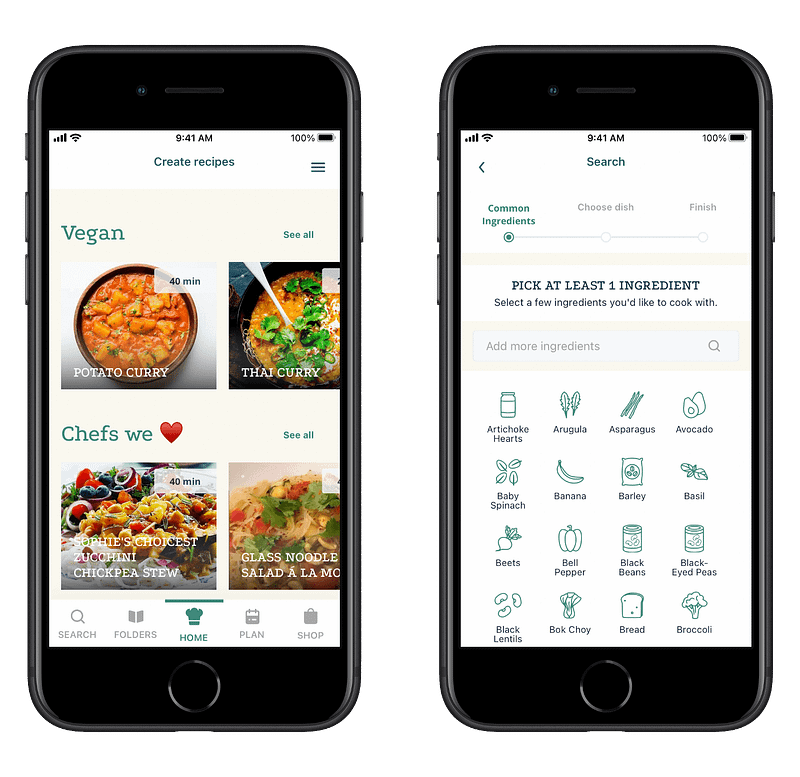
Plant Jammer offers dishes based on the ingredients available at your house. This way you won’t have to spend a lot of time surfing the internet to find which food would suit your needs.

Offering dishes is not the only thing Plant Jammer does. It can help you:

  • Create folders with your own dishes in it
  • Learn to cook from many available tutorials
  • Use artificial intelligence to create recipes for your diet
  • Plan what to eat on each day of the week
  • Add items to your shopping list

Plant Jammer’s user interface is ok, not excellent, and heavily relies on your internet connection.

🔐 Privacy: Collects personal data

💳 Price: Subscription $3.49 per month

✓ Compatibility: 📱iPhone, 📱iPad

🧩 Design: Displeasing

⭐️ Rating: 4.8 out of 5 (284 ratings)

🔗 Download: AppStore

🌐 Research: Website

20. Dinero
Screenshot of the Dinero App

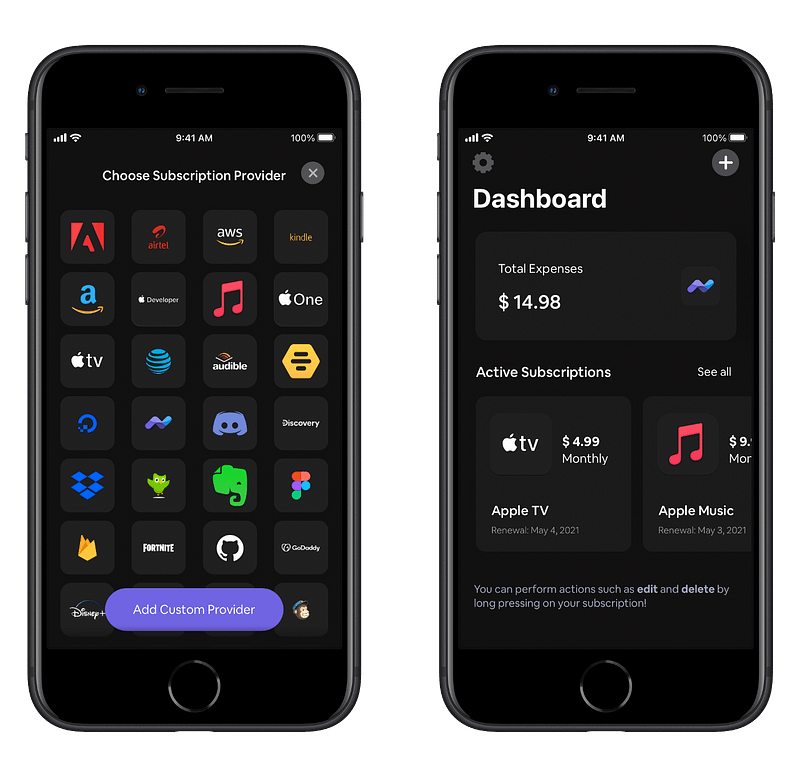
Tracking your subscription is super essential if you want to manage your finance properly. If you don’t track them, they will accumulate without you knowing, and after some time, you will be disappointed for not saving up many hundreds of dollars from your bank account.

Using Dino is super simple. Just tap on the plus button, choose the subscription provider, enter the amount, and tap on continue. After entering the date, you will be returned to the home screen and see the total amount of your expenses and your active subscriptions.

🔐 Privacy: No data collection

💳 Price: Subscription $1.49 per month

✓ Compatibility: 📱iPhone, 📱iPad, 💻 Mac

🧩 Design: Decent looking

⭐️ Rating: Insufficient data

🔗 Download: AppStore

🌐 Website: Not Found

21. Inspire
Screenshot of the Inspire App

I need fuel to work in the morning and tolerate some problematic parts of life. Every day, I get out of bed and try to readjust my body into working mode. To achieve that state, I need:

  1. Coffee
  2. Music
  3. Inspirational Content

The first two items are easy to get but getting inspired every day? It takes a toll on me.

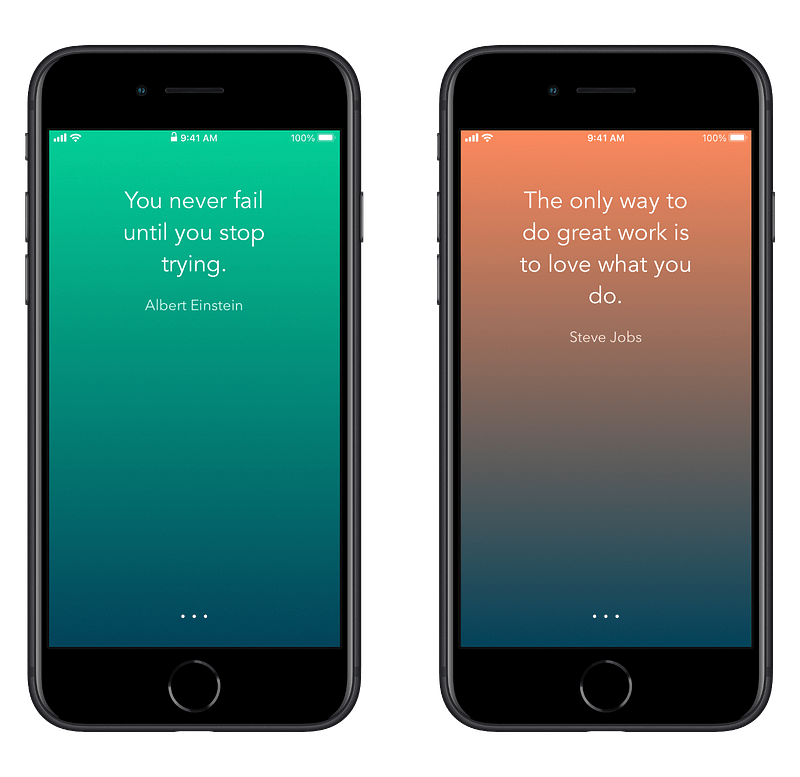
Inspire is a simple app that helps me read a couple of inspirational quotes from famous people like Steve Jobs and feel energized for the day ahead.

I believe it is essential for our mental health to stay positive in life, and I think Inspire is an app that helps us toward a positive mindset.

🔐 Privacy: No data collection

💳 Price: Free!

✓ Compatibility: ⌚️Apple Watch, 📱iPhone, 📱iPad

🧩 Design: Displeasing

⭐️ Rating: Not available

🔗 Download: AppStore

🌐 Research: Website

22. Klima
Screenshot of the Klima App

Right here, right now, is where we draw the line. The world is waking up. And change is coming whether you like it or not. — Greta Thunberg

Climate change has already made an impact on our lives. We are now more susceptible to long-lasting effects from our consumeristic lifestyle. The excessive use of industrial products doesn’t help to solve the equation of global warming.

As a citizen, concerned citizen, and a person who cares about the life of all species on the planet, the last thing that one could do is reduce the carbon footprint.

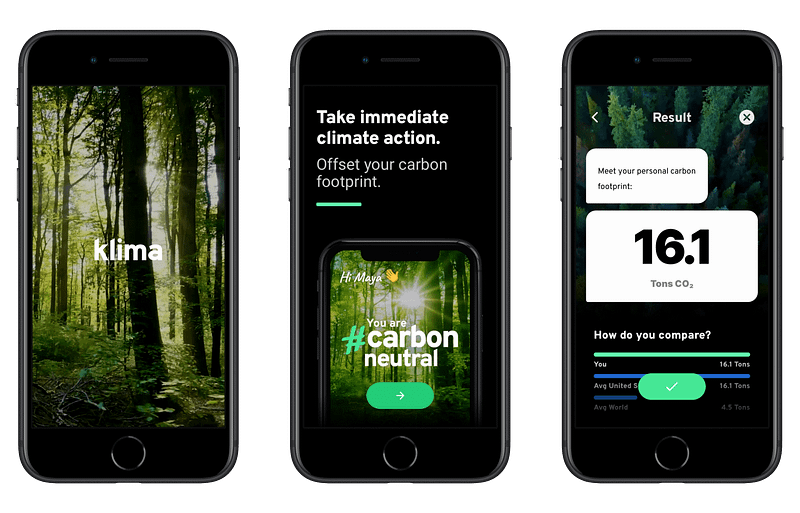
With Klima, you will estimate how much carbon footprint you produce by your lifestyle and what solutions you use to help avoid making the earth warmer.

Klima has a fantastic user experience. It comes with a simple yet beautiful user interface that covers excellent images and illustrations. You will feel comfortable using the app. All you will need to do is complete some steps, let Klima estimate your carbon footprint, and then choose a plan to help with a noble way of living for our planet.

🔐 Privacy: Collects personal data

💳 Price: Subscription with different plans

☑️ Compatibility: 📱iPhone

🧩 Design: Aesthetically pleasing

⭐️ Rating: 4.5 out of 5 (104 ratings)

🔗 Download: AppStore

🌐 Research: Website

23. Amicu
Screenshot of the Amicu App

Humans are social creators. We strive on stories and connect to survive the harsh world out there. An issue for us living in the twenty-first century comes from work and our most gruesome choice: being and staying busy.

The solution to alleviate this problem comes in the form of reminders. Now, we can use reminders in the shape of calendar, to-do, and task management apps, but what if we could do it using a more straightforward solution that not only respects our privacy but also help us remember special events.

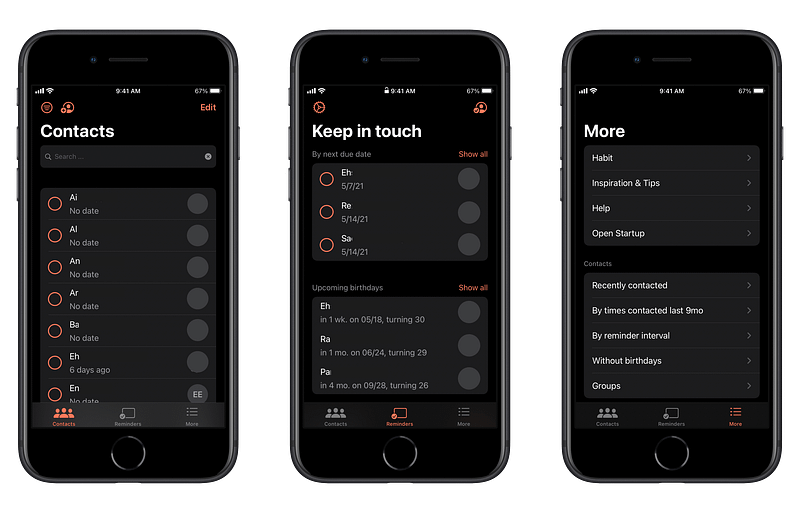
With Amicu, you can manage your most important contacts by grouping them, adding information, setting reminders, and much more. The app looks alright and doesn’t seem too confusing to use. If you are a person who forgets to stay in contact with essential people, then this app is for you.

🔐 Privacy: No personal data collection

💳 Price: Subscription with different plans

☑️ Compatibility: 📱iPhone

🧩 Design: Decent looking

⭐️ Rating: Insufficient data

🔗 Download: AppStore

🌐 Research: Website

24. Recurrence
Screenshot of the Recurrence App

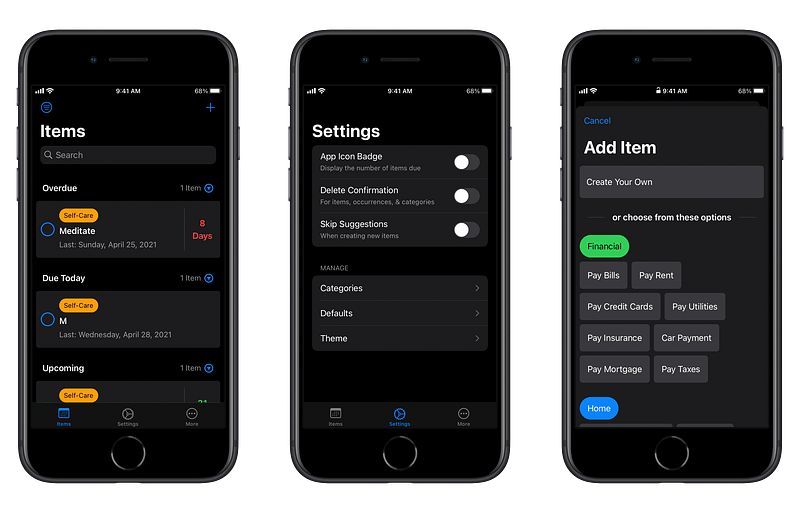
Habits make us do certain things on a repeated schedule. Unfortunately, most people face different challenges throughout the day, and because of their needs, many forget to stick to their habits.

Every year we define our new year’s resolution. Occasionally, we want to lose weight; sometimes, we want to learn a different language. The use case varies. What doesn’t change is our inability to stick to some habits. Why? Because we forget. To alleviate this problem, we can rely on the help of technology.

An app that helps us quickly create specific tasks that require repetition throughout some days would be of great benefit, and that is what Recurrence does. This app is universal, meaning it will run on most Apple devices and can be easily understood. Navigating the app is easy, and it is usable for the majority of people.

Some example use cases for me are to be reminded when I need a haircut and a couple of essential things, like meditating and paying my bills.

🔐 Privacy: Some personal data collection

💳 Price: Subscription with different plans

☑️ Compatibility: 📱iPhone, 📱iPad, 💻 Mac

🧩 Design: Decent looking

⭐️ Rating: Insufficient data

🔗 Download: AppStore

🌐 Research: Website

25. Spaces
Screenshot of the Spaces App

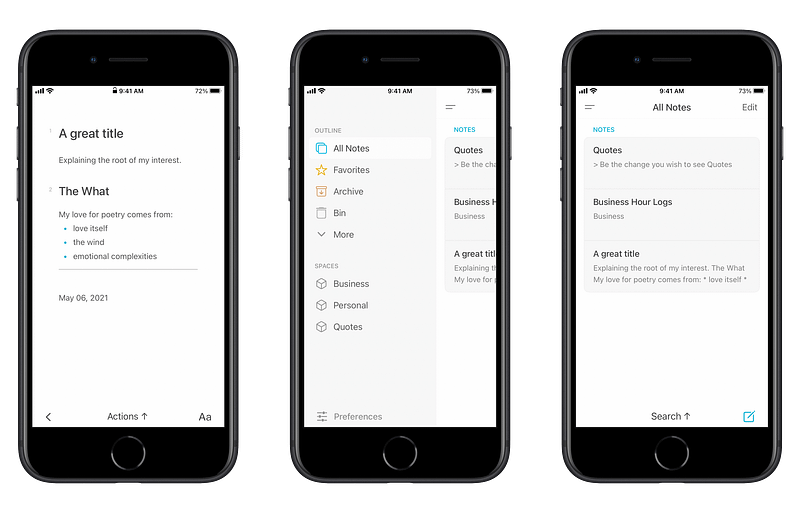
Taking notes and having a notebook where all your notes are accessible, searchable, and easy to modify should be of no-hassle, yet, we keep seeing apps like this with almost the same design but different implementation of note-taking features.

I have tried so many apps to find something that aesthetically looks great and helps me categorize different notes based on their topic.

A couple of problems I’ve had with many note-taking apps have been:

  • Expensive or long-term monthly subscription plans
  • Constant annoyances like bugs that take ages to get fixed
  • Cluttered design and ugly user interfaces
  • Lack of support for the right to left languages
  • Lack of proper, timely updates that would make me stay a customer

Spaces, an app by Marvey Tech, is here to help with many of the problems I mentioned. The app has a beautiful design. Its performance is excellent and works like a charm. It has many themes and is available on almost all devices on the Apple ecosystem. The only problem is the lack of RTL support, but I hope they add it someday.

Lastly, this app comes with a LifeTime plan which is terrific for people like me who don’t like to pay for apps every month.

🔐 Privacy: No data collection

💳 Price: Subscription with different plans

☑️ Compatibility: ⌚️Apple Watch, 📱iPhone,📱iPad, 💻 Mac

🧩 Design: Aesthetically pleasing

⭐️ Rating: Insufficient data

🔗 Download: AppStore

🌐 Research: Website

26. Winno
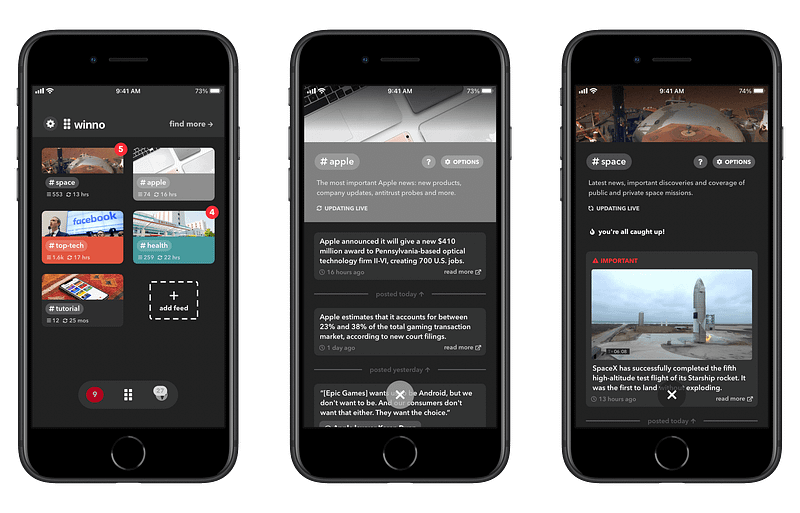
Screenshot of the Winno App

What do we want from a news app? I believe the answer might be different for many people. For me, I want an app that gives the essential news in the shortest time possible. I want to read the news about technology, Apple, the space industry, and health in five minutes without getting stressed or observing advertisements.

Suppose you are like me, then this app might help you. Winno is a news-reading app that helps you stay informed of the events happening around the world. The design of this app is delicate, nothing thought-provoking, but it does the job, and if you want to get the latest news in the shortest time possible, then I think Winno will help you.

Winno is one of the few news-reading apps that doesn’t collect personal data and is available free. I hope they monetize it and work on the design.

🔐 Privacy: No personal data collection

💳 Price: Free!

☑️ Compatibility: 📱iPhone, 📱iPad

🧩 Design: Displeasing

⭐️ Rating: 4.7 out of 5 (1592 ratings)

🔗 Download: AppStore

🌐 Research: Website

27. Cheatsheet Notes
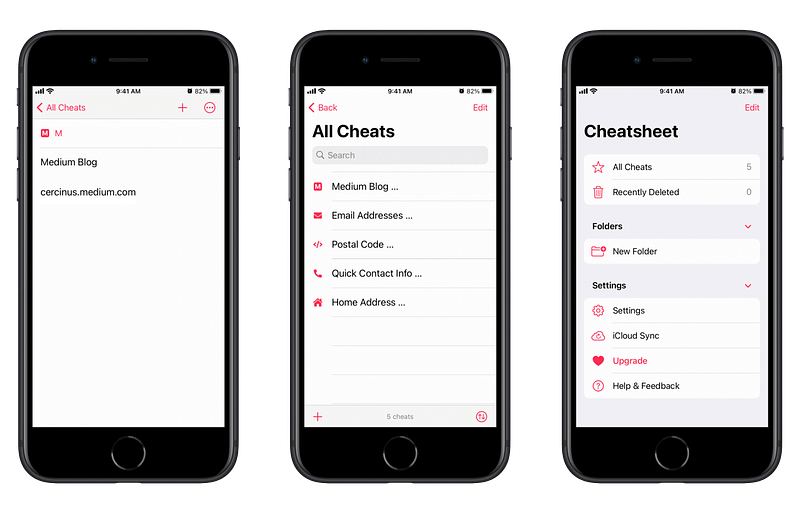
Screenshot of the Cheatsheet Notes App

We all have been there. Looking deep in our memories to remember something like a simple postal code, and we just can’t find it. Sometimes things are a bit more complicated. Sporadically, we need an address to a workplace or something digital like a post we published on our blog some time ago, and we just can’t remember it.

For those moments, many people tend to write down important information on their notepad either by hand or save it digitally on their note-taking app. Both methods are acceptable, but they are not feasible nor appropriate for essential data.

Data such as work address or home address are just a few that resemble essential information in our lives, and they should have a dedicated place to refer to every time we need them. That is why I’m introducing Cheatsheet Notes.

This app can help you remember the most valuable and essential information in a single place where you’ll always refer to.

Cheatsheet Notes is where you’ll be able to accessing your information by creating folders and putting them on a widget on your home screen or directly access them using the app.

The developer doesn’t recommend using the app for important information because it doesn’t provide enough security to sandbox the app; however, I trust iOS and iPadOS enough to put some essential information about myself over there.

Some features of this app are:

  • Existence of over 200 icons for your items
  • Quick copy of the information by a simple tap-and-hold mechanism
  • Integration with Siri
  • Home screen widgets on iOS 15
  • Keyboard extension

If you are looking for a way to reduce your mental clutter and find a way to refer to your information at ease, then give Cheatsheet Notes a chance.

🔐 Privacy: No personal data collection

💳 Price: Single In-App Purchase of $4.99

☑️ Compatibility: ⌚️Apple Watch, 📱iPhone,📱iPad, 💻 Mac

🧩 Design: Decent looking

⭐️ Rating: 4.8 out of 5 (1.1K ratings)

🔗 Download: AppStore

🌐 Research: Website

28. (Not Boring) Weather
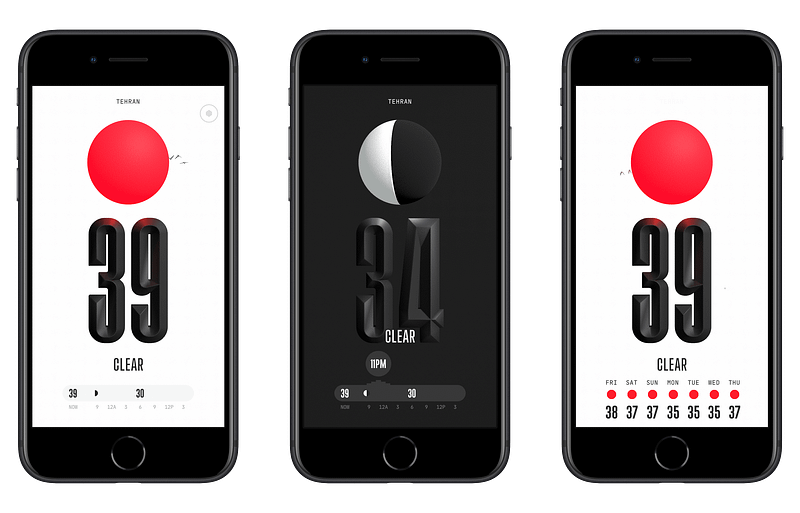
Screenshot of the (Not Boring) Weather App

I’ve got a little bit tired of seeing the same design in the weather apps. They all seem to present the same appearance on their user interface, and the design to me has been boring. But this one is different; It is a visually stunning app. In addition, it utilizes sound design alongside haptic feedbacks, which are two user experience combinations I adore.

In terms of performance, the app is quick. It is relatively easy to understand and find your location pretty quickly. I had no issues with the app running on my iPhone 7, and for a device that is almost five years old, the app works surprisingly well.

If you are looking for a new experience of using apps that are visually stunning and concurrently functional with excellent user experience, then look no further than the (Not Boring) Weather.

🔐 Privacy: No data collection

💳 Price: Multiple In-App Purchases

☑️ Compatibility: 📱iPhone, 📱iPad

🧩 Design: Aesthetically pleasing

⭐️ Rating: 4.7 out of 5 (196 ratings)

🔗 Download: AppStore

🌐 Research: Website

29. Sofa
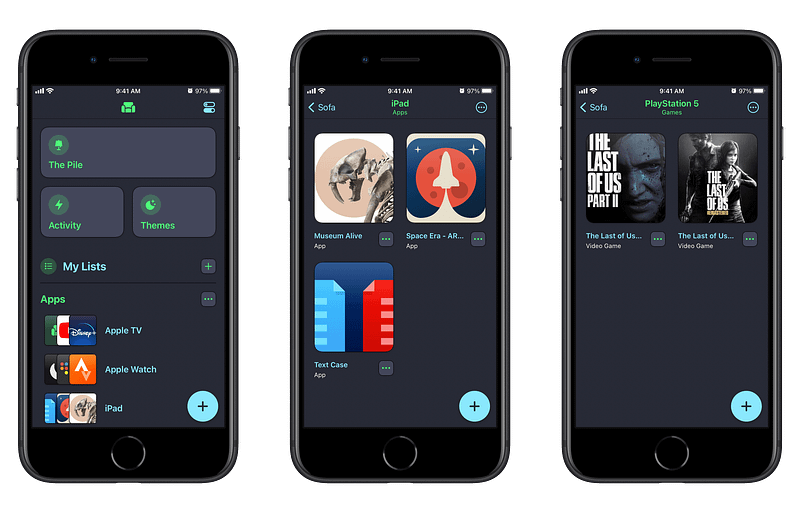
Screenshot of the Sofa App

Saving a list of things you own or things you would like to get your hands on shouldn’t be a problem. The Sofa by Astrio is a simple app that allows you to create lists of items such as books, movies, tv-shows, podcasts, and so much more.

My recommendations for this app will be:

  • Creating a list of Apps and Games you would like to purchase and install on your device later.
  • Creating a list of Movies and TV Shows you would like to watch but don’t have the time to do so at this moment.
  • Make a list of Podcasts you know someday you will listen, but now wouldn’t be a good time.
  • Storing a list of Books, you would want to purchase and read later.

The Sofa app is terrific when it comes to minimalism and clutter-less design. I enjoy using it on my iPad as well as my iPhone.

If you are looking for an app that organizes your life by allowing you to categorize your possessions, then give the Sofa app a try.

🔐 Privacy: No data collection

💳 Price: Multiple In-App Purchases

☑️ Compatibility: 📱iPhone, 📱iPad

🧩 Design: Decent looking

⭐️ Rating: 4.7 out of 5 (1K ratings)

🔗 Download: AppStore

🌐 Research: Website

30. Pocket Casts
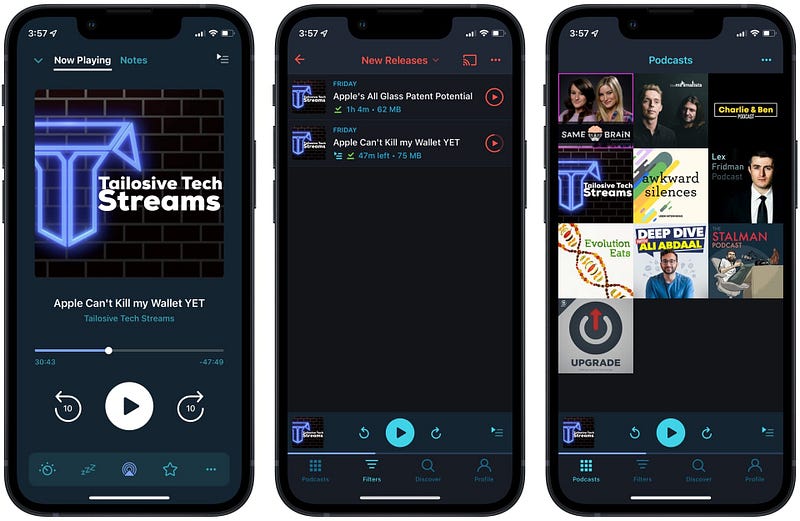
Screenshot of the Pocket Casts App

Listening to podcasts is something I do every day for at least an hour. I love learning about technology from MKBHD and iJustine. I love to learn about science from podcasts like Startalk. Furthermore, I can go on with a great list of podcasts to listen to. But, what good is listening to podcasts when the features available through the app limit your experience?

That is why I’m introducing the PocketCasts. It is a wonderful app that works on most Apple devices and charges little money every month.

Some features I love from the app are:

  • An intuitive design to help you find podcasts.
  • Customizable user interface with multiple themes and the ability to change the app icon.
  • Support for Slide Over, Split View, and PiP on the iPadOS.
  • The ability to trim and remove silences from the podcasts reduces milliseconds of wasted time to bring back your precious time.
  • The feature to boost the volume of Podcasts for when you can’t efficiently hear the episodes.
  • CarPlay support is a plus one for reducing wasted time on the daily commute.

If you want to improve your podcast listening experience, then give Pocket Casts a try.

🔐 Privacy: No personal data collection

💳 Price: Subscription $1.49 per month

☑️ Compatibility: ⌚️Apple Watch, 📱iPhone,📱iPad, 💻 Mac

🧩 Design: Aesthetically pleasing

⭐️ Rating: 3.8 out of 5 (2.3K ratings)

🔗 Download: AppStore

🌐 Research: Website

31. Foci
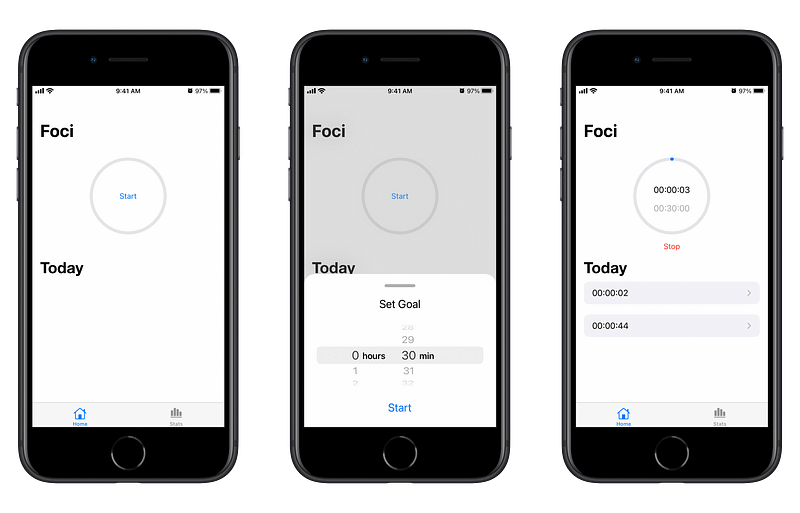
Screenshot of the Foci App

Occasionally, all we need is a simple timer and sheer will to do something. There are tons of apps that provide timer functionality alongside so many other features. What if all we need is a simple timer and nothing else?

Minimalism has come a long way since its introduction in our digital lives, and we are seeing single-purpose apps that give the zen-style vibe with minimal look and functionality to help us accomplish a task.

The Foci is one of those apps, and it is designed to help keep your phone away from you and focus on your work.

We are addicted to our phones, and it is a real issue. To alleviate some of this trouble, one tool that aids the path of leaving our phone addiction is… well, our phone, and you can use this app to force yourself to stop using your phone.

🔐 Privacy: No data collection

💳 Price: Free!

☑️ Compatibility: 📱iPhone, 📱iPad

🧩 Design: Decent looking

⭐️ Rating: Insufficient data

🔗 Download: AppStore

🌐 Research: Website

32. Mactracker
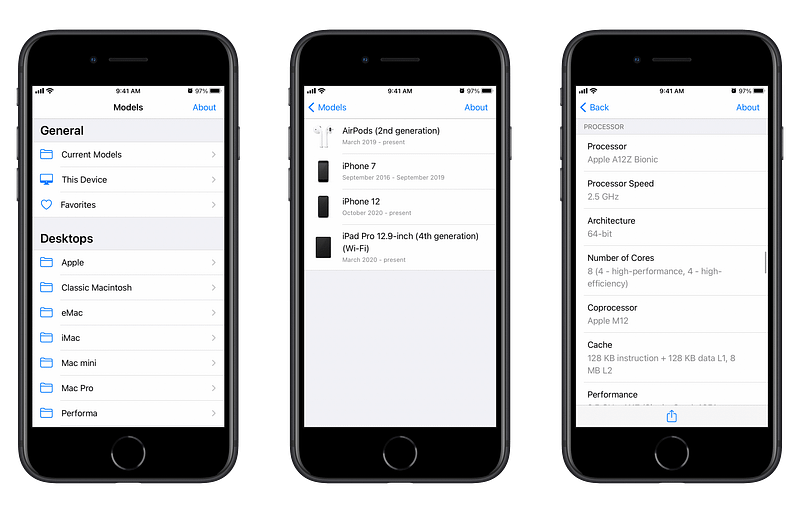
Screenshot of the Mactracker App

As a reader of Mac O’Clock, It is safe to assume you are a fan of Apple products and are keen to learn about them. The MacTracker is a universal database app that allows you to search almost every Apple product and find out information about them.

Information such as the hardware specifications, software running on them, and some helpful links for reference.

If you are interested in quickly learning about your own Apple product(s) and others, then give this app a chance — It is simple to use and doesn’t take much space on your devices.

🔐 Privacy: No data collection

💳 Price: Free!

☑️ Compatibility: 📱iPhone, 📱iPad, 💻 Mac

🧩 Design: Decent looking

⭐️ Rating: 4.8 out of 5 (664 ratings)

🔗 Download: AppStore

🌐 Research: Website

33. MindNode
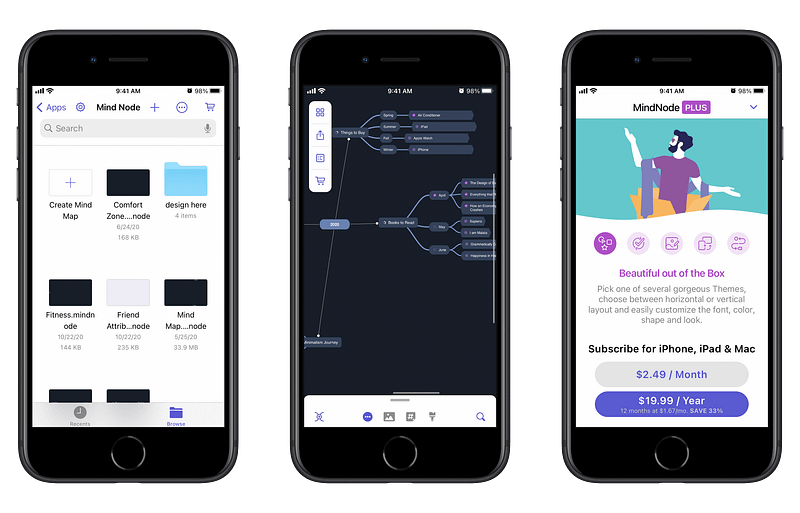
Screenshot of the MindNode App

When I was 25 years old, I was getting ready to take one of the most stressful and challenging tests of my life. The IELTS (International English Language Test) has two parts, the first is the speaking test, and the latter is reading, writing, listening altogether.

On the speaking test, you don’t have much time to develop topics for the conversation.

If I hadn’t used the Mind Mapping technique, I wouldn’t get the score I needed. Mind Mapping is a phenomenal technique that helps you create and organize your thoughts into a diagram which will help you quickly make better decisions.

An app that will help you easily create MindMaps is MindNode, and it doesn’t cost a fortune. It can help you capture your thoughts and organize your ideas.

If you are looking for a modern way to quickly create and capture your thoughts, then give MindNode a chance.

🔐 Privacy: Some personal data collection

💳 Price: Subscription $2.49 per month

☑️ Compatibility: ⌚️Apple Watch, 📱iPhone,📱iPad, 💻 Mac

🧩 Design: Aesthetically pleasing

⭐️ Rating: 4.5 out of 5 (1176 ratings)

🔗 Download: AppStore

🌐 Research: Website

34. Trakt
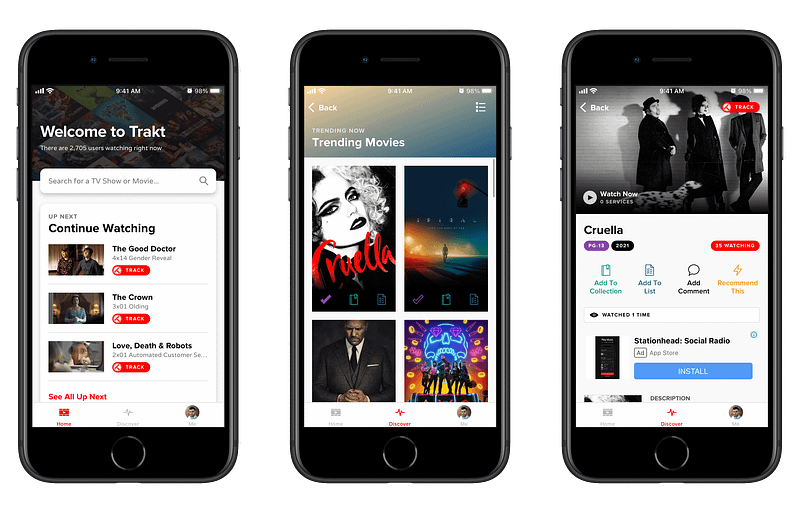
Screenshot of the Trakt App

I’ve been fascinated with Hollywood ever since I was 15 years old. I have been watching superhero movies and TV Series for as far as I remember. Watching artists making entertainment is excellent; however, our memories are not as good as computers. Therefore, we need tools to remember what we’ve watched and which episode we have been on.

One of those tools is a website that is called Trakt. In addition, they recently announced an iOS and iPadOS app that allows you to synchronize the history of movies and tv-series you have watched.

With Trakt, all you need is an account and your iPhone. Log the movies and TV Shows you have watched, then keep track of them. So no matter where you are, with internet access, you can keep an eye on when the latest episode of your favorite tv show comes or when a movie is out to watch.

Trakt also gives you personal stats, which are fun to explore, and you can create a watchlist to track your movies and tv shows.

There are other apps for the Trakt website, but this is the official app, and I love it when I don’t have to rely on third-party services.

🔐 Privacy: Some personal data collection

💳 Price: Free!

☑️ Compatibility: 📱iPhone, 📱iPad

🧩 Design: Decent looking

⭐️ Rating: 4.3 out of 5 (113 ratings)

🔗 Download: AppStore

🌐 Research: Website

35. Xlaunch
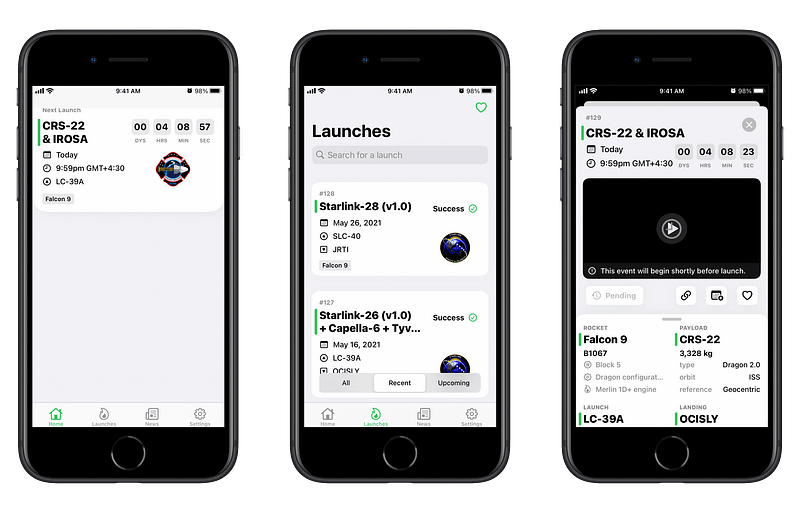
Screenshot of the Xlaunch App

SpaceX is changing the world every time they launch a new rocket into orbit, and I keep an eye on them to see the latest launches and enjoy the progression of the human being.

Xlaunch has an iOS-specific design and comes with support for home screen widgets. In addition, it supports dark mode and offers high-resolution photos for each launch.

Xlaunch has an iOS-specific design and comes with support for home screen widgets. It supports dark mode and offers high-resolution photos for each launch.

The list of features can go on and on, and I can only write so far. If you are a space enthusiast and want to stay up-to-date on the latest SpaceX launches, then give this app a try.

🔐 Privacy: No data collection

💳 Price: Free!

☑️ Compatibility: 📱iPhone, 📱iPad

🧩 Design: Aesthetically pleasing

⭐️ Rating: 4.6 out of 5 (110 ratings)

🔗 Download: AppStore

🌐 Research: Website

36. DontText
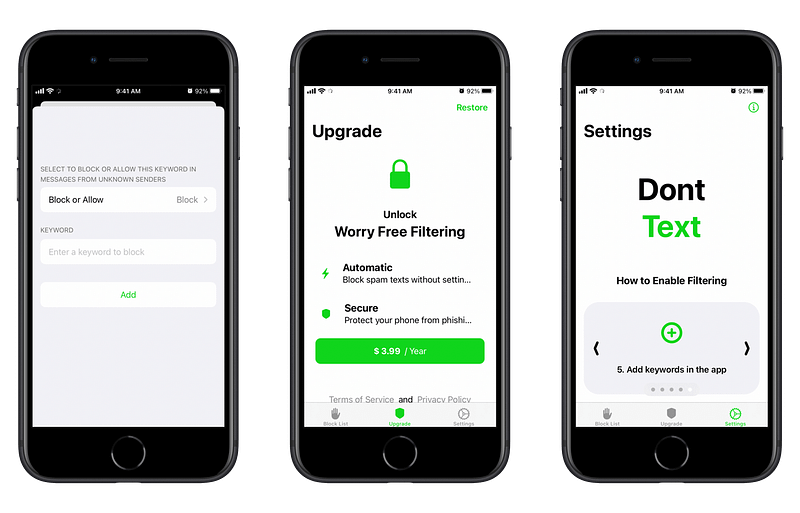
Screenshot of the DontText App

I don’t know where you live, but we get at least 3 to 5 spam messages in my country in a day. Yes, digital privacy in my country is a nightmare. But, at least I can do something about it. That is why I’m introducing a helpful utility called DontText.

It integrates with the built-in settings app and helps you get rid of annoying spam in your inbox. The setup process is straightforward, and the app works as it should.

All you need to do is to write down a couple of keywords that you see in your spam messages. For me, they were: discount, sale, and offer. When I added these words, my inbox became quiet.

If you are tired of receiving spam text messages, then give DontText a try.

🔐 Privacy: No personal data collection

💳 Price: Subscription $3.99 per year

☑️ Compatibility: 📱iPhone, 📱iPad

🧩 Design: Decent looking

⭐️ Rating: 4.1 out of 5 (200 ratings)

🔗 Download: AppStore

🌐 Research: Website

37. Headlines
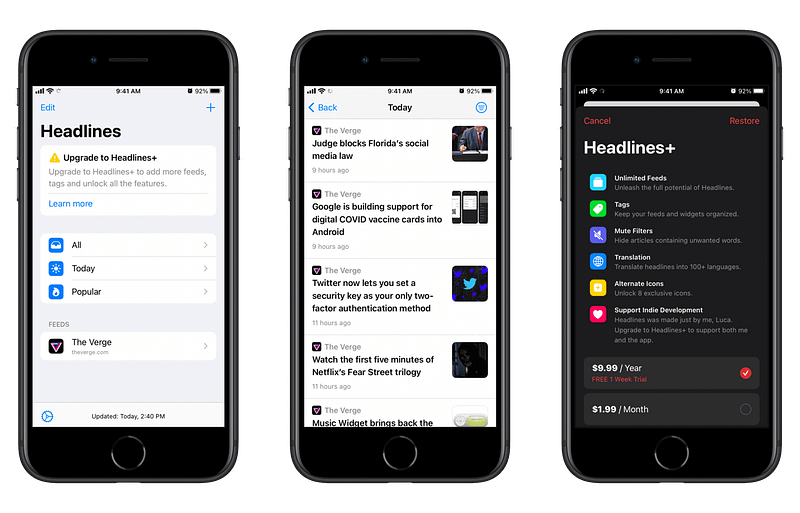
Screenshot of the Headlines App

Headlines is an RSS reader that focuses on simplicity. It has a simple user interface where you’ll be able to check your feed based on its popularity.

One of the unique features I’ve found in Headlines is the use of tags. Using tags, you can organize your feed. For example, I used a tag for all Apple news websites and another for my gaming needs.

There is also the possibility to filter articles that contain specific words or phrases you dislike. For example: get rid of any article with the keyword “leak” so you could keep the element of surprise for upcoming Apple events.

Headlines also come with home screen widgets and the ability to change their icon. If you own an iPhone and an iPad and want to use a simple RSS app, then give this one a chance.

🔐 Privacy: No personal data collection

💳 Price: Multiple In-App Purchases

☑️ Compatibility: 📱iPhone, 📱iPad

🧩 Design: Decent looking

⭐️ Rating: Insufficient data

🔗 Download: AppStore

🌐 Research: Website

38. NetNewsWire
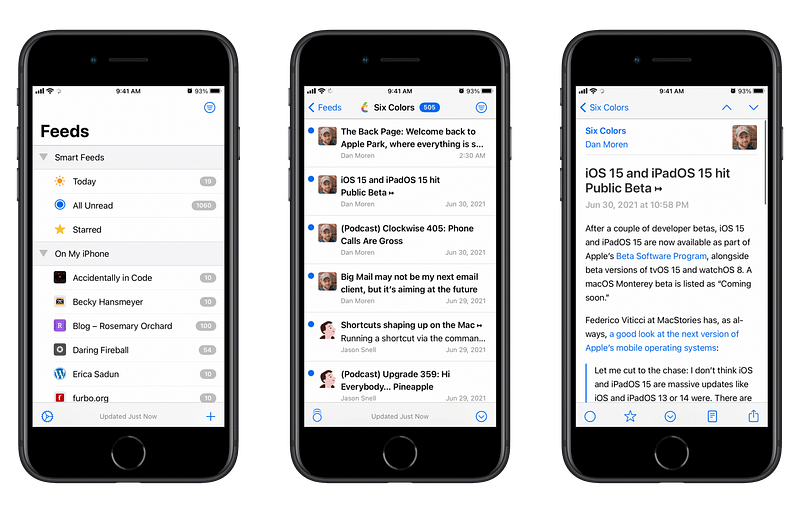
Screenshot of the NetNewsWire App

I’ve been looking for a decent RSS reader app on the web. Unfortunately, most of them are expensive, or they become expensive with their monthly payments. Searching the app store for a news-reading app might be an easy task, but finding something that is both free and open source is a little complicated.

Until I found this app: The NetNewsWire, I know the name is a little weird, but it is such a great app, especially since it is free.

I love how it can automatically detect RSS feeds based on the websites you add. Not only that, but I love how it can synchronize your feeds with iCloud, so they are available on all your devices.

A feature I enjoyed using from this app is its clipboard detection. You simply copy a website’s URL from Safari and go to the app. Then, touch the add button, and it will automatically add the website from the clipboard.

NetNewsWire can integrate with a good deal of RSS reading services. It is also semi-customizable. If you are looking for a free app that collects no data and shows the latest news, then give this app a try.

🔐 Privacy: No personal data collection

💳 Price: Free!

☑️ Compatibility: 📱iPhone, 📱iPad, 💻 Mac

🧩 Design: Decent looking

⭐️ Rating: 4.8 out of 5 (435 ratings)

🔗 Download: AppStore

🌐 Research: Website

39. AirMatters
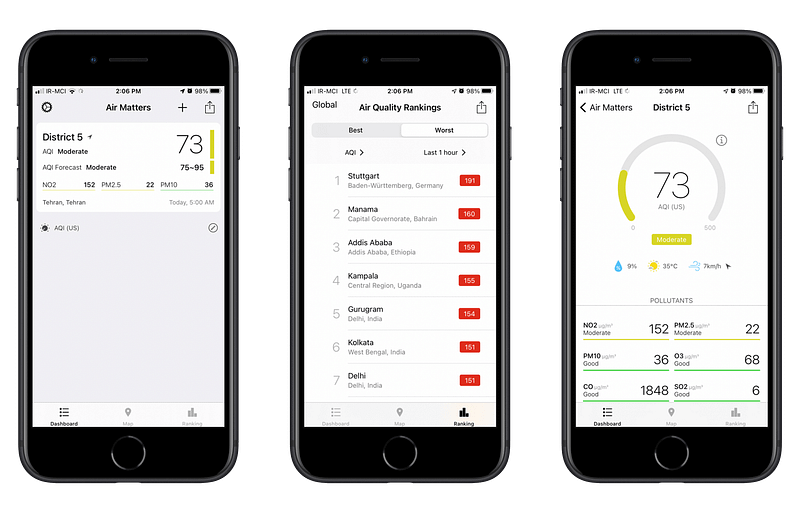
Screenshot of the AirMatters App

Unfortunately, if you live in an industrial city, you will (unfortunately) have to deal with poor air quality. Before COVID, I resisted wearing a mask, but seeing how it saves lives, I have become a fan of it. So now, I’m semi-protected against COVID and dangerous particles in the air.

How do I know if the air quality is poor? I use AirMatters with its companion Apple Watch app that helps me quickly glance into how my surrounding neighborhood is affected by air pollution.

AirMatters does not solely show air quality. It can connect with (some) third-party accessories such as air purifiers.

🔐 Privacy: No personal data collection

💳 Price: Subscription $0.99 per year

☑️ Compatibility: ⌚️Apple Watch, 📱iPhone, 📱iPad

🧩 Design: Decent looking

⭐️ Rating: 4.7 out of 5 (2.2K ratings)

🔗 Download: AppStore

🌐 Research: Website

40. Calendar Buddy
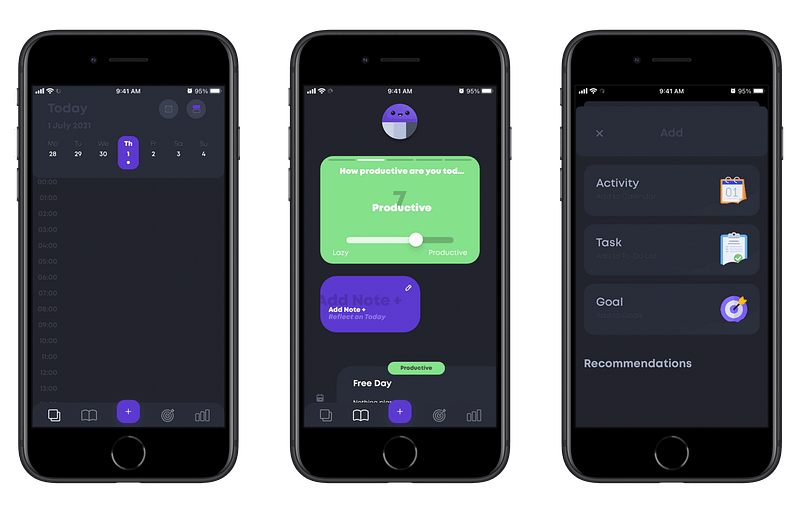
Screenshot of the Calendar BuddyApp

Once you have too much on your plate, planning the day could be a difficult task. Calendar Buddy is here to the rescue.

It is an app that allows you to:

  • Plan your days
  • Finish off to-do tasks
  • Create goals

This app is more than a simple calendar app. It can help you log your mood. You can browse and select between different activities and plan a goal. For example, you could create a goal to set yourself for reading at least 30 pages every day.

You can even create multiple tasks for a specific day and check them off in the day’s view alongside your sessions and events.

I believe many people will benefit from the vast features this app offers. Still, students who can’t dedicate much budget to purchasing multiple apps and only use their iPhones can significantly benefit from it.

🔐 Privacy: No data collection

💳 Price: Subscription with different plans

☑️ Compatibility: 📱iPhone

🧩 Design: Decent looking

⭐️ Rating: Insufficient data

🔗 Download: AppStore

🌐 Research: Website

41. Portal
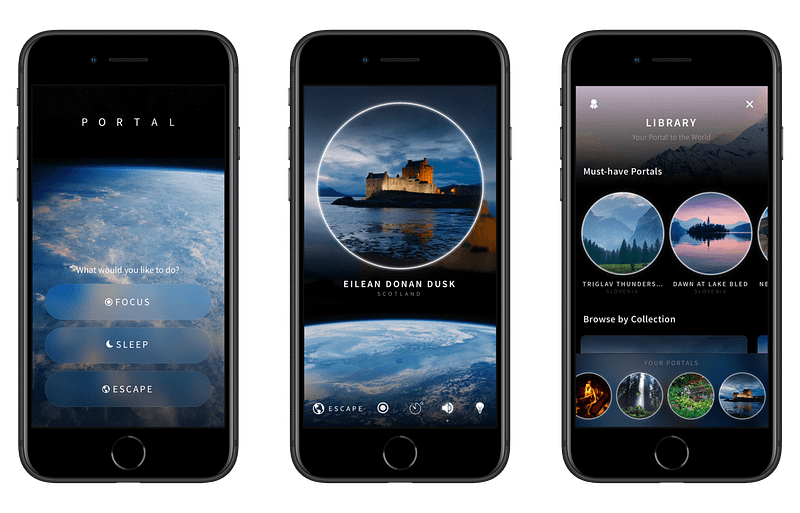
Screenshot of the Portal App

If I have been asked to come up with the name of revolutionary apps in terms of design and functionality, the Portal would be in the top ten of them. It is that good!

Portal is an experience that reconnects you to nature. It comes with professional recordings of nature from fantastic places around the world. All the sounds are in 3D and of high quality. I don’t know if they are in Dolby Atmos, but they feel like it, especially on an iPad.

The app supports HomeKit, which allows you to set a mood based on your selected sound to change the light colors in your room.

You can set a task that shows your written task on display and runs a timer for 25 minutes, giving you a Pomodoro-like experience.

Lastly, there are more timer features in the app. For example, you can set it up as a way to wake you up in the morning with your selected sound of nature — A relaxing way to wake up.

If you are looking for a way to stay away from distractions with the sound of nature, then give Portal a try.

🔐 Privacy: No data collection

💳 Price: Subscription $39.99 per year

☑️ Compatibility: 📱iPhone, 📱iPad

🧩 Design: Aesthetically pleasing

⭐️ Rating: 4.8 out of 5 (4.3K ratings)

🔗 Download: AppStore

🌐 Research: Website

42. Authenticator
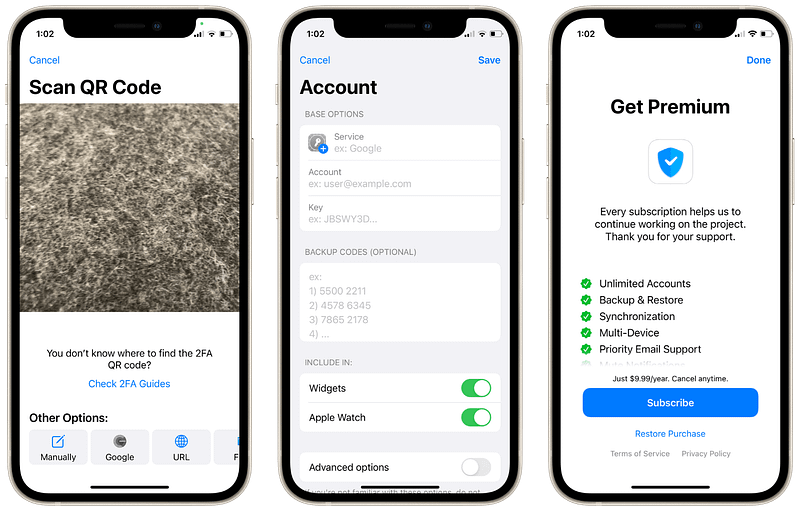
Screenshot of the Authenticator App

Many people use a variety of methods to protect their online security. It usually consists of creating complex passwords and adding your phone number. One of the most secure methods to further improve your account security is using two-step verification.

Many use Google or Microsoft solutions for their authentication apps advertised on their websites, but they lack many critical features that would make an Authenticator app legit.

Some features that make this app unique are:

  • Creating a backup of your two-step verifications, so you won’t have to worry about another phone if you upgrade or lose a device.
  • Use your two-step verification codes on almost all your apple devices.
  • The app even works offline.
  • Comes with iOS and iPadOS features like home screen widgets and dark mode.

Overall, for the cheap yearly subscription, it is a good deal.

🔐 Privacy: No personal data collection

💳 Price: Subscription $9.99 per year

☑️ Compatibility: ⌚️Apple Watch, 📱iPhone,📱iPad, 💻 Mac

🧩 Design: Decent looking

⭐️ Rating: 4.0 out of 5 (304 ratings)

🔗 Download: AppStore

🌐 Research: Website

43. Codriver
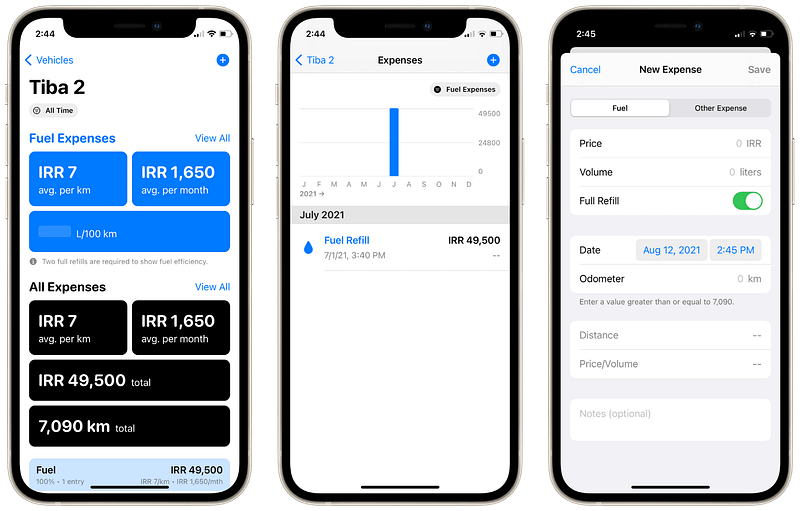
Screenshot of the Codriver App

Managing your car shouldn’t be all cluttered with physical documentations. It shouldn’t waste your time and induce anxiety. Living in this day and age has made our life much easier to manage; therefore, your car management should be easy too.

Using the app Codriver, you can keep track of your car-related purchases, and more importantly, the amount of fuel you consume to commute. Logging your mileage is easy, and the app gives you great information on how much money you’ve spent on your car.

🔐 Privacy: No personal data collection

💳 Price: Subscription $9.99 per year

☑️ Compatibility: 📱iPhone, 📱iPad

🧩 Design: Decent looking

⭐️ Rating: Insufficient data

🔗 Download: AppStore

🌐 Research: Website

44. Expense Diary
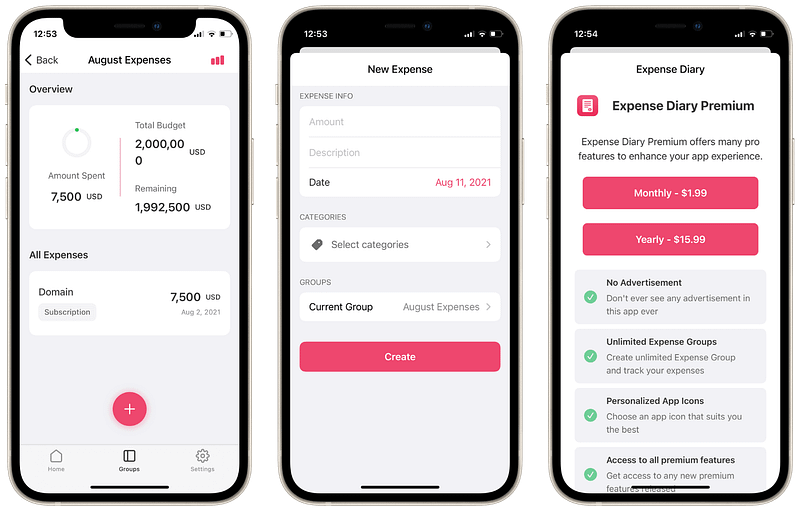
Screenshot of the Expense DiaryApp

Logging your expenses is essential to manage your finances and a necessity for living in today’s world. Moreover, having a place to look for your expenses can come in handy, especially when doing your taxes.

There are many expense management apps on the App Store. Funny enough, I think I have used 80 percent of them, but the ones that caught my eyes were those that didn’t ask a lot of money before offering any value.

Expense Diary is a simple to use app that allows you to get some value from the app before subscribing to their plan.

The app is minimal and offers lots of statistical information about your expenditure. So, if you are looking for a simple way to manage your expenses, give this app a try.

🔐 Privacy: Some personal data collection

💳 Price: Subscription $1.99 per month

☑️ Compatibility: 📱iPhone, 📱iPad

🧩 Design: Decent looking

⭐️ Rating: Insufficient data

🔗 Download: AppStore

🌐 Research: Website

45. Google News
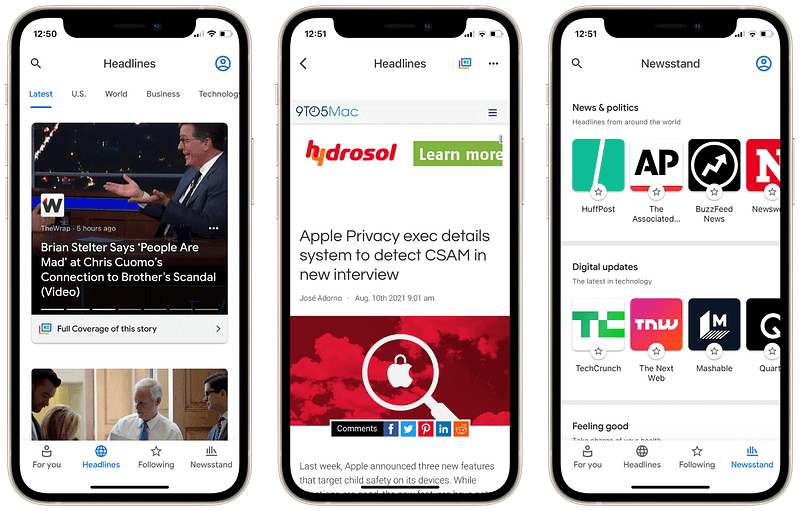
Screenshot of the Google News App

Google News, as its name tells, is an all-in-one solution for your news reading. Despite the questionable privacy of Google products, I still believe their user experience is what makes most of their products worth trying.

Google News offers news in multiple categories sorted by touchable tabs on the top of your screen. In addition, it can learn from your reading interests and show you news you might be interested in reading.

The app doesn’t use lots of colors or customization and sticks to simply bringing you the news, which is a plus for the experience of using it.

If you are looking for a free app that brings the latest news, install Google News on your iPhone and see how much you will enjoy using it.

🔐 Privacy: Collects personal data

💳 Price: Free!

☑️ Compatibility: 📱iPhone, 📱iPad

🧩 Design: Decent looking

⭐️ Rating: 4.6 out of 5 (216K ratings)

🔗 Download: AppStore

🌐 Research: Website

46. Morpho
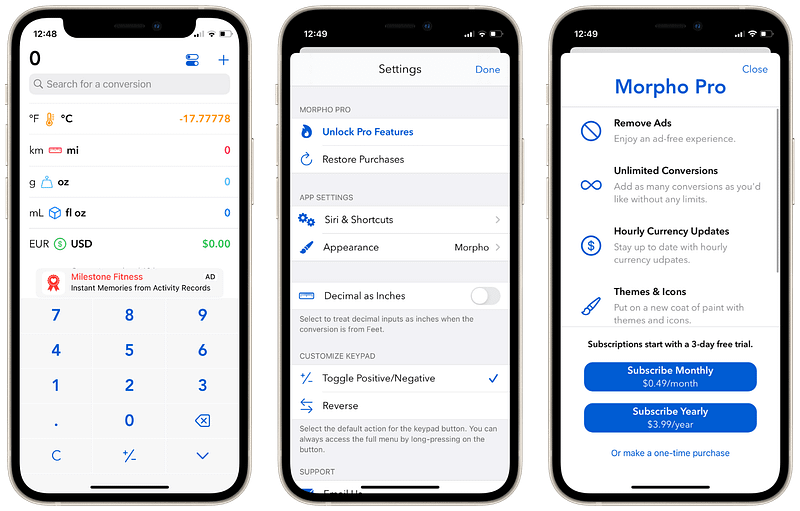
Screenshot of the Morpho App

I used the iOS and iPadOS spotlight search to convert units, but that is a cumbersome task as your use-case will sometimes extend the simple unit conversion.

That is why I am introducing Morpho. It is a super simple, straight-to-the-point app that brings up the keypad and asks you to enter the value you would like to convert.

I love this aspect of the app as it is straightforward and doesn’t want to clutter your experience. The developer of Morpho has definitely done outstanding research for their app.

The app supports many units for conversion and offers multiple valuable settings for your needs.

It is a subscription-based app; however, it is really cheap and deserves the cost.

🔐 Privacy: Some personal data collection

💳 Price: Multiple In-App Purchases

☑️ Compatibility: ⌚️Apple Watch, 📱iPhone,📱iPad, 💻 Mac

🧩 Design: Displeasing

⭐️ Rating: Insufficient data

🔗 Download: AppStore

🌐 Research: Website

47. Opera GX
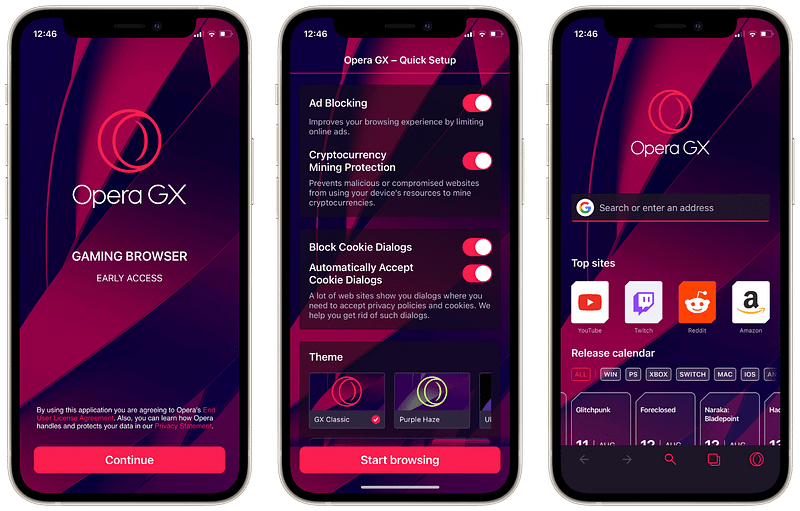
Screenshot of the Opera GX App

A gaming browser — I don’t know about you, but I didn’t know of such a term until a while ago. As if my Safari is not suitable for gaming. I might need to run a couple of benchmarks to figure it out, but I guess the advantage of a browser made explicitly for gaming is how it is customized to prevent ads and to track bloatware — stuff that makes your device eat up your RAM.

If you know what constitutes a gaming browser, please enlighten me in the response section. I will appreciate it.

Opera GX is great for those who like to receive their gaming news on the home screen of their browser. It allows you to customize your navigation, change the themes, and prevent ads from popping up in your browser.

With the advancement of gaming with streaming in the cloud, there is a market for browsers like Opera GX, and this app would be great for you if you use Cloud Gaming services.

🔐 Privacy: No personal data collection

💳 Price: Free!

☑️ Compatibility: 📱iPhone, 📱iPad

🧩 Design: Decent looking

⭐️ Rating: 4.9 out of 5 (7.4K ratings)

🔗 Download: AppStore

🌐 Research: Website

48. Sleep
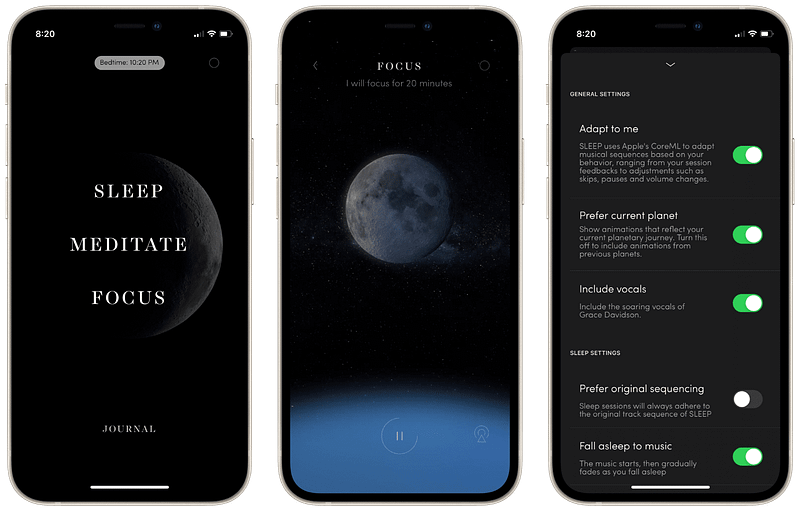
Screenshot of the Sleep App

There are many moments when you surf the App Store and find apps that promise exclusive content to help you meditate and achieve your best goals in life. But, of course, many simply follow a pattern of what success appears to be in this industry. Unfortunately, it is not valid for Sleep; Sleep is an app that uses your music streaming service, in my case the Apple Music, and it will play music from Max Richter’s soothing, phenomenal works.

If you have an account on either Spotify or Apple Music, you won’t need to pay for this app. Instead, download it, and let it amaze you, especially with its fantastic visual design.

🔐 Privacy: No personal data collection

💳 Price: Free!

☑️ Compatibility: ⌚️Apple Watch, 📱iPhone, 📱iPad

🧩 Design: Aesthetically pleasing

⭐️ Rating: 4.9 out of 5 (806 ratings)

🔗 Download: AppStore

🌐 Research: Website

49. NordPass
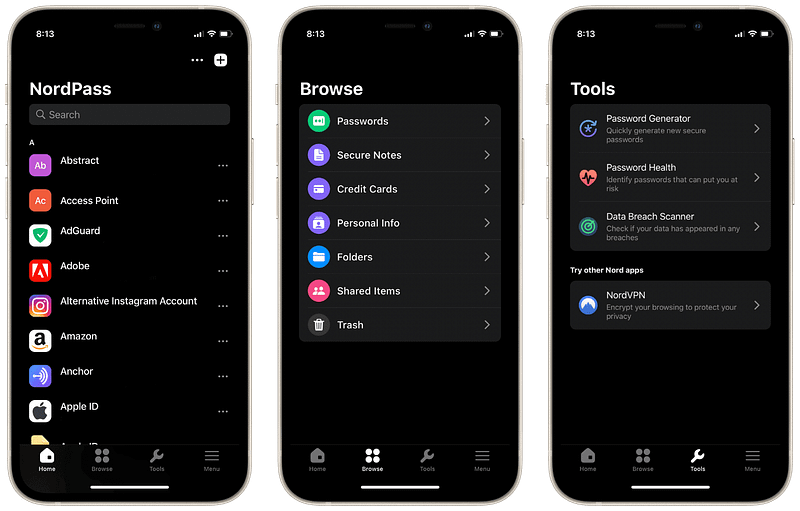
Screenshot of the NordPass App

Managing your passwords and credential information should not be a hassle. However, living in this day and age, we have to be extra careful with our privacy and security. Whether that is writing strong passwords, adding two-step authentication, and using alternative emails instead of our main ones.

One of the best apps that is affordable to assist you in being more secure is NordPass. It has a simple user interface and works across all your Apple Devices.

One of the best features of NordPass is its simplicity in organizing your login credentials. Create folders, then navigate the app with ease. NordPass also comes with extra helpful features such as Password Health monitor and Data Breach Scanner.

If you are looking for an inexpensive solution to manage your digital privacy, give NordPass a try.

🔐 Privacy: Collects personal data

💳 Price: Subscription $4.99 per month

☑️ Compatibility: 📱iPhone, 📱iPad, 💻 Mac

🧩 Design: Decent looking

⭐️ Rating: 3.8 out of 5 (289 ratings)

🔗 Download: AppStore

🌐 Research: Website

50. Overlap
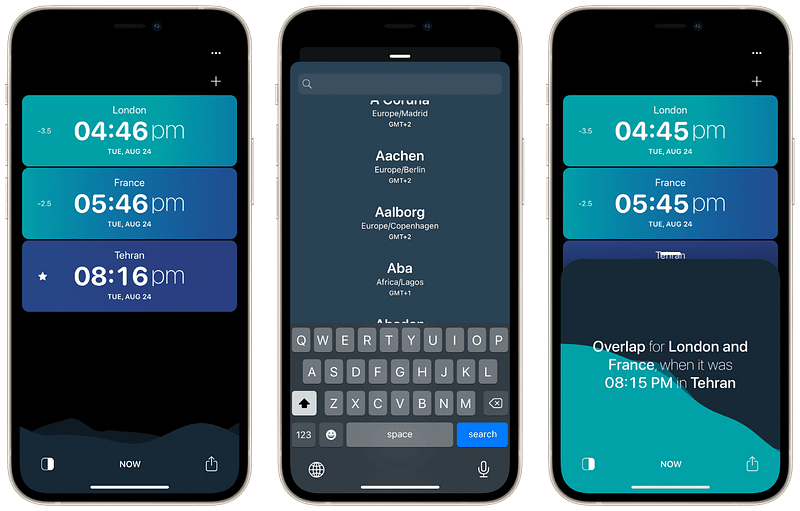
Screenshot of the Overlap App

If you have family and friends who live overseas, you might have difficulties staying in touch with them due to different time zones. Worry no more. The Overlap by Moleskine studio, responsible for the fantastic-looking apps such as Timepage and Actions, has once again built a fantastic app with an excellent user interface.

The app has a colorful UI, and the sound after each tap makes you feel immersed into using an exciting experience.

Add the cities you desire, and let the app show you the time differences. The app allows you to create calendar events, change time, and alter some settings.

🔐 Privacy: No personal data collection

💳 Price: Free!

☑️ Compatibility: 📱iPhone, 📱iPad, 💻 Mac

🧩 Design: Aesthetically pleasing

⭐️ Rating: 4.8 out of 5 (165 ratings)

🔗 Download: AppStore

🌐 Research: Website

Thank you for reading this story. It took me a while to compile the list, and I enjoyed every second of it. I appreciate your support. If there is any comment, feedback, suggestion, please let me know in the response section, and I will get back to you.

I would appreciate it if you support me by becoming a Medium member using the link below:

Here are more stories you might be interested to read:

Apple
iPhone
Apps
Tech
Technology
Recommended from ReadMedium