
20 Mac Apps with 4.5 or Higher App Store Ratings!
Following the rest of my stories, the compilations of apps that provide immense value to Mac users, I have written this story to feature twenty-one apps that users have rated over 4.5 or higher on the AppStore.
These apps have at least 100 votes. Some have satisfied so many users that their place on the AppStore shines like a bright diamond.
1. Tomato 2
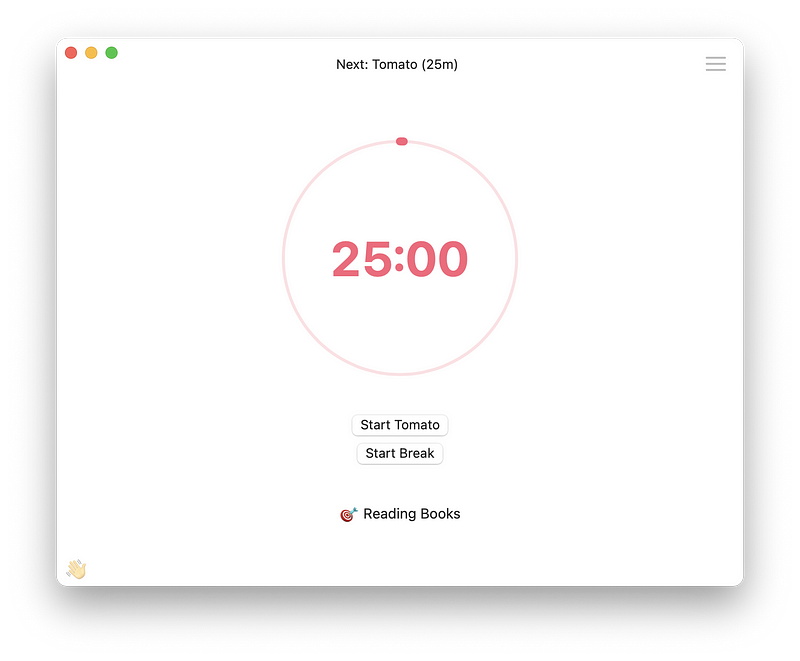
I get in the zone of work when I specify 25 minutes of my time to dedicate for research and nothing else. That is how I stay on top of my tasks, and it works. What is the secret? Blocking distractions. Alongside a fantastic timer, you can pay a small in-app purchase to unlock a feature where the app restricts you from going to distracting websites.
If you are looking for a simple solution to focus on your most important task, give Tomato 2 a try. It is designed to look clutter-free and minimal.
🔐 Privacy: No personal data collection
💳 Price: $4.99
✓ Compatibility: 💻 Mac
🧩 Design: Decent looking
⭐️ Rating: 4.7 out of 5 (179 ratings)
🔗 Download: AppStore
🌐 Research: Website
2. Pixelmator Pro
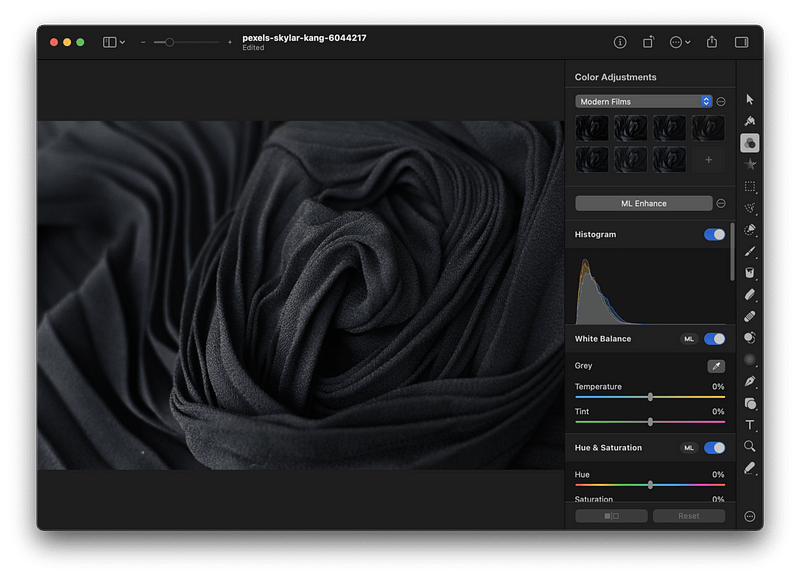
If you are looking for an easy-to-use, beautiful, and modern photo-editing app that makes use of artificial intelligence and machine learning, then look no further than Pixelmator Pro.
It is a unique Mac app that has a simple user interface. It can do a variety of tasks on your photos, some of which are:
- Color adjustment
- Object selection
- Repair
- Type and Pen tool
- Text tool
- And an excellent export panel
If you like editing images but don’t want to invest your time and money in complex apps like Photoshop, then Pixelmator Pro is a good option for you.
🔐 Privacy: No data collection
💳 Price: $39.99
☑️ Compatibility: 💻 Mac
🧩 Design: Aesthetically pleasing
⭐️ Rating: 4.8 out of 5 (7.7K ratings)
🔗 Download: AppStore
🌐 Research: Website
3. Vectornator
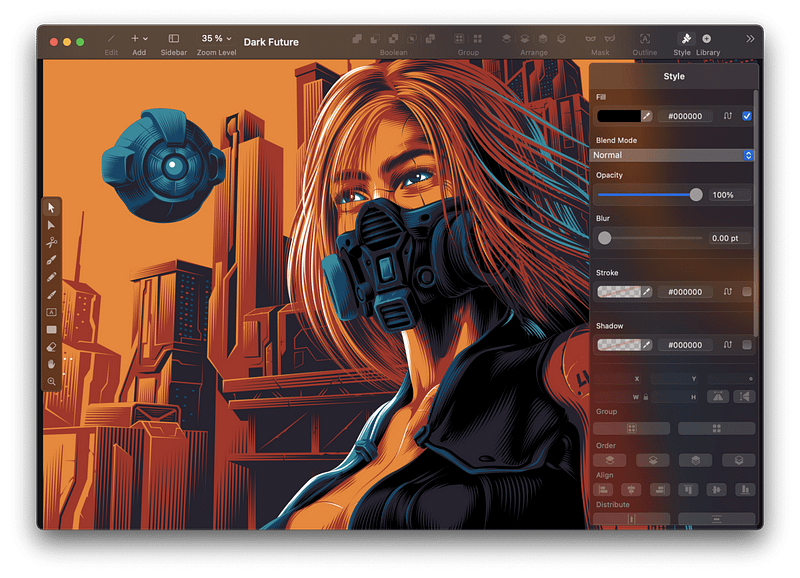
I don’t usually come across a great app with great set of features while being free, but this time, I got lucky. One of the perks of being on the Apple ecosystem is finding polished, very well-made apps. This one is one of them.
The Vectornator is an illustration app that is widely known in the design industry. Not only it looks modern and beautiful, but it also works without bugs (or at least I haven’t found one since using it).
The great thing about Vectornator is its active development and the team behind the app keep it up-to-date with many great new features.
If you want to start a business, run a YouTube channel, or create a publication within Medium, you will need your design files. A great way to make your designs is attractive is with the help of the Vectornator app.
🔐 Privacy: Some personal data collection
💳 Price: Free!
☑️ Compatibility: 📱iPhone, 📱iPad, 💻 Mac
🧩 Design: Aesthetically pleasing
⭐️ Rating: 4.5 out of 5 (1.1K ratings)
🔗 Download: AppStore
🌐 Research: Website
4. Encrypto
A perk of living in the 21st century is the fast progress of technology and its effects on our lives. However, one of the worst things about it is its effect on our privacy.
We are still immature in knowing what to do and how to handle customer data. When it comes to privacy, we don’t think logically, and that is why most people need to be aware of data encryption and the practice of privacy.
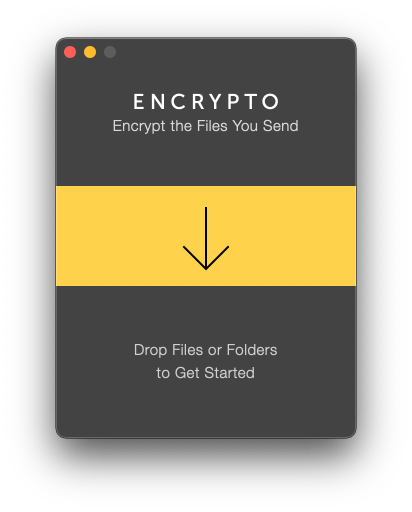
It is essential knowing how to encrypt and protect our most important files. Encrypto is a free app that helps you protect your files. Simply drag the file you want to encrypt and set a password. Let the app do its job, and after it’s finished, it will prompt a window asking you where to save the encrypted version.
🔐 Privacy: No personal data collection
💳 Price: Free!
☑️ Compatibility: 💻 Mac
🧩 Design: Decent looking
⭐️ Rating: 4.6 out of 5 (408 ratings)
🔗 Download: AppStore
🌐 Research: Website
5. Mactracker
As an Apple fanboy, I have found myself trying to Google any product they release. I usually Google for research. I like the user experience of the Google Search engine, but I don’t like how invasive its practices are with our privacy.
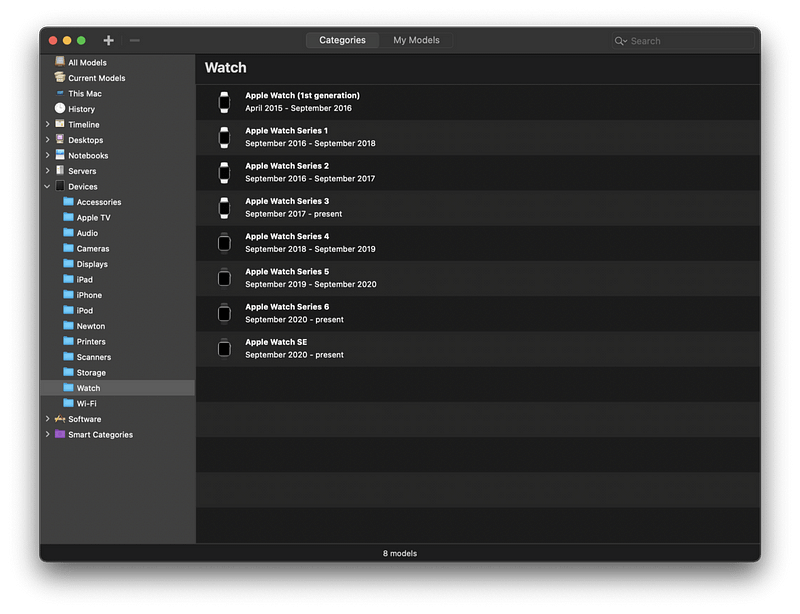
One of the best Mac apps that keeps getting itself updated for each new Apple product is MacTracker. It runs fast and is a relatively lightweight app. It features all Apple products and gives you detailed information about their specifications and links for further research.
If you are looking to purchase an Apple product or researching an Apple device, then use MackTracker.
🔐 Privacy: No data collection
💳 Price: Free!
☑️ Compatibility: 📱iPhone, 📱iPad, 💻 Mac
🧩 Design: Decent looking
⭐️ Rating: 4.8 out of 5 (387 ratings)
🔗 Download: AppStore
🌐 Research: Website
6. Amphetamine
There are many moments when I have to leave my Mac for a quick task and return to use it again. By default, the computer locks itself and dims the screen into the sleeping mode. Having to type the password every time you try to use the Mac is not a good experience. It makes using the Mac tedious.
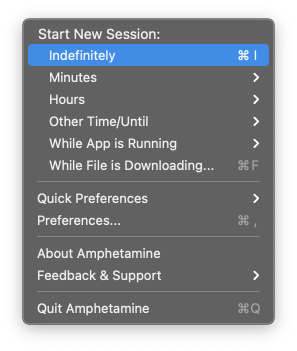
To overcome such issue, I use Amphetamine. It is a highly customizable, free app that works as you would expect it to work. Simply allow some permission and let the app do its job. It has saved me tons of hours from having to re-enter the login password.
🔐 Privacy: No personal data collection
💳 Price: Free!
☑️ Compatibility: 💻 Mac
🧩 Design: Displeasing
⭐️ Rating: 4.8 out of 5 (1.7K ratings)
🔗 Download: AppStore
🌐 Research: Not Found
7. Magnet
When I switched from Microsoft Windows to the macOS, I immediately felt the lack of a proper window management. I couldn’t find a way to split the apps or fill my screen with two or more apps of equal size.
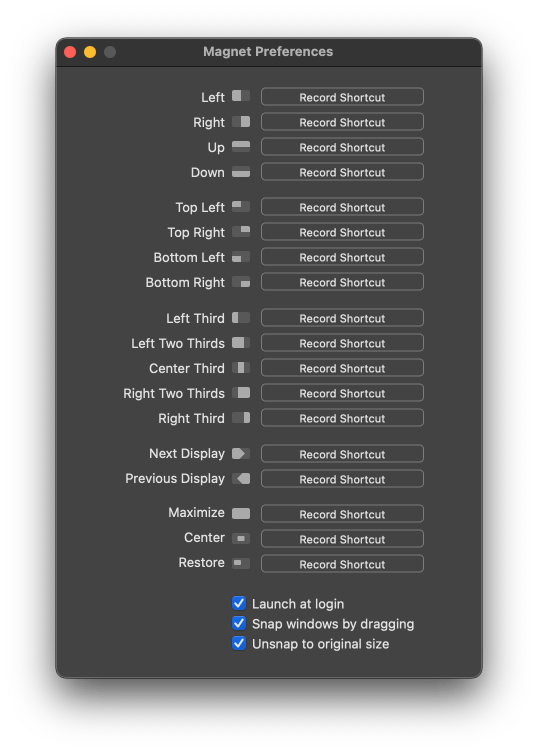
One of the most useful apps I’ve found since searching the App Store was Magnet. Magnet helps bring window management to the macOS. It is super light and only occupies an icon on your menu bar. It is relatively cheap and works well.
🔐 Privacy: No data collection
💳 Price: $7.99
☑️ Compatibility: 💻 Mac
🧩 Design: Decent looking
⭐️ Rating: 4.9 out of 5 (105.2K ratings)
🔗 Download: AppStore
🌐 Research: Website
8. Universe
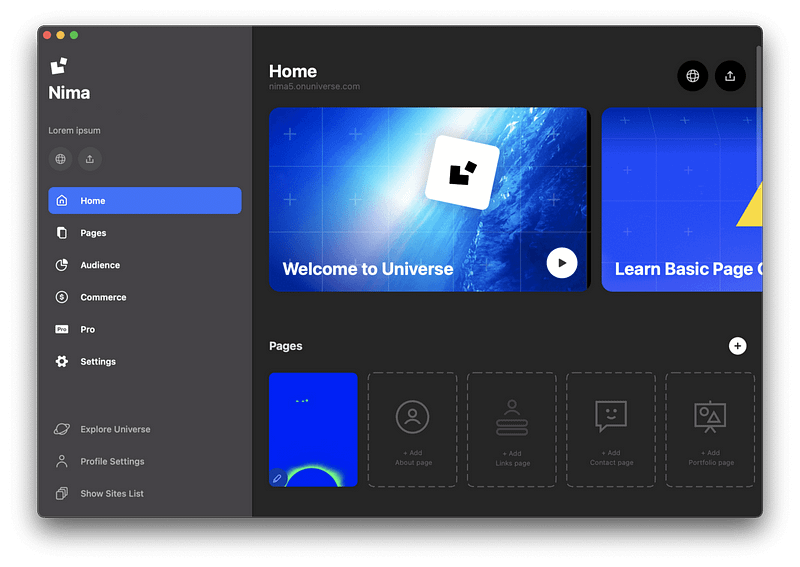
I believe every person in this day and age needs a personal website. When we talk about creating a website, many people think about coding or having a particular skill to build a beautiful, functional webpage; however, the world has changed for the better. Technology progresses rapidly, and we are fortunate enough to have services that assist us in building a website.
Nowadays, thanks to Universe, you can easily find help to start building your own website. This app offers a series of tools to help you create the most used pages with their helpful templates. Then, get into the editor and add any content to your webpage.
The editor is simple to use. It offers a great user experience, and the app doesn’t seem like a web-based version of their website. You can try this app on your iPhone as well as your iPad if you prefer mobility.
🔐 Privacy: Collects personal data
💳 Price: Multiple In-App Purchases
☑️ Compatibility: 📱iPhone, 📱iPad, 💻 Mac
🧩 Design: Aesthetically pleasing
⭐️ Rating: 4.5 out of 5 (168 ratings)
🔗 Download: AppStore
🌐 Research: Website
9. Shapr3D
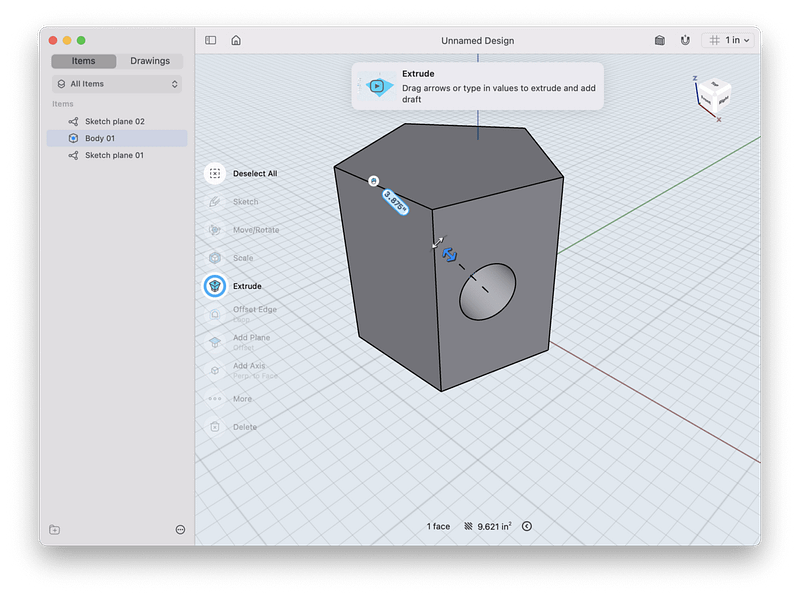
Designing a 3D shape or a building used to require complex software, which needed hundreds of hours of learning and dealing with apps that couldn’t make use of your Mac’s hardware potential. Things have changed now, and the app I’m introducing in this story will blow your mind.
The Shapr3D is a fantastic Computer-Aided Design CAD tool that has transformed the traditional software with better and newer UX implementations. If you are a design student (whether that is in architecture, product design, and mechanical engineering) and own a Mac, don’t miss out on Shapr3D.
It is a beautiful app with great support for external mouse and keyboard. The app has simple, short tutorials that won’t take your time and offers the essential functionalities with simplicity.
If you own an iPad with an Apple Pencil, don’t miss it out. The functionality of Shapr3D on such portable device is phenomenal.
🔐 Privacy: Collects personal data
💳 Price: Subscription $239.99 per year
☑️ Compatibility: 📱iPad, 💻 Mac
🧩 Design: Aesthetically pleasing
⭐️ Rating: 4.7 out of 5 (519 ratings)
🔗 Download: AppStore
🌐 Research: Website
10. Dropover
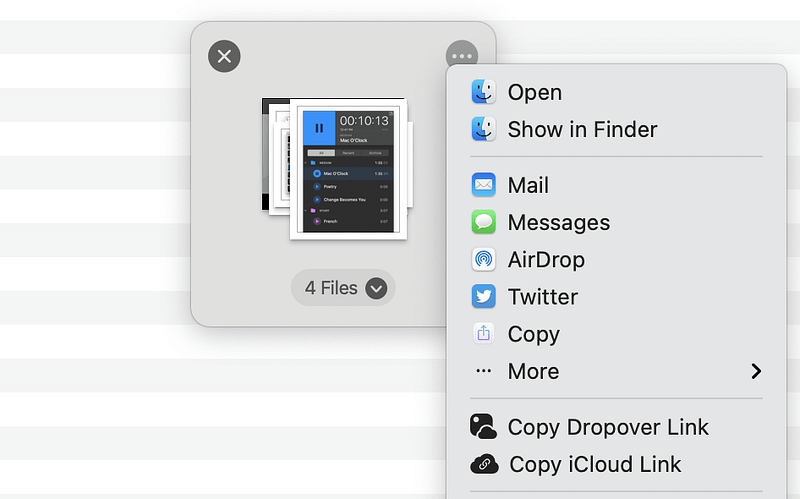
Moving files from one place to another is easy. However, moving a couple of files from different locations to a specific directory can be confusing, especially when you are trying to move folders, images, documents, and various types of files.
One of the most straightforward and most intuitive solutions for moving files is by an app called Dropover. Using the app is super easy. Simply select the file and drag your mouse, shake the cursor for half a second, then you’ll be presented with a small window where you drop the files onto.
Once you have all your files in one place, you will be presented with options such as:
- Dropping them at a specific location
- Sharing them via Airdrop
- Making a link to share it with other people
The app offers many features alongside keyboard shortcuts that will help you become more productive with fewer clicks. I use Dropover when I want to airdrop a couple of files from different locations onto my iPad.
🔐 Privacy: No personal data collection
💳 Price: $3.99
☑️ Compatibility: 💻 Mac
🧩 Design: Decent looking
⭐️ Rating: 4.9 out of 5 (1.8K ratings)
🔗 Download: AppStore
🌐 Research: Website
11. PhotoMill
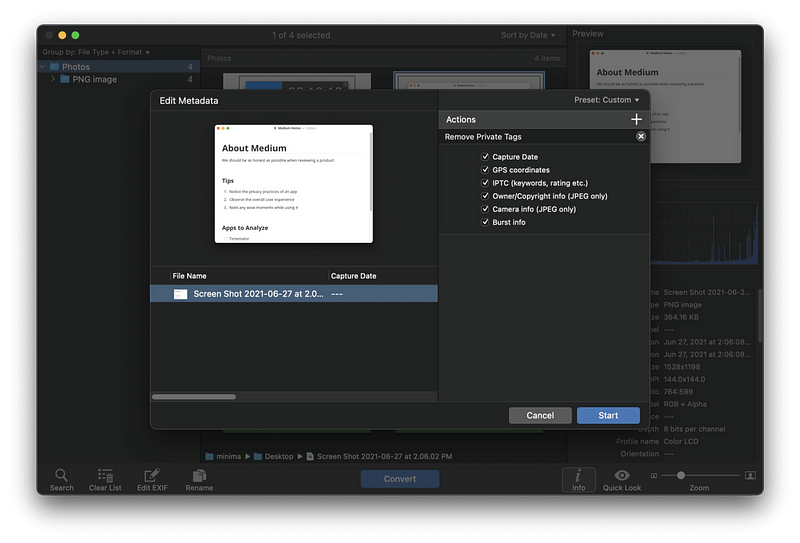
Depending on your use case on Mac, you might find the need to work on more than one photo. The PhotoMill by Overmacs is a batch photo editor that will help you change many things for your photos.
PhotoMill, at its core, is a photo editor which extends its functionalities to browse photos, convert images, modify the metadata, resize, watermark, adjust color, and rename photos.
I once had to upload some sample wallpaper photos to a WordPress blog, and the plugin I was using didn’t support the image format of my photos. So I used PhotoMill to convert the format and resize, put watermarks, and rename all the files into a neat group of photos ready to upload.
You will be amazed by the power of this app. It works fast and doesn’t collect any data from your Mac. If you want to quickly modify the settings of your photos and convert them to a format supported by the app, then give PhotoMill a try.
🔐 Privacy: No data collection
💳 Price: $9.99
☑️ Compatibility: 💻 Mac
🧩 Design: Decent looking
⭐️ Rating: 4.7 out of 5 (196 ratings)
🔗 Download: AppStore
🌐 Research: Website
12. PhotoSweeper
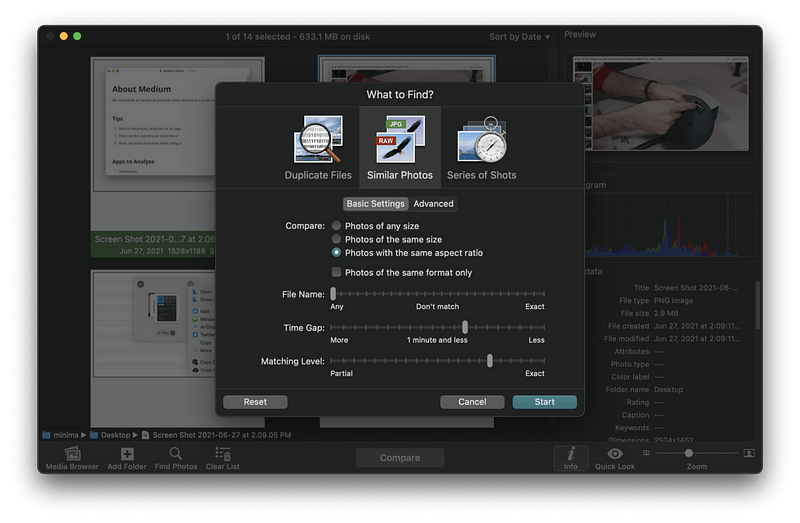
PhotoSweeper is another excellent app from Overmacs that primarily finds duplicate photos for you. Unfortunately, many people have hundreds of images that are mainly duplicates and don’t know how to get rid of them.
Thanks to PhotoSweeper, you can scan an entire library of photos, find the duplicates, and clean them. Moreover, the app is not limited to PhotoSweeper, and you can add photos from apps like Adobe Lightroom, Apple Photos, and Aperture.
There is a panel that asks you what it is that you specifically want to find. Then, you can change the filters based on your preference. For example:
I want photos with different file names that have the same aspect ratio with 10 minutes time gap
Using the simple user interface in the app’s search panel, you can find the duplicates and then use the Enter key to mark them for deletion.
If you want to clear storage on your device and have many duplicate photos, give PhotoSweeper a try.
🔐 Privacy: No data collection
💳 Price: $9.99
☑️ Compatibility: 💻 Mac
🧩 Design: Decent looking
⭐️ Rating: 4.7 out of 5 (3.9K ratings)
🔗 Download: AppStore
🌐 Research: Website
13. PopClip
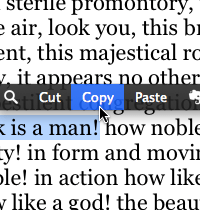
Whenever an app like this comes for the macOS, I think about one thing: what a clever developer! The thinking behind extending the usage of your Mac beyond what Apple offers is what this app does best.
Even the most basic features from this app are phenomenal. Simply highlight a text anywhere on the Mac, and it will bring a pop-over bar on top of your highlighted note. It sort of looks like what you get from text selection on iOS and iPadOS.
PopClip supports over 100 extensions that will supercharge the capabilities of your Mac and I love it.
🔐 Privacy: No data collection
💳 Price: $12.99
☑️ Compatibility: 💻 Mac
🧩 Design: Displeasing
⭐️ Rating: 4.8 out of 5 (296 ratings)
🔗 Download: AppStore
🌐 Research: Website
14. Endel
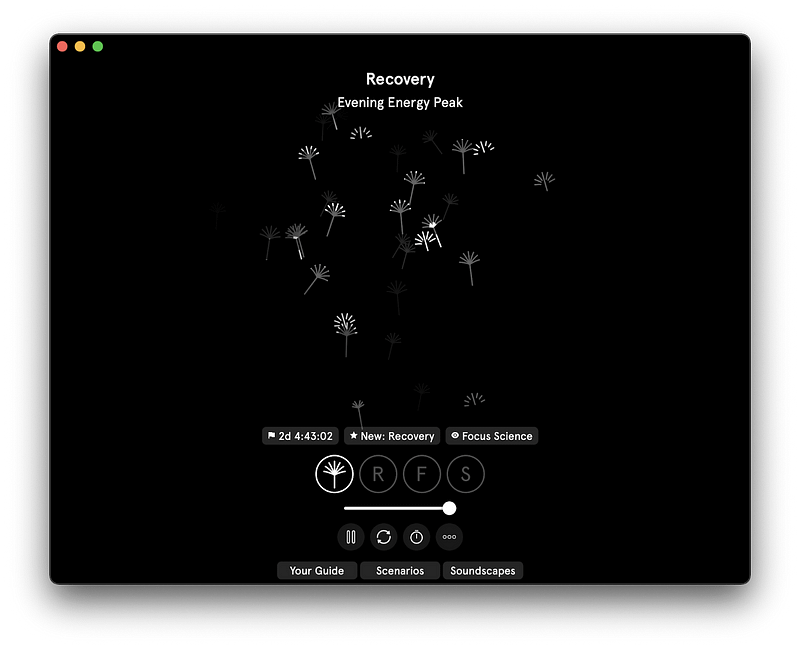
Listening to binaural beats has proven to work for many people who have difficulty sleeping, working, and relaxing. Endel brings an intelligent approach to what constitutes the mix of binaural beats and mellow, soothing sounds that will make your life a little more comfortable.
I received some emails from the team at Endel, and in many of them, they mentioned how they approached the sound design with the help of neuroscientists.
The user interface of Endel is phenomenal, and I recommend integrating this service with your daily workflow.
🔐 Privacy: Collects personal data
💳 Price: Subscription $5.99 per month
☑️ Compatibility: ⌚️Apple Watch, 📱iPhone,📱iPad, 💻 Mac
🧩 Design: Aesthetically pleasing
⭐️ Rating: 4.8 out of 5 (2.3K ratings)
🔗 Download: AppStore
🌐 Research: Website
15. Overlap
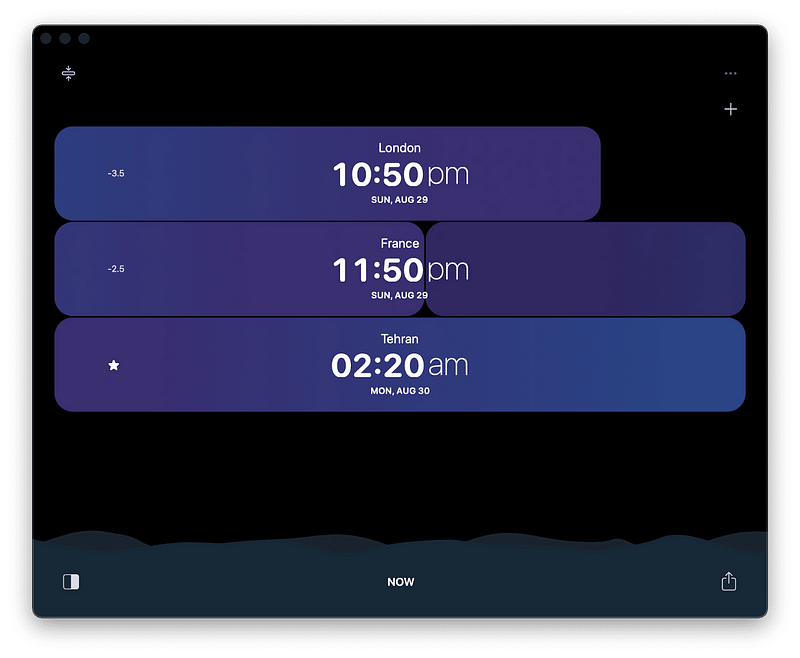
Many people have friends and family who live in different time zones. Keeping in contact with your dear ones shouldn’t be difficult because of this. That is why I am introducing Overlap — a gorgeous app designed with great user experience.
Using the app is easy, and all it requires is to add the city you like to track. The app is filled with feedbacks, audible and visual. It does a seemingly simple job appear facile. Lastly, a great feature is that you can also scroll the timeline to see the time difference before and ahead of you.
🔐 Privacy: No personal data collection
💳 Price: Free!
☑️ Compatibility: 📱iPhone, 📱iPad, 💻 Mac
🧩 Design: Aesthetically pleasing
⭐️ Rating: 4.6 out of 5 (216 ratings)
🔗 Download: AppStore
🌐 Research: Website
16. Expenses
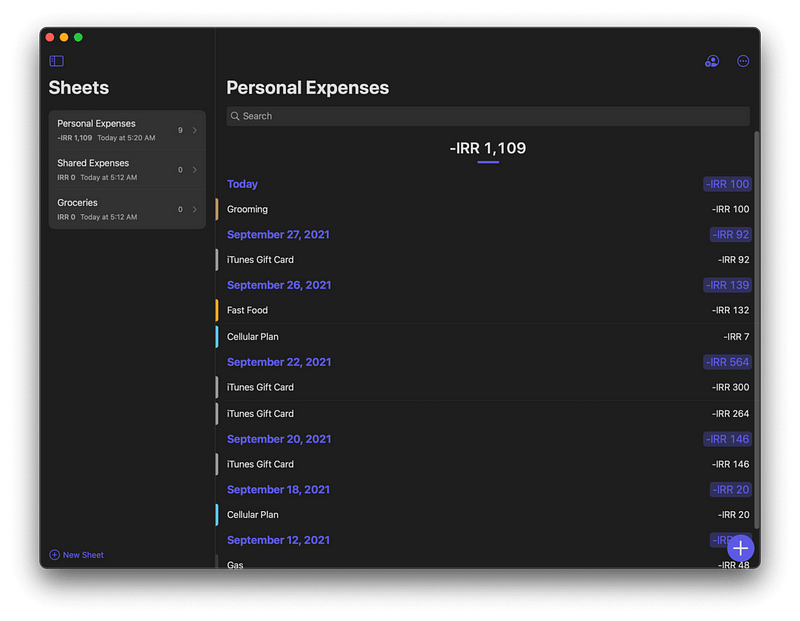
Managing your finance should not be difficult. You have to be in control, which is precisely one of the best things the Expenses offers. Using this app, you won’t need to worry about privacy-invading tools in most finance apps.
The great thing about Expenses is how easy it is to create sheets and log your daily expenditure. The user interface is clean, simple, and intuitive. Navigating around different sheets and sections is easy and if you own an iPad, using this app feels like an excellent experience for a large touch display.
If you are looking for an all-in-one solution to manage your finances with extensive control over the app’s functionalities, then give Expenses a chance. Trust me. It is that good of an app.
🔐 Privacy: No data collection
💳 Price: $5.99
☑️ Compatibility: 📱iPhone, 📱iPad, 💻 Mac
🧩 Design: Aesthetically pleasing
⭐️ Rating: 4.7 out of 5 (334 ratings)
🔗 Download: AppStore
🌐 Research: Website
17. Hush

If you are using Safari to surf the web, I strongly recommend Hush. It is a free extension that removes privacy-invasive tracking and messages that force you to accept website cookies.
Hush doesn’t impact your memory, and it does not slow your browsing experience. In addition, websites look cleaner and more minimal after enabling the extension.
🔐 Privacy: No data collection
💳 Price: Free!
☑️ Compatibility: 📱iPhone, 📱iPad, 💻 Mac
🧩 Design: Decent looking
⭐️ Rating: 4.8 out of 5 (146 ratings)
🔗 Download: AppStore
🌐 Research: Website
18. Paste — Clipboard Manager
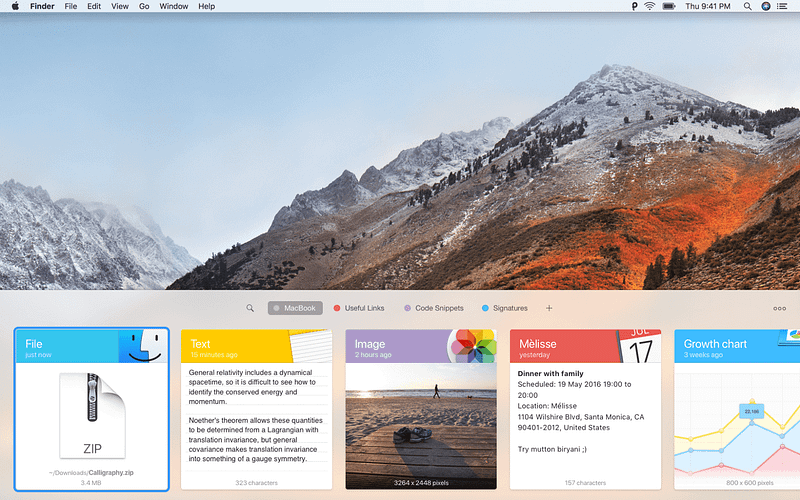
To many users, it is imperative to access their clipboard history. There are plenty of use cases for accessing your clipboard history, and that is why I’m introducing Paste.
Paste is a well-designed app that allows you to access your clipboard history on your Mac, iPhone and iPad. Personally, accessing my clipboard history from a Mac Mini at home to my Macbook Pro at work is necessary, and this app does it all.
🔐 Privacy: Collects personal data
💳 Price: Subscription $14.99 per year
☑️ Compatibility: 📱iPhone, 📱iPad, 💻 Mac
🧩 Design: Aesthetically pleasing
⭐️ Rating: 4.5 out of 5 (3.4K ratings)
🔗 Download: AppStore
🌐 Research: Website
19. Sorted 3
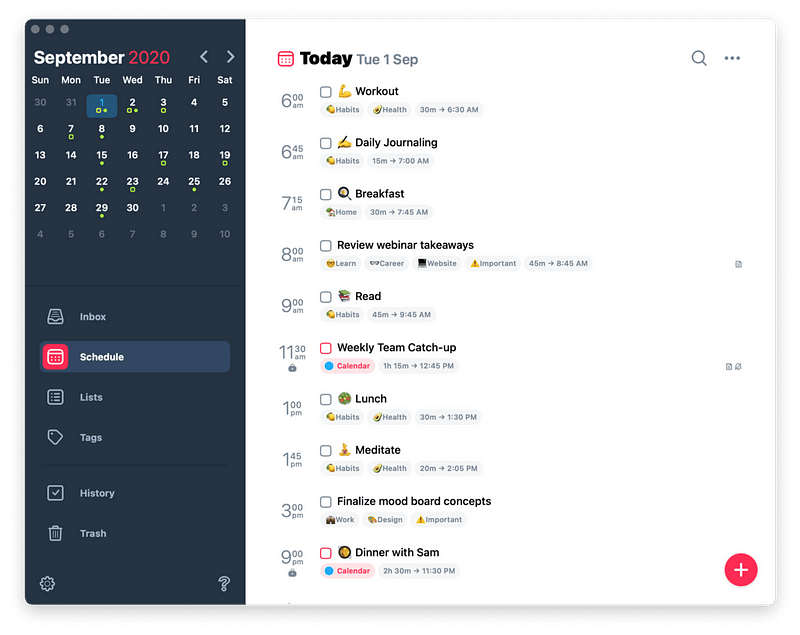
Sorted is a productivity app in which you’ll be able to access and manage your ToDo list alongside your calendar. In addition, Sorted is one of the few apps on the AppStore that does not require a subscription to work.
Sorted can be used for free with many features available without upgrading, but features like iCloud sync require an upgrade.
You can use Sorted to plan your day with a feature called Auto-Schedule. There is also the ability to add attachments to your tasks which is helpful for educational purposes.
🔐 Privacy: No personal data collection
💳 Price: Multiple In-App Purchases
☑️ Compatibility: ⌚️Apple Watch, 📱iPhone,📱iPad, 💻 Mac
🧩 Design: Aesthetically pleasing
⭐️ Rating: 4.7 out of 5 (730 ratings)
🔗 Download: AppStore
🌐 Research: Website
20. Ulysses
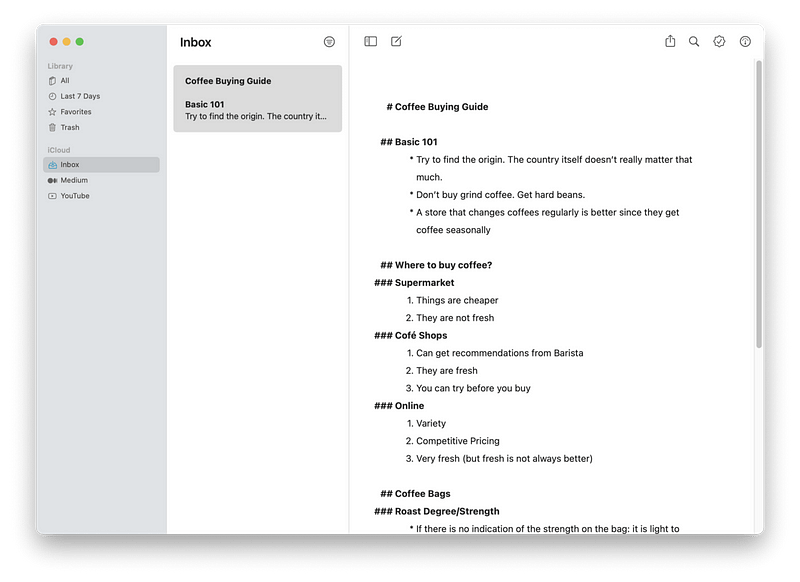
Markup support is available now in most note-taking and document-editing apps which is great, but the use case of Ulysses goes far beyond just being a markup editor. I am a happy Ulysses user as it provides so much value.
The great thing about Ulysses is how it’s designed to give you focus on writing and nothing more. You don’t have to worry about saving your document or have any concerns for grammar or typos. Instead, type and let the train of thoughts flow uninterrupted.
If you are looking for an all-in-one app that helps you centralize your notes, then give Ulysses a try.
🔐 Privacy: No personal data collection
💳 Price: Subscription $5.99 per month
☑️ Compatibility: 📱iPhone, 📱iPad, 💻 Mac
🧩 Design: Aesthetically pleasing
⭐️ Rating: 4.7 out of 5 (3.8K ratings)
🔗 Download: AppStore
🌐 Research: Website
21. Things 3
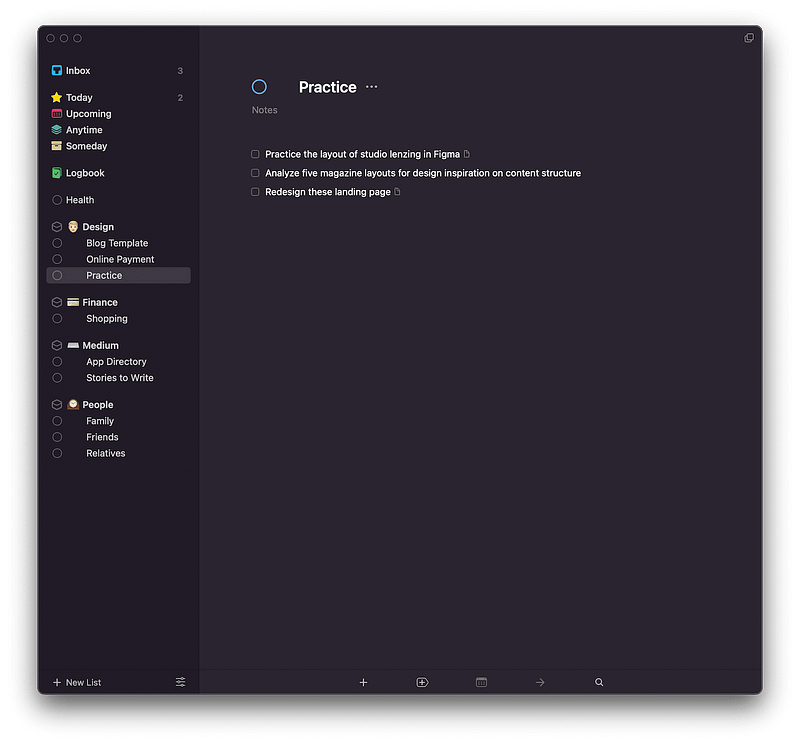
For me and many others who want a little more to not only customize but add better experience to their task management apps, Reminders will not be enough. This is where Things 3 comes into play.
Things 3 is one of the most famous and used apps among many productive people. It features many options and gives you the ability to create projects and group them with Areas.
Here are some of the most notable features of Things 3 for Mac:
- Add notes, tags, and break tasks into smaller tasks.
- Create scheduled projects and tasks.
- Repeat tasks with repeaters.
- Calendar integration.
- Quick entry panel from a keyboard shortcut.
- Widgets on macOS, iOS, and iPadOS.
If you want to manage your tasks better and set yourself on the path to completing many incredible projects, give Things 3 a try.
🔐 Privacy: Collects personal data
💳 Price: $49.99
☑️ Compatibility: ⌚️Apple Watch, 📱iPhone,📱iPad, 💻 Mac
🧩 Design: Aesthetically pleasing
⭐️ Rating: 4.7 out of 5 (2K ratings)
🔗 Download: AppStore
🌐 Research: Website
Thank you for reading this story featuring twenty-one apps for Mac. If you liked it, please give the story as many claps as you can, and perhaps share it with your friends as that helps me reach to more like-minded individuals.
Write in the response section if you have any app recommendations, story suggestions, comments, and opinions about these stories. I will be happy to reply.
I would appreciate it if you support me by becoming a Medium member using the link below:
Here are more stories you might enjoy reading:


