
21 Mac Apps That Collect Zero Data
Extremely privacy-friendly
Following the previous story featuring the top 50 free and freemium Mac apps, I want to present a great list of Mac apps that respect one of your most fundamental rights — privacy.
If you enjoy these stories, let me know in the response section, and I will continue creating the compilations.
Here is a link to the previous story:
1. Book Track
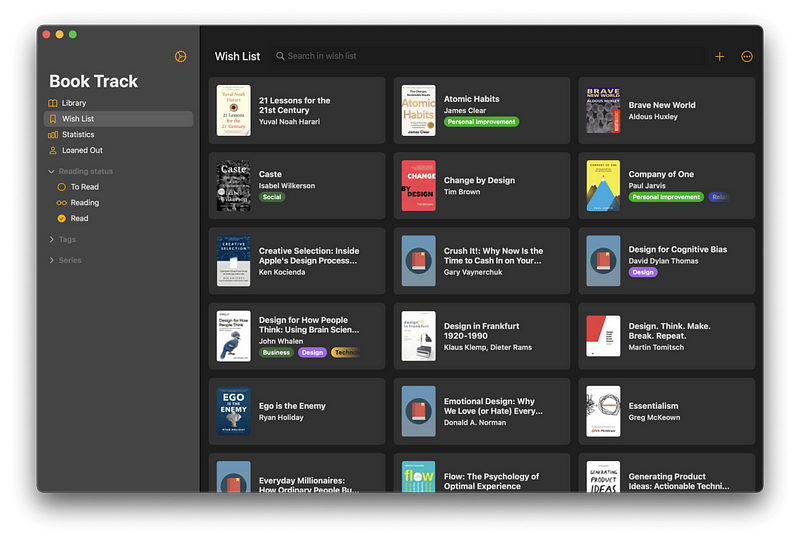
Keeping track of the books you are reading and the ones you want to read is difficult if you don’t have a system. I used to use a spreadsheet for it, but managing a spreadsheet is not a great experience. I wanted something personal, customizable, and simple, and this app has been working flawlessly.
BookTrack is an excellent app if you want to manage your library. The iPad app follows apple’s design guidelines, which is another plus if you are an iPad user.
🔐 Privacy: No data collection
💳 Price: $10.99
☑️ Compatibility: 📱iPhone, 📱iPad, 💻 Mac
🧩 Design: Decent looking
⭐️ Rating: Not available
🔗 Download: AppStore
🌐 Research: Website
2. Reeder 5

You can keep scrolling your Twitter feed to find out and read the latest news for the topics you are interested in, but know this:
No matter how hard we try, we’ll never reach the end of the internet. — famously said by the minimalists
Scrolling doesn’t end, it will just exhaust you, and social media tends to hurt us in ways we can’t even imagine. That is why I am recommending an RSS reader app.
Reeder is a minimal-designed, compact app that lets you categorize your news source and read them later on. There is a newer version of the app on the AppStore, and I’ll make sure to link it below.
🔐 Privacy: No data collection
💳 Price: $9.99
☑️ Compatibility: 📱iPhone, 📱iPad, 💻 Mac
🧩 Design: Aesthetically pleasing
⭐️ Rating: Not available
🔗 Download: AppStore
🌐 Research: Website
3. GoodLinks
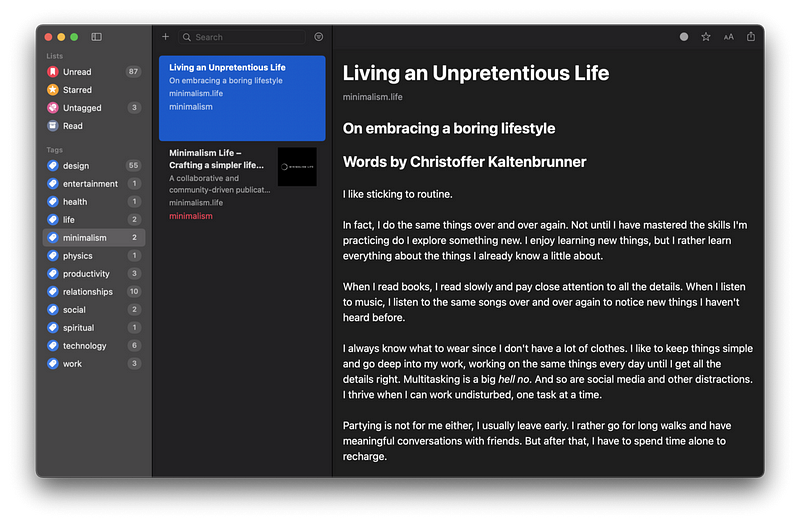
I have tried using Pocket, Instapaper, and others but couldn’t live with the subscription model they asked for. I wish they were cheaper or had a one-time purchase, so I decided to go with GoodLinks. It is a great universal Mac app that flawlessly works on iPads and iPhones. It has a one-time purchase and uses tags to sort your articles so you can read them later.
Give this one a chance, mainly since it uses iCloud for synchronization.
🔐 Privacy: No data collection
💳 Price: $4.99
☑️ Compatibility: 📱iPhone, 📱iPad, 💻 Mac
🧩 Design: Displeasing
⭐️ Rating: 4.7 out of 5 (175 ratings)
🔗 Download: AppStore
🌐 Research: Website
4. Pixelmator Pro
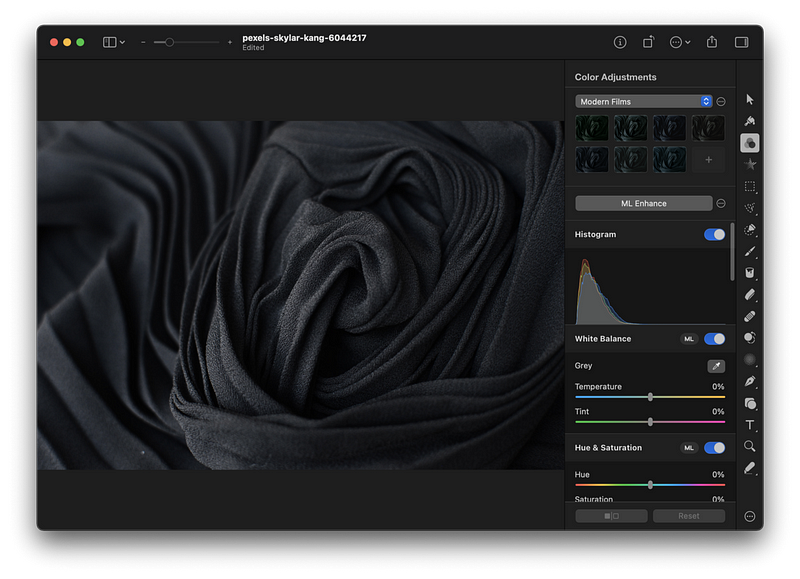
If you are looking for an easy-to-use, beautiful, and modern photo-editing app that makes use of artificial intelligence and machine learning, then look no further.
The Pixelmator Pro is a one-of-a-kind Mac app that has a super simple user interface. It can do a variety of tasks on your photos, some of which are:
- Color adjustment
- Object selection
- Repair
- Type and Pen tool
- Text tool
- And an excellent export panel
If you like editing images but don’t want to invest your time and money on complex apps like Photoshop, Pixelmator Pro is for you.
🔐 Privacy: No data collection
💳 Price: $39.99
☑️ Compatibility: 💻 Mac
🧩 Design: Aesthetically pleasing
🔗 Download: AppStore
🌐 Research: Website
5. Contrast

Every so often, we want to create a perfect presentation. Occasionally, we want super readable text on any background. There are moments when we use a bright image as the background with a light text color on the foreground; when we do that, the text becomes unreadable since the contrast is not good.
To help with text contrast, I suggest using the Contrast app. It is designed by Matt D. Smith, who is one of the greatest product designers. The app works well with Apple Silicon and new Macs.
🔐 Privacy: No data collection
💳 Price: $6.99
☑️ Compatibility: 💻 Mac
🧩 Design: Aesthetically pleasing
🔗 Download: AppStore
🌐 Research: Website
6. MacTracker
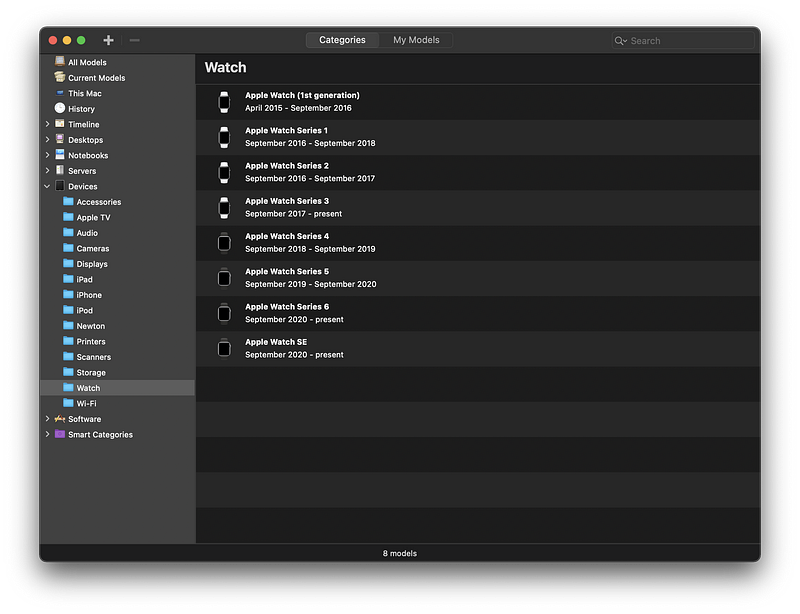
As a fan of technology, most Apple, I have found myself trying to Google any product every time I research one. I like the user experience of the Google Search engine, but I don’t like how invasive its practices are with our privacy.
One of the best Mac apps that keeps getting itself updated for each new Apple product is MacTracker. It runs fast and is a relatively lightweight app. It features all Apple products and gives you detailed information about their specifications and links for further research.
If you are looking to purchase an Apple product or researching an Apple device, then use MackTracker as it will help you solve so much time searching the internet.
🔐 Privacy: No data collection
💳 Price: Free!
☑️ Compatibility: 📱iPhone, 📱iPad, 💻 Mac
🧩 Design: Decent looking
🔗 Download: AppStore
🌐 Research: Website
7. Magnet
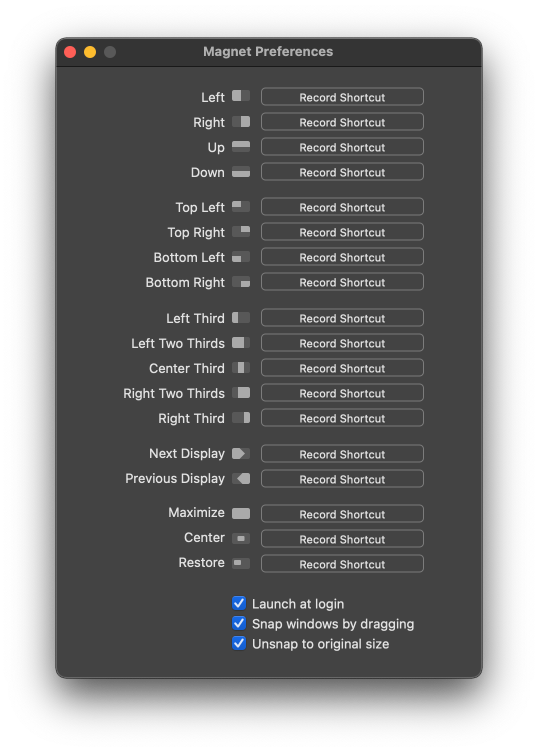
When I switched from Microsoft Windows to the macOS, I immediately felt missing from the operating system was window management. I couldn’t find a way to split the apps or fill my screen with two or more apps of equal size.
One of the most useful apps I’ve found since searching the App Store was Magnet.
Magnet helps bring window management to the macOS. It is super light and only occupies an icon on your menu bar. It is relatively cheap and works really well.
🔐 Privacy: No data collection
💳 Price: $7.99
☑️ Compatibility: 💻 Mac
🧩 Design: Decent looking
🔗 Download: AppStore
🌐 Research: Website
8. Rectangle
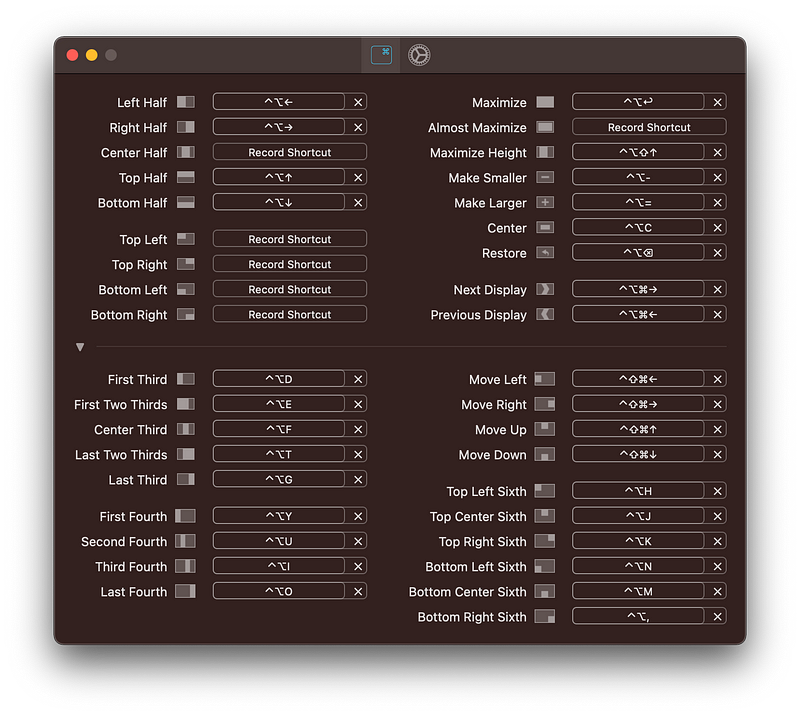
Rectangle is functionally similar to the previous app but it is free. You can simply drag a window to the left or right side of the screen and drop it to have more screen available to increase your productivity.
You can also use keyboard shortcuts to place windows on any corner of the screen. Rectangle is a small utility app that shows on your Menubar, which can be hidden if you prefer a cleaner look for your operating system.
🔐 Privacy: No data collection
💳 Price: Free!
☑️ Compatibility: 💻 Mac
🧩 Design: Decent looking
🔗 Download: Not available on the AppStore
🌐 Research: Website
9. PhotoMill
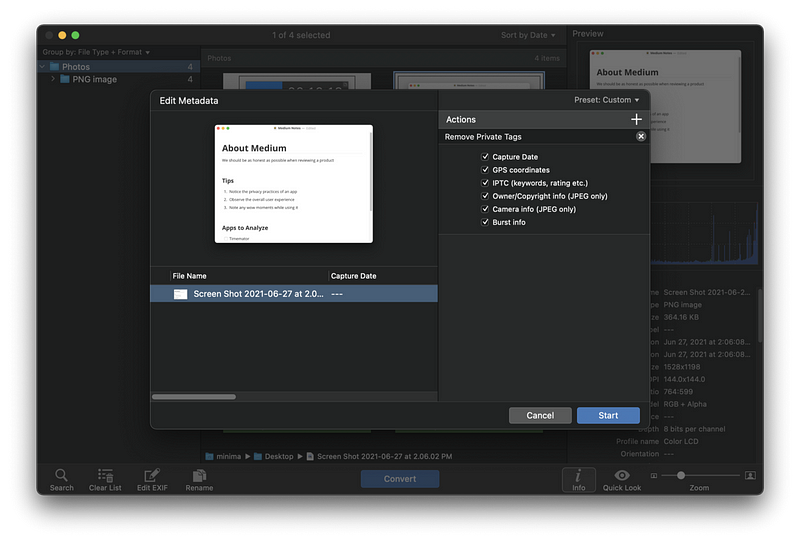
Depending on your use case on Mac, you might find the need to work on more than one photo. The PhotoMill by Overmacs is a batch photo editor that will help you change many things for your photos.
PhotoMill, at its core, is a photo editor which extends its functionalities to browse photos, convert images, modify the metadata, resize, watermark, adjust color, and rename photos.
I once had to upload some sample wallpaper photos to a WordPress blog, and the plugin I was using didn’t support the image format of my photos. So I used PhotoMill to convert the format and resize them, put watermarks, and rename all the files into a neat group of images ready to upload.
You will be amazed by the power of this app. It works fast and doesn’t collect any data from your Mac. I think the privacy practices of this app should be a symbol to many apps on the App Store to learn how powerful apps can continue to profit without collecting users’ data.
If you want to quickly modify the settings of your photos and convert them to a format supported by the app, then give PhotoMill a try.
🔐 Privacy: No data collection
💳 Price: $9.99
☑️ Compatibility: 💻 Mac
🧩 Design: Decent looking
🔗 Download: AppStore
🌐 Research: Website
10. PhotoSweeper
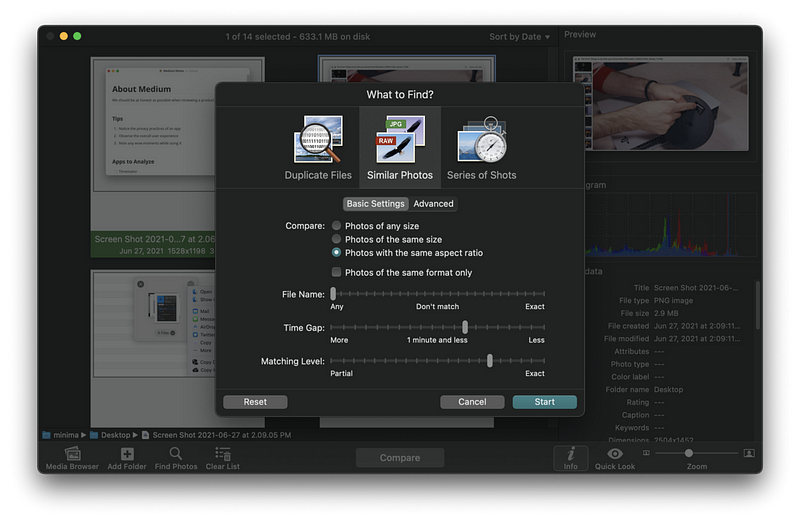
PhotoSweeper is another excellent app from Overmacs that primarily finds duplicate photos for you. Unfortunately, many people have hundreds and thousands of images that are mostly duplicates and don’t know how to get rid of them.
Thanks to PhotoSweeper, you can scan an entire library of photos, find the duplicates, and clean them. Moreover, the app is not limited to PhotoSweeper; you can add photos from Adobe Lightroom, Apple Photos, and Aperture.
There is a panel that asks you what it is that you specifically want to find. Then, you can change the filters based on your preference. For example:
I want photos with different file names that have the same aspect ratio with 10 minutes time gap
Using the simple user interface in the app’s search panel, you can find the duplicates and then use the Enter key to mark them for deletion.
If you want to clear storage on your device and have many duplicate photos, give PhotoSweeper a try.
🔐 Privacy: No data collection
💳 Price: $9.99
☑️ Compatibility: 💻 Mac
🧩 Design: Decent looking
🔗 Download: AppStore
🌐 Research: Website
11. PopClip

Whenever an app like PopClip comes for the macOS, I think about one thing: what an intelligent developer! The thinking behind extending the usage of your Mac beyond what Apple offers is what this app does best.
Even the most basic features from this app are phenomenal. Simply highlight a text anywhere on the Mac, and it will bring a pop-over bar on top of your highlighted note. It sort of looks like what you get from text selection on iOS and iPadOS.
PopClip supports over 100 extensions that will supercharge the capabilities of your Mac. I love it. If you are looking for an app that brings back the element of surprise, give PopClip a try.
🔐 Privacy: No data collection
💳 Price: $12.99
☑️ Compatibility: 💻 Mac
🧩 Design: Displeasing
🔗 Download: AppStore
🌐 Research: Website
12. TrashMe 3
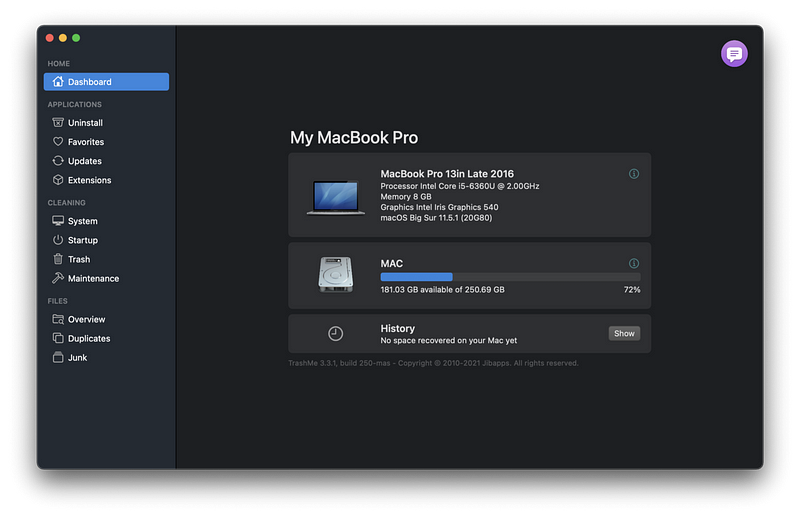
Whenever I browse YouTube subscriptions and watch the tech creators, I tend to come across cleanup apps for Mac. As much as I dislike the term “cleanup,” I think having a basic app to get rid of the caches on your Mac would not be terrible.
Unfortunately, many Mac optimization apps in this industry are expensive, or they come with malware. So for a long time, I was looking for a decent alternative solution that did not cost much money.
That is when I found TrashMe 3. Despite its controversial name, it is an excellent little app. It helps you not only clear the cache but get additional features you didn’t think you needed, but you did.
Some of the features I have enjoyed using so far:
- Fully uninstall any app on your system
- Get a list of all apps that have updates available
- Find out which apps are slowing down your computer
- Find and remove Safari extensions you dislike
🔐 Privacy: No data collection
💳 Price: $13.99
☑️ Compatibility: 💻 Mac
🧩 Design: Displeasing
🔗 Download: AppStore
🌐 Research: Website
13. Dashword
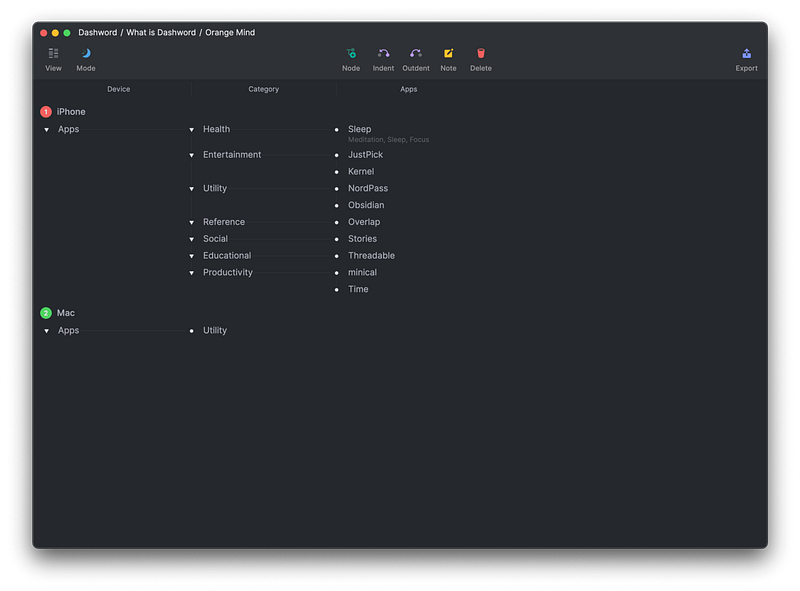
Hierarchal organization — two words I will use to describe Dashword. Despite being very new to the market, it does an excellent job delivering the very basics of organizing your thoughts into an organized entity in which you’ll be able to progress your ideas in a fun, intuitive way.
Being so new, it lacks critical functions such as search, yet, I still find some features enjoyable to use. That is why I log all the apps I introduced in my blogs in Dashword.
If you are looking for a new way to expand your thoughts, give Dashword a try.
🔐 Privacy: No data collection
💳 Price: Free!
☑️ Compatibility: 💻 Mac
🧩 Design: Aesthetically pleasing
⭐️ Rating: Insufficient data
🔗 Download: AppStore
🌐 Research: Website
14. Transmission
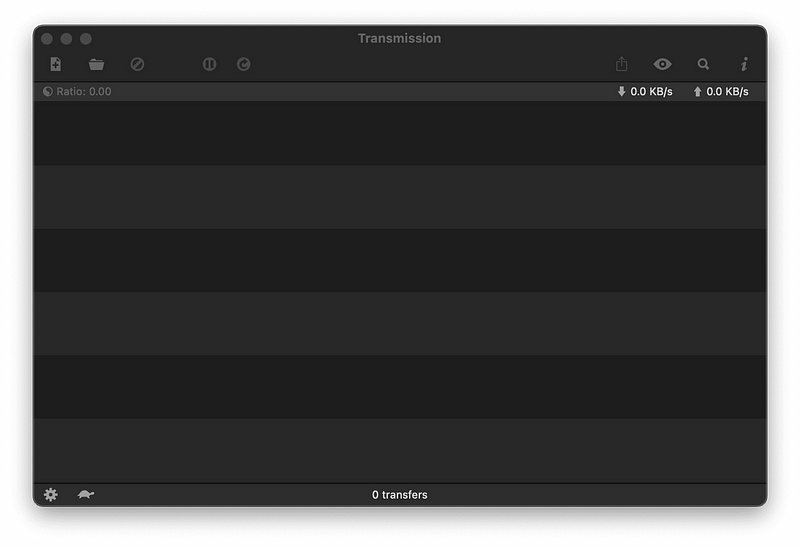
Transmission is the only freeware torrent app I have found for macOS that works really well. The app is designed like a default macOS app and doesn’t push the processor or take much memory to run.
All you’ll need is the magnet file and open it using Transmission. Then, your torrent download will start without any hassle. The user experience is fine, but the app could use a redesign for the new design language of Mac.
Overall, it is the best, free, minimal torrent client for Mac.
🔐 Privacy: No data collection
💳 Price: Free!
☑️ Compatibility: 💻 Mac
🧩 Design: Displeasing
⭐️ Rating: Not available
🔗 Download: Website
🌐 Research: Website
15. Zavala
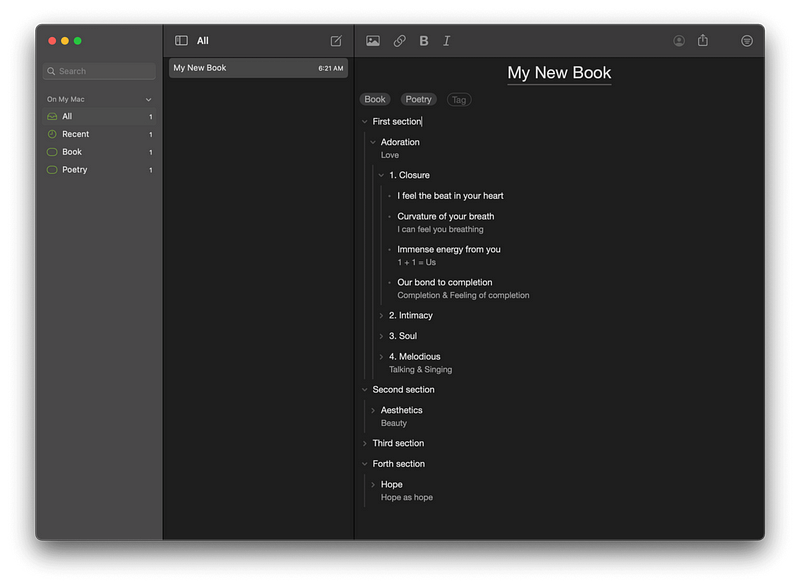
Organizing is most apparent in our daily lives through how we set up our belongings. Sometimes, our thoughts and ideas are so scattered around our minds that we miss many great opportunities to use them. For those times, we need a tool to organize them in a structured way.
Zavala is an outlining tool that allows you to organize your thoughts in a hierarchal way. I used it to structure my book’s chapters, and it works super well. Zavala supports OPML file format, and it syncs your documents using iCloud.
Zavala has many great features, and I encourage you to look at their AppStore page to learn about them.
🔐 Privacy: No data collection
💳 Price: Free!
☑️ Compatibility: 📱iPhone, 📱iPad, 💻 Mac
🧩 Design: Decent looking
⭐️ Rating: Insufficient data
🔗 Download: AppStore
🌐 Research: Website
16. Expenses
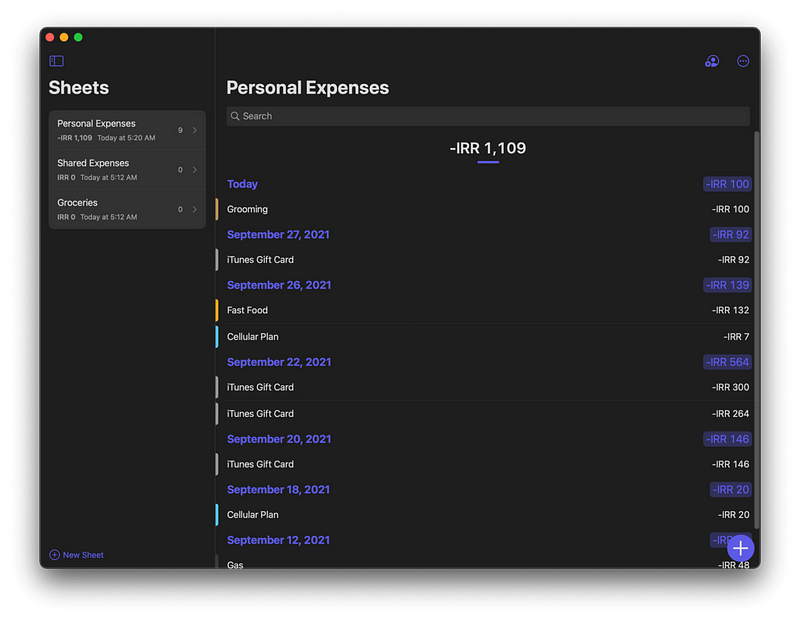
Managing your finance should not be difficult. You have to be in control, which is precisely one of the best things the Expenses offers. Using this app, you won’t need to worry about privacy-invading tools in most finance apps.
The great thing about Expenses is how easy it is to create sheets and log your daily expenditure. The user interface is clean, simple, and intuitive. Navigating around different sheets and sections is easy and if you own an iPad, using this app feels like an excellent experience for a large touch display.
If you are looking for an all-in-one solution to manage your finances with extensive control over the app’s functionalities, then give Expenses a chance. Trust me; It is that good of an app.
🔐 Privacy: No data collection
💳 Price: $5.99
☑️ Compatibility: 📱iPhone, 📱iPad, 💻 Mac
🧩 Design: Aesthetically pleasing
⭐️ Rating: 4.7 out of 5 (324 ratings)
🔗 Download: AppStore
🌐 Research: Website
17. Noizio
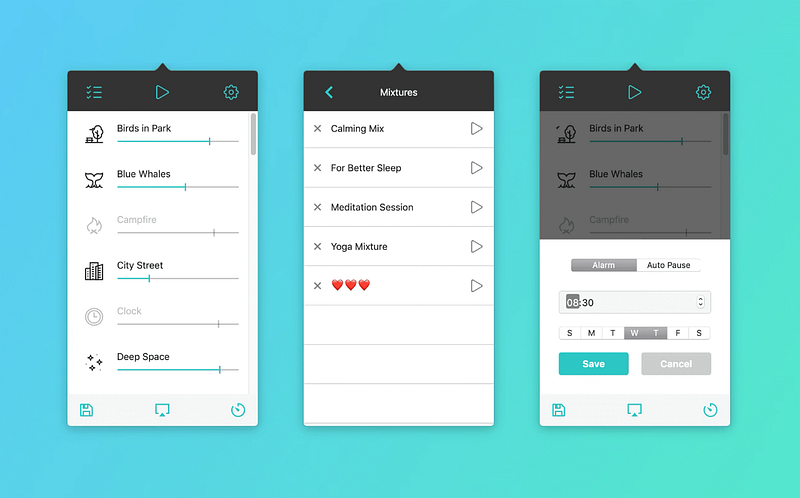
We are no strangers to uninvited noises from outside. You might be working in a shared workspace. You might work from a café. Wherever you work, it might not be easy to deal with surrounding sounds, and that is why I am introducing Noizio.
With Noizio, you will have an elevated experience of listening to a soothing and calm sound.
Noizio lives in the menu bar and allows you to easily invoke the app using shortcuts. For example, I use CMD + Shift + P to play the sound from Noizio without opening it, and it has been beneficial to me.
🔐 Privacy: No data collection
💳 Price: $9.99
☑️ Compatibility: 📱iPhone, 📱iPad, 💻 Mac
🧩 Design: Displeasing
⭐️ Rating: Insufficient data
🔗 Download: AppStore
🌐 Research: Website
18. Hush

If you are using Safari to surf the web, I strongly recommend Hush. It is a free extension that removes privacy-invasive tracking and messages that force you to accept website cookies.
Hush doesn’t impact your memory, and it does not slow your browsing experience. In addition, websites look cleaner and more minimal after enabling the extension.
🔐 Privacy: No data collection
💳 Price: Free!
☑️ Compatibility: 📱iPhone, 📱iPad, 💻 Mac
🧩 Design: Decent looking
⭐️ Rating: 4.8 out of 5 (139 ratings)
🔗 Download: AppStore
🌐 Research: Website
19. LinkBin
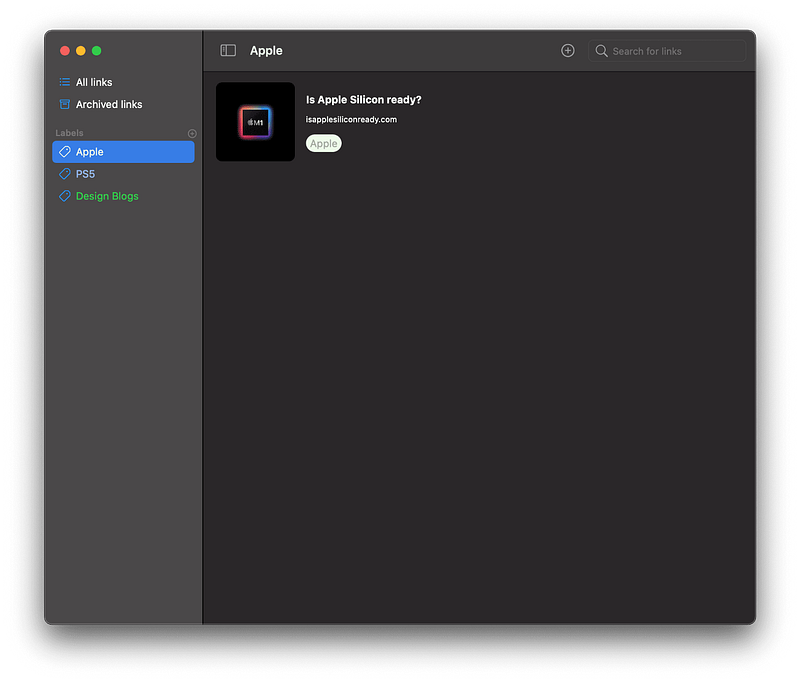
I usually come across many product launches while surfing the web, and I don’t have the time to research all of them despite many being super interesting. I used to email the URL of those websites to review later, but not anymore. So now, I use the help of a brand new app called LinkBin.
LinkBin is a simple utility in which you’ll be able to save links to access later. It uses iCloud, and that means easy access to your links on all your devices.
The app is very new and needs a lot of refinement, but I can count on it for doing what it is supposed to do.
🔐 Privacy: No data collection
💳 Price: $0.99
☑️ Compatibility: 📱iPhone, 📱iPad, 💻 Mac
🧩 Design: Displeasing
⭐️ Rating: Insufficient data
🔗 Download: AppStore
🌐 Website: Not Found
20. Silicon Info
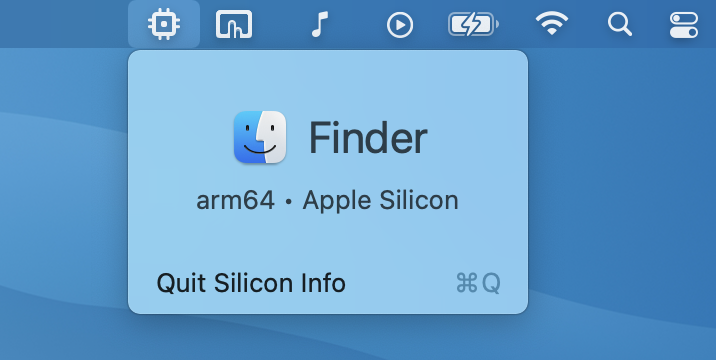
Ever since I upgraded my MacBook Pro 2016 to a Mac Mini M1, I have been amazed at the performance of Apple Silicon. Apps launch near-instantly and don’t use much memory. Everything is smooth, and overall, the experience of using your Mac is highly elevated. I love it.
I don’t love Apple Silicon’s semi-slow process of transitioning apps from x86 codes to ARM. Despite the robust Rosetta 2 layer that translates x86 to arm binaries, I still deal with many apps that haven’t released their native ARM-compatible Mac version.
Interestingly, with the help of a petit utility app called Silicon Info which resides in the menu bar, I can see if an app I’m using on my M1 Mac is compatible with Apple Silicon or Intel.
Using Silicon Info, I was able to find out many Intel apps and refer to their websites for downloading their Apple Silicon version. The advantage is an immense change in performance and power consumption.
If you own an Apple Silicon Mac, this app could be beneficial for you.
🔐 Privacy: No data collection
💳 Price: Free!
☑️ Compatibility: 💻 Mac
🧩 Design: Displeasing
⭐️ Rating: Insufficient data
🔗 Download: AppStore
🌐 Research: GitHub
21. iStatMenu
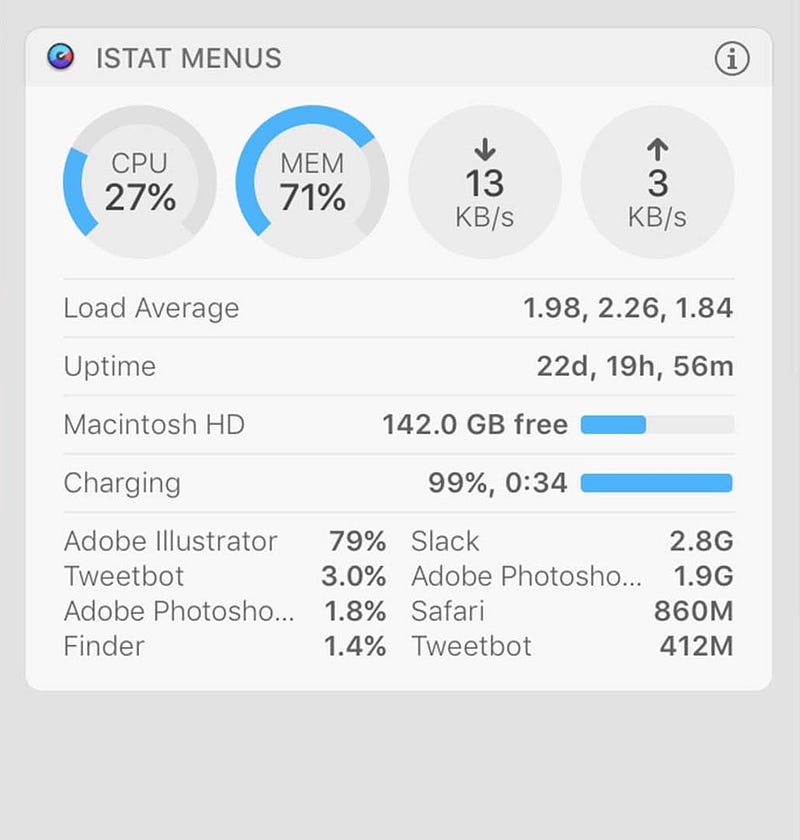
Many power users are already familiar with this app. Once installed and configured, you will have the ability to monitor your Mac’s hardware properly.
What makes this app unique is how well its design is. It gives information about your Mac. All you need is to tell iStatMenu what information you need, and it will provide them as icons and text in your menu bar.
I have it set to show my system memory alongside CPU temperature and SSD storage. I have also configured it to show me the weather and send real-time info about my upload and download speed.
Not so often, there is an app that is leaking memory and making your system slow. It is imperative to find and report that app for making sure the bugs get fixed in their upcoming releases. Using iStatMenu, I could easily do that.
🔐 Privacy: No data collection
💳 Price: $9.99
☑️ Compatibility: 💻 Mac
🧩 Design: Displeasing
⭐️ Rating: Not available
🔗 Download: AppStore
🌐 Research: Website
Thank you for reading this story. If you have any recommendations, whether that is apps, feedback, or a single comment, let me know in the response section, and I will get back to you as soon as I can.
I would appreciate it if you support me by becoming a Medium member using the link below:
Here are more stories you might enjoy reading:


