
Reeder 5, Best News Reader for Mac.
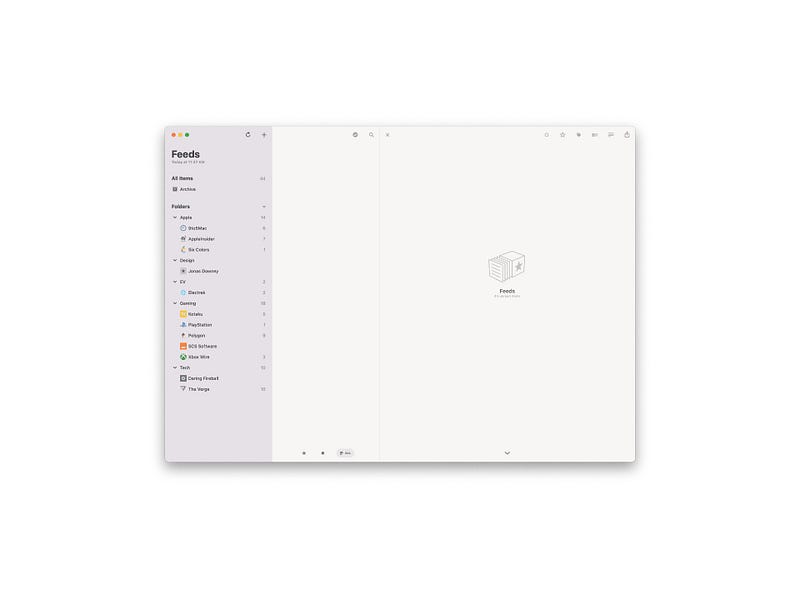
Minimal aesthetics alongside a functional design and clutter-free news-reading experience sums up this app. The Reeder 5 is the best RSS reader available on Mac. The time we dedicate to reading the latest news from our favorite websites is precious, and it deserves a great app.
In this story, I will review the Reeder 5 app on macOS and explain why it is by far the best RSS reader app available on the market.
Design
The most important aspect of reviewing a product is its design, and in this story, we will get a glimpse of how well designed Reeder 5 is in functionality and aesthetics. Why are these two factors so crucial for the review? Well, They contribute to the overall experience of using a product more than features or specifications.
Aesthetics
Reeder 5 is designed with elegance. The user interface does not scream colors or clutter in your face. Instead, there is much breathing room for surfing through your feed.
I would be super interested in a feature in which the user interface could change depending on the type of use case for each user.
The aesthetics of Reeder 5 reveal itself on simplicity and the number of white spaces dedicated to each feed you choose to read.
Ease of Use
Reading the news from your source of choice is almost effortless. You won’t need to do much to access the latest RSS feed from your website of choice. Likewise, the learning curve of adding a website and putting it in a folder is effortless.
Once you have categorized your feed based on the type of content you receive, navigating the app is as simple as it can be.
Reeder 5 supports keyboard shortcuts and allows faster access to different sections of the app for experienced users.
Lastly, a feature that will wow you is something called The Bionic Reading. Enabling it will allow a much better, faster reading of your news.
Functionality
When it comes to the usability of a product, the phrase “form follows function” comes into my mind. For this app, the design mostly follows functions. Sure, it is not perfect and does come with a learning curve, but it sure is a joy once you learn how it functions.
Performance
One of the best features of Reeder 5 is how fast it works. The performance throughout the app is solid, and I haven’t seen any stutter or slowness.
Launching the app is almost instant on Macs with an M1 processor. However, I did test Reeder 5 on an Intel MacBook, and it functioned almost as fast as the Apple Silicon version.
When fetching the latest news and articles from the websites, you can count on the app doing its job correctly. However, if you can’t get your source for some reason, there is a high chance the website is dealing with technical issues.
iCloud Synchronization
As someone who is deep into the Apple ecosystem, I am glad to have iCloud sync for Reeder. Using this feature, I can read the articles and news from my RSS feed and continue reading them on my other devices. Once a feed or an article is read, I click on the button “Marks as read,” and the status of that feed will be forever saved as read.
No longer do I have to sort through the news I have already read. Not only that, but the RSS list I have saved on one device is available on all my devices. Such a convenient feature.
Bionic Reading
Usability at its best. Bionic Reading is a feature I wish more apps would have. You can read text easier, with more focus. For me who deals with ADHD, this is a godsend. For many others, this is extremely useful in situations where you want to read a long article.
Mark as Read on Scroll
I have used the previous versions of Reeder, and one of my wishes was to have the ability to mark items as read once I have scrolled over them. Now, with Reeder 5, I can do that, and it has saved me precious seconds.
Reader View
What makes an RSS reader app unique is not solely determined by the number of supported feeds; instead, the user experience of reading itself. I’m happy to say the reading experience on Reeder 5 is phenomenal.
The typeface is excellent, customizable, and clean. The colors chosen are calm and distraction-free. In addition, the user interface elements such as buttons and links are distinctive.
Overall, the reading experience for viewing articles is excellent, and you won’t be disappointed with it.
🔐 Privacy: No data collection
💳 Price: $9.99
☑️ Compatibility: 📱iPhone, 📱iPad, 💻 Mac
🧩 Design: Aesthetically pleasing
⭐️ Rating: 4.3 out of 5 (111 ratings)
🔗 Download: AppStore
🌐 Research: Website
Thank you for reading this story. I hope you enjoyed my review of Reeder 5. If you have any comments, let me know in the response section.
Here are my previous stories you might like to read as well.


