
Why Default Mail App Is Great!
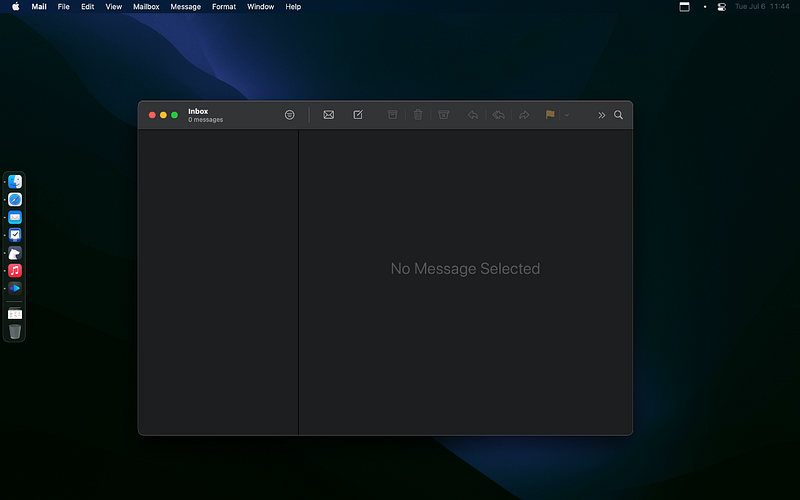
I love apps. I love productivity apps to be precise, but more importantly, I love the increase in performance I get from using perfectly designed apps. Every so often, when I’m trying to find a solution to improve some aspects of my life, I get analysis paralysis.
Occasionally, what we really want is simply the same solutions that already exists — the ones we often take for granted.
In this story, I will talk about an app that I always get back to. After using competitors’ solutions for days and months, I tend to return to the default app, since it does everything just right.
We will analyze the design of it by reviewing three main design elements:
- Innovativeness
- Usefulness
- Aesthetics
The variables to consider for a good design will be much more than those I mentioned above, however, in my opinion, they are the most vital ones.
For Performance, I think if an app runs well on my Intel i5 processor, it will reveal how better it will perform on newer Macs.
For reviewing the performance of this app, we will observe:
- App launch speed.
- Handling basic tasks.
- Perform a demanding task.
Hopefully, by the end of this story, you will have a better mindset to decide if Mail is a good enough choice for you.
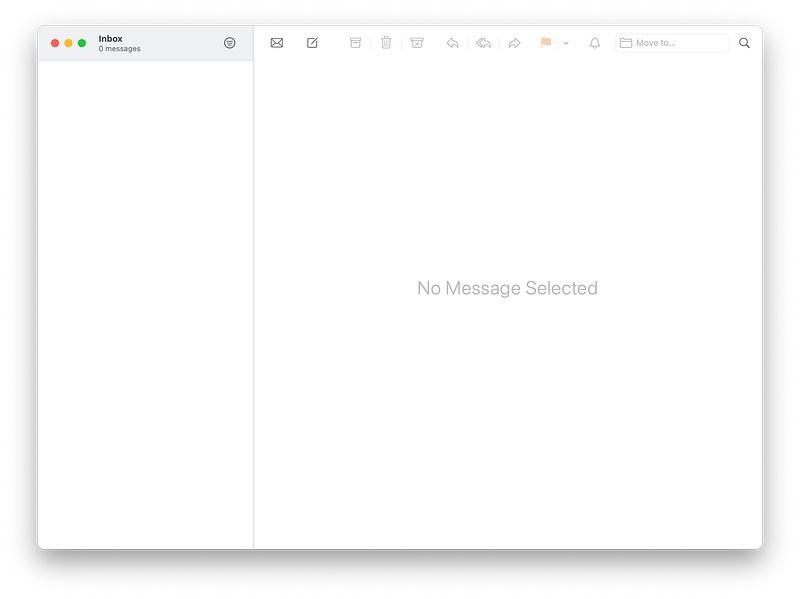
The Mail App
The Mail app on macOS is not as great as its counterpart iOS and iPadOS apps, but it is one of the simplest solutions I have come across managing my email accounts.
It is designed to answer the basic questions we often ask from an email client. Functionally speaking, it is minimal. Super optimized. Amazing at being efficient on your battery.
Setting up an email account is easy through the Preferences app on your operating system. If that is all one needs to get started with their emails, then why even look for other apps?
Let’s analyze the design and performance of this app.
Design
Before the upgrade to macOS Big Sur, the default Mail was not a good-looking app. It lacked many features, and the user interface was cluttered with a design that resembled apps in 2010. I like how the aesthetics of many apps follow their former designs, but I don’t like it when innovation stops.
Looking at the Mail app, I can see how some certain features could bring vast benefits to us, but, throughout the years, seeing what competitors have done with the email experience, I can say the app has not immensely innovated. But, the question is, does it really need to do more than it is doing now? For the basic consumer, the needs, and wants are much different from a professional individual.
The usability of the Mail app can be questionable. On one hand, looking at the user interface, I can easily realize that upon clicking on a specific mail, I can open it. I can expect it will open somewhere within the right section. On the other, what I don’t realize is what each button on the toolbar does. At least not for the first couple of times of using the app. I love the minimal aspect of the toolbar, but I would have loved if, by default, it showed labels under each icon.
One of the greatest features about macOS Big Sur was its design overhaul. We got the much-needed user interface revamp, and it showed itself throughout the entire os, specially within its apps. The Mail app is redesigned, and I love how clean it looks. This design works for a consumer no matter their profession, as it provides the bare minimum of what an email client should bring.
Overall, I give the design of Mail 7/10 for its aesthetics and compatibility for most users.
Performance
[ 1 ] Launching the Mail app is rather quick. It opens in less than a second. In the activity monitor, the app takes four processes, which doesn’t seem to even slightly bother the processor.
On the memory, it takes around 62 MB, which is ok for an average user. My Mac has 8 GBs of memory and I never managed to fill up the RAM with this app. Even when I am in the process of deleting hundreds of emails in the archive folder of my inbox, I never manage to go past 300 MBs, which is great.
[ 2 ] I consider a light task to be checking my inbox at least 3 times a day. Spend at least 10 minutes to read all my emails. Spend around 5 minutes on to reply. Overall, I would spend around 45 minutes for my usual daily emails. For all the things I mentioned, I have never encountered any performance issues whatsoever. To read and manage light emails, the default Mail app flies.
[ 3 ] This is what I consider a heavy task: working on emails with multiple files attached, lots of links, and heavy styling on the content. I remember a time when I was applying to multiple universities to continue my education for the master’s degree. I used to receive emails that required at least 10 minutes to read, fill out PDF forms attached to the emails, and edit my copy right from within the Mail app.
Things worked for most of the time. I usually encountered slight performance issues when I was simultaneously uploading a large attachment, and writing a long paragraph. The performance did not heavily decline; it just made my MacBook’s fan spin.
Overall, the default Mail app is great when it comes to the performance. I’ll give it a 9/10 for being so responsive and easy on the processor.
Conclusion
The biggest challenge with the Mail app is its limited number of features, which needs a great deal of user research from the design team at Apple. I’m sure they are working on something great, and I am so hopeful for a fantastic future where managing emails look as cool as they did in the movie Her.
Thank you for reading this story. I hope you enjoyed it. If you have any comments, let me know in the response section.
Here are more stories you might find interesting.


