avatarClark

Free AI web copilot to create summaries, insights and extended knowledge, download it at here

6240

Abstract

ion which allows exporting notes in multiple formats</li><li>Integration with Spotlight search</li><li>Password protection for individual notes</li><li>Amazing user interface design with lots of customizability options</li></ul><p id="3767">If you want a more minimal and customizable note-taking solution, give Bear app a try.</p><p id="6a9c">🔐 Privacy: No personal data collection</p><p id="9491">💳 Price: Subscription 1.49 per month</p><p id="8ec3">☑️ Compatibility: ⌚️Apple Watch, 📱iPhone,📱iPad, 💻 Mac</p><p id="de77">🧩 Design: Aesthetically pleasing</p><p id="3b6b">🔗 Download: <a href="https://apps.apple.com/us/app/bear/id1091189122?mt=12">AppStore</a></p><p id="3aa5">🌐 Research: <a href="https://bear.app">Website</a></p><h1 id="c1aa">#5. Calendar →Fantastical</h1><figure id="c6a5"><img src="https://cdn-images-1.readmedium.com/v2/resize:fit:800/1*rID5LX5dSVTDg_nFBfZlPg.jpeg"><figcaption></figcaption></figure><p id="c36d">If you enjoy using the Cardhop because of NLP, then you will love Fantastical. If you want your calendar to understand human-like sentences then Fantastical is for you.</p><p id="a60e">Here is how it works:</p><p id="ece3">You summon the app by pressing the shortcut defined in its preferences window and write something like this: <code>Doctor appointment next wed at 4 pm to 6 alert an hour before</code> and the app will understand specifically what you have written.</p><p id="6466">The whole process is super simple and very intuitive. Of course, there are many more great features that will make it more useful.</p><ul><li>10-day weather forecast which will be of great help for setting appointments and meetings</li><li>Extensive integration with other tools and productivity apps</li><li>Time zone override</li><li>Ability to subscribe to calendars, tv shows, sport events, etc.</li><li>Ability to set a favorite time zone which is specially useful for those working remotely</li><li>Dark and Light mode support</li><li>Widgets for macOS, iOS, and iPadOS</li></ul><p id="0953">If you are looking to replace your calendar app with something that has Natural Language Processing then give Fantastical a try.</p><p id="f50e">🔐 Privacy: Collects personal data</p><p id="c04c">💳 Price: Subscription 4.99 per month</p><p id="780a">☑️ Compatibility: ⌚️Apple Watch, 📱iPhone,📱iPad, 💻 Mac</p><p id="a6b0">🧩 Design: Decent looking</p><p id="071f">🔗 Download: <a href="https://apps.apple.com/us/app/fantastical-calendar-tasks/id975937182?mt=12">AppStore</a></p><p id="77d7">🌐 Research: <a href="https://flexibits.com/fantastical">Website</a></p><h1 id="2691">#6. Reminders →Things 3</h1><figure id="583e"><img src="https://cdn-images-1.readmedium.com/v2/resize:fit:800/1*3DAM4Psw_B-EkG7bgYH69g.jpeg"><figcaption></figcaption></figure><p id="7483">The Reminders is one of those apps that I would not usually recommend to most people. However, with the new version, some things have changed, and it still is a decent option for those who want to remember certain tasks without needing any complications.</p><p id="de23">For me and many others who want a little more to not only customize but add better experience to their task management apps, Reminders will not be enough.</p><p id="2854">That is where Things 3 comes into play. It is one of the most famous and used apps among many productive people. It features many options and gives you the ability to create projects and group them with something called Areas.</p><p id="8065">Here are some of the most notable features of Things 3 for Mac:</p><ul><li>Add notes, tags, and break tasks into smaller tasks.</li><li>Create scheduled projects and tasks.</li><li>Repeat tasks with repeaters.</li><li>Calendar integration.</li><li>Quick entry panel from a keyboard shortcut.</li><li>Widgets on macOS, iOS, and iPadOS.</li></ul><p id="12ff">If you want to better manage your tasks and set yourself on the path for completing many awesome projects, then give Things 3 a try.</p><p id="78db">🔐 Privacy: Collects personal data</p><p id="d0cb">💳 Price: 49.99</p><p id="31dd">☑️ Compatibility: ⌚️Apple Watch, 📱iPhone,📱iPad, 💻 Mac</p><p id="b4a4">🧩 Design: Aesthetically pleasing</p><p id="d644">🔗 Download: <a href="https://apps.apple.com/us/app/things-3/id904280696?mt=12">AppStore</a></p><p id="b688">🌐 Research: <a href="https://culturedcode.com/things/">Website</a></p><h1 id="bc28">#7. Safari Read Later →GoodLinks</h1><figure id="8dc4"><img src="https://cdn-images-1.readmedium.com/v2/resize:fit:800/1*z7jBark-BrixPL2loitcqg.jpeg"><figcaption></figcaption></figure><p id="d6a0">I have a love hate relationship with Safari’s built-in save-it later feature. It is hidden and difficult to use, but extremely minimal for people who don’t want to care about bookmarking certain articles to read later.</p><p id="4c0f">There is no dedicated app to read your saved articles, and you have to use Safari which most of the time, needs internet to bring a website from the list. If you need a dedicated app that works almost as minimal as the Safari tools then I suggest GoodLinks.</p><p id="05e9">GoodLinks is an online bookmarking service. It allows you to share any webpage with almost any content and store it to read later.</p><p id="6ea3">GoodLinks is superfast and loads quickly because it doesn’t have a complicated heavy design; rather it is focused on simplicity, and functionality. I love how private it is because it uses iCloud for synchronization.</p><p id="ac27">Here are some of the features for GoodLinks:</p><ul><li>A universal app that works on most Apple devices</li><li>Ability to archive items</li><li>A great privacy practice</li><li>Organization with tags</li><li>Dark mode and Light mode support</li><li>Removal of advertisements from articles for a better reading experience</li><li>No need for creating an account as it uses iCloud</li></ul><p id="c9fa">If you are looking for a better way to read your read-it-later content then give GoodLinks a try.</p><p id="7d63">🔐 Privacy: No data collection</p><p id="fab1">💳 Price: 4.99</p><p id="ded1">☑️ Compatibility: 📱iPhone, 📱iPad, 💻 Mac</p><p id="5793">🧩 Design: Decent looking</p><p id="149f">🔗 Download: <a href="https://apps.apple.com/us/app/goodlinks/id147433

Options

5294">AppStore</a></p><p id="459f">🌐 Research: <a href="https://goodlinks.app">Website</a></p><h1 id="c7af">#8. Mail →Mimestream</h1><figure id="73b1"><img src="https://cdn-images-1.readmedium.com/v2/resize:fit:800/1*DWH1BOx6c7mia0G6XhWsTA.jpeg"><figcaption></figcaption></figure><p id="0c08">Mail is one of those apps that has been almost untouched by Apple, and it feels like an App that is not given enough attention from the company. I loved the simplicity of the default Mail app, However, I wish it could do more.</p><p id="05ae">The biggest problem I have with the Mail app is not entirely the design or lack of features, rather it is the lack of support for the Gmail API.</p><p id="b32d">This is where Mimestream comes into play. Mimestream is extremely light. It loads super quick. It explicitly works with Gmail and doesn’t yet support other email providers. However, it is a work-in-progress and the app gets constant updates.</p><p id="afcf">The entire experience is super fluid and the design is super functional. It has so many awesome features. Here are some of the notable ones:</p><ul><li>Superfast to load and operate. It is optimized to work with Apple Silicon.</li><li>Ability to search Gmail even when it is offline</li><li>Supports UI Gestures and keyboard shortcuts</li><li>Supports Gmail signatures</li><li>Provides a great experience for managing multiple accounts</li></ul><p id="862a">If you are looking for a better Gmail experience on your Mac, then give Mimestream a try.</p><p id="2c00">🔐 Privacy: Collects personal data</p><p id="8f73">💳 Price: Free!</p><p id="7e87">☑️ Compatibility: 💻 Mac</p><p id="6a2f">🧩 Design: Decent looking</p><p id="8c65">🔗 Download: Not available on the AppStore</p><p id="9846">🌐 Research: <a href="https://mimestream.com">Website</a></p><h1 id="9473">#9. Calculator →Numi</h1><figure id="cd96"><img src="https://cdn-images-1.readmedium.com/v2/resize:fit:800/1*VkPSefMegHmUVvY1LDEcNA.jpeg"><figcaption></figcaption></figure><p id="80f9">Numi is the most minimal calculator app I have ever seen on the Mac. It supports Natural Language Processing and allows you to not only do basic mathematical operations, but also convert units and do more.</p><p id="21ed">If you want an app that gives you the time anywhere in the world, convert currencies, and do mathematical operations in a fun intuitive way then give Numi a try.</p><p id="2a6a">🔐 Privacy: Data is not provided</p><p id="ca57">💳 Price: $23.79</p><p id="5bee">☑️ Compatibility: 💻 Mac</p><p id="959e">🧩 Design: Aesthetically pleasing</p><p id="f68e">🔗 Download: Not available on the AppStore</p><p id="ebce">🌐 Research: <a href="https://numi.app">Website</a></p><h1 id="4153">#10. QuickTime Player →IINA</h1><figure id="339b"><img src="https://cdn-images-1.readmedium.com/v2/resize:fit:800/1*TNzMxoofYnhQxhdfi5sn9A.jpeg"><figcaption></figcaption></figure><p id="19ab">The default QuickTime Player only supports limited file formats. The user interface looks ok, but the app is slow to use. One of the first apps I install on any new Mac machines is the IINA app.</p><p id="47e4">Thanks to IINA, you’ll be able to play almost any video format. The great thing about it is its CPU performance and the app is relatively easy on the chip. It can turn on the fans on intel MacBooks once you load 4K content but other than, everything runs smoothly.</p><p id="e6cc">Some of the most notable features of IINA are:</p><ul><li>Picture in picture support</li><li>Beautiful user interface with dark mode support</li><li>Gesture support</li><li>Touch Bar support</li><li>Online subtitle option</li><li>Ability to play Online streams and YouTube videos</li><li>Open source and free</li></ul><p id="de29">If you are looking for a robust media player for your Mac then give IINA a try.</p><p id="031d">🔐 Privacy: Data couldn’t be found</p><p id="003e">💳 Price: Free!</p><p id="b315">☑️ Compatibility: 💻 Mac</p><p id="6121">🧩 Design: Aesthetically pleasing</p><p id="4339">🔗 Download: Not available on the AppStore</p><p id="7d84">🌐 Research: <a href="https://iina.io">Website</a></p><p id="0483">Thank you for reading this story. I would appreciate it if you tell me what other apps you use as the replacement for the default apps on your Mac.</p><p id="599e">Here are some other stories I have written that might interest you.</p><div id="894a" class="link-block"> <a href="https://readmedium.com/here-is-what-you-should-do-for-digital-minimalism-on-mac-720c80651949"> <div> <div> <h2>Here Is What You Should Do For Digital Minimalism On Mac</h2> <div><h3>It’s time to strip everything down</h3></div> <div><p>medium.com</p></div> </div> <div> <div style="background-image: url(https://miro.readmedium.com/v2/resize:fit:320/1*U2PO62HMefOYbAMCKIXLuQ.jpeg)"></div> </div> </div> </a> </div><div id="207b" class="link-block"> <a href="https://readmedium.com/mac-apps-for-the-month-of-may-25e9741dc427"> <div> <div> <h2>Mac Apps For The Month Of May</h2> <div><h3>The number of useful Mac apps to help me become more productive always amazes me. Seeing how far the Mac has gone, I am…</h3></div> <div><p>medium.com</p></div> </div> <div> <div style="background-image: url(https://miro.readmedium.com/v2/resize:fit:320/1*MXFcFGORdoTivPIxjGhIZA.png)"></div> </div> </div> </a> </div><div id="4347" class="link-block"> <a href="https://readmedium.com/10-macos-wishlists-before-wwdc-21-aa4b08068931"> <div> <div> <h2>10 macOS Wishlists Before WWDC 21!</h2> <div><h3>Here’s what I’d love to see at the event</h3></div> <div><p>medium.com</p></div> </div> <div> <div style="background-image: url(https://miro.readmedium.com/v2/resize:fit:320/0*rKVEQowVpC7Yk69i)"></div> </div> </div> </a> </div></article></body>

10 Alternatives For The Default Mac Apps

The default apps that come with your Mac are great. In fact, if you want to be a minimalist, perhaps you’d be better to use them, but, due to different use cases, one might feel better to increases their productivity with other apps.

This story is for those who want to improve their workflow and alter how they use their Macs. If you are questioning why you can’t do more on certain default apps then this story is for you.

Most of the new apps might not be apparent on your Mac. So, I suggest either clearing your dock and placing them there, or reorganizing the Launchpad, so you can have easier access to most of the apps mentioned here.

#1. Contacts →Cardhop
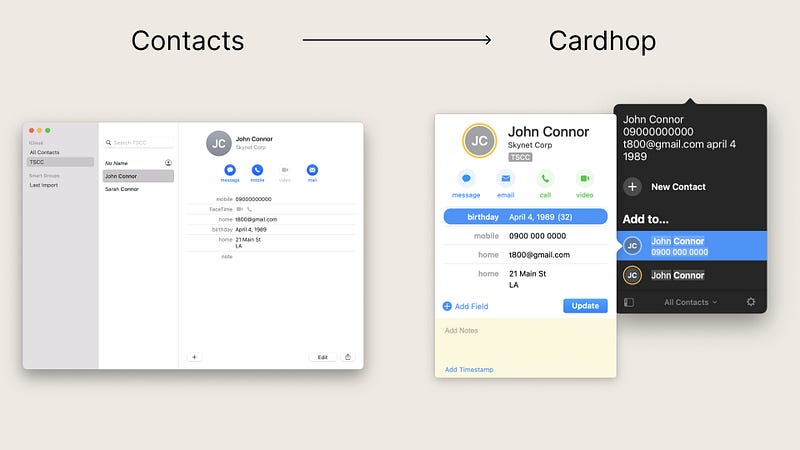
The benefit of NLP (Natural Language Processing) shows itself once you are used to doing certain tasks on an app for more than once. The Cardhop is a contact manager which can completely replace your default Contacts app.

Here are some of the great features the Cardhop offers:

  • Powerful search
  • Menu bar icon for easy access with a custom shortcut
  • A dashboard to see the upcoming birthdays
  • Light and Dark mode
  • Quick action menu to contact the people you want
  • Customizable template editor

If you are looking to quickly access the people you connect with daily, then Cardhop is a great option for you.

🔐 Privacy: Collects personal data

💳 Price: $19.99

☑️ Compatibility: 📱iPhone, 📱iPad, 💻 Mac

🧩 Design: Decent looking

🔗 Download: AppStore

🌐 Research: Website

#2. Podcasts →Pocket Casts
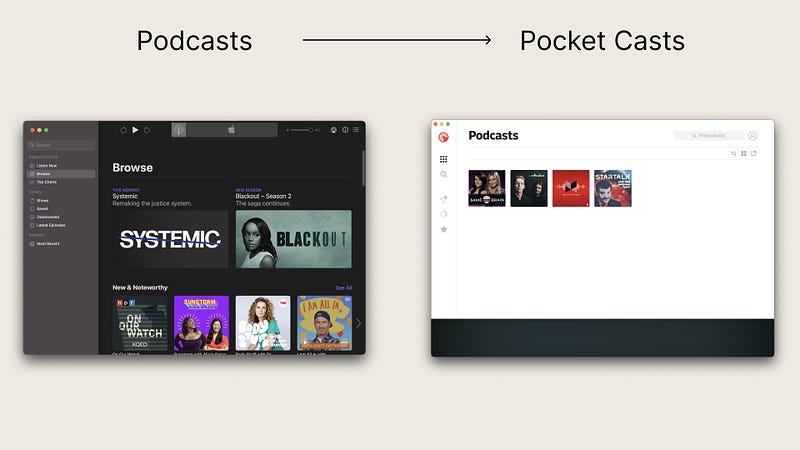
Listening to podcasts is a daily habit of many people. For instance, we listen to them while commuting, or working at the office. The default Podcasts app on iOS, iPadOS, and the macOS is great. I love using it, however, as an avid podcast listener, I demand more features.

Here are some of the things I value from the Pocket Casts:

  • Simple user experience
  • Hand curated podcast recommendations
  • Customization option for its theme and icon
  • Powerful playback queue
  • Cut silences to save time *
  • Volume boost

The great thing about Pocket Casts is its price. For a subscription app, it is very cheap. Having said that, I would be glad to pay a one-time fee to purchase the pro options at once.

🔐 Privacy: No personal data collection

💳 Price: Subscription $1.49 per month

☑️ Compatibility: ⌚️Apple Watch, 📱iPhone,📱iPad, 💻 Mac

🧩 Design: Aesthetically pleasing

🔗 Download: AppStore

🌐 Research: Website

#3. Keychain →1Password
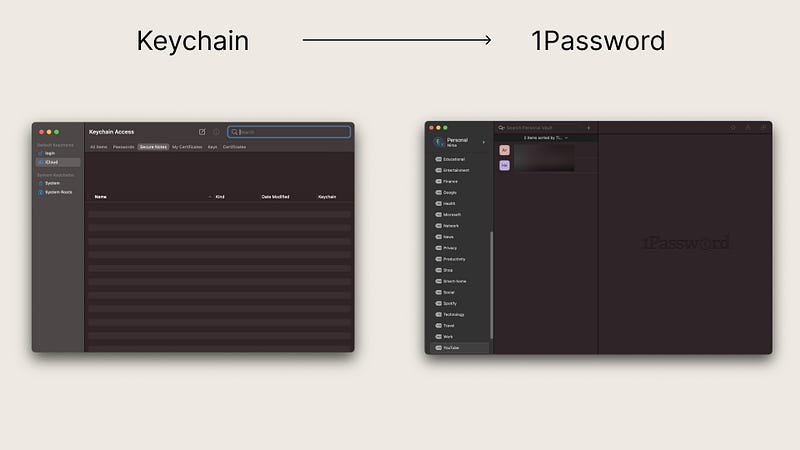
The default macOS password manager is a decent app for people who don’t want to manage their passwords and leave everything to the operating system. I was one of those people who didn’t care much about how the technology worked. But, after a while when my login credentials raised over 50 websites and apps, I wanted a way to organize them.

The default Keychain app didn’t really help me. That is when I learned about 1Password which is a great password management application where its capabilities extend far beyond passwords.

The features that made me love using 1Password were:

  • Tagging system to organize my login credentials.
  • Security report which monitored the websites I have accounts in and found out if they have been compromised.
  • Strong complex password generator
  • Awesome integration with Safari on Mac
  • Inform me when a website supports 2-factor authentication
  • Ability to create multiple vaults for different needs

If you are looking for an app that feels like a service designed by Apple then give 1Password a try.

🔐 Privacy: Collects personal data

💳 Price: Subscription $3.99 per month

☑️ Compatibility: ⌚️Apple Watch, 📱iPhone,📱iPad, 💻 Mac

🧩 Design: Decent looking

🔗 Download: AppStore

🌐 Research: Website

#4. Notes →Bear
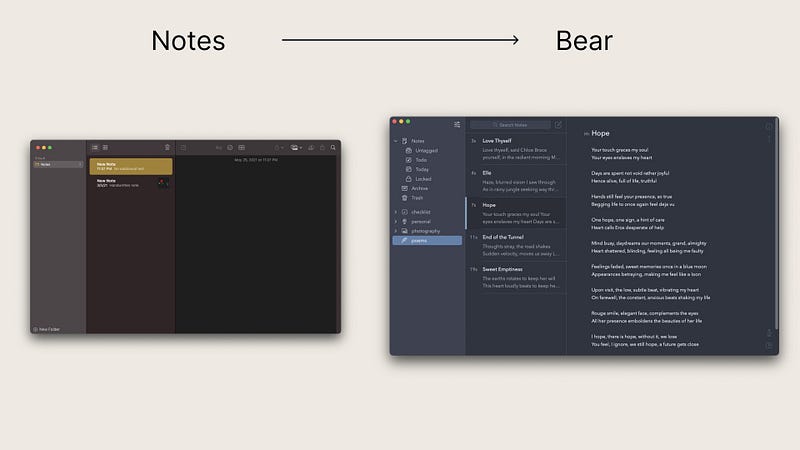
I know many people who rely on Apple Notes to organize their lives. I used to be one of them. But, I knew I always wanted a more customizable and a more minimal experience. That is why I got to use the Bear app. Not only it is incredibly minimal, it is extensively customizable.

It uses iCloud to synchronize your notes and everything happens superfast. Opening and writing a new note is also extremely quick.

Here are some more features that will make you more interested in this app:

  • Integration with Siri and the Shortcuts app
  • Simple tagging system to organize your notes
  • Ability to archive notes
  • Great exporting option which allows exporting notes in multiple formats
  • Integration with Spotlight search
  • Password protection for individual notes
  • Amazing user interface design with lots of customizability options

If you want a more minimal and customizable note-taking solution, give Bear app a try.

🔐 Privacy: No personal data collection

💳 Price: Subscription $1.49 per month

☑️ Compatibility: ⌚️Apple Watch, 📱iPhone,📱iPad, 💻 Mac

🧩 Design: Aesthetically pleasing

🔗 Download: AppStore

🌐 Research: Website

#5. Calendar →Fantastical
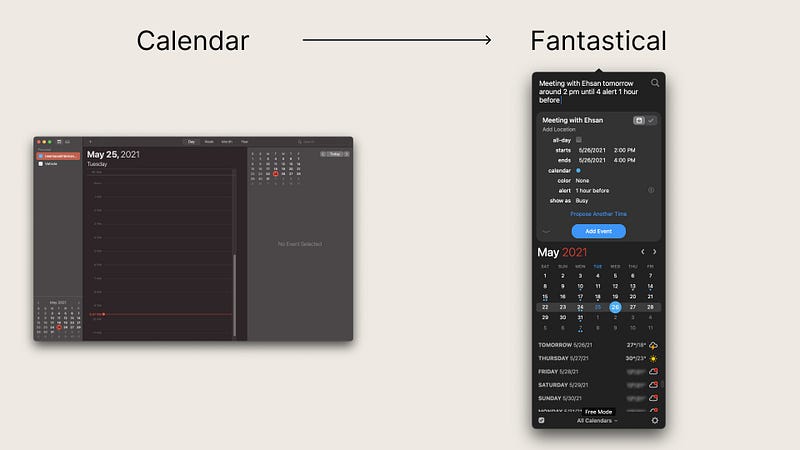
If you enjoy using the Cardhop because of NLP, then you will love Fantastical. If you want your calendar to understand human-like sentences then Fantastical is for you.

Here is how it works:

You summon the app by pressing the shortcut defined in its preferences window and write something like this: Doctor appointment next wed at 4 pm to 6 alert an hour before and the app will understand specifically what you have written.

The whole process is super simple and very intuitive. Of course, there are many more great features that will make it more useful.

  • 10-day weather forecast which will be of great help for setting appointments and meetings
  • Extensive integration with other tools and productivity apps
  • Time zone override
  • Ability to subscribe to calendars, tv shows, sport events, etc.
  • Ability to set a favorite time zone which is specially useful for those working remotely
  • Dark and Light mode support
  • Widgets for macOS, iOS, and iPadOS

If you are looking to replace your calendar app with something that has Natural Language Processing then give Fantastical a try.

🔐 Privacy: Collects personal data

💳 Price: Subscription $4.99 per month

☑️ Compatibility: ⌚️Apple Watch, 📱iPhone,📱iPad, 💻 Mac

🧩 Design: Decent looking

🔗 Download: AppStore

🌐 Research: Website

#6. Reminders →Things 3
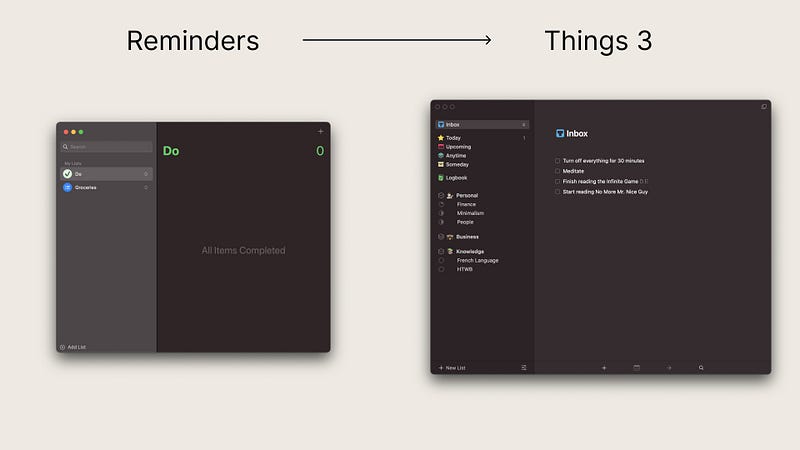
The Reminders is one of those apps that I would not usually recommend to most people. However, with the new version, some things have changed, and it still is a decent option for those who want to remember certain tasks without needing any complications.

For me and many others who want a little more to not only customize but add better experience to their task management apps, Reminders will not be enough.

That is where Things 3 comes into play. It is one of the most famous and used apps among many productive people. It features many options and gives you the ability to create projects and group them with something called Areas.

Here are some of the most notable features of Things 3 for Mac:

  • Add notes, tags, and break tasks into smaller tasks.
  • Create scheduled projects and tasks.
  • Repeat tasks with repeaters.
  • Calendar integration.
  • Quick entry panel from a keyboard shortcut.
  • Widgets on macOS, iOS, and iPadOS.

If you want to better manage your tasks and set yourself on the path for completing many awesome projects, then give Things 3 a try.

🔐 Privacy: Collects personal data

💳 Price: $49.99

☑️ Compatibility: ⌚️Apple Watch, 📱iPhone,📱iPad, 💻 Mac

🧩 Design: Aesthetically pleasing

🔗 Download: AppStore

🌐 Research: Website

#7. Safari Read Later →GoodLinks
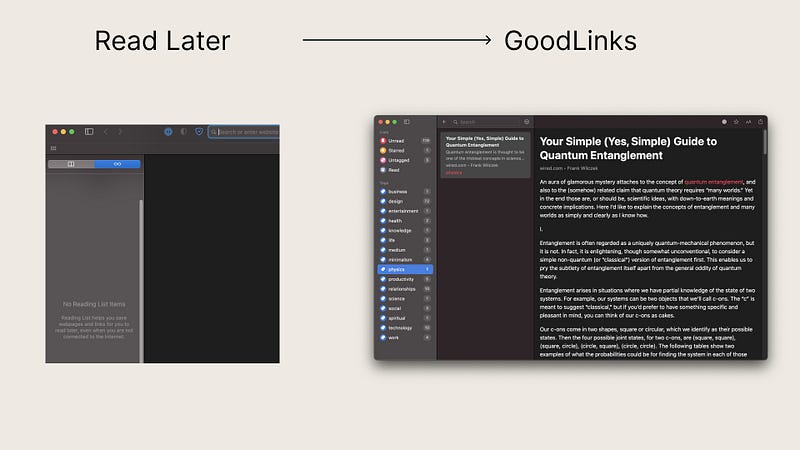
I have a love hate relationship with Safari’s built-in save-it later feature. It is hidden and difficult to use, but extremely minimal for people who don’t want to care about bookmarking certain articles to read later.

There is no dedicated app to read your saved articles, and you have to use Safari which most of the time, needs internet to bring a website from the list. If you need a dedicated app that works almost as minimal as the Safari tools then I suggest GoodLinks.

GoodLinks is an online bookmarking service. It allows you to share any webpage with almost any content and store it to read later.

GoodLinks is superfast and loads quickly because it doesn’t have a complicated heavy design; rather it is focused on simplicity, and functionality. I love how private it is because it uses iCloud for synchronization.

Here are some of the features for GoodLinks:

  • A universal app that works on most Apple devices
  • Ability to archive items
  • A great privacy practice
  • Organization with tags
  • Dark mode and Light mode support
  • Removal of advertisements from articles for a better reading experience
  • No need for creating an account as it uses iCloud

If you are looking for a better way to read your read-it-later content then give GoodLinks a try.

🔐 Privacy: No data collection

💳 Price: $4.99

☑️ Compatibility: 📱iPhone, 📱iPad, 💻 Mac

🧩 Design: Decent looking

🔗 Download: AppStore

🌐 Research: Website

#8. Mail →Mimestream
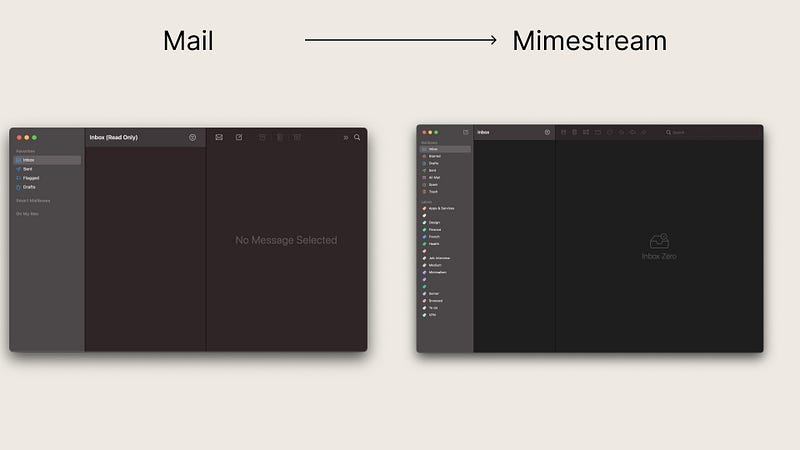
Mail is one of those apps that has been almost untouched by Apple, and it feels like an App that is not given enough attention from the company. I loved the simplicity of the default Mail app, However, I wish it could do more.

The biggest problem I have with the Mail app is not entirely the design or lack of features, rather it is the lack of support for the Gmail API.

This is where Mimestream comes into play. Mimestream is extremely light. It loads super quick. It explicitly works with Gmail and doesn’t yet support other email providers. However, it is a work-in-progress and the app gets constant updates.

The entire experience is super fluid and the design is super functional. It has so many awesome features. Here are some of the notable ones:

  • Superfast to load and operate. It is optimized to work with Apple Silicon.
  • Ability to search Gmail even when it is offline
  • Supports UI Gestures and keyboard shortcuts
  • Supports Gmail signatures
  • Provides a great experience for managing multiple accounts

If you are looking for a better Gmail experience on your Mac, then give Mimestream a try.

🔐 Privacy: Collects personal data

💳 Price: Free!

☑️ Compatibility: 💻 Mac

🧩 Design: Decent looking

🔗 Download: Not available on the AppStore

🌐 Research: Website

#9. Calculator →Numi
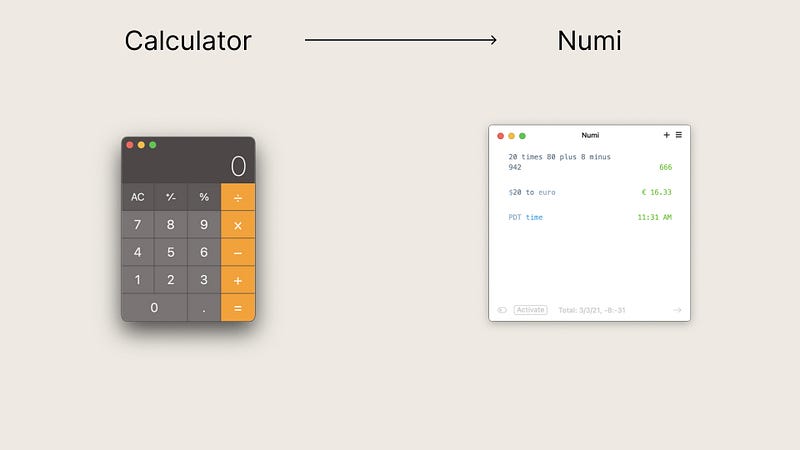
Numi is the most minimal calculator app I have ever seen on the Mac. It supports Natural Language Processing and allows you to not only do basic mathematical operations, but also convert units and do more.

If you want an app that gives you the time anywhere in the world, convert currencies, and do mathematical operations in a fun intuitive way then give Numi a try.

🔐 Privacy: Data is not provided

💳 Price: $23.79

☑️ Compatibility: 💻 Mac

🧩 Design: Aesthetically pleasing

🔗 Download: Not available on the AppStore

🌐 Research: Website

#10. QuickTime Player →IINA
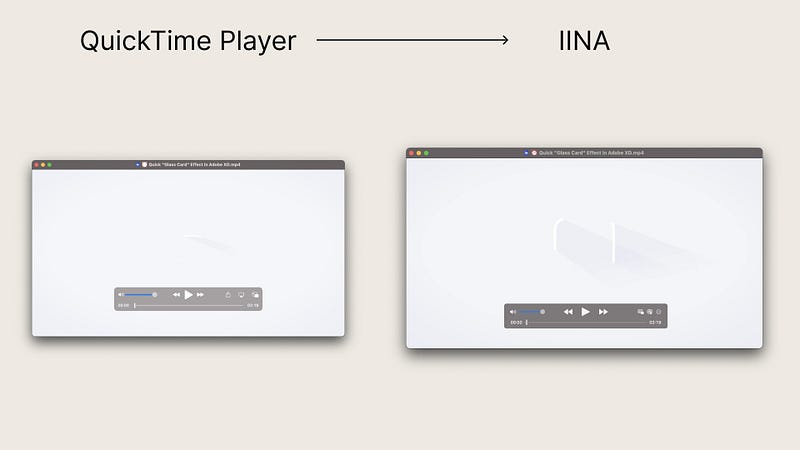
The default QuickTime Player only supports limited file formats. The user interface looks ok, but the app is slow to use. One of the first apps I install on any new Mac machines is the IINA app.

Thanks to IINA, you’ll be able to play almost any video format. The great thing about it is its CPU performance and the app is relatively easy on the chip. It can turn on the fans on intel MacBooks once you load 4K content but other than, everything runs smoothly.

Some of the most notable features of IINA are:

  • Picture in picture support
  • Beautiful user interface with dark mode support
  • Gesture support
  • Touch Bar support
  • Online subtitle option
  • Ability to play Online streams and YouTube videos
  • Open source and free

If you are looking for a robust media player for your Mac then give IINA a try.

🔐 Privacy: Data couldn’t be found

💳 Price: Free!

☑️ Compatibility: 💻 Mac

🧩 Design: Aesthetically pleasing

🔗 Download: Not available on the AppStore

🌐 Research: Website

Thank you for reading this story. I would appreciate it if you tell me what other apps you use as the replacement for the default apps on your Mac.

Here are some other stories I have written that might interest you.

Mac
Productivity
Apps
Apple
Technology
Recommended from ReadMedium