
5 Replacement Apps For TextEdit on macOS
Writing notes should be easy; The complication of managing your content on most default apps is problematic; Having to correct mistakes because the app doesn’t understand the context of your notes adds to more complications.
That is why in this story, I will be sharing five note-taking apps that don’t need to rely on powerful hardware. They offer great features, and don’t cost too much.
#1. Ulysses
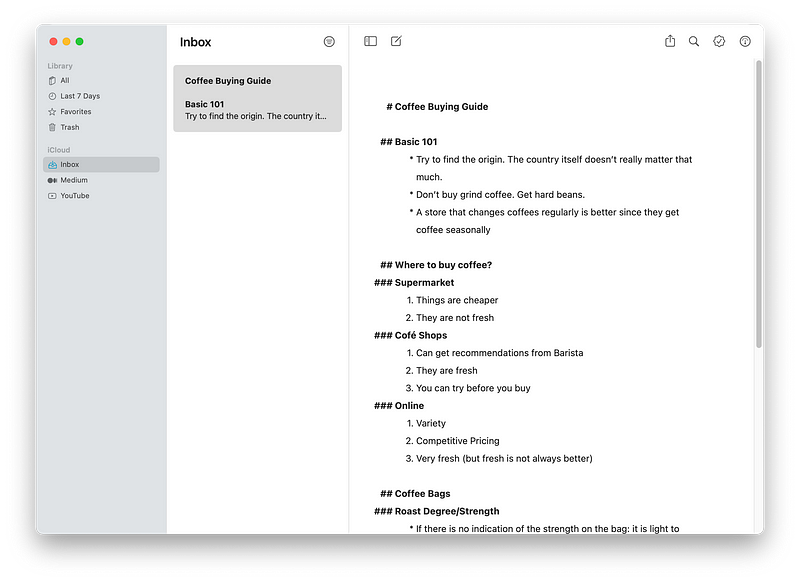
Markup support is available now in most note-taking and document-editing apps which is great, but, the use case of Ulysses goes far beyond just being a markup editor. For someone who has dedicated his time to write about technology, I am a happy Ulysses user as it provides so much value.
The great thing about Ulysses is how it’s designed to give you focus on writing and nothing more. You don’t have to worry about saving your document or have any concern for grammar or typos. Simply type and let the train of thoughts flow uninterrupted.
If you are looking for a structured all-in-one app that helps you centralize your notes then give Ulysses a chance.
🔐 Privacy: No personal data collection
💳 Price: Subscription $5.99 per month
☑️ Compatibility: 📱iPhone, 📱iPad, 💻 Mac
🧩 Design: Aesthetically pleasing
🔗 Download: AppStore
🌐 Research: Website
#2. Bear
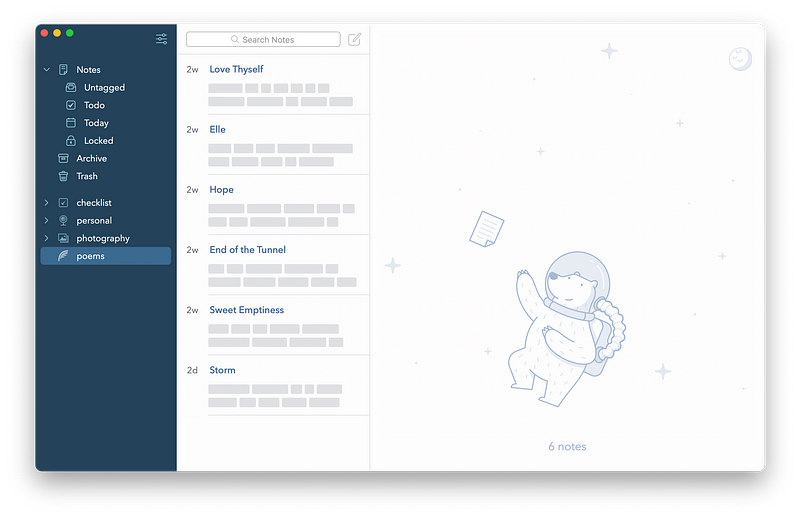
One of the most beautiful note-taking apps with intense focus on minimalism. The Bear app is phenomenal. The best thing about Bear is its performance. The app opens super quick and over years of using it, I haven’t seen any lags or performance issues.
Anytime I want to quickly write down something on my Mac, I use bear. It allows me to create tasks within notes which is plenty helpful if you deal with online classes or tutorials from YouTube.
Some wonderful features are:
- Great tagging system to organize your notes
- Markdown support for quick text edit
- Protect notes with TouchID/FaceID and Password
- Great Safari extension to grab text, image, other things from web
- Ability to archive notes
- Integration with Spotlight Search
I’ve been using Bear for more than two years, and it is always installed on my iPhone and iPad.
🔐 Privacy: No personal data collection
💳 Price: Subscription $1.49 per month
☑️ Compatibility: ⌚️Apple Watch, 📱iPhone,📱iPad, 💻 Mac
🧩 Design: Aesthetically pleasing
🔗 Download: AppStore
🌐 Research: Website
#3. Left
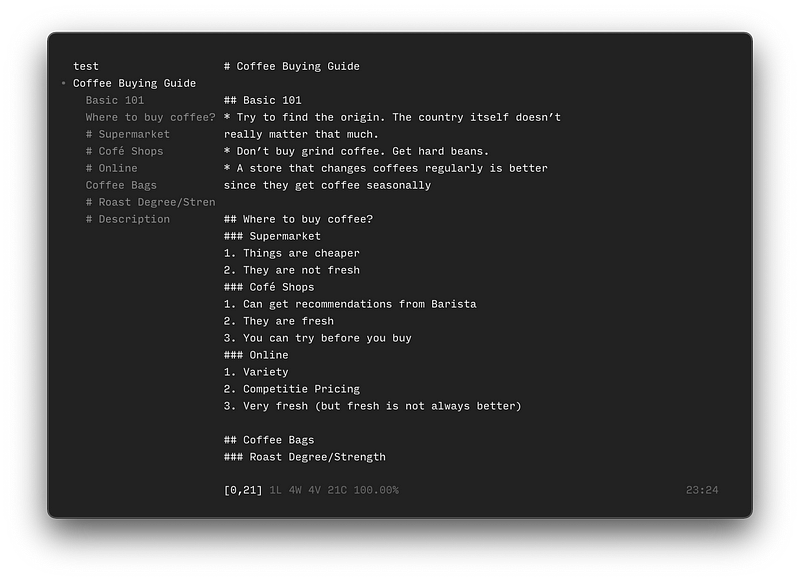
Left has an interesting take on note-taking. It has a unique minimal user interface where you won’t see the default Mac buttons on the toolbar and all you are presented with is a dark window.
It follows a specific interface for editing text documents. The use of hashtags creates headlines. On the left panel, you’ll be presented with a branch-like structure to quickly access different sections of your notes.
If you are looking for a multi-platform note-taking solution that doesn’t follow traditional user interfaces then give Left a try.
🔐 Privacy: Data is not yet provided
💳 Price: Free!
☑️ Compatibility: 💻 Mac
🧩 Design: Decent looking
🔗 Download: Not available on the AppStore
🌐 Research: Website
#4. Supernotes
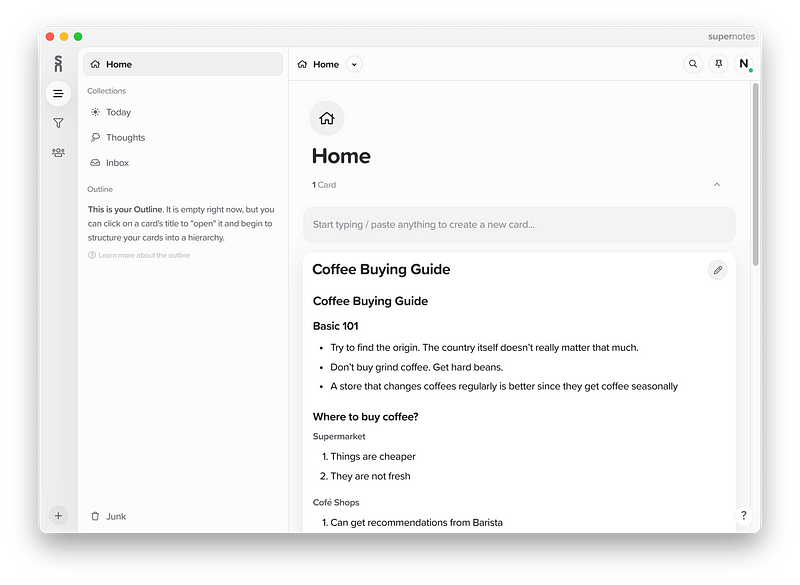
Supernotes has an interesting take on note-taking. It offers cards which are specific blocks to write notes with ease. The whole structure of the app revolves around cards and to create more of them, you’ll need to purchase a plan.
While creating a card, you’ll be presented with options to:
- Assign a card as a parent card
- Check interaction on that card with your team
- Link the note to another note
- Organize your note with tags
Supernotes offers a preview mode for when you’ll need to skip the markdown editor and observe the writing.
There are plenty more options, but if you are looking for a way to not only take notes, but also collaborate with someone or use a more professional note-taking tool then give Supernotes a try.
🔐 Privacy: Collects personal data
💳 Price: Subscription with different plans
☑️ Compatibility: 💻 Mac
🧩 Design: Decent looking
🔗 Download: Not available on the AppStore
🌐 Research: Website
#5. Standard Notes
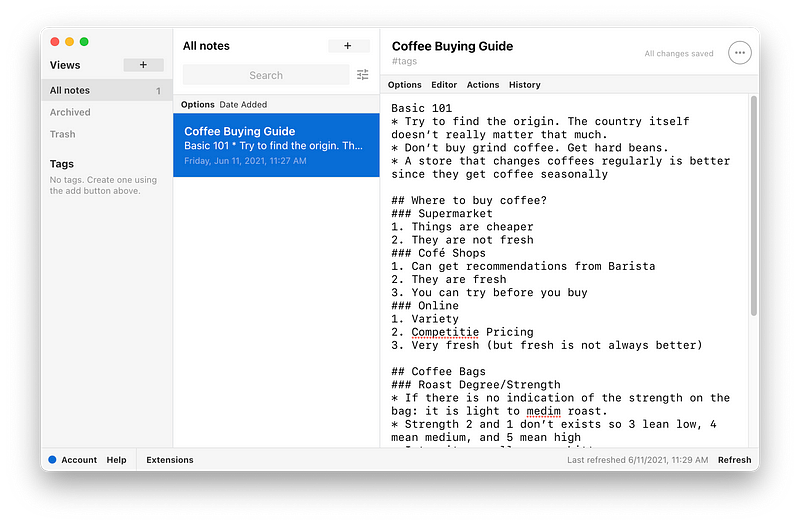
Customizability and extended functionality are two things that Standard Notes revolves around. It is one of those feature-rich apps that offers a variety of services with a subscription plan. Features such as:
- 2FA support to further improve the security of your accounts
- Light and Dark mode themes
- Infinite undo
- Support for Markdown and LaTeX
- Web access to notes on other devices
- TokenVault which allows you to set 2FA tokens inside a note and retrieve them anytime you desire
- A Spreadsheet which offers powerful features like formula support and formatting
- Code editor that supports 120 programming languages
- Variety of themes to change the style of the app to your likings
- Synchronization with major cloud storage services like Dropbox, Google Drive, and Microsoft OneDrive
- Folder creation with tags
- GitHub integration to push note changes to your repository
The app offers many functionalities that I could write about all day, but the most useful ones for me was its customizability and extension support. If they are stuff that value to you as well, then this app might be a good option for you.
The issue I found with the app is its subscription plan which charges you for 5 years from the start. Of course, you have the option to choose a 1-year plan, but its pricing still doesn’t make sense as so many competitors offer cheaper prices.
🔐 Privacy: Data is not yet provided
💳 Price: Subscription with different plans
☑️ Compatibility: 📱iPhone, 📱iPad, 💻 Mac
🧩 Design: Decent looking
🔗 Download: Not available on the AppStore
🌐 Research: Website
Thank you for reading this story. If you have any other alternatives that you think would be better, then let me know in the response section and I will review them for the next editions of my story.
Here are some other stories that you might find interesting:


