
10 Mac Apps For June
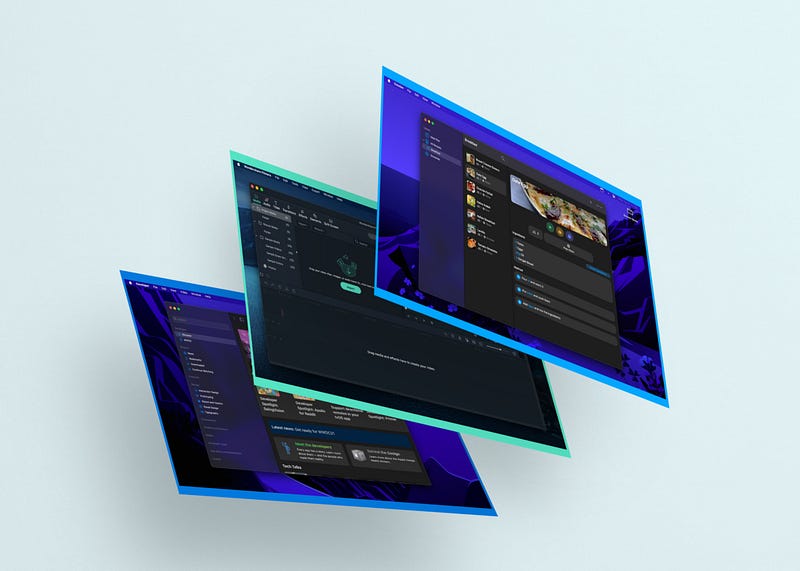
It is that time of the month when we introduce 10 Mac apps that will immensely improve your workflow. I’m having a great time every month writing about the best and occasionally the most recent apps for you to discover.
In this story, you will be reading about 10 apps I found to be useful in the month of June. June is an important month for many technology-oriented people. We will see Apple WWDC and get introduced to so many astonishing features for the future software versions of Apple products.
I hope this story helps you become more productive and save time. Most of the apps introduced here will be in the category of utilities, alongside design, productivity, and news.
#1. Raycast
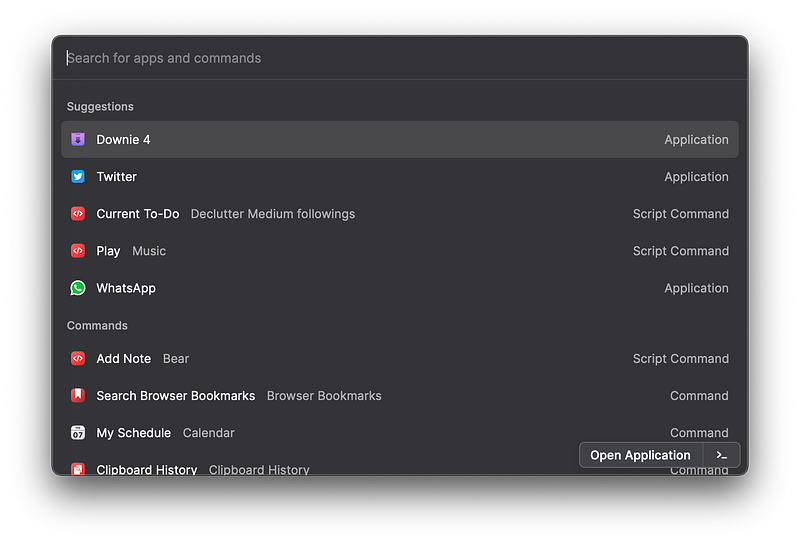
We are used to pressing the CMD + Space shortcut to access the Spotlight search. It is a utility where you’ll be able to access your files, open apps, convert some units and some other functionalities.
What if you wanted to do more? What if your use case would extend to perform certain functionalities for a specific app? That is where Raycast comes into play.
Raycast is a fantastic small utility where it will replace your Spotlight search (If you do some adjustments of course) and help you do a lot more than you think.
Some of the most used functionalities for this app are:
- Ability to play, pause, and manage your songs on Apple Music without having to open the app using the simple
PlayandPausecommands. - Quickly add a task to the Things 3 app by typing the single command of
Create Task - Easily create calendar event to the Fantastical app by commanding the app to
Create event [query]and let it do it all for you. - Say a word, phrase, sentence or an entire paragraph with the
Saycommand. - Navigate and search your contacts without opening the Contacts app.
- Start or stop the Do Not Disturb with a short command.
- Do system-level commands like restarting your Mac or something simple like increasing the volume.
- Search the web
- Start a zoom session
- So much more
If you are looking for a modern way to use your Mac by reducing the number of clicks and operations then give Raycast a try. You are going to love it.
🔐 Privacy: Collects personal data
💳 Price: Free!
☑️ Compatibility: 💻 Mac
🧩 Design: Aesthetically pleasing
🔗 Download: Not available on the AppStore
🌐 Research: Website
#2. Shareful
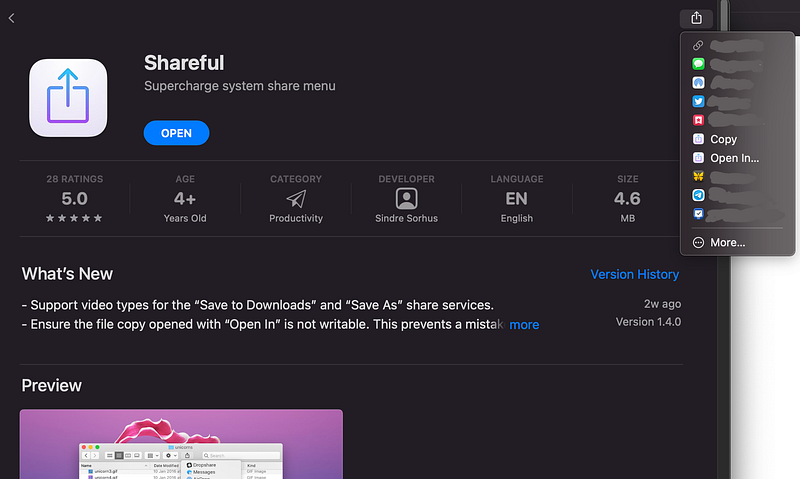
Every so often we demand features from Apple that are not yet implemented. That is when we turn over to third-party apps that alleviate our pains with certain use cases in the operating system. What do I mean by those use cases?
Suppose you are in an app that is showing you a photo, and you prefer not to take a screenshot to capture that image. What do you do? Well… if the app offers the option, you can save the image, but if it doesn’t, you can use Shareful which allows you to use the share extension and save the image to your Downloads folder.
The functionality of Shareful doesn’t limit only to downloading the image. It can also help you copy the link to a file into your clipboard. Moreover, you can open the shared file in any app which is extremely useful and has saved me a lot of time.
🔐 Privacy: No personal data collection
💳 Price: Free!
☑️ Compatibility: 💻 Mac
🧩 Design: Decent looking
🔗 Download: AppStore
🌐 Research: Website
#3. ImageOptim
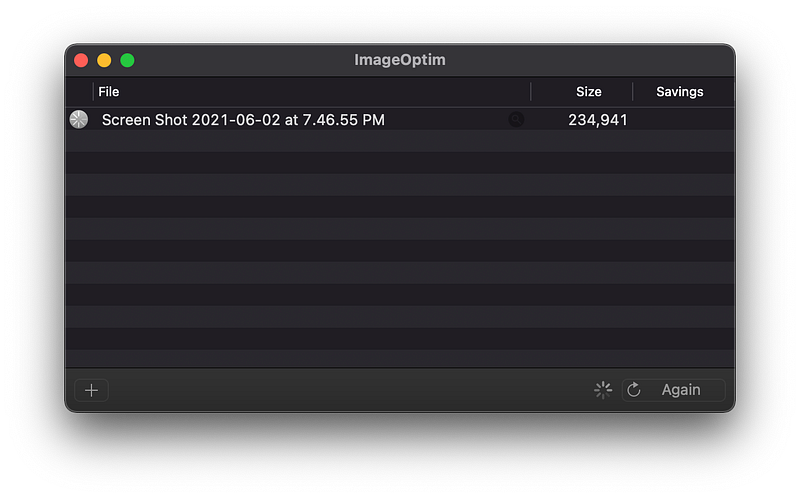
Usually, when you see a photo on the web, it is compressed and uploaded in a format that is compatible with most browsers. To compress an image means reducing some characteristics in that file, whether it be reduction in resolution or other methods to get a file with smaller size.
The use case of having a compressed image file varies from service to service, but in most cases, the process is either done online or by an expensive app on your Mac. What if there was a way to easily reduce image file size without risking your privacy or purchasing an expensive software?
That is where ImageOptim comes to the rescue. With this app, all you have to do is to drag and drop the image into the app’s window and let it process and compress the image. Usually (depending on your hardware) the finalized version of your image with reduced file size will be ready in 10 to 15 seconds. Having said that, larger image files take longer to compress.
If you want a free app that compresses your images, then give ImageOptim a chance.
🔐 Privacy: Data is not yet provided
💳 Price: Free!
☑️ Compatibility: 💻 Mac
🧩 Design: Displeasing
🔗 Download: Not available on the AppStore
🌐 Research: Website
#4. AdGuard

We are forcefully given advertisements from the moment we wake up to the moment we sleep. Nowadays, the advertisement is a major issue that concurrently invades our privacy. One of the ways to tackle this issue is by installing ad-blockers.
Ad-blockers are great. They make the web feel cleaner and more minimal, but they don’t behave as efficient and as effective as expected. The AdGuard is a privacy protection tool that not only block ads, but also helps you get rid of trackers, malware, and fake news at a system level.
All you need to do is to install the app. Grant the permissions it requires. Let the magic happen.
AdGuard might be a little expensive, but it is worth the cost considering how effective it is at reducing digital waste from your online experience.
🔐 Privacy: Some personal data collection
💳 Price: $79.99
☑️ Compatibility: 📱iPhone, 📱iPad, 💻 Mac
🧩 Design: Decent looking
🔗 Download: Not available on the AppStore
🌐 Research: Website
#5. Wondershare Filmora X
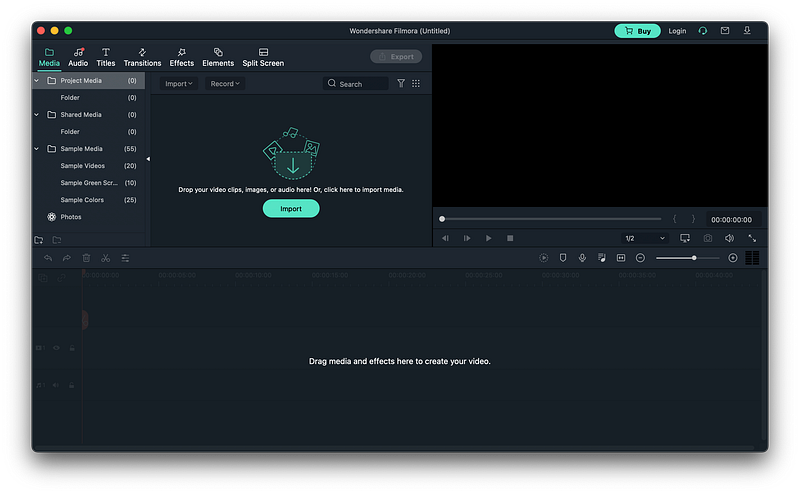
Going on a vacation and capturing photos and recording videos of your friends. Those memories would last much longer if they are in a video format. However, editing videos seems like a difficult job. Well… it kind of is unless you learn some fundamentals and get an app.
The apps currently available for the Mac either offer basic functionality, or the ones that help you do a lot more are super expensive. That is why I’m introducing the Filmora X by Wondershare.
Using this app does require a slight learning curve, but once you are used to the controls, you have a whole world to benefit from. The app offers advance tools to control the colors, add effects, change transitions and much more.
If you are looking for an inexpensive option that requires a little learning then give Filmora X a try.
🔐 Privacy: Some personal data collection
💳 Price: Subscription $44.99 per year
☑️ Compatibility: 💻 Mac
🧩 Design: Aesthetically pleasing
🔗 Download: Not available on the AppStore
🌐 Research: Website
#6. Giphy Capture
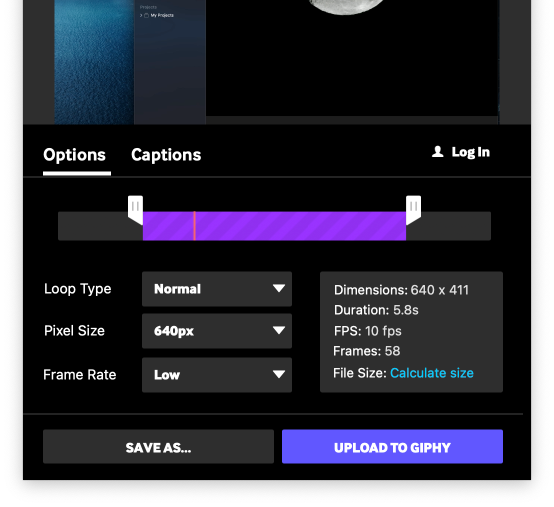
There have been moments when I wanted to share a tutorial with someone to help them learn how to achieve a specific task on their Mac. I have always used the default screen recorder and captured a video of my Mac. It is all great until you realize your finalized video exceeds 50 MB.
To alleviate the file size issue, I have used the Giphy Capture which helps me record my screen, and then convert it into a GIF file. This way my file size is much smaller and requires less internet bandwidth to upload.
If you are looking for a straight-to-the-point kind of app that will help you record your screen and export the video as a GIF file then give this app a try.
🔐 Privacy: Collects personal data
💳 Price: Free!
☑️ Compatibility: 💻 Mac
🧩 Design: Displeasing
🔗 Download: AppStore
🌐 Research: Website
#7. Universe
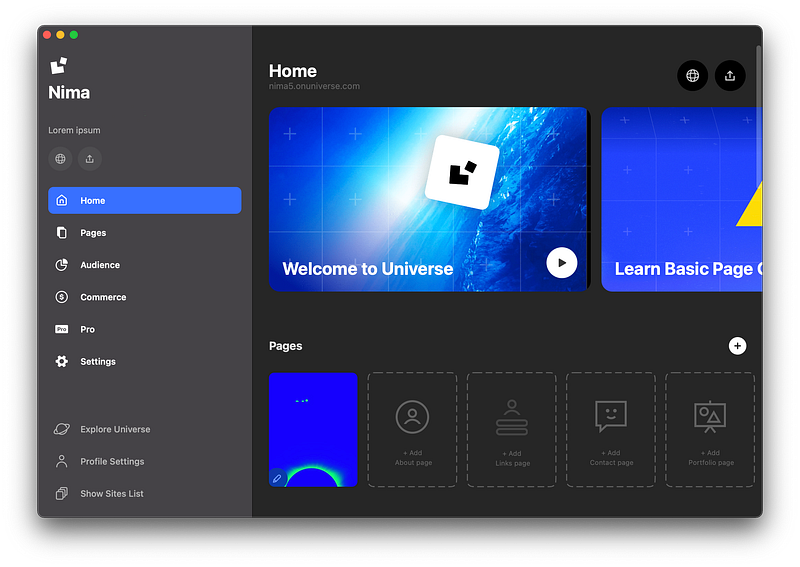
I believe every person in this day and age needs a personal website. A website that introduces them to the world.
When we talk about creating a website, many people think about coding or having a special skill to build a beautiful functional webpage, however, the world has changed for the better. Technology progress at a rapid scale, and we are fortunate enough to have services that assist us on building a website.
Nowadays, thanks to Universe, you can easily find help to start building your own website. Basically, this app offers a series of tools that will help you create most used pages with their helpful templates. Get into the editor and add any type of content to your webpage.
The editor is simple to use. It offers a great user experience and the app doesn’t seem like a web-based version of their website. You can try this app on your iPhone as well as your iPad if you prefer mobility.
🔐 Privacy: Collects personal data
💳 Price: Multiple In-App Purchases
☑️ Compatibility: 📱iPhone, 📱iPad, 💻 Mac
🧩 Design: Aesthetically pleasing
🔗 Download: AppStore
🌐 Research: Website
#8. Shapr3D
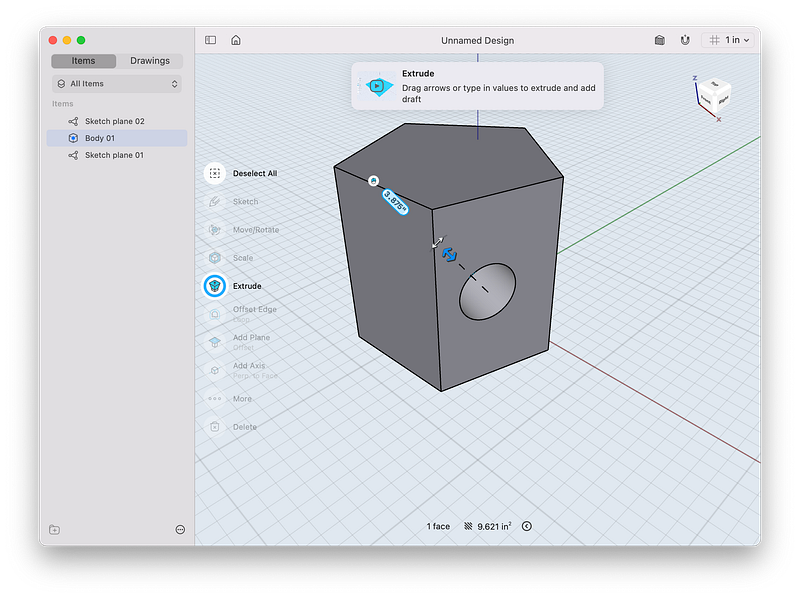
Designing a 3D shape or a building used to require complex softwares which needed hundreds of hours of learning and dealing with apps that couldn’t make use of your Mac’s hardware potential. Things have changed now and the app I’m introducing in this story will blow your mind.
The Shapr3D is a fantastic Computer-Aided Design CAD tool that has transformed the traditional software with better and newer UX implementations. If you are a design student (whether that is in the field of architecture, product design, mechanical engineering) and you own a Mac, then don’t miss out on Shapr3D.
It is a wonderful app with great support for people who use mouse and keyboard to interact with. The app has simple, short tutorials that won’t take your time and offers the essential functionalities with simplicity.
If you own an iPad with an Apple Pencil, don’t miss out this app on iPadOS as it works so well on the large display of iPad. I have mentioned this app in my other article which is linked below.
🔐 Privacy: Collects personal data
💳 Price: Subscription $239.99 per year
☑️ Compatibility: 📱iPad, 💻 Mac
🧩 Design: Aesthetically pleasing
🔗 Download: AppStore
🌐 Research: Website
#9. Crouton
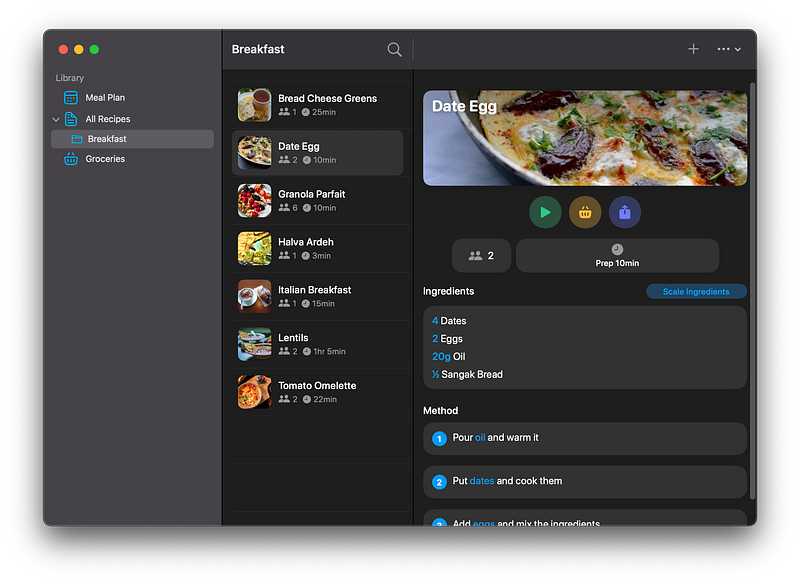
Keeping a list of recipes on your notepad might not be a good idea as it is not designed to with context in mind. The point of owning a recipe is to have a reference for the time you need something to cook, or you are looking to remember certain ingredients.
The Crouton is a fantastic app that has a dedicated design for this use case. Some functionalities of this app are:
- Store recipes from images or websites
- Recipe detection from websites
- Shopping list based on the ingredients
- Plan and schedule your meals for the days ahead
- Scan recipe ingredients from cookbooks
If you are looking for a digital book for your recipes in the form of a great app then don’t miss out the Crouton.
🔐 Privacy: No personal data collection
💳 Price: Multiple In-App Purchases
☑️ Compatibility: 📱iPhone, 📱iPad, 💻 Mac
🧩 Design: Aesthetically pleasing
🔗 Download: AppStore
🌐 Research: Website
#10. Developer
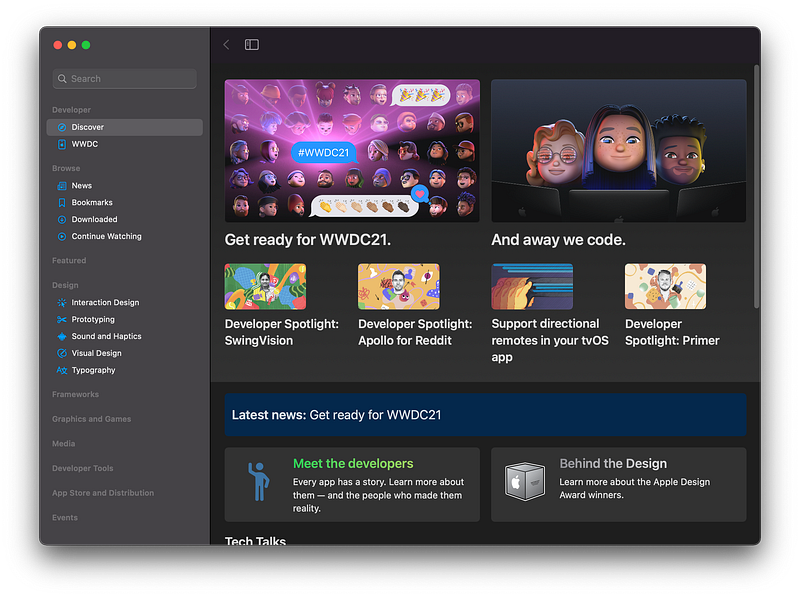
Every year, we receive worldwide developer conference from Apple. It is in my opinion the most exciting time of the year (aside from Christmas of course) and I get super excited about the upcoming features of iOS, iPadOS, macOS, and other softwares.
As a designer, I get so much benefit not only from the main event which introduces the most notable features of the upcoming software update, but also the designer and developer sessions. Solely from WWDC, I have learned so much about creating a great user experience for users who rely on accessibility features.
If you are interested in not only the main event, but also the coding and design sessions then install this app on all your Apple devices. It will help you read the news and easily find all the sessions.
🔐 Privacy: Collects personal data
💳 Price: Free!
☑️ Compatibility: 📱iPhone, 📱iPad, 💻 Mac, 📺 Apple TV
🧩 Design: Aesthetically pleasing
🔗 Download: AppStore
🌐 Research: Website
Thank you for reading this edition of the top 10 Mac apps for the month of June. I hope you enjoyed reading it, and I’ll be delighted if you share your comments in the response section with me.
Here are some other editions of my monthly Mac apps.


