avatarClark

Free AI web copilot to create summaries, insights and extended knowledge, download it at here

4937

Abstract

. A lot of hard work goes into developing and maintaining each version…</h3></div> <div><p>simonemontalto.com</p></div> </div> <div> <div style="background-image: url(https://miro.readmedium.com/v2/resize:fit:320/0*XPWLMcj8S_CH1Ah0)"></div> </div> </div> </a> </div><h1 id="130e">4. Downie</h1><figure id="fe6a"><img src="https://cdn-images-1.readmedium.com/v2/resize:fit:800/1*bL-Y9sHEmv7yY5M8sb6e_w.png"><figcaption></figcaption></figure><p id="6efb">There are moments when a service doesn’t let you watch a video, or your browser can’t efficiently play high quality 4K content as well as a native application; that is why Downie is my #1 choice when it comes to downloading video content from the web. It supports many websites and can easily give you your preferred resolution.</p><div id="d791" class="link-block"> <a href="https://software.charliemonroe.net/downie/"> <div> <div> <h2>Downie - YouTube Video Downloader for macOS - Charlie Monroe Software</h2> <div><h3>There's a fairly extensive help book available via Help > Downie Help in the menu bar. That's the best place to start…</h3></div> <div><p>software.charliemonroe.net</p></div> </div> <div> <div style="background-image: url(https://miro.readmedium.com/v2/resize:fit:320/0*jelq2ojopT1tZQ_-)"></div> </div> </div> </a> </div><h1 id="f348">5. Binaural</h1><figure id="d46a"><img src="https://cdn-images-1.readmedium.com/v2/resize:fit:800/1*uUTSMbE2pVVI3KjZ_KQScQ.png"><figcaption></figcaption></figure><p id="914b">The science of listening to brainwave sounds is not solid, but forming a habit of listening to them every day can reduce your anxiety, stress levels, and negative mental states. I listen to binaural beats every day, and for me, it works. This app is terrific. The design is super minimal and straightforward. It requires almost no learning, and in my opinion, should be used with headphones for the best result.</p><div id="ccdf" class="link-block"> <a href="https://apps.apple.com/us/app/binaural/id946812450?mt=12"> <div> <div> <h2>‎Binaural</h2> <div><h3>‎*** Featured by Apple in 120 countries *** Binaural beats can help you relax, meditate, sleep, or even concentrate…</h3></div> <div><p>apps.apple.com</p></div> </div> <div> <div style="background-image: url(https://miro.readmedium.com/v2/resize:fit:320/0*TGPIarZ3MKv8uokX)"></div> </div> </div> </a> </div><h1 id="ac7a">6. GameTrack</h1><figure id="5689"><img src="https://cdn-images-1.readmedium.com/v2/resize:fit:800/1*zDyweL0KgjbWE4pE09WjMg.png"><figcaption></figcaption></figure><p id="954d">If you are into gaming, I recommend installing GameTrack. I usually watch trailers of upcoming video games, and I get this feeling that I am going to play them, but forget because I haven’t written it anywhere, and more importantly, I don’t know when the game will exactly release. With the help of GameTrack, all of that is automatic. All I need to do is enter a few games I want to play, and it will do the rest.</p><div id="51db" class="link-block"> <a href="https://gametrack.app"> <div> <div> <h2>GameTrack</h2> <div><h3>Edit description</h3></div> <div><p>gametrack.app</p></div> </div> <div> <div style="background-image: url(https://miro.readmedium.com/v2/resize:fit:320/)"></div> </div> </div> </a> </div><h1 id="0ff4">7. Tomato 2</h1><figure id="c89d"><img src="https://cdn-images-1.readmedium.com/v2/resize:fit:800/1*PLK6OrWkf_l1H3i2zM73fg.png"><figcaption></figcaption></figure><p id="eae5">I get in the zone when I specify 25 minutes of my time to dedicate. That is how I stay on top of my tasks, and it works great. What is the secret? Blocking distractions; It is essential. This app does both. Alongside a fantastic timer, you can pay a small in-app purchase to unlock a feature where the app restricts you from going to distracting websites.</p><div id="2945" class="link-block"> <a href="https://apps.apple.com/us/app/tomato-2-pomodoro-timer/id1494210770?mt=12"> <div> <div> <h2>‎Tomato 2: Pomodoro Timer</h2> <div><h3>‎Tomato 2 is a simple application for increasing personal productivity. Work for 25 minutes, take a 5 minute break…</h3></div> <div><p>apps.apple.com</p></div> </div> <div> <div style="background-image: url(htt

Options

ps://miro.readmedium.com/v2/resize:fit:320/0*03V9I7xuDPNAQvid)"></div> </div> </div> </a> </div><h1 id="912a">8. Reeder</h1><figure id="64af"><img src="https://cdn-images-1.readmedium.com/v2/resize:fit:800/1*hJorHnhLZTB5cU5I-xG6_Q.png"><figcaption></figcaption></figure><p id="0976">You can keep scrolling your Twitter feed to find out and read the latest news for the topics you are interested in, but know this:</p><blockquote id="dc4f"><p>No matter how hard we try, we’ll never reach the end of the internet. — famously said by the <a href="https://www.theminimalists.com/reach/">minimalists</a></p></blockquote><p id="3f37">Scrolling doesn’t end, it will just exhaust you, and social media tends to hurt us in ways we can’t even imagine. That is why I am recommending an RSS reader app.</p><p id="bf5a">Reeder is a minimal designed, compact app which lets you categorize your news source, and read them later on. There is a newer version of the app on the AppStore, and I’ll make sure to link it below.</p><div id="4492" class="link-block"> <a href="https://apps.apple.com/us/app/reeder-5/id1529448980?mt=12"> <div> <div> <h2>‎Reeder 5.</h2> <div><h3>‎Keep control of your news reading with Reeder, RSS reader and read later client in one app, now with support for…</h3></div> <div><p>apps.apple.com</p></div> </div> <div> <div style="background-image: url(https://miro.readmedium.com/v2/resize:fit:320/0*1qoyLBiVcaK40V_Z)"></div> </div> </div> </a> </div><h1 id="42f8">9. GoodLinks</h1><figure id="7c14"><img src="https://cdn-images-1.readmedium.com/v2/resize:fit:800/1*JVwg-21ddZQ5KXagUbzK-g.png"><figcaption></figcaption></figure><p id="5f22">I have tried using Pocket, and Instapaper, also some more, but couldn’t live with the subscription model they ask. I wish they were cheaper or had a one-time purchase, so I decided to go with GoodLinks. It is a great universal Mac app that flawlessly works on iPads and iPhones. It has a one time purchase and uses tags to sort your articles so you could read them later.</p><p id="36eb">Give this one a chance, mainly since it uses iCloud for storage.</p><div id="d6cc" class="link-block"> <a href="https://apps.apple.com/us/app/goodlinks/id1474335294"> <div> <div> <h2>‎GoodLinks</h2> <div><h3>‎Save links effortlessly. View them later, from anywhere, on all your devices. Sync, organize, and share your…</h3></div> <div><p>apps.apple.com</p></div> </div> <div> <div style="background-image: url(https://miro.readmedium.com/v2/resize:fit:320/0*yj188Rcg2DZrDB6I)"></div> </div> </div> </a> </div><h1 id="de9d">10. Bear</h1><figure id="2301"><img src="https://cdn-images-1.readmedium.com/v2/resize:fit:800/1*guEbnlL5C_TLvU8Yp75-8w.png"><figcaption></figcaption></figure><p id="c27a">I love this app so much that I’ve written an article about it a couple of years ago. I believe the minimal aesthetics combined with its extremely functional interface, makes it a must-have for anyone interested in saving their time and letting their eyes enjoy a little beauty.</p><div id="990f" class="link-block"> <a href="https://readmedium.com/bear-app-on-ios-is-it-a-minimalists-dream-come-true-49eaf27a09df"> <div> <div> <h2>Bear App on iOS, Is it a minimalist’s dream come true?</h2> <div><h3>First and foremost, I don’t consider myself a minimalist. I simply love the idea of getting rid of clutter specially…</h3></div> <div><p>medium.com</p></div> </div> <div> <div style="background-image: url(https://miro.readmedium.com/v2/resize:fit:320/1*yVwAe9NjVZ9c5CnAblm59Q.png)"></div> </div> </div> </a> </div><div id="127d" class="link-block"> <a href="https://bear.app"> <div> <div> <h2>Bear - Write beautifully on iPhone, iPad, and Mac</h2> <div><h3>With Bear Pro, you can encrypt individual notes to keep them safe and lock Bear to keep away nosy friends, family, and…</h3></div> <div><p>bear.app</p></div> </div> <div> <div style="background-image: url(https://miro.readmedium.com/v2/resize:fit:320/0*QOtVuMZklnCcmGhV)"></div> </div> </div> </a> </div><h2 id="5344">Thank You</h2><p id="8c13">I want to thank you for reading this, and I will be thrilled if you let me know of other useful minimal apps, and I will add them in the next article.</p></article></body>

10 Minimal Apps for Mac

“ There is no greatness where there is not simplicity, goodness, and truth.” — Leo Tolstoy, 1828

It is indeed an enjoyable experience when our lives confront simplicity. These days most of what we do and what we spend our time with is digital.

I don’t know if it is as bad as some claim, but I know there is a fine line where turning back would be extremely difficult.

That line is our devices using us rather than us using them.

In this article, I’ll share ten applications designed with minimalism in mind and explain how they can improve my day-to-day actions.

1. Tempo Mail Client
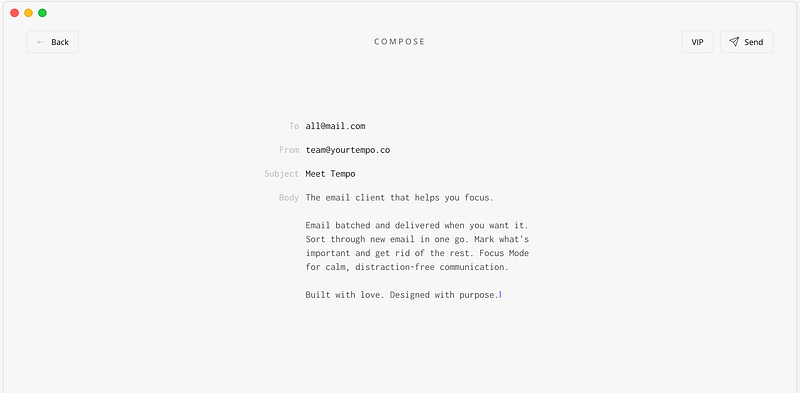
I have not found any email client or any app that is as minimal as this one. Everything is so clear. It lets you focus on your task and doesn’t distract you from your job.

I have used it ever since the beta phase rollout, and so far, it hasn’t disappointed me. In fact, because of how much I adore it, I have written an entire article reviewing the application. you can find it here:

2. Numi Calculator
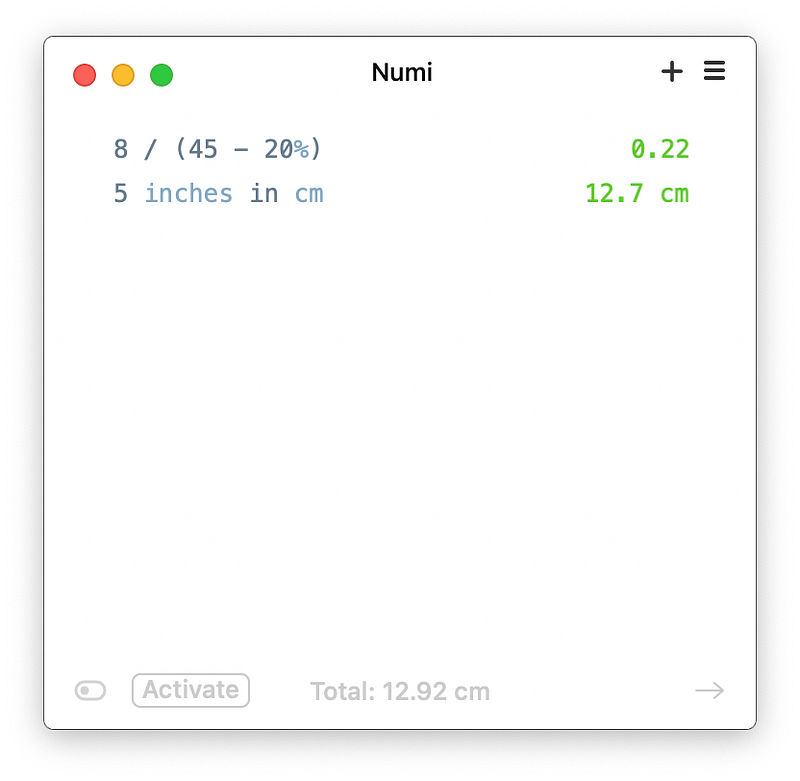
I love when apps use NLP (natural language processing) to process your requests. This small but mighty calculator can understand your requests using common language, although this is not all rainbows and unicorns. You will come across some issues with it; mine was the app not recognizing complex phrases containing multiple operations.

Let’s say it does meet your primary basic needs, and I love it for that.

3. Book Track
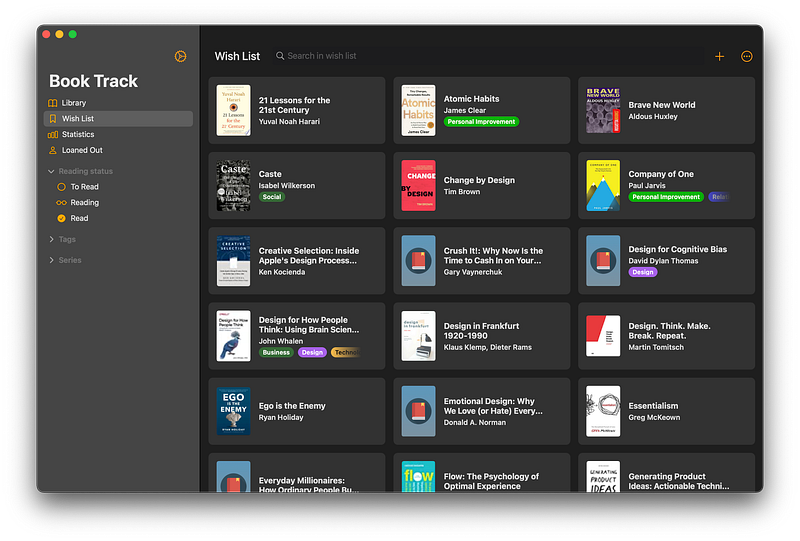
Keeping track of the books you are reading and the ones you want to read is difficult if you don’t have a system. I used to use a spreadsheet for it, but managing a spreadsheet is not a great experience. I wanted something personal, customizable, and simple, and this worked flawlessly.

BookTrack is a great app if you want to manage your library. The iPad app follows apple’s design guidelines, which is another plus if you are a tablet user.

4. Downie
There are moments when a service doesn’t let you watch a video, or your browser can’t efficiently play high quality 4K content as well as a native application; that is why Downie is my #1 choice when it comes to downloading video content from the web. It supports many websites and can easily give you your preferred resolution.

5. Binaural
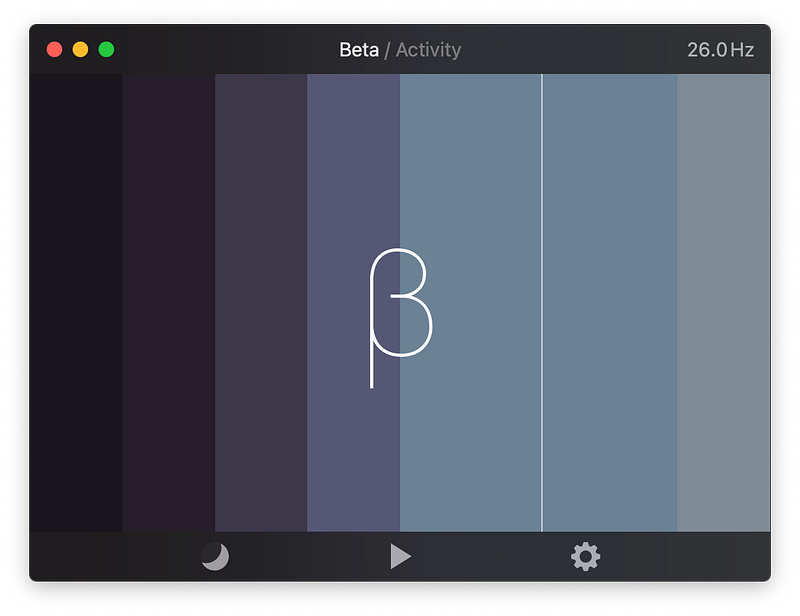
The science of listening to brainwave sounds is not solid, but forming a habit of listening to them every day can reduce your anxiety, stress levels, and negative mental states. I listen to binaural beats every day, and for me, it works. This app is terrific. The design is super minimal and straightforward. It requires almost no learning, and in my opinion, should be used with headphones for the best result.

6. GameTrack
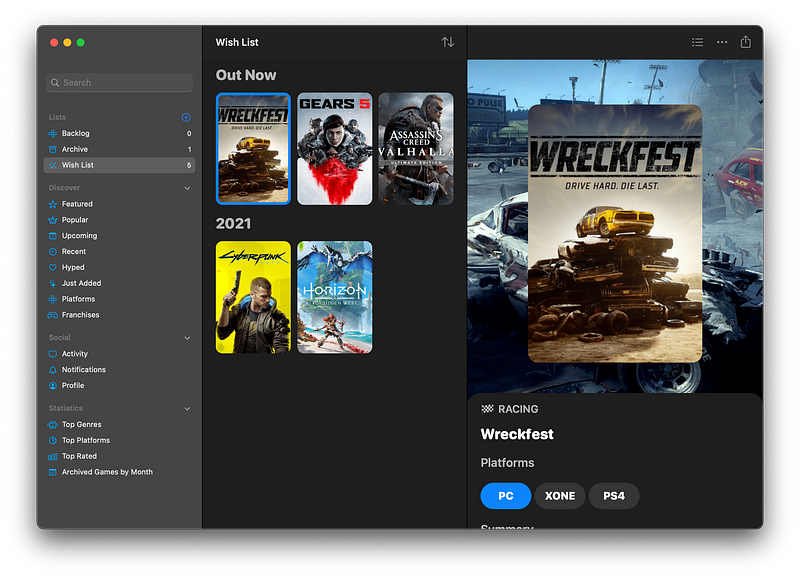
If you are into gaming, I recommend installing GameTrack. I usually watch trailers of upcoming video games, and I get this feeling that I am going to play them, but forget because I haven’t written it anywhere, and more importantly, I don’t know when the game will exactly release. With the help of GameTrack, all of that is automatic. All I need to do is enter a few games I want to play, and it will do the rest.

7. Tomato 2
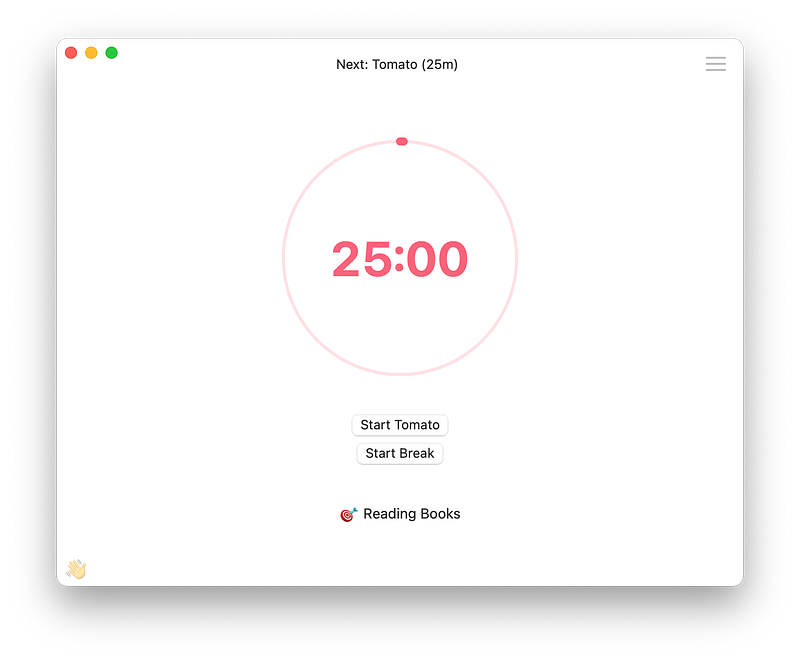
I get in the zone when I specify 25 minutes of my time to dedicate. That is how I stay on top of my tasks, and it works great. What is the secret? Blocking distractions; It is essential. This app does both. Alongside a fantastic timer, you can pay a small in-app purchase to unlock a feature where the app restricts you from going to distracting websites.

8. Reeder
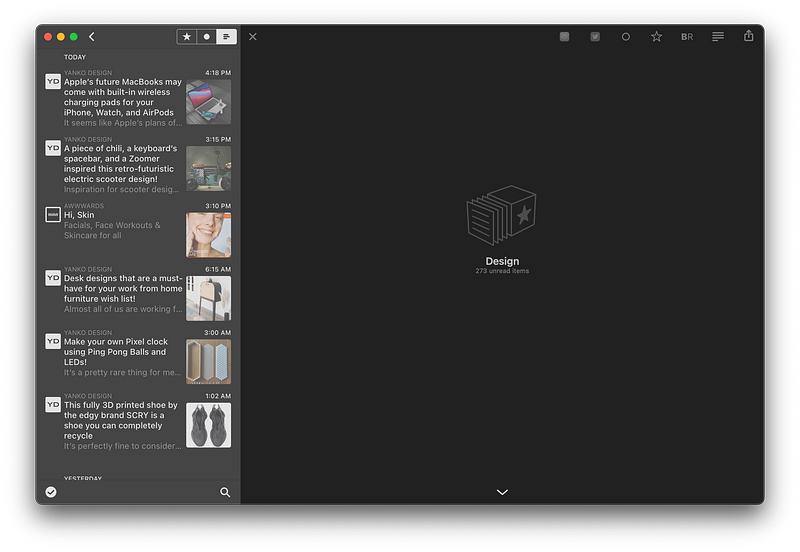
You can keep scrolling your Twitter feed to find out and read the latest news for the topics you are interested in, but know this:

No matter how hard we try, we’ll never reach the end of the internet. — famously said by the minimalists

Scrolling doesn’t end, it will just exhaust you, and social media tends to hurt us in ways we can’t even imagine. That is why I am recommending an RSS reader app.

Reeder is a minimal designed, compact app which lets you categorize your news source, and read them later on. There is a newer version of the app on the AppStore, and I’ll make sure to link it below.

9. GoodLinks
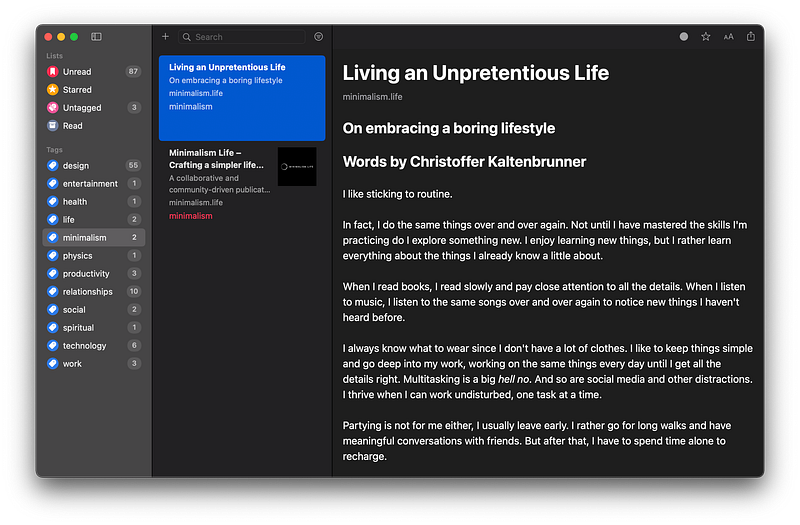
I have tried using Pocket, and Instapaper, also some more, but couldn’t live with the subscription model they ask. I wish they were cheaper or had a one-time purchase, so I decided to go with GoodLinks. It is a great universal Mac app that flawlessly works on iPads and iPhones. It has a one time purchase and uses tags to sort your articles so you could read them later.

Give this one a chance, mainly since it uses iCloud for storage.

10. Bear
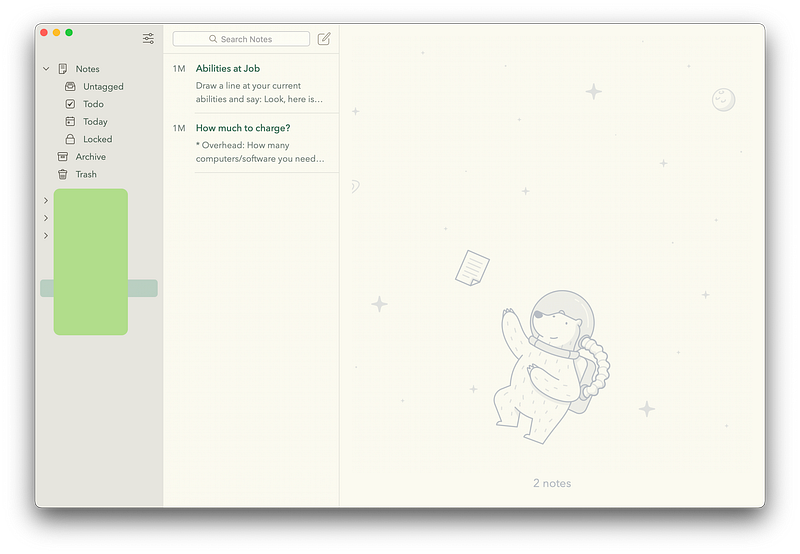
I love this app so much that I’ve written an article about it a couple of years ago. I believe the minimal aesthetics combined with its extremely functional interface, makes it a must-have for anyone interested in saving their time and letting their eyes enjoy a little beauty.

Thank You

I want to thank you for reading this, and I will be thrilled if you let me know of other useful minimal apps, and I will add them in the next article.

Minimalism
Mac
Apps
Apple
Design
Recommended from ReadMedium