
The iOS 15.4 Update is Too Good to The Level it Couldn’t Get Any Better
With Safari updates, a new Siri voice, AirTag changes, and many more

For every major iOS update, there always existed a minor update that Apple pushes to deliver its alluring promises at the WWDC before.
For iOS 14, it was iOS 14.5. And for iOS 15, we have two, surprisingly — 15.2 and 15.4. Apple just nailed it here.
The iOS 15.4 RC is released lately, which too didn’t fail to surprise us with its mind-boggling features/changes.
RC meaning Release Candidate, which would possibly be the public version if no bugs or fixes get spelled.
For the first few features,
And here are 8 more changes the RC version brings!
#1. You can no longer save passwords without a username

Often, especially when the username and password screens are different, Safari fails to detect your credentials. That case, it only saves your password, but not the username. Ever experienced it?
So, the next time you visit the same website, you had to cudgel your brains very hard to recollect that forgotten username.
However, from iOS 15.4, Safari no longer saves passwords without usernames, and vice-versa. It always prompts you for the other lacking one. So you’ll always have the full set of credentials for all the websites.
Can you hear that loud “Thank you, Apple!” from your future self?
#2. Weekly notification average, instead of daily 🔔
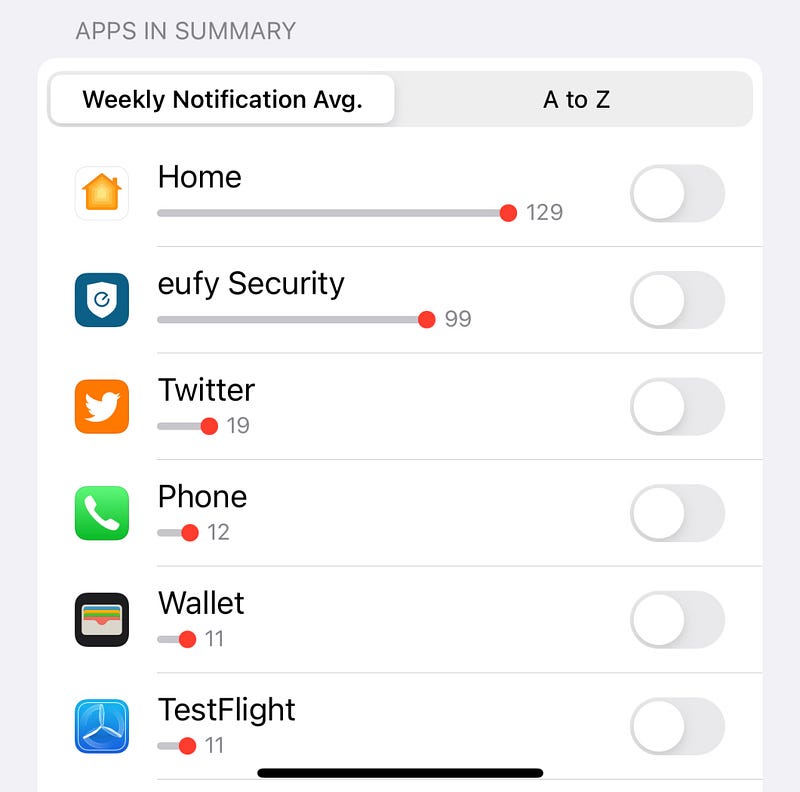
For the uninitiated, the Scheduled Summary feature was introduced for reducing distractions by notifications. You just set specific times for apps to notify you, and Apple does the job.
However, it firstly had daily notification average for insights.
Apple now replaces it with “weekly” average, which I feel might give better insights, keeping a work-week in mind.
#3. New notification prompt for Notes app 📝
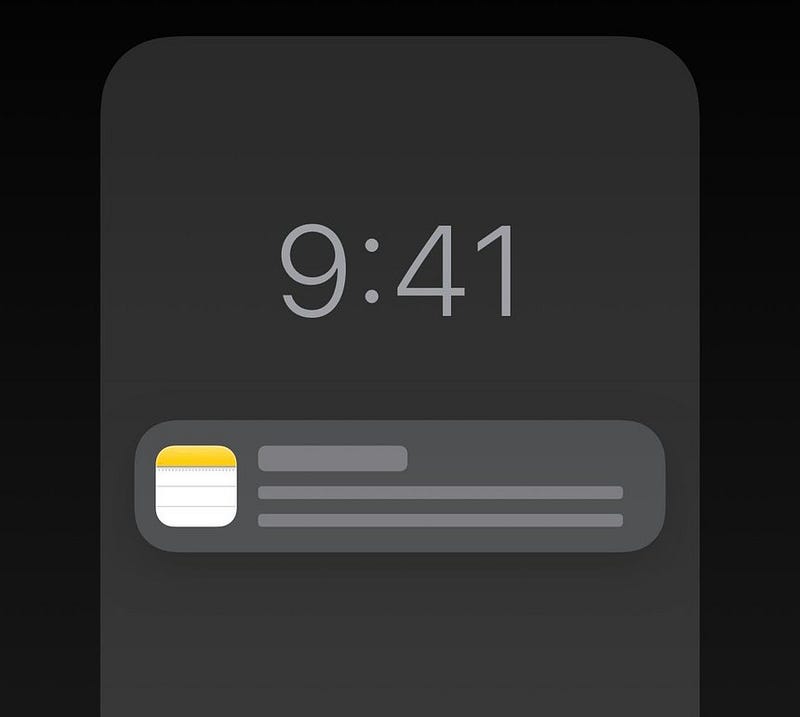
“The iOS 15.4 public version might feature a new notification prompt for Notes app” — says Steve Moser. He claims to have spotted it in the built-code of the beta updates.
Rumours say the new notification prompts might also arrive for other apps like Find My. A little change, but looks cool, right?
#4. Anti-Stalking Changes for AirTags 📍
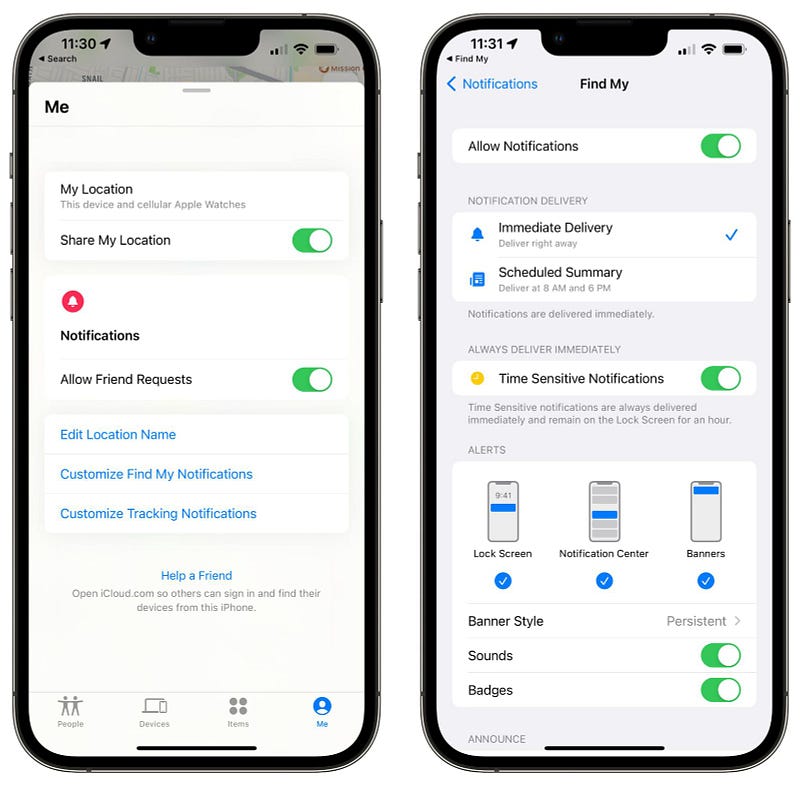
The AirTags have been quite a little controversial devices, for which Apple has undergone a long haul to make them comply with the safety laws of every region. Likewise,
This update, it brings few changes that forewarn people not to stalk and help people not get stalked. They are:
- The first time you connect an AirTag to your iPhone, the splash screen now warns you that — the AirTag is linked to your Apple ID, and can signal your identity if found stalking, which is a crime in many regions.
- You’ll no longer have the option to disable Find My safety alerts now, which warn you if you’re being stalked by an AirTag.
In the upcoming updates, Apple also plans to introduce the ‘Precision Finding’ feature for unknown AirTags too!
#5. Fifth Voice for American Variety Siri 🗣
Siri gets a new voice in iOS 15.4, with the filename as ‘Quinn’ — As reported by Steve Moser.
If you’re currently on public version, listen to the voice from his tweet below:
Does it sound different? Yes it does.
Apple discloses the voice is gender-neutral, i.e., it’s recorded by a person of the LGBTQ+ community. This inspiring move promotes equality and respects diversity.
#6. Hide IP Address on the Apple Watch Mail app (too) ⌚️
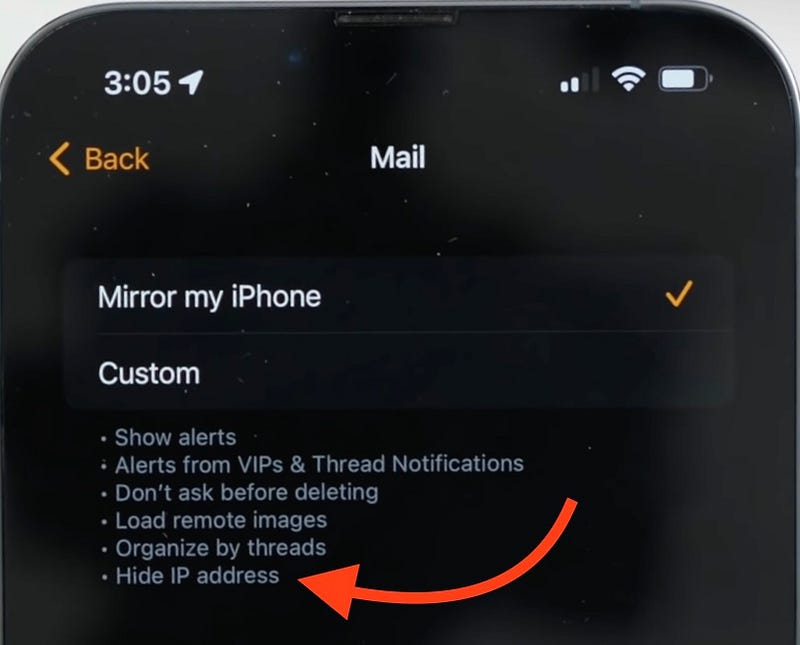
Prior to iOS 15.4, we only had the ‘Hide IP address’ feature (part of iCloud+ Private Relay) on the iPhone Mail app. So Apple couldn’t fully protect our privacy in the Apple Watch Mail.
This update, the Watch app on iPhone shows ‘Hide IP address’ in the Mail section. This gives trackers and invisible pixels no way to track your activity on your Apple Watch.
Thus, you’ll now be staying more private and cozy in the Apple ecosystem.
#7. Install iOS Updates over Cellular 🔺
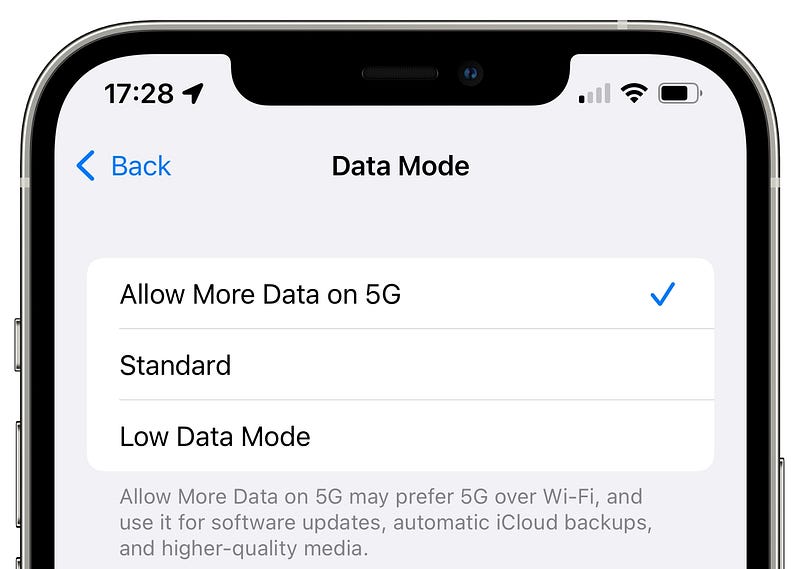
If you want to update iOS via cellular today, you can only do it with 5G. So,
- you should be living in a region with 5G connectivity, like the US,
- and should have a 5G-enabled handset (iPhone 12 or above).
Or else, you’ll have to find a Wi-Fi hotspot for the updation, which wouldn’t always be possible. Also, updation via 4G is supported only in some regions, like India (where internet is dead-cheap).
But from iOS 15.4, Apple enables the facility for all regions and all handsets, let them be 4G or 5G-enabled. This is especially helpful if you don’t have a Wi-Fi hotspot nearby all the time.
#8. Safari translation gets Italian and Chinese (Traditional) 🥢
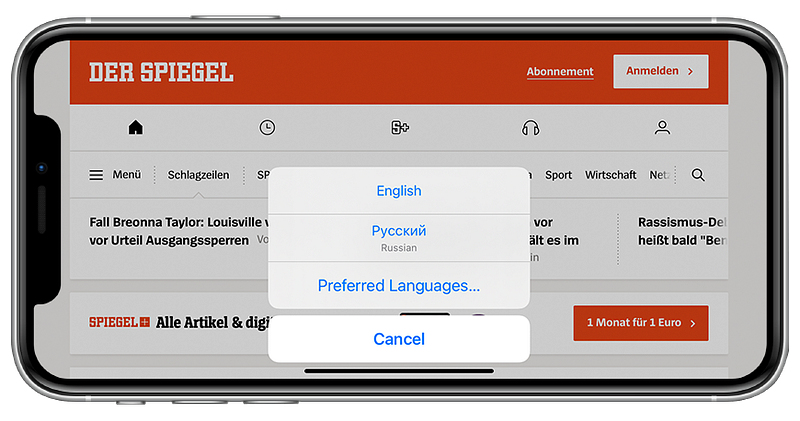
Apple now adds Italian and Chinese (Traditional) to Safari translation.
To translate web pages to these two languages, just add them to your preferred translation languages or set the default iPhone language to any one of them.
Conclusion
As reported by Aaron for Zollotech, the iOS 15.4 update brings whooping 35+ new features, ultimately bringing all the promised features by Apple, and more.
Rumours say this would be the last minor update until iOS 16 arrives. Or perhaps we might have one more minor update with simple bug fixes and security features, like the bald update iOS 15.3.
But God, I just couldn’t wait for the public release of iOS 15.4. Are you restless too?
If you liked this story, you might also like:
Get notified via email whenever I publish. Join 45+ others!
Not a Medium member yet? To get unlimited access to all stories on Medium, Sign up now!
(It’s an affiliate link so I receive a portion of your payment, with zero extra cost for you.)


