
The iOS 15.4 Update Is Much Bigger Than We’ve Expected — 7 More Changes!
With updated Mask ID, Captive Wi-Fi support, Wallet updates, and many more
At first, it was the iOS 15.2 update that sent chills down the spines of all the Apple fanboys/girls. And then it’s the iOS 15.4 Beta update that gave a bigger kick.
It brings hell a lot of amazing features that could probably change the way you use your iPhone.
For the first few changes in iOS 15.4 Beta 1,
And here are 7 more changes Beta 2 brings!
#1. Anyone with an iPhone can now be a merchant 💳
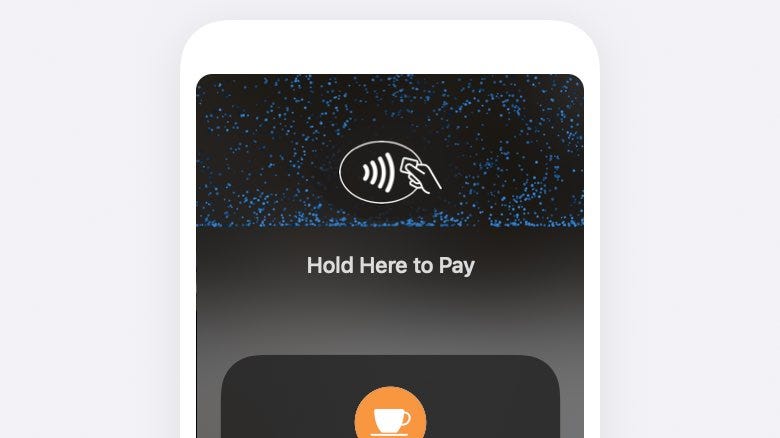
Apple adds Tap to Pay API Framework in the iOS 15.4 update. This enables any iPhone user to accept payments using supported cards by the NFC facility. Apple has also been working with companies like Stripe and Shopify for a while to let them use the NFC reader on iPhones for payments.
If you want to use this feature, you have to register your business in the Apple Business Register. And then your iPhone will be your card machine.
This not only works with cards and Apple Pay, but also on other devices that support NFC payments — like Google Pay and Samsung Pay.
Note: Tap to Pay is compatible only with iPhone X series or later, as they only have NFC readers embedded.#2. Built-in Web Notifications 🔔
This feature is already there on MacOS for ages. Have you ever seen this prompt on Safari MacOS?
The website ***** would like to show alerts in Notification Centre.Don't Allow | AllowYou can choose receive the exactly same prompt on Safari iOS in the iOS 15.4 update. By this, you can receive notifications from third-party websites on Safari — like the latest news, alerts etc.
To use this feature, after you update to iOS 15.4, go to Settings ⚙️ < Safari 🧭 < Advanced < Experimental Features and turn on Built-In Web Notifications .
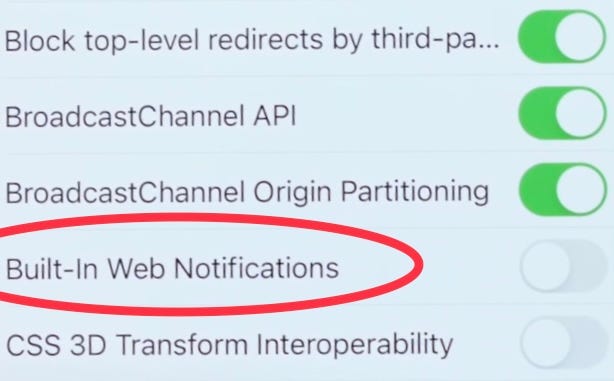
The option might be a bit towards the surface in the public release, making it easier to find.
#3. Change lenses for Magnifier 🔍
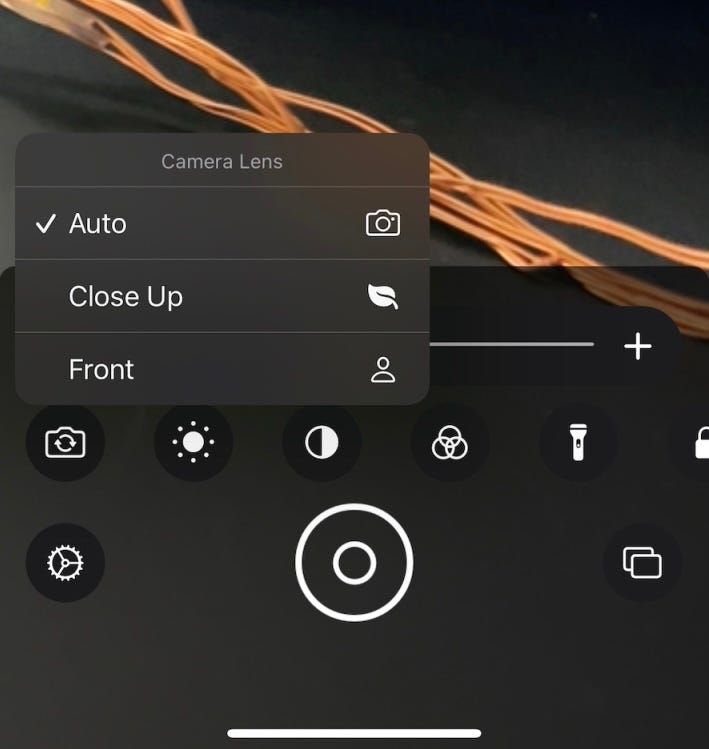
As of iOS 15.3, we could only switch between the back and front cameras in the Magnifier app. It was comfortable tho, but there was no freedom to switch between the pro iPhone lenses for better zooming.
This update, we’re getting it. The Magnifier app would now make use of all the lenses to provide better picture detailing.
#4. Updated Mask ID 😷
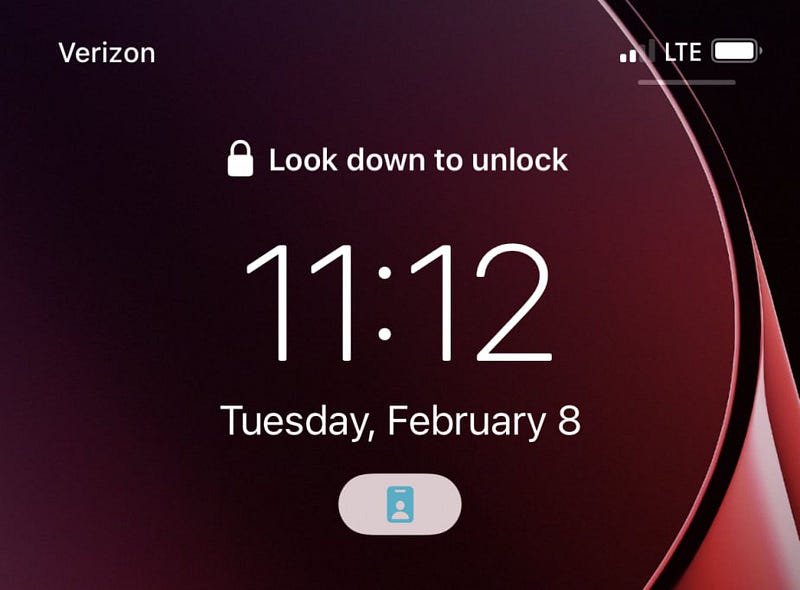
The Mask ID in iOS 15.4 Beta 1 worked well. However, in the Beta 2, it now says “Look down to unlock”, to further verify your face.
The wording near ‘Use Face ID With a Mask” clearly tells Apple isn’t much confident on the reliability of Mask ID. This little update might cover up some flaws and be an enhanced version of it.
#5. This feature was removed ☁️
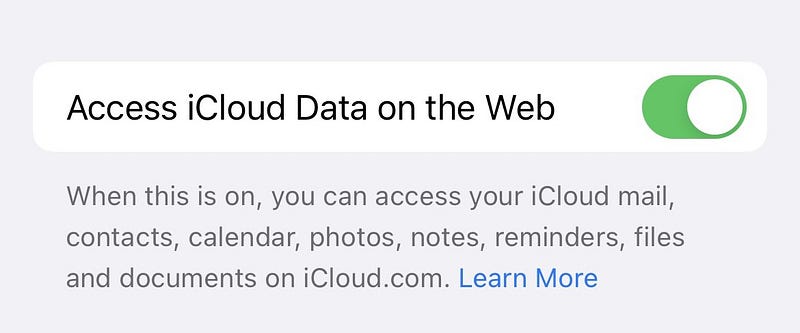
The iOS 15.4 Beta 1 update allowed us to disable iCloud data access on the icloud.com website. That was a pretty needed feature, as it adds an extra layer of security to your personal data like contacts, photos, notes, and files. However,
Apple has removed it in the Beta 2 update, with the reason being unclear. Perhaps the feature is still under development, and might hopefully return in the future.
#6. Captive Wi-Fi support for HomePod and Apple TV 📶
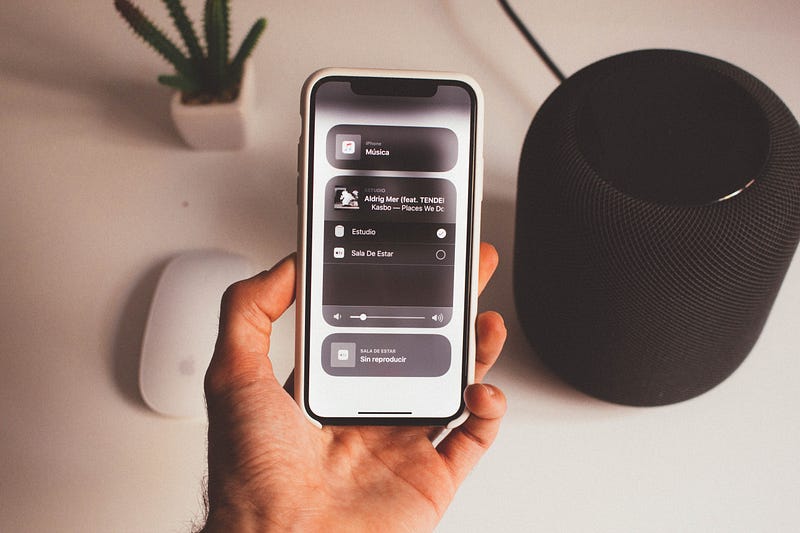
The HomePod is a rather simple device with simple applications. More importantly, it lacks a screen. So Apple couldn’t build captive Wi-Fi support for it.
So we couldn’t use them in places where Wi-Fi needed to be logged in — like in a hotel room, university, or public Wi-Fi.
This update, Apple enables captive Wi-Fi support for HomePod by handing off the Wi-Fi login page to your iPhone to get your HomePod logged in. tvOS too is getting this feature in its next update.
#7. Verified Digital IDs in Wallet


This feature was already announced in WWDC 21, and was much longed for since then.
This update, Apple plans to add support for driving license and digital IDs to the Wallet app. Apple has also partnered with Hyatt hotels and Walt Disney to pop up their virtual keys and passes in the users’ Wallet apps as soon as they check in.
Isn’t this awesome?
#8. One more change in the Wallet app…
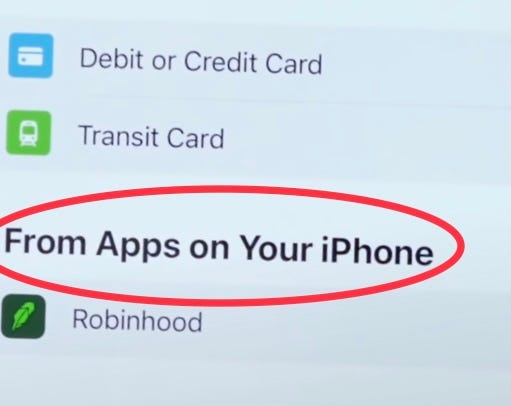
The Wallet app would now prompt you to add passes from compatible third-party apps on your iPhone.
This way, you don’t always need to open a bunch of apps every time you need someone to verify your identity. The Wallet app is made to be enough.
“Apple is slowly making iPhones people’s ID cards.” — Me
Conclusion
Day by day, my excitement for the iOS 15.4 update is getting to its peaks. This update seems like the biggest minor iOS update till date. Just can’t wait to know what the public version brings us.
Are you too?
If you liked this story, you might also like:
Get notified via email whenever I publish.
Not a Medium member yet? Me too. But if you consider signing up for it, Sign upnow!
(It’s an affiliate link so I receive a portion of your payment, with zero extra cost for you.)