
iOS 15.2 & MacOS 12.1 Are Uniquely Awesome — Here’s Why
With Apple legacy, App privacy report and many more
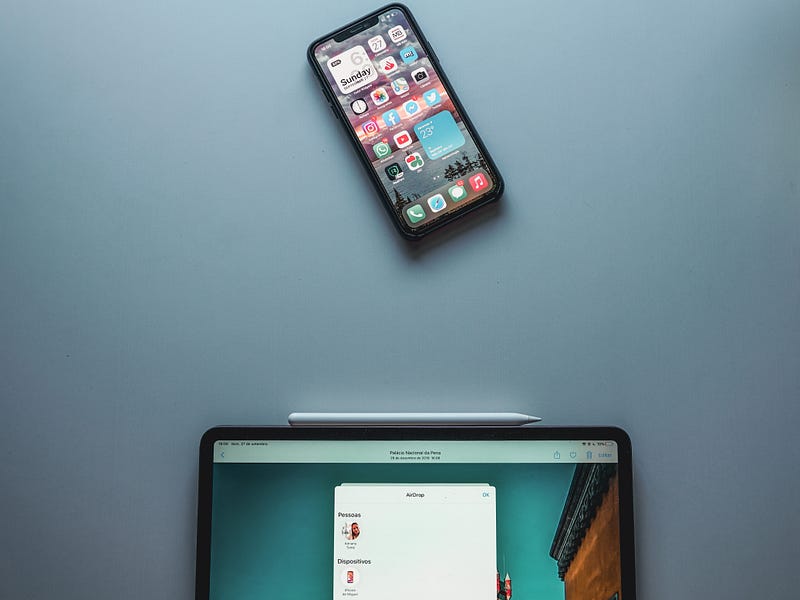
It looks like Apple’s iOS 15 game has just begun and it ends up till the verge of 2022 productivity. The RCs (Release Candidates¹) of both the long-wait updates iOS 15.2 and MacOS 12.1 have been released lately.
And here are all the new features they’re packed with.
First, iOS 15.2:
It feels I’ve been waiting for ages for this update. For about a month, the first thing I did every morning was checking for this update. Why? For the all new changes and features it’s expected to bring. Finally, the RC has arrived!
And here are (most of) the new changes it brings:
#1. Redesigned notification summary ❗️
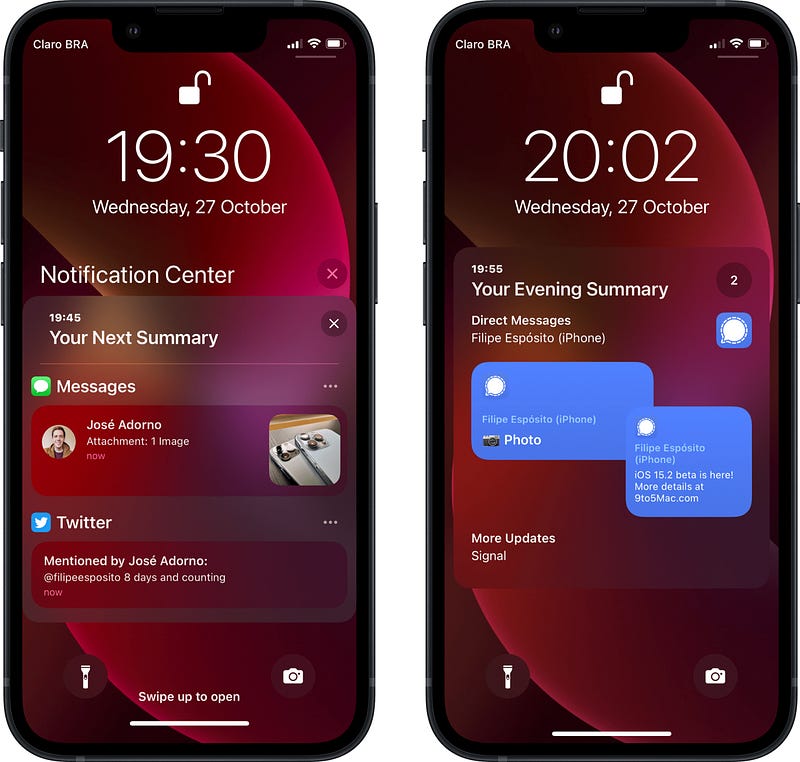
The iOS 15.2 summary looks minimalistic. They’ve rearranged it to keep notifications closer and easily accessible, rather than clumping all the unimportant notifications that once needed to be scrolled by. This way, we could arrive to the important notifications faster.
When you click on any of the blocks, it expands to show you more information on only those notifications, but not all of them unlike in the previous versions.
#2. App Privacy Report 📄
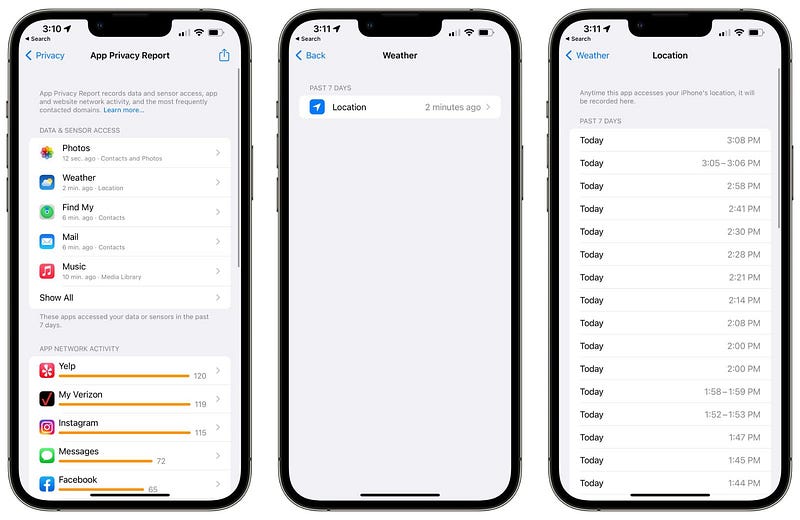
Apple killed Facebook (err… Meta) and Google with that one single popup — Remember? App Tracking Transparency. This new ‘App Privacy Report’ is the second level of that privacy game.
This feature was already announced by Apple in WWDC 21, but is being rolled out now in this new update. This report is designed to provide you with information on how frequently your apps are accessing sensitive info you’ve provided access to — Such as location, contacts, camera, microphone, photos etc.
It also provides you with the last network access time for every app, the different domains they’ve contacted across the last week, and the domains contacted most often — Literally everything that’s going on on your device. Isn’t it?
And the interface looks pretty friendly. You can view the info for each app separately.
#3. Hide My Email (iCloud+ feature) 🙈
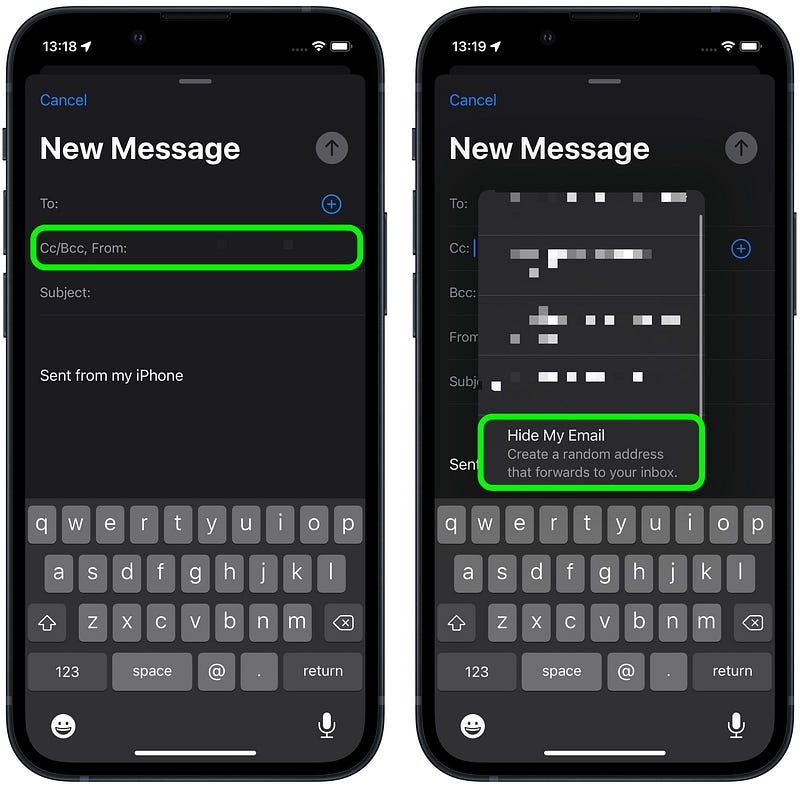
If you have multiple emails in your default Mail app, you already know you need to choose between both of them for a new compose. Now in iOS 15.2, you’ll find a new thing there — The ‘Hide My Email’ option.
This allows you to create a unique and random address (like [email protected], as seen in Zollotech) which is shown up in the ‘From’ row for the receiver. Meaning: They couldn’t know your real email.
If they reply to your mail, it’d actually be sent to that random address, which again forwards the mail to your personal email. This way, you could keep your personal email invisible under your hat. However, you need iCloud+ for this which costs 99 cents for the basic plan.
#4. Legacy Contacts 👨👦
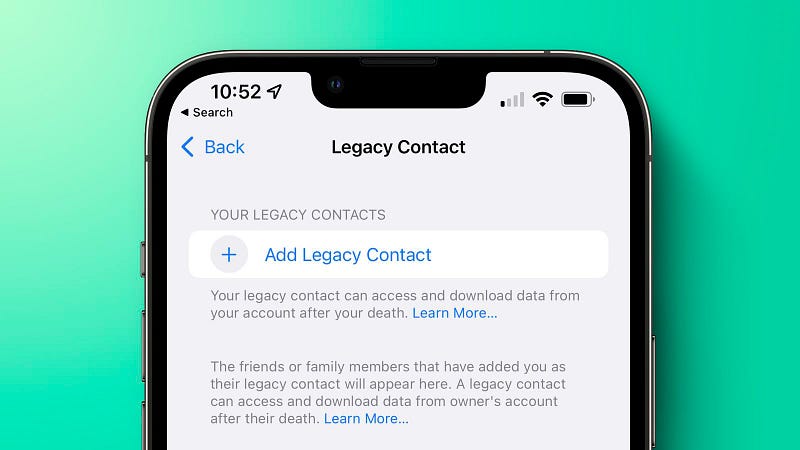
Hats off to you Apple! You care for my data even after my death.
Prior to this, (if you really cared,) you’re needed to give your friends or family your iCloud account password to make sure they can access your data if you pass away. This was risky, as they might access your account without your notice even when you’re alive.
With this feature, you can choose a legacy contact, who, after your death, should share a private access key and a copy of your death certificate with Apple to download your iCloud data — like photos, videos, notes, docs, messages, and other personal info.
Other new features…
- Search option in Music playlists. 🎵
- Apple Music Voice plan for $4.99 per month 🎧 (What is it?).
- Emergency SOS: Now you can call emergency with five (lock button) presses, and the call countdown is reduced to 8 seconds. 🆘
- The TV app now gets a store where you can buy or rent movies. Instead of going to iTunes (as we did before), you can get them right here. 📺
- Apple brings CSAM (Child Safety Abuse Material) scanning in Messages app, which first (locally) scans every received photo and blurs it if it perceives sexual content and if the iPhone is used by a minor. If they really want to see it, Apple allows them and then notifies the adult.
Now comes Monterey 12.1
Apple brings most of the new features of iOS 15.2 to MacOS 12.1 as well — Like
- Hide My Email,
- Legacy Contacts,
- Apple Music Voice Plan,
- Store in TV app, and
- CSAM Scanning in Messages.
But there are two exclusive features to MacOS:
#1. SharePlay
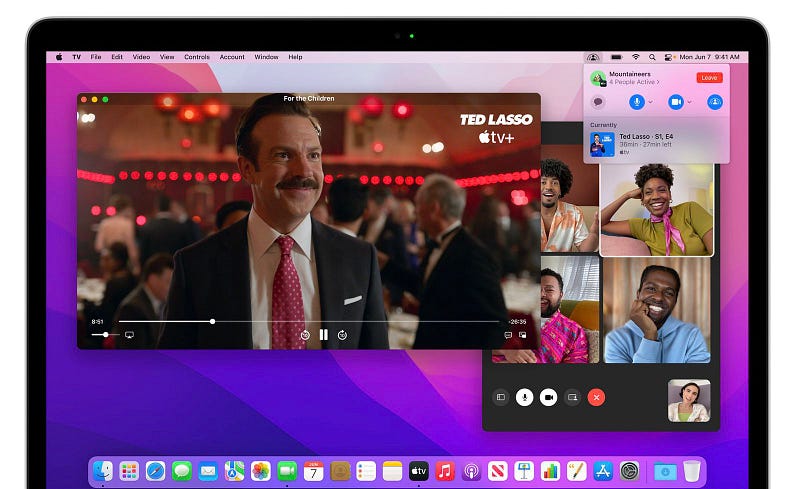
iOS already got Shareplay in 15.1 update, and MacOS gets it now in the update 12.1. By this, you can listen Music, or watch TV with your friends or family virtually together via FaceTime.
#2. Screenshare on FaceTime
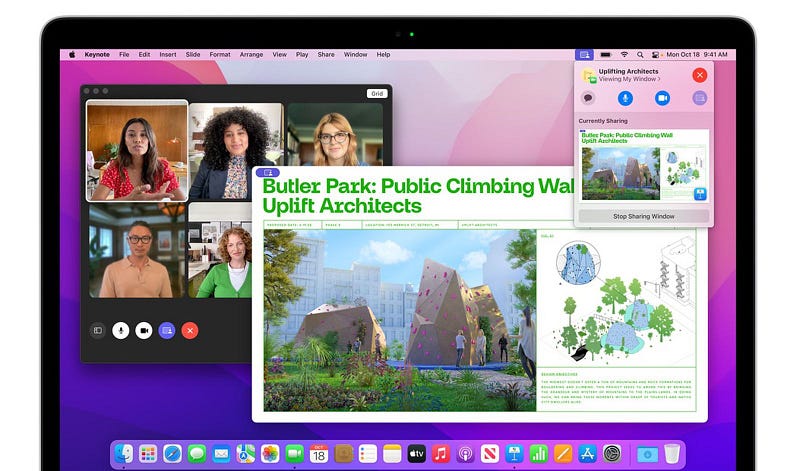
The other day, I was confused when I didn’t find the screenshare option in MacOS 12.0.1 FaceTime, because we already had it in iOS 15 since its beginning. And then I realised it didn't arrive to MacOS yet.
Finally, in this update, we’re getting it. This way, you can share your Mac screen on FaceTime.
Additionally, secret…shh… Call your iPhone on your Mac’s FaceTime and then share your iPhone’s screen. And…ta da! You can now view your iPhone on your Mac!
Conclusion
The iOS 15.2 and MacOS 12.1 are one of the earliest updates of this Apple year. Yet, they bring super useful features which we didn’t know we needed.
As these are only RC updates, we might need to wait for the public version for the full list of features Apple wanted to give us. We might get more. Aren’t you excited?
¹(Was called Golden Master till iOS 14.2). Release Candidate is typically the final beta version before a major update.
If you liked this story, you might also like:
Apple Might have Secretly Set a Self-Destruct Timer in Your iPhone
And it slowly kills it
medium.com
Get notified via email whenever I publish.
Not a Medium member yet? Me too. But if you consider signing up for it, Sign up now!
(It’s an affiliate link so I receive a portion of your payment, with zero extra cost for you.)


