
Test Custom Hooks Using React Hooks Testing Library
Build out a basic testing infrastructure for your hooks

Hooks are popular, as they bring readability and maintainability. Custom hooks become enablers for composability and reusability. In headless UI components, we explored custom hooks, along with high-order components (HOCs).
How can we test them? In Test Cases and Test Coverage for High Order Components, we gave examples on how to write test cases for high order components and how to measure test coverage, using the Jest and React Testing Library. In this article, we are going to demonstrate how to use React Hooks Testing Library to test custom hooks.
Install React Hooks Testing Library
There are two packages needed for testing custom hooks:
npm install --save-dev @testing-library/react-hooks
npm install --save-dev react-test-renderer
After the installation, these packages become devDependencies in package.json.
Test Renderer (react-test-renderer) is used to render React components to pure JavaScript objects, without depending on the DOM or a native mobile environment. The installed version should match the React version.
@testing-library/react-hooks is built on top of Test Renderer.
You probably need other @testing-library packages too. If you use Create React App, they are part of dependencies in package.json:
"dependencies": {
  "@testing-library/jest-dom": "^4.2.4",
  "@testing-library/react": "^9.5.0",
  "@testing-library/user-event": "^7.2.1"
}
renderHook API
renderHook API is the center piece of @testing-library/react-hooks. It renders a test component that calls the provided callback, including any hooks it calls, every time it renders.
function renderHook(
  callback: function(props?: any): any,
  options?: RenderHookOptions
): RenderHookResult
options has the type of RenderHookOptions, which is an object that optionally includes:
initialProps: It is the initial value to thecallbackfunction ofrenderHook.wrapper: It is a React component to wrap the test component while using global context.
RenderHookResult is a data structure defined as follows:
{
  current: any,
  error: Error
}
We are using examples to show how renderHook is used in various cases. Create React App is used as the working environment. All custom hooks are hosted in src/hooks, and all hook tests are hosted in src/hooks.test.js.
In Everyone Can Build a Custom Hook, we built a series of hooks. We are going to use them to build test cases.
This is the simplest hook:
The following are test cases:
At line 6, renderHook is used to render the custom hook, useMyName.
At line 7, result.current is the return value of useMyName.
Comparing to the case at lines 5 - 8, lines 10-13 show a different case with the initial value set to “Larry”.
As we have explained in the other article, the following command is used to execute the test cases:
npm test -- --testMatch="<rootDir>/src/hooks.test.js" --collectCoverage --collectCoverageFrom="src/hooks.js"Here are the test results and test coverage:
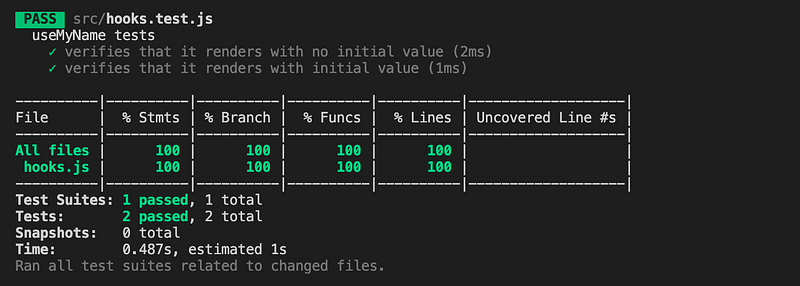
rerender API
In the previous tests, we repeated two tests with different initial values. This can be combined by passing the initial value to renderHook’s callback:
renderHook((initialName) => useMyName(initialName)When the initial value changes, we call rerender to trigger the hook to be recalculated.
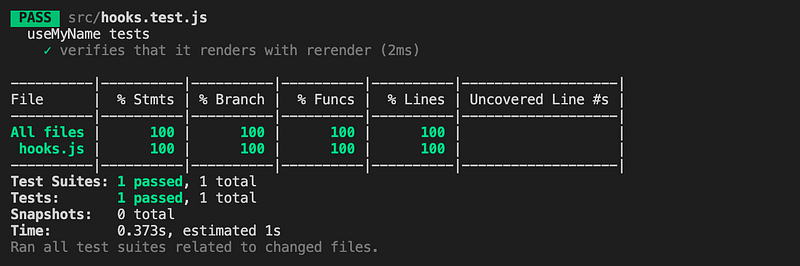
function rerender(newProps?: any): voidHere is the alternative test suite:
This produces the same results:
Now, let’s take a look at a more complicated custom hook, which returns a method and a value.
Here are the test cases:
At line 6, renderHook is used to render the custom hook, useMyName. This time, current is destructured to a method and a value (line 12). The method is tested at line 13, and the message is tested at line 14 and line 16.
Run the test suite:
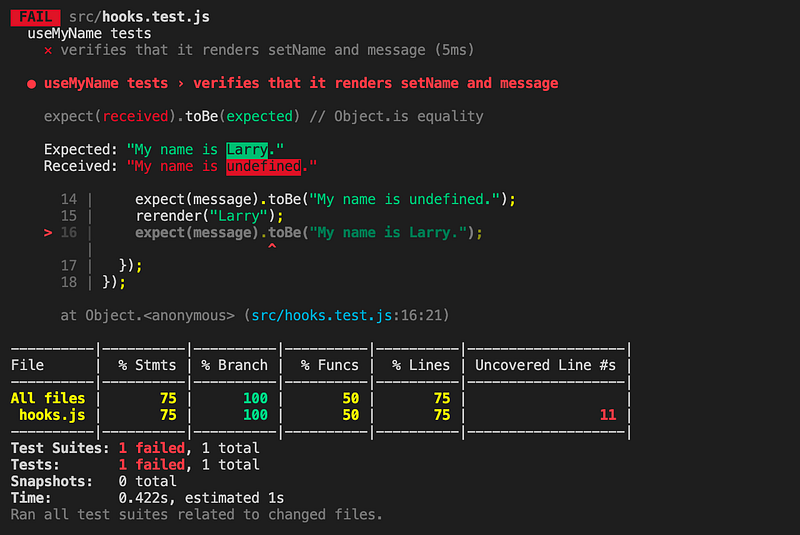
What happened? The test fails at line 16.
The value of message is destructured at line 12. message becomes staled and does not pick up the new value, “Larry”.
It is something to keep in mind. Though destructuring the value of result.current makes the code clean, any subsequent updates are only available in the direct usage of result.current, unless they are destructured again.
We fix the issue (line 16) in the following test code:
But we still get the failed test result. What else is wrong?
In useMyName, initialName is passed to useState as the initial state. For the nature of useState, rerender will not update the initial state. In order for the state to pick up the props change, we need to call useEffect hook (lines 6 - 8).
Now the test cases pass:
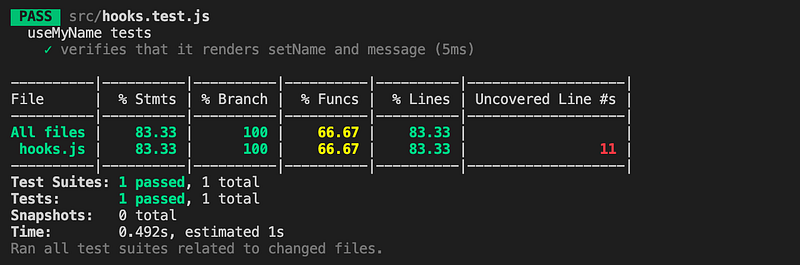
But, we discover that the function coverage is 66.67%. The test cases do not cover the function, setName, at line 11.
We add the test case for the function at line 16:
Run the tests again:
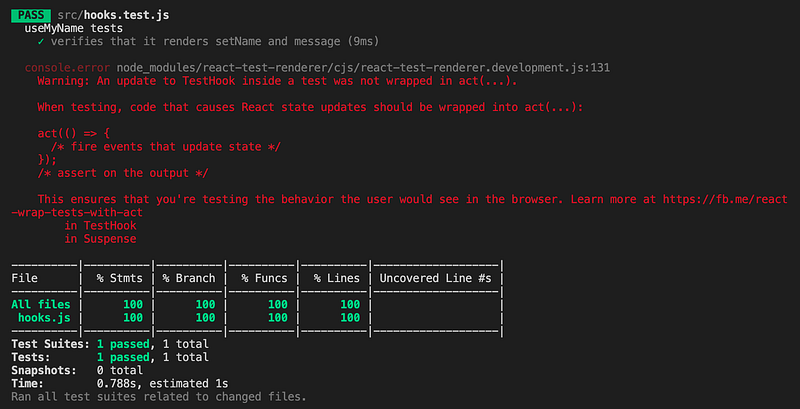
The test cases pass, with 100% coverage for statements. branches, functions, and lines.
But what is that red warning? It means we need the act API.
act API
When testing, code that causes React state updates should be wrapped into act(…).
act is exported by react-test-renderer. Therefore, it could be imported by the statement at line 2.
For the convenience of usage, act is re-exported by @testing-library/react-hooks. It is commonly imported along with renderHook, similar to the statement at line 1.
At line 18, the call, setName, is wrapped inside act.
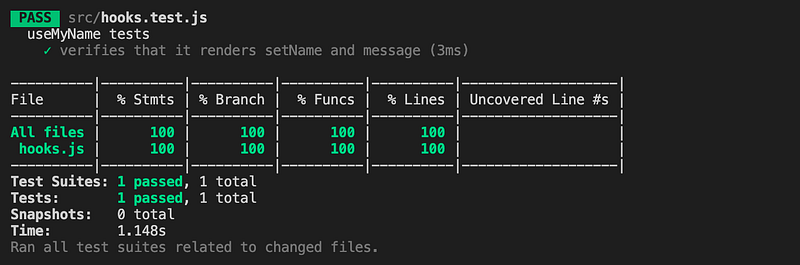
Run the command, we pass all tests, with 100% coverage, and without any warning.
There is another act, exported from @testing-library/react or react-dom/test-utils. It functions similarly, but it is a different act. If you use the wrong one, there will be a warning to remind you:
Warning: It looks like you're using the wrong act() around your test interactions.
    Be sure to use the matching version of act() corresponding to your renderer:

    // for react-dom:
    import {act} from 'react-dom/test-utils';
    // ...
    act(() => ...);

    // for react-test-renderer:
    import TestRenderer from 'react-test-renderer';
    const {act} = TestRenderer;
    // ...
    act(() => ...);
        in TestHook
        in Suspense
In the following test cases, we add a second test suite (lines 23 - 56), which builds a user interface that takes actions:
The two clicking actions (line 45 and line 52) are wrapped by act API.
As always, we would like to do a snapshot test (line 47) to see how it gets rendered:
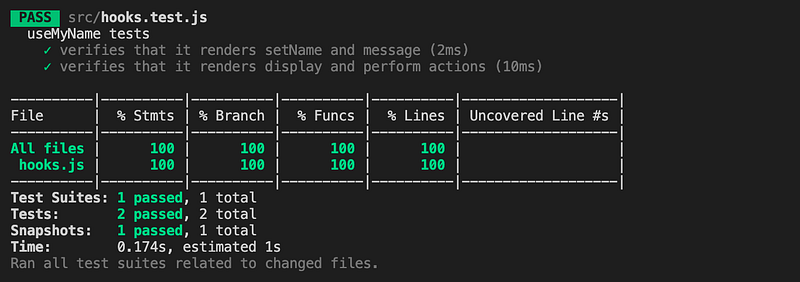
Run the test cases, and we are happy to see everything looks good.
Wrapper for useContext
How can we test custom hooks that call a global context?
In the above code, NameContext (line 3) is a global context, which is used by line 12.
NameContext requires a provider to wrap around the component using the global context. This provider is defined as NameContextProvider at line 5.
We can test useMyName by calling renderHook(() => useMyName()). However, this only verifies the initial value of CreateContext at line 3, which is undefined in this case.
wrapper is one of renderHook’s options. It helps us to resolve the issue. At lines 8-11, it creates a React component that is wrapped by NameContextProvider. This component is free to set any initialName (line 9).
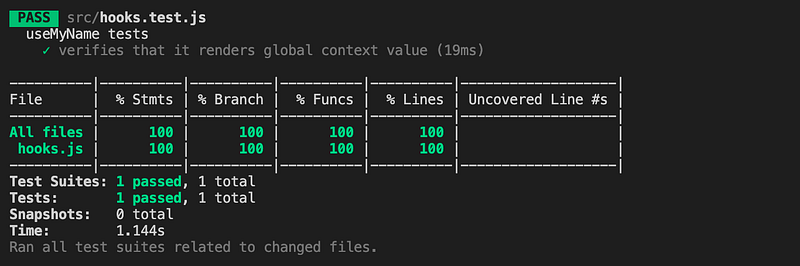
The test at line 14 is able to read the global context value and pass this test suite:
waitForNextUpdate API
There are a few async utilities in the React Hooks Testing Library. waitForNextUpdate returns a Promise that resolves the next time the hook renders, commonly when the state is updated as the result of an asynchronous update.
function waitForNextUpdate(options?: {
  timeout?: number
}): Promise<void>
The following code comes from Lodash: Create React App’s Built-in Library for Debounce and Throttle With Hooks. It debounces a value until wait time.
Here are the test cases:
At lines 11 and line 15, waitForNextUpdate is handy to fast forward to the next state updates.
Test Reducers
Reducer is a function that has the (state, action) => newState type. It is supplied with two parameters — the current state and a user-performed action. Then it returns a new state conditionally on the action that is dispatched.
The following code comes from How to Convert JavaScript Classes to React’s useReducer Hook. It is a reducer to update the cat’s state object.
useReducer is a built-in hook that is suited for managing state objects that contain multiple sub-values. We generate a hook by wrapping a reducer with the useReducer hook. Technically, the useReducer hook is not a custom hook, but it can also be tested by renderHook, similar to other built-in hooks.
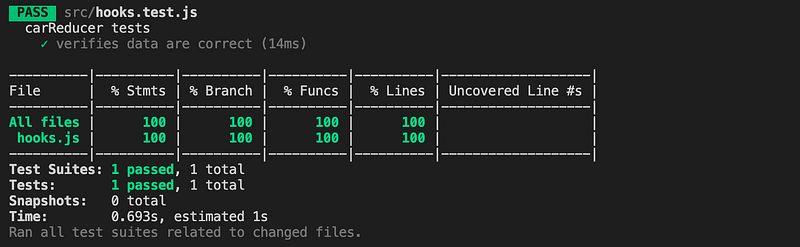
The following are test cases for catReducer:
Run the tests command and we have 100% coverage for the reducer code:
Conclusion
As custom hooks prevail in React, we need a convenient way to test them. React Hooks Testing Library provides the infrastructure to accomplish it.
Thanks for reading. I hope this was helpful. You can see my other Medium publications here.


