
Everyone Can Build a Custom Hook
React Hooks are just functions, and they’re easier than you think

React Hooks are a new addition in React 16.8. This update provides developers with the capability to use state and other React features with a function component. The built-in Hooks — such as useState, useEffect, etc. — have been adopted widely in various React applications. It is a giant leap toward functional programming.
When Hooks were introduced, it seemed a bit scary. The document itself is eight chapters long, and this Awesome React Hooks Github provides an enormous amount of information on the topic. Have you had a chance to read through it yet?
I was initially intimidated by this amount of reading. However, after using some of the built-in Hooks, I was really surprised by their simplicity and cleanness. Then I found out the power is not only in the built-in Hooks but also in the effectiveness of custom Hooks.
A One-Line Custom Hook
What is a custom Hook? It is a JavaScript function that can call other Hooks and whose name starts with “use.”
Here is our first custom Hook:
const useMyName = initialName => `My name is ${initialName}.`;Yes, it is one-line code.
This custom Hook returns a string. It is called with the following example:
This code prints out a message: "My name is Larry."
A Custom Hook Returning an Object With a Method
A custom Hook is a special function. It may call other Hooks, typically useState and useEffect, along with other built-in Hooks and custom Hooks. All Hooks follow some restrictions:
- A Hook name must start with “use.”
- A Hook must be called from a function component or from another Hook.
- Only call Hooks at the top level. Do not call Hooks inside loops, conditions, or nested functions.
We write a fancier Hook that returns an object. It still accepts an initial name as before, but it returns a method to set a new name, along with the message.
Somehow, this code snippet doesn’t work. The message doesn’t show on the screen, and Line 13 prints out "My name is Larry." on the developer console indefinitely.
What happened?
React’s Hooks API Reference page clearly states:
Mutations, subscriptions, timers, logging, and other side effects are not allowed inside the main body of a function component (referred to as React’s render phase). Doing so will lead to confusing bugs and inconsistencies in the UI.
In this case, myHook.setName(‘Larry’) is a mutation. Putting it in App’s main body causes the change to not be reflected on the UI. In addition, setName is a state change, and it triggers a re-render cycle to call setName again. The situation repeats, and this chain reaction prints in an infinite loop.
We need to put setName in useEffect. Then the state change is reflected on the UI.
We pass an empty array ([]) as a second argument to run the effect once. Interestingly, without that, we can see the infinite console.log loop again. By default, useEffect runs both after the first render and after every update. setName is a state change, which causes re-renders. Then again, useEffect is invoked. This results in endless re-renders.
There is another interesting fact about useEffect. Line 15 prints out: “My name is undefined.” Why is it undefined instead of Larry? That’s because setName may not happen immediately.
Instead of passing an empty array, we can pass in an optional second argument ([myHook.message]) to Line 16. Then React skips applying the effect if myHook.message does not change between re-renders. With this approach, we see two console messages:
"My name is undefined."
"My name is Larry."
Here is the explanation: setName does not happen immediately. It prints out "My name is undefined." This state change causes a re-render, which invokes the second output, "My name is Larry." Afterward, myHook.message does not change. Therefore, useEffect will not be executed anymore.
Are there too many pitfalls to write or use a Hook? To avoid these kinds of mistakes, it is recommended to install a special ESLint plugin for Hooks: npm install eslint-plugin-react-hooks --save-dev.
This ESLint plugin needs to be configured as follows:
By default, Create React App includes eslint-plugin-react-hooks.
If you use VSCode, the ESLint extension can show you errors or warnings while you edit the code.
A Custom Hook Returning an Object With a UI
Our previous fancier Hook returns a two-item object:
{
  setName: newName => setCurrentName(newName),
  message: `My name is ${currentName}.`
}
We want to make it a little fancier by adding one more item to have radio button name selection UI, which looks like this:

Here is the code snippet:
This Hook returns a three-item object:
The display value is JSX, a syntax extension to JavaScript. Generally speaking, custom Hooks can return values, objects, methods, JSX, and much more.
A Custom Hook Returning an Array
A custom Hook can return anything as long as the caller knows how to process it.
We rewrite the previous fancier Hook to be a little fancier. It returns an array in a similar way to how useState does. The caller destructures the array for the method, the message, and the UI. Since the method is not used, it doesn’t need to be named on Line 21.
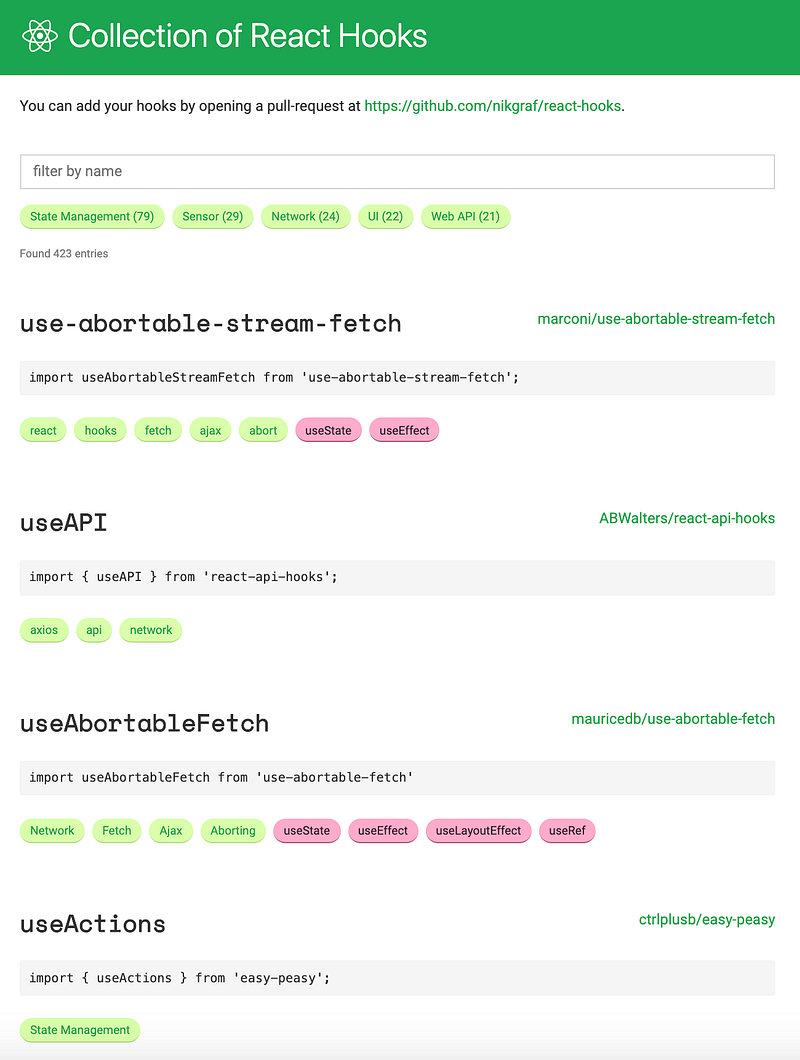
Collection of React Hooks
Hooks have been widely adopted. New custom Hooks emerge every day.
This is a collection of React Hooks:
Hooks open a new world of possibilities. Are you ready to build a custom Hook?
Thanks for reading. I hope this was helpful. You can see my other Medium publications here.