
Suricata on pfSense
Detecting the attacks (like bit torrent) that aren’t in your flow logs
~~~~~~~~~~~~~~~~~~~~~~~~~~~~~~~~~~~~~~~~~~~~~~~~~~~~~~~
⚙️ Check out my series on Automating Cybersecurity Metrics | Code.
🔒 Related Stories: Network Security | pfSense | UDM Pro
💻 Free Content on Jobs in Cybersecurity | ✉️ Sign up for the Email List
~~~~~~~~~~~~~~~~~~~~~~~~~~~~~~~~~~~~~~~~~~~~~~~~~~~~~~~
I was just reading this post on how ransomware attackers are now using torrents to disguise their traffic. That got me curious.
How can you identify torrents and why is it proving to be more successful? In a nutshell, torrents are a a peer to peer (P2) network protocol where two systems connect directly to each other via a distributed network instead of going through the path taken via traditional network devices (rough explanation). You can’t just block a single IP that is transferring all the data. It’s also hard to identify because the details are in the payload. If you’re just looking at flow logs you probably won’t be able to easily spot it.

Some people recommend looking for large file transfers on the network. Various tools will help you with that such as Data Loss Prevention (DLP) tools and Cloud Access Security Brokers (CASBs). Someone else noted that Suricata has some P2P rules.
I’ve used Suricata, an IDS or IPS depending on how you configure it. I wrote about those types of network security solutions here:
In the past when I turned on the rules it ended up blocking valid traffic and slowing down my network too much and I didn’t have time to deal with it. I use other methods of blocking traffic for the most part as explained in my network security posts. In fact, I weighted the pros and cons of Traffic Mirroring in AWS here:
But when it comes to certain types of network attacks and protocols, your flow logs aren’t enough. In the case of BitTorrent, you might be able to identify the info hash in a payload. That requires inspecting the full packet. To inspect the full packet, you need to capture the full packet and have a tool that can analyze and identify characteristics in the packet headers and payload. This is where a tool like Suricata comes in.
If you are running pfSense it is pretty simple to install Suricata. The trick will be in tuning your ruleset and monitoring for new attacks that may require you to adjust your ruleset — either by getting new rules from someone else or writing your own. The instructions below are the very basics of setting up Suricata on pfSense.
Note that you can also run Suricata on AWS but capturing all the packets might be expensive so check out the requirements and costs first. Azure and GCP also have full packet capture services.
Additionally, using a DNS service that blocks known bad domain names might also help:
If it is not bypassed:
Ok, on to Suricata.
Installing Suricata on pfSense
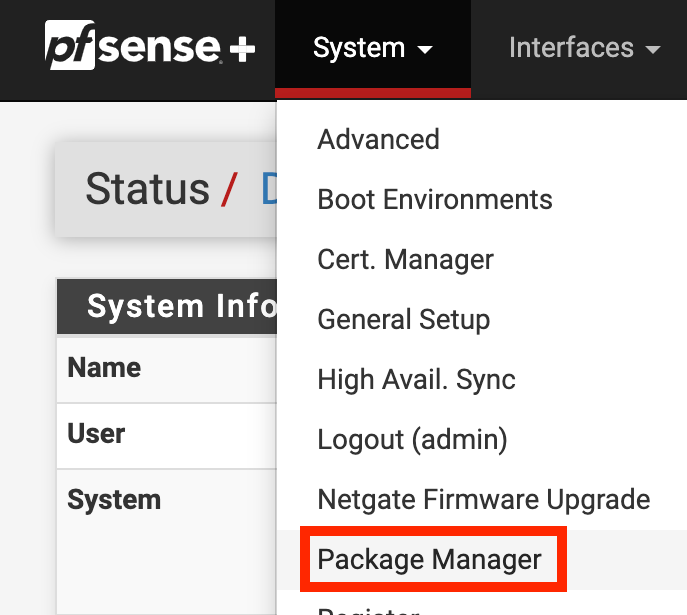
Click on System > Package Manager
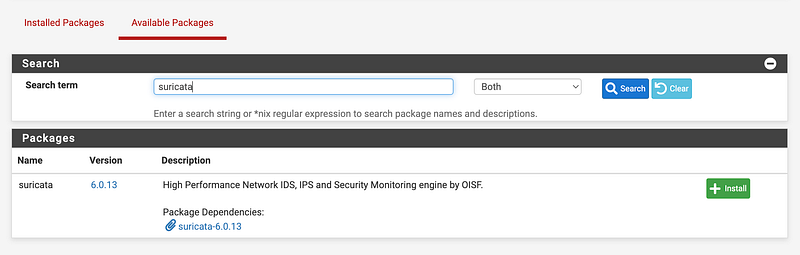
Click on Available Packages.
Search for Suricata.
Click Install.
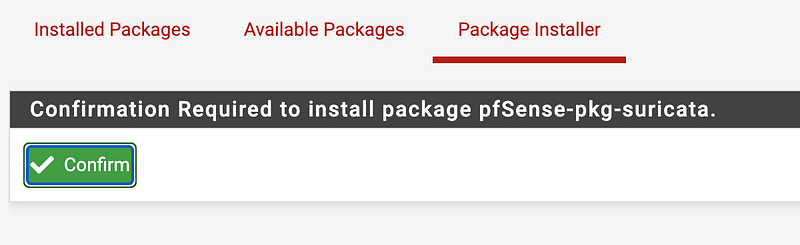
Click Confirm.
Wait.
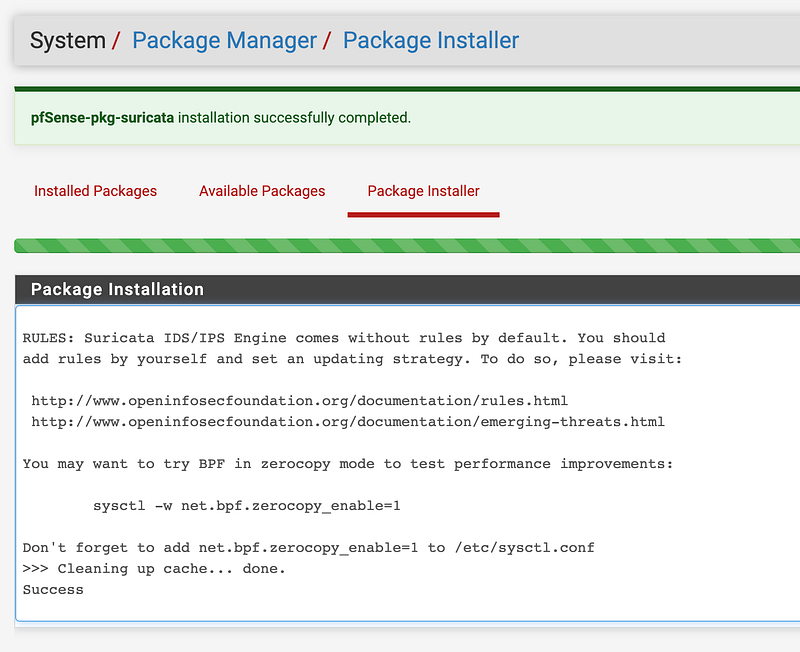
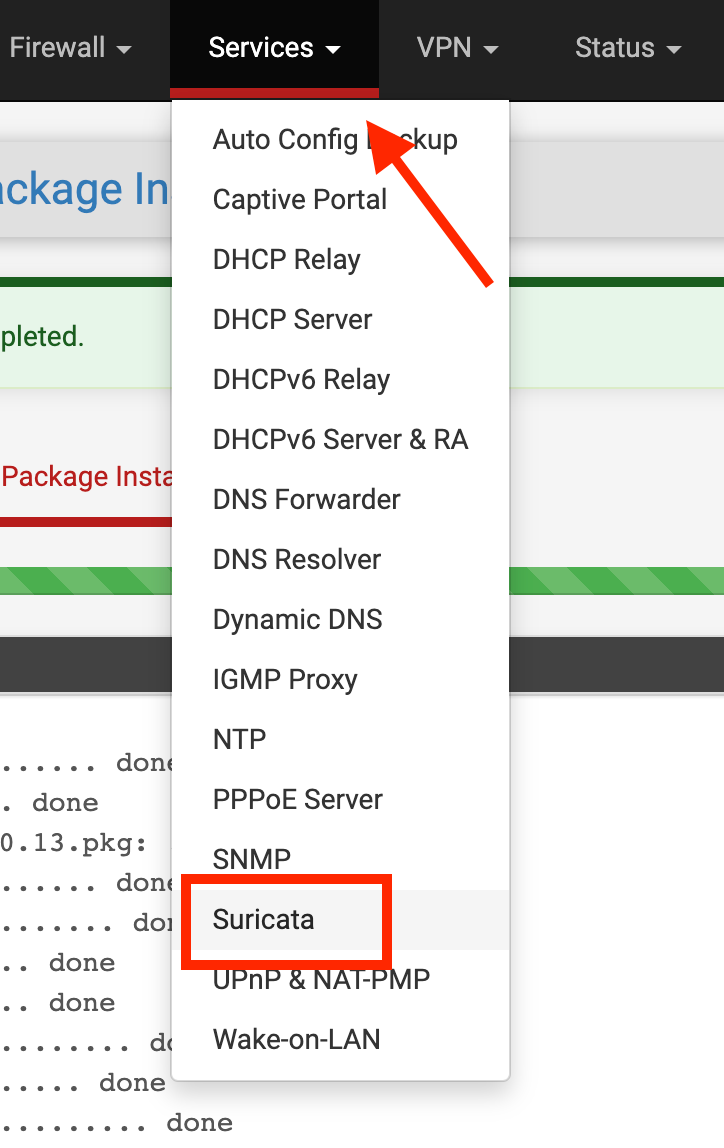
Click On the Services top menu item.
Click on Suricata.
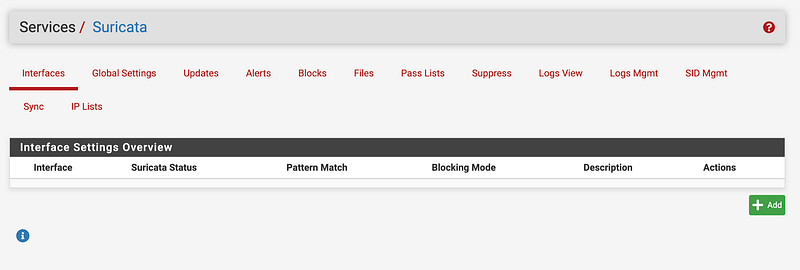
Click Add.
Click the interface on which you want to run Suricata.
I explained interfaces in my other posts on pfSense.
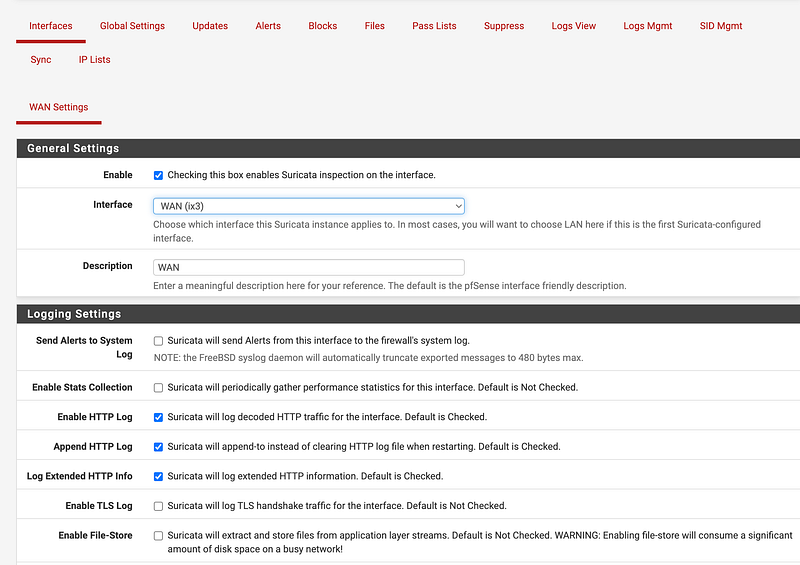
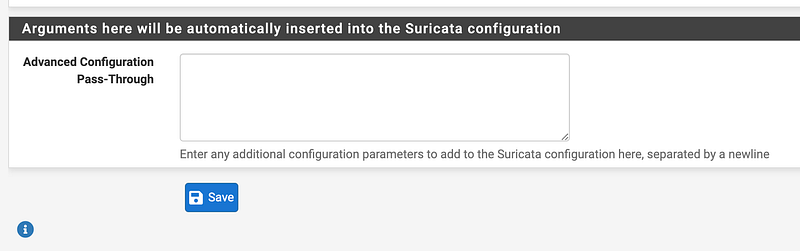
For now I just left the defaults and clicked “Save” at the bottom.
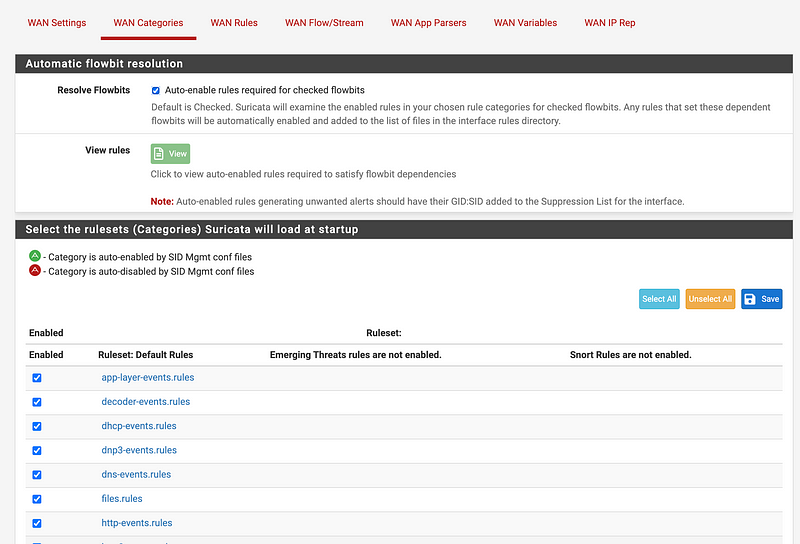
Click on WAN Categories.
Here you can see the list of rule categories enabled by default. You can check or uncheck a category. If you don’t use a particular technology in a rule category, unchecking it will help your firewall performance.
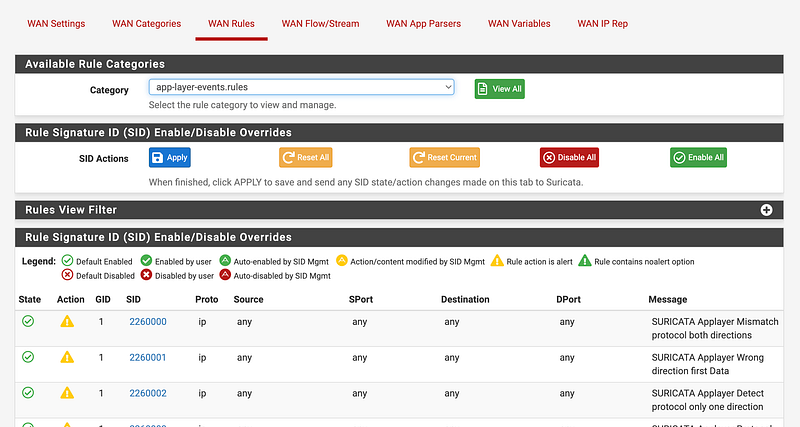
Click on WAN Rules.
You can check and uncheck these rules. Maybe some slow down your traffic too much, produce false positives, or block incorrect traffic.
Now the last time I configured this, I had a problem with streaming services or devices like Youtube TV, Netflix, Roku, Apple TV, etc. If you have a service that causes problems you can separate out that service onto it’s own interface and create less restrictive rules, and then apply the more restrictive rules on the interface where you do your work. This requires continous tuning and montoring to come up with a ruleset that lets you work — while not turning off critical rules that protect your systems.
Click on the SID number link to see how a rule is written:
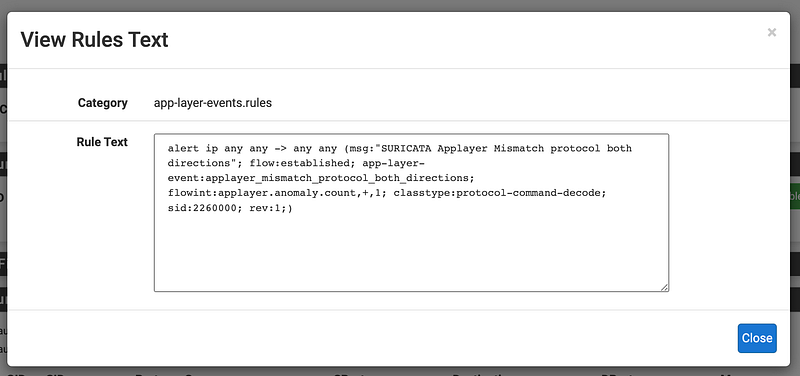
This is the type of thing some of security certifications covered. To use all the power of these rules you need to understand how different types of network protocols work in packet headers and how to inspect the payloads in packets — and you have to be able to see those payloads. You can’t if they are encrypted packets and you don’t hold the key to decrypt them. A network security device can only inspect what it can see.
On that note, that’s why QUIC caused problems for network security devices when it first came out. It did things in ways in which network security devices couldn’t see and inspect the traffic. DNS over HTTPS poses a similar problem for security analysts trying to protect network users, while at the same time, protecting users from invasive inspection. There’s always a trade-off between privacy and security.
Check out the Suricata documentation for more on writing rules for Suricata.
If you’re familiar with Snort, another IDS/IPS you’ll probably recognize the rule format. You can use lists from different sources and add them to your rules. Snort was developed first, later purchased by Cisco. Suricata is a similar option. Here’s a rundown on a few of the differences and the lists they offer.
For example, Snort rule sets are separated into a community ruleset and a subscriber rule set, whereas Suricata has an ETOpen ruleset and an ETPro ruleset.
Now add Suricata to one of your LAN interfaces. You can see the rules list and there may be some overlap with the WAN interface. Checking the same rule twice as it traverses each interface may be redundant.
Also notice that by default no traffic is blocked, only logged.
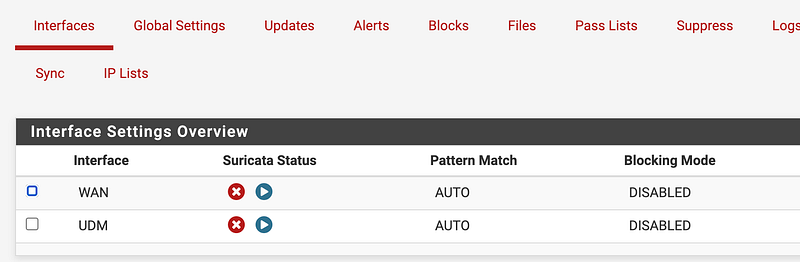
View and manage logs using the menu item at the top. There’s also a way to send the logs to the firewall logs in the interface configuration if you want to do that.
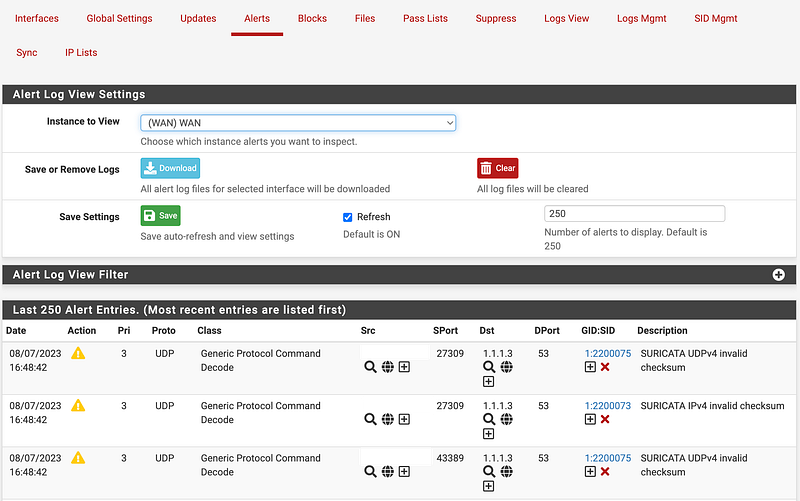
If you click on the Alerts tab you will see alerts once generated. In this case I have some packets with bad checksums. If you notice they are all on port 53. I’m guessing this is due to my NAT rule that redirects traffic going to unauthorized DNS servers on my network, but I’ll have to dig into it a bit more. I could disable this rule or modify it if the requests are being sent to CloudFlare DNS servers. TBD.
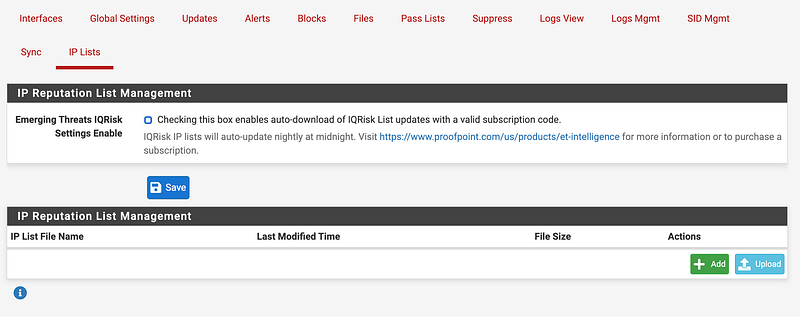
You can block known bad IPs with Suricata using IP Lists, but as noted above that doesn’t help much with Bit Torrents. Also, you can use alias lists and simple firewall rules to block traffic with possibly less overhead and may be less taxing on your firewall. You’ll have to test it out.
By the way I was looking at whether the UDM supports Snort or Suricata. I didn’t dig too deep but doesn’t look promising.
I did find another post that says it has a limited set of free Suricata rules. I’ll probably explore that more later.
This is the tip of the iceberg — and this is why some people have full time jobs configuring and monitoring tools like this and analyzing network packets. New threats come out, networks need to be inspected for possibly already having been compromised, and then rulesets may need to be adjusted to block new threats. Attackers are constantly changing their tactics and cybersecurity professionals have to respond accordingly.
Follow for updates.
Teri Radichel | © 2nd Sight Lab 2023
About Teri Radichel:
~~~~~~~~~~~~~~~~~~~~
⭐️ Author: Cybersecurity Books
⭐️ Presentations: Presentations by Teri Radichel
⭐️ Recognition: SANS Award, AWS Security Hero, IANS Faculty
⭐️ Certifications: SANS ~ GSE 240
⭐️ Education: BA Business, Master of Software Engineering, Master of Infosec
⭐️ Company: Penetration Tests, Assessments, Phone Consulting ~ 2nd Sight Lab
Need Help With Cybersecurity, Cloud, or Application Security?
~~~~~~~~~~~~~~~~~~~~~~~~~~~~~~~~~~~~~~~~~~~~~~~~~~~~~~~~~~~~~
🔒 Request a penetration test or security assessment
🔒 Schedule a consulting call
🔒 Cybersecurity Speaker for PresentationFollow for more stories like this:
~~~~~~~~~~~~~~~~~~~~~~~~~~~~~~~~~~~~~~~~~~~~~~~~~~~~~~~~~~~~~
❤️ Sign Up my Medium Email List
❤️ Twitter: @teriradichel
❤️ LinkedIn: https://www.linkedin.com/in/teriradichel
❤️ Mastodon: @teriradichel@infosec.exchange
❤️ Facebook: 2nd Sight Lab
❤️ YouTube: @2ndsightlab


