
I Tried 100 AI Tools. These Are The Best
Best AI tools for generating text, speech, video, image, notes, apps, and more!

Since ChatGPT was released, I’ve been trying many AI tools for different purposes.
In this article, I’ll share with you what I think are the best AI tools. I’ll leave a small review of each tool as well as links to complete guides to know more about them.
Here are the 10 best AI tools.
1. Adobe Firefly: Image and text effect generation
Adobe Firefly is a generative AI model coming to Adobe products like Photoshop that focuses on image and text effect generation.
It works like Midjourney, but you don’t need Discord or any knowledge of this type of platform to get started. You only need to log in or sign up for Adobe to use the beta of Adobe Firefly.
Here’s a quick demo of some of its features.
My favorite feature is definitely Generative Fill because it allows you to add objects to your photos, change the background, and more.
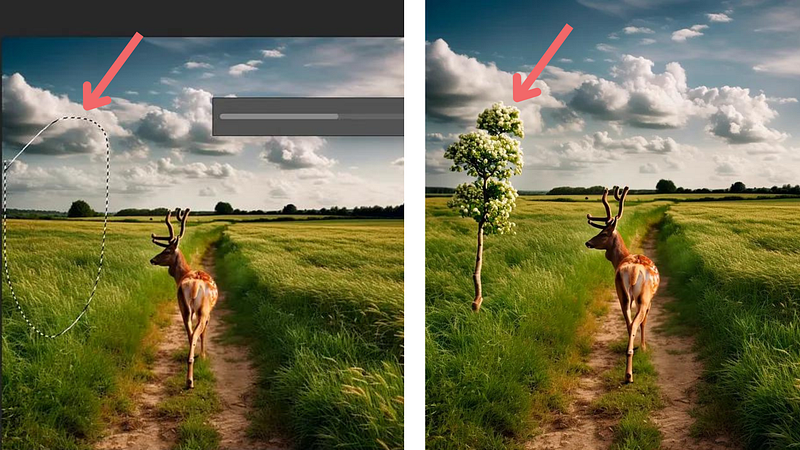
To learn more things you can do with Firefly in Photoshop, check this complete guide.
Keep in mind that Adobe Firefly is currently in a beta test. If you want to try it in Photoshop, click on the link below to download Creative Cloud.
2. Notion AI: More efficient notes and docs
If you’re a Notion user, you’re gonna love Notion AI. Notion AI takes note-taking apps to the next level. You only need to type a prompt to generate text for your blog post, or social media post inside the Notion app.
Here’s a quick demo.
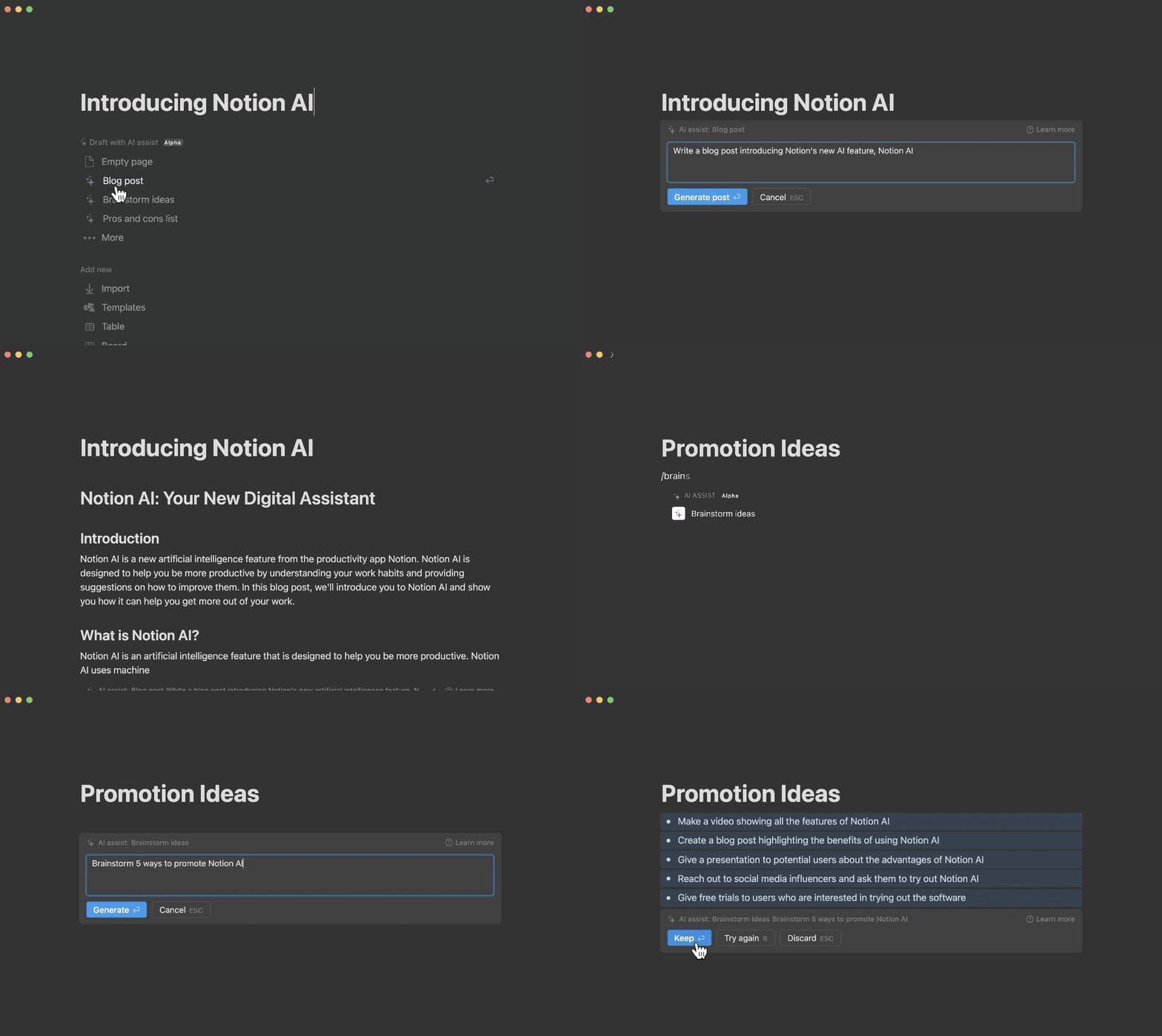
But that’s not all! Besides generating text, Notion AI has many features powered by AI. It can help you summarize text, fix spelling and grammar errors, and translate your text into multiple languages.
Click here to know about everything you can do with Notion AI.
3. NVIDIA Broadcast: AI-enhanced voice and video
NVIDIA Broadcast is an AI tool perfect for those who want to improve the quality of their video conferences and voice calls.
This tool has many features powered by AI. Here are my favorites:
- Noise removal
- Virtual background
- Room echo removal
- Eye contact (a feature that introverts will love)
A video is worth a thousand words, so here’s a quick demo of how these features work.
Unfortunately, this tool requires you to have an Nvidia RTX graphics card. If you’re a Windows user, check this guide to verify what graphic card your computer has and follow the steps to install this tool.
4. Canva AI: Image Generator, Text Generator, Magic Design, and Photo Editor
Image a bunch of AI tools put together in one single platform — that’s what Canva AI offers.
If you’re new to Canva, Canva is a tool to create social media graphics and presentations, and now things get even better with AI!
First, just like Midjourney, Canva now offers image generation. You only need to type the prompt and the image will be generated within Canva in seconds!
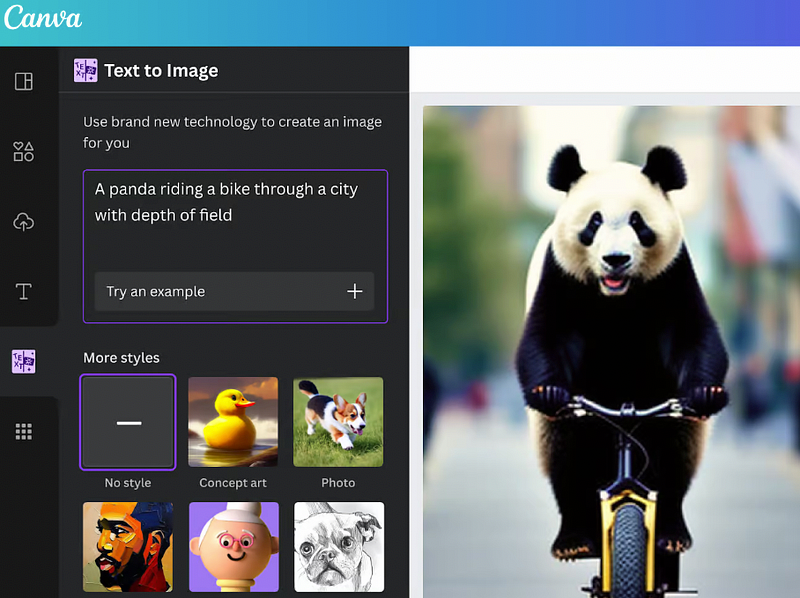
The best part? You can use Canva’s photo editor to adjust the brightness, contrast, blur, and more right from Canva.
Second, just like ChatGPT, you can generate text to help you get out a first draft quickly. You only need to type a prompt and your content will be generated.
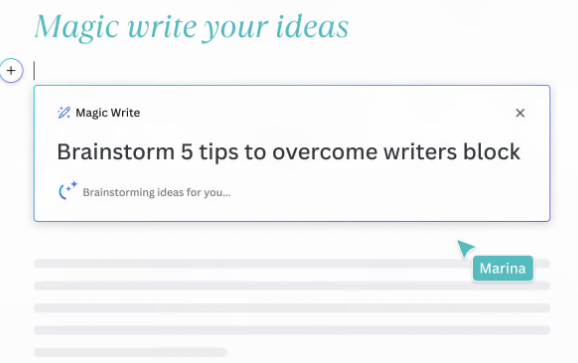
Last but not least, Canva offers an AI design tool called Magic Design that helps you turn text and images into customized designs with the help of AI. In addition to that, Canva also has an AI photo editor that helps you remove objects from your images or replace them.
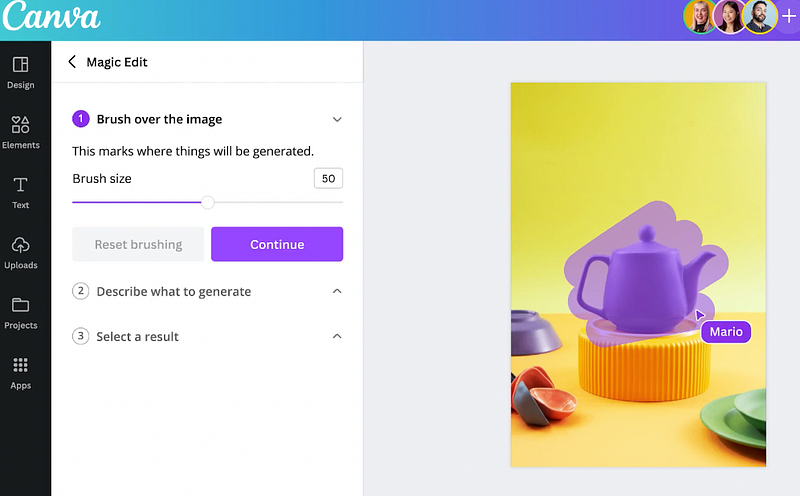
Again, nothing Canva offers is new, but it’s very cool that all these features are in one single place.
5. GPT-4 (Plugins)
If you’re a ChatGPT Plus subscriber, you probably know that plugins are the best thing that happened to ChatGPT so far.
With plugins, you can have access to the internet, sum up videos, get insights from articles, automate data analysis, and more.
Here’s a summary that the plugin Video Insight made for one of my YouTube videos.
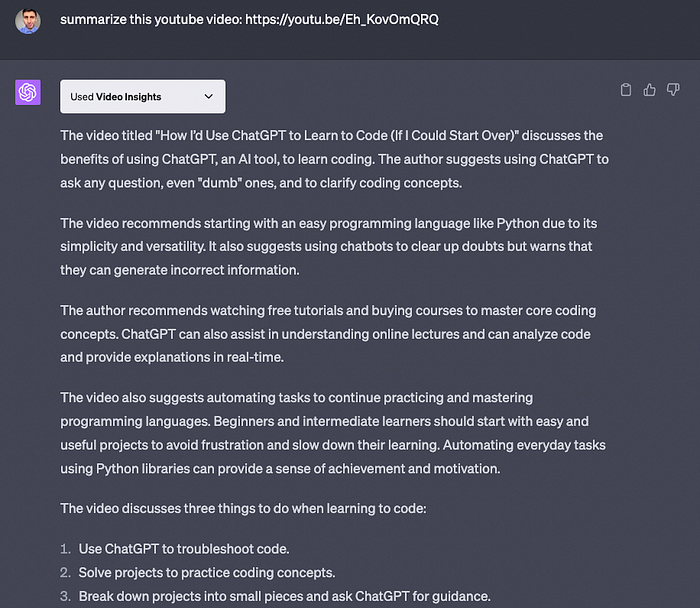
I love ChatGPT’s plugins. In fact, here and here you can find a complete list of my favorite plugins.
6. Eleven Labs: AI Text to Speech
Elevenlabs is an AI tool that helps us create realistic and versatile AI speech.
Here’s how it works
- Paste it on the Eleven Labs website
- Select one of the premade voices
- Click on the play button!
And the best part is that you don’t need to create an account to use Elevenlabs, but there’s a limit of 333 characters, which goes up to 10,000 characters per month for those with a free account-
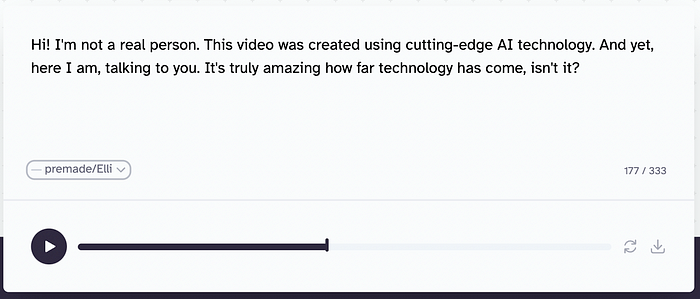
It’s that simple!
The best part is that you don’t need to create an account to use Elevenlabs, but there’s a limit of 333 characters, which increases to 10,000 characters per month for those with a free account.
7. D-ID: AI Generated Video Creation
D-ID is an AI tool that animates images from text or audio.
We simply need to choose one of its pre-made presenters and then type whatever we want the presenter to say in the video.
To take D-ID to the next level, you can even use one of the images generated with Midjourney and combine it with the speech generated using Eleven Labs to produce a video like the one below.
That’s how people create AI meme videos like Balenciaga nowadays. If you’d like to know how to create this type of video, check out this guide.
8. Midjourney/Leonardo AI: Image generation
AI art is everywhere so probably you already know about Midjourney and Leonardo AI.
Both tools can generate images from text prompts in seconds — from very realistic images to dogs wearing a space suitcase like the image below.
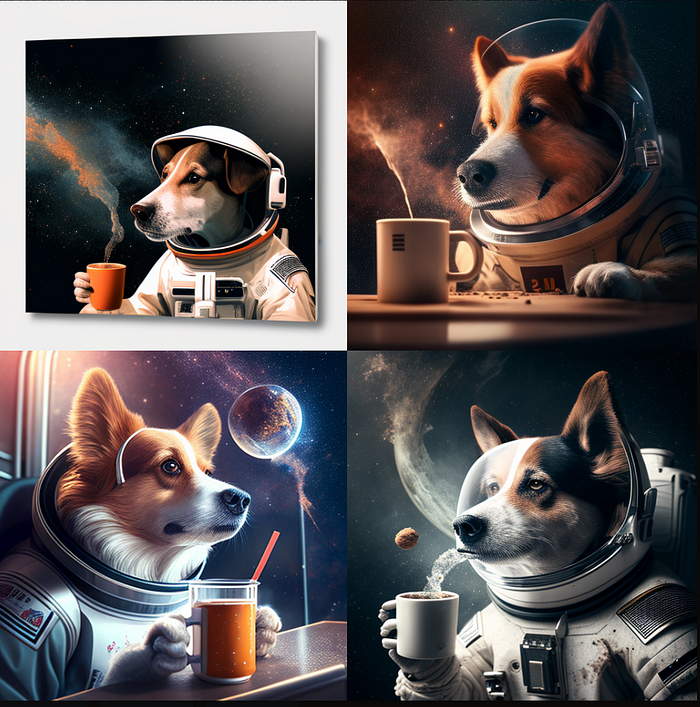
Both tools can be used for creating UI/UX design, making fictional characters, and photo editing with simple text prompts.
So what’s the difference between these tools? Currently, Leonardo AI is free to use, while Midjourney isn’t free anymore.
Click here to learn how to get started with Leonardo AI or here to learn how to get started with Midjourney.
To set up and use the tools below, you will need to know how to use the terminal/cmd. That said, I’ll leave some step-by-step guides to help you with the installation.
9. AutoGPT / AgentGPT
AutoGPT is a powerful tool that makes GPT-4 autonomous.
With AutoGPT you only need to provide 1 prompt and then the tool does all the reasoning and self-prompting to get the best result possible.
Here’s how people are using AutoGPT.
A Twitter user created an AI agent that conducts product research to find the best headphones on the market.
Another user created an AI agent that autonomously gathers and analyzes market data.
The installation of Auto-GPT isn’t simple though, so check out my guide on how to easily install Auto-GPT.
To visit the GitHub repo, click here
10. GPT-Engineer
This is probably the perfect tool for those who want to build apps with just one prompt.
With GPT-Engineer you can build entire codebases in seconds. You don’t need to copy/paste code, create the files on your own or set up the project environment yourself.
Just type your prompt! (and do some tweaks to the final code if necessary).
Only yesterday I was able to create a snake game, scrape my own website and create a simple website about dogs using GPT-Engineer.
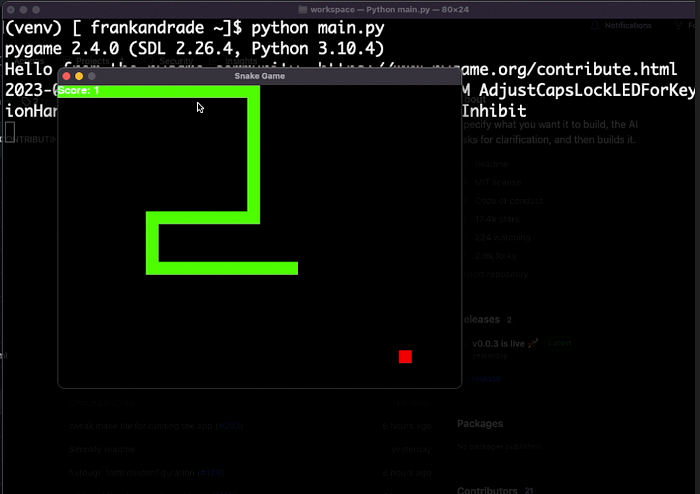
Setting up GPT-Engineer may be a bit tricky since the GitHub repo keeps updating, so check out my guide on how to easily set up GPT-Engineer.
To visit the GitHub repo, click here
That’s it for now. There are other cool AI tools I didn’t include in this list because I already wrote about them here and here. Check them out!
Join my newsletter with 30K+ people to get my free ChatGPT cheat sheet.
If you enjoy reading stories like these and want to support me as a writer, you can do it through Paypal or by getting a Medium subscription (it’s $5 a month, giving you unlimited access to articles like this one … if you use my link, I’ll earn a small commission with no extra cost to you).


