
The AI Tool That Introverts Will Love
This AI tool makes eye contact easy.

If you’re an introvert, probably you have a hard time maintaining eye contact while talking to people. This issue isn’t exclusive to face-to-face conversations, but can also happen to you during video conferences (for different reasons).
Although tech can’t help you magically keep eye contact in a real face-to-face conversation, there’s an AI tool that adds an eye contact effect to your video conferences.
Here’s how it works and how to install it on your computer.
NVIDIA Broadcast makes eye contact easy
NVIDIA Broadcast is an app powered by AI that helps you improve your video conference calls in different ways. The app offers noise removal, virtual background, room echo removal, video noise removal, and other cool features.
To put it simply, NVIDIA Broadcast turns your room into a home studio. Here’s a quick demo of the app.
One of the coolest features the app offers is Eye Contact.
How does it work? This feature moves the eyes of the speaker to simulate eye contact with the camera. The best part is that the eyes retain their natural colors and blinks.
You could be reading your notes or script without staring directly at the camera and the app will simulate eye contact with the camera. Perfect for those who can’t or don’t want to stare at the camera for a long time.
Here’s a quick demo of the Eye Contact feature.
You can enable the Eye Contact feature after downloading the NVIDIA Broadcast app.
Let’s see the requirements this app has and the steps to install it on your computer.
How to Install NVIDIA Broadcast
First of all, to use NVIDIA Broadcast you need to have an Nvidia RTX graphics card. If you have an older GTX graphics card you can still take advantage of the audio capabilities but not video features like Eye Contact.
In case you wonder what graphic card you have on your computer, follow the steps below on Windows.
- Open Windows System Information
- On the left side, expand the category “Components”
- Click on “Display” and search for “Name”
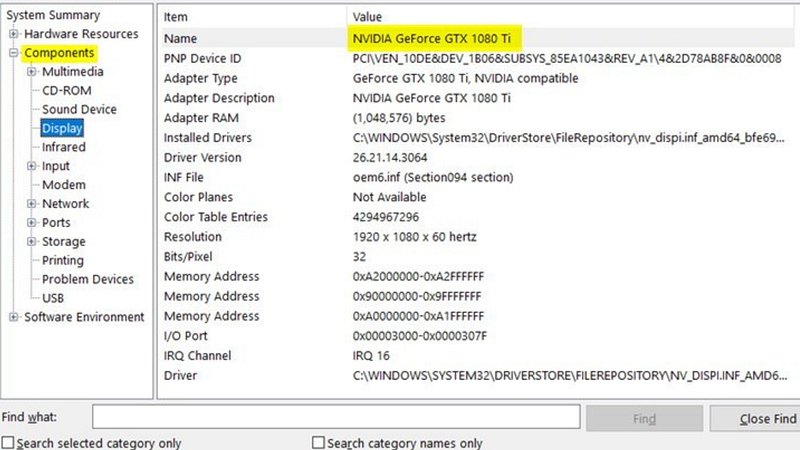
If you have an Nvidia RTX graphics card, go to this website to download NVIDIA Broadcast
If you have an older GTX graphics card and want to use the noise removal effect, go to this website and inside the Table of Contents click on the option “Setup Guide” and click on the option that says “Download RTX Voice”
Once you download and install Nvidia Broadcast, you can open up the program and enable microphone noise removal, camera effects, eye contact, and other features.
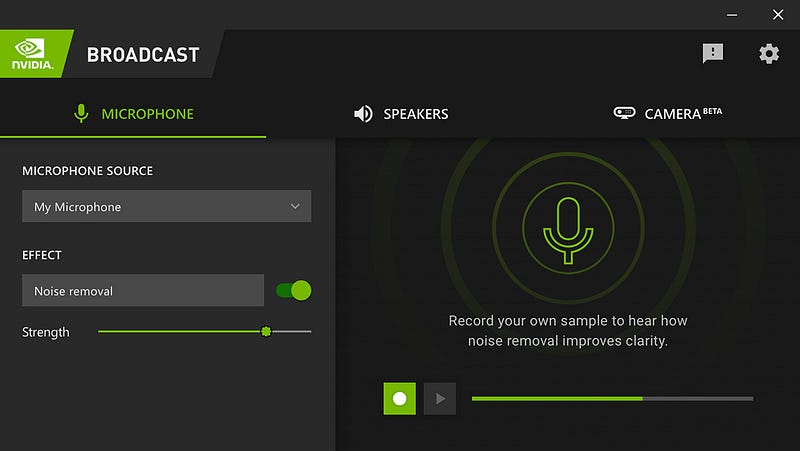
A few drawbacks I found while using this feature
- The Eye Contact feature might make your video look fake, as the person’s gaze may not match their body language or facial expressions.
- If your eyes are looking at the camera for a long time, you might look creepy!
Other than that, the app does a good job at improving your voice and video whenever you’re on a video conference, live stream, and voice chat.
Artificial Corner’s Free ChatGPT Cheat Sheet
We’re offering a free cheat sheet to our readers. Join our newsletter with 20K+ people and get our free ChatGPT cheat sheet.
If you enjoy reading stories like these and want to support me as a writer, consider signing up to become a Medium member. It’s $5 a month, giving you unlimited access to thousands of Python guides and Data science articles. If you sign up using my link, I’ll earn a small commission with no extra cost to you.