
Gaming
Here’s a Practical Guide to PC Gaming.
If you’re new to PC gaming, you might benefit from this article.
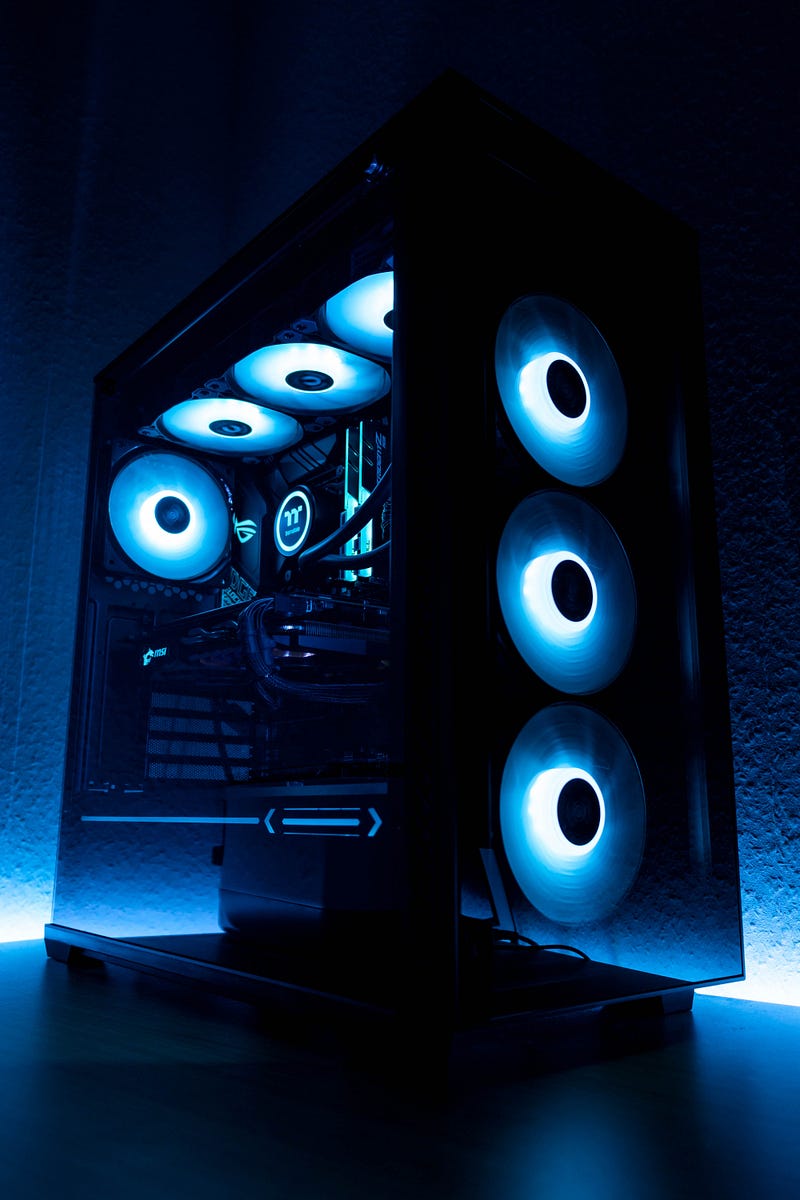
In a previous story, I wrote about popular gaming consoles for beginners.
Some subscribers showed interest in my experience and thoughts about PC gaming and wanted to know whether they should buy or build a PC for gaming.
They also wanted to know the critical points for gaming PCs. Therefore, I decided to post this article to share my experience and perspectives briefly.
First, I like to give a bit of background info about PC gaming.
An introduction to PC gaming
PC gaming refers to playing video games on a personal computer. It has been a popular pastime for decades and has evolved significantly over time.
One of the main benefits of PC gaming is the vast library of games that are available. Countless games have been released over the years, ranging from classic titles to the latest and most advanced games. In addition, many platforms offer access to various games, such as Steam, GOG, and Epic Games Store.
Another advantage of PC gaming is the ability to customize and upgrade the hardware. While console gaming systems are limited by the hardware that is built into the system, PC gamers have the option to upgrade their graphics card, processor, and other components to improve their gaming experience.
This is particularly useful for those who want to play the latest and most demanding games, as it allows them to get the most out of their system.
PC gaming also offers several other benefits. For example, many games support keyboard and mouse controls, which can be more precise and responsive than gamepad controls. In addition, PC gamers can use multiple monitors, providing a more immersive gaming experience.
However, there are also some drawbacks to PC gaming. One of the main challenges is the cost of building or purchasing a high-quality gaming PC. While console gaming systems are relatively inexpensive, building a powerful gaming PC can be a significant investment.
In addition, you might have a learning curve associated with PC gaming, as you need to become familiar with hardware and software installation and configuration.
Now, let me share my thoughts on whether to buy or build a gaming PC.
Should you build or buy a gaming PC?
Based on my experience, I see several reasons why you might choose to build or buy a prebuilt gaming PC. Here are the key points to consider.
- Cost: Building a gaming PC from scratch can be more cost-effective than buying a prebuilt system, as you can hand-pick the components and potentially save money on those that are on sale. However, prebuilt systems can be a good option for those who don’t want to spend time and effort on research and assembly.
- Convenience: Prebuilt systems take the guesswork out of building a PC, as the manufacturer has already selected and tested compatible components. This can be especially appealing to those who are new to PC gaming and may need to become more familiar with the various components and their compatibility.
- Quality: Prebuilt systems are often built to a higher standard, with better quality components and more rigorous testing. This can result in a more reliable and longer-lasting system.
- Warranty: Prebuilt systems often come with a warranty, which can provide peace of mind and protect against any potential issues that may arise.
Ultimately, whether to build or buy a gaming PC will depend on the individual’s needs and preferences.
From my observations, those who want to save money and have a strong interest in the technical aspects of PC gaming may prefer to build their own system, while those who value convenience and reliability may prefer to purchase a prebuilt system.
Now, I’d like to highlight key points when building a gaming PC.
What to keep in mind when building a gaming PC
When building a gaming PC, there are several things to consider:
- Processor: The central processor (CPU) is the core component of the computer. It is responsible for executing most instructions that the computer receives. A strong processor is essential for gaming, as it will allow the system to handle demanding tasks such as running high-end games.
- Graphics card: The graphics card (GPU) renders the images you see on the screen. For gaming, a dedicated graphics card is essential, as it will have its own dedicated memory and processing power to handle the demands of modern games.
- Memory: Memory (RAM) is used by the computer to store data that is being actively used or accessed. For gaming, it is vital to have enough memory to ensure that the system can run smoothly without running out of space.
- Storage: Storage is used to store all of your files, including your operating system, games, and other programs. For gaming, it is crucial to have enough storage space to hold all of your games and other files and to consider the type of storage (such as a traditional hard drive or a faster solid-state drive) based on your needs.
- Motherboard: The motherboard is the main circuit board in the computer. It is responsible for connecting all the other components. When selecting a motherboard, it is essential to ensure that it is compatible with the other parts you have chosen and that it has the features you need (such as support for multiple graphics cards or a specific type of processor).
- Power supply: The power supply is responsible for providing power to all computer components. It is vital to select a power supply capable of delivering enough power to all of the parts and the necessary connectors for those components.
- Case: The case is the enclosure that holds all of the components of the computer. It is crucial to choose a case that is large enough to accommodate all of the elements and that has good airflow to help keep the system cool.
- Cooling: Proper cooling is essential to prevent the components of the computer from overheating. It is vital to select a cooling system (such as air cooling or water cooling) that is appropriate for the components and the case.
- Peripherals or Accessories: In addition to the core components of the computer, you will also need to consider peripherals such as a monitor, keyboard, and mouse. It is important to select peripherals that are compatible with your system and meet your gaming goals and needs.
As the screen is critical in gaming, I’d like to give some ideas about choosing appropriate monitors for your gaming PC.
What type of monitor should you get for your gaming setup?
When selecting a monitor for gaming, there are several features to consider:
- Refresh rate: The refresh rate refers to the number of times per second your monitor updates the image on the screen. A higher refresh rate can result in a smoother and more fluid gaming experience, especially for fast-paced games. A refresh rate of at least 60 Hz is generally considered good for gaming, although higher refresh rates are available.
- Response time: The response time refers to the amount of time it takes for a pixel to change color. A shorter response time can result in less ghosting or blurring of fast-moving objects. A response time of 5 milliseconds (ms) or less is generally considered to be good for gaming.
- Resolution: The resolution refers to the number of pixels your monitor can display. A higher resolution can result in a more detailed and clearer image, but it can also strain the system’s graphics card. It is important to choose a resolution that is appropriate for the capabilities of your graphics card.
- Panel type: Several different types of panels can be used in monitors, including IPS, TN, and VA. Each panel type has its own strengths and weaknesses, and the best choice will depend on your needs and preferences. For example, IPS panels tend to have good color accuracy and wide viewing angles, while TN panels tend to have faster response times.
- Connectivity: It is important to consider the connectivity options available on the monitor, as you will need to ensure that it is compatible with your graphics card. Standard connectivity options include HDMI, DisplayPort, and DVI.
- Size: The size of the monitor can be an essential factor, as it will affect your field of view and the overall immersion of the gaming experience. It is vital to choose a size that is appropriate for your setup and your personal preferences.
- Other features: Other features to consider when selecting a gaming monitor may include the presence of built-in speakers, the ability to adjust the stand for ergonomic purposes, and the inclusion of additional gaming-specific features such as G-Sync or FreeSync.
Let me briefly share my recent experience with a gaming PC.
Here’s my experience with PC gaming
I repurchased a particular gaming PC in 2015 when I didn’t know much about PCs in general. That’s why I decided to buy a prebuilt PC from Lenovo.
I have since then upgraded the cooling system and the graphics card since they needed to be updated.
But recently, I decided that building myself a new PC with modern internals was probably a good idea to learn more about a PC’s internals and customize it to exactly what I wanted.
Therefore I did a lot of research to build the perfect gaming PC to meet my needs.
After I collected all the parts, I got one of my friends, who knows a lot about PCs, to help me put it together. Interestingly, it wasn’t as difficult as I expected it to be when constructing a PC. But to be fair, I had a lot of help from my friends.
Final Words
PC gaming involves playing video games on a personal computer and offers a vast library of games and the ability to customize and upgrade hardware. Prebuilt gaming PCs offer convenience and reliability, but building a PC can be more cost-effective.
When building a gaming PC, consider factors such as the processor, graphics card, memory, storage, motherboard, power supply, case, cooling, and peripherals. When selecting a gaming monitor, consider factors such as the refresh rate, response time, resolution, panel type, connectivity, size, and additional features.
If you’re looking into building or buying a gaming PC, make sure to do plenty of research to make sure you’re getting a good deal and make sure you‘re either getting the right parts or buying a PC that meets your needs.
If you enjoy my posts, please consider following my profile since I post about exciting gaming-related news and talk about technology, design, and social media in my stories.
With that being said, thank you for reading my post, and have a good one.
Here are my three recent stories for new readers.
Unleash Your Creativity and Transform Your Marketing with Snapchat: A Practical Guide
If you are into poetry, you might check this contest to increase your chance of winning a prize from Vocal Media.
Earlier today, I posted a YouTube short and also repurposed it on TikTok about my first impression of Vocal Media. It is only a few seconds. Busy people like YouTube shorts as they are quick and to the point. They look like tweets under 140 characters.
Here is my YouTube short about Vocal Media.
My next goal is to create haikus in YouTube shorts. Who knows, I can earn $1000 by writing three lines!
As a YouTuber, I guide video producers based on my experience. You might check my recent article, which might be helpful.
How to Be a Successful Video Producer in 10 Steps and Monetize Your Content
If you are into podcasting and want to share your gaming experience in a podcast, earlier, I posted an article guiding new podcasters. I hope you find it helpful.
How to Become a Successful Podcaster with Minimum Investment in 10 Steps
I posted an article for aspiring game developers introducing six types of technologies, architectures, and design constructs.
A Practical Guide to Gaming Technologies for Aspiring Game Developers
I write about exciting software tools and training programs. For example, if you are a dog owner, you might enjoy my recent story introducing an attractive dog training program.
Recently, I introduced a program for FIFA gaming enthusiasts.
If you are into sports betting, I posted an article introducing a program.
An Introduction to ZCode™ VIP Club Pass for Sports Betting Enthusiasts
In my previous story, I touched on the health aspect of gaming as it is an important aspect. If you missed it, you might check it out here.
Updates on My Publication Duties for New Readers
Here is some excellent news for writers on Medium. A quick update on the potential opportunity for selected writers to monetize external views on Medium
Excellent News for Medium Writers to Earn from SEO Incentive Program in 2023
I posted a story about new writing content on Vocal for fiction writers.
$1000 Prize: A New Writing Contest for Fiction Writers on Vocal
I recently joined Vocal Media as a writer and found it interesting. There is a specific gaming community on Vocal. You might check my findings in the attached story.
If you are new to Vocal Media and would like to join as a member, you might use my referral. It will not cost you extra similar to Medium membership.
My new challenge is to learn about reviewing products, as discussed in the attached story.
Can We Really Make $300,000 with Product Reviews without Social Media and Existing Audience?
I posted a new bulletin for my other publication, Illumination Videos and Podcasts. If you are a YouTuber or Podcaster, you may join my publication. Here is the invitation.
Invitation to Write for ILLUMINATION Videos and Podcasts Publication
I shared my monthly writing challenge progress and updates from my publications. If you are a writer, you can join the 100-day writing challenge like many other writers and me.
I created my first curated collection for our new publication, ILLUMINATION Videos, and Podcasts. I invited YouTubers and podcasters. The collection has interesting videos from talented writers. I hope you will find some valuable stories and videos.
I recently posted my first curated collection for writers contributing to Illumination Gaming Publication. I hope you find some valuable pieces in this collection. I appreciate your support of these writers.
I Attempt to Solve a Problem of the New Writers with a Bit of Humor on YouTube and TikTok. And I created a new website for the Illumination Gaming publication.
If you are new to Medium, you can join by using my referral link. Promise, it won’t cost you extra. You can read my modest posts and the many beautiful stories of every other writer on this platform.
This post includes my Medium and Vocal Media referral links.


